Technology reviews & practical guides
Discover the best automation tools – from no-code platforms like Zapier and Make to AI-powered automation that handles complex workflows.

We all waste hours each week on repetitive digital tasks: copying data, sending routine emails, updating spreadsheets. Automation tools let you hand these chores to software, freeing your time for work that actually requires a human.
This guide surveys the best automation tools of 2026 and how to choose the right one.
Most people start with no-code platforms because they require no programming and deliver value quickly.
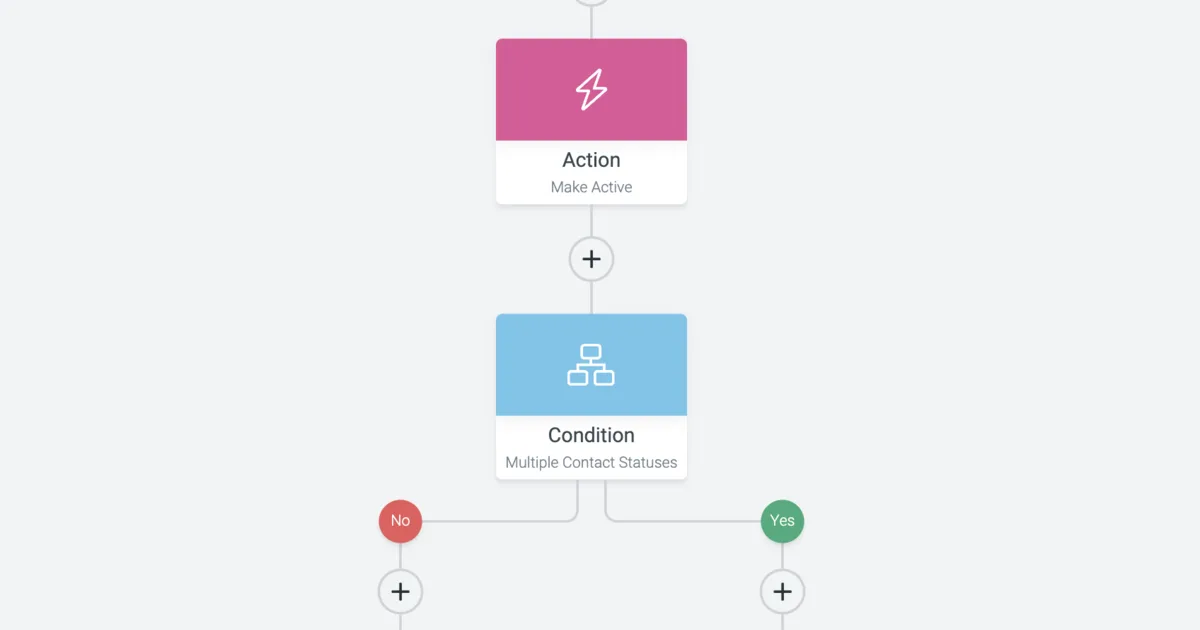
Tools in this category let you build workflows by connecting triggers to actions: when a form is submitted, add a row to a spreadsheet and send a notification. They connect thousands of apps and let non-technical users automate surprisingly sophisticated processes.
Identify the repetitive task that eats the most time, then automate it first. One well-chosen automation can save hours every single week.
Consider which apps you need to connect, how complex your logic is, and your comfort with code. Simple connections favor no-code tools, while custom or heavy workflows may call for scripting. Often the best setup combines both.
List your repetitive tasks, estimate the time each consumes, and automate the highest-impact one first. Build incrementally, test thoroughly, and you will steadily reclaim hours that you can spend on meaningful work.
A credible plan for a task-automation initiative starts with trigger reliability, data sensitivity, exception paths, ownership, and the cost of a failed run. Write these constraints down before comparing products or copying reference architectures. The exercise exposes assumptions that otherwise appear only during an incident or migration.
Define success in operational terms: who owns the system, what failure looks like, how a change is approved, and how the team will recover. This keeps the design focused on durable outcomes rather than a fashionable tool list.

The safest implementation path is to select one repetitive process, document its current decisions, automate the stable steps, and keep a manual recovery path. Keep the first change deliberately small enough to inspect, reverse, and explain. Record the commands, policies, and decisions so the second implementation is repeatable rather than improvised.

The recurring failure patterns are automating a broken process, unclear ownership, credentials shared between flows, silent failures, and no audit trail. These are governance and operating problems as much as technical ones, so another product rarely fixes them by itself.
Review access, dependencies, logs, capacity, recovery steps, and cost on a regular cadence. Test the uncomfortable path: remove a dependency, revoke a credential, restore from backup, or roll back a release. Rehearsal converts documentation into demonstrated capability.

A useful reference system is an employee onboarding flow that creates approved accounts, schedules tasks, records completion, and escalates exceptions. The boundary matters because reliability and security failures usually occur between components rather than inside the most visible component. Draw the data flow, identities, network transitions, state stores, and external dependencies before selecting an implementation pattern.
For every boundary, document the input contract, owner, timeout, retry policy, capacity assumption, and failure response. Decide which component is authoritative for state and how duplicate, delayed, or malformed input is handled. These decisions prevent ambiguous recovery work when several systems report different outcomes.
Keep the first architecture intentionally legible. Fewer independently changing parts mean fewer credentials, dashboards, deployment paths, and failure combinations. Add a component only when it provides a measurable capability or isolates a meaningful risk; novelty by itself is not an architectural requirement.
Evaluate trigger authority, data mapping, idempotency, retries, approvals, audit evidence, rate limits, and a named business owner. Weight each factor according to the workload rather than assigning every category equal importance. A regulated customer database, an internal reporting job, and a short-lived experiment can rationally produce different decisions even inside the same company.
Create a short scorecard, but attach evidence to every score: a measured latency, a tested recovery step, a policy excerpt, a representative invoice estimate, or feedback from the people who will operate the result. Unsupported numbers only turn preference into something that looks objective.
Set rejection criteria before the evaluation. A candidate that cannot meet a mandatory data boundary, recovery objective, accessibility need, or operational constraint should not win by accumulating points elsewhere. Record uncertainties separately and give them an owner and a deadline.
Consider this practical sequence: the workflow prepares access only after an approved HR event and pauses privileged requests for a human decision. The team defines the expected result and failure signal first, then captures a baseline before changing production. It uses representative data and normal access controls rather than a frictionless demonstration account.
During the pilot, operators intentionally create one timeout, one authorization failure, and one malformed input. They verify that the event is visible, the user receives an appropriate result, retry behavior is bounded, and the documented recovery step actually works. This exercise often reveals more than a successful happy-path demo.
The final review includes application developers, operations, security, finance or procurement when relevant, and the business owner. Each group signs off on the risks it will own. The decision record states what was excluded from the pilot so limited evidence is not mistaken for universal proof.
Security work should include this concrete control set: use scoped service identities, separate credentials by environment, redact run history, validate webhook signatures, and revoke access during offboarding. Controls need owners and observable failure states. A setting that was enabled once but is never checked, tested, or reviewed is weaker than its configuration screen suggests.
The financial trade-off is equally contextual: no-code subscriptions reduce development time but execution limits and premium connectors matter; custom code shifts cost into engineering maintenance. Estimate normal demand, peak demand, failure recovery, retained data, support, and operator time. A cheaper unit price can produce a more expensive system when it requires additional tooling or scarce expertise.
Do not optimize away the margin needed for recovery. Redundancy, logs, backups, test environments, and skilled review all cost money because they reduce uncertainty. Make those costs visible and compare them with the impact and likelihood of an interruption rather than labeling every unused percentage as waste.
For migration, run automation in shadow mode, compare its proposed actions with the manual process, enable reversible steps first, and preserve an emergency manual procedure. Establish data reconciliation and acceptance criteria in advance. A rollback is credible only when the team knows which writes occurred, which state must be reversed, and how users will be informed during the transition.
After launch, maintain a small operating calendar: review privileged access and dependencies, test restoration or rollback, inspect cost and capacity trends, update runbooks, and remove obsolete integrations. Link each recurring check to a named role instead of relying on collective memory.
Revisit the original decision when scale, regulations, staffing, product criticality, or vendor capability changes. Architecture is a managed position, not a permanent verdict. A concise decision log makes later changes faster because the next team can see which assumptions still hold.
When the system behaves unexpectedly, begin with scope and time. Identify which users, environments, regions, or transactions are affected and establish the first known bad event. Avoid making several speculative changes at once; every simultaneous change destroys evidence and makes recovery harder to reason about.
Collect trigger receipt, input validity, authorization, connector status, rate limits, per-step output, retry count, partial side effects, and escalation delivery. Preserve relevant evidence before restarting or redeploying components. Compare the failing path with one known-good path and check the most recent configuration, identity, dependency, or deployment change before assuming the underlying platform is broken.
Contain impact with the smallest reversible action. Pause a trigger, reduce a rollout, revoke one credential, isolate one resource, or route traffic back to a known version as appropriate. Communicate what is known, what is not yet known, who owns the next decision, and when the next update will arrive.
After recovery, build a timeline from durable evidence and distinguish the initiating event from the conditions that allowed it to spread. Assign follow-up work to owners with deadlines, add a test or signal that would catch recurrence earlier, and verify the corrective action instead of closing the review when a document is published.
Review workflow owners, service credentials, connector changes, execution volume, error queues, audit retention, obsolete branches, and the documented manual fallback. High-risk access and active failure queues may justify weekly attention, while architecture assumptions and vendor fit may be quarterly topics. The cadence should follow the speed at which the underlying risk changes rather than an arbitrary reporting calendar.
Maintain a short service record containing purpose, owner, data classification, dependencies, support contacts, recovery objective, current version, cost center, and links to code and runbooks. This simple index shortens investigations and prevents critical knowledge from living only in one person's memory.
Track a balanced set of signals: an outcome for users, a reliability indicator, a security control, operating effort, and cost per useful unit. Review trends and meaningful exceptions rather than rewarding a single number. Metrics become dangerous when people optimize them while the original purpose is forgotten.
Finally, define retirement while the system is healthy. Know how to export required data, revoke identities, remove network paths, preserve audit evidence, stop billing, and inform dependents. Responsible lifecycle management includes a clean ending; otherwise temporary experiments become permanent, poorly understood attack surface.
Revalidate the underlying business rule, not just whether the automation still runs. A perfectly reliable flow can produce the wrong outcome after a policy, form, API field, team structure, or customer expectation changes. Ask the process owner to review representative successful, rejected, duplicate, and ambiguous cases. Sample completed records against the source system and verify that notifications reach a monitored destination. Use versioned test fixtures for important transformations and keep a small canary transaction where appropriate. Before increasing volume, confirm downstream quotas and human exception capacity. Automation transfers work; it does not eliminate accountability for the decisions encoded in the workflow.
There is no universal answer. Evaluate it against trigger reliability, data sensitivity, exception paths, ownership, and the cost of a failed run, then document why the chosen boundary fits the organization rather than copying another team's architecture.
Begin with the smallest useful scope. A narrow pilot makes select one repetitive process, document its current decisions, automate the stable steps, and keep a manual recovery path observable and reversible before the approach becomes a dependency for other teams.
Measure the outcome that matters to users and operators, not activity alone. Reliability, recovery effort, security exposure, and maintenance time usually reveal more than a raw feature count.
Assign a named owner, keep the configuration and decisions reviewable, and schedule periodic checks. A system without an owner quietly becomes operational debt.
More in Automation
Browse Automation