AFFiNE Review 2026: Local-First Notion Alternative After 0.27
AFFiNE 0.27 adds Notion import, Calendar view and BYOK AI. What Free, Pro, AI and self-hosting really cost, and where the licence gets murky.
AFFiNE is a workspace app from Singapore-based Toeverything that puts documents, an infinite whiteboard and databases into one tool, and keeps your data on your own device unless you choose to sync it. It pitches itself as an open-source alternative to Notion, Miro and Airtable at once, and with 72,966 GitHub stars on September 26, 2026 it is one of the most-watched projects in the category.
Version 0.27, released July 15, 2026, is the reason to look again now. It added importers for Notion, Obsidian, OneNote and Bear, a Calendar view for databases and bring-your-own-key AI. The current stable build is 0.27.4 from August 18, 2026.
This review covers what you actually pay - Pro at $6.75 per month billed annually, AI as a separate $8.9 per month add-on, a $499.99 lifetime plan with no refunds - and where the "free forever" self-hosting promise meets a backend licence that says something narrower.
What AFFiNE is and how it works
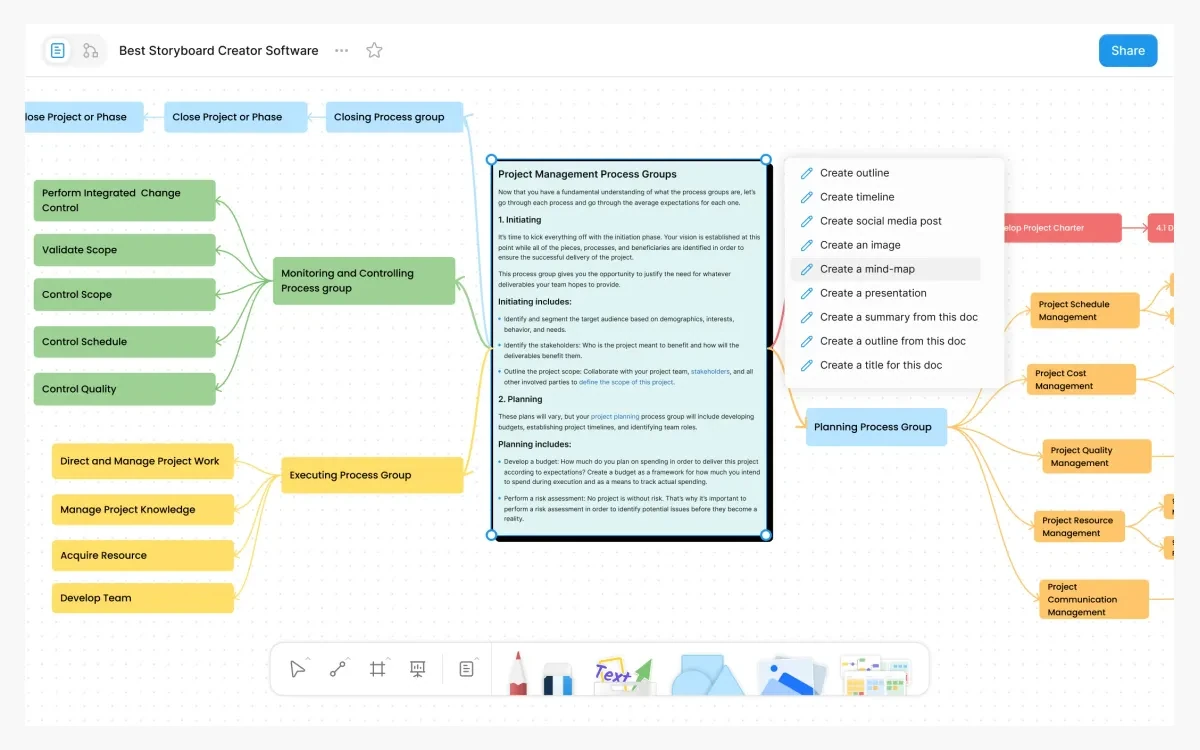
Every doc in AFFiNE opens in two modes. Page mode is a block editor in the Notion mould: headings, lists, code, LaTeX, Mermaid and embedded database blocks. Edgeless mode puts the same content on an infinite canvas where you add shapes, connectors, mind maps, frames and presentation slides. You switch between them without copying anything.
Databases live inside docs as blocks rather than as a separate app. Since 0.27 they have a Calendar view alongside the table view, which makes AFFiNE usable for light project and content planning.
Local-first by default
AFFiNE describes itself as "a local-first application, which means all your data is stored locally in your installed path." A local workspace is stored only on the current device. A cloud workspace syncs across devices using CRDTs, so edits made offline merge when you reconnect. The desktop app "works fully offline" and needs no account.
Platforms
- Windows 10 or later, x64 and ARM64
- macOS 11 or later, Apple Silicon and Intel
- Linux (Ubuntu 20.04 or later) as AppImage, deb or Flatpak
- iOS and Android, available since version 0.23.0 in July 2025
- Browser, plus a self-hosted Docker server
What changed in AFFiNE 0.27
The July 2026 release is the biggest update of the year. The main changes from the release notes:
- Importers for Notion, Obsidian, OneNote and Bear
- Calendar View for database blocks
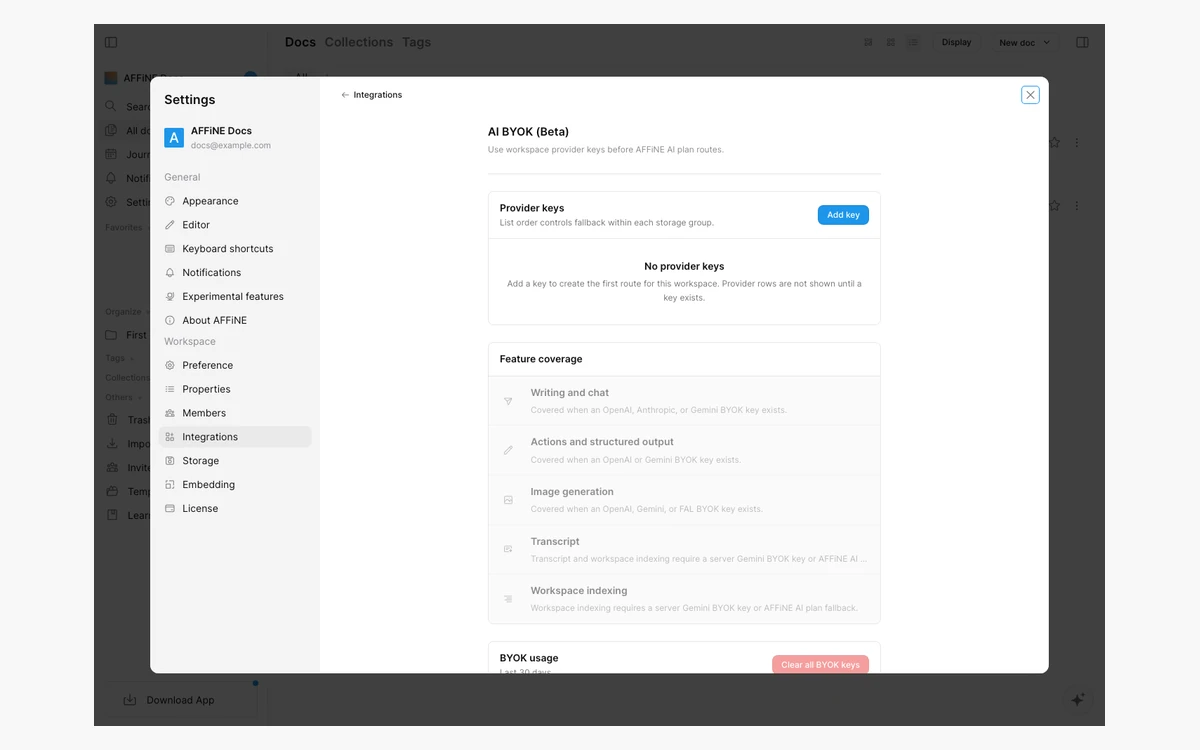
- AI BYOK (bring your own key), marked Experimental
- Better rendering for Code Block, LaTeX, Mermaid and Typst
- Faster Edgeless rendering, lower memory use and better touch response
- Improved CalDAV sync queue and compatibility
The 0.27.4 point release on August 18 improved BYOK model editing and the OneNote importer, fixed Android keyboard compatibility, let the Mac client hide its tray icon after the window closes and added support for GPT 5.6 and Gemini 3.7.
Self-hosters: update clients first
Starting from server version 0.27, only clients on 0.26 or newer can connect and sync. Upgrade the desktop and mobile apps before the server, or older clients stop syncing. Server configuration also moved from environment variables to config.json.
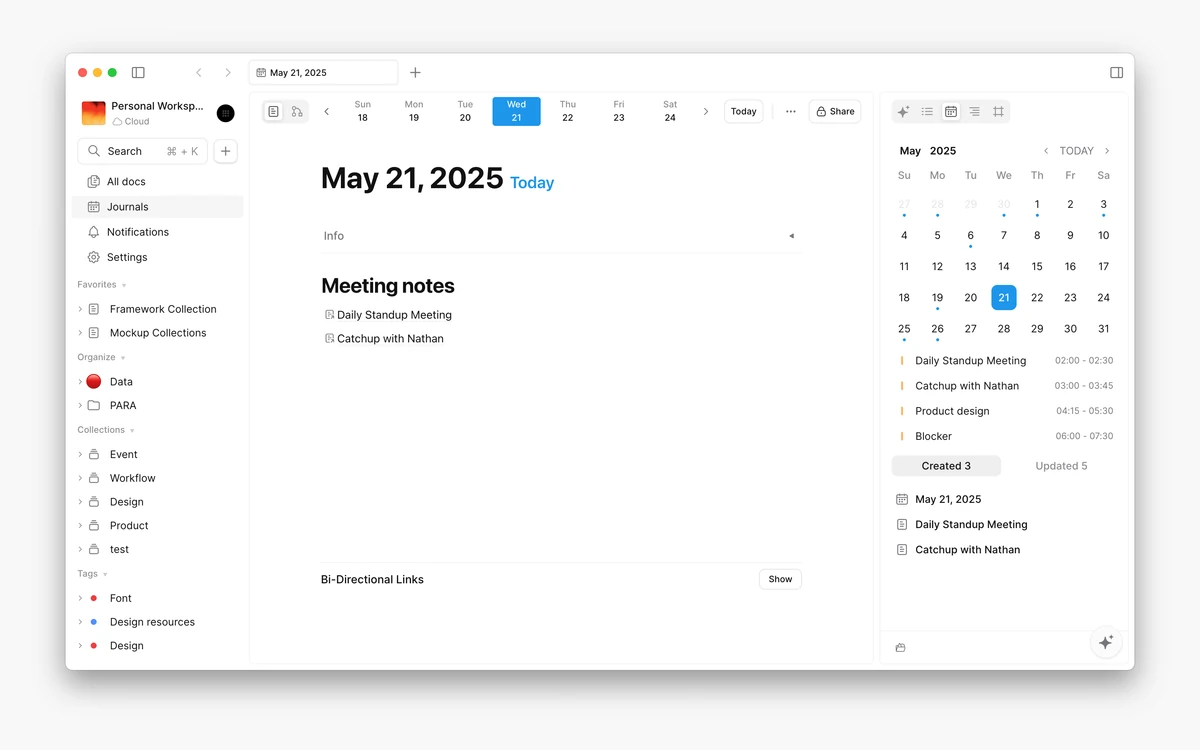
Calendar integration arrived in 0.26 (February 2026) through Google Calendar via CalDAV. The docs warn that "event synchronization between your calendar and AFFiNE is not real-time", so treat it as a view of your schedule rather than a live calendar client.
AFFiNE pricing and plan limits
The pricing page shows prices with annual billing selected and says it saves 15%. Month-to-month prices are not listed on the static page, so every figure below is the annual-billing rate in USD.
- Free - "Free forever": unlimited local workspaces, 10 GB cloud storage, 10 MB maximum file size, up to 3 members per workspace, 7-day version history, up to 3 login devices.
- Pro - $6.75 per month billed annually: 100 GB cloud storage, 100 MB files, up to 10 members per workspace, 30-day version history.
- Team - $10 per seat per month: 100 GB initial storage plus 20 GB per seat, 500 MB files, unlimited members (10+ seats), multiple admin roles, priority support.
- Believer - $499.99 one-time: everything in Pro for lifetime personal use, with 1 TB cloud storage.
- Enterprise - custom pricing for 100+ seats, regulated industries and custom deployment, SLA on request.
- AFFiNE AI - $8.9 per month billed annually, sold as an add-on on top of any plan.
The Free plan is unusually generous for solo use, because local workspaces are unlimited and the storage caps only apply to cloud workspaces. The limit that bites first is usually the 10 MB file size or the 3-device cap. When a cloud workspace goes over quota, AFFiNE pauses synchronization rather than deleting anything.
Read the Believer fine print
The in-app terms say "One-time Purchase. Personal use rights for up to 150 years. Fair Usage Policies may apply." It covers personal use only, does not include AFFiNE AI, and like every AFFiNE purchase it is non-refundable. At $6.75 a month, Pro would take over six years to cost the same.
Some third-party pricing sites list AFFiNE AI at $6.75. That is the Pro price, not the AI price.
AFFiNE AI, BYOK and meeting notes
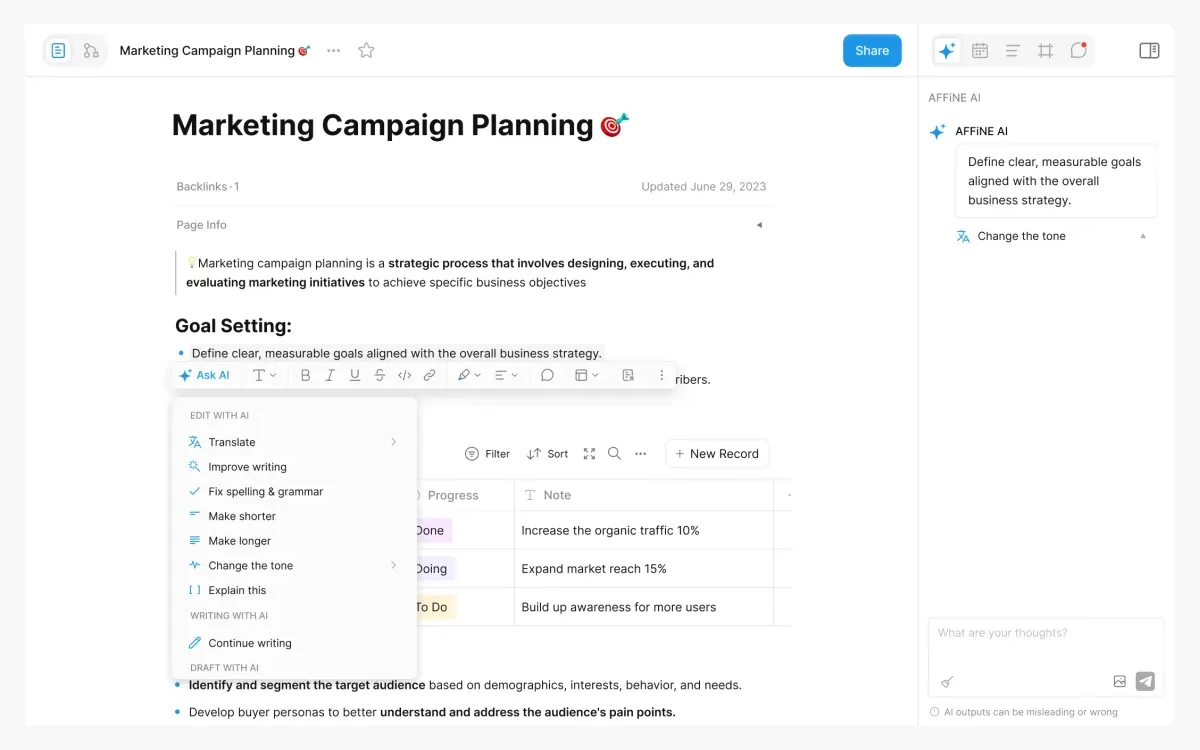
AFFiNE AI is sold as "A true multimodal AI copilot." In Page mode it handles writing actions such as translating, improving writing and fixing spelling, plus a chat side panel. In Edgeless mode it can generate mind maps and presentation slides from your content.
AFFiNE does not publish a usage cap for either the free AI allowance or the paid add-on. The app shows a used-versus-limit counter and, when you run out, the message "You have reached the limit of actions in this workspace, please upgrade your plan." The AI billing settings offer a 14-day free trial, but the pricing page does not spell out its terms.
Bring your own key
The BYOK option added in 0.27 lets you connect your own model provider instead of paying for the add-on. It is still labelled Experimental in the cloud app. For self-hosted servers, the docs say AI works through BYOK with OpenAI, Anthropic, Gemini and FAL.
Meeting notes
Meeting notes are macOS only and labelled Beta. The docs say the AI text generation in this feature is free while it is in testing. Windows support is listed as "Not yet."
Privacy
The privacy policy says AI features collect "the data you actively provide, such as text inputs, documents, or images," and that data sent to third-party AI providers "is processed momentarily to return the result and is not retained by them for model training purposes." The policy carries no date and does not state where data is stored.
Self-hosting and the licence question
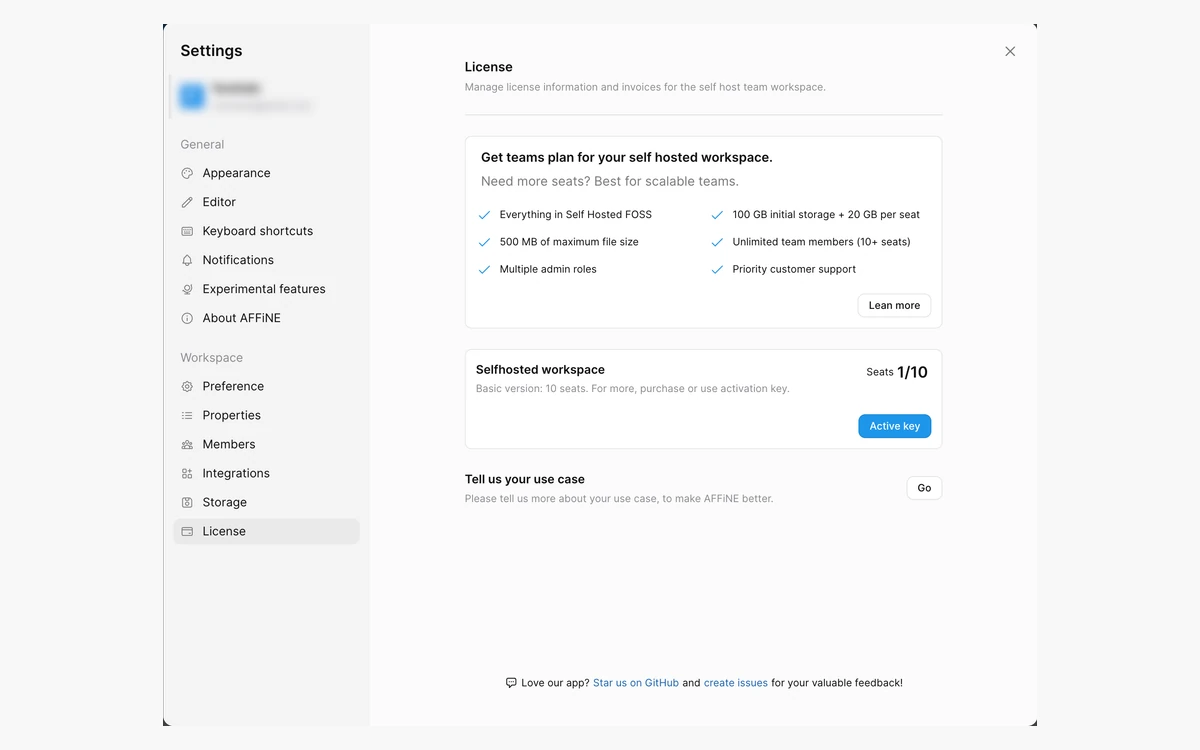
The pricing page describes self-hosting as "Code available & Self hosted. Free forever", with limits matching Pro: 100 GB storage, 100 MB files, up to 10 members per workspace and 30-day version history. The self-host docs confirm workspaces are "automatically granted at most 10 seats." Beyond that you need the self-hosted Team licence at $10 per seat per month, an auto-renewing subscription billed monthly or annually. Air-gapped networks can buy an installable licence, at a price that is not published.
Docker Compose is the recommended install. The stack is AFFiNE plus PostgreSQL 16 (with pgvector for AI) and Redis 6 or 7, serving on port 3010. The requirements call for at least 4 cores, 2 GB of RAM for basic use or 4 GB if docs exceed 10,000 words, and about 1.5 GB of free disk space.
Not everything is MIT
The editor and client code are MIT-licensed, but the backend server is under an Enterprise Edition licence. It says the backend "may only be used in production" if you have agreed to the AFFiNE Subscription Terms and "have a valid AFFiNE Enterprise Edition subscription for the correct number of user seats." The pricing FAQ adds that without a commercial agreement "you may review the backend source code only," and that modifying, compiling or redistributing it requires commercial authorization. GitHub reports the repository licence as Other, not MIT.
What this means in practice
The pricing page and the licence file do not say the same thing about free production self-hosting. Personal and evaluation use is the low-risk case. If a company plans to run the free self-hosted tier in production, get AFFiNE to confirm the terms in writing first.
Importing, exporting and owning your data
AFFiNE imports from Notion (HTML export with subpages), OneNote (desktop app only), Obsidian vaults and Bear (.bear2bk backups), all four labelled Experimental. It also reads Docx, Markdown, Markdown with media as a .zip, HTML, snapshots and .affine files. The HTML importer warns that it "may cause your data to be missing after import", so keep the original until you have checked the result.
Export covers HTML, Markdown and PNG, plus Print and Copy as Markdown. There is no native Export to PDF - you get a PDF by printing. Snapshot export sits behind an experimental flag.
Because local workspaces are plain files on your own disk, you are never locked out of your notes by an expired subscription. Encryption for local storage, however, is still an open feature request (#5491), so rely on your operating system's disk encryption.
Where AFFiNE still falls short
The most-upvoted open feature requests on GitHub show where users still feel gaps:
- Notion-style columns in docs (#7479, 54 upvotes)
- Exporting Edgeless frames as PNG or SVG (#12128)
- Public doc sharing with edit permissions (#13517)
- Task reminders (#12708)
- Proper iPad pencil support (#13782)
- Computed table cells in databases (#13732)
- Right-to-left text support (#8966)
Sync is the other recurring theme. Open reports include "Sync doesn't work" (#14164, December 2025), a Google account unable to open content after sync (#14890, May 2026) and a self-hosted login failure after a Windows app update (#15626, September 20, 2026). Individual issues do not prove widespread failure, but combined with the 0.27 client-version break they are a reason to export a backup before any upgrade.
Verdict: who should use AFFiNE
AFFiNE is a strong pick for individuals who want Notion-style docs and a Miro-style whiteboard in one offline-capable app, and the Free plan covers that without a card. With the 0.27 importers, it is also the easiest it has ever been to move a Notion or Obsidian library across and try it properly. Small teams of up to 10 get good value from Pro at $6.75 per month billed annually.
It is a weaker fit if you depend on mature relational databases, need AI without an extra subscription or a BYOK setup, or want self-hosting under a plain open-source licence. The no-refund policy also makes the $499.99 Believer plan a purchase to make only after months on the Free plan. If local-first and open source are your priorities, compare it with our AppFlowy and Anytype reviews before committing.
Frequently asked questions
Is AFFiNE free?
Yes. The Free plan is "Free forever" and includes unlimited local workspaces, plus 10 GB of cloud storage, a 10 MB file-size limit, up to 3 members per workspace and up to 3 login devices for cloud use.
How much does AFFiNE Pro cost?
$6.75 per month billed annually. The pricing page shows annual billing by default and says it saves 15%; the month-to-month price is not listed on the static page, so check it at checkout.
Is AFFiNE AI included in Pro or the Believer plan?
No. AFFiNE AI is a separate add-on at $8.9 per month billed annually. The alternative is the experimental BYOK option added in 0.27, where you plug in your own OpenAI, Anthropic or Gemini key.
Can I self-host AFFiNE for free?
The pricing page says self-hosting is "Free forever" for up to 10 members per workspace, but the backend is under an Enterprise Edition licence that ties production use to a subscription. For business use, get written confirmation from AFFiNE before relying on the free tier.
Does AFFiNE work offline?
Yes. The desktop app "works fully offline" with no account required, and local workspaces never leave the device. Only cloud workspaces sync across devices.
Can I import my Notion workspace?
Yes, since 0.27. The Notion importer takes an HTML export with subpages and is labelled Experimental, so check the result before deleting anything in Notion.
Can I get a refund on AFFiNE?
No. The terms state "All purchases are non-refundable." Cancelling takes effect at the end of the paid term, after which the account switches back to the Free plan.
Can AFFiNE export to PDF?
Only through Print. The app has native export to HTML, Markdown and PNG, plus Copy as Markdown, but no dedicated Export to PDF option.
Key takeaways
- AFFiNE combines docs, an Edgeless whiteboard and database blocks in one local-first app on desktop, mobile, web and self-hosted Docker.
- Version 0.27 (July 2026) added Notion, Obsidian, OneNote and Bear importers, a Calendar view and experimental BYOK AI.
- Free is "Free forever" with unlimited local workspaces; Pro is $6.75 per month and Team $10 per seat per month, billed annually.
- AFFiNE AI costs $8.9 per month billed annually on top of any plan, including the $499.99 Believer lifetime plan.
- All purchases are non-refundable, and the self-hosted backend sits under an Enterprise Edition licence despite the "Free forever" label.
More in Services & Software
Browse Services & Software