Pi-hole Review 2026: Free Network-Wide Ad Blocking, v6 Changes and Real Limits
Pi-hole review: free, self-hosted DNS ad blocking for every device. Requirements, install, v6 and October 2026 security updates, limits and alternatives.
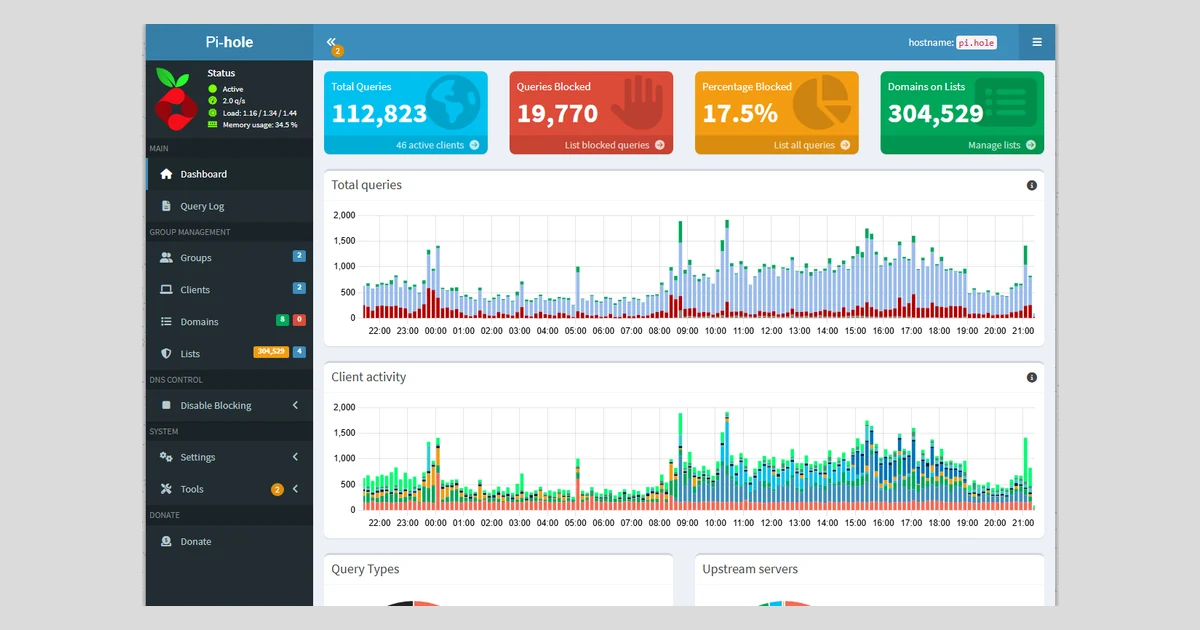
Pi-hole is the free, self-hosted ad blocker that works for every device on your network at once, from phones to smart TVs, without installing an app on any of them. It has been around since 2014, and 20 months after the v6 rewrite it is easier to run than ever.
This review covers what Pi-hole costs (nothing), what it needs, how to install it, what v6 and the October 2026 security releases changed, and the limits that DNS blocking cannot get past, plus how it compares with AdGuard Home, NextDNS and Technitium.
What Pi-hole is and who makes it
Pi-hole is a DNS sinkhole. You point your router or your devices at it as their DNS server, and when a phone, laptop, smart TV or game console asks for the address of a known ad or tracking domain, Pi-hole answers with nothing. The ad never loads, on every device on the network, without installing anything on those devices.
The project started on GitHub on 8 June 2014, when Jacob Salmela made the first commits ("Initial commit", "Create gravity.sh"). Today it is owned by Pi-hole LLC and built by a fully remote volunteer team. The homepage names Dan Schaper (co-founder, core developer), Adam Warner (Docker maintainer) and Dominik Derigs (FTL designer) among them.
It is one of the most widely used self-hosted tools there is. The main repository has about 61,600 GitHub stars, and the official pihole/pihole Docker image has passed 1 billion pulls on Docker Hub. The code is licensed under the European Union Public Licence v1.2 (EUPL 1.2).
The name is misleading
Pi-hole is not a Raspberry Pi product. It runs on any supported Linux machine, a virtual machine, a NAS or in Docker. In the project's own words, "A Raspberry Pi, an old PC, a VM or a NAS all work well."
Price: free, with no paid tier
Pi-hole costs nothing. There is no subscription, no pro edition and no feature locked behind a paywall. The project says it is "free, but powered by your support", and its volunteer developers cover hosting and other costs partly out of pocket.
- Software: free and open source.
- Donations: optional, one-off or recurring monthly via GitHub Sponsors or Patreon. The donate page also lists referral links (DigitalOcean, Amazon, Stickermule, Hetzner) that send money to the project.
- Hardware: you supply it. Any spare Linux box works. A Pi-hole branded hardware kit is sold by The Pi Hut if you want a ready-made option.
- Running cost: the electricity of whatever device hosts it, which is very little on a Raspberry Pi.
The real cost is your time: setting it up, keeping it updated and fixing the occasional site that a blocklist breaks.
What you need to run it
The hardware bar is low. The official prerequisites ask for 512MB of RAM and at least 2GB of free disk space, with 4GB recommended. That is well within the reach of an old Raspberry Pi or the smallest cloud VM.
- Operating systems officially supported: Alpine, Armbian OS, Debian, CentOS Stream, Fedora, Raspberry Pi OS and Ubuntu, in actively maintained versions only, on systemd or sysvinit.
- Architectures: x86_64 (amd64 and i686), armv6, armv7, armv8 (aarch64) and riscv64.
- A static IP address. The docs say "a DHCP reservation is just fine", which is the easiest way to do it on a home router.
- Free ports: 53 for DNS (TCP and UDP), 80 and 443 for the web interface, plus 67 (DHCP) and 547 (DHCPv6) if you use the built-in DHCP server. If another web server already holds 80 or 443, Pi-hole moves to 8080 and 8443.
Keep it inside your network
Pi-hole was designed to work inside a local network. Do not expose its DNS port or web interface to the internet. Use a VPN to reach it from outside, as covered below.
Installing Pi-hole: one-line script or Docker
The quickest route is the official installer, which the project says walks you through setup "in less than ten minutes":
curl -sSL https://install.pi-hole.net | bashThe docs acknowledge that "piping to bash is a controversial topic". If you would rather read the script first, download it and run it yourself:
wget -O basic-install.sh https://install.pi-hole.net
sudo bash basic-install.sh
During setup you pick an upstream DNS provider (such as Google, Cloudflare or Quad9) and can accept or decline StevenBlack's Unified Hosts List as a starting blocklist. Choosing an upstream matters: with none set, Pi-hole will not resolve anything outside your local network.
Docker
The official image is pihole/pihole, now based on Alpine. A trimmed version of the official compose file:
services:
  pihole:
    image: pihole/pihole:latest
    ports:
      - "53:53/tcp"
      - "53:53/udp"
      - "80:80/tcp"
      - "443:443/tcp"
    environment:
      TZ: "Europe/London"
      FTLCONF_webserver_api_password: "choose-a-password"
      FTLCONF_dns_listeningMode: "ALL"
    volumes:
      - "./etc-pihole:/etc/pihole"
    cap_add:
      - NET_ADMIN
      - SYS_TIME
      - SYS_NICE
    restart: unless-stopped
Start it with docker compose up -d. If you leave out the password variable, the container assigns a random one. NET_ADMIN is only required if Pi-hole will be your DHCP server. Tags are latest, date-based releases (2026.10.1 is current) and nightly.
After either install, the last step is to set your router's DNS server to the Pi-hole's IP address so every device picks it up automatically.
What changed in v6, and the October 2026 security releases
Pi-hole v6 arrived on 18 February 2025 and was the biggest rework in the project's history. The main changes:
- The web server and a new REST API are built into the pihole-FTL binary, so lighttpd and PHP are gone.
- All configuration lives in one commented file, /etc/pihole/pihole.toml.
- The web interface was rebuilt, with settings split into Basic and Expert modes.
- Native HTTPS support for the admin interface.
- Subscribed allowlists ("Antigravity"), the mirror image of blocklists, so you can subscribe to lists of domains that should never be blocked.
- The Docker image moved to Alpine.
Upgrading from v5 is strictly one-way. Take a Teleporter backup first, because there is no supported path back.
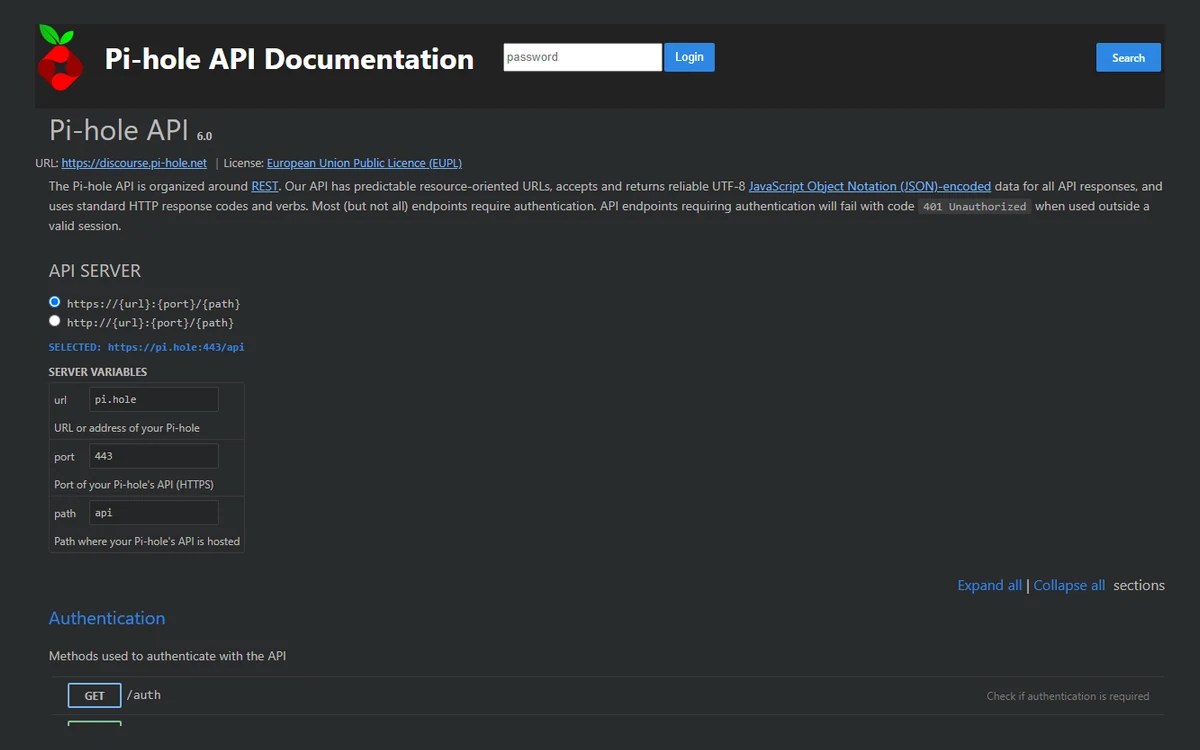
The API is a genuine strength. "Everything the web interface can do, you can do through the API," and every install ships interactive documentation at http://pi.hole/api/docs. App passwords let scripts and home-automation tools connect without your main password.
Update now: the 17 October 2026 releases
Pi-hole versions its three components separately. The current releases, all dated 17 October 2026, are Core v6.5, FTL v6.8 and Web v6.6.1, with Docker image 2026.10.1 following on 31 October. There is no v7. They are mostly security fixes:
- Core v6.5 fixes several advisories, four rated High (CVSS 7.8, 7.8, 7.8 and 7.3), and makes /opt/pihole read-only for the FTL service. It also removes the deprecated arpflush command in favour of networkflush.
- FTL v6.8 fixes a High (CVSS 7.7) issue where the document root "could be relocated via a Teleporter import or symlink", plus Medium issues including read-only app sessions being able to read password hashes and the TOTP secret, and EDNS(0) data leaking between clients' queries.
- Web v6.6.1 fixes stored cross-site scripting in Settings > All settings, Local DNS Records and DNS.
Day-to-day use: blocklists, groups and the query log
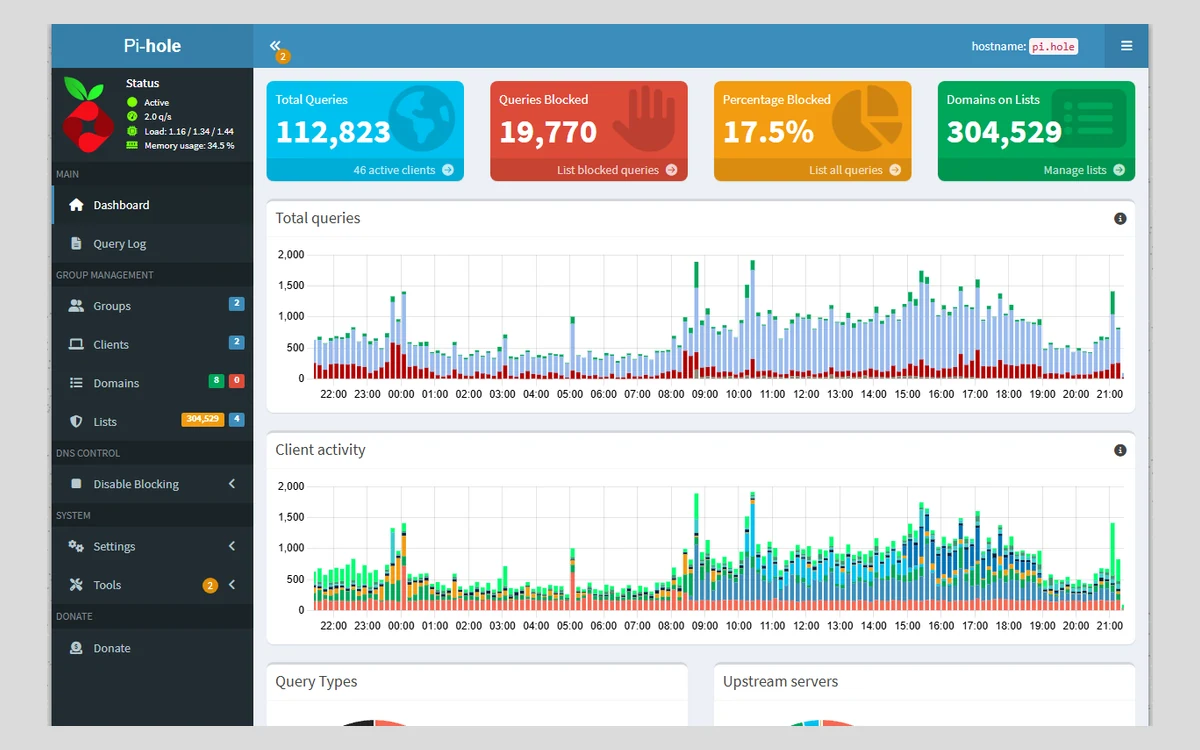
Once running, Pi-hole mostly disappears. You notice it when pages load without banner ads and when you open the dashboard and see how many requests your smart TV makes to tracking domains.
The Query Log is where Pi-hole earns its keep. It lists every DNS request with the client that made it and whether it was allowed or blocked, and the long-term database lets you search any time range. When a site or app breaks, this is how you find the domain responsible.
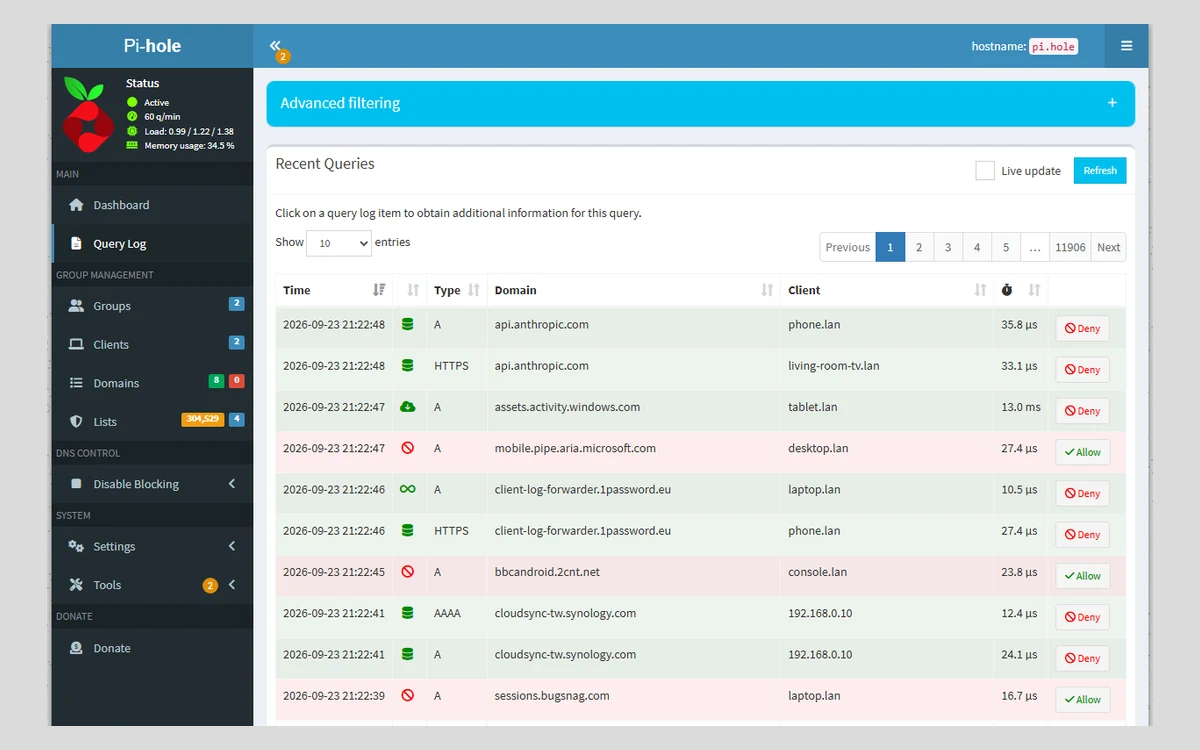
Domain management lets you allow or deny single domains, or whole families of domains with regex rules. On top of that you subscribe to community blocklists and allowlists, and Pi-hole compiles them into its gravity database.
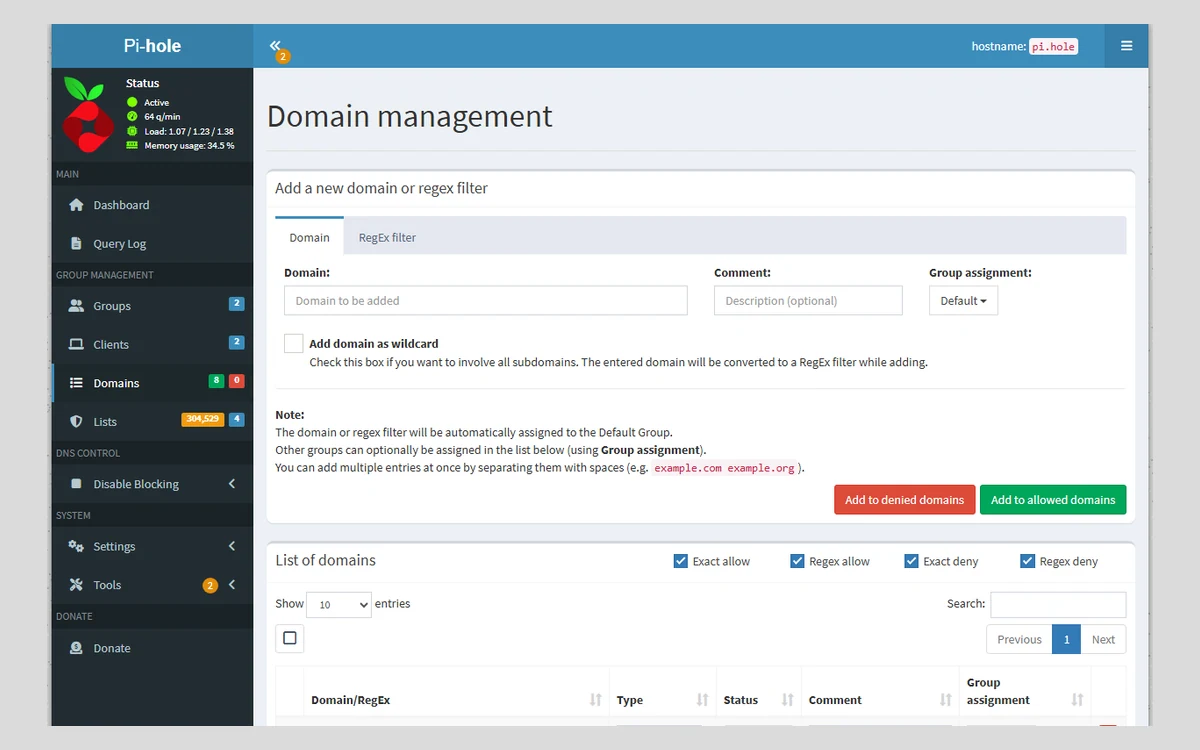
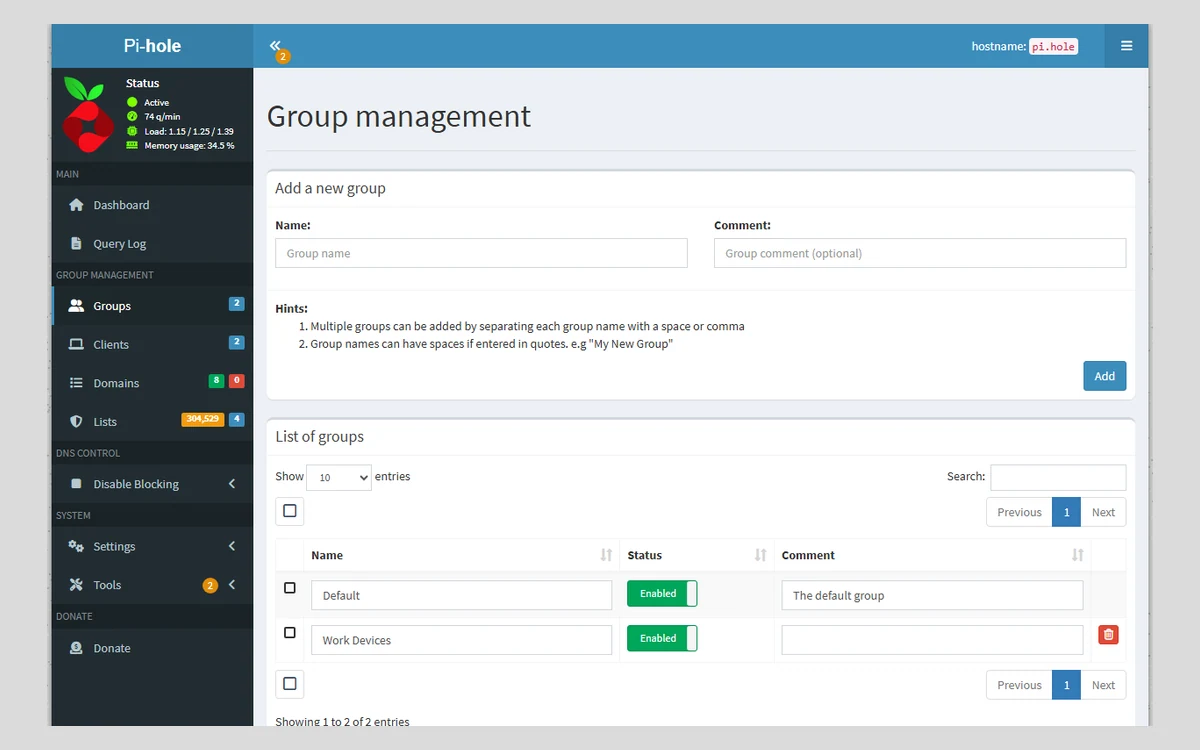
Groups are the feature most people discover late. Put clients into groups and give each group its own lists, so the kids' tablets get strict filtering while a work laptop gets a lighter list that will not break corporate tools.
- Built-in DHCP server with optional IPv6, useful if your router will not let you change the DNS server it hands out.
- Local DNS records, so you can reach devices by name (nas.home, printer.home).
Privacy settings and data retention
Because Pi-hole is self-hosted, your DNS history stays on your own device rather than with an ad-blocking company. That history is detailed, though, so it is worth knowing what is kept.
By default queries are stored for 91 days. Note that one docs page still says 365 days, which is out of date: the FTL source and the v6 Privacy Settings screen both show 91. You can shorten it.
Pi-hole offers four privacy levels:
- Level 0: show everything.
- Level 1: hide domains.
- Level 2: hide domains and clients (clients appear as 0.0.0.0).
- Level 3: anonymous mode, which disables the Query Log and long-term database logging.
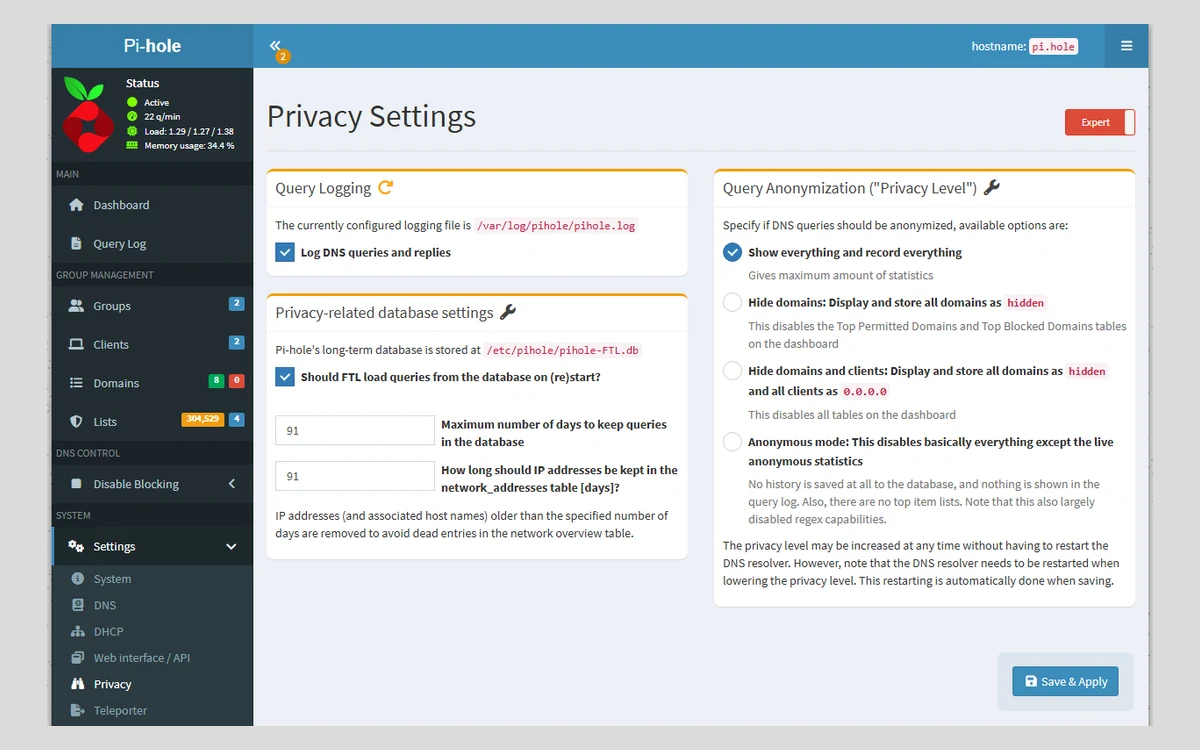
In a shared household, level 1 or 2 is a sensible middle ground: blocking keeps working, but nobody can browse a list of what everyone else looked up.
What Pi-hole cannot block
DNS blocking works at the level of whole domains. That makes it efficient, but it also sets hard limits.
- YouTube ads. Pi-hole staff are clear that this is not possible: "YouTube serves ads from the same domains as the content." Use a browser extension that blocks by URL instead.
- Ads served from the same domain as the content in general, which includes many sponsored posts inside social apps.
- Devices or apps with hard-coded DNS-over-HTTPS. Pi-hole counters the common cases by default: it disables Firefox's automatic DoH, blocks iCloud Private Relay from bypassing it and blocks Discovery of Designated Resolvers. An app that ships its own DoH resolver can still go around it.
- Cosmetic filtering. Pi-hole cannot hide the empty boxes where ads would have been, which a browser blocker can.
Pi-hole also has no built-in encrypted DNS. It does not serve DNS-over-HTTPS or DNS-over-TLS, and encrypting upstream queries needs extra software. The official workarounds use cloudflared or Unbound, but the cloudflared guide itself warns that Cloudflare deprecated the proxy-dns feature it relies on in November 2025. Unbound, which resolves recursively, is the more future-proof choice.
Single point of failure and protection away from home
When Pi-hole is your network's only DNS server and it goes down, nothing on the network can resolve names, which to everyone else in the house looks like "the internet is broken". Pi-hole has no built-in clustering.
The fix is to run two instances and give your router both addresses. To keep their lists and settings identical, use the community tool nebula-sync (v0.11.3, October 2026), which synchronises Pi-hole v6 instances. Older tools you may find in guides, gravity-sync and orbital-sync, are archived and should not be used.
Pi-hole only protects devices that use it, so a phone on mobile data is unprotected. The project recommends pairing it with a VPN such as WireGuard, and the docs include WireGuard guides. Tailscale also documents a Pi-hole setup, noting that the combination "provides the same protection beyond a home network."
Pi-hole vs AdGuard Home, NextDNS and Technitium
- AdGuard Home: also free, open source (GPL-3.0) and self-hosted, at v0.107.80. Its big advantage is built-in encrypted DNS: DNS-over-HTTPS, DNS-over-TLS and DNSCrypt upstreams, and serving DoH and DoT to your devices, without extra software. Pick it if encrypted DNS matters to you.
- NextDNS: a cloud service, so there is nothing to run at home and it works on any network. The free plan covers 300,000 queries a month; after that it keeps answering but stops blocking. Pro, at about $2 a month, removes the limit. The trade-off is that a company sees your DNS queries.
- Technitium DNS Server: a free, open-source (GPL-3.0) full DNS server, at v15.6.2, with DNS-over-TLS, HTTPS and QUIC forwarders and built-in clustering to manage several instances from one console. More capable, but more of a DNS administrator's tool than an ad blocker.
Pi-hole's edge is maturity and community. With over a decade of history, more stars than AdGuard Home (about 61,600 against 38,100) and a huge forum, almost any problem you hit has already been solved and written up.
Verdict: who should use Pi-hole
Pi-hole is the best starting point for network-wide ad and tracker blocking if you are comfortable with a little Linux or Docker. It costs nothing, runs on almost any spare hardware, and v6 made it simpler to run and far easier to automate. The visibility it gives you into what your devices are doing is worth having on its own.
It is not the right tool if you mainly want to block YouTube ads, if you need encrypted DNS without extra setup (choose AdGuard Home), or if you do not want to maintain a device at all (choose NextDNS). Whatever you choose, if you already run Pi-hole, install the 17 October 2026 updates.
Bottom line
Free, mature and effective for blocking ads and trackers on every device at home. Plan for a second instance or a fallback, add a VPN for phones, and keep a browser blocker for YouTube.
Frequently asked questions
Is Pi-hole really free?
Yes. There is no paid plan or premium tier. The project is funded by optional donations, and your only costs are the hardware you run it on and its electricity.
Does Pi-hole block YouTube ads?
No. YouTube serves its ads from the same domains as its videos, so blocking them by DNS would block the videos too. Pi-hole staff recommend a browser extension that blocks at the URL level.
Do I need a Raspberry Pi?
No. Pi-hole runs on any supported Linux system with 512MB of RAM and 2GB of disk, including old PCs, virtual machines, NAS devices and Docker.
Does Pi-hole work when I am away from home?
Not on its own. It only filters devices that use it for DNS. Connect back to your network with a VPN such as WireGuard or Tailscale and your phone and laptop stay protected on mobile data and public Wi-Fi.
What happens if my Pi-hole goes down?
Devices that use it lose DNS, so websites stop loading. Run a second Pi-hole, list both in your router and keep them in sync with nebula-sync.
Will Pi-hole break websites?
Occasionally. Aggressive blocklists can block a domain a site or app needs. Find the blocked domain in the Query Log and add it to your allowlist, or subscribe to a community allowlist.
What data does Pi-hole keep, and where?
It keeps DNS queries on your own device for 91 days by default. You can shorten that or switch to anonymous mode (privacy level 3), which turns off the Query Log and long-term logging.
Should I choose Pi-hole or AdGuard Home?
Choose AdGuard Home if you want encrypted DNS built in. Choose Pi-hole if you value the larger community, the long track record and the full REST API. Both are free and block ads equally well at the DNS level.
Can I go back to v5 after upgrading to v6?
No. The upgrade is one-way. Make a Teleporter backup before upgrading, and keep the v5 backup in case you need to rebuild.
Key takeaways
- Pi-hole is free and open source (EUPL 1.2) with no paid tier; you supply the hardware.
- It needs only 512MB of RAM, 2GB of disk and a static IP, and runs on Linux, a VM, a NAS or Docker.
- Current releases are Core v6.5, FTL v6.8 and Web v6.6.1 (17 October 2026), which fix several High-severity security issues, so update.
- It cannot block YouTube ads and has no built-in encrypted DNS; use Unbound for private resolution.
- Run two instances with nebula-sync to avoid a single point of failure, and add a VPN to stay protected away from home.
- Pick AdGuard Home for built-in encrypted DNS, or NextDNS if you do not want to run anything yourself.
More in Services & Software
Browse Services & Software