Anytype Review: A Privacy-First, Local-First Alternative to Notion
Anytype is a local-first, end-to-end encrypted, object-based workspace pitched as the privacy answer to Notion and Obsidian. We test whether that architecture is genuinely usable and break down its plans, storage limits and its source-available license.
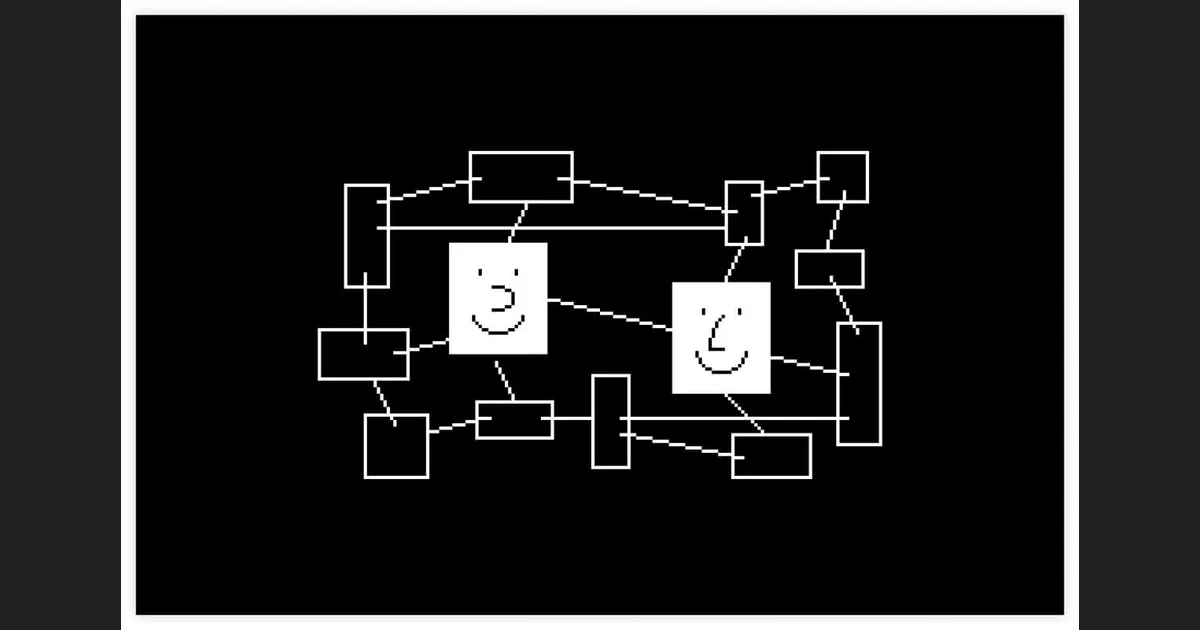
Almost every all-in-one workspace asks you to make the same trade: you get flexible notes, databases and tasks, but your data lives on someone else's server, keyed by an account you don't fully control. Anytype's entire pitch is that you shouldn't have to make that trade at all. It stores everything on your device first, encrypts it locally, and hands the encryption keys to you rather than to a company.
Built by the Any Association, a Swiss non-profit that operates under the name Any, Anytype describes itself on its homepage as "a safe haven for digital collaboration." It borrows the block-based editing of Notion and the linked-graph thinking of Obsidian, then wraps both in an architecture designed so that no server sits between you and your notes. This review looks at how the object model actually works day to day, what the free and paid tiers really give you, and the one claim about Anytype you should be careful repeating: that it is "open source."
What is Anytype?
Anytype is a cross-platform workspace for notes, tasks, documents, contacts and databases, with official desktop clients for macOS, Linux and Windows plus mobile apps. What sets it apart from Notion or Obsidian is not the feature list but where your data lives: everything is stored and encrypted on your own device first, and syncing happens over an encrypted peer-to-peer network rather than through a mandatory cloud account.
The homepage organises the product around three pillars. "Private & Secure" means the data is owned and controlled by you. "Offline & Online" means the app keeps working without Wi-Fi and reconciles later. "Work & Play" is the all-in-one angle — the same tool is meant to hold your work knowledge base and your personal life. Reviewers have summed it up as blending "Notion's ease and Obsidian's power," a fair description of where it aims, even though parts of the app have carried a beta feel while it matures.
The short version
Anytype is a local-first, end-to-end encrypted, object-based workspace. If you like Notion's flexibility but distrust storing everything on a company's servers, this is the most direct answer to that concern currently available.
Everything is an object
Anytype's data model is the thing you have to understand before anything else clicks. Every item you create — a note, a task, a contact, a book, a project — is an "object." Objects have a type, they can carry relations (structured fields like a due date, an author or a status), and they can link to one another. Once you stop thinking in pages and start thinking in objects, the rest of the interface follows.
On top of objects sit two ways of grouping them. A Set is a live, filtered view of every object of a given type — the closest equivalent to a Notion database view, and it updates itself as you add matching objects. A Collection is a hand-curated group you drop objects into manually, regardless of their type. The same underlying data can then be displayed as a board, a calendar, a gallery, a table or a graph, so a list of tasks can become a kanban board or a calendar without duplicating anything.
- Objects: the atomic unit — notes, tasks, people, anything, each with a type and relations.
- Sets: automatic, filtered views of all objects of one type, like a database query.
- Collections: manual groupings you assemble by hand across types.
- Graph View: a visual map of how every object links to every other, in the spirit of Obsidian.
- Views: board, calendar, gallery, table and graph layouts over the same data.
The Graph View deserves a special mention because it is where the Obsidian comparison earns its keep. It renders your whole workspace as a network of connected nodes, which is genuinely useful for spotting how ideas relate — and quietly encourages you to link objects as you go.
The privacy-first architecture
This is the reason most people try Anytype, and it is worth stating precisely rather than hand-waving. According to Anytype, data is encrypted locally on your device, and only you hold the encryption keys. You can even create an account offline — there is no email-and-password gate standing between you and a new workspace, because the account is a set of keys you control, not a row in a company's user table.
Sync is where local-first tools usually fall back to a central server, and Anytype's answer is a peer-to-peer model. On a local network, devices can sync directly with no server acting as gatekeeper. The protocols are open, which the project frames as meaning third parties can build their own apps and clients on top without asking permission. And if you don't want to rely on Any's hosted network at all, you can self-host your own backup node.
What "local-first" buys you
Because encryption happens on-device and the keys never leave you, Any (the company) cannot read your content even on its own hosted network. The flip side is real responsibility: lose your recovery key and there is no support desk that can reset it for you.
In practice, the privacy story is not just a checkbox. The offline account creation and on-device keys are architectural, not marketing overlays. The honest caveats are on the usability side: peer-to-peer sync across devices that are rarely on the same network at the same time leans on the hosted backup node, and some collaboration and mobile features have matured more slowly than the desktop editor. If your mental model is "Google Docs but private," temper the real-time-collaboration expectations.
Pricing and plans
Here is a point that trips up a lot of write-ups: you do not need to pay Anytype anything to use it privately. Self-hosting your own network requires no paid membership at all. Membership fees exist only to use Any's hosted network and remote storage — the convenience layer, not the app itself.
For people who do want the hosted network, the official pricing page lists four tiers. The figures below are the monthly-billing prices; the page also advertises a 20% discount for paying yearly, though it does not print fixed annual dollar totals, so treat the yearly cost as roughly 20% off these numbers rather than a specific published figure.
- Free — 100 MB of remote storage, up to 10 shared channels, and unlimited private channels.
- Plus — $4/month — 1 GB of remote storage, unlimited shared and private channels, and an ANY ID of 9+ symbols.
- Pro — $8/month — 10 GB of remote storage, unlimited shared and private channels, and an ANY ID of 7+ symbols.
- Ultra — $16/month — 100 GB of remote storage, unlimited shared and private channels, and an ANY ID of 5+ symbols.
The paid tiers differ mainly on hosted storage and on how short an ANY ID (a human-readable identity handle) you're allowed to claim — shorter IDs cost more, the way short usernames do elsewhere. Every paid plan carries a 30-day money-back guarantee. There is also a separate Anytype for Business plan, quoted on request rather than at a fixed price, which adds a single shared workspace with SSO, an admin panel and self-hosting for teams running a knowledge base, projects, CRM and chat together.
Students and educators can apply for a 50% discount through a verification link. Payment goes through Stripe on desktop and web, or through the Apple App Store and Google Play on mobile, where the store converts prices to your local currency automatically.
A note on conflicting prices online
Some third-party sites still quote older plan names like "Builder" or "Co-Creator" with different storage tiers. Those conflict with the current official pricing page. Trust anytype.io/pricing over aggregator sites, which often describe a retired plan structure.
The "open source" caveat
Anytype is frequently called "open source," and that description is not quite right. The official desktop client repository, anyproto/anytype-ts on GitHub, is public and has drawn a healthy following — around 8,800 stars at the time of writing. But GitHub classifies its license as "Other," not one of the standard OSI-approved open-source licenses.
The actual terms are the Any Source Available License 1.0. It grants you the right to use, modify and redistribute the software for non-commercial use, or for commercial use only within so-called "Allowed Networks." That makes it a source-available license, not an OSI-approved open-source one — a meaningful distinction that the community itself has debated publicly on the project's own issue tracker.
Why the distinction matters
Source-available means you can read and audit the code — which is a genuine and valuable transparency win for a privacy tool. It does not mean the freedom-to-use-commercially that "open source" formally implies. If auditability is what you care about, Anytype delivers; if OSI-license freedoms are a hard requirement, read the license first.
For most readers the practical upshot is positive: you or a security researcher can inspect exactly what the client does with your data, which is exactly the assurance a privacy-first tool should offer. Just don't repeat the "fully open source" line without the qualifier — say source-available, and note the non-commercial restriction.
Who should use Anytype?
Anytype is an easy recommendation if privacy is a first-order requirement and you are comfortable owning your recovery keys. Note-takers coming from Obsidian who want databases and structured relations, or Notion users who have grown uneasy about where their data sits, are the natural fit. The free tier is genuinely usable — the 100 MB hosted cap is for remote storage, and self-hosting removes even that.
It is a weaker fit if you need frictionless real-time collaboration across a big team today, or if an OSI-approved open-source license is non-negotiable. Those aren't dealbreakers so much as expectations to set correctly before you migrate a whole workflow across.
Our verdict: Anytype is the most credible privacy-first answer to Notion currently shipping, and the local-first architecture is real rather than cosmetic. Go in understanding the key-ownership responsibility and the source-available (not open-source) licensing, and it rewards the switch.
Frequently asked questions
Is Anytype free?
Yes. There is a free tier with 100 MB of hosted remote storage, up to 10 shared channels and unlimited private channels, and self-hosting your own network requires no paid membership at all. Paid plans (Plus $4, Pro $8, Ultra $16 per month) exist only to use Any's hosted network and larger storage.
Is Anytype actually open source?
Not in the formal sense. The desktop client's code is public on GitHub, but it ships under the Any Source Available License 1.0 — a source-available license that permits non-commercial use, or commercial use only within "Allowed Networks." It is not an OSI-approved open-source license, so it is more accurate to call it source-available.
How does Anytype keep my data private?
Data is encrypted locally on your device and only you hold the encryption keys, so even Any cannot read your content on its hosted network. You can create an account offline, sync peer-to-peer over local networks without a central server, and self-host your own backup node if you prefer.
How is Anytype different from Notion and Obsidian?
It borrows Notion's block-based editing and databases and Obsidian's linked graph, but stores everything locally and encrypts it on-device first rather than in a mandatory cloud. Its object model — objects, Sets, Collections and a Graph View — is the practical expression of that blend.
Can I get a refund if I pay for Anytype?
Yes. Every paid plan carries a 30-day money-back guarantee. Payments run through Stripe on desktop and web, or the Apple App Store and Google Play on mobile, where prices are converted to your local currency automatically.
Is there a discount for students or teams?
Students and educators can apply for a 50% discount via a verification link, and a 20% discount is offered for yearly billing on the standard plans. Teams have a separate Anytype for Business plan, quoted on request, adding a shared workspace with SSO, an admin panel and self-hosting.
Key takeaways
- Anytype is a local-first, end-to-end encrypted workspace where you hold the encryption keys — the most direct privacy answer to Notion available today.
- Its object model (objects, Sets, Collections, Graph View) blends Notion's databases with Obsidian's linked graph and multiple views over the same data.
- You can use it for free, and self-hosting needs no paid membership; hosted plans run Free / Plus $4 / Pro $8 / Ultra $16 per month, with a 20% yearly discount and a 30-day money-back guarantee.
- Call it source-available, not open source: it ships under the Any Source Available License 1.0, which restricts commercial use outside "Allowed Networks."
- Best for privacy-conscious note-takers comfortable owning their keys; set expectations on real-time collaboration and mobile maturity before migrating a whole workflow.
More in Services & Software
Browse Services & Software