AppFlowy Review 2026: Open-Source Notion Alternative, Real Costs
AppFlowy now has forms, timelines and formulas. What Free, Pro and self-hosting really cost, and where the open-source label stops.
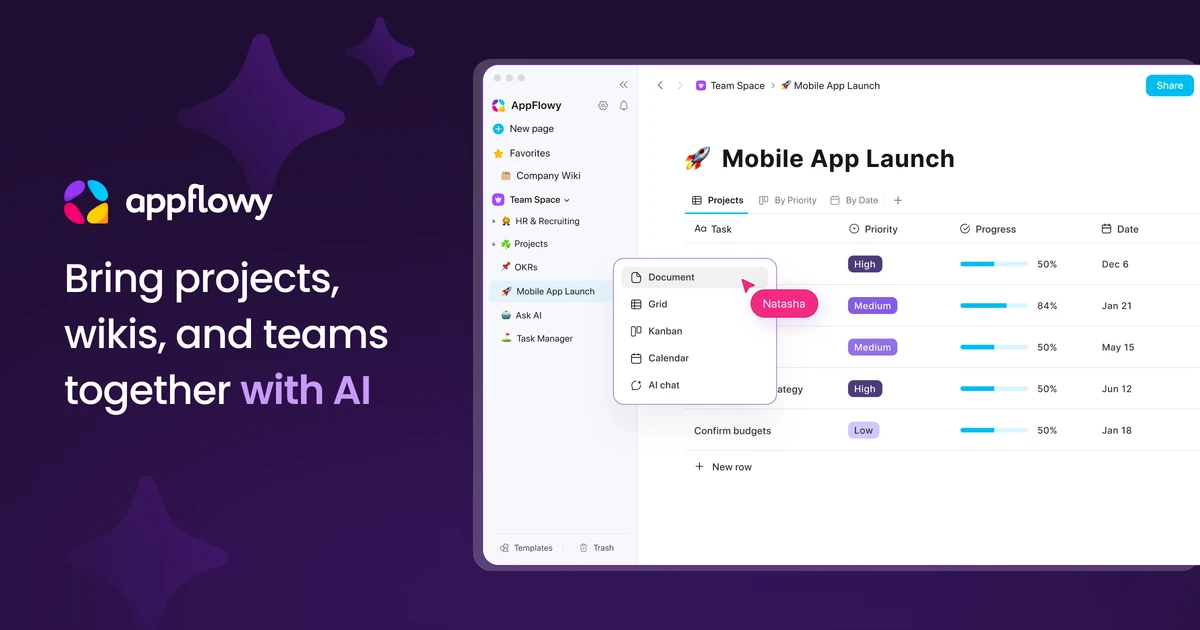
AppFlowy has spent five years being described as the open-source Notion alternative. In September 2026 it shipped five releases that added database forms, timelines, multi-day calendars and formulas, the features that used to make that claim hard to accept.
This review covers what AppFlowy does well now, what the Free, Pro and self-hosted plans actually cost, and the fine print behind the open-source label: a server that is now closed source, a free self-hosted tier limited to one seat, and no end-to-end encryption.
What AppFlowy is in 2026
AppFlowy is a workspace app for docs, wikis, databases and project boards that pitches itself as the open-source, self-hostable answer to Notion. It launched on GitHub in November 2021, built by a team of two, and raised a US$6.4M seed round led by OSS Capital in November 2023. TechCrunch listed Matt Mullenweg, Steve Chen, Tom Preston-Werner and Bob Young among the angel investors.
The apps are written in Rust and Flutter, and the main GitHub repository had 76,903 stars and 6,039 forks on 24 September 2026. The queued address appflowy.io now simply redirects to appflowy.com, where the homepage headline has shifted from hobbyist note-taking to "Self-hosted AI Workspace for Enterprise Teams".
That repositioning matters for anyone evaluating it. AppFlowy is no longer just a free Notion clone you download and forget about. It is a freemium cloud service with paid AI add-ons, plus a commercially licensed server for companies that want to host it themselves.
- Docs and wikis with nested pages, comments and live cursors
- Databases with grid, board, calendar, timeline and form views
- AI writing, AI search across the workspace, and optional local AI through Ollama
- Apps for web, macOS, Windows, Linux, iOS and Android
- Cloud hosting on AWS, or a self-hosted server under a commercial license
September 2026: the database gap mostly closes
The strongest argument against AppFlowy used to be its databases, which lagged well behind Notion's. Five releases in September 2026, v0.14.1 through v0.14.5, went straight at that weakness.
- v0.14.2 (10 September): a Form view that collects entries into a database, shareable by public web link, with an anonymous-submission toggle and an internal-only option.
- v0.14.3 (15 September): calendar events that span several days, a weekly calendar view, and drag and drop to change dates and times.
- v0.14.4 (19 September): a Timeline view for databases.
- v0.14.5 (22 September): Formula properties with property references, built-in functions, suggestions and live previews. Formula results can be filtered, sorted and summarized.
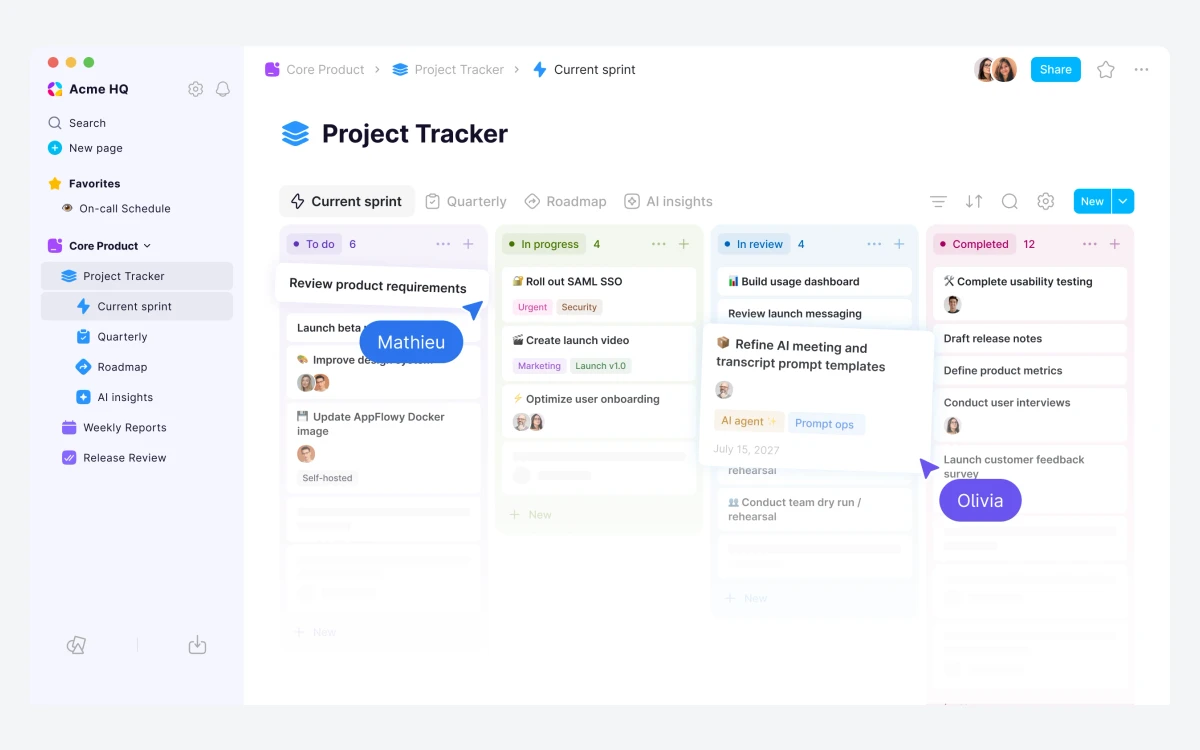
The late-August v0.14.0 release added space-level view and edit permissions, grouping by relations, better rollups and Created by / Last edited by properties. Together these cover most of what small teams actually build in Notion: task trackers, content calendars, CRMs and intake forms.
Still missing compared with Notion
AppFlowy's own comparison page concedes that Notion keeps an advantage with Map views. Third-party reviewers also point to far fewer integrations than Notion's catalogue of 100+.
The pace is also a caution. v0.13.2 in August fixed a data-loss bug where multiple open tabs stopped a document from saving, and v0.14.5 improved recovery of unsaved content after write failures. Fast shipping brings fixes quickly, but it also means you should keep backups.
Docs, wikis and collaboration
The document editor feels familiar to anyone coming from Notion. It is block-based with slash commands, page properties, toggles, callouts, code blocks and formulas, and pages nest in a sidebar tree. Real-time collaboration with live cursors and comments is included even on the Free plan.
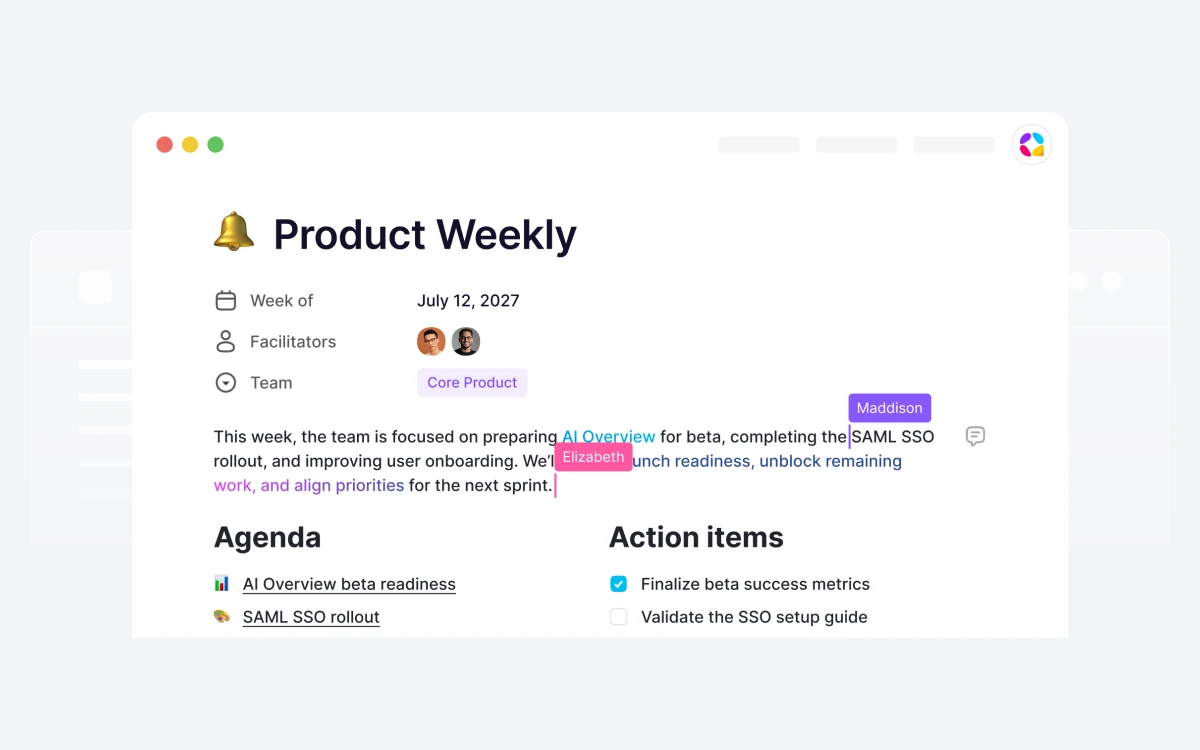
Pages can be published to the web, and guests can be invited as editors. Each email account can hold up to 10 workspaces, which is enough to keep personal notes separate from a team space.
AI: cloud models, local Ollama and Vault
AppFlowy offers three separate AI setups, and the pricing page does not make the difference obvious.
Cloud AI
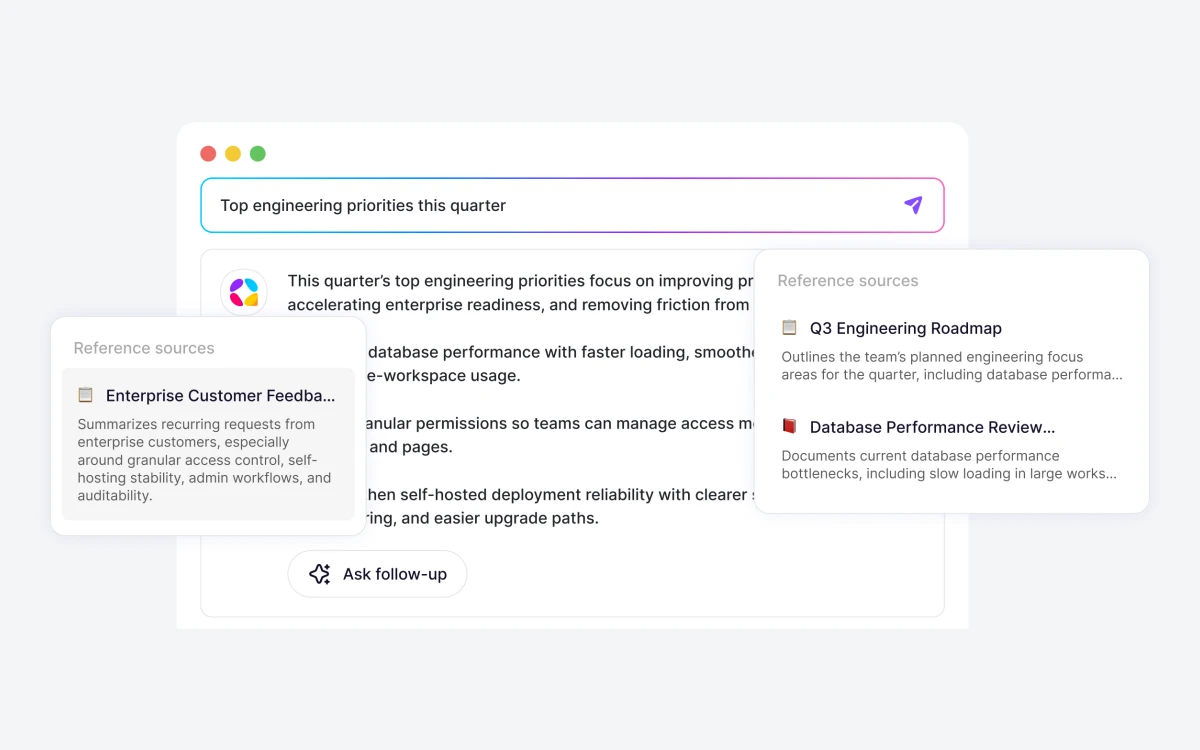
Built-in AI writing, chat and AI search answer questions using your workspace pages as sources. The Free plan includes just 10 AI responses and 2 AI images, while Pro includes unlimited responses and 50 images a month. The AI Max add-on unlocks what AppFlowy lists as its most advanced models, naming GPT-5, Gemini 2.5 Pro and Claude 3.7 Sonnet.
Local AI through Ollama (free)
AppFlowy's guides say Local AI is now free for everyone. It runs models such as Llama 3.1 and DeepSeek-R1 through Ollama on macOS with Apple M1 or later, Windows 10 or later, or Linux. Plan on 8 GB of RAM for 7B models, 16 GB for 13B and 32 GB for 33B. Text-to-image is not available locally.
Vault Workspace (paid)
A Vault is a workspace stored on your device, with AI running locally and no data transfer. Everything works offline except team collaboration and cloud account management. It costs US$6 per user per month billed annually (the guide lists US$7.50 monthly), runs on macOS, Windows and Linux, and there is a free Anonymous Vault to try it. Don't confuse it with free Local AI: Vault is the fully offline workspace, and Local AI is just the model runner.
Pricing: Free, Pro and the add-ons
Cloud prices from appflowy.com/pricing, checked 24 September 2026:
- Free, US$0 forever: 1 collaborative workspace with up to 2 members, unlimited pages and blocks, 5 GB storage, 10 AI responses, 2 AI images, mobile app and real-time collaboration.
- Pro, US$10 per user per month billed annually (US$120 a year) or US$12.50 monthly: unlimited storage, up to 50 members, up to 100 free guest editors, unlimited AI responses, 50 AI images a month, unlimited file uploads and a custom namespace.
- AI Max add-on, from US$8 per user per month: advanced models, unlimited AI responses and file uploads, 50 AI images a month.
- Vault Workspace add-on, US$6 per user per month billed annually: offline workspace with local AI.
Check the price at checkout
AppFlowy's own pages disagree on some numbers. The pricing page shows AI Max at US$8 billed monthly, while the plans guide says US$8 on annual billing and US$10 on monthly. The pricing page also advertises "Save 25%" for annual billing, but US$12.50 to US$10 is a 20% saving.
The Free plan's real limit is the 2-member cap. It is generous for one person or a couple, but any team of three has to pay for Pro. At US$10 per user annually, Pro is priced at the low end for the category, and its AI is included rather than sold separately.
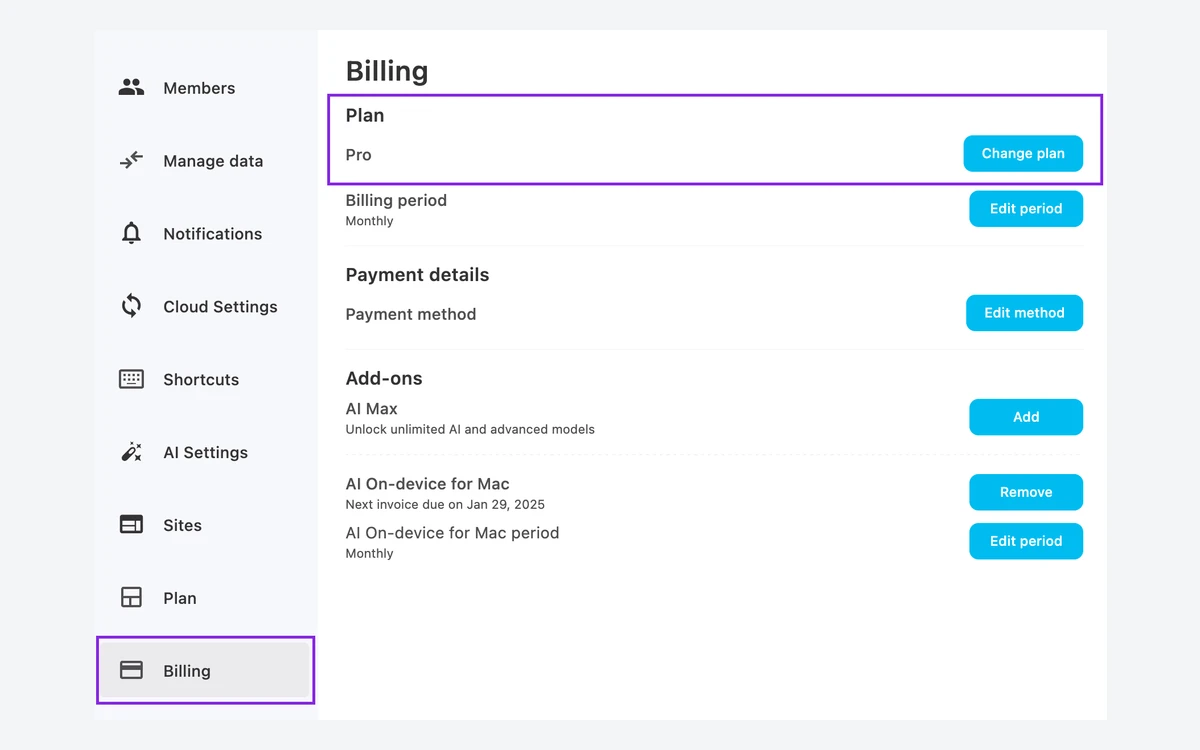
Subscriptions renew automatically until cancelled in Settings, Billing, Change plan. After cancelling, the workspace moves to Free immediately rather than at the end of the billing period, and usage above the free limits may be restricted. If a payment fails, Stripe retries it up to 8 times over the next month while the workspace becomes view-only, then drops it to Free.
Self-hosting and the open-source fine print
This is where AppFlowy's reputation and its current reality differ most. The desktop, mobile and web clients are open source under AGPL-3.0. The server they sync to is not.
The public AppFlowy-Cloud repository now says it "is no longer maintained or in use". Both AppFlowy's hosted service and current self-hosted deployments run on a "closed-source fork" distributed under a Commercial License Agreement. You can still run AppFlowy on your own infrastructure, but you do it under a license with seat limits.
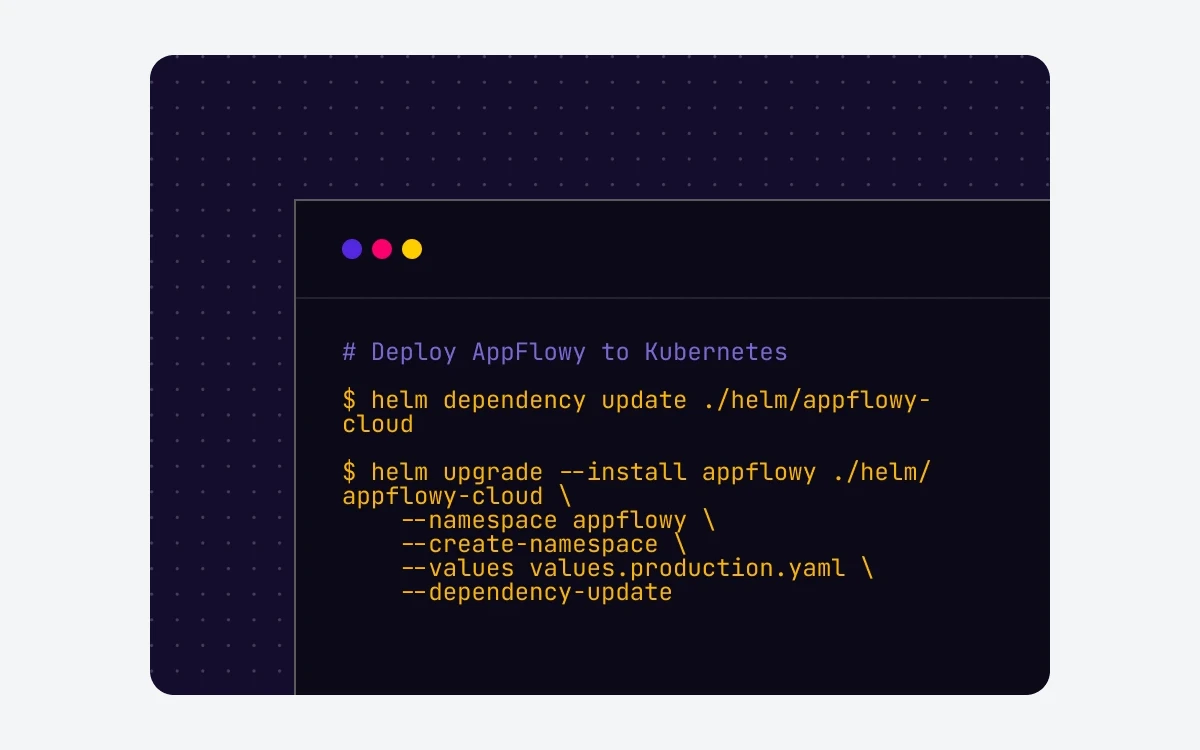
- Free, US$0: 1 user seat per instance, up to 3 guest editors, web app access, version history, page publishing, unlimited workspaces.
- One, US$6 per month billed annually: 1 seat, up to 10 guests.
- Team, US$10 per seat per month billed annually: up to 1,000 seats and 1,000 guests, plus SCIM, LDAP and an audit log.
- Enterprise, contact sales: unlimited seats, white-label and managed deployment.
Every tier includes SAML 2.0 single sign-on. The catch is that the desktop and mobile apps, Local AI, Cloud AI and Vault all need the One plan or above when connected to a self-hosted server, so the free tier is effectively a single-user web app. Self-hosting licenses are annual only, each instance needs its own license code, there are no nonprofit or education discounts, and there are no refunds. Trial licenses for Team and Enterprise are available on request.
Self-hosters should also track server versions: v0.14.5 of the app requires AppFlowy Cloud v0.18.10 or later.
Data, offline use and privacy
Cloud workspaces are hosted on Amazon AWS. The desktop app keeps a local data folder that it uses for offline-to-cloud sync, and AppFlowy warns against pointing a cloud drive such as Google Drive at that folder because it can corrupt data.
AppFlowy does not offer end-to-end encryption for cloud sync. Its 2023 seed announcement said users could opt for it, but the GitHub feature request for E2EE was closed as not planned on 21 December 2025. If privacy is the reason you are leaving Notion, the real options are a Vault Workspace or a self-hosted server, not the standard cloud plan.
Getting data out is simple. Workspace owners can export a backup .zip containing pages, databases and files. Getting data in from Notion works through Notion's own export: only .zip exports in Markdown & CSV format are supported, and you should not unzip the file before importing it.
Platforms and mobile apps
AppFlowy runs on the web, macOS (Intel and Universal builds), Windows, Linux (AppImage, Flathub and Snapcraft), iOS and Android, with sync across unlimited devices. Android needs version 10 or later, and ARMv7 devices are not supported.
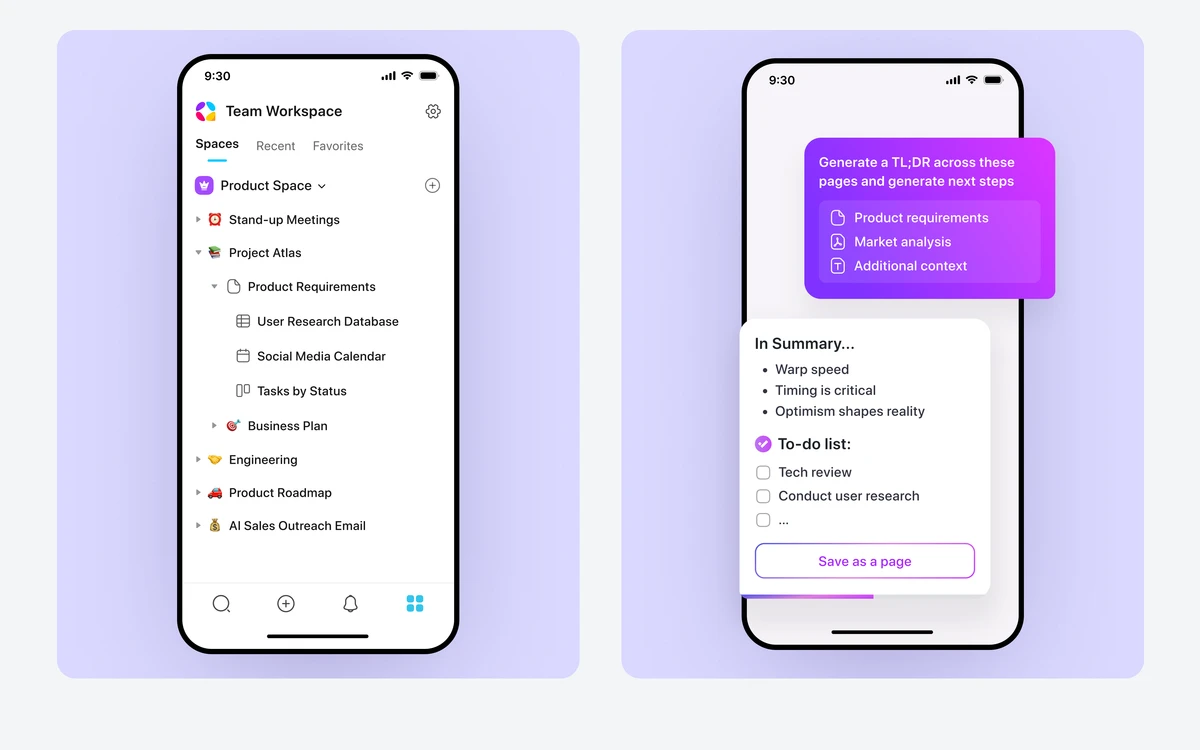
Third-party reviewers describe the mobile apps as functional but less polished than Notion's. Windows users updating to v0.14.4 or later may also see a SmartScreen warning, because the build was signed with a renewed certificate.
AppFlowy vs Notion: who should switch
AppFlowy makes sense if you want a Notion-style workspace with lower per-seat pricing, AI included in Pro, a genuinely offline option through Vault, or the ability to keep everything on your own servers. Solo users and pairs can live on the Free plan indefinitely.
Notion remains the safer choice if you depend on integrations, Map views, a polished mobile app or a mature template ecosystem. For a closer look at the incumbent, see our Notion guide, and if local-first privacy is the priority, compare Anytype and Obsidian before committing.
- Choose AppFlowy for: small teams on a budget, privacy-minded users willing to use Vault or self-host, and people who want local AI.
- Stay with Notion for: integration-heavy teams, heavy mobile use, and anyone who needs Map views.
- Look elsewhere for: end-to-end encrypted sync, or a server you can self-host for free without seat limits.
Verdict
After September's releases, AppFlowy is finally a credible Notion replacement for everyday docs and databases. Forms, timelines, multi-day calendars and formulas were the missing pieces, and they have shipped. Pro at US$10 per user on annual billing is good value, especially with unlimited AI included.
The main caveat is the open-source label. The clients are AGPL, but the server is now closed and commercially licensed, the free self-hosted tier is limited to one web-only seat, and cloud sync has no end-to-end encryption. Go in with those facts, keep regular backups while the app moves this fast, and AppFlowy is well worth trying on the Free plan.
Frequently asked questions
How much does AppFlowy cost?
AppFlowy Free costs nothing, and Pro costs US$10 per user per month billed annually or US$12.50 month to month. AI Max starts at US$8 per user per month and Vault Workspace at US$6 per user per month billed annually, both on top of your plan.
What are the limits of the Free plan?
The Free plan allows one collaborative workspace with up to 2 members, 5 GB of storage, 10 AI responses and 2 AI images. Pages and blocks are unlimited, and real-time collaboration and the mobile apps are included.
Is AppFlowy really open source and free to self-host?
Only partly. The desktop, mobile and web apps are AGPL-3.0, but the AppFlowy Cloud server is now a closed-source commercial fork. The free self-hosted tier covers 1 user seat plus 3 guests through the web app, and the desktop and mobile apps need the One plan (US$6 a month, billed annually) or higher.
Can I import my Notion workspace?
Yes, from a Notion export .zip in Markdown & CSV format. Import the .zip as it is, without unzipping it first. Other Notion export formats are not supported.
Does AppFlowy work offline, and is it end-to-end encrypted?
It works offline, but cloud sync is not end-to-end encrypted. The desktop app caches data locally for offline-to-cloud sync, and a Vault Workspace keeps all data and AI on your device. The E2EE feature request was closed as not planned in December 2025.
Can I get a refund?
Yes, for cloud subscriptions: full refunds within 3 days on monthly billing or 30 days on annual billing, covering Pro and AI Max. Self-hosted plans and commercial licenses are not refundable, and cloud Pro has no advertised free trial.
Does AppFlowy's local AI cost extra?
No. Local AI through Ollama is free, but it needs capable hardware: roughly 8 GB of RAM for 7B models and 32 GB for 33B models. The paid Vault add-on is a separate feature that makes the whole workspace offline.
Key takeaways
- September 2026 releases (v0.14.1 to v0.14.5) added Form, Timeline, weekly and multi-day Calendar views and Formula properties.
- Free allows 2 members, 5 GB and 10 AI responses; Pro is US$10 per user per month annually or US$12.50 monthly, with unlimited AI.
- The apps are AGPL open source, but the AppFlowy Cloud server is now a closed-source commercial fork.
- Free self-hosting is 1 web-only seat per instance; Team is US$10 per seat per month, annual only and non-refundable.
- Local AI through Ollama is free; Vault Workspace offers a fully offline workspace for US$6 per user per month.
- Cloud sync is not end-to-end encrypted, and Notion still leads on integrations, Map views and mobile polish.
More in Services & Software
Browse Services & Software