CapCut Review 2026: Is It Still Worth It After the Big Price Hike?
CapCut just doubled its top plan and split Pro into two tiers. Our 2026 review breaks down the new Free, Standard and Pro pricing, the AI toolset, and whether it is still worth paying for.
For a long time CapCut was the easy answer to "what free editor should I use for short-form video?" ByteDance's app pushed clips straight to TikTok, Reels and Shorts with auto-captions, effects and templates that beginners could actually finish. In 2026 that answer got more complicated. CapCut has just been through the biggest pricing shake-up in its history: the single Pro tier was split in two, and the price of the top plan roughly doubled.
The confusing part is the naming. What used to be called "Pro" has effectively become today's Standard tier, while a new, more expensive Pro now sits above it. On annual billing the flagship plan jumped from around $77.99 a year to $179.99 a year, and existing subscribers were reported to roll onto the new rate around February 2026. That is a big change to swallow for a tool many people picked precisely because it was cheap.
This review looks at CapCut as it stands now, across web, desktop, mobile and tablet: what each tier actually gives you after the restructure, where the AI features earn their keep, and who should keep paying versus who should drop back to the free tier or look elsewhere.
What CapCut is in 2026
CapCut is ByteDance's all-in-one video and photo editor, built to take raw phone footage and turn it into social-ready clips quickly. It runs on four surfaces that share the same account: CapCut Desktop (Windows and Mac downloads), CapCut Online (a browser editor at capcut.com), CapCut Mobile (iOS and Android), and CapCut Pad for tablets.
The pitch is scale and approachability. CapCut's own homepage claims 100 million downloads, more than 100,000 creators, a 4.7 app-store rating and support for 20 languages, and the free tier needs no credit card to start. In practice it sits between a toy and a professional NLE: more capable than a phone's built-in editor, simpler and more template-driven than something like Premiere Pro or DaVinci Resolve.
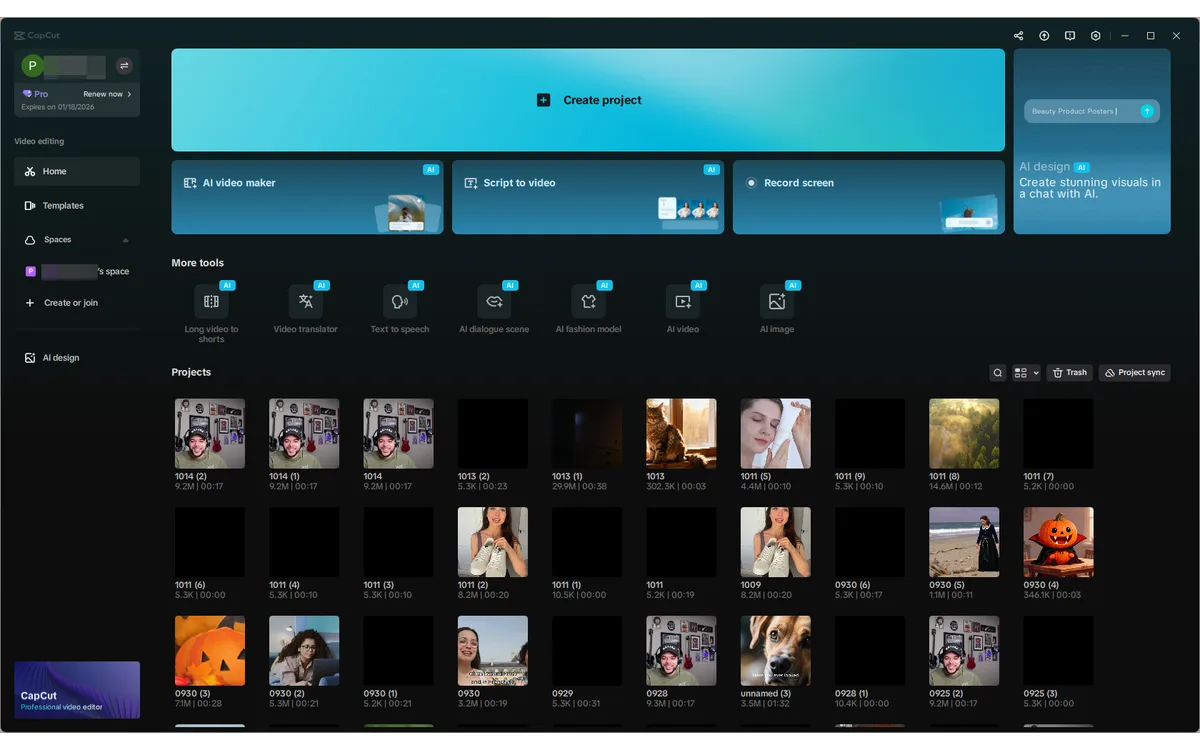
The core editing experience is genuinely fast. Timeline editing, trimming, transitions, text, stickers and a huge template library are all a few clicks away, and exports go up to 8K resolution even on the paid entry tier. Where CapCut has spent the last two years investing is AI: auto-captions, background removal, text-to-speech voiceovers and generative tools now sit alongside the traditional editing panels.
The 2026 pricing overhaul
The headline change is structural. CapCut restructured its paid plans into three tiers — Free, Standard and a new, more expensive Pro — and in doing so renamed the old Pro plan down into today's Standard. So if you remember CapCut Pro being cheap, that plan still roughly exists, but it is now called Standard; the name "Pro" has moved to a new, pricier tier above it.
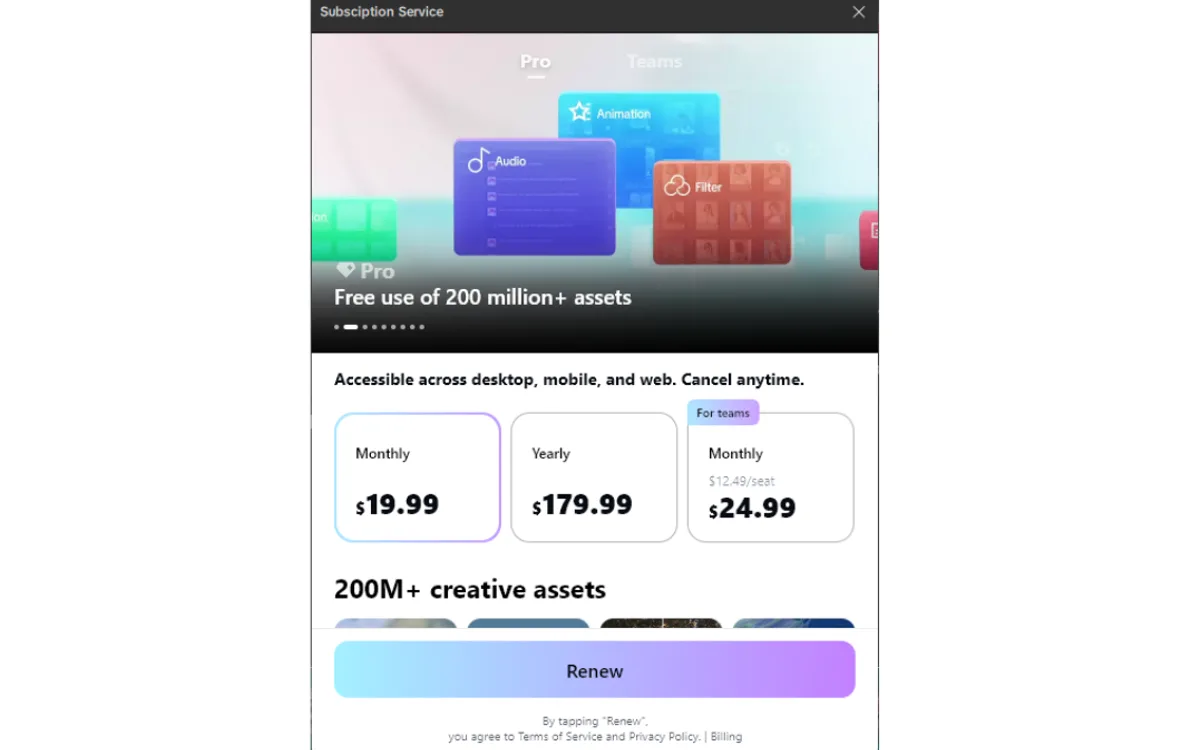
According to widely reported third-party pricing guides, CapCut Pro rose from about $9.99/month ($77.99/year) to roughly $19.99/month ($179.99/year) — close to a 130% jump on annual billing — with existing subscribers said to have rolled onto the new rate around February 2026. Standard is offered at about $9.99/month on monthly billing, and team plans run roughly $15–$30 per seat per month.
Read prices as ‘widely reported’, not official
CapCut deliberately does not publish exact prices on capcut.com. Its help center says pricing varies by region, device and current promotions, and that you should check the in-app Upgrade screen for your country. Treat the dollar figures here as reported reference points and confirm the live rate before you buy.
- Free — $0, no credit card required to start.
- Standard — about $9.99/month (monthly billing), the tier that used to be called Pro.
- Pro — about $19.99/month or $179.99/year, the new top tier with the full AI toolset.
- Team — roughly $15–$30 per seat per month for collaborative work.
One practical note: mobile app-store prices tend to run a few dollars higher than web checkout because Apple and Google take a cut. If you are paying, subscribing through the web usually costs less than through the iOS or Android app.
Standard vs Pro: what you actually get
Because CapCut's own comparison page lists no dollar figures, the clearest way to judge the split is by capability. Both Standard and Pro can export up to 8K, so raw output quality is not the dividing line. The difference is cloud storage and the AI toolset.
Standard covers the everyday editor: it lifts the free-tier watermark and limits, but comes with limited cloud storage (the old free 1GB tier was discontinued in August 2024) and does not include the advanced AI tools. It is the plan for someone who wants clean exports and the template library without paying for generative features.
Pro is where the AI stack lives. Per CapCut's official help center, the new Pro membership raised AI points from 550 to 1,200 and expanded cloud storage from 100GB to 1TB. On top of that, Pro adds the auto-caption generator, background remover, motion tracking, noise reduction, AI video/music/image generation, and a much larger premium library of templates, transitions, fonts and stickers.
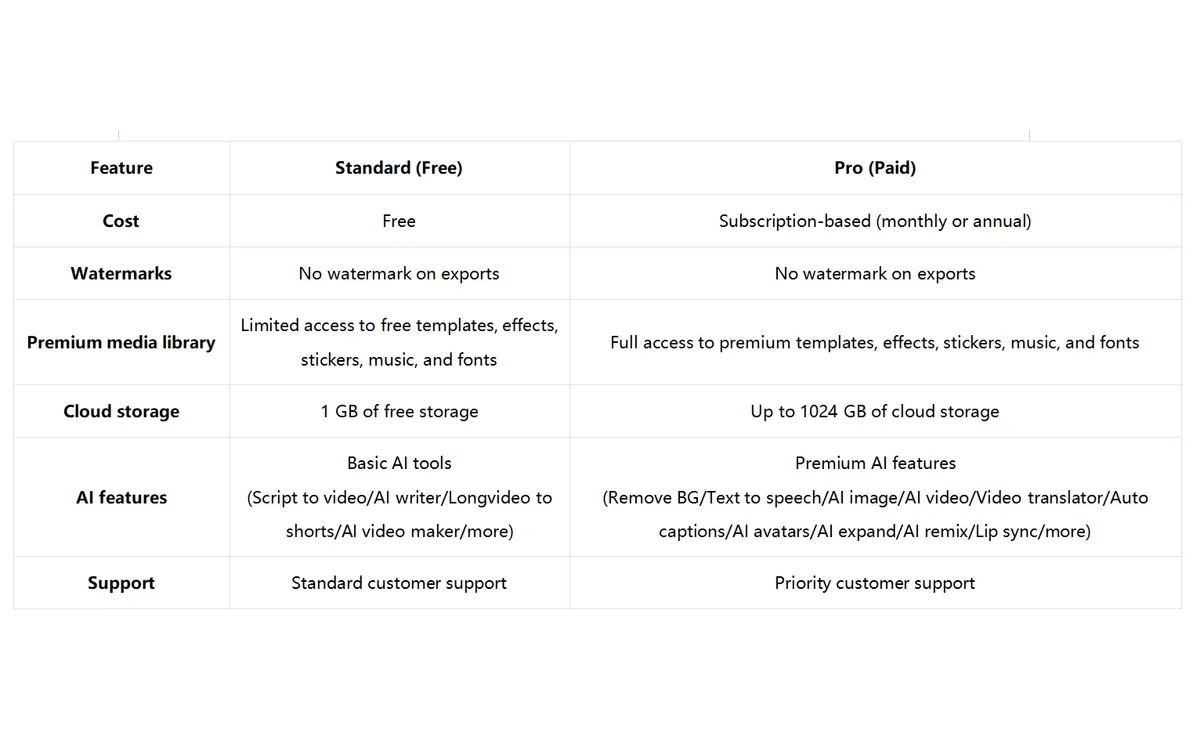
A few tools are Pro-exclusive and worth calling out because they change the workflow, not just the asset count: Pro removes the 10-minute cap on auto-captions that free and Standard users hit, and unlocks Camera Tracking, Remove Flickers and Vocal Isolation. Pro also bundles a commercial license, which matters if you edit for clients or brands rather than just your own channel.
The AI tools and editing experience
AI is CapCut's main story in 2026, and most of it is aimed at speed. Auto-captions transcribe speech and drop styled subtitles onto the timeline in seconds — still the feature most people upgrade for. Background removal, noise reduction and vocal isolation clean up messy phone footage without a green screen or a separate audio tool.
Reviewers also highlight text-to-speech voiceovers in a range of voice styles, and a ‘Long Video to Shorts’ tool that scans an uploaded long-form video and auto-suggests short clips to repurpose — useful if you are cutting podcasts or streams into social snippets. The generative image, music and video features round out the Pro toolset for creators who want assets without leaving the app.
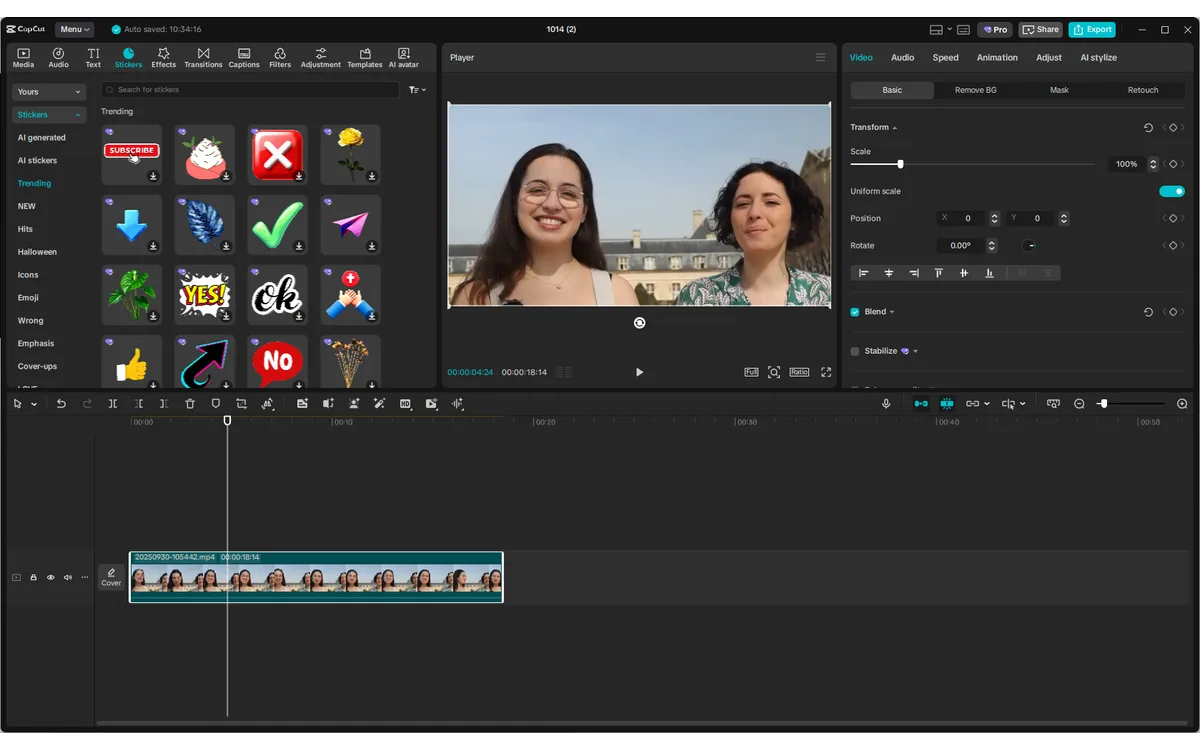
The editing surface itself remains one of CapCut's strengths. The timeline is responsive, the template library is enormous, and finishing a decent-looking clip is fast even for beginners. The AI points system on Pro is the throttle to watch: heavy generative use draws them down, so the 550-to-1,200 bump is a meaningful part of what the higher price buys.
Desktop, web, mobile and tablet
CapCut's four surfaces are not equal. Desktop is positioned as the stronger choice for longer, more complex editing sessions — more screen space, easier multi-track work — while mobile stays faster for quick, social-ready edits on the go. The browser editor is handy when you cannot install anything, and CapCut Pad targets tablet users.
Cross-platform sync still isn’t solved
As of early 2026, reviewers flag that CapCut still has not fully fixed cross-platform project sync. A project started from a mobile template can break when opened on desktop, so pick one surface for a given project rather than assuming a clean hand-off between phone and computer.
If you edit seriously, plan around desktop and treat mobile as the capture-and-quick-cut companion. If your whole workflow is phone-first short clips, mobile alone may be all you ever touch.
Verdict: who should still pay
CapCut is still an excellent editor — the price change does not make it worse, it makes the decision less automatic. The free tier remains genuinely useful for casual creators, and Standard at around $9.99/month is a fair deal for anyone who wants watermark-free exports and the template library without the AI stack.
Pro is the tier the price hike really affects. At roughly $19.99/month or $179.99/year, it is only worth it if you actively use the AI toolset — unlimited-length auto-captions, background removal, generative media, Long Video to Shorts — or need the 1TB storage and commercial license for client work. If you were on the old cheap Pro plan mainly for watermark removal and templates, Standard now covers that for less, and you should consider dropping down rather than paying double.
For heavy short-form creators and small teams who lean on the AI features daily, CapCut Pro is still competitive against pricier desktop suites. For everyone else, the honest 2026 answer is: use Free or Standard, and only step up to Pro when a specific AI tool is doing real work in your workflow.
Frequently asked questions
How much does CapCut cost in 2026?
CapCut does not publish exact prices on its site, but widely reported figures put Standard at about $9.99/month and Pro at roughly $19.99/month or $179.99/year, with team plans around $15–$30 per seat. Prices vary by region, device and promotions, so check the in-app Upgrade screen for the live rate in your country.
Why did my CapCut Pro price go up?
CapCut restructured its plans and split the old single Pro tier into Standard and a new, more expensive Pro. Existing subscribers were reported to roll onto the higher Pro rate — roughly $179.99/year — around February 2026. If you only need the older feature set, the cheaper Standard tier may now cover it.
What is the difference between CapCut Standard and Pro?
Both export up to 8K, so quality is not the divider. Standard removes the free-tier limits but has limited cloud storage and no advanced AI. Pro adds 1TB storage, 1,200 AI points, unlimited-length auto-captions, background remover, motion tracking, generative AI tools and a commercial license.
Is CapCut still free?
Yes. The free tier still exists, needs no credit card and covers basic editing, though it carries limits and lacks the paid AI features. The previous free 1GB cloud storage tier was discontinued in August 2024.
Is it cheaper to subscribe on the web or in the app?
The web is usually cheaper. Mobile app-store prices tend to run a few dollars higher than capcut.com checkout because Apple and Google take a platform fee, so subscribing through the web often costs less for the same plan.
Does CapCut work across desktop and mobile?
CapCut runs on desktop, web, mobile and tablet under one account, but cross-platform project sync is still unreliable as of early 2026 — a project started from a mobile template can break on desktop. Pick one surface per project rather than relying on a clean hand-off.
Key takeaways
- CapCut split its single Pro tier into Standard and a new, pricier Pro in the 2026 restructure — the old cheap ‘Pro’ is essentially today’s Standard.
- Reported pricing: Standard around $9.99/mo, Pro around $19.99/mo or $179.99/yr, a roughly 130% annual jump; existing subscribers moved to the new rate near February 2026.
- Both paid tiers export to 8K; Pro is the one that unlocks 1TB storage, 1,200 AI points, unlimited auto-captions and the generative AI toolset plus a commercial license.
- Cross-platform sync is still shaky — keep a project on one surface, and edit longer projects on desktop.
- Only pay for Pro if you use the AI tools; otherwise Free or Standard is the better value under the new pricing.
More in Services & Software
Browse Services & Software