Captions.ai Review 2026: What Each Plan Really Buys in Credits
Captions (captions.ai) review: Basic to Frontier 4x prices, what 500 credits buy in Veo 3 clips, platform gaps, non-refundable billing and biometric data rules.
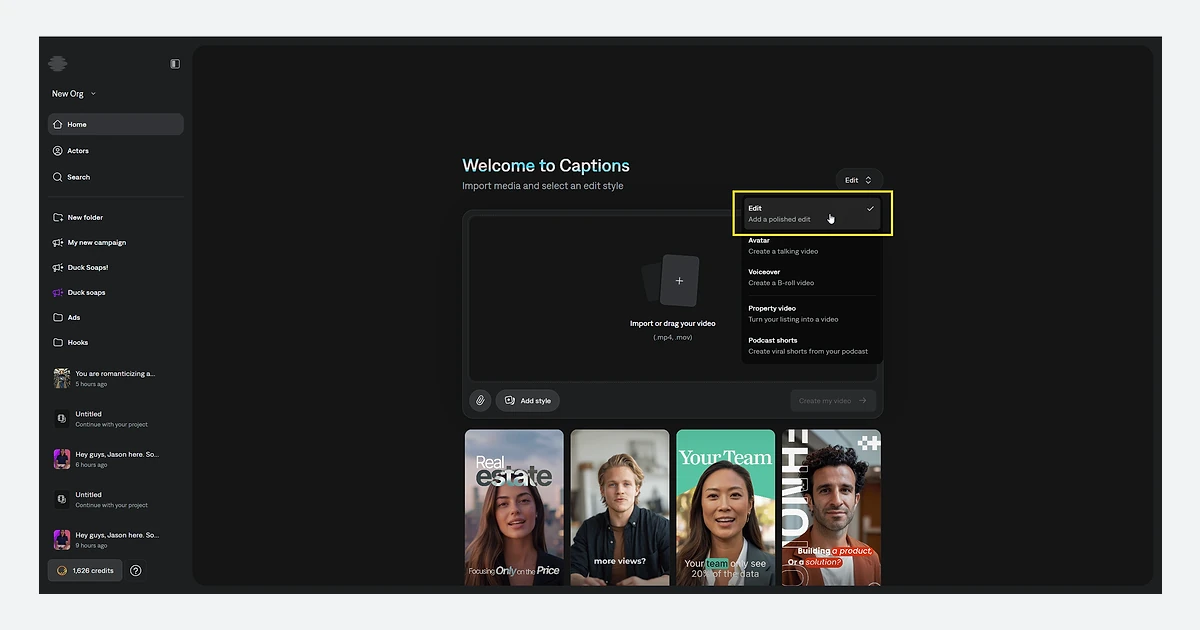
Captions started as an iPhone app that put animated subtitles on talking-head videos. In 2026 it is a credit-metered AI video studio: AI Edit, long-to-short Clips, a chat-based editor, AI avatars and access to third-party video models such as Google Veo 3, Kling and Sora 2, all drawing from one monthly credit balance.
This review reads the pricing page, the help centre, the terms and the privacy policy as of September 2026 and turns them into the questions that matter before you pay: what each plan really buys in credits, which features work on which device, what happens to your face and voice data, and what you lose when you cancel.
What Captions is in 2026
The product is still called Captions. The company behind it renamed itself from Captions to Mirage on 4 September 2025 and said the Captions app "will remain central" to its mission. Mirage is also the name of the company's own foundation video model, which it says was trained "for pacing, framing, and attention dynamics" of short-form video. The New York team, led by co-founders Gaurav Misra (CEO) and Dwight Churchill (COO), builds the Captions app, the Mirage models and the Mirage API.
The business is well funded. In March 2026 Mirage raised $75 million in growth financing from General Catalyst's Customer Value Fund, bringing total funding to $175 million by the company's count. It says 20 million users rely on Captions and 250 million videos have been made in it. Appfigures data cited by TechCrunch put the app at 3.2 million downloads and $28.4 million in in-app revenue over the prior 365 days, with only 25% of revenue coming from the U.S.
Store ratings are strong on iPhone and softer on Android. As of 25 September 2026 the US App Store listing shows 4.7 stars from 37,992 ratings (version 13.34.0, released 14 September 2026). The Android app, published as Captions Lite, shows 4.2 stars from 18.5K reviews and 1M+ downloads.
One practical detail from the legal pages: the site footer names NOCAP, Inc. d/b/a Captions, the Terms and Privacy Policy name Mirage US LLC, and the App Store seller is Captions, LLC. Expect to see any of the three on invoices and data requests.
Pricing and plans
The public pricing page lists Free, four paid tiers and Enterprise, with a footnote that is easy to miss: "All prices displayed in USD. Features and prices reflect iOS plans only." Web prices charged through Stripe are not shown, and checkout may show a local currency above or below the USD figure.
- Free - $0, 60-200 lifetime credits that do not refresh, one template (Eclipse)
- Basic (formerly Pro) - $9.99/month, 200 credits/month, exports without watermark. Sold in the help centre and App Store, but missing from the pricing page
- Max - $24.99/month, 500 credits/month, up to 30 AI Twins, 2 concurrent video generations, Chat to Edit, AI Edit and Clips
- Frontier (formerly Scale) - $69.99/month, 1,400 credits/month, faster generations
- Frontier 2x - $139.99/month, 2,800 credits/month
- Frontier 4x - $279.99/month, 5,600 credits/month, the only individual tier that can buy top-up credits
- Enterprise - custom pricing, the only tier listing training data exclusion
- Lite (Android only) - $4.99/month for manual editing essentials such as dubbing, caption styles, eye contact and denoise; it can only be restored and used on Android
Annual prices are mostly missing
The pricing page says a yearly plan "bills for 12 months upfront, at a discounted rate" but shows no annual price for any tier. The only annual figure we found is on the App Store: Basic yearly at $64.99, about $5.42 a month and roughly 46% below twelve monthly Basic payments ($119.88). The App Store also sells Basic weekly at $5.99, which comes to more than $300 over a year.
Bigger plans do not make credits cheaper
Divide each price by its credit allowance and every tier from Basic to Frontier 4x lands at almost exactly 5 cents per credit ($9.99 / 200, $24.99 / 500, $69.99 / 1,400, $279.99 / 5,600). Moving up buys more credits, higher limits and faster generation, not a volume discount. Frontier also advertises "3X AI Usage", but 1,400 credits is 2.8 times the Max allowance.
Upgrades are prorated and take effect straight away. Downgrades keep your current plan until the end of the billing cycle.
What the pricing page leaves out
The $9.99 Basic plan, the Android-only $4.99 Lite plan, web prices, most annual prices and any free-trial length. Check the price at checkout on the platform you plan to use, because the subscription stays tied to that channel (Apple ID, Google account or web login).
How credits work and what they buy
Almost everything generative in Captions draws from the monthly credit balance, and the help centre's own caveat applies to every figure below: "Actual credit costs vary depending on video duration, model selection, and algorithm choices."
- Prompt to Video: 16 credits per 6 seconds
- AI Edit: 10-40 credits per edit; changing a clip style afterwards: 1 credit
- Chat-based editing: 2 credits per message plus 1 per action, plus the cost of any generative step
- GenAI image: 1-3 credits; GenAI video: 1-20 credits; GenAI music: 1-2 credits
- Audio Isolation: 2 credits per minute
- Third-party video models, per generation: Sora 2 16 credits, Google Veo 3 (4 seconds) 64 credits, Google Veo 2 100 credits, Kling 2.1 140 credits
At 5 cents a credit, one 4-second Veo 3 clip uses about $3.20 of your allowance and one Kling 2.1 generation about $7. The help centre's own example: Max's 500 credits cover roughly 7 Veo 3 clips or 3 Kling 2.1 clips. On Basic, 200 credits is 5 to 20 AI Edits depending on length. Generative image and video models are Max and above only; voice, sound and music models start at Basic.
No credit cost is published for dubbing, Eye Contact, AI Creator and AI Twin, or Lipdub. If those are your main use, run a short test and compare your balance before and after.
Credits burn even if you never export
The help centre states that credits are used whether or not the project is exported or saved. A generation you throw away costs the same as one you publish.
Rollover, downgrades and cancellation
- Unused credits roll over on Basic and above, capped at 3x your monthly allowance (1,500 on Max)
Core features: AI Edit, Clips, Chat to Edit and captions
AI Edit
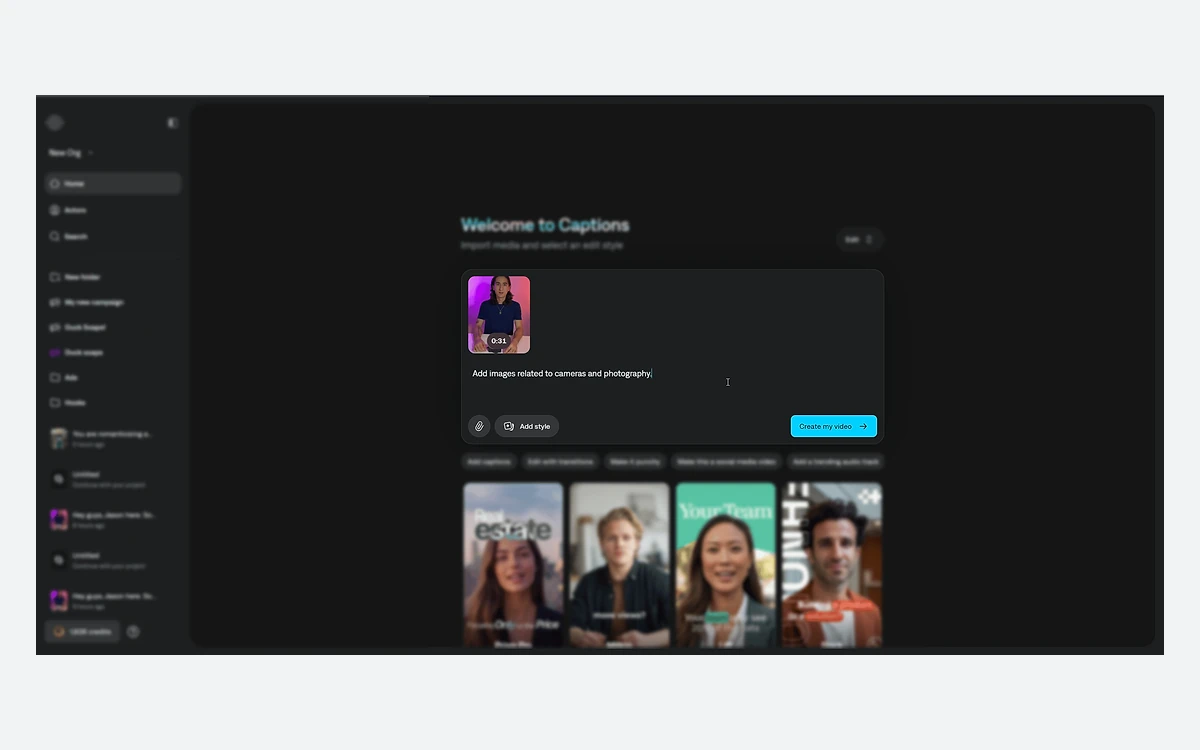
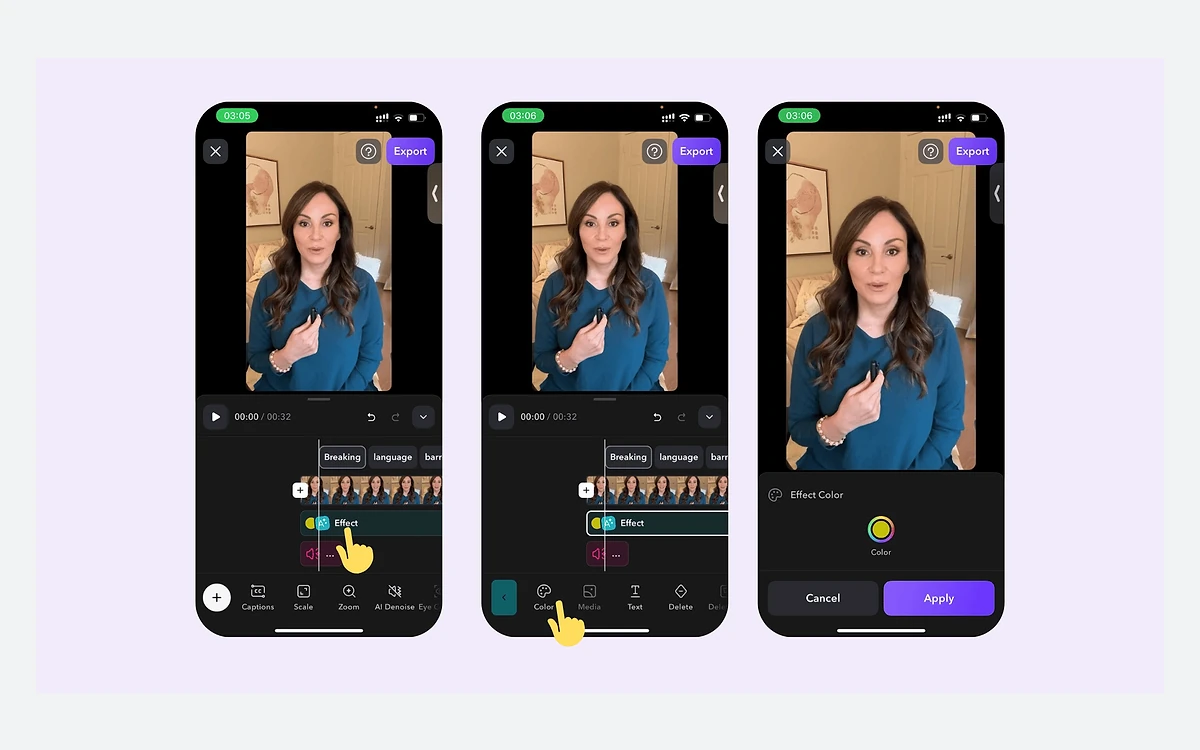
AI Edit takes a raw clip and returns a styled edit with captions, cuts, zooms, B-roll and music, and you can set brand colours. Input is capped at 2 minutes of footage on iOS and 1 minute on the web, so it suits single shorts rather than long recordings.
Clips
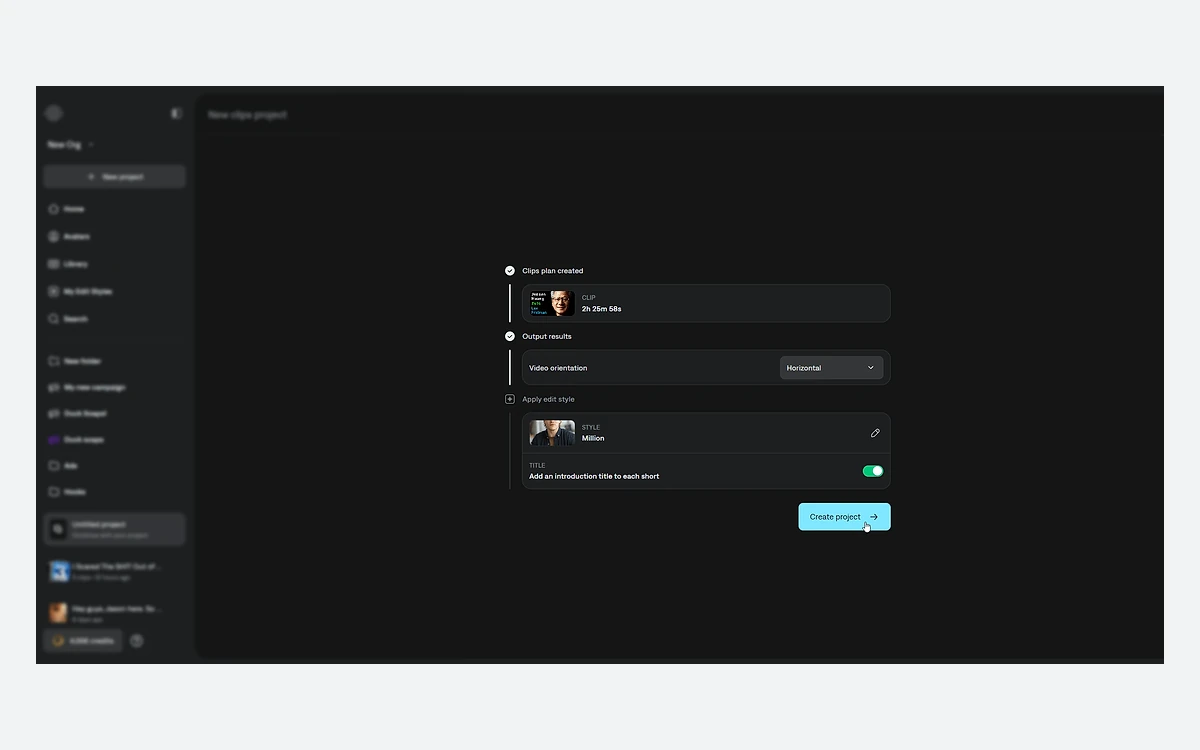
Clips is the long-to-short tool that competes with OpusClip and Klap. It accepts a source video up to 3 hours or 10GB and returns 30+ clips of around 30 seconds each, with the target length adjustable. You review the clip plan before the clips are generated.
Chat to Edit
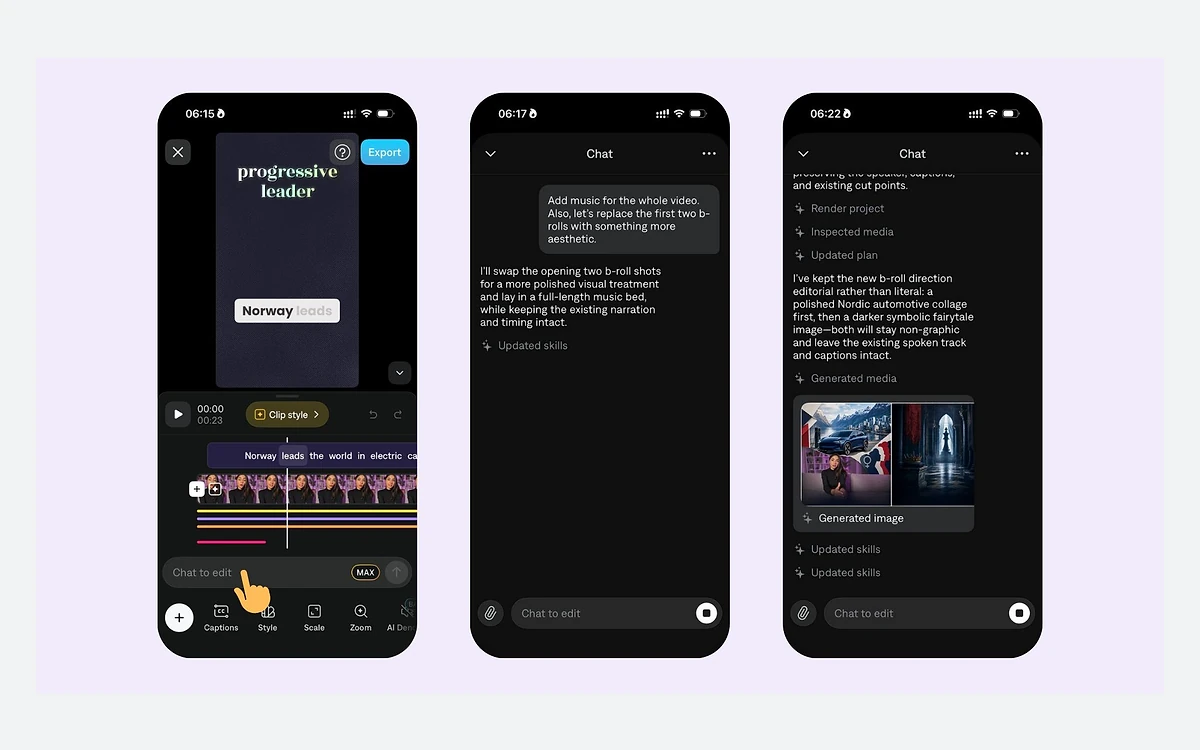
The chat-based editor lets you describe changes in plain language over the timeline, and you can attach files to a message. It is included from Max and bills 2 credits per message plus 1 per action, so a long back-and-forth costs more than it looks.
Captions, dubbing and eye contact
Automatic captions remain the core feature, though the language count depends on which page you read: about 99 in the help centre, 91+ on the App Store and 100+ in marketing. Dubbing is listed at 30+ languages (31 named) in the help centre and 29 on the App Store. Eye Contact redirects your gaze into the camera, which helps when you read from a script.
The pricing grid also lists AI Creator, AI Ads, AI Skits, AI Twin, AI Translate, AI Lipdub, AI Shorts, Reddit to Reel, AI Voice Clone, AI Denoise, AI Censor and a Teleprompter.
Platforms and limits: iOS, Android, web and Mac
Captions runs on iOS, Android (as Captions Lite) and the web. A July 2026 changelog says Captions is "available again on macOS", bringing the web experience to the desktop, while the web help page still says there is no Mac or PC app. The legacy desktop.captions.ai is closed to new signups.
The feature set differs by platform. Camera and Teleprompter, AI Trim, AI Zoom, Censor and Keyframes are iOS-only. On the web, AI Twins, AI Shorts, dubbing and caption generation are marked unavailable, and the interface is English-only, while the iOS app offers 33 interface languages. If you plan to work mainly on a laptop, check the feature availability table before paying.
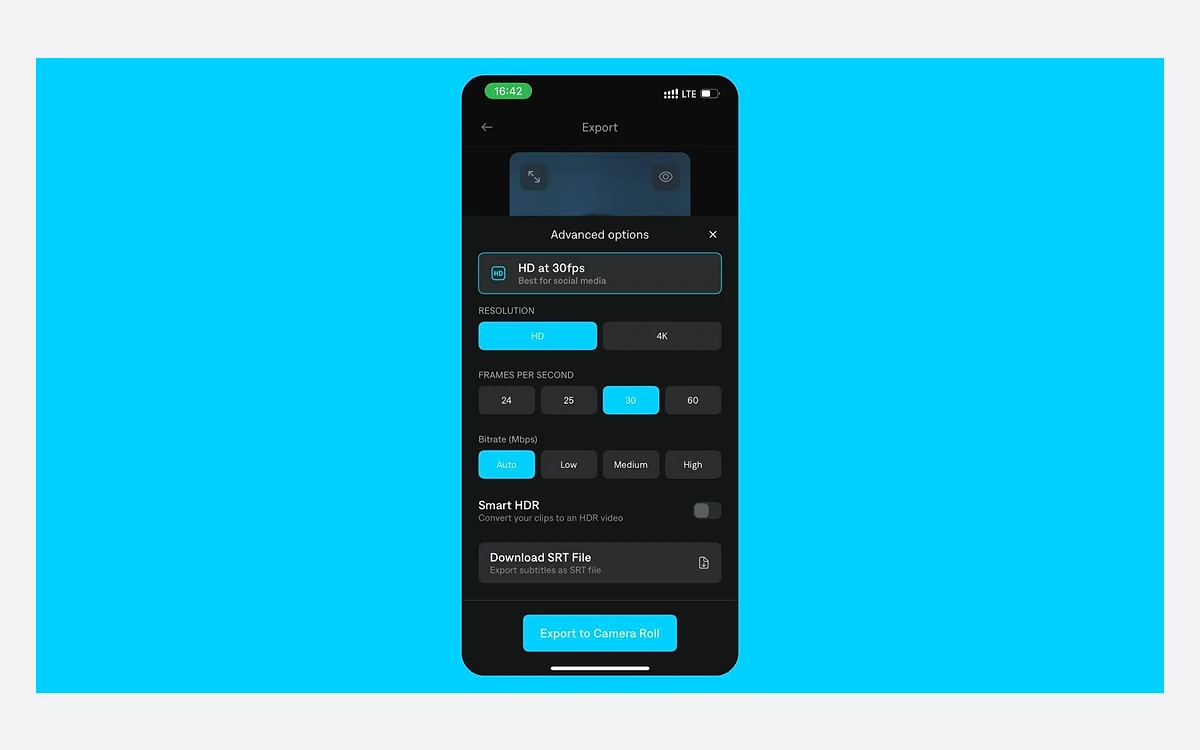
- Export: up to 4K on iOS and web (2K on the legacy desktop app), MP4 or MOV; HDR on iOS only
- Manual editor: projects up to 10 minutes
- AI Edit: 2 minutes on iOS, 1 minute on web
- AI Creator: 1 minute, script of 10-800 characters
- Same-language captions: 10 minutes on iOS and desktop, 5 minutes on Android; other-language captions and dubbing: 5 minutes. A February 2026 changelog says transcription now handles files up to 30 minutes, so the table may be out of date
- Requirements: the help centre says iOS 17 or 18 and Android 7.0+; the App Store lists iOS 16.0 as the minimum
Privacy, biometric data and AI training
The privacy policy (effective 10 November 2025) says "we may generate biometric information from your face or voice", including "identifying the location of your eyes, nose, mouth and ears". Biometric data is deleted when its initial purpose is satisfied or three years after your last interaction with Mirage, whichever comes first.
The same policy allows your data to be used "to train our artificial intelligence/machine learning models", and AI features share data with third-party partners. The only opt-out it offers: "If you do not want us to share this information, please do not use these features." Training data exclusion appears on the pricing page only for Enterprise.
Under the Terms you own your input and output, but you grant a sublicensable licence to use it to improve the services and develop new products. Mirage says it will not commercialize your voice on a standalone basis without written permission. Deleting your account deletes all in-app projects; other deletion requests go by email, and some data may be retained.
Before you film other people
Clients, employees or guests on camera fall under the same face and voice clauses. Get their consent, or keep that footage in a tool with an explicit training opt-out.
Free plan, trials, cancellation and refunds
The free plan gives 60-200 lifetime credits that never refresh and one template. The help centre says plain manual edits export free, but projects that use AI features such as AI Edit, caption styles, eye contact or background music need a paid plan to export. A September 2025 changelog says free users can now export with a Captions watermark. Treat Free as a test bench, not a working plan.
The Terms say promotional trials, free or discounted, may be offered. No trial length is published anywhere.
Subscriptions renew automatically unless cancelled at least 24 hours before the end of the billing period, and you are notified before a price increase applies at renewal. The Terms are blunt about money: "YOUR PAYMENT IS NONREFUNDABLE." After cancelling you keep access until the period ends, with no refund. If you paid through the App Store or Google Play, Captions cannot request a refund for you; you have to ask Apple or Google. Web monthly plans are non-refundable.
Apple receipts have no VAT field, so the help centre suggests businesses cancel and rebuy on the web for VAT invoices. Note that the web user terms (effective 29 September 2025) describe the web tool as intended for teams, businesses and organizations, state that consumer laws do not apply, and choose New York law. Read them before picking the web checkout as an individual.
Verdict: who should pay for Captions
Pay for Captions if you record yourself on an iPhone and want captions, AI Edit and eye contact in one app. Basic at $9.99 a month, or $64.99 a year on the App Store, covers that. Choose Max only if you will actually use generative video, Chat to Edit or AI Twins, and plan around the fact that 500 credits is about seven 4-second Veo 3 clips.
Look elsewhere if you mostly cut podcasts or webinars into shorts from a desktop. Clips works, but tools such as OpusClip, Klap and Submagic are built around that job, and the web version of Captions lacks several mobile features. Teams handling client footage should weigh the biometric and training clauses; only Enterprise lists a training exclusion.
- Best for: solo creators filming on iPhone who want fast captioned shorts
- Good value: Basic yearly on the App Store at $64.99
- Weak spots: identical per-credit price on every tier, credits lost on cancel, no refunds, thinner web and Android feature sets
- Watch out for: undocumented credit costs for dubbing, Eye Contact, AI Twin and Lipdub
Frequently asked questions
How much does Captions cost in 2026?
From $9.99 a month for Basic (200 credits) to $279.99 for Frontier 4x (5,600 credits), in iOS USD prices. Max is $24.99 with 500 credits and Frontier $69.99 with 1,400. Android also sells a $4.99 Lite plan, and Enterprise is priced on request. Web and most annual prices are not published.
Is there a free plan or free trial?
Yes, there is a free plan with 60-200 lifetime credits that do not refresh. Projects using AI features need a paid plan to export, or export with a watermark according to a September 2025 changelog. Promotional trials may be offered, but no trial length is published.
Can I get a refund on a Captions subscription?
Generally no. The Terms say payment is nonrefundable and cancelling only stops the next renewal. For App Store or Google Play purchases, you must request a refund from Apple or Google directly.
What happens to my unused credits if I cancel or downgrade?
Cancelling forfeits all remaining credits at the end of the billing period. Downgrading forfeits anything above the new plan's rollover cap, which is 3x its monthly allowance.
How many Veo 3 or Kling videos do I get on Max?
About 7 four-second Veo 3 clips (64 credits each) or 3 Kling 2.1 generations (140 credits each) from the 500 monthly credits. Credits are spent even if you never export the result.
Does Captions use my videos and voice to train AI?
It can. The privacy policy allows data to be used to train its AI and machine learning models and may generate biometric data from your face or voice. Training data exclusion is listed only on the Enterprise plan.
Does Captions work on Android, Mac or Windows?
Yes, with fewer features. Android runs Captions Lite, and desktops use the web app, which a July 2026 update also brought to macOS. Several tools, including the Teleprompter, AI Zoom and Keyframes, are iOS-only, and the web lacks AI Twins, AI Shorts and dubbing.
Is Captions the same as Mirage?
Same company, different names. The company renamed itself Mirage in September 2025 and also calls its video model Mirage, but the app is still Captions.
Key takeaways
- Captions is the app; Mirage is the company (renamed September 2025) and its video model.
- Every tier from Basic to Frontier 4x costs about 5 cents per credit, so bigger plans buy volume, not a discount.
- Generative video starts at Max, and 500 Max credits is roughly seven 4-second Veo 3 clips.
- Credits burn even without export, roll over up to 3x, and are forfeited when you cancel.
- Payments are non-refundable; App Store and Google Play buyers must ask Apple or Google.
- Face and voice data can be processed as biometrics and used for training; only Enterprise lists an exclusion.
More in Services & Software
Browse Services & Software