Managed Nebula Review 2026: 100 Free Hosts, Then $1 per Host
Defined Networking Managed Nebula review: 100 hosts free with SSO, $1 per host after, a free managed lighthouse, and the CA trust trade-off to weigh.
Nebula is the open-source overlay network Slack built to connect every one of its servers, and Defined Networking is the company its two creators founded to sell a hosted version of it. On October 16, 2026 the pitch is simple: Managed Nebula is free for up to 100 hosts with single sign-on included, and after that it costs a flat $1 per host per month with no per-user seats.
That pricing makes it one of the few mesh VPNs billed per device rather than per person, and 2026 has been a busy year for it: a free hosted lighthouse in every new network, IPv6 inside the overlay, a HIGH-severity CVE fixed in February, and a 1.11 release with breaking changes. This review covers what you get, what it costs, what Defined can and cannot see, and where it falls short.
Nebula vs Managed Nebula: two different things
Nebula itself is the open-source project at github.com/slackhq/nebula. Its README describes it as "a mutually authenticated peer-to-peer software-defined network based on the Noise Protocol Framework." Every node holds a certificate that asserts its overlay IP address, its name and the groups it belongs to, and discovery nodes called lighthouses help peers find each other and punch through NAT with UDP hole punching.
Slack open-sourced Nebula on November 19, 2019, saying it already ran on every server at Slack and had been in use there for over two years. Ryan Huber and Nate Brown, the creators of Nebula, left Slack in February 2020 to launch Defined Networking. The project is MIT licensed and had 18,442 GitHub stars on the day of writing.
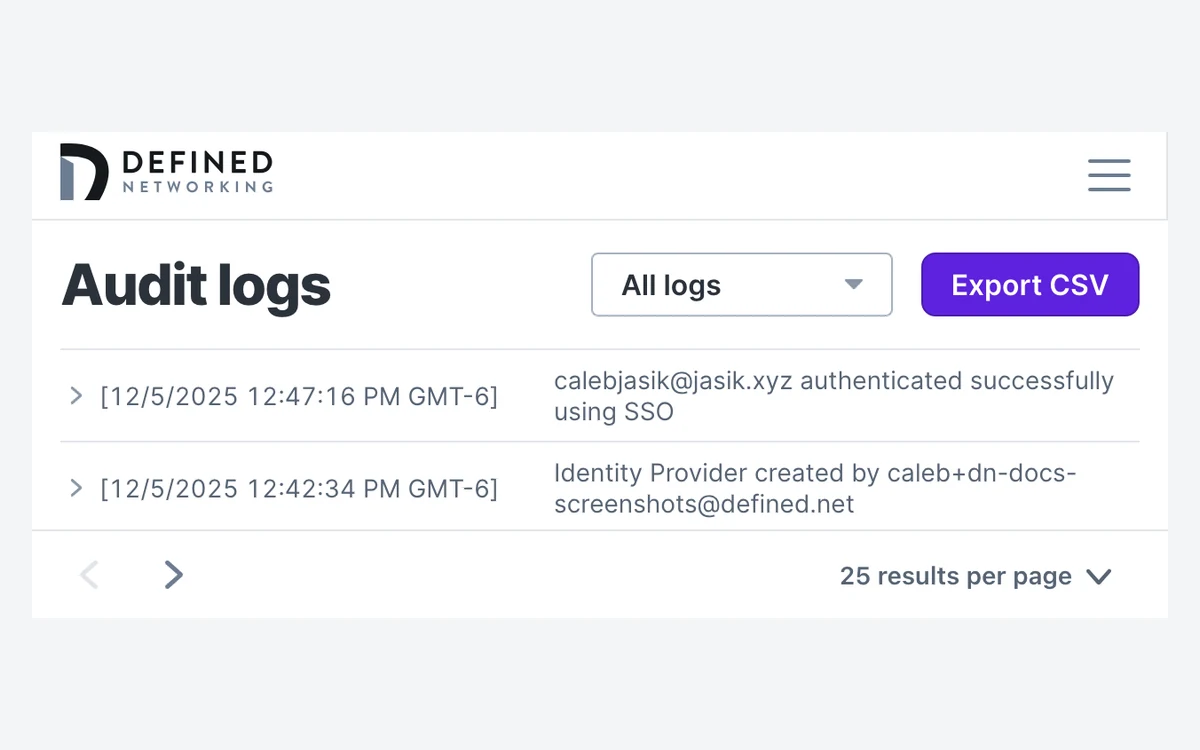
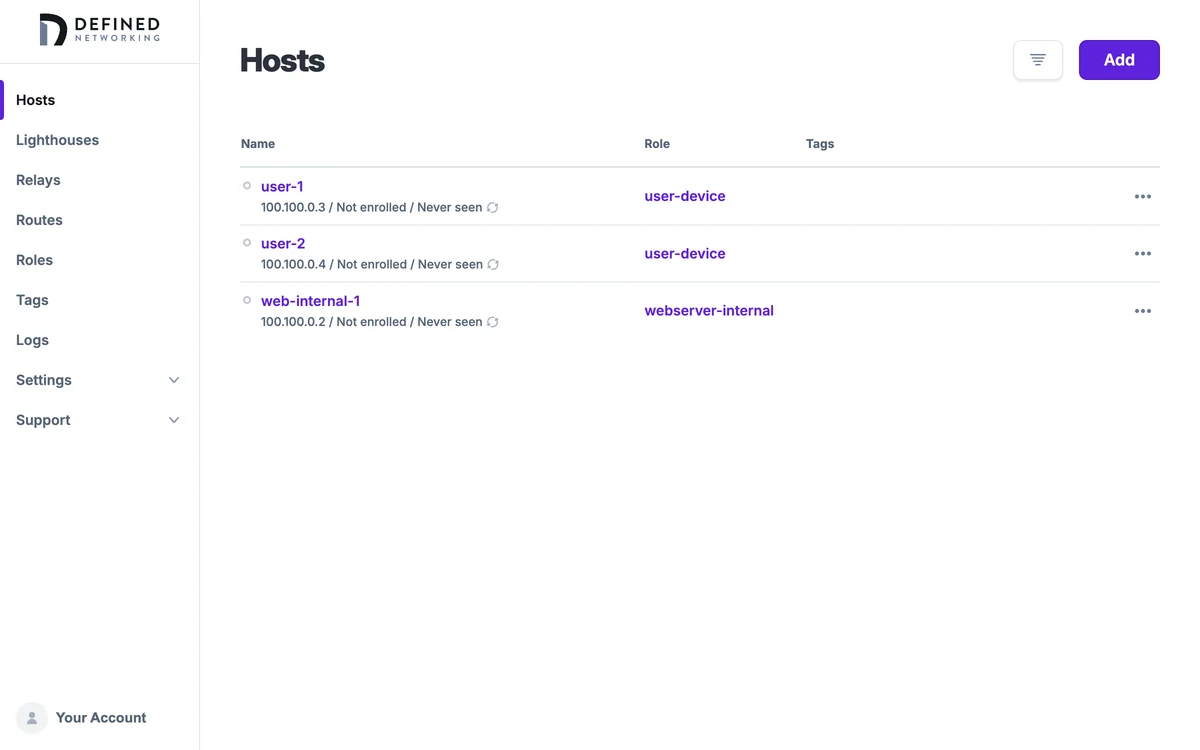
Managed Nebula is Defined's hosted control plane on top of that project, and it is proprietary. It adds an admin web app for hosts, groups, firewall rules and overlay IPs, an enrollment service, a client called DNClient that rotates certificates, keys and configuration automatically, a managed lighthouse in every network, and a REST API covering hosts, networks, roles, routes, tags, OIDC and audit logs.
Why the distinction matters
You can run Nebula yourself for free forever, with your own certificate authority and your own lighthouses. Managed Nebula trades that for convenience: Defined runs the CA, enrollment and lighthouse for you. Everything in the pricing section below applies only to the managed service.
Pricing: 100 hosts free, then $1 per host
Defined's pricing page sums it up in one line: "Start free with up to 100 hosts, then scale to unlimited for just $1 per host, per month." There are three tiers.
- Free, $0: cloud-managed Nebula, up to 100 hosts, 2 routes for external hosts, a managed lighthouse, single sign-on (SSO) and the web management interface. No credit card required.
- Pro, $1 per host per month: everything in Free plus unlimited hosts, up to 100 routes, priority support and guaranteed uptime. Cancel anytime.
- Enterprise, custom quote: a dedicated Slack support channel, network design and setup, feature and integration requests, and custom route limits.
Admin seats are unlimited on every plan, "via SSO using your identity provider." That is the real difference from per-user mesh VPNs: a 10-person team with 60 servers pays nothing, and a 10-person team with 300 hosts pays about $300 a month whether it has 10 admins or 50.
How hosts are counted
Every host you enroll is billable, "including any lighthouses and relays you run yourself." The free managed lighthouse included with your network is not billable. Hosts keep accruing usage until they are blocked or deleted, so stale laptops and decommissioned VMs cost money until someone removes them.
Billing runs on calendar months and is charged in arrears after each month ends. A host enrolled for a whole month costs $1, a partial month is prorated, and after Defined sums all hosts it drops the fractional part and bills only whole dollars. Payment goes through Stripe and accepts Visa, Mastercard, American Express, Discover, JCB, Diners Club and China UnionPay. There is no annual plan and no Pro trial mentioned on the pricing page.
Cancellation and refunds
The Terms (last revised October 18, 2023) are blunt: "If you cancel your subscription, previous charges will not be refunded." Because billing is in arrears that matters less than it sounds - you are only ever paying for usage that already happened. Price changes come with at least 30 days' notice, and unpaid invoices carry a finance charge of 1.5% per month.
Any account can be downgraded to Free, though Defined warns that some features may be restricted if you still have more than 100 hosts after downgrading.
How Managed Nebula works day to day
Setup starts in the dashboard. Per Defined's security whitepaper (last updated September 2, 2026), "An administrator creates a host in the dashboard and receives a single-use, time-limited enrollment code." You paste that code into DNClient on the machine, and from then on the client fetches and renews its certificate and configuration on its own. Desktop users can instead enroll through SSO.
Roles and the host firewall
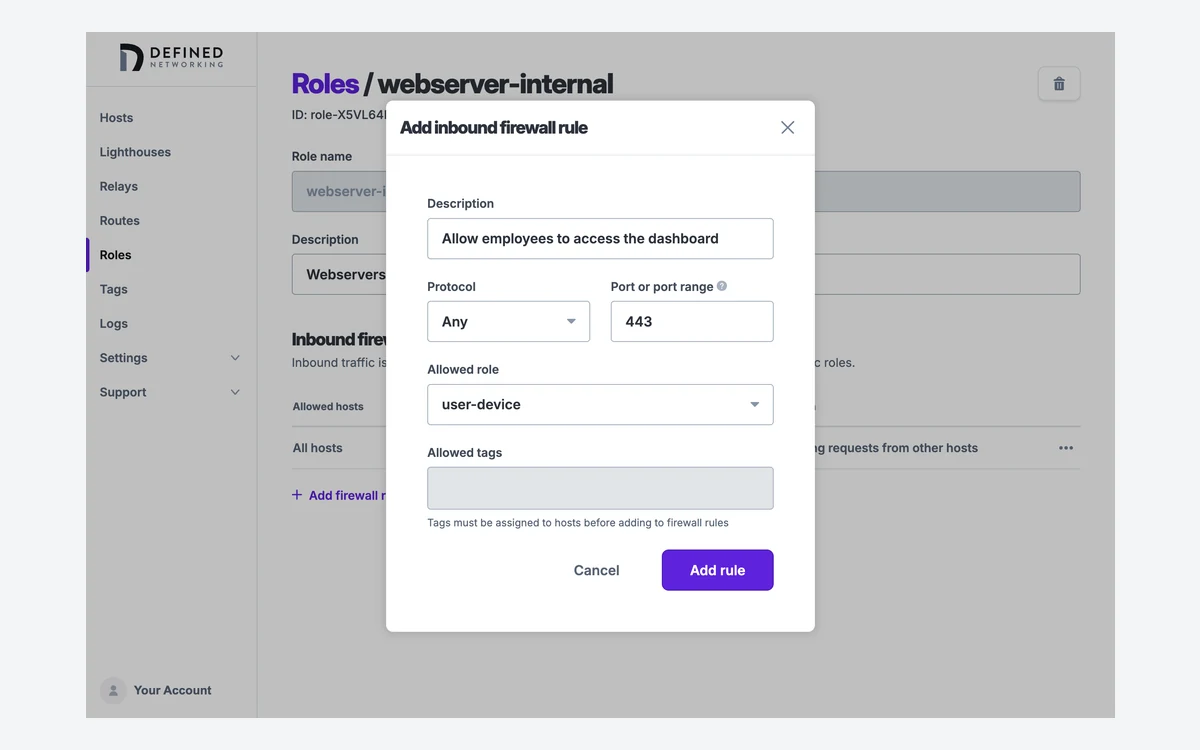
Access control is built around roles. "Every host, lighthouse, and relay is assigned exactly one role," and "a newly created role allows only ICMP" - in other words, deny by default. Each host runs Nebula's built-in firewall, and rules are written by group or tag, for example allowing inbound 5432/tcp only from hosts in a WebApp group. Defined compares this to AWS Security Groups, which is a fair description.
Lighthouses and relays
Since July 7, 2026, a free hosted managed lighthouse is part of every new Managed Nebula network, so a small deployment no longer needs a public VM just for discovery. It requires a dual-stack network and DNClient v0.9.3 or later. Relays, added in Nebula v1.6.0 in July 2022, cover peers that cannot reach each other directly; relays you run yourself count as billable hosts.
Automation
The REST API covers hosts, networks, roles, routes, tags, OIDC and audit logs, and the audit log records changes to users, hosts, roles, networks, API keys, certificate authorities, tags, organizations, routes, identity providers and domains. Defined does not publish its own Terraform provider; a third-party one (sendsmaily/definednet) exists. The pricing page does not say which tier the API, audit logs or relays belong to, so confirm that before you plan around them.
Security, privacy and what Defined can see
The cryptography is conservative. From Defined's security page: "Tunnels are established with the Noise IX handshake pattern. Key agreement uses Curve25519 or NIST P-256, bulk encryption uses AES-256-GCM, and the handshake hash is SHA-256. Certificates are signed with Ed25519 or ECDSA P-256."
Asked whether it can see your traffic, Defined answers no: "We do not hold the material required to decrypt your application traffic." It does see connection metadata, plus the timing and volume of any traffic relayed through its managed lighthouse service.
The trust caveat
Defined operates the certificate authority for your network. Its whitepaper says the CA private key is "stored only as ciphertext encrypted under an AWS KMS key", and states plainly: "Defined Networking is technically capable of issuing a certificate for a new host in your network. This is inherent to any managed-PKI model." If that is unacceptable, self-hosted Nebula with your own CA is the answer.
The service is a multi-tenant API running in AWS in the US. Listed subprocessors are Stripe, Slack, Zendesk, Mailchimp and AWS. Backups use point-in-time restore over a 30-day window.
Audits and compliance
We found no SOC 2 report and no named third-party audit for Managed Nebula. The only external review on record is Slack's 2019 statement that Nebula "has undergone a paid security vulnerability assessment, along with numerous internal security reviews" - no firm is named and no report is published. Teams with compliance checklists should ask Defined directly before buying.
Vulnerabilities
CVE-2026-25793 (GHSA-69x3-g4r3-p962), "Blocklist Bypass possible via ECDSA Signature Malleability", affected Nebula 1.7.0 through 1.10.2 when P-256 certificates were used, which is not the default. NVD scores it 8.1 HIGH, and it is fixed in 1.10.3. The older CVE-2020-11498, a relative path flaw in Nebula through 1.1.0, scored 8.8. Nebula v1.11.1 also closed an IPv6 firewall classifier bypass.
Privacy policy
Defined's privacy policy was last revised August 5, 2020, and reads like boilerplate. It covers collection of name, email, phone number, mailing and billing addresses, age and gender, log data including IP address, and location "through the Apps using your device IP address, WiFi, Bluetooth, and GPS coordinates." It says Defined does not sell personal data and keeps it "as long as reasonably necessary." For a security product, a six-year-old policy with GPS language is worth a question to sales.
What changed in Nebula and Managed Nebula this year
- Nebula v1.10.0 (December 4, 2025): IPv6 and multiple IPv4/IPv6 addresses inside the overlay, a new v2 ASN.1 certificate format, ECMP for unsafe_routes and PKCS11 P-256 keys. default_local_cidr_any now defaults to false.
- Nebula v1.10.3 (February 6, 2026): fixes CVE-2026-25793.
- Mobile Nebula v0.10.0 (April 21, 2026): Always On, custom DNS resolvers, full config imports and inbound firewall rules.
- Managed lighthouses (July 7, 2026): a free hosted lighthouse in every new network.
- Nebula v1.11.0 (July 23, 2026): breaking changes. Logging moved to Go's slog so the log format changed, a bug that applied inbound and outbound firewall actions in swapped directions was fixed, Windows got new WFP defaults and Windows binaries are now signed.
- Nebula v1.11.1 (August 21, 2026) and v1.11.2 (September 22, 2026): v1.11.1 closed the IPv6 firewall classifier bypass; v1.11.2 is the current release.
Before you upgrade to 1.11
If you self-host Nebula, read the 1.11.0 release notes first. Log parsers will break on the new slog format, and the firewall direction fix can change which traffic your existing rules actually allow.
Platforms and apps
Nebula runs on Linux (64-bit, 32-bit, ARM and others), Windows, macOS and FreeBSD, with packages for Arch, Fedora, Debian, Alpine, Homebrew and Docker. By default, CA certificates last one year.
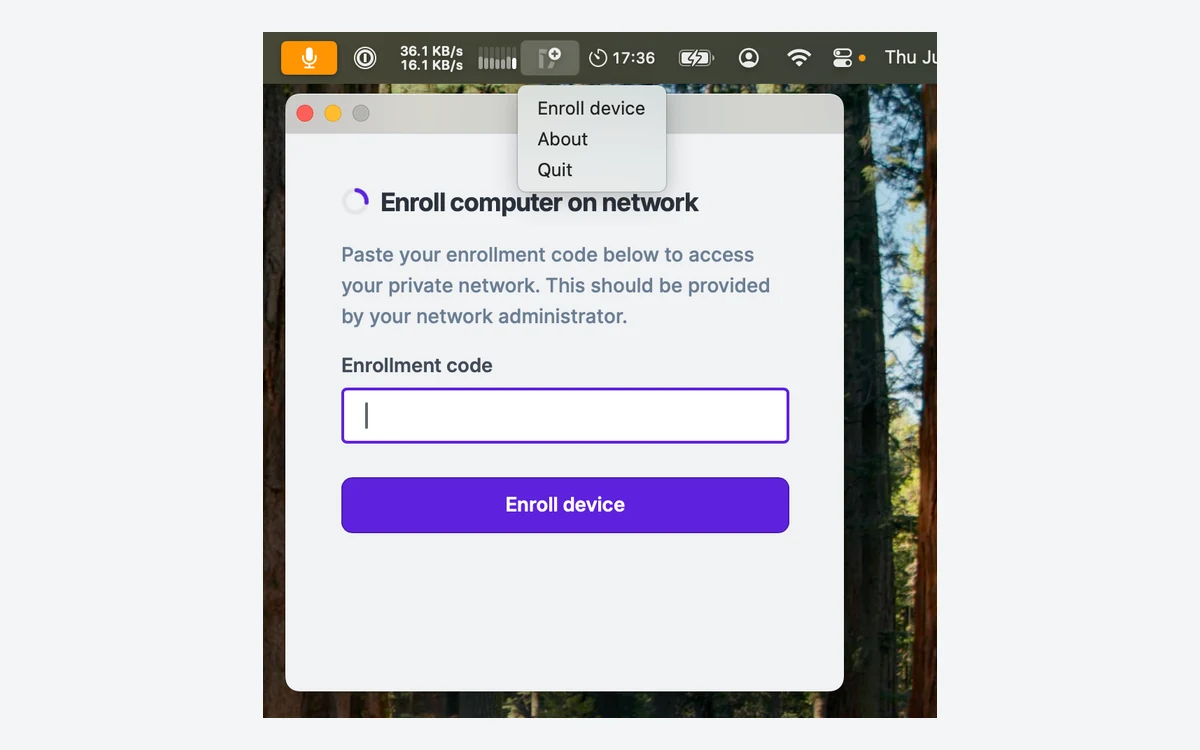
DNClient Desktop for Windows and macOS launched on July 29, 2025 and gained SSO enrollment on December 15, 2025. It sits in the system tray or menu bar and handles enrollment without a terminal.
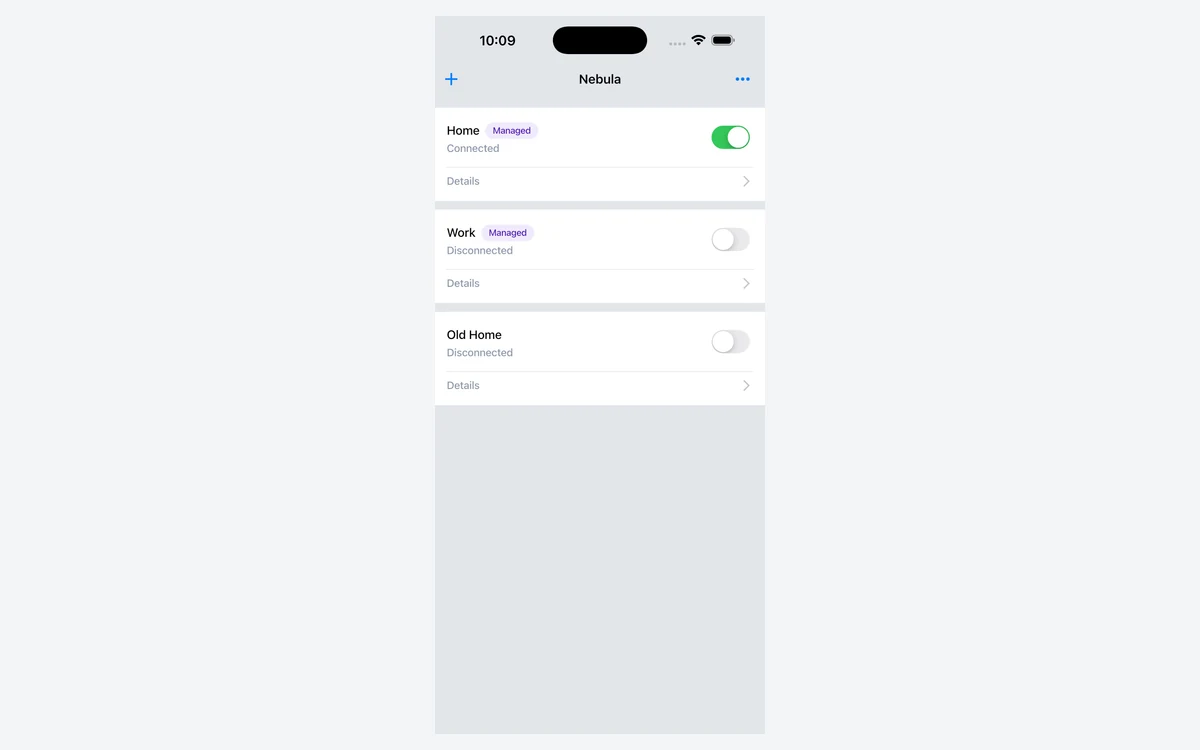
On phones, Mobile Nebula covers iOS and Android. On the App Store it is listed by Defined Networking, Inc. at version 0.12.0 (October 1, 2026), free, requiring iOS 15.0 or later, with a 4.5-star rating from just 20 ratings.
Managed Nebula vs Tailscale and ZeroTier
Defined publishes its own comparison pages, so treat them as the vendor's framing. Its Tailscale page (last updated July 21, 2026) lists Nebula's protocol as Noise IX against Tailscale's WireGuard-based Noise IK, Nebula as "MIT; control plane proprietary" against Tailscale's "Client only; server closed", a free tier of "100 hosts, SSO included" against "6 users, 50 tagged devices", and pricing of "$1/host/month" against "Per-user".
Its ZeroTier page (last updated April 7, 2026) describes ZeroTier as "BSL 1.1 (source-available)" with a free tier of up to 25 nodes, against Nebula's 100 hosts. That page also says you run your own lighthouses, which has not been true for new networks since July 2026.
For current plan details on the alternatives, see our Tailscale review and ZeroTier review in the VPN section. The short version: Managed Nebula wins on cost when you have many machines and few people, and on licensing for the data plane. If you bill by headcount rather than device count, run the numbers against the per-user plans before switching.
Verdict: who should use Managed Nebula
Managed Nebula is a strong pick for infrastructure-heavy teams: fleets of servers, homelabs with dozens of devices, or startups that want SSO and a deny-by-default firewall without paying per seat. The free tier is unusually generous at 100 hosts with SSO, and the free managed lighthouse removes the last piece of infrastructure a small network used to need.
It is a weaker pick if you need audited compliance paperwork, round-the-clock support, or a vendor that cannot mint certificates into your network. The lack of SOC 2 or a named audit, a 2020 privacy policy, a 99.5% SLA and no refunds all point to a smaller company. If those matter more than price, run open-source Nebula yourself with your own CA, or look at the larger hosted alternatives.
- Pros: 100 hosts free with SSO, flat $1 per host with unlimited admins, MIT-licensed data plane you can self-host, deny-by-default roles, free managed lighthouse, IPv6 overlay support.
- Cons: Defined runs your CA, no SOC 2 or named audit, no refunds, 99.5% SLA with business-hours support, self-run lighthouses and relays are billable, 1.11 brought breaking changes.
Frequently asked questions
How much does Managed Nebula cost?
It is free for up to 100 hosts, then $1 per host per month on Pro with unlimited hosts. Enterprise is quoted on request. Usage is prorated per calendar month and fractional dollars are dropped.
What are the limits of the free plan?
The free plan allows up to 100 hosts and 2 routes for external hosts, and includes a managed lighthouse, SSO and the web interface. No credit card is required. Pro raises routes to 100 and adds priority support and guaranteed uptime.
Does Defined Networking give refunds?
No. The Terms say previous charges are not refunded if you cancel. Because you are billed after each month for usage already incurred, cancelling simply stops future charges.
Can Defined Networking see my traffic?
No, according to Defined - it does not hold the keys to decrypt application traffic. It does see connection metadata and the timing and volume of traffic relayed through its managed lighthouse, and because it runs your CA it is technically able to issue a certificate for a new host in your network.
Do lighthouses and relays count as billable hosts?
Yes, if you run them yourself. The free managed lighthouse that comes with every network is not billable, but any lighthouse or relay you enroll counts as a host like any other.
Can I use Nebula without paying Defined?
Yes. Nebula is MIT licensed and you can run your own CA and lighthouses for free. Managed Nebula only adds the hosted control plane, enrollment, automatic certificate rotation and the managed lighthouse.
Which platforms are supported?
Linux, Windows, macOS and FreeBSD, plus iOS and Android through Mobile Nebula. DNClient Desktop provides a GUI client with SSO enrollment on Windows and macOS.
Key takeaways
- Managed Nebula is free for up to 100 hosts with SSO, then $1 per host per month with unlimited admins.
- Nebula itself is MIT licensed and self-hostable; Defined's control plane is proprietary and Defined runs your CA.
- A free managed lighthouse ships with every new network since July 2026 and is not billable; self-run lighthouses and relays are.
- Upgrade to Nebula 1.10.3 or later for CVE-2026-25793, and read the 1.11 notes for breaking log and firewall changes.
- No SOC 2, no named audit, no refunds and a 99.5% SLA - fine for most teams, a gap for compliance-driven buyers.
More in Virtual Private Network
Browse Virtual Private Network