Evernote Review 2026: Starter vs Advanced, v11 AI and the 50-Note Free Cap
Evernote in 2026: Starter ($99/yr) and Advanced ($249.99/yr) plans, v11 AI Assistant and Meeting Notes, Free plan limits, privacy, export and refunds.
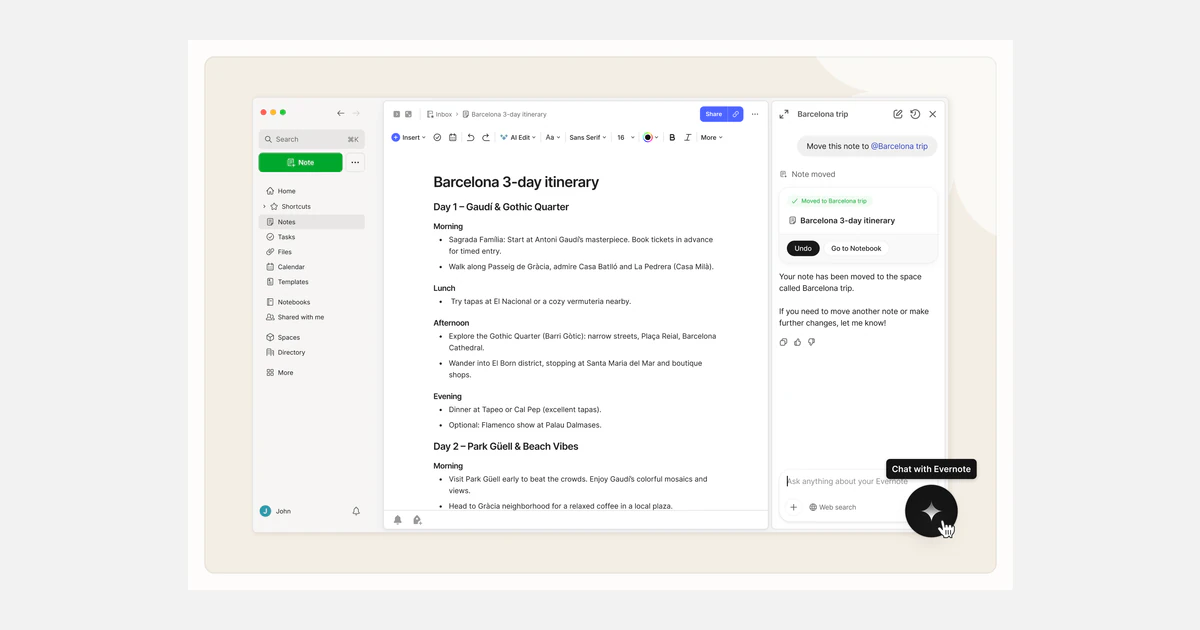
Evernote has changed more in the last three years than in the decade before. Under Bending Spoons it cut the Free plan to 50 notes, replaced Personal and Professional with new Starter and Advanced plans in November 2025, and shipped v11 in January 2026 with an OpenAI-powered assistant, semantic search and AI meeting notes.
This review looks at Evernote as it stands on September 27, 2026: what each plan costs and caps, how useful the AI actually is, and the trade-offs around privacy, export and lock-in that matter before you commit a decade of notes to it. Every price and limit below comes from Evernote's own pricing page and help centre.
The short verdict
Evernote in 2026 is a capable, polished capture-and-recall tool with genuinely useful AI on top, but it is no longer a casual free app. The Free plan stops you at 50 notes on a single device, so for most people the real decision is between Starter at $99 a year and Advanced at $249.99 a year.
Who should pay for it
Pay for Evernote if you clip a lot from the web, keep receipts, PDFs and meeting recordings in one place, and want to ask questions of that archive in plain English. Skip it if you need end-to-end encryption, a Chromebook client, Apple Calendar sync, or an easy way to leave later.
- Best tier for most individuals: Starter, if you stay under 1,000 notes, 5 GB and 3 devices.
- Pick Advanced when your archive is already large, or when the Starter caps would force you to prune notes every few months.
- Free is a trial in practice: 50 notes, 1 notebook, 1 device and 1 GB of storage.
What changed at Evernote since Bending Spoons
Almost every complaint and every improvement in today's Evernote traces back to its ownership. Bending Spoons announced it was acquiring Evernote on November 16, 2022, laid off 129 employees in February 2023, and in July 2023 said most operations would move to Europe, with most Chile- and US-based staff laid off.
- April 2023: prices rose to $14.99 a month or $129.99 a year for Personal and $17.99 a month or $169.99 a year for Professional. Evernote called it the first increase for most subscribers in almost seven years.
- December 4, 2023: the Free plan was cut to 50 notes and 1 notebook.
- August 6, 2024: Free users were limited to one device at a time, while the maximum note size rose from 25 MB to 200 MB.
- November 2025: Personal and Professional were replaced by two new individual plans, Starter and Advanced.
- January 19, 2026: Evernote v11 shipped with AI Assistant, Semantic Search and AI Meeting Notes, the first significant release since v10 in 2020.
- January 2026: some legacy subscriptions bought through the Apple App Store or Google Play were repriced, and Evernote's answer to keeping the old price is simply "No."
- May 2026: an Evernote MCP server arrived for paid users, followed by AI Assistant on phone and tablet in July 2026.
The pattern is clear: fewer free features, higher prices, and faster product development than Evernote managed in its final independent years. Whether that trade works for you depends mostly on how many notes you keep.
Evernote plans and pricing in 2026
Evernote now sells four plans: Free, Starter, Advanced and Enterprise. Plus, Premium, Personal and Professional are no longer available to new buyers. These are the USD list prices from Evernote's own plan FAQ, checked on September 27, 2026.
- Free: $0. 50 notes, 1 notebook, 1 device, 1 GB storage, 250 MB of uploads per month, no external calendars.
- Starter: $14.99 a month or $99.00 a year. 1,000 notes, 20 notebooks, 1,000 attachments, 10 Spaces, 100 tags, 5 GB storage, 10 GB of uploads per month, 3 devices, 5 connected calendars.
- Advanced: $24.99 a month or $249.99 a year. Unlimited notes, notebooks, attachments, storage and devices, up to 12,000 Spaces and 100,000 tags, 5 connected calendars.
- Enterprise: custom pricing per seat per month, 500 GB of monthly uploads shared across the team account, no minimum seat count (invoice billing needs at least 10 seats).
Starter vs Advanced: where the line falls
Both paid plans include AI Meeting Notes, transcription, file scanning and annotation, web, mobile and email capture, and advanced search. The difference is capacity. Starter's 1,000-note and 5 GB ceilings are the ones that matter: a long-time user importing a decade of clippings will hit them immediately, while someone starting fresh may not for years.
Annual billing changes the maths sharply. Starter costs $179.88 a year if paid monthly against $99 up front, a saving of about 45%. Advanced costs $299.88 a year monthly against $249.99 annually, a smaller saving of about 17%.
Unlimited has a footnote
Evernote says Advanced "will still include safeguard limits to ensure good performance and prevent abuse" and does not publish those limits. It also lists Starter's monthly upload allowance (10 GB) as larger than its total storage (5 GB), exactly as printed. Prices through Apple or Google may differ from the rates above.
Outside the US, Starter lists at EUR 12.99 or GBP 8.99 a month, and Advanced at EUR 21.99 a month or EUR 199.99 a year, and GBP 14.99 a month or GBP 154.90 a year.
How far the Free plan really goes
The Free plan is best thought of as an extended trial. Its limits are small, and a few details make them tighter than they look.
- 50 notes in total, and notes in the trash still count toward the limit until you empty it.
- One notebook, so there is no real organisation beyond tags.
- One device at a time, and Evernote Web counts as a device. Using the phone app and the browser means switching the connected device.
- 250 MB of uploads a month and 1 GB of storage, though a single note can be up to 200 MB.
Going over the cap does not lock your data. Evernote says you can still view, edit, share and export existing notes, but you cannot create new notes or notebooks until you are back under the limit or upgrade.
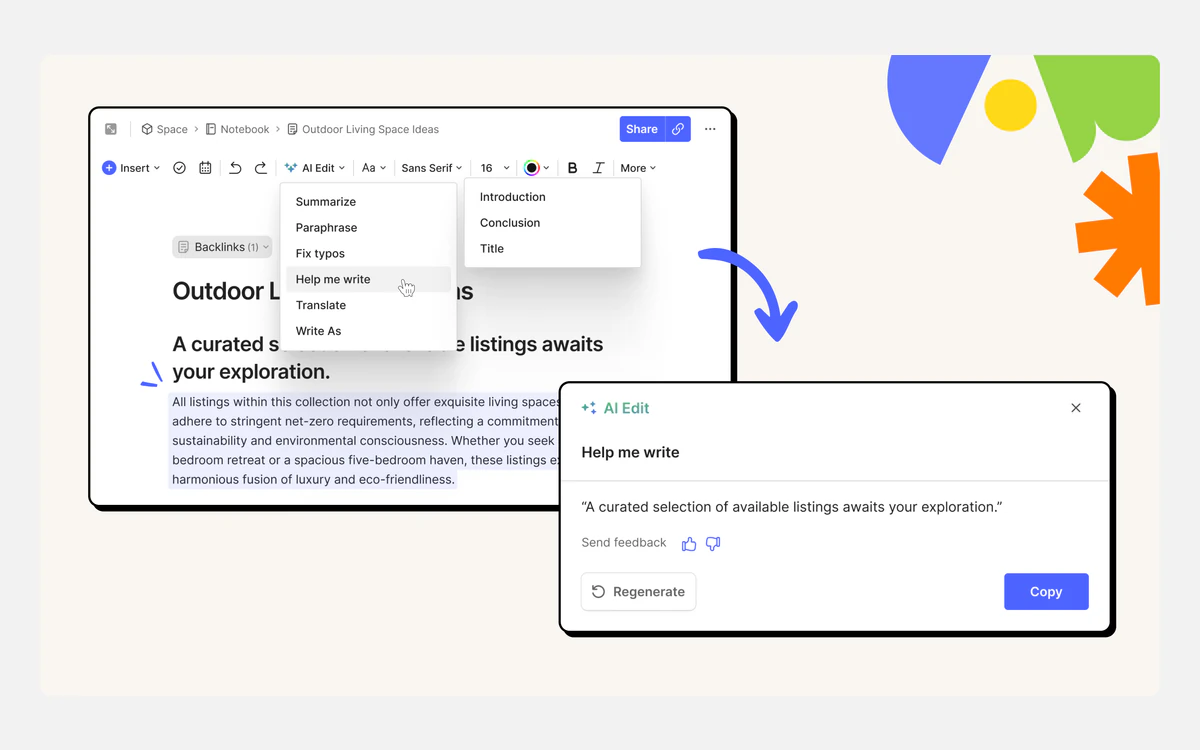
The good news for free users is AI Edit. Summarize, Paraphrase, Fix typos, Help me write and Translate work on desktop (Mac and Windows) and on the web for every account, and Evernote states you do not need a paid subscription for them.
Evernote v11 AI features, tested against the fine print
Evernote's AI list now runs to eight features: AI Assistant, AI Memory, Semantic Search, AI Meeting Notes, AI Transcribe, AI Title Generation, AI Edit and AI Note Cleanup. Here is what each of the important ones does and where the limits sit.
AI Assistant
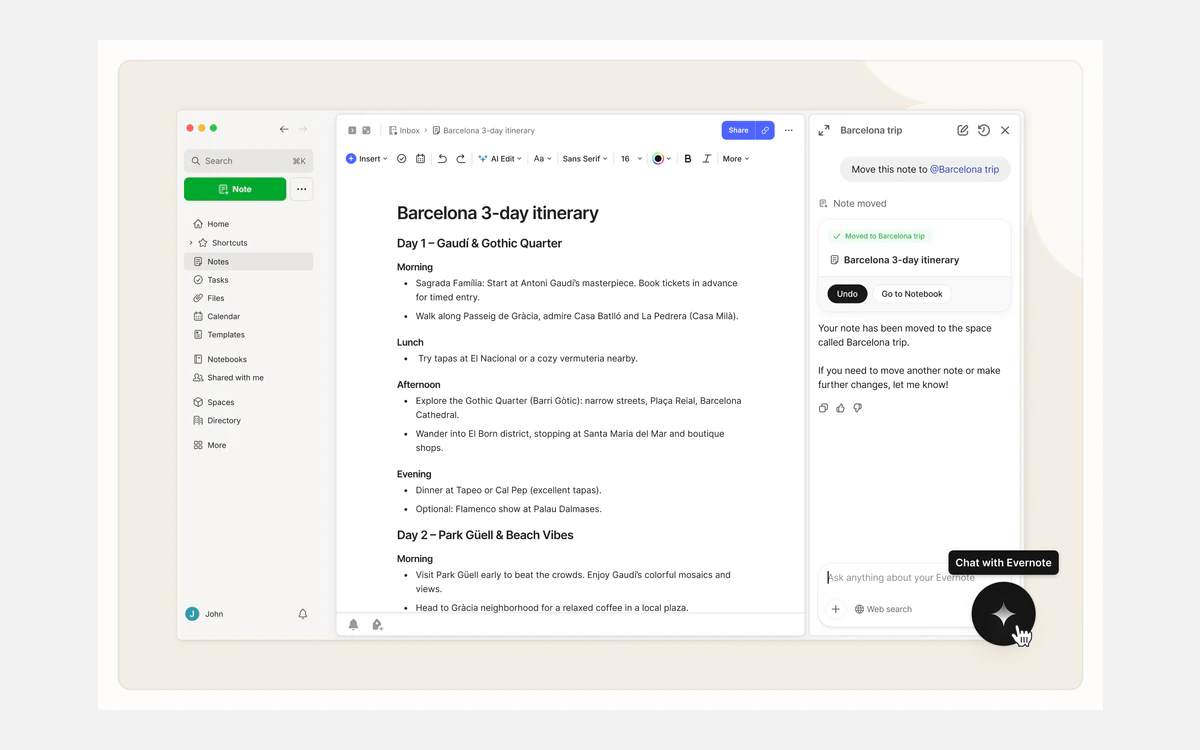
AI Assistant is a chat panel that can answer questions about your notes and act on them, such as updating a task reminder. It was built in close collaboration with OpenAI and is available only in countries and territories where OpenAI is supported. Evernote says it is available to all users on v11, but chats have length limits and "depending on the plan, monthly limits apply". No cap figures are published, so heavy users cannot plan around them in advance.
Semantic Search
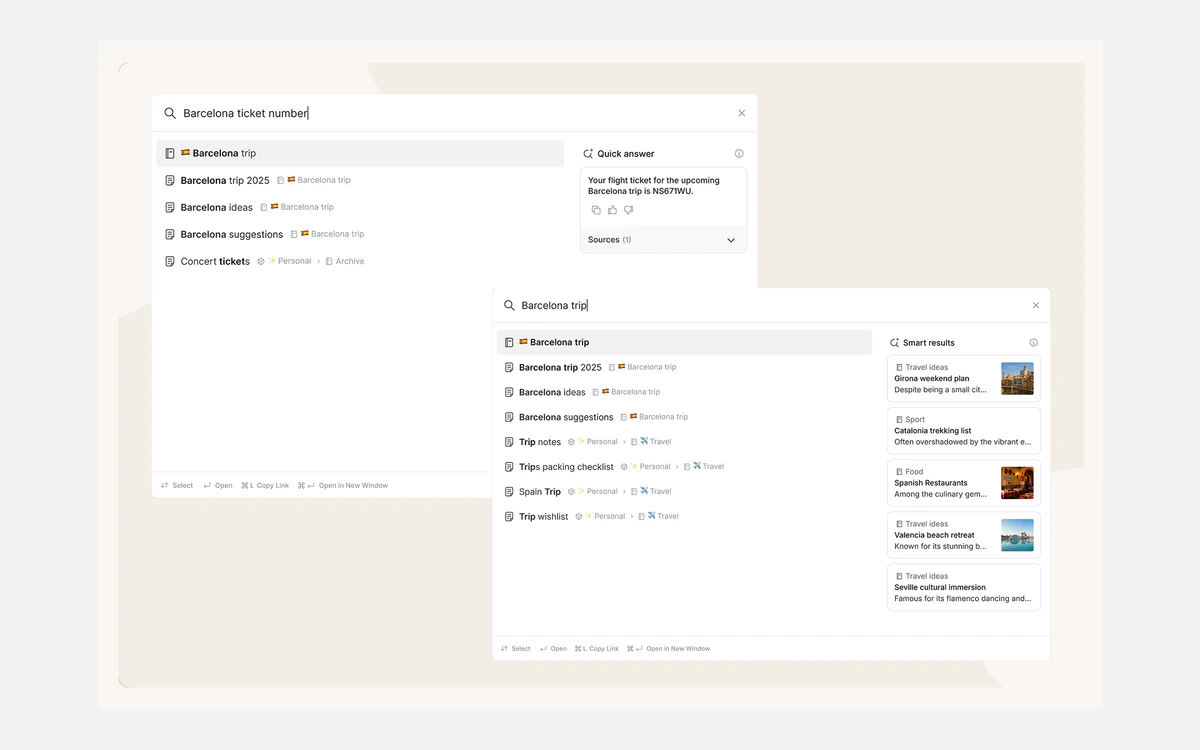
Semantic Search is available to all users and returns a Quick answer plus Smart results, so a query like "when does my car insurance renew" can surface the right PDF even if those words never appear in it. Unlike AI Assistant, it runs on Evernote's internal AI models rather than OpenAI.
AI Meeting Notes and transcription
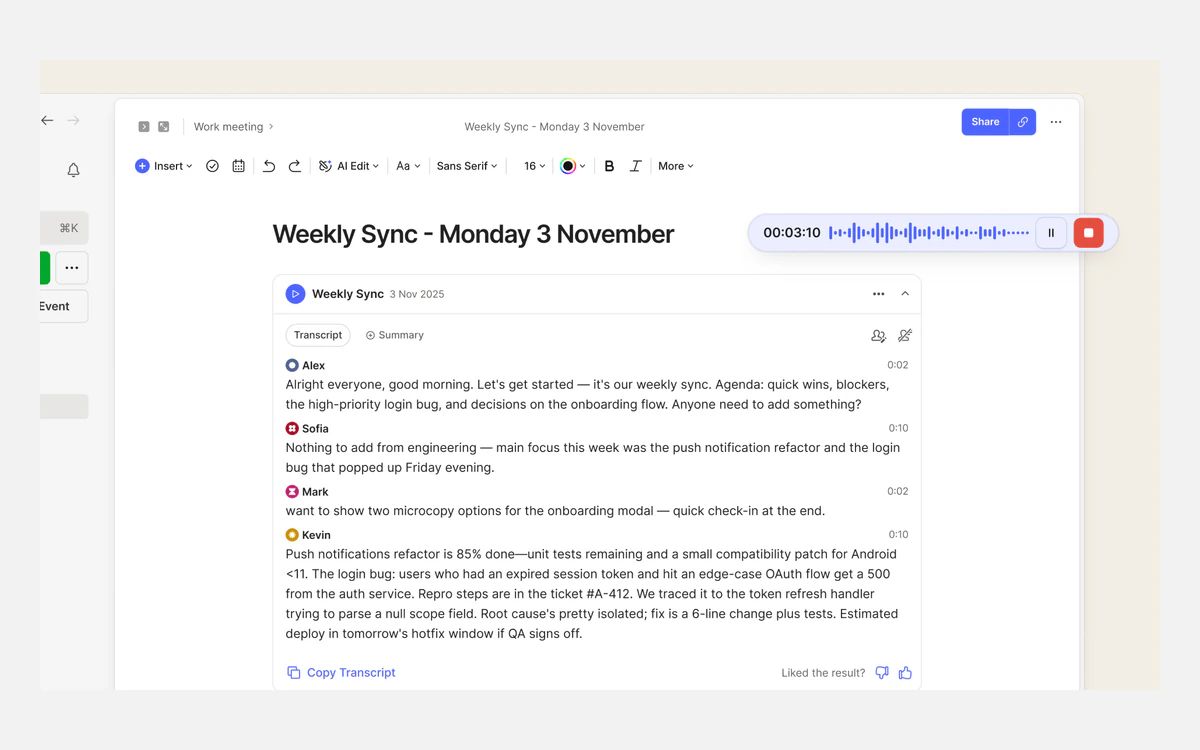
AI Meeting Notes records a call and produces a speaker-labelled transcript and summary. The help centre gives a maximum of 200 MB or 120 minutes per recording, while the January v11 launch post said one hour, so the limit appears to have been raised since launch. On Mac and Windows, Meeting Detection notices when Zoom, Microsoft Teams, Google Meet, Webex, Slack, Discord or FaceTime start and offers to record.
AI Transcribe handles audio, video and images you already have: up to 100 MB or 60 minutes per audio or video file, and images up to 9,216 pixels on a side. Video transcription arrived in July 2026.
Capture, tasks and everyday use
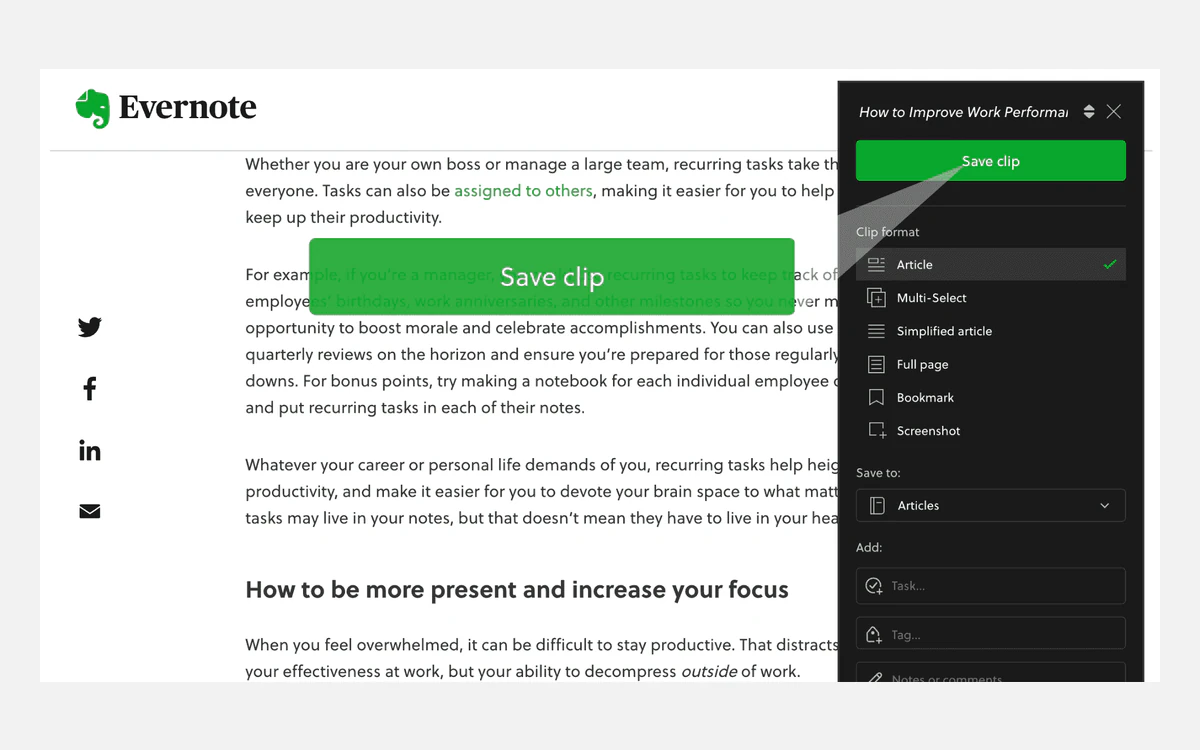
Under the AI layer, Evernote is still at its best as a capture tool. The Web Clipper runs on Chrome, Safari and Firefox and can save a full article, a simplified article, a bookmark or a screenshot straight into a chosen notebook, with tags attached. Notes can also arrive by email and from the mobile scanner.
- Tasks: one-time or recurring due dates, reminders and flags, with a view that groups tasks by Space since June 2026. Evernote notes that some Tasks features depend on the plan.
- Calendar: Google and Outlook connect; Apple Calendar integration is not available.
- Integrations: Slack and Google Drive attachments are supported.
- Offline: the desktop app keeps all synced notes locally and works offline. Mobile stores only titles, tags and excerpts unless you mark specific notes or notebooks for offline use.
Platforms
Evernote runs on macOS 11 or later, Windows 10 or later, iOS 15.1 or later, Android 9 or later, and on the web in recent desktop versions of Chrome, Firefox, Edge, Opera and Safari. There is no Linux app, and Evernote no longer supports Chromebooks.
Privacy and security
Evernote does not offer end-to-end encryption. What it does offer is in-note text encryption: you select text inside a note and protect it with a passphrase, using AES with a 128-bit key derived through PBKDF2. Evernote never receives the passphrase, which also means forgotten passphrases cannot be recovered.
That feature is narrow. You cannot encrypt a whole note or notebook, and it does not cover files, images, checklists, tables, web clips, calendar events or tasks. Data travels over TLS, and Evernote earned ISO 27001 certification in November 2025, but it states plainly that it does not encrypt data stored on your own computers and devices.
AI and your notes
Evernote says it does not use your content to train AI models and does not let third parties do so. For requests sent to OpenAI, it says data is processed only to fulfil the request and deleted immediately afterwards with no retention. All AI features are switched on by default, and each one can be turned off individually in settings.
When to look elsewhere
If your notes hold client files, health records or anything you would not want readable on a provider's servers, Evernote's selected-text encryption is not enough. A local-first or end-to-end encrypted notes app is the better fit.
Lock-in, cancelling and getting your notes out
Leaving Evernote is possible but slow. Export only works in the desktop app, not on Evernote Web, and it handles up to 100 notes at a time or a whole notebook. Formats are ENEX, Evernote's XML format, and HTML, with a configurable ENEX file size between 300 MB and 2 GB. Someone with thousands of notes spread across many notebooks should budget an afternoon.
Cancelling a subscription keeps it active until the end of the billing cycle, after which the account reverts to Free. No data is deleted, but if you have more than 50 notes you cannot create new ones. In effect, a cancelled account becomes a read-only archive.
- Install the desktop app on Mac or Windows before cancelling.
- Export each notebook as ENEX, which keeps tags, dates and attachments for importers that support it.
- Spot-check a few exported notes with attachments before you delete anything.
Free trials and refunds
Individual plan trials last 7 days unless stated otherwise, and cancelling before the trial ends means your card is not charged. Enterprise trials are listed as 14 days on the pricing page and 30 days in a help article, so confirm the length with sales.
Refunds are more generous than many subscription apps. Evernote refunds a monthly payment if you ask within 20 days of it, and an annual payment within 60 days. There are no prorated refunds for partly used periods, and Evernote may be unable to refund payments made through third-party stores such as Apple, which is a good reason to subscribe directly on the website.
Pros, cons and who it suits
Pros
- Excellent capture: Web Clipper, email-in, scanning and search inside PDFs and images.
- v11 AI is useful rather than decorative, especially Semantic Search and AI Meeting Notes.
- MCP server lets paid users bring their notes into outside AI tools.
- Generous 20-day and 60-day refund windows when you buy direct.
Cons
- Free plan is too small for real use: 50 notes, 1 notebook, 1 device.
- Advanced at $249.99 a year is expensive next to most notes apps.
- No end-to-end encryption, no Linux or Chromebook support, no Apple Calendar.
- Export is desktop-only and capped at 100 notes per batch.
- AI usage caps exist but are not published.
Evernote suits people whose notes are mostly captured material, such as web pages, documents, receipts and meetings, and who value finding things again over building linked knowledge bases. Writers of long-form, interlinked notes will usually be happier in Obsidian, Notion, Capacities or Craft, all of which The Proof Desk reviews separately.
Frequently asked questions
How much does Evernote cost in 2026?
Starter costs $14.99 a month or $99 a year, and Advanced costs $24.99 a month or $249.99 a year. Free is $0 with a 50-note cap, and Enterprise is priced per seat on request. Prices bought through Apple or Google can differ.
Is Evernote still free?
Yes, but only for very light use. The Free plan allows 50 notes, 1 notebook, 1 connected device (Evernote Web counts as one) and 1 GB of storage, and notes in the trash count toward the cap.
Can I still buy Evernote Personal or Professional?
No. Evernote replaced Personal and Professional with Starter and Advanced in November 2025, and Plus, Premium, Personal and Professional are no longer available.
Are Evernote's AI features included in the free plan?
Some are. AI Edit works on every account, and Evernote says AI Assistant and Semantic Search are available to all v11 users, with unpublished monthly limits that vary by plan. AI Meeting Notes, transcription and the MCP server are paid features.
Does Evernote use my notes to train AI?
Evernote says no. It states it does not use your content to train AI models or allow third parties to, and that data sent to OpenAI for AI Assistant is deleted immediately after the response. AI features are on by default and can be switched off one by one.
Is Evernote end-to-end encrypted?
No. Only text you select inside a note can be encrypted with a passphrase, using a 128-bit AES key. Whole notes, notebooks, attachments, tasks and web clips cannot be encrypted that way.
What happens to my notes if I cancel?
Nothing is deleted. Your plan runs to the end of the billing period and then reverts to Free, where you can view, edit and export existing notes but cannot create new ones while you are over 50 notes.
Can I get a refund from Evernote?
Yes, if you ask in time: within 20 days of a monthly payment or 60 days of an annual one. Refunds are not prorated, and purchases made through app stores such as Apple may have to be refunded by the store instead.
Does Evernote work on Chromebook or Linux?
Not officially. Evernote no longer supports Chromebooks and has no Linux app. The web app requires a desktop browser, and it counts as one of your connected devices.
Key takeaways
- Evernote's current plans are Free, Starter ($14.99/mo or $99/yr), Advanced ($24.99/mo or $249.99/yr) and custom-priced Enterprise.
- Free is capped at 50 notes, 1 notebook, 1 device and 1 GB, so most real users need Starter at minimum.
- Starter's 1,000-note, 5 GB and 3-device limits decide whether you need Advanced.
- v11 AI (Assistant, Semantic Search, Meeting Notes) is genuinely useful, but monthly AI caps are unpublished and Assistant relies on OpenAI.
- There is no end-to-end encryption, and export is desktop-only in batches of 100 notes, so plan your exit before you import everything.
- Buy direct for 20-day (monthly) or 60-day (annual) refunds; app-store purchases may not be refundable by Evernote.
More in Services & Software
Browse Services & Software