Granola.ai Review: The AI Meeting Notepad That Skips the Bot
A hands-on look at Granola.ai, the AI notepad that transcribes meetings without sending a bot into the call. We cover how it works, 2026 pricing, platform support, integrations, and how it compares to Otter and Fireflies.
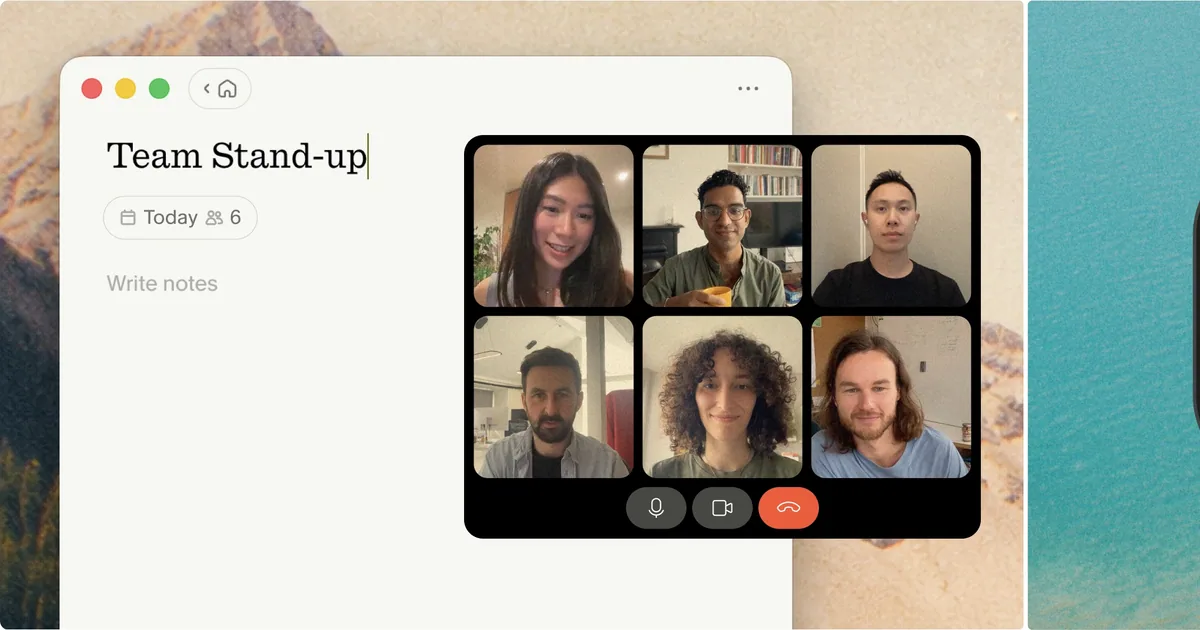
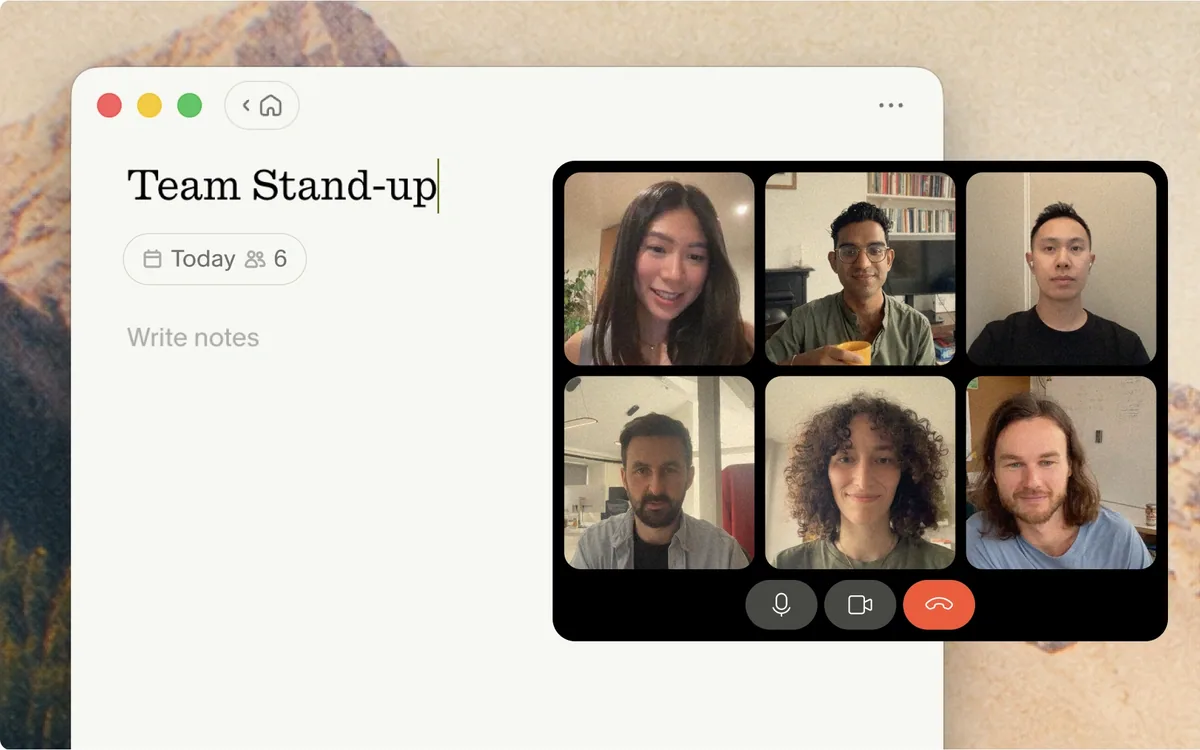
Almost every AI meeting tool works the same way: it sends a bot into your call. A little participant tile appears named "Otter" or "Fireflies" or "Notetaker," everyone clocks that the meeting is being recorded, and the conversation shifts a shade more careful. Granola.ai takes a different path entirely. It captures the audio your computer is already playing, listens in the background, and never announces itself in the room.
That single design choice shapes everything else about the product. Granola is not a transcription bot with a dashboard bolted on; it is a notepad you type into during the call, and it uses the transcript to flesh out your own shorthand into a clean, structured summary once the meeting ends. This review walks through how it actually works, what the 2026 plans cost, which platforms it runs on, and where it earns its keep against the bot-based crowd.
What Granola actually is
Granola is a desktop-first AI notepad for meetings. You open it before a call, jot down whatever rough notes you would normally take, and Granola runs a transcription quietly in the background by capturing your device's audio. When the call ends, it merges your notes with the transcript and produces a structured summary: decisions, action items, and the context around them, shaped by whichever template you picked.
The key word is notepad. Bot-based tools treat you as a passive attendee whose job is to show up while software records everything. Granola assumes you are still taking notes like a human, and its role is to make those notes better — filling in the parts you missed, correcting names and numbers against the transcript, and organizing the whole thing so you do not have to.
The no-bot difference
Because Granola captures system audio locally rather than joining as a meeting participant, nobody sees a recording bot in the attendee list. It works the same way whether you are on Zoom, Google Meet, or Microsoft Teams, and — through the mobile app — for in-person conversations too.
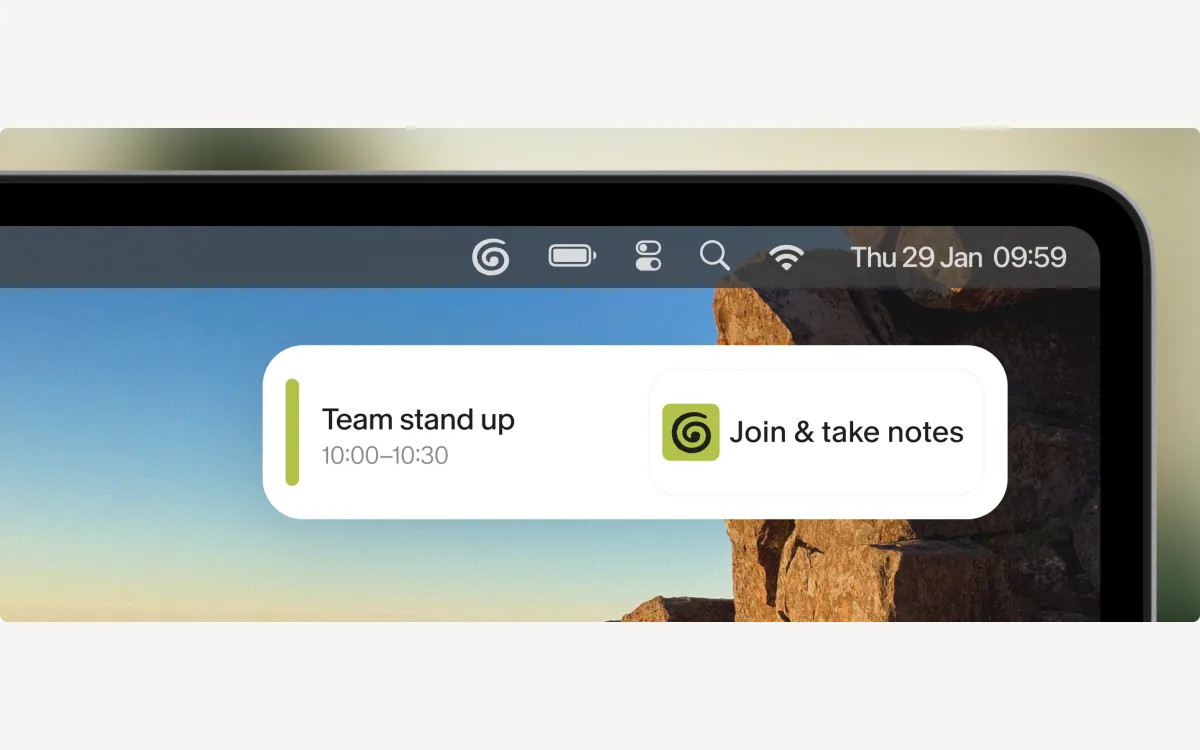
How it works in a real meeting
The flow is deliberately low-effort. Before a call, Granola can surface a pre-meeting Brief that pulls context from past conversations so you walk in prepared. During the call you type sparse notes — a name here, a number there, a half-sentence you want to remember. Granola transcribes the audio the whole time without any visible presence in the meeting.
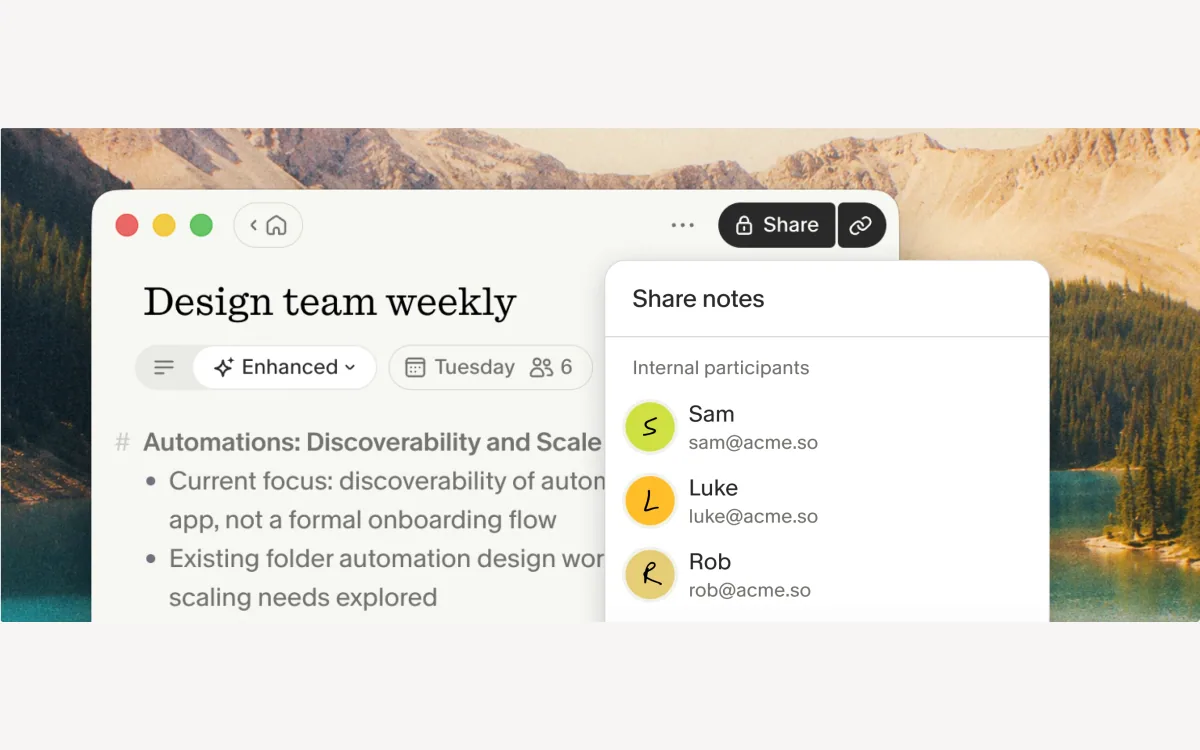
When the meeting ends, the magic step happens: Granola rewrites your fragments into a coherent summary, cross-checking them against the transcript so the details are accurate. It automatically extracts action items and can draft follow-up emails from the outcome. Notes stay private by default, which matters when the alternative is a shared cloud recording of every word.
Templates do the shaping
Granola ships 29+ customizable templates — standups, discovery calls, one-on-ones, and more — so the summary is formatted for the kind of meeting you actually had rather than a generic wall of text. You can adjust them or build your own.
- Type rough notes during the call; Granola fills the gaps afterward.
- Pre-meeting Briefs prepare context before you join.
- Action items are extracted automatically and follow-up emails can be drafted for you.
- AI chat lets you ask questions within a single meeting or across your whole history of notes.
Platforms and where you can run it
Granola started life as a Mac-only app, which is still where it feels most at home. It has since added a Windows client, and in 2026 the picture widened considerably: an iOS app arrived for recording on the go and even transcribing phone calls, and an Android app shipped in July 2026. There is also an Apple Watch app for starting a note when you are away from your laptop.
One honest caveat: Android support is very new. If you are an Android-first team, treat it as a young platform rather than a battle-tested one, and check that the features you rely on have made it across. The desktop apps remain the mature core of the product.
- macOS — the original and most polished client.
- Windows — full desktop client.
- iOS — records on the go and can transcribe phone calls (2026).
- Android — shipped July 2026; newest and least proven.
- Apple Watch — start a note without opening a laptop.
Granola pricing in 2026
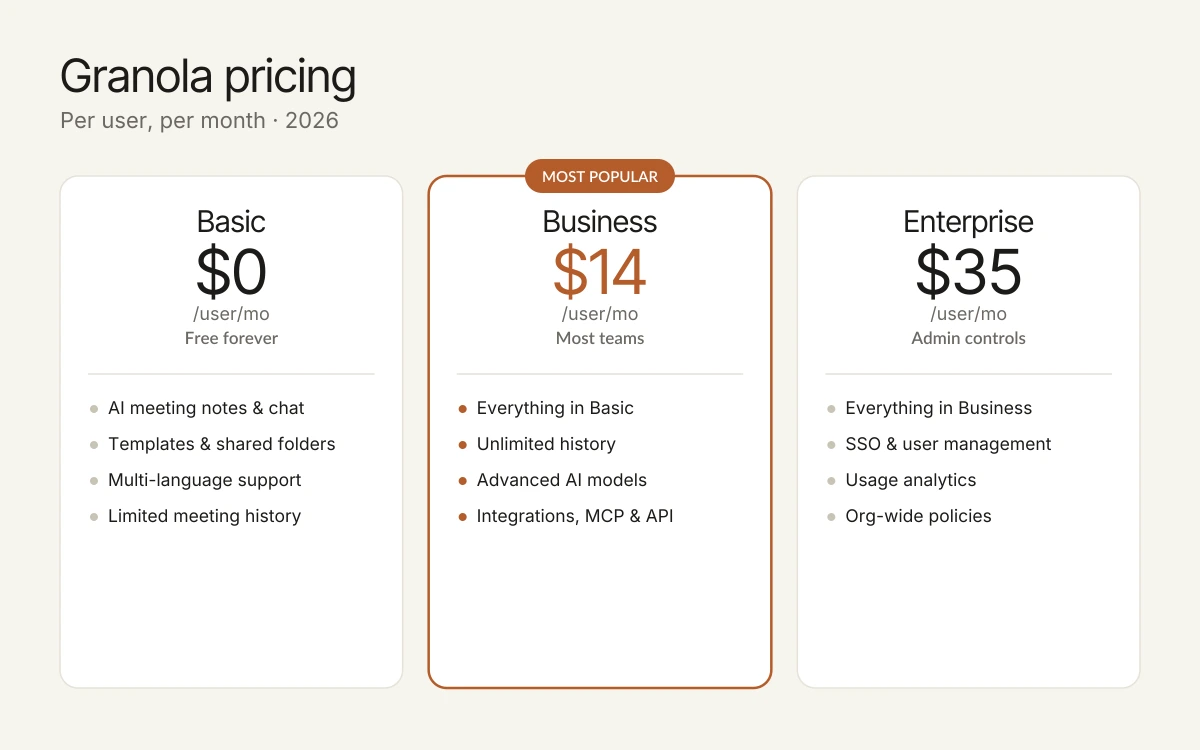
Granola runs three tiers. The free Basic plan is genuinely usable rather than a crippled trial, which is unusual in this category. The paid tiers unlock unlimited history, stronger AI models, and the integrations that make Granola part of a workflow rather than a standalone notepad.
Basic — $0 per user / month
AI meeting notes, AI chat within and across meetings, shared folders, customizable templates, multi-language support, and the ability to opt out of model training. The catch is limited meeting history, so older notes eventually fall out of reach.
Business — $14 per user / month
Everything in Basic plus unlimited meeting notes and history, advanced AI "thinking" models, advanced integrations (Attio, Notion, Slack, HubSpot, Affinity, Zapier), centralized billing and user management, MCP integration, and API access. This is the plan most teams will actually want.
Enterprise — $35 per user / month
Everything in Business plus enterprise-grade security and admin controls: SSO, priority support and usage analytics, org-wide auto-deletion periods, admin controls for sharing and API access, a team-wide model-training opt-out, and org-wide notification of Granola usage.
A small green note
Granola says it contributes 1.5% of subscription revenue to removing CO2 from the atmosphere. It is a minor detail, but a real one worth mentioning for teams that weigh that kind of thing.
Integrations and the AI layer
On paid plans Granola connects to the tools where meeting outcomes actually need to land: Google Workspace, HubSpot, Slack, Zapier, Notion, Attio, and Affinity. That covers the common path of turning a call into a CRM update or a Notion doc without copy-paste.
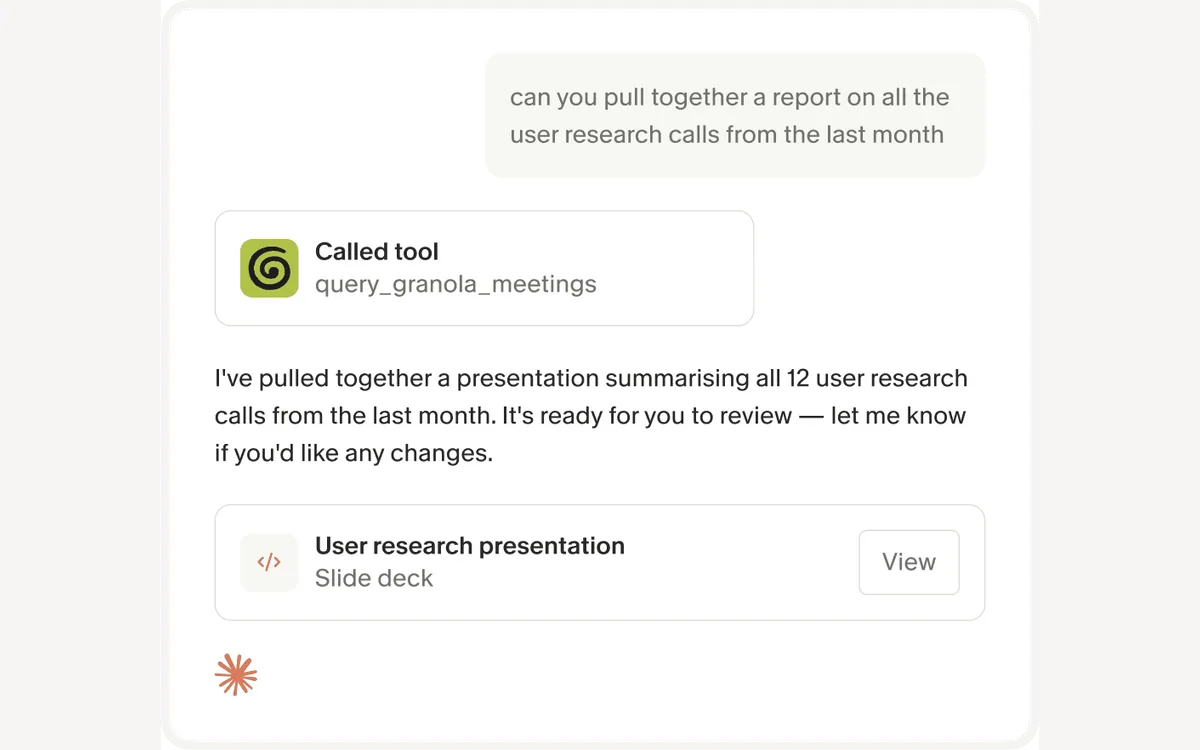
The more forward-looking piece is the MCP connector. It exposes your meeting notes, transcripts, and summaries so AI tools like Claude, ChatGPT, and Cursor can query them directly — ask an assistant what a client said three weeks ago and get a grounded answer. There is also a documented API for teams that want to build their own pipelines.
Granola vs. Otter and Fireflies
The bot-based tools — Otter, Fireflies, and similar — send a recorder into the meeting, capture the full transcript, and generate a summary from it with no input from you. That is a strength when you cannot attend or want a verbatim record, and it is why they remain popular for compliance-heavy or async workflows.
Granola's bet is that most people do not want a robot in the room, and that a summary is better when it starts from a human's actual attention rather than a raw transcript. Because it captures system audio locally, it also sidesteps the social friction of a visible recording bot and keeps notes private by default.
- Choose Granola if you attend your meetings and want polished notes without a visible bot or a shared cloud recording.
- Choose a bot-based tool if you need meetings recorded when you are absent, or a full verbatim archive for compliance.
- Granola is desktop-first; if your team lives on Android, weigh how new that app still is.
Frequently asked questions
Is Granola free?
Yes. The Basic plan is $0 per user per month and includes AI meeting notes, AI chat, shared folders, templates, and multi-language support. The main limit is meeting history, so older notes eventually become inaccessible unless you upgrade.
How much does the paid version cost?
Business is $14 per user per month and adds unlimited history, advanced AI models, integrations, MCP, and API access. Enterprise is $35 per user per month and layers on SSO, admin controls, usage analytics, and org-wide policies.
Does Granola put a bot in my meeting?
No. Granola captures your device's audio in the background and transcribes it locally, so no recording bot appears in the participant list. It works the same across Zoom, Google Meet, and Microsoft Teams, and for in-person talks through the mobile app.
Which platforms does Granola support?
macOS and Windows on desktop, iOS and Android on mobile, plus an Apple Watch app. The Mac app is the most mature; the Android app is the newest, having shipped in July 2026, so its feature set is still catching up.
Is my meeting data private?
Notes are private by default, and even on the free plan you can opt out of having your data used for model training. Enterprise adds a team-wide training opt-out, org-wide auto-deletion periods, and admin controls over sharing and API access.
Can Granola connect to my other tools?
On paid plans it integrates with Google Workspace, HubSpot, Slack, Zapier, Notion, Attio, and Affinity. It also ships an MCP connector so AI assistants like Claude and ChatGPT can query your notes, plus a documented API.
Key takeaways
- Granola's core idea is no bot: it captures system audio locally and turns your own rough notes into a structured summary after the call.
- It is best for people who attend their meetings and want polished, private notes — not for capturing calls you skip, where a bot-based tool still wins.
- Pricing is clean: Basic is free with limited history, Business is $14/user/mo for unlimited history and integrations, Enterprise is $35/user/mo for admin controls.
- Desktop-first and Mac-strongest; iOS is solid and Android is genuinely new as of July 2026.
- Integrations plus an MCP connector and API make it a workflow piece, not just a notepad.
More in Services & Software
Browse Services & Software