Joplin Review 2026: Free Open-Source Notes, Now With Opt-In AI
Joplin review: free open-source Markdown notes on every platform, Joplin Cloud from 2.99 EUR/month, opt-in local AI in 3.7, E2EE caveats and slow first syncs.
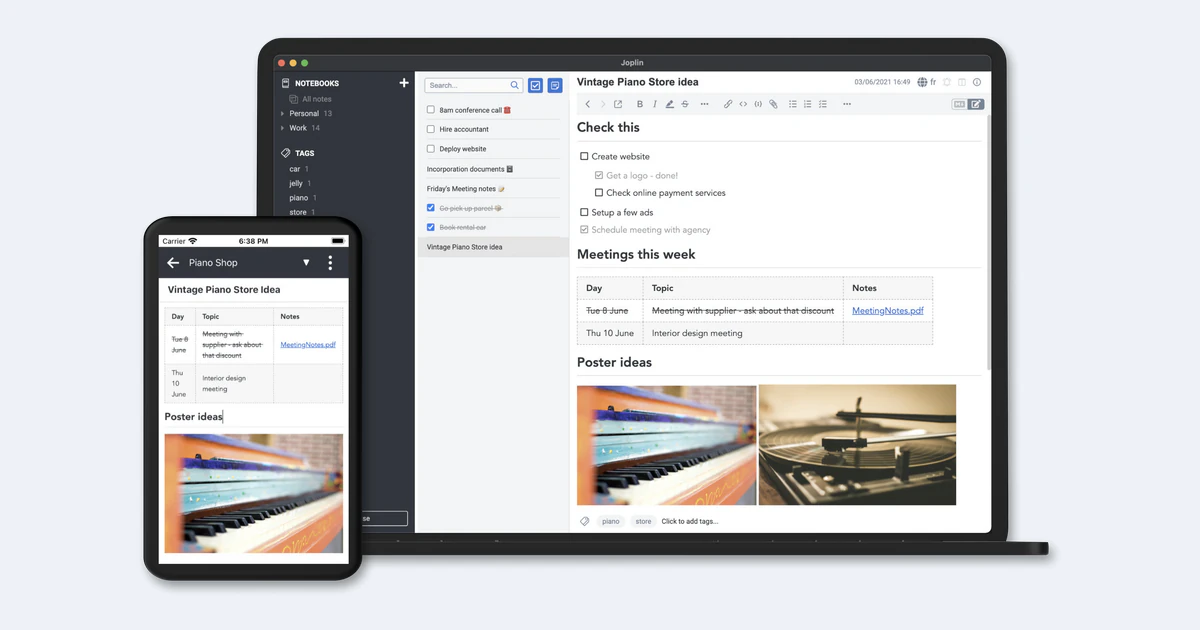
Joplin is a free, open-source note-taking app built on Markdown, with apps for Windows, macOS, Linux, Android, iOS and the terminal. The apps cost nothing; the only thing you can pay for is Joplin Cloud, an optional sync service that starts at 2.99 EUR a month.
Version 3.7, released on 31 August 2026, is the release where AI arrives: an opt-in chat panel, semantic search and a built-in MCP server, all switched off by default and usable with local models. It also brings desktop whiteboards and an Obsidian vault importer. We went through the plans, the documentation and the support forum to see whether Joplin is now the best privacy-first alternative to Evernote and Obsidian, and where it still falls short.
Verdict in brief
Our take
Joplin is the strongest free, open-source option for people who want their notes in plain Markdown, synced through a service they choose, with optional end-to-end encryption. Joplin Cloud is cheap and EU-hosted, and 3.7 adds AI without forcing it on anyone. The trade-offs are real: encryption is off until you turn it on, nothing is encrypted at rest on your device, the first sync of a large library on mobile can take hours, and the AI features are desktop-only and still in beta.
What we like
- All apps are free and licensed AGPL-3.0-or-later, with no feature paywall in the apps themselves.
- Free sync through Dropbox, OneDrive, Nextcloud, WebDAV, S3 or the local filesystem, or paid Joplin Cloud.
- End-to-end encryption on every app, including for shared notebooks.
- AI is opt-in, blocked from remote providers by default, and works with local models such as Ollama or LM Studio.
- Imports from Evernote, OneNote and, since 3.7, Obsidian vaults.
- More than 350 plugins in the official plugin directory.
What we do not like
- End-to-end encryption is off by default and its password cannot be recovered.
- No encryption at rest on the device.
- Slow first sync for large libraries, especially on Android.
- AI chat, semantic search and the MCP server are desktop-only and in beta.
- No published refund policy for Joplin Cloud.
- Joplin Cloud Basic cannot share notebooks with others, only receive them.
What Joplin is
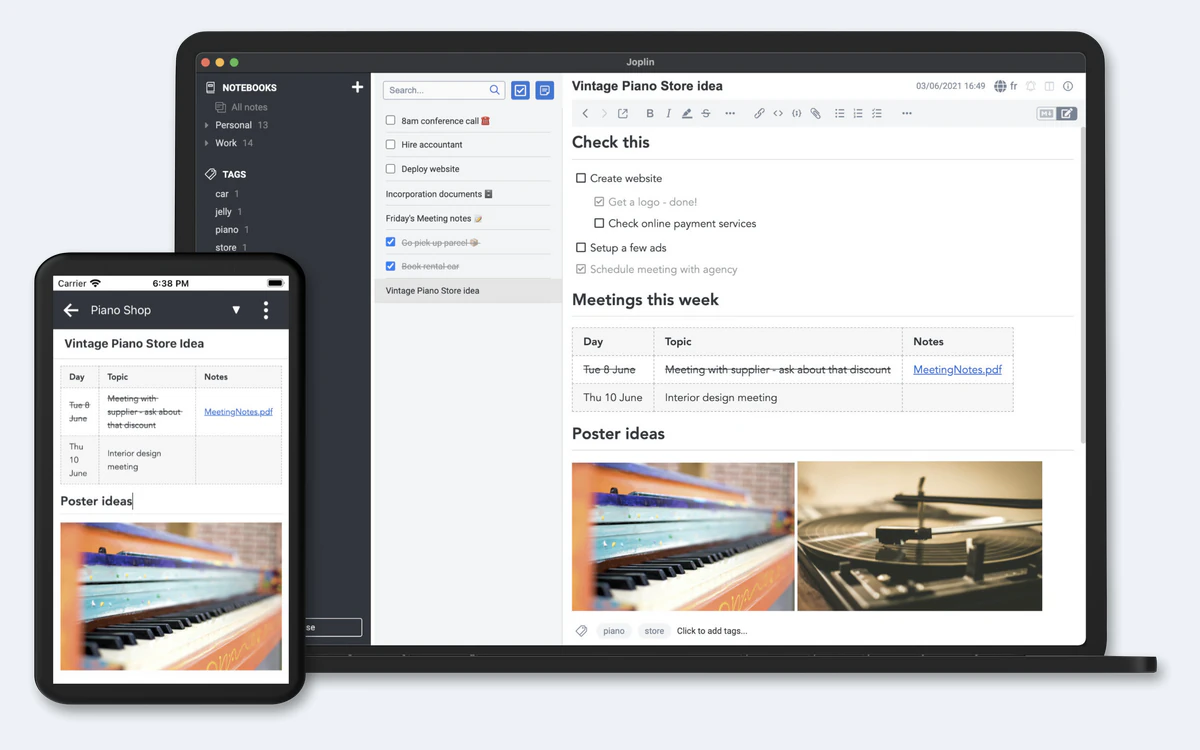
Joplin stores notes as Markdown and organises them into notebooks, sub-notebooks and tags, with to-dos, attachments and full-text search. It runs on Windows (including a portable build), macOS and Linux, on Android through Google Play or a direct APK, on iOS, and as a terminal app installed with npm on macOS, Linux or Windows via WSL.
The code lives in the laurent22/joplin repository on GitHub, which had about 56,500 stars when we checked on 3 October 2026. All code there is licensed AGPL-3.0-or-later unless a directory carries its own licence, and the sync server is one such exception (more on that below).
The project is actively maintained. At the time of writing the latest stable builds were desktop 3.7.21, Android 3.7.11 and iOS 13.7.6, all released on 25 September 2026. The iOS app needs iOS 15.6 or later and holds a 4.13 rating from 477 App Store ratings.
npm install -g joplinPricing: free apps, optional Joplin Cloud
The apps are completely free. You only pay if you want Joplin Cloud for sync, publishing and sharing. All prices on the official plans page are in euros; there is no USD pricing.
- Basic: 2.99 EUR/month, or 2.40 EUR/month billed yearly (28.69 EUR/year). 2 GB storage, 10 MB per note or attachment.
- Pro: 5.99 EUR/month, or 4.79 EUR/month billed yearly (57.48 EUR/year). 30 GB storage, 200 MB per note or attachment.
- Pro 100 GB: 9.99 EUR/month, or 7.99 EUR/month billed yearly (95.88 EUR/year). 100 GB storage, 200 MB per note or attachment.
- Teams: 7.99 EUR per user per month, or 6.69 EUR per user per month billed yearly (80.28 EUR/year), minimum of 2 users. 50 GB storage, 200 MB per note or attachment, plus user management, consolidated billing, share permissions and priority support.
- Joplin Server Business (self-hosted, commercial licence): 3.33 EUR per user per month for 2-10 users, 2.92 EUR for 11-50 users and 2.50 EUR for 51+ users, billed annually (40, 35 or 30 EUR per user per year). Unlimited storage, but no Web App and no Cloud AI.
Every Cloud plan includes unlimited devices, note publishing, the Web App, the ability to collaborate on notebooks other people share with you, and Joplin Cloud AI (beta). Basic lacks three features that start at Pro: sharing a notebook with others, Email to Note and customising the note publishing banner.
Trial, discounts and cancellation
Joplin Cloud has a 14-day free trial, and you are not charged if you cancel during it. Students and teachers get a 50% education discount, valid for a year and renewable. There is no published refund policy; on the forum the developer has refunded a renewal case by case. After a subscription is cancelled the account is disabled, and disabled accounts are deleted automatically after 100 days. Payments go through Stripe.
Joplin 3.7: AI chat, semantic search and MCP
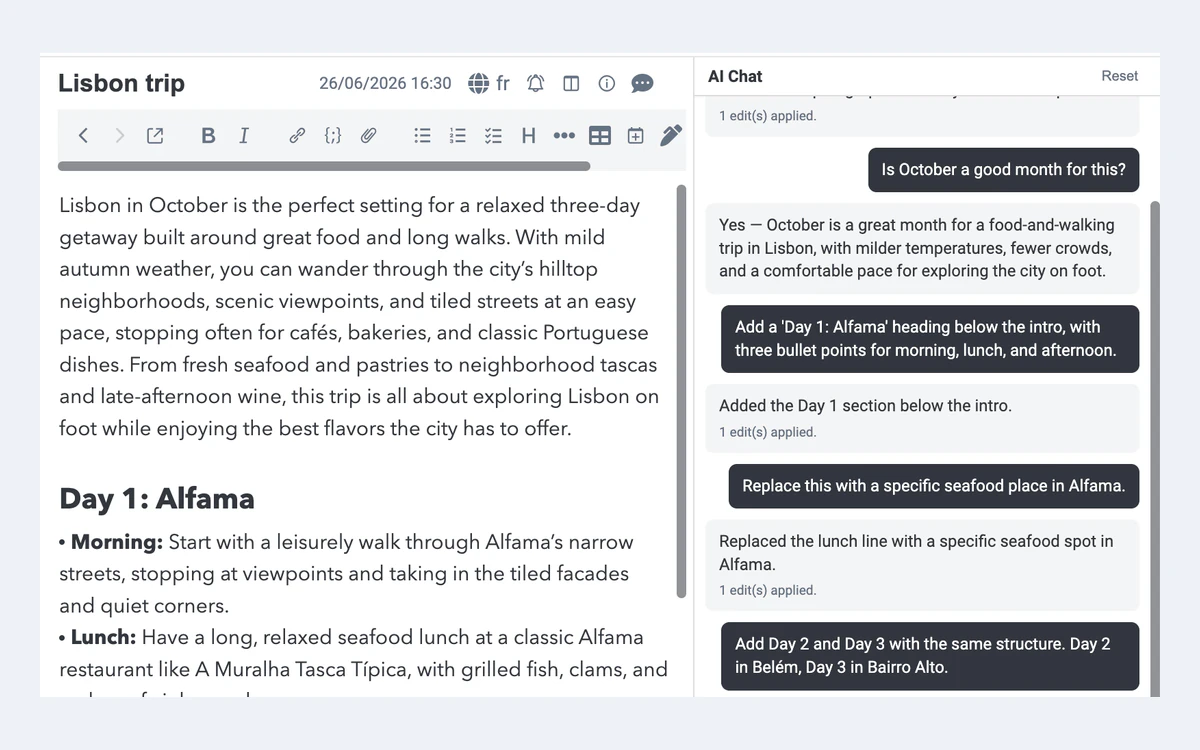
Joplin 3.7 adds three AI features: a chat panel that can summarise, rewrite or answer questions about your notes, semantic search that finds notes by meaning instead of exact words, and a built-in MCP server that lets external AI tools work with your notes. All three are marked beta.
The privacy defaults are the best part. AI is off by default, and remote AI providers are blocked by default too. You can point Joplin at Joplin Cloud AI, any OpenAI-compatible service including local ones such as Ollama or LM Studio, or Anthropic. With a local model, your notes stay on your own device or private network. You also choose which tools the AI may use, so you can allow search without granting permission to modify notes. When a cloud model is used, Joplin says it sends only the content needed for the request, such as the open note or selected text, not your whole notebook.
Desktop only
The AI features are only available in the desktop app. Joplin Cloud AI is included in every Cloud plan but is not available to Joplin Server Business customers.
Editor, whiteboards, clipper and plugins
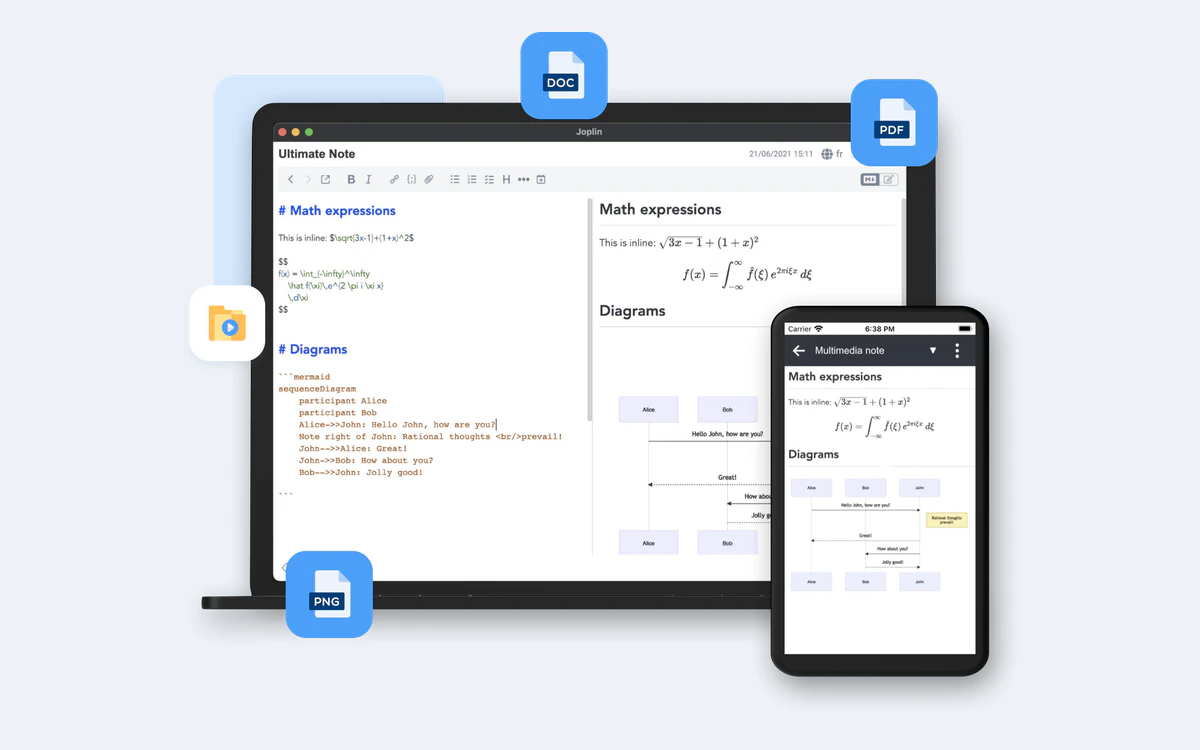
Joplin is Markdown first. Since 3.6 the Markdown editor renders formatting directly in the editor by default, and the split editor and viewer handles extras such as math and Mermaid diagrams. There is also a Rich Text editor for people who would rather not see Markdown; notes edited there are still Markdown under the hood. Its caveats are documented: most Markdown plugins are not compatible, tables must have a header, and vim and emacs keyboard modes are not supported.
Whiteboards and the table editor
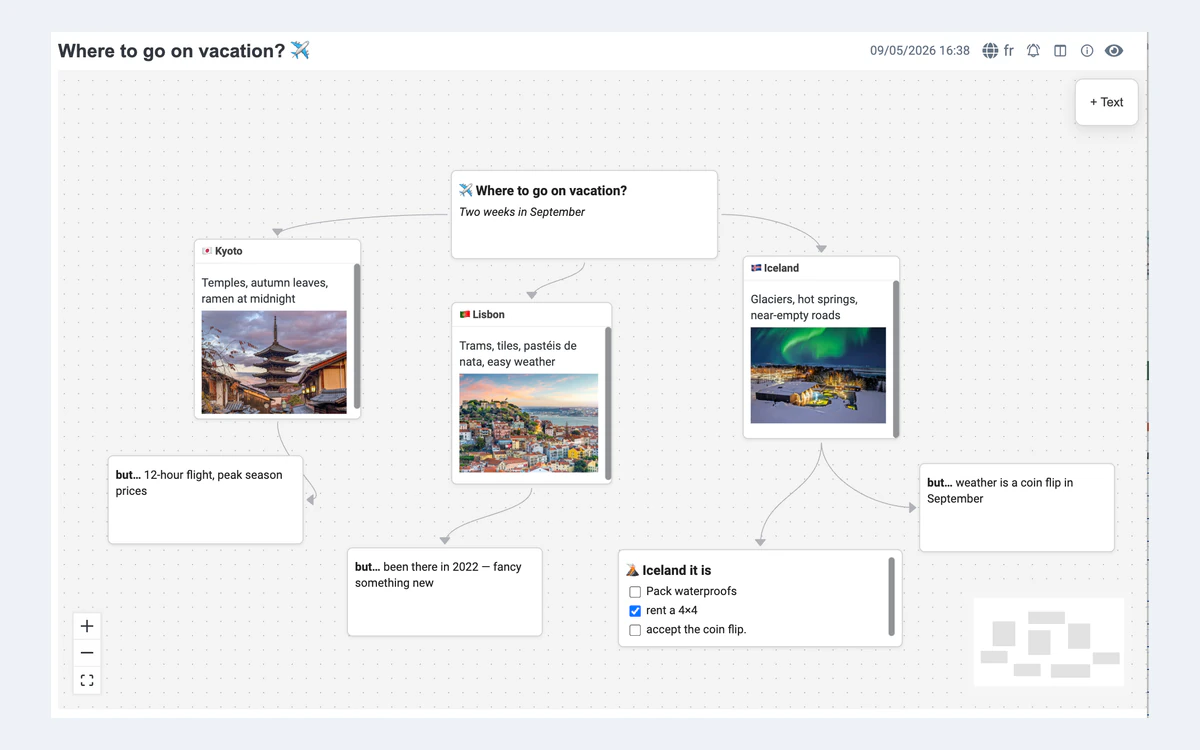
New in 3.7 on desktop, whiteboards let you arrange notes, files and free-form cards on an infinite canvas. The same release adds a Markdown table editor, publishing an entire notebook at once, settings search, and a Linux AppImage that no longer needs libfuse2. Recent releases also brought ABC music notation and a profile manager (3.5), OCR text layers for PDFs and much better OneNote import (3.6).
Web Clipper
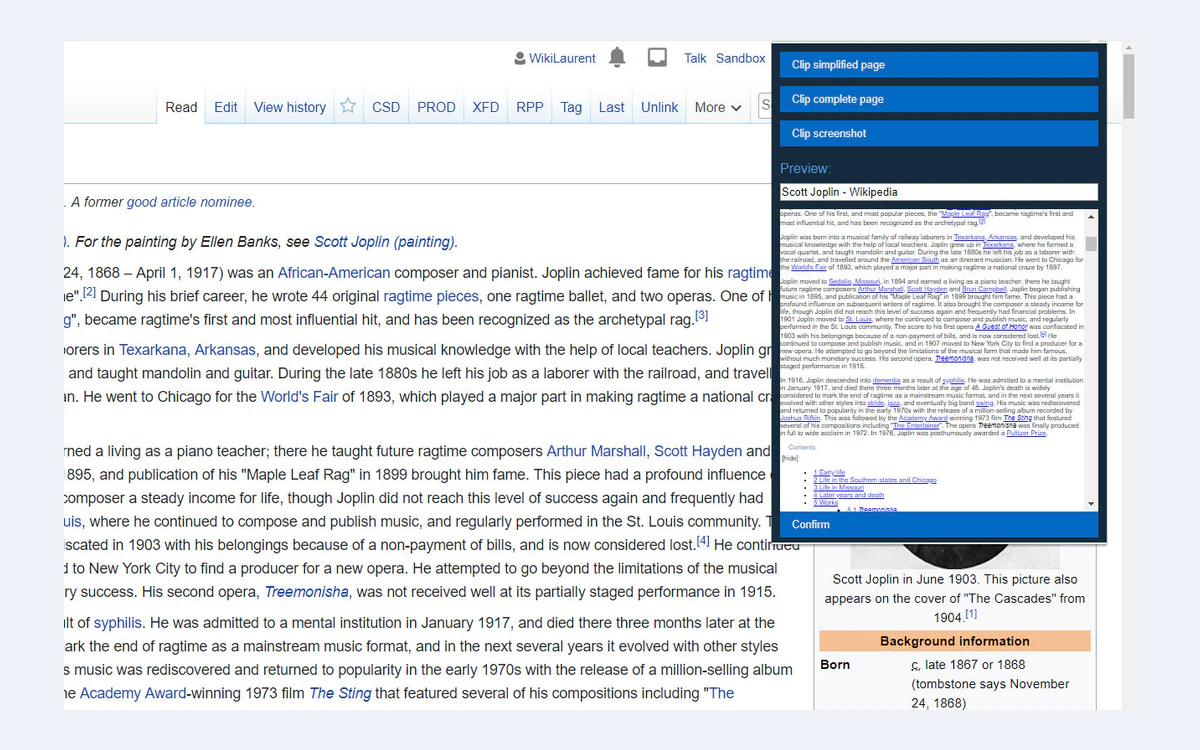
The Web Clipper is a browser extension for saving web pages and screenshots into Joplin. You can clip a simplified page, the complete page or a screenshot. The official documentation covers Chrome and Firefox.
Moving from Evernote, OneNote or Obsidian
Joplin is a common landing spot for people leaving Evernote, and its importer now resolves links between notes in different notebooks. Version 3.6 substantially improved OneNote import and 3.7 fixed more OneNote cases. Also new in 3.7, you can import an Obsidian vault directly.
Large imports are where patience is needed. One user with more than 7,000 imported Evernote notes found the Android app lagging badly until the first sync finished; the developer's advice was to let it sync fully overnight, after which sync operations are quick.
Sync, encryption and privacy
Joplin can sync through Joplin Cloud, Nextcloud, S3, WebDAV, Dropbox, OneDrive or the local filesystem, as well as a self-hosted Joplin Server. That makes it one of the few note apps where free cross-device sync is a first-class option rather than a workaround. OneDrive is no longer deprecated, but a forum moderator notes it is slow for large numbers of items and that Joplin Cloud is much faster.
End-to-end encryption
Joplin supports end-to-end encryption on all its apps, designed to keep data unreadable to network providers and even to Joplin's developers. It works with shared notebooks as long as both the sharer and the recipient have it enabled.
- It is off by default. You enable it on one device first, which creates a master key protected by your password.
- That password cannot be recovered. Lose it and the encrypted data is gone.
- Turning it on re-uploads all your data, which can take a long time, and there is a small performance overhead.
- There is no encryption at rest: data is not kept encrypted on your device, and with E2EE on, Joplin uses about twice the disk space after a full sync.
Where your data lives
Joplin Cloud data and servers are in Paris, France, under GDPR, and the Cloud terms are governed by French law. Joplin also publishes a warrant canary that it updates every 60 days. Version 3.7 adds post-quantum cryptography for TLS on desktop.
Self-hosting Joplin Server
You can run your own sync server with Docker, using PostgreSQL and docker compose for a production setup. The joplin/server image has about 16 million pulls on Docker Hub.
docker run --env-file .env -p 22300:22300 joplin/server:latestCheck the licence
Joplin Server is not AGPL. Its own licence allows personal, non-commercial use only unless the licensor authorises otherwise in writing. Businesses need Joplin Server Business, which has a 14-day free trial.
Performance and rough edges
Day to day, Joplin is quick once a library is synced. The problems show up on the first sync of a large collection, mostly on mobile. One Joplin Cloud user on Android 3.7.4 reported that it took around 45 minutes to sync their phone, and the reply was that the screen must be kept on for sync to continue. Another user moving about 19,000 notes over OneDrive said it had been taking days.
Version 3.7 made encryption and decryption faster on mobile and shipped over 100 bug fixes and eight security fixes, so this is improving. Still, if you have a big Evernote archive, plan to do the first sync on desktop or leave your phone on a charger overnight.
Who should use Joplin
- Choose Joplin if you want a free, open-source note app with real cross-device sync, Markdown files and optional end-to-end encryption.
- Choose Joplin if you are leaving Evernote and want a familiar notebook-and-tag structure without a subscription.
- Choose Joplin if you want AI over your notes but only with a local model, or not at all.
- Look elsewhere if you need real-time co-editing; Joplin shares notebooks through sync and does not document live collaboration.
- Look elsewhere if you need data encrypted at rest on your devices, or polished AI features on mobile.
- Obsidian remains stronger for linked-note workflows and its plugin depth, but its official sync is paid, while Joplin's apps and third-party sync are free.
Frequently asked questions
Is Joplin really free?
Yes. All Joplin apps are free and open source under AGPL-3.0-or-later, and you can sync for free through Dropbox, OneDrive, Nextcloud, WebDAV, S3 or the local filesystem. Only Joplin Cloud, the optional sync service, is paid.
How much does Joplin Cloud cost?
Joplin Cloud starts at 2.99 EUR a month for Basic with 2 GB. Pro is 5.99 EUR a month with 30 GB, Pro 100 GB is 9.99 EUR a month, and Teams is 7.99 EUR per user per month with a 2-user minimum. Yearly billing lowers each price, for example Basic to 28.69 EUR a year.
Is there a free trial or refund?
There is a 14-day free trial, and you are not charged if you cancel during it. Joplin does not publish a refund policy; refunds after renewal have been granted case by case on the forum, so do not count on one.
Is Joplin end-to-end encrypted?
It can be, but not by default. You must enable end-to-end encryption manually on one device, and its password cannot be recovered. Joplin does not encrypt data at rest on your device.
Does Joplin send my notes to AI?
No, not unless you turn AI on. AI is off by default, remote providers are blocked by default, and you can use a local model such as Ollama or LM Studio so notes never leave your network. The AI features are desktop-only and in beta.
Can I import from Evernote or Obsidian?
Yes. Joplin imports Evernote exports, including links between notebooks, OneNote notebooks and, since version 3.7, Obsidian vaults. Expect the first sync of a large import to take a while on mobile.
Can I share notebooks with Joplin Cloud Basic?
Only as a recipient. Basic lets you collaborate on notebooks others share with you, but sharing your own notebooks requires Pro or above. Pro also adds Email to Note.
Can I self-host Joplin for my business?
Not with the free Joplin Server, which is licensed for personal non-commercial use only. Businesses need Joplin Server Business, from 2.50 to 3.33 EUR per user per month billed annually.
Key takeaways
- Joplin's apps are free and open source; Joplin Cloud sync starts at 2.99 EUR a month and is optional.
- Joplin 3.7 adds AI chat, semantic search and an MCP server, all off by default, desktop-only, beta and usable with local models.
- End-to-end encryption is available everywhere but must be enabled manually, and there is no encryption at rest.
- Free sync through Dropbox, OneDrive, Nextcloud, WebDAV or S3 makes Joplin one of the best no-cost Evernote replacements.
- Large first syncs on mobile are slow, and there is no published refund policy for Joplin Cloud.
More in Services & Software
Browse Services & Software