Technology reviews & practical guides
Penpot review for 2026: what the free plan really caps, when the $7 Unlimited or $25 Enterprise tier pays off, self-hosting, the MCP server and Figma import.
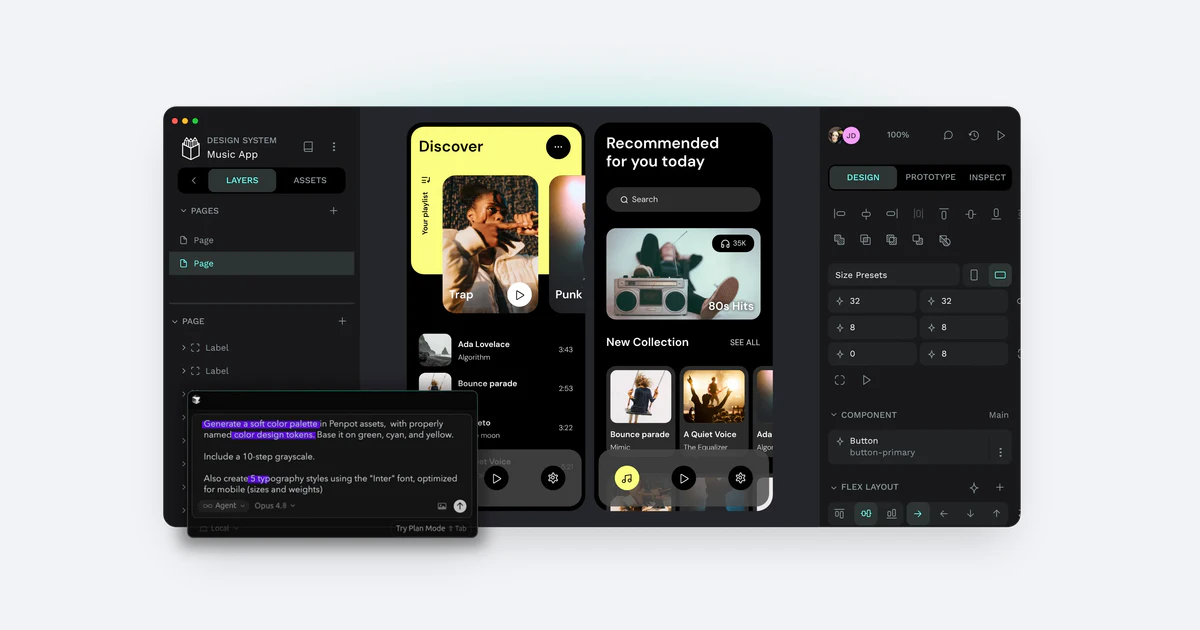
Penpot has spent years as 'the open-source Figma alternative'. In 2026 that label undersells it and oversimplifies it: Penpot now sells paid cloud plans, ships an MCP server for AI agents and is rebuilding its renderer, while still offering a free cloud plan and free unlimited self-hosting.
This review covers what the free plan really limits, when the $7 Unlimited or $25 Enterprise tier is worth paying for, what self-hosting demands, and how well a Figma migration goes. Prices and features were checked against Penpot's own pages on 18 October 2026.
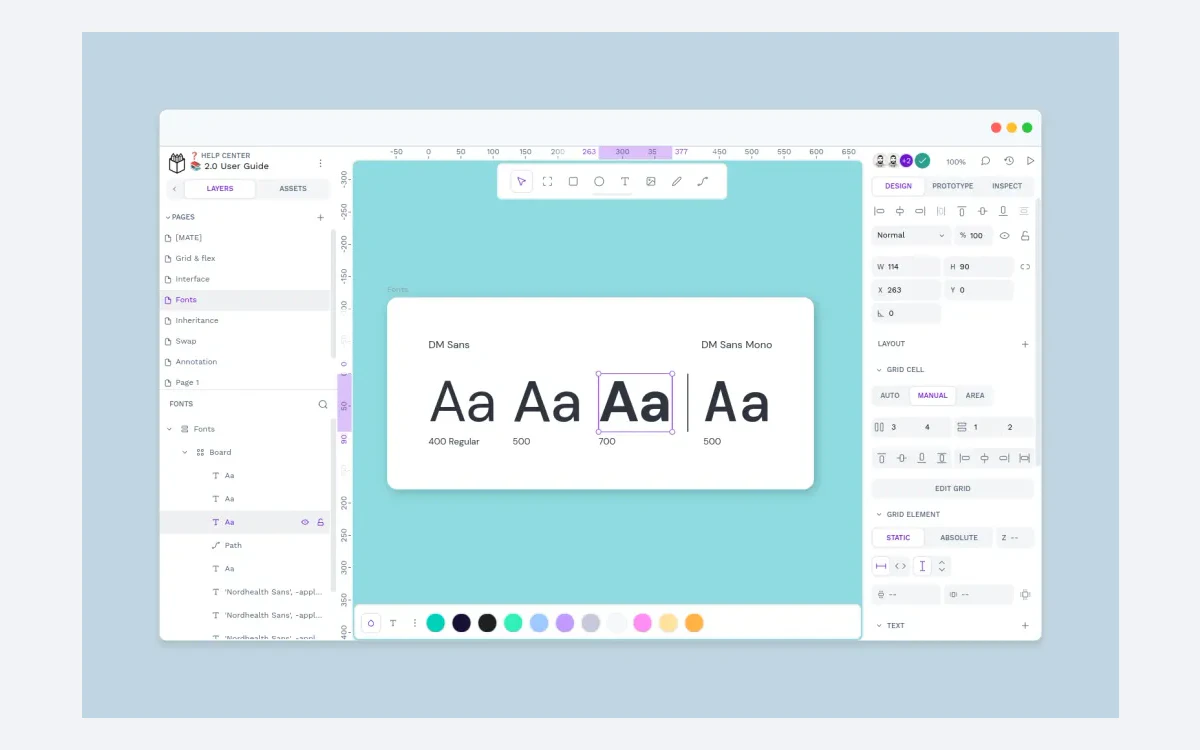
Penpot is an open-source design and prototyping tool that runs in the browser. It is built by Kaleidos, a Madrid company that, in its own words, pivoted from a consultancy business to an open source product company. The code is published under the MPL-2.0 licence, and the GitHub repository had 61,324 stars on 18 October 2026.
The pitch is different from most design tools. Penpot leans on open standards - its homepage promises CSS, HTML, SVG and JSON - so layouts map to Flex and Grid the way developers write them, and files are stored in a documented ZIP-plus-JSON format rather than a closed binary. Penpot's media kit claims a user base of more than 1 million, more than 49 interface languages and a $12M Series A; those figures are undated and come from Penpot itself.

Until 2025 Penpot was simply free. That has changed: there are now paid cloud tiers, a paid self-hosted Enterprise edition and a $50k-a-year private server. The free options are still real, though, and for many teams they are enough. The rest of this review covers where the line sits.
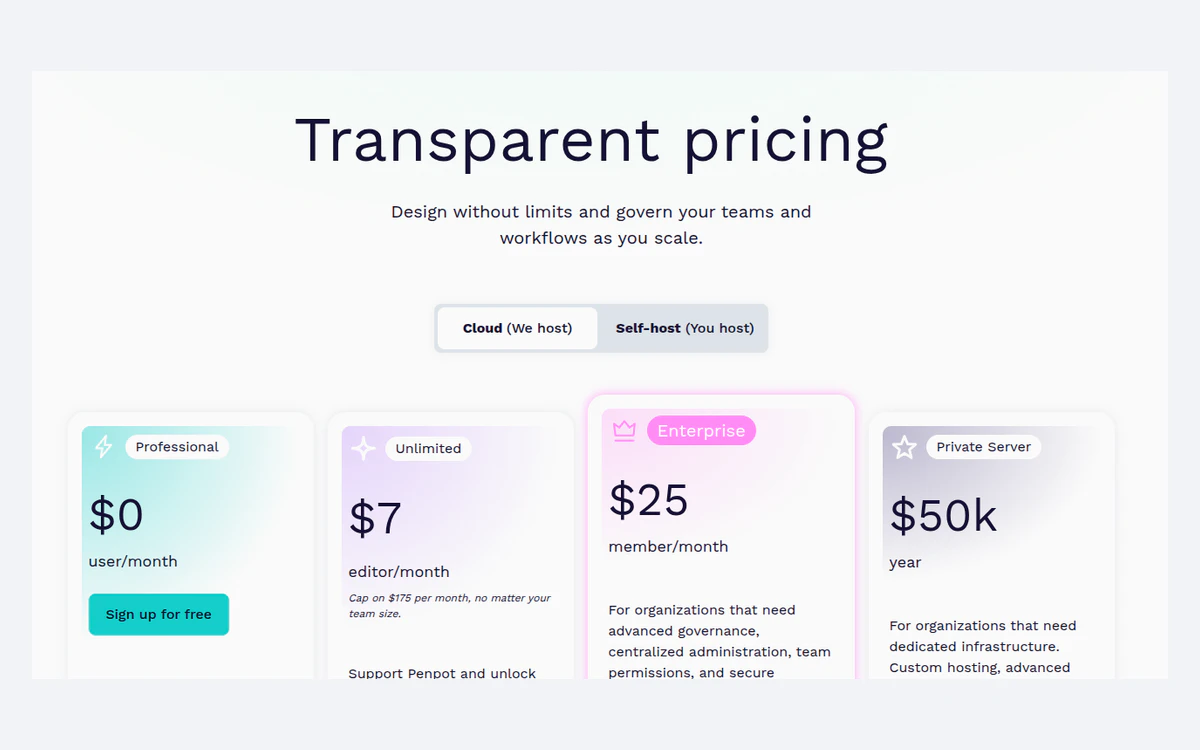
Penpot announced paid plans on 14 March 2025. As of 18 October 2026 the pricing page lists these cloud plans, all in USD and billed monthly:

Every plan has no file limits within its storage and unlimited teams. Penpot offers non-profit, education and open-source discounts, but the pricing page shows no annual billing option, so there is no published yearly discount to compare against.
The Unlimited card promises 'early features', while the comparison table marks early access as not included for Unlimited. The self-hosted Enterprise card shows both '$25 member/month' and 'Starting at $950 / month', and the 2025 launch post quoted Enterprise as a EUR 950 per month flat fee. Cloud Enterprise keeps 90 days of history; self-hosted Enterprise keeps 180. Confirm the figure that applies to you with Penpot before you budget.
Penpot markets the free Professional plan as 'Free and fully featured. No limits, no missing tools.' The tools part is true: the free cloud plan has the same design and prototyping features as the paid ones. The limits are on the team and the safety net, not the toolset.
Two clauses in the Terms (last updated 5 August 2025) also matter for free users: Kaleidos may cancel free and trial accounts at any time, and fair use is defined as not more than 10x the median data usage. Exporting important files as .penpot archives from time to time is a cheap insurance policy.
Unlimited makes sense once you have a ninth editor, need more than 10GB, or want 30 days of history. Because it is billed per editor and capped at $175 per month, the bill stops growing at 25 editors - beyond that, every extra designer is free. Viewers stay free on every plan.
Enterprise at $25 per member is a governance purchase: SSO, a central admin console, team permissions and 90-day history. Note that it is priced per member rather than per editor, so check how Penpot counts your seats before signing. Private Server at $50k a year is for organisations that need dedicated infrastructure or a specific hosting region and do not want to run Penpot themselves.
If nobody on the team needs SSO or long history and the team is eight editors or fewer, the free plan is a legitimate long-term home, not a trial.
The self-hosted Professional edition is 'Free, forever' with unlimited users, teams and files and all design and prototyping features. What you give up is support - it is community support only - and the ops work. Penpot is explicit that it requires a Linux server, Docker knowledge and a self-managed deployment, and the Docker guide adds Docker Compose, basic DNS management and proxy configuration.
Penpot lists several install routes: Docker, a Kubernetes Helm chart, Rancher by SUSE, OpenShift, TrueNAS, and Elestio, which claims to set up an instance in 3 minutes. Podman and a community desktop app exist but are unofficial and unsupported.
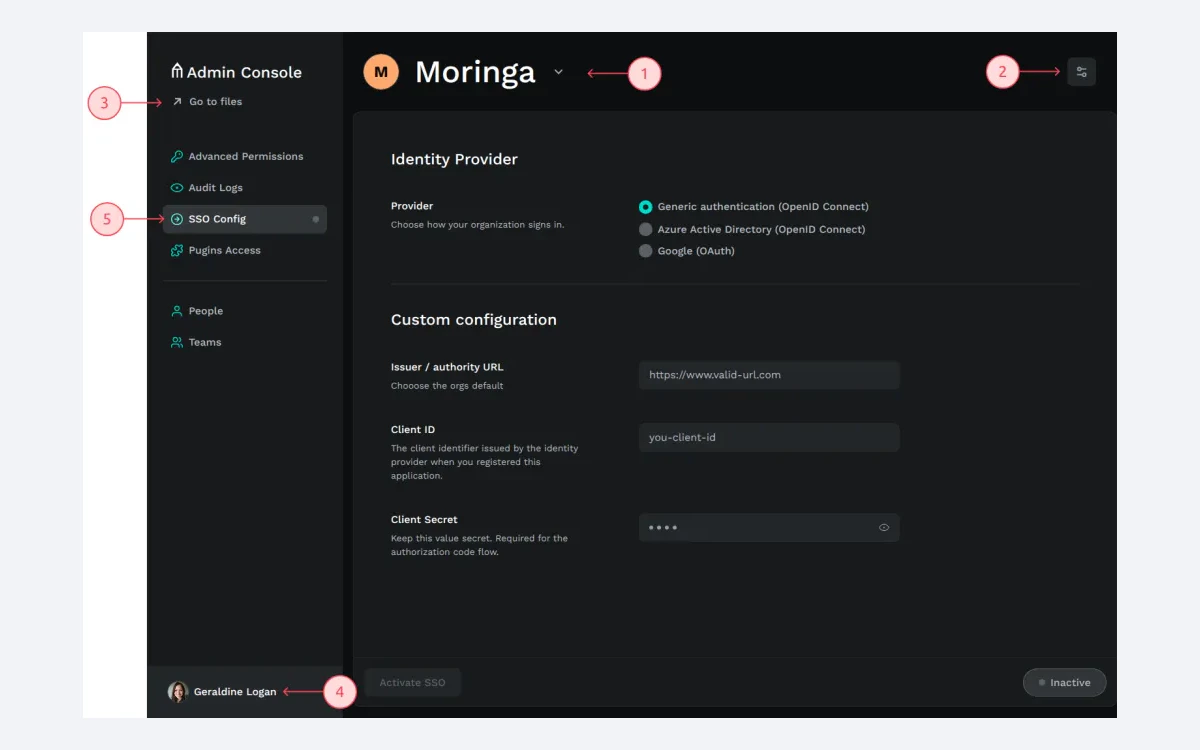
Self-hosted Enterprise adds the admin console, multiple organisations, advanced permissions, SSO, 180 days of autosaved versions and deleted-file recovery, and early access. Audit logs and a plugin allowlist that includes agentic AI are marked as coming soon in places. The price, as noted above, is shown both per member and as a monthly minimum.
Penpot 2.0 (April 2024) was the release that made it a serious tool: CSS Grid layout, a redesigned UI, a new components system with component swapping, HTML code generation and light and dark themes. The releases since then have filled most of the design-system gaps.

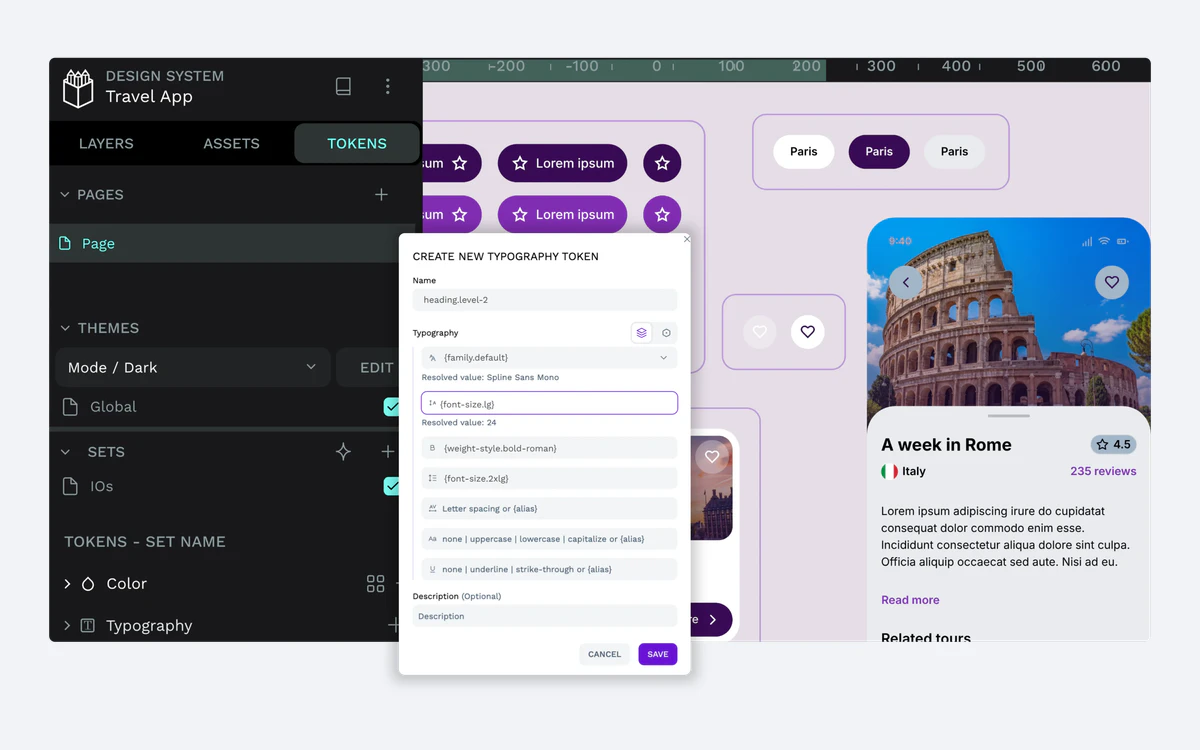
Native tokens are one of Penpot's strongest arguments. Teams that already think in tokens get a token model inside the editor rather than through a third-party plugin.
The Inspect tab gives developers CSS ('Copy styles in CSS' since 2.5), an HTML inspect view and 'Copy as SVG' since 2.9. Because viewers are free on every plan, developers can open files and inspect them without taking a paid seat.
Layers export as PNG, JPEG, WEBP, SVG or PDF, and a set of boards can be exported as a single PDF. The native .penpot file is a ZIP archive holding JSON metadata and binary media files, which makes your work readable outside Penpot - a meaningful exit route if you ever leave.
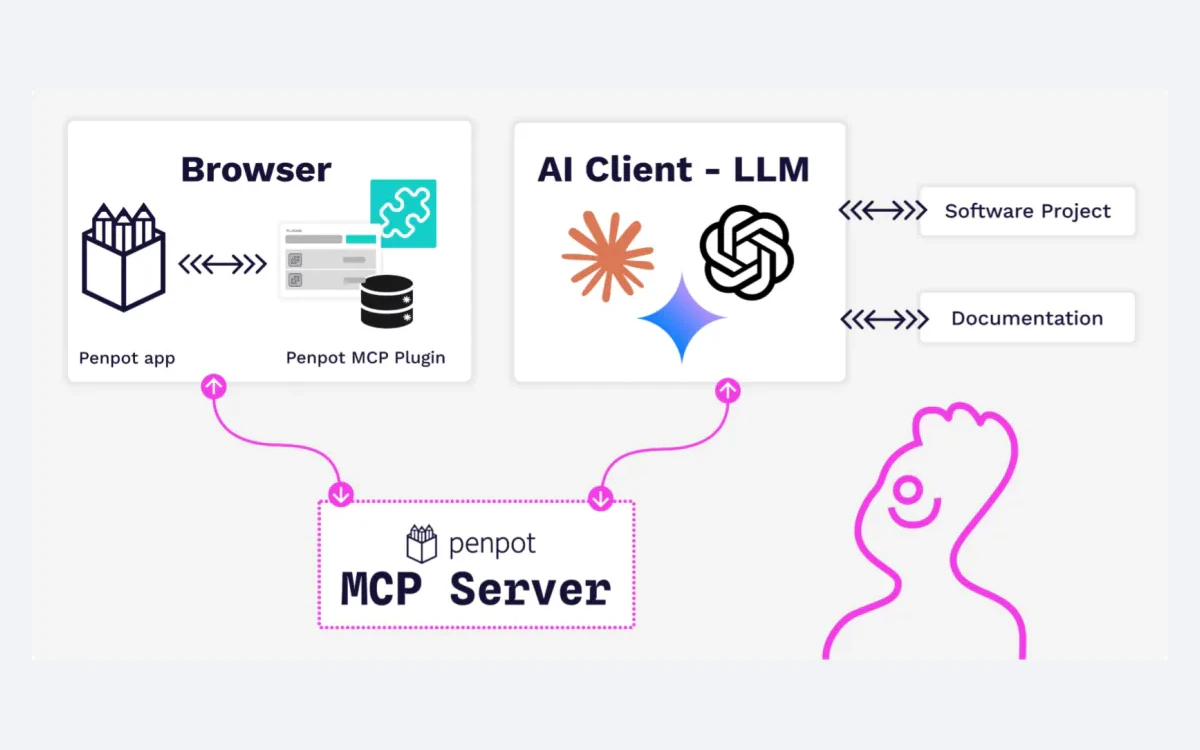
Penpot does not ship its own AI model. Instead, version 2.15 (12 May 2026) added an MCP server integration for AI-assisted design workflows. Penpot describes it as agnostic - 'Connect Penpot with any AI agent, any LLM' - and names OpenAI Codex, Cursor, Visual Studio Code and Claude as working clients.

The MCP server works through the plugin API, and you can deploy it in your own environment so design data stays in-house. That suits teams that want AI help but cannot send files to a vendor's model. The plugin system itself dates from 2.3 (November 2024), and plugins are listed in Penpot Hub.
The trade-off is setup. You bring the AI client and, for the private option, the hosting. Teams that want a one-click built-in assistant will find less here than the agent-first framing suggests.
Performance on large files has long been Penpot's weak spot, and 2026 has been about the renderer. Version 2.16 (June 2026) added WebGL rendering as a beta user preference, and 2.17 (July 2026) moved the prototype viewer to a WASM (Skia) engine instead of SVG. The main editor has not been fully switched over, so treat speed on very heavy files as improving rather than solved.
Version 2.18 (23 September 2026) added dedicated Line and Arrow tools and comments you can see and manage while designing in the workspace. The latest stable release at the time of writing is 2.18.3, published on 6 October 2026, with a 2.19 release candidate already tagged.
Penpot recommends the latest Chrome or Firefox and provides specific support for WebKit (Safari and Epiphany). There is no official desktop app and no confirmed offline mode - Penpot's own answer to people looking for a desktop app is to use Penpot cloud.
Migration runs through the official 'Penpot Exporter' plugin, installed inside Figma. It imports shapes, vectors, frames, masks, text, components, component sets and instances, Auto Layout, colour and typography libraries, variants and external libraries.
The practical approach is to move one live project first, rebuild its prototype, and judge the cleanup effort before committing a whole design system. For a full look at what you would be leaving, see our Figma review.
Penpot's security page lists GDPR compliance with a DPA, AES-256 encryption at rest and TLS 1.2+ in transit, and describes the self-hosted edition as SOC2/HIPAA capable. The privacy policy (5 August 2025) mentions EU Standard Contractual Clauses but does not name a hosting provider or region for the shared cloud. Only the Private Server tier lets you choose a region. If data residency matters, self-host or ask Penpot directly.

You can cancel a paid subscription from your account at any time, and cancellation takes effect immediately. The Terms contain no refund clause, so use the 14-day trial on Unlimited or Enterprise to decide. Accounts can be deleted from the Profile section, and files can be downloaded as .penpot first. Disputes go to the courts of Madrid.
Penpot in 2026 is a credible design tool, not just a free alternative. Native tokens, variants, CSS-faithful layouts, free viewers and an open file format are real strengths, and the MCP server gives teams a private route to AI-assisted design.
Small teams of up to eight editors can stay on the free cloud plan for good, as long as they live with 7 days of history. Larger teams get a predictable bill from Unlimited's $175 cap. Teams with ops skills can self-host everything for free. The caveats are heavy-file performance, no desktop app, prototypes that do not survive a Figma import, and pricing pages that contradict themselves on Enterprise.
Product teams that work closely with developers, organisations that need self-hosting or data control, and teams that want a design-system workflow without per-seat costs for every viewer.
Yes. The cloud Professional plan costs $0 and includes all design and prototyping tools, but it is limited to 8 team members, 10GB of storage and 7 days of version history. Self-hosting is free with unlimited users and files.
Unlimited is $7 per editor per month, capped at $175 per month regardless of team size. Viewers are free. Enterprise is $25 per member per month, and Private Server is $50k per year.
No annual price is published on the pricing page. Penpot does offer non-profit, education and open-source discounts, which you request from Penpot.
You can import designs, but not prototypes. The Penpot Exporter plugin brings over components, variants, libraries and Auto Layout (as Flex and Grid), while prototyping settings are not supported and files over 1GB cannot be imported.
No official one. Penpot runs in the browser, works best in the latest Chrome or Firefox and supports Safari. A community desktop app exists but is unofficial and unsupported.
Penpot does not publish the hosting provider or region for its shared cloud. Only the Private Server tier offers a choice of region; otherwise, self-hosting is the way to control where data lives.
Unlimited and Enterprise both have a 14-day free trial. The Terms contain no refund clause; you can cancel at any time from your account and the cancellation takes effect immediately.
More in Services & Software
Browse Services & Software