Technology reviews & practical guides
Notesnook review for 2026: Free vs Essential ($1.99) vs Pro ($6.99) vs Believer, monthly storage limits, encryption with no audit yet, self-hosting and who should pay.
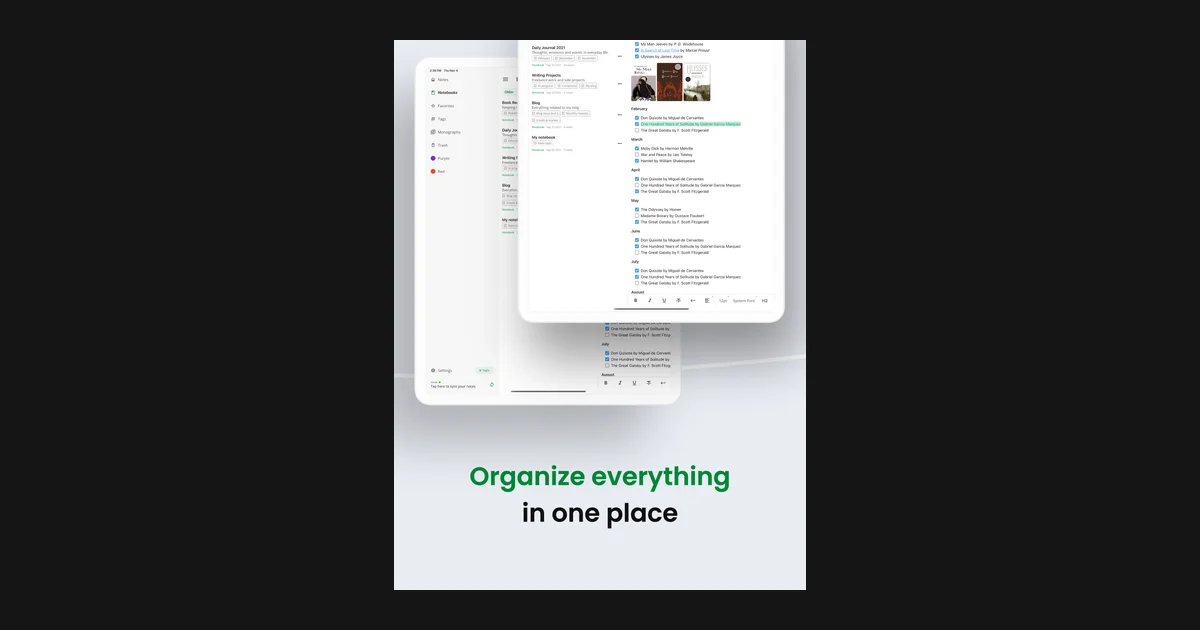
Notesnook is an end-to-end encrypted, open-source note-taking app for Windows, macOS, Linux, Android, iOS and the web. The pitch is simple: the company that syncs your notes cannot read them, and the code that does the encrypting is public on GitHub.
The pitch has not changed, but the price list has. In October 2025 Notesnook retired its single $4.49 a month Pro plan and replaced it with four tiers - Free, Essential, Pro and Believer - plus five-year plans. A year on, and after v3.4 added an Inbox API, deep links and a sandboxed desktop app, this review looks at what each tier actually buys, where the security story is strong, where it still has a gap, and who should pay at all.
Prices below are in US dollars, include tax, and were checked against Notesnook's pricing page and help center on October 8, 2026. Notesnook sells at regional prices, so the figure you see at checkout may differ.
Review the current offer, features, and terms for Notesnook before deciding whether it fits your needs.
Notesnook is the best-value encrypted notes app for most people in 2026, and the free plan alone is enough for many of them. Unlimited notes, unlimited devices, sync, the private vault and published notes all cost nothing. The paid tiers mostly buy attachment storage, higher organization limits and power-user editor features.
Notesnook is built by Streetwriters (Private) Limited, a small company founded in 2019 in Khushab, Pakistan. Notes sync through servers in Germany: the main data sits on Hetzner and, since August 2024, attachments are stored on iDrive e2, also in Germany, and delivered through Cloudflare's CDN. The terms of service are governed by Pakistani law.
The client apps are open source under GPL-3.0 in the streetwriters/notesnook repository on GitHub, which has around 14,700 stars and was still being pushed to the day before this review. Releases are frequent: desktop v3.4.9 landed on October 6, 2026 with localization support, and the Android and iOS apps reached 3.4.13 in mid-September. The iOS app holds a 4.69 rating from 670 App Store ratings.
Notesnook is a rich-text editor first, not a Markdown file manager like Obsidian. You get notebooks, tags, colors, pinned notes, reminders, linked notes and a web clipper, in an interface that will feel familiar to anyone leaving Evernote. There are no built-in AI features.
There are four tiers. Every price includes tax, and the monthly and yearly plans come with a 14-day free trial.
There is no five-year Essential plan. Students and teachers can get Pro at a discount through the education plan. When the new tiers launched, Notesnook priced it at $19.99 for one year; the pricing page now only promises a significant discount, and the education plan has no trial.
Notesnook says paid plans are sold at a regional price, applied automatically from the country of the payment method you check out with. The live pricing page also localizes currency by visitor location - from Singapore it shows Pro at SGD 9.74 a month - so expect your checkout figure to differ from the US list price.
The storage figure is not a total cap. It counts attachments only, resets on the 1st of each month, and your note text never counts against it. A Free user can keep writing indefinitely; the 50 MB only limits how many images and files you can add in a month.
Essential adds the editor and workflow features that make Notesnook feel complete: task lists, outline lists, callouts, block-level note links, Markdown shortcuts, recurring reminders, full offline mode, a customizable side menu, and links and embeds inside published notes.
Pro adds app lock, expiring notes, a default notebook and tag, a custom home screen, uncompressed full-quality images, sync controls, CSV import and export for tables, view counts on published notes, SMS two-factor authentication, the option to turn off automatic trash cleanup, font ligatures and a custom editor toolbar. Believer includes everything in Pro with more storage, and Notesnook says it exists for people who want to fund private, open-source software.
If you subscribed to the old $4.49 Pro plan, you keep a legacy deal: unlimited storage instead of 10 GB a month, but a 512 MB maximum file size instead of 1 GB.
The 14-day trial needs a payment method, and you can trial each plan only once. Five-year plans have no trial, but they share the same 14-day refund window as monthly and yearly plans.
Notesnook encrypts everything on your device before it is uploaded. It uses XChaCha20-Poly1305-IETF to encrypt data, Argon2i to derive your master key from your password and Argon2id to hash the password sent to the server, all from the libsodium library. Each item is encrypted separately with its own 192-bit nonce. Asked whether it can read your notes, Notesnook's answer is a flat no.
You do not have to take that on trust. Vericrypt, at vericrypt.notesnook.com, lets you verify the encryption yourself, and the client code is public.
Notesnook has not had a third-party security audit, and its own comparison page concedes that Standard Notes has been audited and Notesnook has not. Notesnook argues that an audit is evidence about the implementation, not the algorithm, and that both apps use XChaCha20-Poly1305 with Argon2. That is true as far as it goes, but checking the implementation is exactly what an audit is for. A third-party audit was listed among future plans in October 2025 and had not been published by October 2026.
These two are easy to mix up. The private vault is free on every plan: it locks individual notes behind a separate password, re-locks after an interval you choose from 1 minute to 1 hour, or never, and supports biometric unlock on mobile. Locking a note deletes its version history.
App lock, which locks the whole app at launch, is a Pro feature. It opens with a PIN or password on every platform, biometrics on mobile and a security key on desktop and web. If your paid plan lapses, app lock switches off automatically.
Two-factor authentication through an authenticator app or email is free; SMS codes require Pro or Believer.
The privacy policy, last updated June 5, 2023, says the personal data Notesnook collects is your email address, plus usage data such as IP address, browser type and device identifiers. You can opt out of usage data collection by turning off Telemetry in Settings. Website analytics run on a self-hosted Umami instance.
The editor covers what most people need: headings, lists, tables, code blocks, math, images and attachments. Notes are organized with notebooks, tags and colors, and you can pin notes, set reminders and link notes to each other with backlinks. Paid plans add task lists, outline lists, callouts, block-level links and Markdown shortcuts as you type.
Version history keeps up to 100 versions per note on Free. The catch is that history is stored only on the device: Notesnook says that if you log out, previous versions of all your notes are cleared. Treat it as an undo safety net and use the built-in backups for real copies.
Monographs let you publish any note as a public web page, optionally protected by a password or set to self-destruct. They are free on every plan and capped at 15 MB including attachments. Essential and above allow links and embeds inside a monograph, and Pro adds view counts.
The web clipper saves pages into a chosen notebook with tags, either as a new note or appended to an existing one. It is on the Chrome Web Store for Chromium browsers, but Firefox users have to install a downloaded .xpi file because it is not listed on Firefox Add-ons.
Version 3.4.0, released June 29, 2026, added the Inbox API, which lets tools such as Zapier and IFTTT send notes into your account. You can hold up to 10 keys at a time, and Notesnook says there are currently no usage limits, though that may change. The same release added nn:// deep links to notes, a fully isolated, sandboxed desktop app, and importers for ColorNote and UpNote.
Notesnook runs on Windows (installer or portable, Intel/AMD and ARM), macOS (Apple silicon and Intel, or Homebrew), Linux (AppImage, Flatpak, Snap, Zap and Homebrew), Android (Google Play, F-Droid or a signed APK), iPhone and iPad, and the web. Few encrypted notes apps cover Linux and de-Googled Android this well.
Full offline mode is an Essential feature and above, which is a real downside for a privacy app. Notesnook's own Standard Notes comparison names free app lock and offline access as points in Standard Notes' favor - both are paid features in Notesnook.
When the same note is edited on two devices before they sync, Notesnook does not silently pick a winner. It opens a merge-conflict screen that shows both versions and lets you choose which one to keep.
The Notesnook Importer handles Evernote (.enex), Google Keep, Simplenote, Joplin, Obsidian, ColorNote, UpNote, Zoho Notebook, Skiff Pages, Fusebase (Nimbus Note), TextBundle, Markdown, HTML and plain text. It only runs in the web and desktop apps, so do the migration from a computer. Standard Notes is not on the list.
Exports go to PDF, HTML, Markdown, Markdown with frontmatter and plain text on every app, though on desktop and web PDF is only offered when exporting a single note. If you cancel a paid plan, your notes stay readable, editable and exportable on the free plan; a lapsed subscription is downgraded after a 3-day grace period.
The sync server is open source too, under AGPL-3.0, and the client apps have been able to point at a custom server since v3.0.18. But the repository still describes self-hosting as alpha, and its README says self-hosting is possible but without support, with documentation to follow at a later date.
If running your own server is a hard requirement today, Joplin, which can sync encrypted notes through Nextcloud, WebDAV or Dropbox, is the more mature choice.
Notesnook is unusually candid about its gaps. Its comparison page lists spreadsheets with formulas, a built-in authenticator for other accounts and hardware security key support as things it does not have. The most-requested open issues on GitHub fill in the rest.
Notesnook is free, with paid plans from $1.99 a month. Essential is $1.99 a month or $19.99 a year, Pro is $6.99 a month, $69.99 a year or $299.99 for five years, and Believer is $8.99 a month, $89.99 a year or $399.99 for five years. Prices include tax and are adjusted regionally at checkout.
Unlimited notes and devices with end-to-end encryption, sync, backups, the private vault and published notes. The limits are 50 MB of attachment uploads a month, 10 MB files, 50 notebooks, 50 tags, 10 active reminders and 100 saved versions per note.
No. Notesnook has not had a third-party security audit and says so on its own comparison page. It uses XChaCha20-Poly1305 and Argon2 from libsodium, its client code is open source, and Vericrypt lets you verify the encryption yourself.
Technically yes, but it is unsupported. The sync server is open source under AGPL-3.0 and the apps can connect to a custom server, but Notesnook describes self-hosting as alpha and has not published documentation for it.
Yes to both. Monthly and yearly plans have a 14-day trial that needs a payment method, once per plan. Every plan, including five-year plans, can be refunded within 14 days of purchase; App Store and Google Play purchases are refunded by the store.
Yes. Export your notes from Evernote as .enex files and load them with the Notesnook Importer in the web or desktop app. The importer also handles Google Keep, Simplenote, Joplin, Obsidian, UpNote, Zoho Notebook and Markdown.
Full offline mode needs Essential or a higher plan. On the free plan Notesnook is built around syncing with its servers, so pay for Essential if you regularly work without a connection.
More in Services & Software
Browse Services & Software