Notion in 2026: Pricing, AI Agents, and What It Does Well
How Notion works in 2026: blocks and databases, Custom Agents billed in credits, the four plans and their limits, offline mode, and what exporting your content really involves.
Notion sells itself as one workspace that replaces separate tools for documents, wikis, tasks and light project tracking. That pitch has stayed the same for years, but the product behind it has changed sharply. Since late 2025 the centre of gravity has moved toward AI agents that run on a schedule, and the way you pay for them is no longer a flat seat price.
This guide explains what Notion is actually built from, how its databases work, what Custom Agents cost now that they are billed in credits, where the four plans differ, and what happens to your content if you decide to leave. Prices are in US dollars and reflect the published plans as of August 2026.
What Notion Is Built From
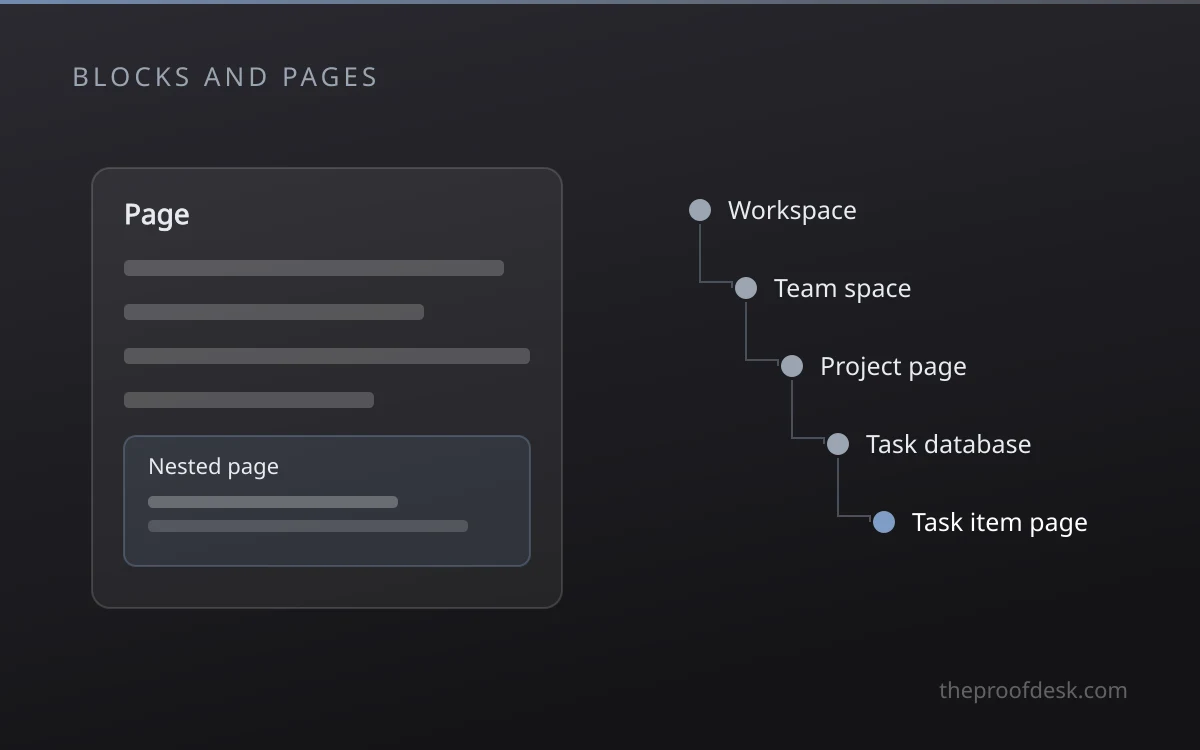
Notion has one structural idea: everything on a page is a block. A paragraph, an image, a toggle and an embedded table are all blocks, and blocks can be dragged, nested and converted into other types. Pages nest inside pages, so a workspace is a tree rather than a set of folders holding files.
- Blocks are the smallest unit and can be converted from one type to another.
- Pages nest without a fixed depth limit, so structure is yours to design.
- A database is a page type, not a separate object living somewhere else.
- Permissions are set per page and inherit down to child pages.
- Guests can be invited to single pages without joining the workspace.
The flexibility has a cost that rarely appears in feature comparisons. A new workspace is close to empty, and nothing enforces a structure across a team. Groups that skip an agreed layout usually end up with duplicate pages and a search box doing the work navigation should have done.
Databases Do the Real Work
A Notion database is an advanced page used to structure information. Every item inside one is itself a full page, so a task row can hold a specification, meeting notes and screenshots underneath the fields you see in the table. Databases can sit inline alongside other content or occupy a page of their own.
- Table for spreadsheet-style review of many fields at once.
- Board for status pipelines grouped by a single property.
- List for a plain index where properties would be noise.
- Timeline for date ranges and sequencing across a quarter.
- Calendar for anything anchored to a single date.
- Gallery for visual items where the cover image is the identifier.
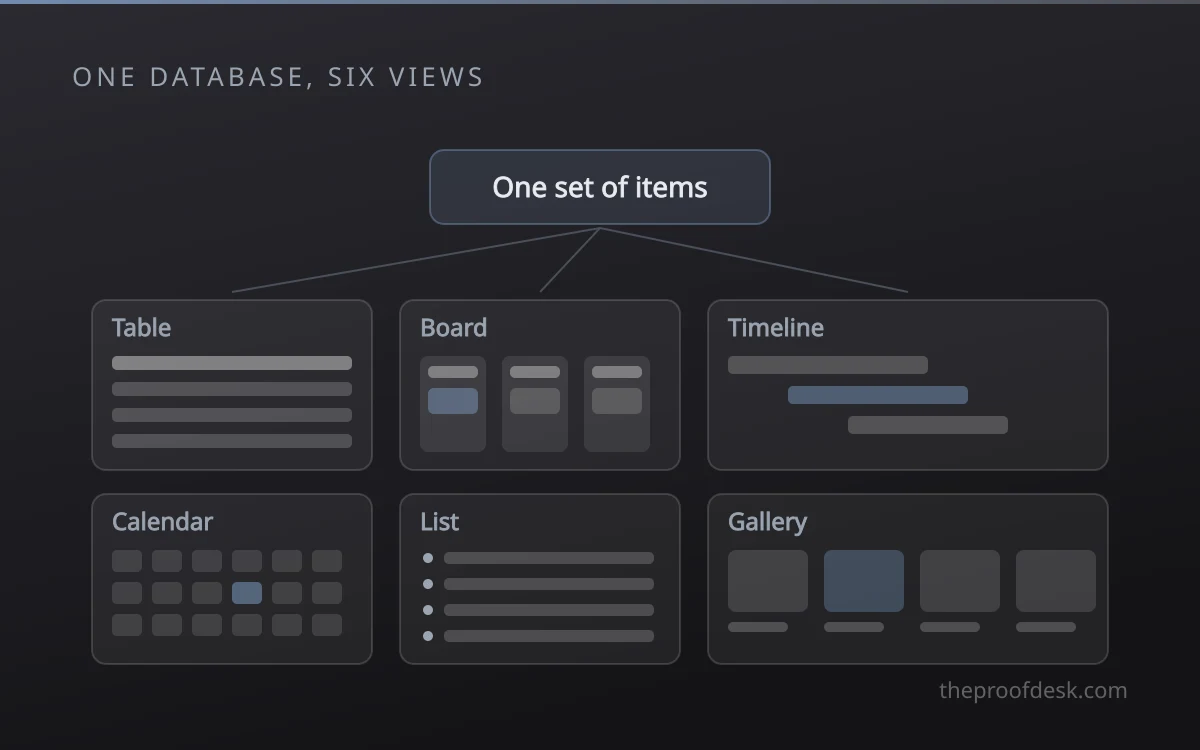
One set of items, many views
Filters and sorts belong to the view, not the data. This is the single most useful habit to learn early: build one database per real subject, then give each team the view that matches how they work instead of copying the data into a second table that will drift out of date.
Properties cover the expected types such as text, numbers, dates and people, and relations connect items across databases. On Business and Enterprise plans, basic AI autofill can extract, categorise and enrich database fields as items arrive, which is the point where a wiki starts behaving like a lightweight internal tool.
Notion AI and Custom Agents
Agents arrived with Notion 3.0 in September 2025, and Custom Agents followed in version 3.3 on 24 February 2026. The model is simple to describe: you give an agent a job in plain language, set a trigger or a schedule, and it runs without being prompted each time. Notion groups the common uses into four patterns.
- Question answering against workspace pages and connected sources.
- Request routing that turns incoming messages into assigned tasks.
- Recurring status work such as daily standups and weekly recaps.
- General workflows described in plain language rather than configured in a builder.
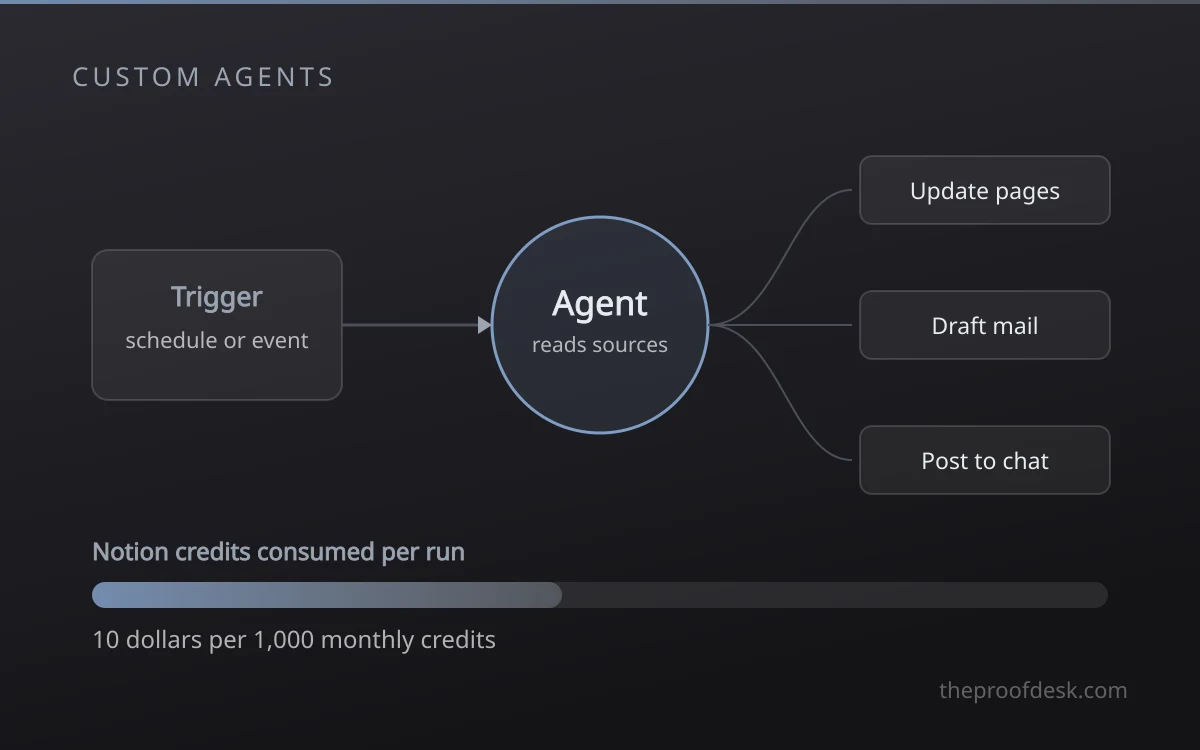
Agents are billed in credits, not seats
Custom Agents were free to try through 3 May 2026. From 4 May they consume Notion credits, sold at 10 dollars per 1,000 monthly credits, with each run costing more or less depending on the task. The 3.4 update on 14 April 2026 cut typical run costs by 35 to 50 percent and added a credits dashboard, so budget by watching real usage for a month rather than by estimating in advance.
Agents also reach outside Notion. Since 17 April 2026 mail and calendar accounts are connected from a dedicated tab in settings rather than through separate apps, and connectors exist for Slack, Salesforce and Box. That widens what an agent can do and equally widens what it can touch, which is a permissions question before it is a productivity one.
Plans, Limits, and Working Offline
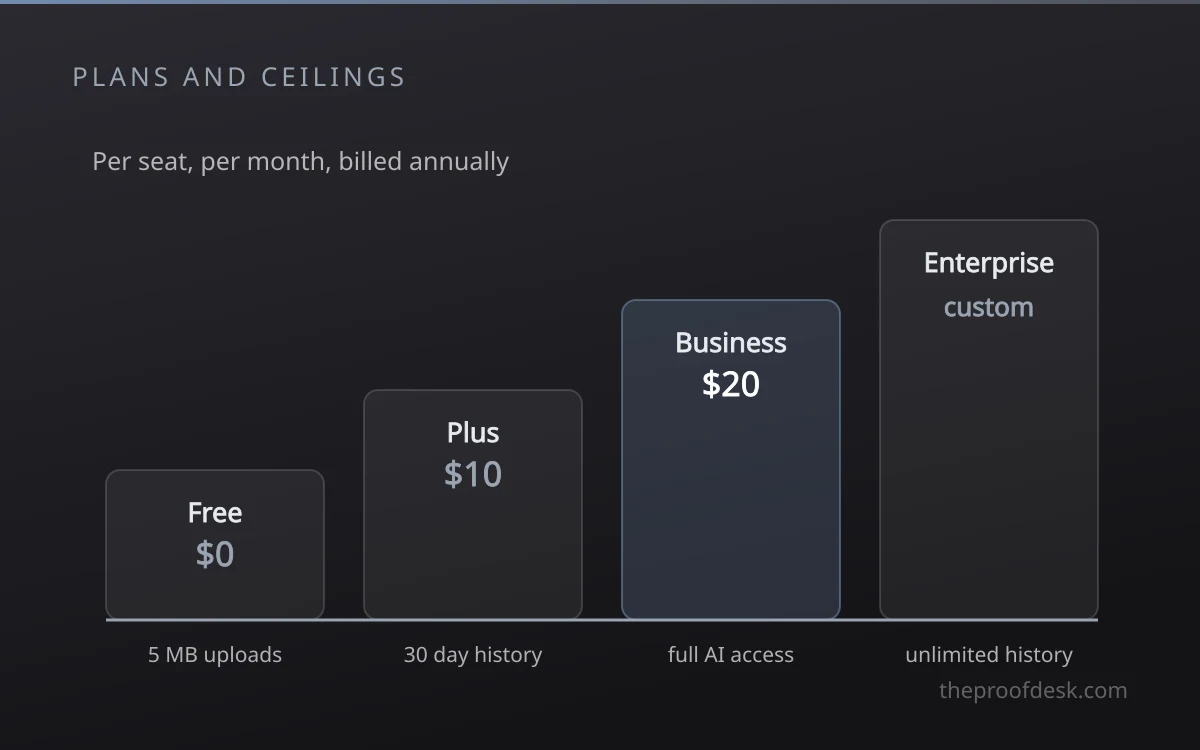
Four plans are published, and the differences that matter are less about headline features than about ceilings you meet during ordinary work.
- Free: unlimited pages for one person, 5 MB file uploads, 7 days of page history, 10 guests, AI as a limited trial.
- Plus: 10 dollars per seat each month billed annually, unlimited uploads and guests, 30 days of history, AI still trial only.
- Business: 20 dollars per seat each month billed annually, 90 days of history, and full AI access including agents, meeting notes and enterprise search.
- Enterprise: custom pricing, unlimited page history, and zero data retention from the underlying model providers.
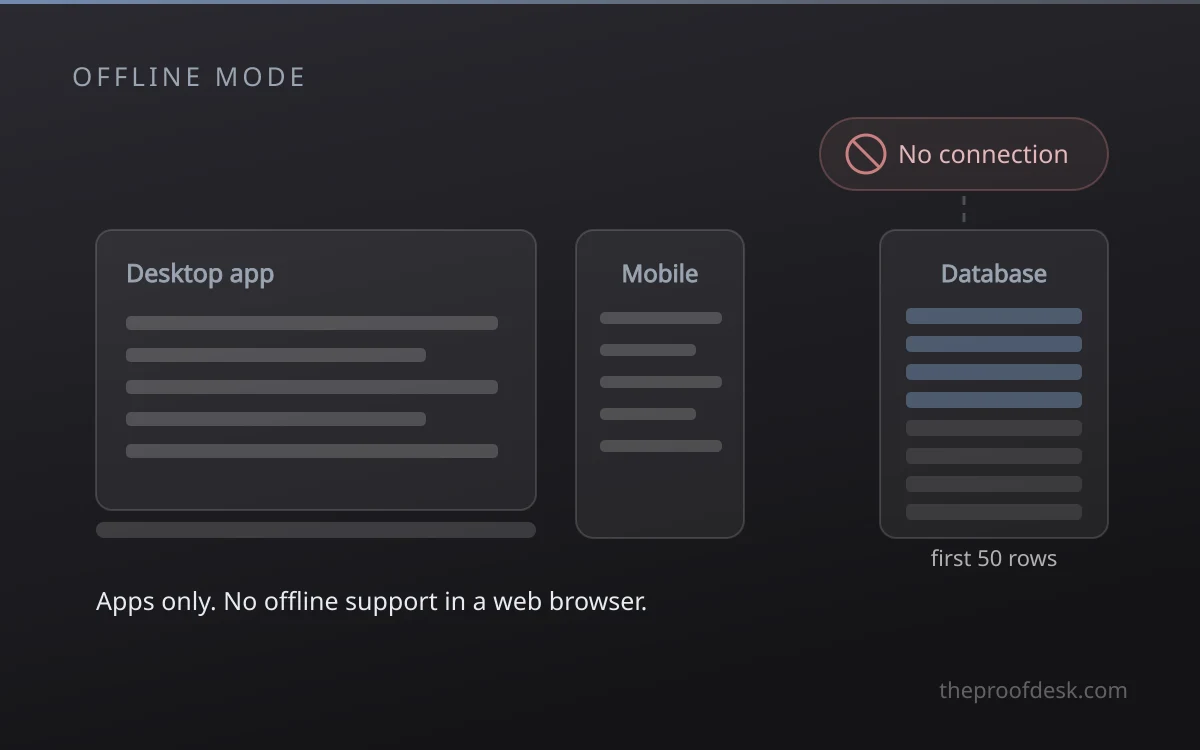
Offline mode shipped in August 2025 and is available to every plan, including Free, but only in the desktop and mobile apps. The browser has no offline support. Pages can be viewed, edited and created without a connection, and paid plans automatically download recent and favourited pages instead of requiring you to mark each one.
- Downloading a database brings the first 50 rows automatically; the rest must be marked individually.
- Embeds, forms and buttons need a live connection and stay unavailable offline.
- Sharing a page or changing its permissions cannot be done while offline.
Frequently asked questions
Is the free plan enough for one person?
For most solo use, yes. A single member gets unlimited pages and blocks, which covers personal notes, planning and small databases. The limits you meet first are the 5 MB cap on file uploads, 7 days of page history and a maximum of 10 guests, so the free plan strains when you attach large files or collaborate regularly.
Does Notion work offline?
Yes, in the desktop and mobile apps only. There is no offline support in a web browser. You can read, edit and create pages without a connection, but a downloaded database only brings its first 50 rows automatically, embeds and buttons stop working, and you cannot share a page or change permissions until you reconnect.
Can I get my content out if I leave?
Yes. Individual pages export as PDF, HTML, or Markdown with CSV for databases, and a whole workspace exports as HTML, Markdown or CSV on every plan. Two details catch people out: including subpages in an export requires Business or Enterprise, and a large workspace export can take up to 30 hours to process, with the download link expiring after 7 days.
How much do Custom Agents actually cost?
They run on Notion credits at 10 dollars per 1,000 monthly credits, on top of your seat price. The free trial period ended on 3 May 2026. Cost per run depends on the task and the model, and the April 2026 update made runs 35 to 50 percent cheaper, so the only reliable estimate comes from the credits dashboard after a few weeks of real use.
Do I need the Business plan just to use AI?
For full AI access, yes. Free and Plus include only a limited AI trial, while agents, AI meeting notes and enterprise search sit on Business and Enterprise. If one person on a small team wants AI, you are pricing the upgrade for every seat in the workspace, which is the calculation worth doing before committing.
Is Notion secure enough for company data?
It meets the usual enterprise baselines: SOC 2 Type 2, ISO 27001, 27701, 27017 and 27018, BSI C5, and HIPAA availability for enterprise customers, and Notion states that its AI subprocessors are prohibited from training models on customer data. There is no end-to-end encryption, so Notion can technically access content. In practice most incidents come from pages shared publicly by mistake rather than from the platform itself.
Is there a discount for students?
Yes. Notion offers the Plus plan free to students and educators, limited to one member. That removes the upload and history limits for personal study use, but it does not include the AI features that require Business.
Key takeaways
- Notion is a block and page model, so the structure your team agrees on matters more than any single feature.
- Build one database per subject and give each team a filtered view rather than a copied table.
- Custom Agents are billed in Notion credits at 10 dollars per 1,000, separate from the per-seat price.
- Full AI access starts at the Business plan, and it is priced across every seat in the workspace.
- Offline mode is a cache for the desktop and mobile apps, not a backup and not a full local copy.
More in Services & Software
Browse Services & Software