OneNote Review 2026: Is Free OneNote Still Enough, and What Does Copilot Add?
Our 2026 OneNote review: what the free app gives you, the 5 GB storage cap, Microsoft 365 prices from $19.99 a year, Copilot and Notebooks, and the export catches.
OneNote has been Microsoft's free notebook app for years, and in 2026 it is both simpler and smarter. Simpler, because there is one Windows app again: OneNote for Windows 10 went read-only on October 14, 2025. Smarter, because Copilot and Copilot Notebooks now come with the Microsoft 365 Personal, Family, Premium and Pro subscriptions.
The app itself still costs nothing. What you pay for is storage and AI. This review covers what free OneNote really gives you, what the $19.99, $99.99 and $129.99 a year plans add, and the export limits worth knowing before you put years of notes into it. All prices are US list prices from microsoft.com, checked on September 28, 2026.
Verdict: free OneNote is still enough for most people
For typed notes, web clippings, checklists and handwriting, free OneNote remains one of the most generous note apps available. Microsoft advertises unlimited note creation and free offline access, and the app runs on Windows, Mac, iOS, Android and the web.
The real limit is storage. Every Microsoft account gets 5 GB of cloud storage, shared across OneDrive files and photos, Outlook.com attachments and your Microsoft 365 apps. Notebooks full of images, PDFs and audio can fill that, and once you are over it Microsoft says you won't be able to upload, edit or sync new files to OneDrive.
What we like
- The app is free, with unlimited notes and offline access
- Freeform pages: type, draw, clip and drop files anywhere on the page
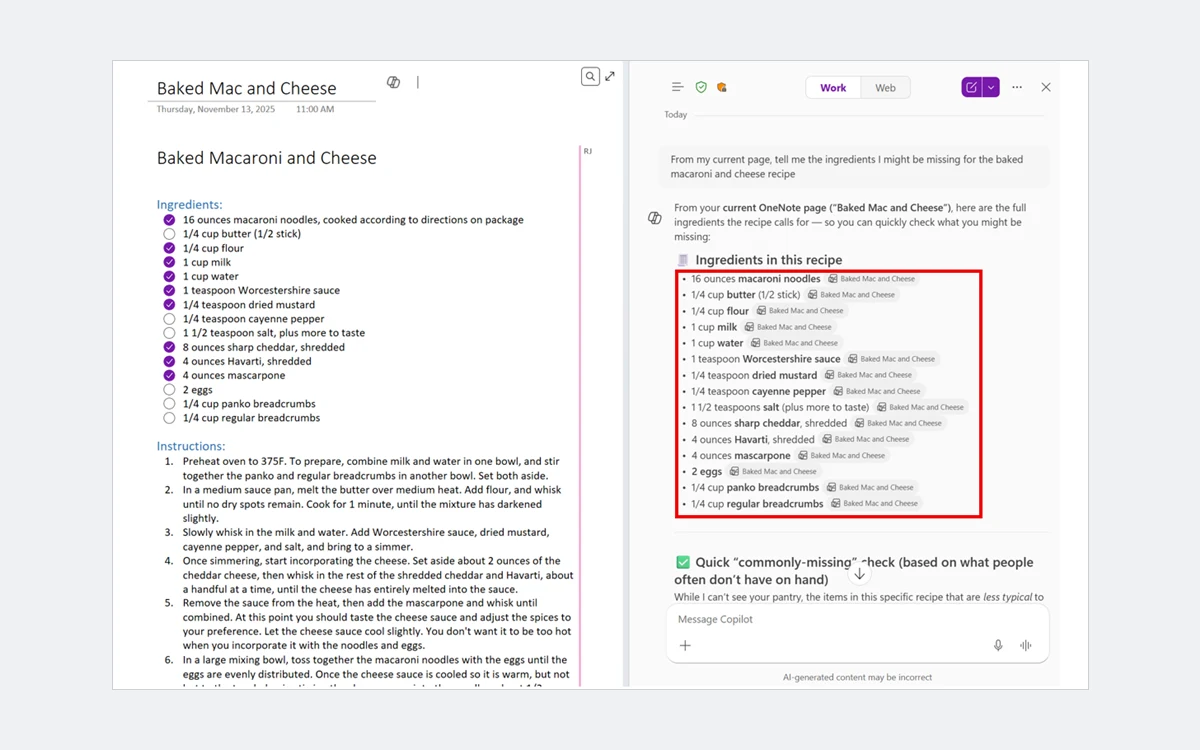
- Copilot now reads note tags, images, tables and ink, not just typed text
- One Windows app again, with a Vertical Tabs layout that matches Mac, iPad and the web
What we don't
- The free 5 GB is shared with OneDrive and Outlook.com attachments
- On consumer plans, Copilot in OneNote is documented for Windows first
- Full-notebook export works only from OneNote for the web, and only for personal OneDrive
- OneNote for the web cannot print, zoom, play audio or video, or search beyond the current section
What changed in OneNote since 2025
One Windows app again
On October 14, 2025, OneNote for Windows 10 reached end of support and switched to read-only mode. You can still open, view and export existing notes in it, but you can no longer create, edit or sync content. Microsoft says unsynced changes are backed up and can be reached from OneNote on Windows.
Microsoft's reason was to consolidate its effort into "a single, more powerful OneNote on Windows app". That app, the former OneNote 2016 desktop program, is free to anyone with a work, school or personal Microsoft account.
Still on the old app?
Right-click each notebook and choose Sync This Notebook, then use the Move to the newest version of OneNote banner or the Switch now button. If anything seems missing afterwards, look under File > Open Backups in OneNote on Windows.
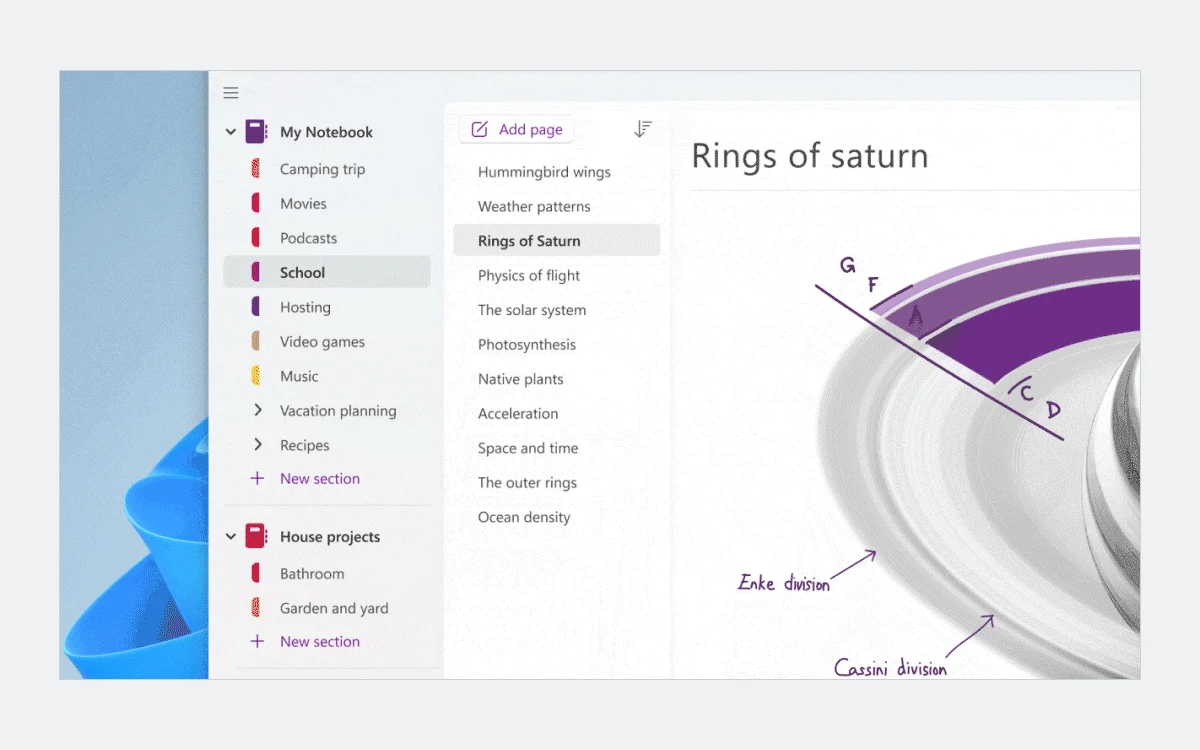
OneNote on Windows also looks more like its siblings now. View > Tabs Layout > Vertical Tabs puts notebooks and pages on the left, as in OneNote for the web, Mac and iPad, while Horizontal Tabs keeps the classic section tabs across the top. Smaller fixes followed: the Ctrl + E search dropdown was moved so it no longer covers the page, and since May 2026 OneNote for Windows (version 2603 or later) and Mac (16.110 or later) let you choose whether Word, Excel, PowerPoint and OneNote links open in the browser, the default, or in the desktop app. On Windows the setting is File > Options > Advanced > Link open preference.
AI is now part of the subscription
In January 2025 Microsoft added Copilot to Microsoft 365 Personal and Family and raised their US prices by $3 a month, the first increase since the plans launched. Existing subscribers paid the new price from their next renewal, and some annual renewals ran into January 2026. Subscribers who did not want AI could move to Basic or, for a limited time, to new Personal Classic and Family Classic plans. The Classic plans still appear in Microsoft's subscription switch table, but Microsoft does not state their price there, so we don't quote one.
OneNote pricing in 2026: free vs Microsoft 365
OneNote has no plan of its own. You pay for Microsoft 365, which raises your storage and, on most tiers, adds Copilot. US list prices:
- Free: $0. The OneNote app and 5 GB of Microsoft cloud storage shared with OneDrive and Outlook.com attachments, plus 15 GB of separate Outlook.com mailbox storage. No Copilot.
- Microsoft 365 Basic: $19.99 a year or $1.99 a month. 100 GB of cloud storage. No Copilot or AI credits.
- Microsoft 365 Personal: $99.99 a year or $9.99 a month. 1 TB of storage and the Word, Excel, PowerPoint, Outlook and OneNote desktop apps with Copilot.
- Microsoft 365 Family: $129.99 a year or $12.99 a month. For 1 to 6 people with 1 TB each, up to 6 TB in total. AI features are for the subscription owner only.
- Microsoft 365 Premium: $199.99 a year or $19.99 a month. Everything in Family plus advanced Copilot chat with extensive usage.
- Microsoft 365 Pro: listed by Microsoft as a plan that includes Copilot, but no price was shown on the pages we checked.
Microsoft says paying yearly saves up to 17%. Personal, Family and Premium each offer a one-month free trial, and the subscription renews automatically at the regular price unless you cancel it in your Microsoft account.
Which plan for OneNote?
If you only need more room for notes, Basic at $19.99 a year is the cheap fix: 100 GB and no AI. Choose Personal or Family only if you will also use Copilot or the desktop Office apps. Premium makes sense only for heavy Copilot users.
A note on the free desktop apps
Microsoft describes OneNote as free on Windows, Mac, iOS, Android and the web, but its own Microsoft 365 Basic comparison table lists free OneNote use on web, iOS and Android only. The table does not spell out what free users can do in the desktop apps, so check on your own machine before you rely on it.
Copilot in OneNote and Copilot Notebooks
Microsoft lists what Copilot in OneNote does: generating summaries, creating task lists, analyzing your ideas, rewriting notes for clarity, and drafting new content such as event plans, presentation outlines and meeting agendas with action items. Its FAQ adds examples like summarizing notes into bullet points, building a to-do list from the calls to action already on a page, and organizing the pages within a section.
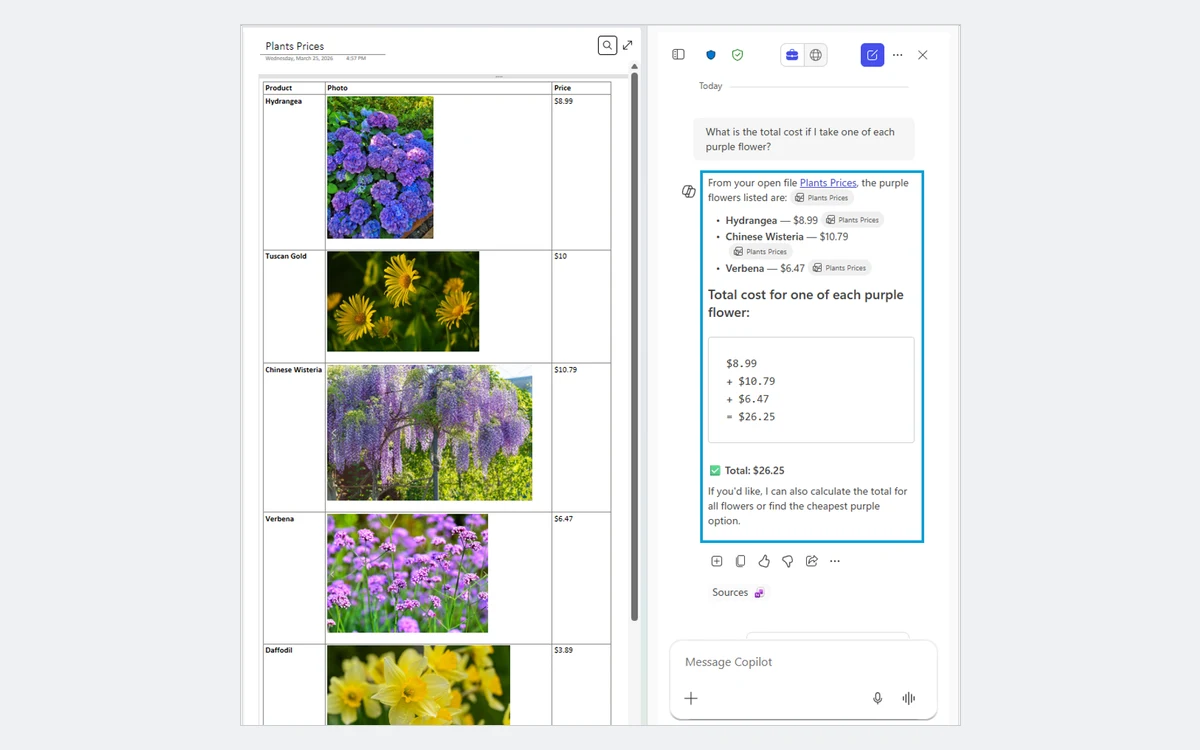
On April 29, 2026, Microsoft said Copilot in OneNote can now better understand notes beyond typed text, including note tags, images and tables. An earlier update added support for inked notes. That matters in OneNote more than in most apps, because so many OneNote pages mix handwriting, screenshots and tables.
Where it works
The platform picture is uneven. Microsoft's Copilot in OneNote page says that with an eligible Microsoft 365 subscription, Copilot is available in OneNote for Windows only, while work licenses get it on Windows, Mac, iPad and the web. A newer FAQ from May 2026 lists Windows, Mac and iPad, with the web rolling out, but does not separate consumer and work plans. Plan on Windows first, with other platforms arriving. On Family, only the subscription owner gets the AI features.
AI credits
Consumer Copilot is metered in AI credits, shared across Word, Excel, PowerPoint, Outlook, Forms, OneNote, Designer, Notepad, Photos and Paint. Microsoft's example is that asking Copilot to "summarize my inbox" deducts one credit. Personal and Family get extensive use for chat, deep reasoning and Pages, and standard usage for Audio Overview, voice, vision and image generation. Researcher and Analyst are not available. Microsoft's credits page does not give a monthly credit number, so we don't print one.
Copilot Notebooks
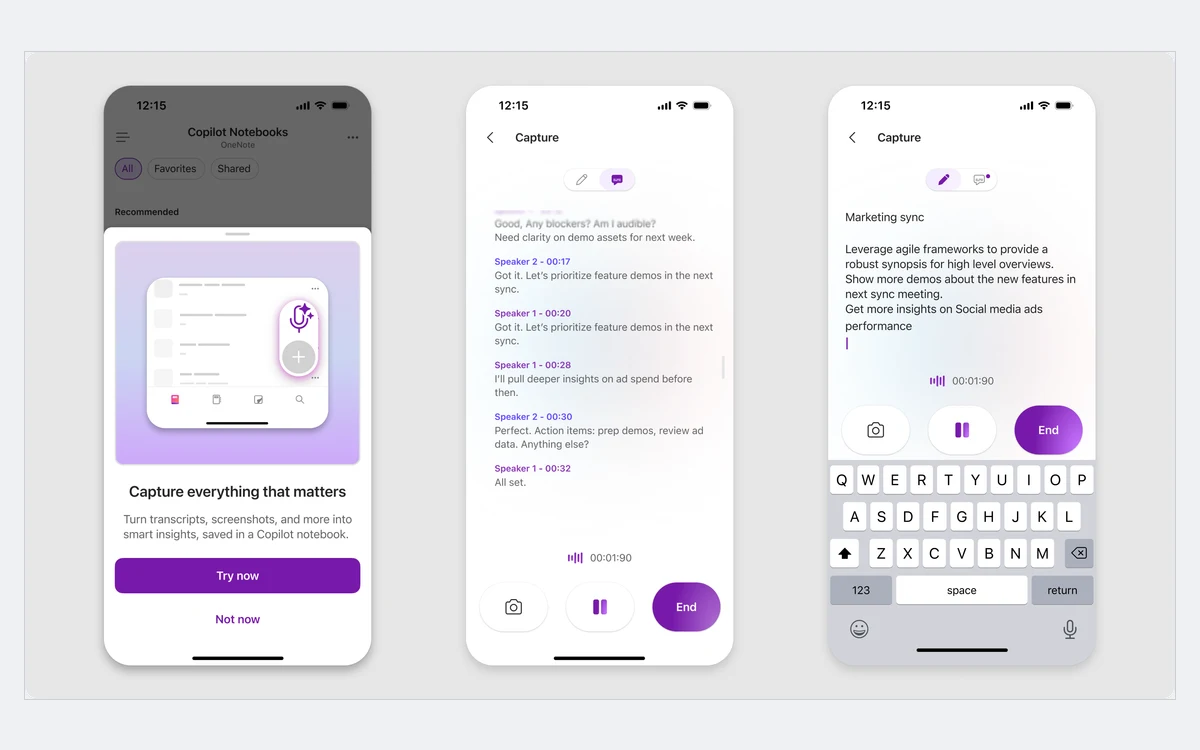
Copilot Notebooks is Microsoft's AI-powered notebook built into OneNote. It brings Copilot chats, Word documents, PowerPoint decks, Excel files and more into one space, then answers questions grounded in that material and produces summaries, action items, drafts and audio overviews. It is available to Microsoft 365 Personal, Family, Premium and Pro subscribers, and the account needs a OneDrive or SharePoint license.
Day to day: the apps and the web version's limits
OneNote organizes notes as notebooks, sections and pages, and every page is a freeform canvas. You can type anywhere, draw, paste images, tag lines as to-dos and drop in files. Notebooks sync through OneDrive, which is why OneDrive storage is the number to watch.
OneNote for the web is the weakest version
Microsoft's own comparison lists what the browser version cannot do:
- Open notebooks in other formats, such as OneNote 2003 or 2007 .one files, .onepkg packages or PDF
- Play audio and video content
- Search beyond the current section
- Zoom
Use the Windows, Mac or mobile apps for daily work and keep the web version for quick access, and for export, which only it can do.
Moving from Evernote
Microsoft still publishes a guide for Evernote users, but the Evernote to OneNote Importer was retired in September 2022. Expect to move notes by hand or through third-party tools rather than with a one-click import.
Passwords, export and lock-in
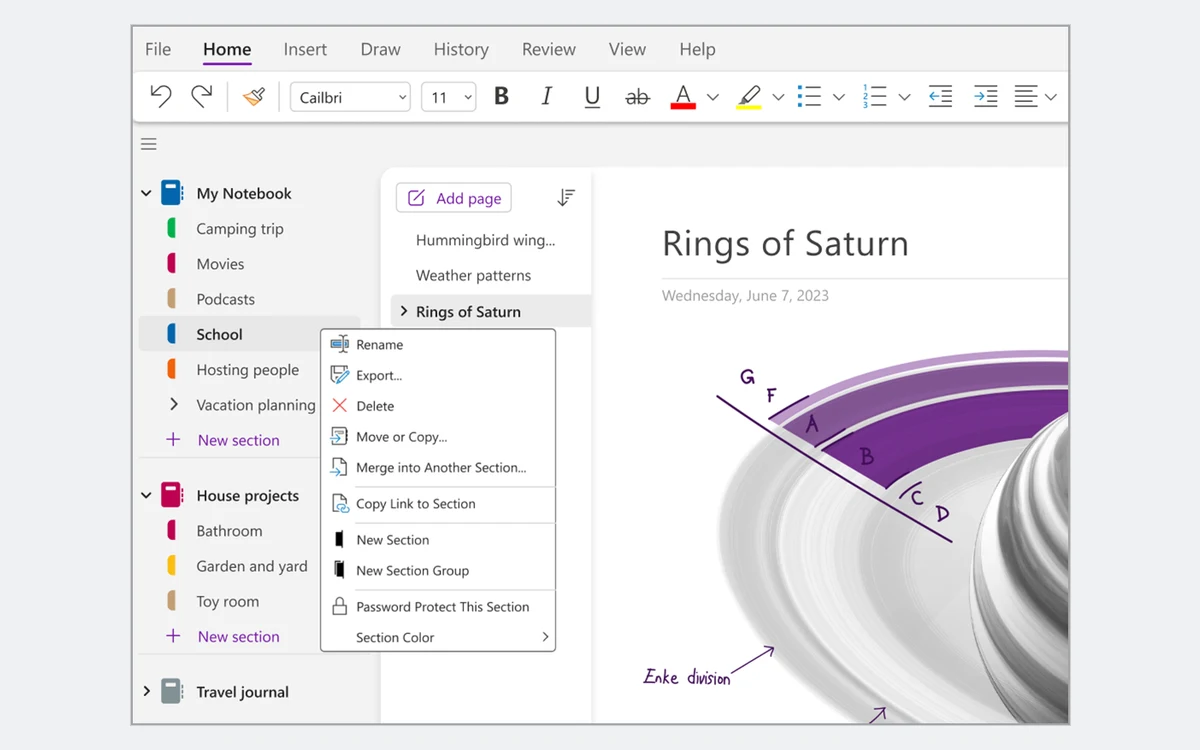
Section passwords
You can password-protect individual sections, but Microsoft lists three catches. Audio and video recordings are stored as separate files and cannot be password-protected. If you forget the password, the notes are gone for good: not even Microsoft support can unlock them. And password-protected sections are left out of notebook searches.
Getting your notes out
This is OneNote's weakest point. Exporting a whole notebook can only be done from OneNote for the web, and only for notebooks stored on a personal OneDrive account. It does not work for work or school OneDrive or SharePoint. Opening the downloaded file is supported only in OneNote for Windows, not on iOS, and Microsoft describes notebook import as deprecated.
PDF export is documented only for the Windows desktop versions: OneNote for Microsoft 365, OneNote 2024, 2021 and 2016. Mac and the web are not listed.
Before you commit years of notes
If leaving later matters to you, keep notebooks on a personal OneDrive account and export them from OneNote for the web now and then. The export is a OneNote file, so treat it as a backup, not as a way into another app.
Who should use OneNote
- Windows users who want a free, freeform notebook for typing, handwriting and clippings
- Microsoft 365 Personal or Family subscribers, who already get Copilot in OneNote at no extra cost
- Anyone who mostly needs more storage, for whom Basic at $19.99 a year is enough
Look elsewhere if you want plain Markdown files you fully own, structured databases, or a clean way to export everything. Obsidian, Notion and Evernote each suit those needs better, and we review all three.
Frequently asked questions
Is OneNote free in 2026?
Yes. The app is free, with unlimited notes and offline access. The limit is the 5 GB of Microsoft cloud storage shared with OneDrive and Outlook.com attachments. Microsoft's Basic plan table lists free OneNote use on web, iOS and Android, so check the desktop app on your own machine.
How much does OneNote cost with Microsoft 365?
OneNote has no standalone price. In the US, Microsoft 365 Basic costs $19.99 a year, Personal $99.99, Family $129.99 and Premium $199.99. Monthly billing is $1.99, $9.99, $12.99 and $19.99.
Can I use Copilot in OneNote for free?
No. Copilot needs Microsoft 365 Personal, Family, Premium or Pro; Basic and free accounts don't include it. On consumer plans it is documented for OneNote on Windows first, and on Family only the subscription owner gets it.
What happened to OneNote for Windows 10?
It became read-only on October 14, 2025. You can still view and export notes, but not edit or sync them. Move to OneNote on Windows, which is free, after syncing each notebook.
Can I export my OneNote notebooks?
Yes, with limits. Whole-notebook export works only in OneNote for the web and only for personal OneDrive notebooks, and the file opens only in OneNote for Windows. PDF export is documented for the Windows desktop app.
What happens if I go over 5 GB of free storage?
You won't be able to upload, edit or sync new files to OneDrive until you free up space or upgrade. If you later cancel Basic or Personal, storage drops back to 5 GB.
Is there a free trial, and can I get a refund?
Yes. Personal, Family and Premium offer one month free, then renew at the regular price unless cancelled. Microsoft generally refunds within 30 days of your first purchase or before the first recurring charge, whichever is sooner, and refunds your most recent renewal if you cancel within 30 days of paying, once per account per product. Prepaid retail codes are excluded, and App Store or Google Play purchases are refunded by Apple or Google.
Key takeaways
- OneNote is free with unlimited notes; the real cap is 5 GB of shared Microsoft storage.
- Microsoft 365 Basic at $19.99 a year is the cheapest fix for storage and includes no AI.
- Copilot and Copilot Notebooks come with Personal ($99.99), Family ($129.99), Premium ($199.99) and Pro, with Windows first on consumer plans.
- OneNote for Windows 10 has been read-only since October 14, 2025; OneNote on Windows is the app to use.
- Export is the catch: whole notebooks export only from the web version, only from personal OneDrive, and only reopen in OneNote for Windows.
More in Services & Software
Browse Services & Software