OpusClip (Opus.pro) Review: Pricing, Credits, and Where It Falls Short
A hands-on buyer's guide to OpusClip (opus.pro): what the Free, Starter, Pro, and Enterprise tiers actually include, how the credit system works, and the real complaints behind its 4.0/5 rating.

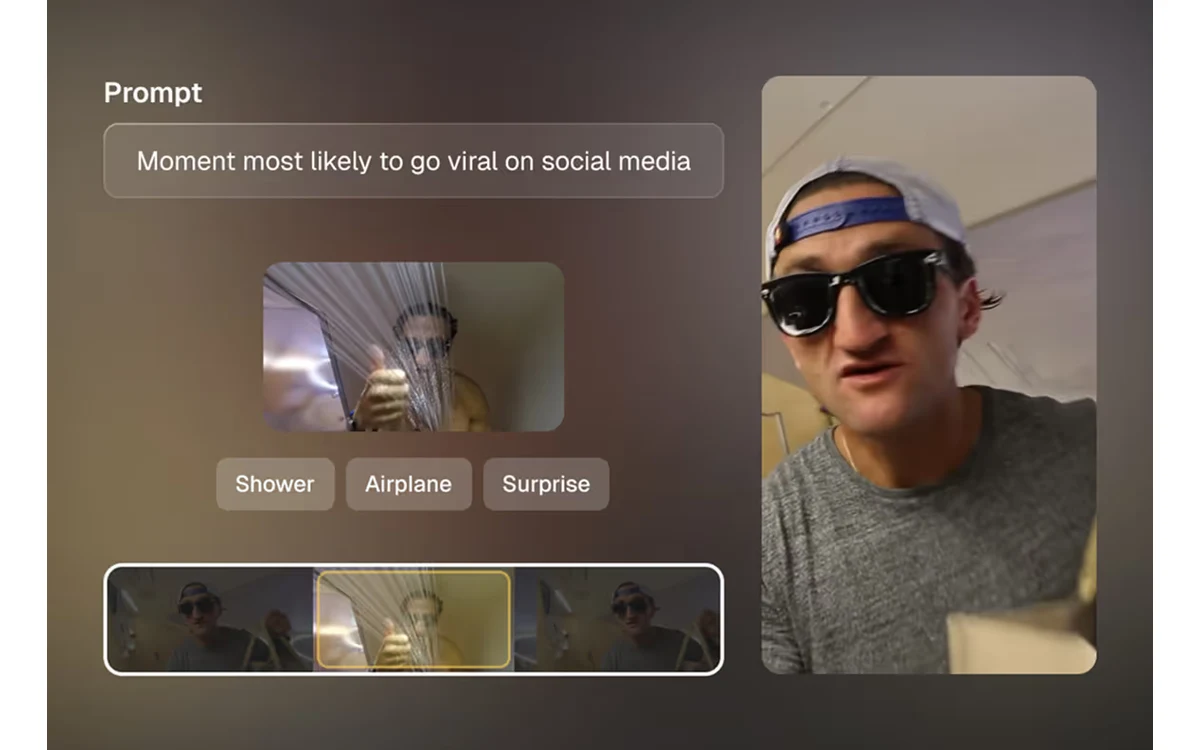
OpusClip, hosted at opus.pro, is one of the most talked-about AI tools for turning a long podcast, stream, or webinar into a stack of short vertical clips ready for TikTok, YouTube Shorts, and Reels. It scores each clip for predicted virality, adds captions, and can publish straight to six platforms. The company says more than 16 million creators and businesses use it.
The pitch is easy to like. The pricing, credit rules, and a handful of consistent user complaints are where a buying decision actually gets made. This review breaks down what each tier includes, how the credit system really works, and the specific places OpusClip frustrates paying users despite its solid aggregate scores.
What OpusClip actually does
OpusClip ingests long-form video and automatically cuts it into multiple short, captioned clips in vertical (9:16), square (1:1), or horizontal (16:9) formats. Its models detect spoken words, and on higher tiers visual objects, sound, emotion, and genre, to find the moments most likely to perform.
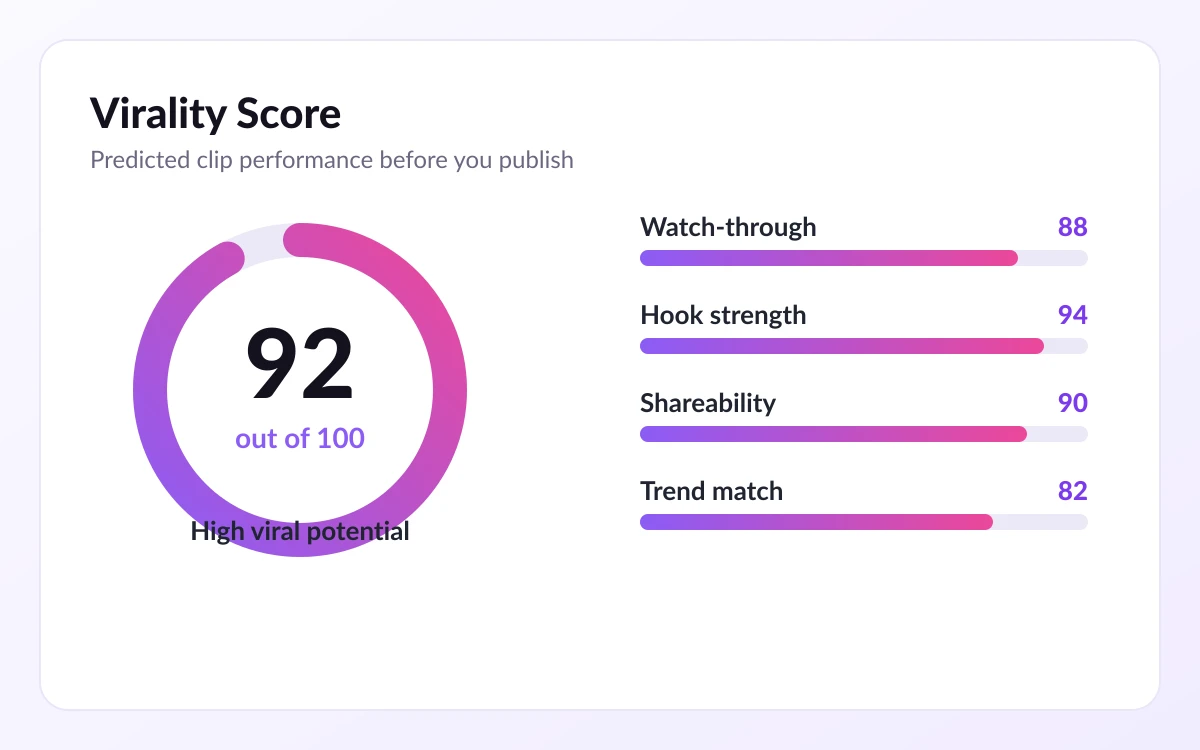
Each generated clip gets a 'Virality Score', a prediction of how well it will do. Independent reviewers describe that score as genuinely useful rather than a gimmick, and call moment detection particularly strong on podcast content. Captions are reported around 95% accurate on clean audio across 25+ languages, and OpusClip itself claims 97% automatic caption accuracy.
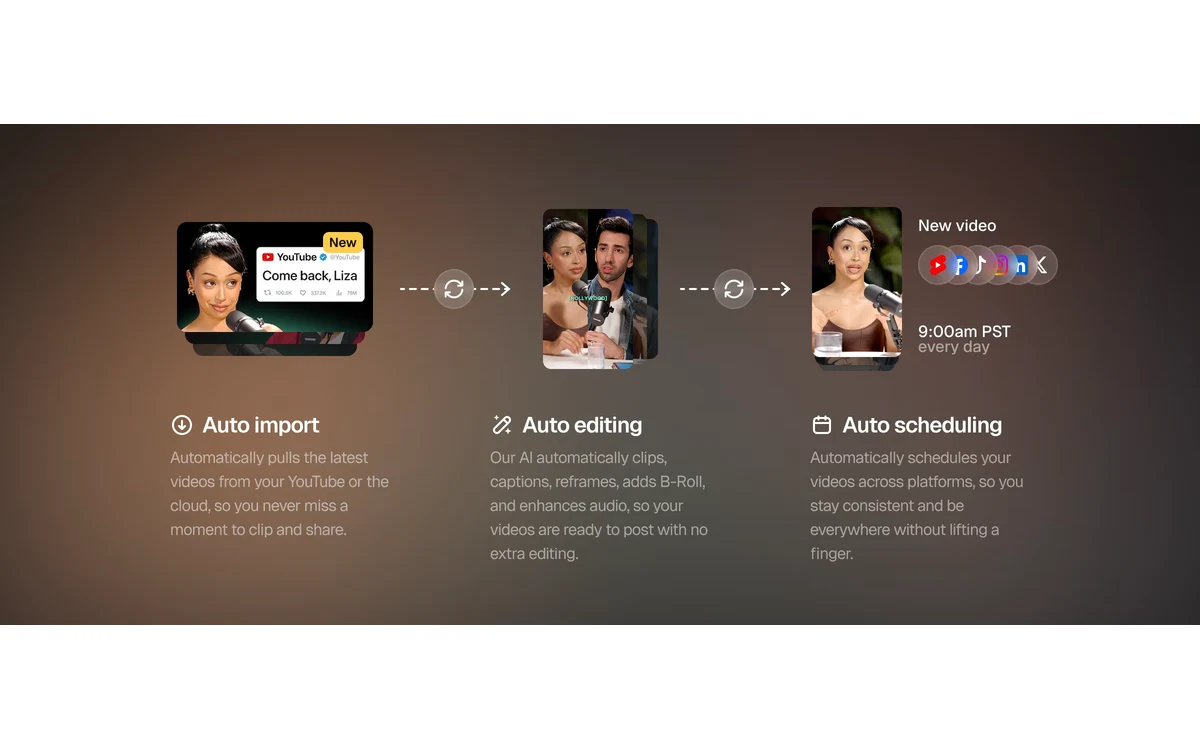
Finished clips can be scheduled and published directly to YouTube Shorts, TikTok, Instagram, LinkedIn, Facebook, and X. Note that opus.pro and 'OpusClip' are the same product; the brand rebranded from 'Opus Clip', so you will see both names in the wild.
Pricing tiers at a glance
OpusClip runs four tiers: a free plan, Starter, Pro, and a Business/Enterprise level with custom pricing. The monthly figures below come from the official pricing page and are the reliable numbers to plan around.
Free — $0/month
- Basic AI clipping on spoken words only
- Storage expires after 3 days
- Limited to 1 template
- Watermark on animated captions
- Export up to 1080p MP4
Starter — $15/month
- Enhanced AI clipping (visual objects, sound, emotion, genre detection)
- Virality Score included
- 3 AI B-Roll clips/month plus 3 stock B-Roll clips/month
- 20 AI voiceovers per day
- Storage expires after 29 days
- Watermark-free export, but no team workspace
Pro — $29/month
- Full AI clipping suite and all three aspect ratios
- 100GB fixed storage
- 50 AI B-Roll clips/day plus unlimited stock B-Roll, and AI video B-Roll via 'Agent Opus'
- 10x speech enhancement per day
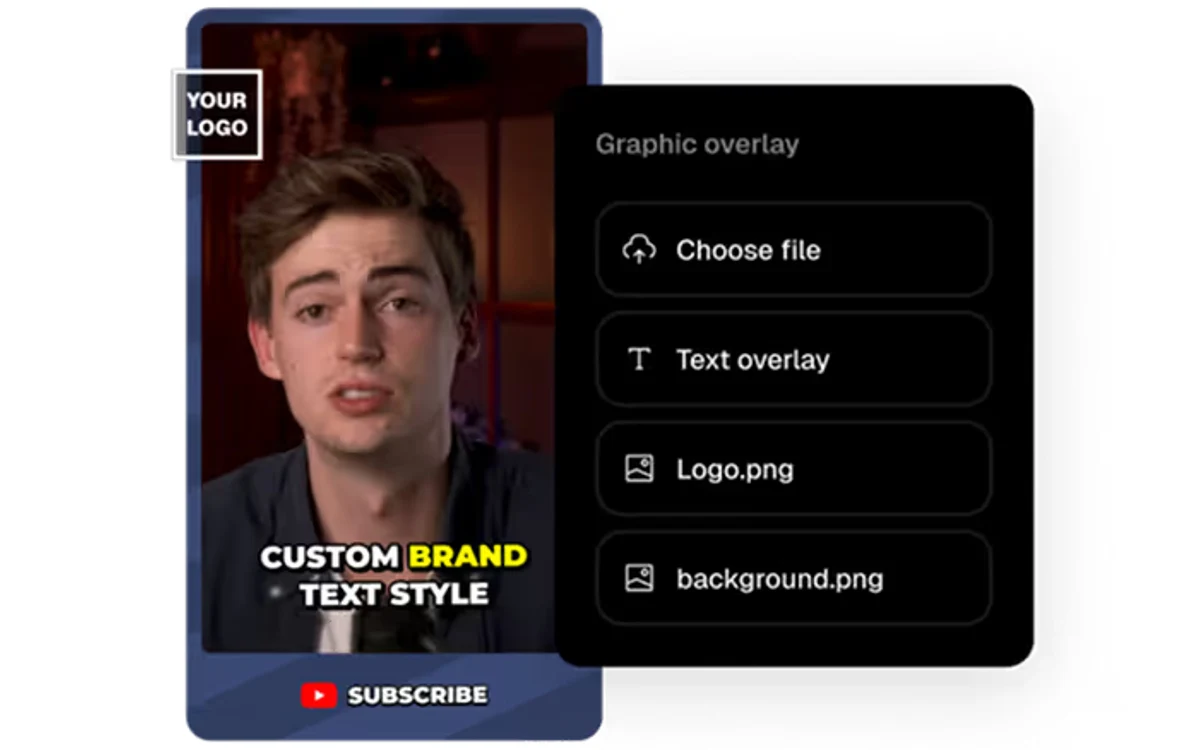
- Up to 4 brand templates and unlimited MP4 exports
- Team workspace (2 seats per pack, up to 4), Video Editing API + Scheduler API, and a social scheduler for 6 platforms
Business / Enterprise — custom pricing
- Dedicated enterprise processing queue
- Unlimited seats and storage, custom brand templates
- Priority support with a dedicated Slack channel, SSO, and CMS integration
- All APIs included and real-time trend analysis
Free trial
Both the Starter and Pro plans offer a free trial with no credit card required, so you can test the clipping quality on your own footage before paying.
How the credit system works
Beyond the monthly price, OpusClip meters usage in processing credits, and this is where the fine print matters. The general rule reported by third-party trackers is simple: one credit equals one minute of uploaded source video. Upload a 60-minute podcast and you spend roughly 60 credits, regardless of how many clips come out.
Those same trackers list the Pro plan at $29/month or $174/year with about 3,600 annual credits and around 300 processing minutes per month, plus a 7-day free trial that grants roughly 90 minutes of processing (about 30 downloadable clips) for new users. Unused monthly credits are reported to expire after 60 days.
Treat credit counts as approximate
The official pricing page did not show explicit credit counts at the time of writing, and exact allotments and promotions change. Use the $15 and $29 monthly prices as the firm figures; treat the 3,600-credit / 300-minute numbers as a useful estimate from third-party sources, not an officially confirmed guarantee.
What reviewers praise
OpusClip's aggregate scores are genuinely good. On Trustpilot it holds a 4.0/5 rating across 496 reviews, with 63% five-star and 9% four-star. On G2 it sits around 4.1/5 across 600+ reviews.
The recurring positives are consistent: an intuitive interface, efficient long-to-short repurposing that saves hours of manual editing, a responsive and helpful support team, and good value for money at the entry price. OpusClip also points to case studies showing 40-266% increases in watch time and up to 2x view improvements for some creators.
- Fast, hands-off repurposing of long video into many clips
- Virality Score that reviewers find actually predictive
- Strong moment detection, especially on podcasts
- High caption accuracy across many languages
Where it falls short
The same review pools carry specific, repeated complaints, and they are worth knowing before you subscribe. On Trustpilot, roughly 20% of ratings are one-star, and about 20% of the negative reviews cite technical issues: upload failures, glitches, and processing slowdowns. Another ~15% cite inconsistent support response times.
Editing is locked behind Pro
On the Starter tier you can download AI-produced clips, but you cannot edit them. The clip editor, AI hook customization, and B-Roll insertion sit behind the Pro plan. If you expect to fine-tune clips rather than ship them as-is, Starter is effectively a preview and Pro is the real product.
Processing can hang
Multiple third-party 2026 reviews describe videos hanging for hours or never finishing processing, paired with slow support responses. This lines up with the technical-issue theme in the Trustpilot data and is the single most common serious complaint.
Cancellation friction and credit expiry
Several reviewers describe an intentionally overcomplicated cancellation flow that requires stepping through multiple screens before the cancel button activates. Others flag the unused-credit expiration policy and disputed charges. Minor gripes include manual-editing UI gaps and occasional caption spelling errors.
Who should buy it
OpusClip is a strong fit for podcasters, streamers, and creators who publish long-form video regularly and want a fast, automated way to feed short-form channels. The Virality Score and moment detection do real work, and at $15-$29/month the value is reasonable for anyone shipping clips weekly.

Budget for Pro if editing matters. The Starter tier's inability to edit downloaded clips is the deciding factor for most serious users, so the honest price of the product is closer to $29/month than $15. If your pipeline is high-volume and support latency would hurt, test the free trial hard on your own footage first, and confirm current credit allotments before committing to an annual plan.
Frequently asked questions
How much does OpusClip cost?
OpusClip has a free plan at $0, a Starter plan at $15/month, and a Pro plan at $29/month, plus a custom-priced Business/Enterprise tier. Third-party trackers also list Pro at $174/year.
Is the free plan usable?
It works for testing, but it is limited. The free plan clips on spoken words only, keeps storage for just 3 days, restricts you to one template, and stamps a watermark on animated captions. Exports go up to 1080p MP4.
What is the difference between Starter and Pro?
The biggest difference is editing. Starter ($15/month) lets you download AI-generated clips but not edit them; the clip editor, AI hook customization, and B-Roll insertion are locked to Pro. Pro ($29/month) also adds 100GB storage, all three aspect ratios, team workspace, and API access.
How do OpusClip credits work?
Credits meter your source footage: roughly one credit per minute of uploaded video. Third-party sources report the Pro plan at about 3,600 annual credits and around 300 processing minutes per month, with unused monthly credits expiring after 60 days. Treat those counts as approximate since official figures and promotions change.
Is there a free trial and is a credit card required?
Yes. Both the Starter and Pro plans offer a free trial with no credit card required. New Pro trials are reported to include about 90 minutes of processing, enough for roughly 30 downloadable clips.
Is OpusClip hard to cancel?
Several reviewers say yes. Multiple 2026 reviews describe a cancellation flow that requires clicking through several steps before the cancel button becomes active, so leave time for it rather than expecting a one-click exit.
Key takeaways
- OpusClip (opus.pro) turns long video into scored, captioned short clips and publishes to six platforms; official pricing is Free, $15 Starter, $29 Pro, and custom Enterprise.
- Credits meter source footage at about one minute per credit; treat the ~3,600 annual credits / 300 minutes-per-month figures as third-party estimates, not official guarantees.
- Editing is locked behind Pro, so the real price for most serious creators is $29/month, not $15.
- It rates 4.0/5 on Trustpilot and ~4.1/5 on G2, but processing failures, slow support, and a deliberately awkward cancellation flow are the consistent complaints.
- Use the no-card free trial on your own footage and confirm current credit allotments before committing to an annual plan.
More in Services & Software
Browse Services & Software