Simplenote Review 2026: Free Forever, but Is Maintenance Mode Safe for Your Notes?
Simplenote is still free with no note limit, but Automattic says it is no longer in active development. We review sync, Markdown, security and the 2026 MCP server.
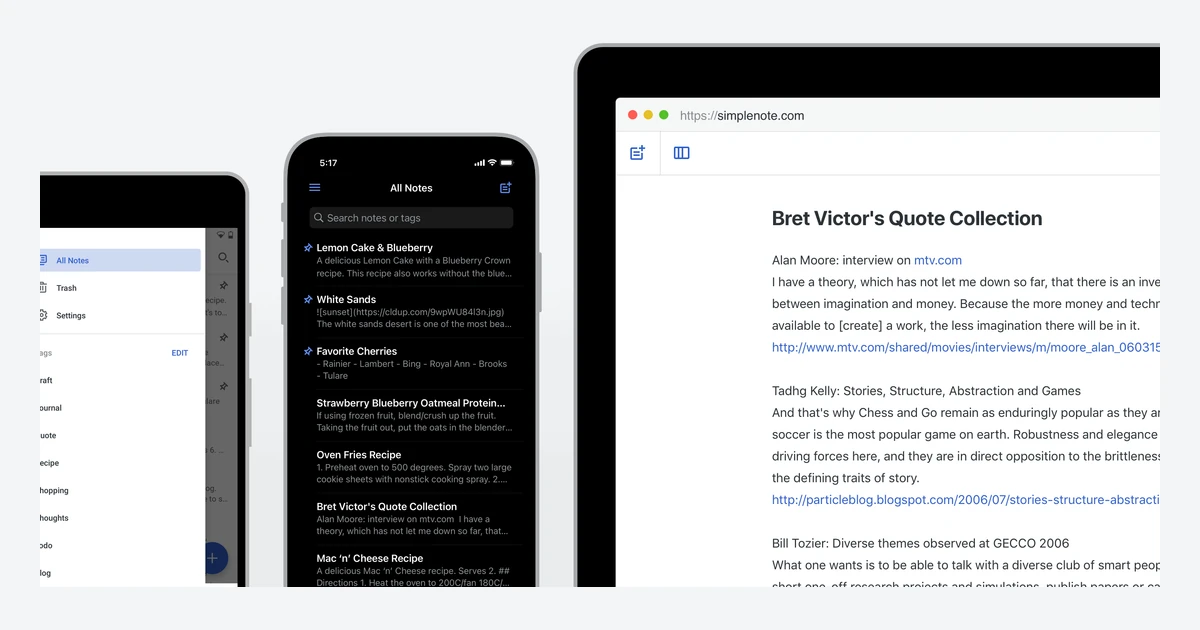
Simplenote is the note app people recommend when someone asks for "just a place to type." It opens fast, syncs everywhere, costs nothing and has no note limit. Automattic, the company behind WordPress.com, has run it since 2013.
The catch in 2026 is written on Simplenote's own help page: the app is "no longer in active development" and "no new features or enhancements are planned." Yet this year also brought an MCP server for AI tools, a WYSIWYG Markdown editor prototype for desktop and an Android release that unlocks styles once reserved for paying supporters. Meanwhile the iOS and Mac App Store apps have not shipped an update since late 2024, and notes are not encrypted at rest.
We went through the apps, the help center, the GitHub release history and the 2026 announcements to answer one question: is a free, text-only, maintenance-mode note app still a safe home for your notes, and who should use it?
Verdict at a glance
Simplenote remains one of the best free options for quick, plain-text notes that sync across phones, computers and the web. It is also a product its maker describes as being in maintenance mode, with real security limits. Use it for shopping lists, drafts, snippets and meeting notes. Do not use it for passwords, medical records or anything you would not want stored unencrypted on someone else's server.
What we like
- Completely free: apps, sync, backups, sharing and publishing, with no note cap
- Apps for Android, iOS, Mac, Windows, Linux and the web, all designed to work offline
- Markdown per note, nested checklists, tags, pinning and internal note links
- Version history on most apps, so every change can be rolled back
- Open-source client apps (GPL-2.0) and a 2026 MCP server for AI assistants
What we don't
- Officially "no longer in active development" with no new features planned
- iOS app last updated November 2024, Mac App Store app September 2024
- No encryption at rest and no end-to-end encryption
- No attachments, no folders, and no documented two-factor authentication
- An account is mandatory and its email address can never be changed
What Simplenote is, and how it got here
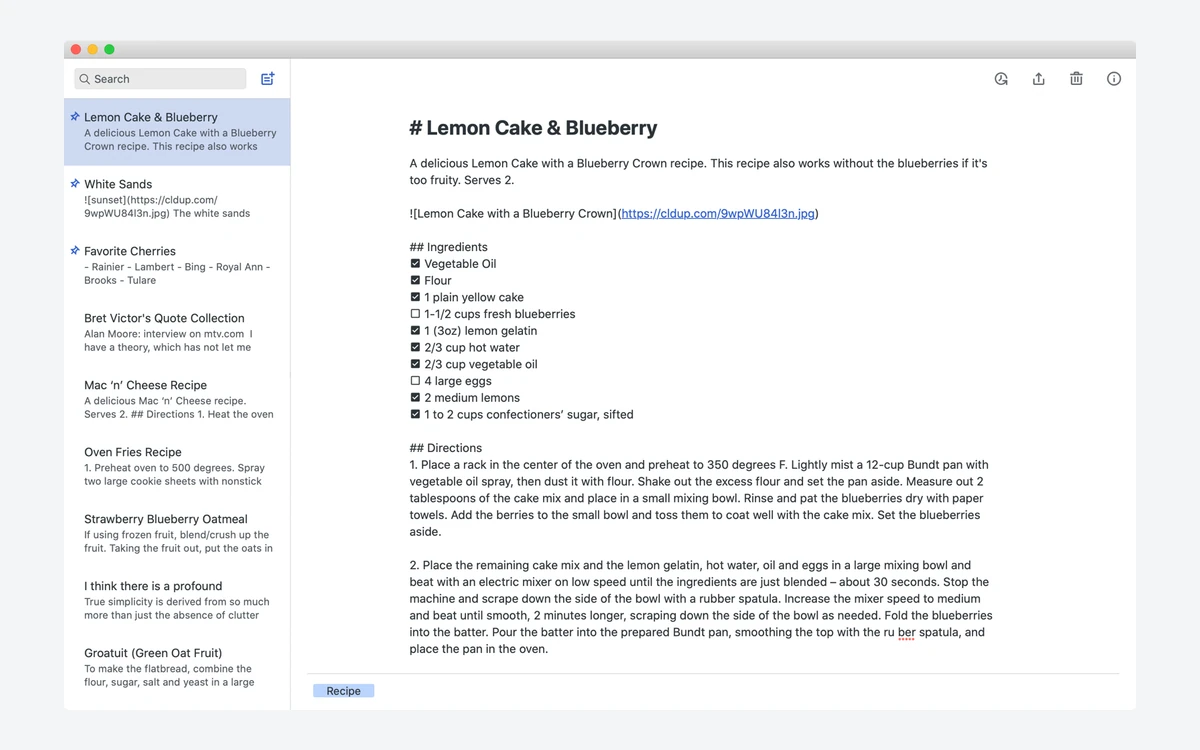
Simplenote is a cross-platform note app built around one idea: a list of text notes on the left, the note you are writing on the right, and sync that happens without you thinking about it. There are no notebooks, no rich text toolbar in the stable apps and no embedded files. Everything is a text note, optionally rendered as Markdown.
Its history explains the current pricing. Simplenote Premium launched in November 2009 at $10 per year. In January 2010 the full version was made free and supported by ads from the Fusion ad network. In January 2013 Simperium, the company that made Simplenote, was acquired by Automattic, and the August 2013 relaunch paused premium upgrades entirely.
A paid in-app "Sustainer" plan appeared around 2022 as a way to support the app, but Automattic dropped it in 2024: the iOS change merged on 26 March 2024 reads "We are dropping the Sustainer plan from Simplenote," and the Android app removed its Sustainer screens and purchase code in April 2024.
Pricing: free, with no note limit
Simplenote costs nothing. The homepage puts it plainly: "Apps, backups, syncing, sharing - it's all completely free," and the help center calls it "a free service provided by your friends at Automattic." All App Store and Google Play listings are free, and there are no in-app purchases left to unlock.
There is no hard cap on notes either. Automattic says it does not "place any restrictions on the number of notes you can make, as long as you're not abusing the system." The practical guidance is softer: the help center does not recommend notes longer than several thousand words, or more than about 10 tags per note.
The last paywall is going away
When Sustainer was discontinued, some Android styles, including the pure-black AMOLED theme, stayed locked. A fix merged on 28 September 2026 unlocks them, and the Android 2.39 release candidate (30 September 2026) says all styles are "now available to everyone." Until 2.39 reaches the stable channel, the current Play Store build is 2.38 from June 2026.
Writing and organizing notes
The editor is plain text first. Markdown is switched on per note (on the web, open the Actions menu and tick Markdown), after which you can flip between editing and a rendered preview. It works in the web, Android, iOS and Windows/Linux desktop apps, and the Mac App Store app also advertises editing and previewing notes in Markdown.
Tags instead of folders
Organization is tags only. You add tags to a note, filter the sidebar by tag, or search with a query such as tag:groceries. Important notes can be pinned to the top of the list, and notes can link to each other with internal links. Deleted notes go to Trash, where they can be restored. There is no way to hide a note.
Checklists, history and sharing
- Checklists: on desktop, Format then Insert Checklist; nested checklists are supported.
- Version history: notes are backed up with every change, and most apps let you browse and restore previous versions.
- Publishing: the Publish option in the Action panel creates a read-only public link on simp.ly.
- Collaboration: add someone's email in the Collaborate panel and the note appears in their list, as long as they have a Simplenote account. Notes are shared one at a time.
What you cannot do matters as much. The help center is explicit that "Images, PDFs, or any other attachments cannot be added to a note at this time." Markdown can display an image hosted elsewhere via a link, but nothing is uploaded to Simplenote. Automattic's help page points people who need media toward its journaling app, Day One.
Apps, sync and offline use
Simplenote covers every major platform. The published minimums are Android 6.0, iOS 15.0, macOS 12.0, Windows 10 and Ubuntu 12.04 on Linux (.deb and .rpm packages), plus a web app at app.simplenote.com for Chrome, Firefox, Safari and Edge version 80 or newer.
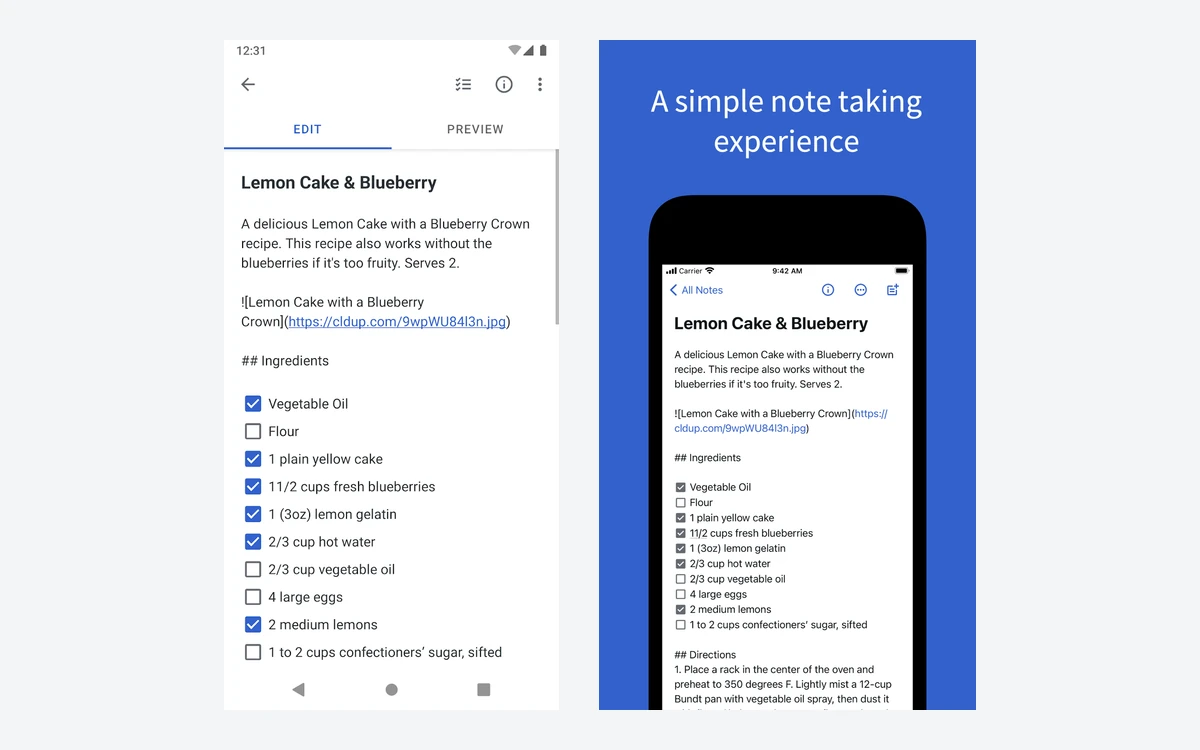
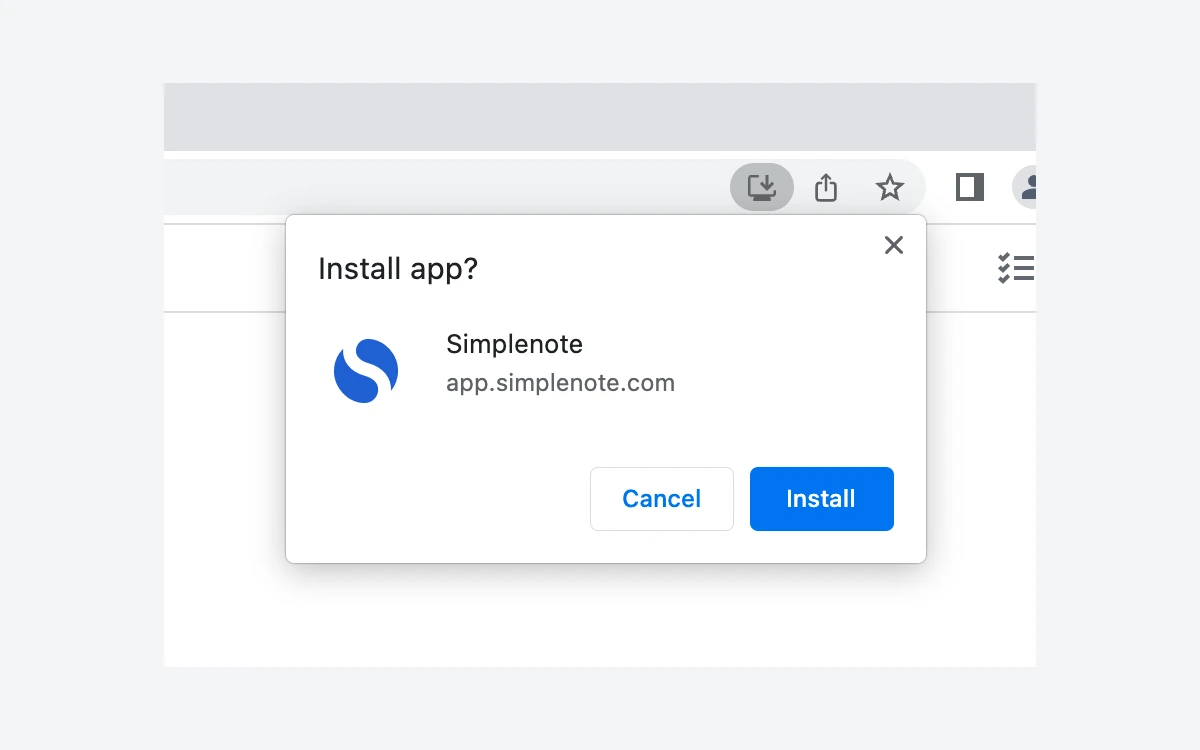
Sync is automatic and was quick in everyday use: a note typed on a phone shows up on the desktop within moments. Automattic says "All Simplenote apps are designed to be used offline," and edits sync when you reconnect. The exception is the web app, which needs a connection unless you install it as a progressive web app from your browser.
How current is each app?
- Android: 2.38, released 22 June 2026; 2.39 is in release-candidate testing as of 30 September 2026, with Android 16 updates and faster typing in very large notes.
- Windows, Linux and the Electron Mac build: 2.27.1, released 1 July 2026.
- iOS: 4.55, released 4 November 2024.
- Mac App Store app: 2.21, released 2 September 2024.
A few rough edges are documented by Simplenote itself. Dropbox sync is no longer supported, and spell check "is not currently functional" in the web app. On Google Play the Android app holds a 3.6-star average from about 18,300 reviews, while the iOS app sits near 4.7 stars.
Maintenance mode, with a surprisingly busy 2026
Simplenote's help page states: "Simplenote is no longer in active development, and while the app remains available, only its basic functionality is being maintained at this time. No new features or enhancements are planned." That is the official position, and it matches the Apple side of the product, where neither the iOS nor the Mac App Store app has had a release since 2024.
The rest of 2026 tells a more mixed story. The client repositories on GitHub are still receiving commits, and three things shipped or appeared this year.
A WYSIWYG Markdown editor prototype
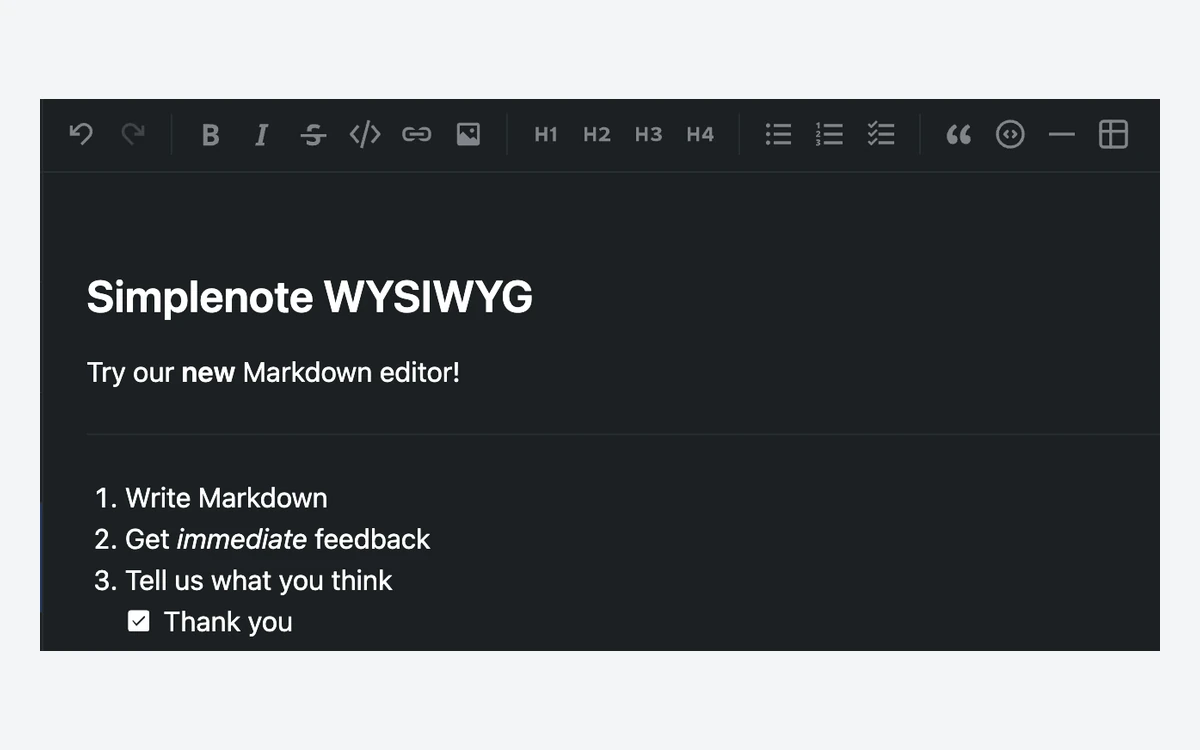
On 3 July 2026 the Simplenote blog asked "We built a new editor. Want to try it?" Built during Automattic's "Radical Speed Month," it is a what-you-see-is-what-you-get Markdown editor for the desktop app. Notes stay Markdown or plain text and still sync everywhere. It is a pre-release download for Windows, macOS and Linux (AppImage, including arm64), not part of the stable app, and you must quit other copies of Simplenote before installing it.
An MCP server for AI assistants
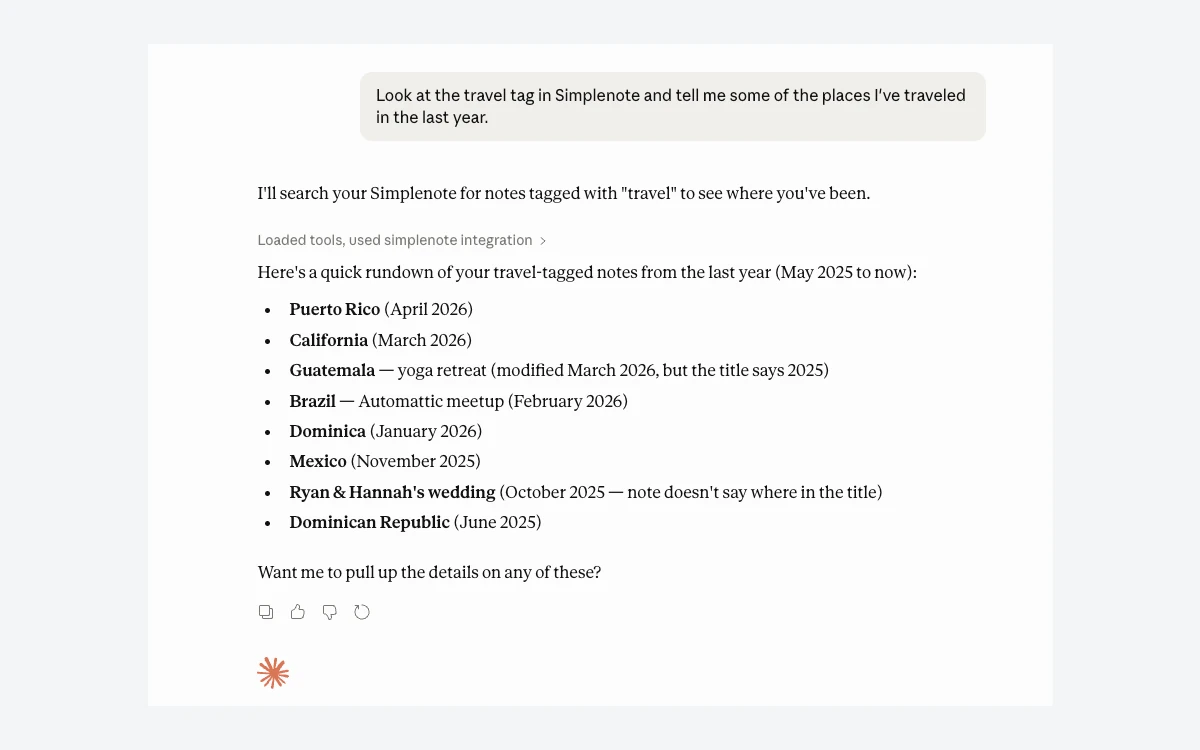
In April 2026 Automattic announced a basic Simplenote MCP server for macOS that lets AI tools search your notes. A May 2026 follow-up, the "Even Better Simplenote MCP Server," added Windows and Linux support plus creating and updating notes. Write access is completely opt-in and has safety guards, for example refusing to let a model wipe your notes. The server is open source under the MIT license.
Security and privacy
This is Simplenote's weakest area, and the help center is unusually candid about it: "Notes are not encrypted at rest due to server side constraints. For this reason we recommend not using Simplenote to store anything particularly sensitive." Notes are encrypted in transit across the network, but there is no end-to-end encryption, so Automattic's servers hold readable copies.
- App lock: an optional 4-digit passcode on Android and iOS, with Touch ID or Face ID on iOS and fingerprint unlock on supported Android devices.
- Sign-in: since September 2024 you can log in with an emailed magic link. Simplenote documents no two-factor authentication option.
- Account rules: an account is required to use the app at all, its email address cannot be changed, and there is no way to sign out other devices remotely.
- Deletion: an account can only be deleted from the web app in a desktop browser, and doing so permanently deletes every note.
- Privacy policy: since 24 September 2018 Simplenote has been covered by Automattic's company-wide privacy policy.
The August 2024 web app incident
In August 2024 some users reported seeing another account's notes after logging in to the web app. Simplenote staff apologized, and in October 2024 said they had corrected the access issue and that users' accounts and notes were not compromised. Take that statement as the official account, but it is a reminder that unencrypted notes depend entirely on the server getting access control right.
For comparison, Standard Notes offers end-to-end encryption, unlimited device sync, offline access and two-factor authentication on its free tier. If privacy is the priority, that is the stronger free choice.
Getting notes in and out
Leaving Simplenote is easy, which is reassuring for an app in maintenance mode. In the web app go to Settings, Tools, Export Notes, or in the desktop app use File, Export Notes. Either way you get a .zip of plain-text files, each named after the first line of the note. The Android app exports to a simplenote.json file by default.
One trap for Mac users: the Mac App Store version cannot export notes. Install the Electron desktop build from simplenote.com to get the export option.
Importing works in the web and desktop apps and accepts Simplenote .json exports, plain-text and Markdown files (.txt or .md), and Evernote .enex exports (desktop only). Import does not merge changes or skip duplicates, so importing the same file twice gives you two copies of every note.
Who should use Simplenote in 2026
Good fit
- Anyone who wants free, fast plain-text notes on every device without a subscription
- Writers and developers who draft in Markdown and like a distraction-free editor
- People who want an AI assistant to search their notes via the MCP server
- Mixed Android, Windows and iPhone households that need one sync service
Look elsewhere if
- You store sensitive information: pick an end-to-end encrypted app such as Standard Notes
- You need images, PDFs or web clips in notes: see our Evernote and OneNote reviews
- You want folders, backlinks and local files you control: see our Obsidian review
- You want an app with an active feature roadmap, especially on iPhone and Mac
Frequently asked questions
Is Simplenote really free in 2026?
Yes. Every app, sync, backups, sharing and publishing are free, and there is no paid tier. The optional Sustainer plan was dropped in 2024, and the Android 2.39 release candidate unlocks the last styles it used to gate.
Is there a limit on how many notes I can create?
No hard limit. Automattic does not restrict the number of notes unless the system is being abused. It does recommend keeping notes under several thousand words and using no more than about 10 tags per note.
Is Simplenote discontinued?
No, but it is in maintenance mode. The help page says it is no longer in active development and no new features are planned. The apps still work and sync, Android and desktop were updated in 2026, and the iOS and Mac App Store apps were last updated in late 2024.
Is Simplenote end-to-end encrypted?
No. Notes are encrypted in transit but not at rest, and Simplenote itself advises against storing anything particularly sensitive. Keep passwords and financial details in a password manager instead.
Can I add images or PDFs to a Simplenote note?
No. Attachments of any kind are not supported. With Markdown turned on you can display an image hosted elsewhere by linking to it, but the file is not stored in Simplenote.
Does Simplenote work offline?
Yes, on the mobile and desktop apps, which sync when you reconnect. The web app needs an internet connection unless you install it as a progressive web app.
How do I export all my Simplenote notes?
Use Settings, Tools, Export Notes in the web app or File, Export Notes on desktop to download a .zip of text files. On a Mac, use the Electron build, because the Mac App Store app cannot export.
Can I use Simplenote without an account?
No. An account is required, and its email address cannot be changed later. Deleting the account from the web app permanently deletes all notes, so export first.
Key takeaways
- Simplenote is completely free with no note limit, and the last paid extras are gone.
- Automattic officially lists it as no longer in active development, yet 2026 brought an MCP server and a desktop WYSIWYG editor prototype.
- The iOS and Mac App Store apps have not been updated since late 2024; Android and desktop were updated in 2026.
- Notes are not encrypted at rest and there is no end-to-end encryption, so keep sensitive data out.
- Exporting is simple, so trying it carries little lock-in risk.
More in Services & Software
Browse Services & Software