SiteGround Review 2026: Renewal Prices, Real Limits and Who It Fits
SiteGround starts at $3.99/mo and renews at $17.99. A 2026 review of the plan ladder, fair-use ceilings, backups, refunds and the AI Agent rollout.
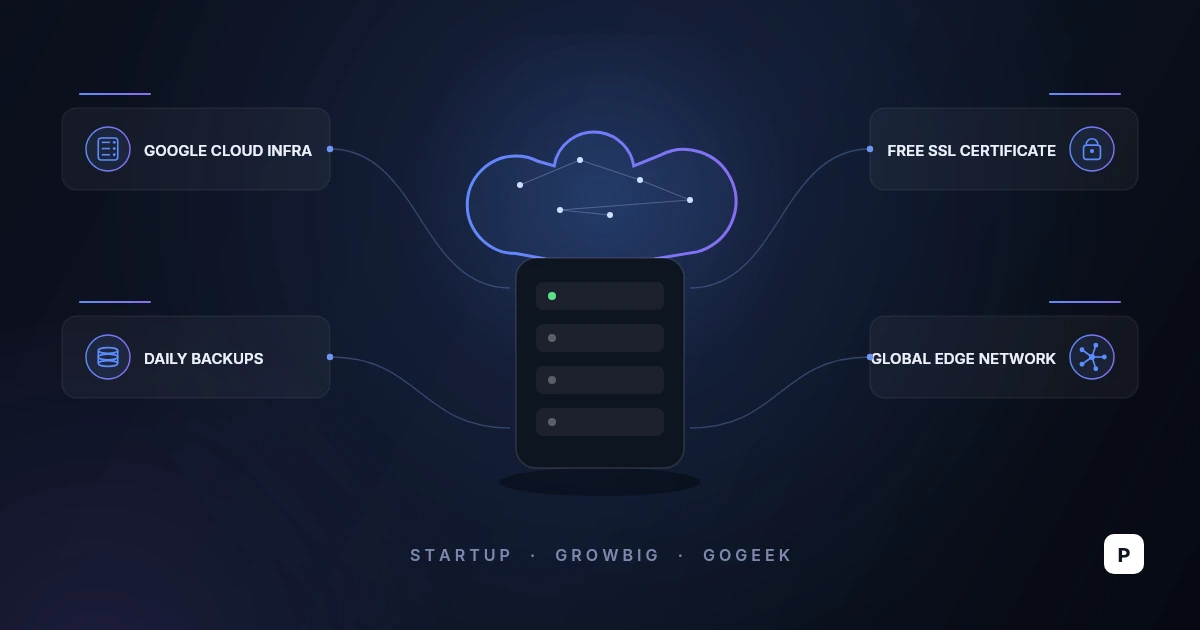
SiteGround sells managed hosting on Google Cloud with a support desk that answers fast and a control panel it built itself. It is one of the three hosts recommended on the WordPress.org hosting page, and among the shared-hosting field it is unusually candid about what happens at renewal: the number is printed under the price, not buried in a footnote.
That number is also the reason most people either stay for years or leave after one. StartUp advertises $3.99 a month and renews at $17.99. This review works through the plan ladder, the fair-use ceilings that sit behind the word unlimited, the backup and staging gating, the refund terms, and the AI plugin SiteGround pushed onto a million WordPress sites this summer.
What SiteGround Is in 2026
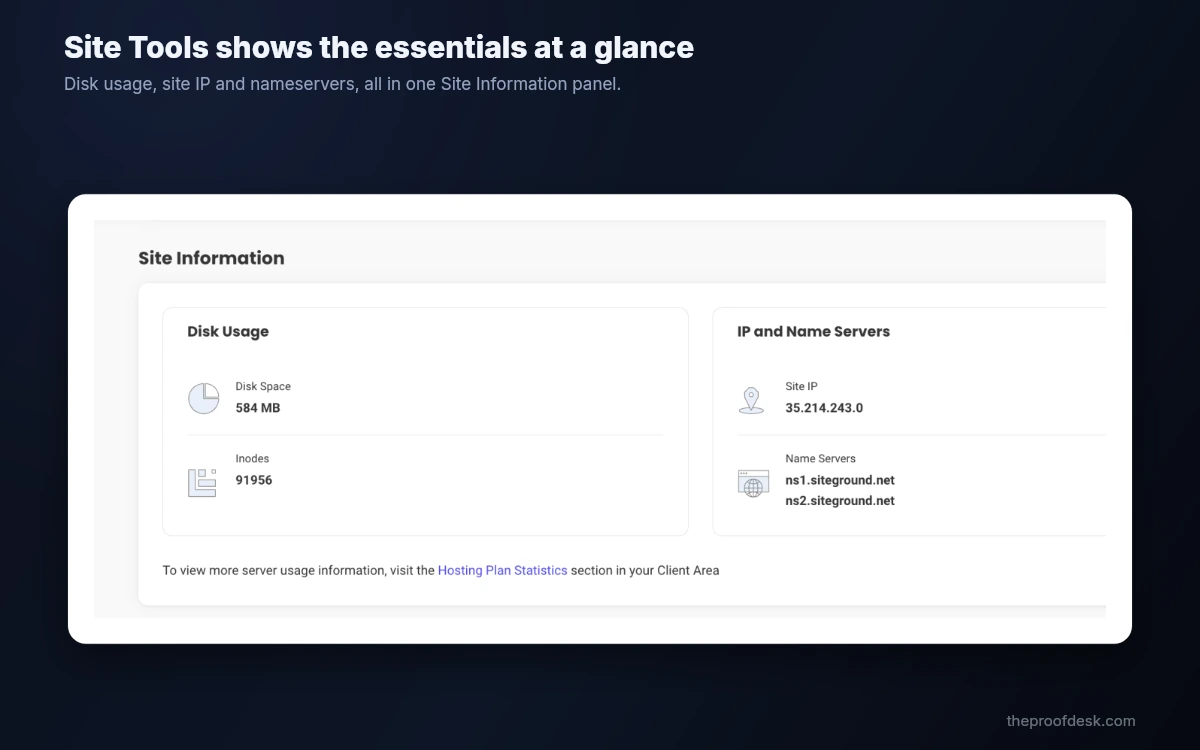
SiteGround is an independent host that runs its shared and cloud platforms on Google Cloud rather than its own metal. It does not ship cPanel. Every account is administered through Site Tools, an in-house panel with its own layout, its own API and its own permission model. That is a genuine fork in the road: skills and scripts built around cPanel do not carry over, and neither do most third-party tutorials.
The shared plans are sold as managed hosting rather than raw disk space. WordPress can be installed in one click, core updates are applied for you, and a set of first-party plugins handles caching, security and now AI. Free SSL, free email with unlimited accounts on your domain, a free CDN, daily backups, WP-CLI and SSH access and a free domain for the first year are on every tier, including the cheapest.
- Free SSL, CDN, daily backups, email and managed autoupdates on all three shared tiers.
- Free domain for one year, limited to .com, .org and .net.
- WP-CLI and SSH on every plan, including StartUp.
- Collaborator accounts on all tiers; white-label Site Tools only on GoGeek.
- AI Agent for WordPress and a monthly allowance of AI tokens bundled with hosting.
No cPanel, and no way back to it
Site Tools is competent and fast, but it is a one-way door. If your agency workflow, your billing integration or your muscle memory depends on cPanel or WHM, budget real time for the switch. SiteGround's reseller product is built on Site Tools too, so there is no cPanel option anywhere in the shared range.
Plans and the Renewal Jump
There are three shared tiers. On the main hosting page, checked on 27 August 2026, StartUp is $3.99 a month, GrowBig is $6.69 and GoGeek is $10.69, each described as "Prepaid for 12 months" and "Ex. VAT". Directly beneath each one SiteGround prints the renewal: $17.99, $29.99 and $44.99 a month respectively.
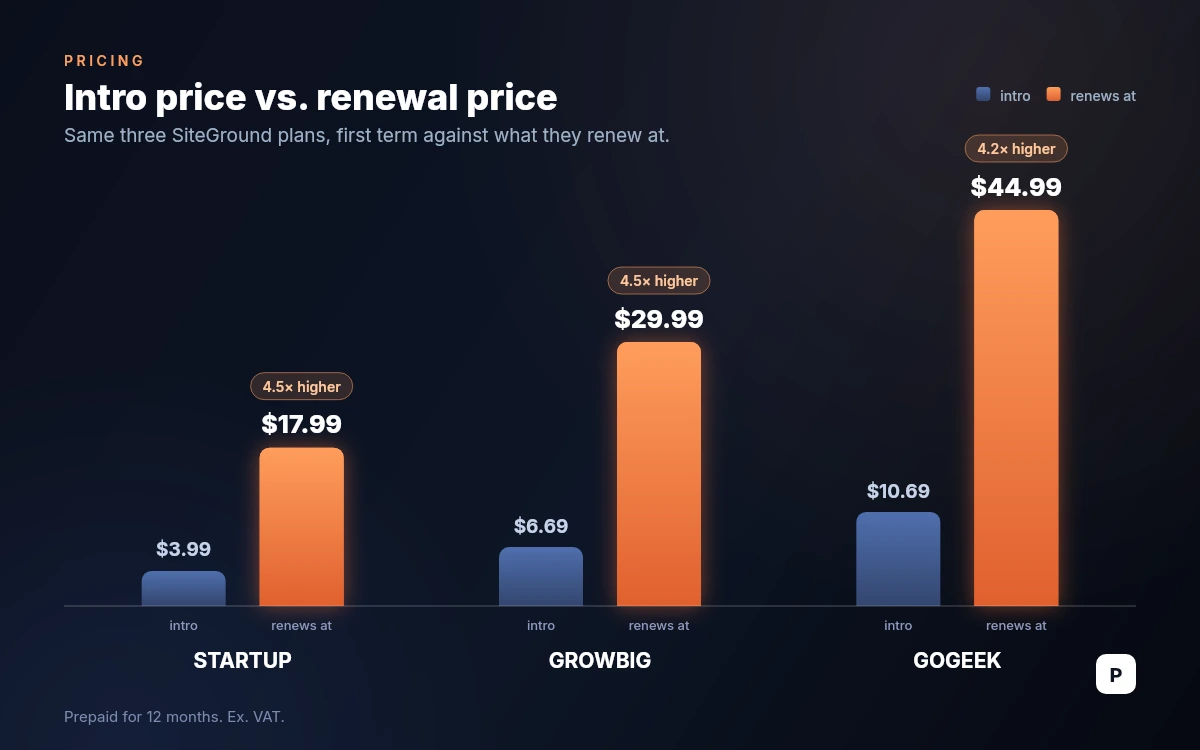
StartUp therefore rises about 4.5 times at renewal, GrowBig about 4.5 times and GoGeek about 4.2 times. A first year on StartUp costs roughly $48 before tax; the second costs roughly $216. That is the single most important fact about SiteGround's pricing, and it is worth deciding up front whether the renewal price is one you would pay on its merits, because that is the price you will pay for every year after the first.
One oddity is worth knowing before you buy. SiteGround's own product pages disagree with each other. The WooCommerce hosting page and the reseller page advertise the same three tiers at $2.99, $4.99 and $7.99 with identical renewal prices of $17.99, $29.99 and $44.99. Whether that reflects geography, a running test or simply a stale page, the renewal figures are consistent everywhere, and the entry price is worth cross-checking across pages before you commit.
- StartUp: $3.99/mo intro, renews at $17.99/mo, one website, 10 GB storage.
- GrowBig: $6.69/mo intro, renews at $29.99/mo, unlimited websites, 50 GB storage.
- GoGeek: $10.69/mo intro, renews at $44.99/mo, unlimited websites, 100 GB storage.
- All promotional prices require prepaying twelve months and exclude VAT.
- Cloud hosting starts at $100/mo for four CPU cores, 8 GB RAM and 40 GB SSD, billed monthly.
The domain renews separately
The free first-year domain is a registration, not a gift in perpetuity. SiteGround's own knowledge base states that domain renewal fees are normally not included in hosting renewal fees. A .com registers at $11.99 for the first year and renews at $22.99; .org renews at $23.99 and .net at $24.99. Add that to the hosting renewal when you work out year two.
What Unlimited Actually Means
GrowBig and GoGeek are advertised as carrying unlimited websites and unlimited traffic. The pricing page also quotes suitability figures of roughly 10,000 monthly visits for StartUp, 100,000 for GrowBig and 400,000 or more for GoGeek. Those visit numbers are guidance rather than a metered cap; the real ceiling is in the fair use policy, and it is expressed in server resources.
- Monthly CPU seconds: 300,000 on StartUp, 600,000 on GrowBig, 800,000 on GoGeek.
- Server memory capped at 768 MB per process.
- Individual database size capped at 1,000 MB.
- Inode allowance between 200,000 and 600,000 depending on tier.
- Enforcement is throttling, not billing: SiteGround states it may limit access to the site until you take action.
The practical reading is that unlimited applies to how many sites you may create, not to how hard they may work. Ten small brochure sites will sit comfortably inside GrowBig's ceiling. One busy WooCommerce store with a heavy theme can exhaust it alone, because uncached, database-driven page builds are what burn CPU seconds.
Check the date on the policy
SiteGround's fair use page carries a last-updated date of October 2021, while the pricing and refund pages were revised in August 2026. The resource figures are the clearest ceilings the company publishes, but they are several years old. If your workload is anywhere near them, ask support to confirm the current numbers in writing before you buy.
The Speed Stack and What the Numbers Say
Performance rests on three pieces: Google Cloud underneath, a caching system SiteGround calls SuperCacher, and a WordPress plugin that drives it. SuperCacher has three layers — NGINX Direct Delivery for static files, a dynamic cache for full page output, and Memcached for database queries. Ultrafast PHP, which SiteGround markets as roughly 30% faster, is restricted to GrowBig, GoGeek and Cloud. StartUp does not get it.
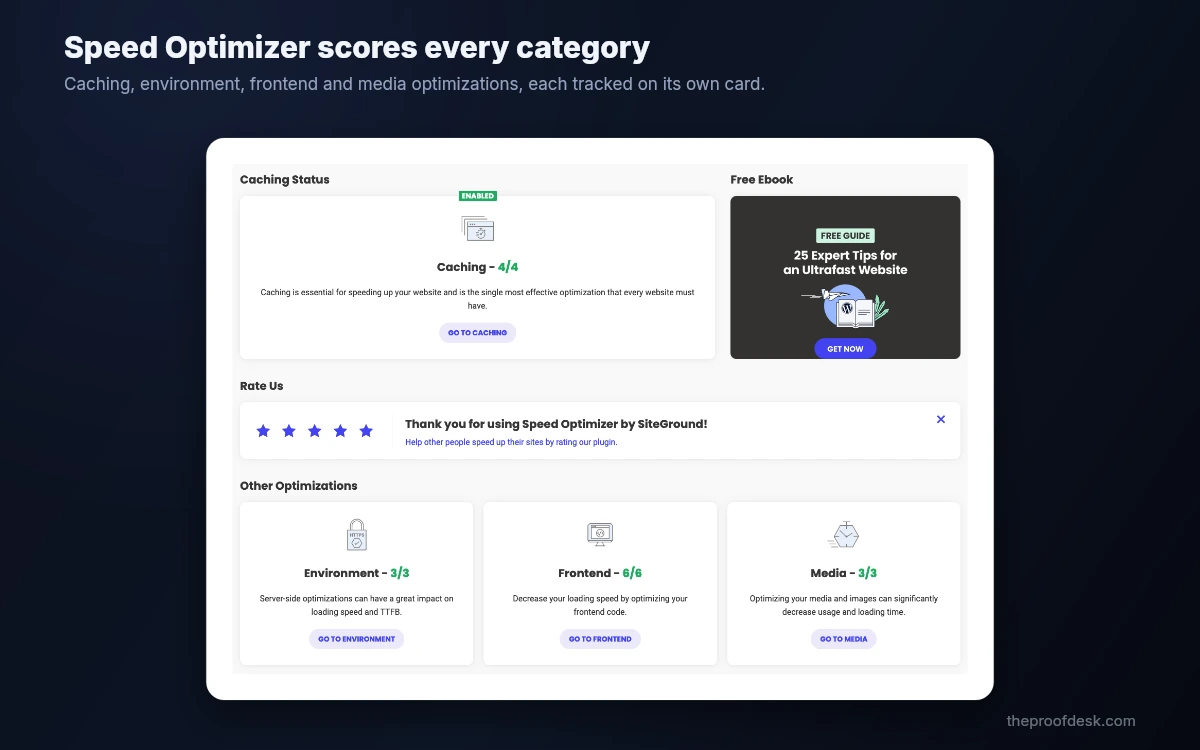
The plugin has been renamed twice and this trips people up when following older guides. SG Optimizer became SiteGround Optimizer, and since version 7.4.2 it has been Speed Optimizer. On WordPress.org it now sits at version 7.8.2 and is no longer tied to SiteGround hosting; it works anywhere. The companion security plugin followed the same path from SiteGround Security to Security Optimizer.
- Hosting runs on Google Cloud; SiteGround's data centre page cites 11 data centres across North America, Europe, Asia and Australia.
- Confirmed locations include Ashburn, Council Bluffs, Dallas, Los Angeles, London, Madrid, Eemshaven and Frankfurt.
- The uptime commitment in the terms of service is 99.9% monthly, remedied by a 5% credit of that month's fee.
- Independent testing by WPBeginner in July 2026 recorded a 608 ms LCP, a 369 ms average response across six regions and 99.96% uptime over thirty days.
- The same test measured a 129 ms 95th-percentile response under fifty concurrent users with no failed requests.
Read the SLA before relying on it
A 99.9% monthly guarantee permits about 43 minutes of downtime a month, and the remedy is 5% of that month's hosting fee, claimed by you through the Client Area. Third-party articles quoting a 99.99% figure or a free month of hosting do not match the wording in SiteGround's current terms. Nothing here is a substitute for your own monitoring.
The CDN and Where the Free Tier Stops
Every plan includes a free tier of the SiteGround CDN, activated in Site Tools under Speed. It is genuinely free, and it is genuinely limited: it serves the primary domain only, caches static files only, and carries a monthly bandwidth allowance of 10 GB, after which it switches itself off. For a small brochure site that is often enough. For anything with images and traffic, it is a trial.
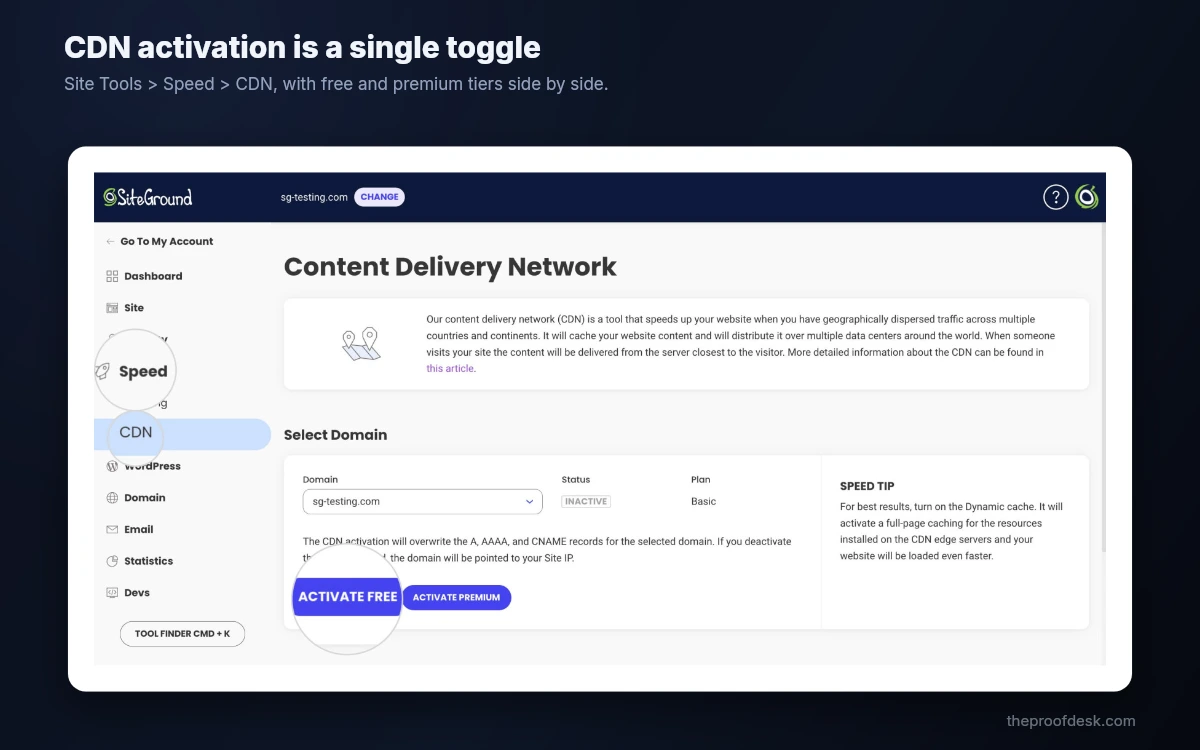
- Free tier: primary domain only, static files only, 10 GB monthly bandwidth, disabled automatically past that.
- Premium tier: dynamic content caching, subdomains and parked domains, unlimited bandwidth.
- Premium adds an Under Attack mode and a keep-site-online mode for origin outages.
- The edge network is quoted at 170 or more locations worldwide.
Premium CDN pricing is not on the website
SiteGround's knowledge base defers premium CDN pricing to the Marketplace inside the Client Area rather than publishing it on a product page. Third-party reviews commonly cite about $14.99 a month, but we could not confirm that on any SiteGround page, so treat it as unverified and check the figure in your own account before budgeting for it.
Backups, Staging and Git
Backups are one of SiteGround's stronger areas. Shared hosting keeps up to 30 daily copies, restorable from Site Tools without a support ticket, and you can restore files, databases or both. Cloud hosting keeps up to 7. A paid Premium Backup add-on raises shared retention to 37 daily copies and adds hourly snapshots for the previous 48 hours.
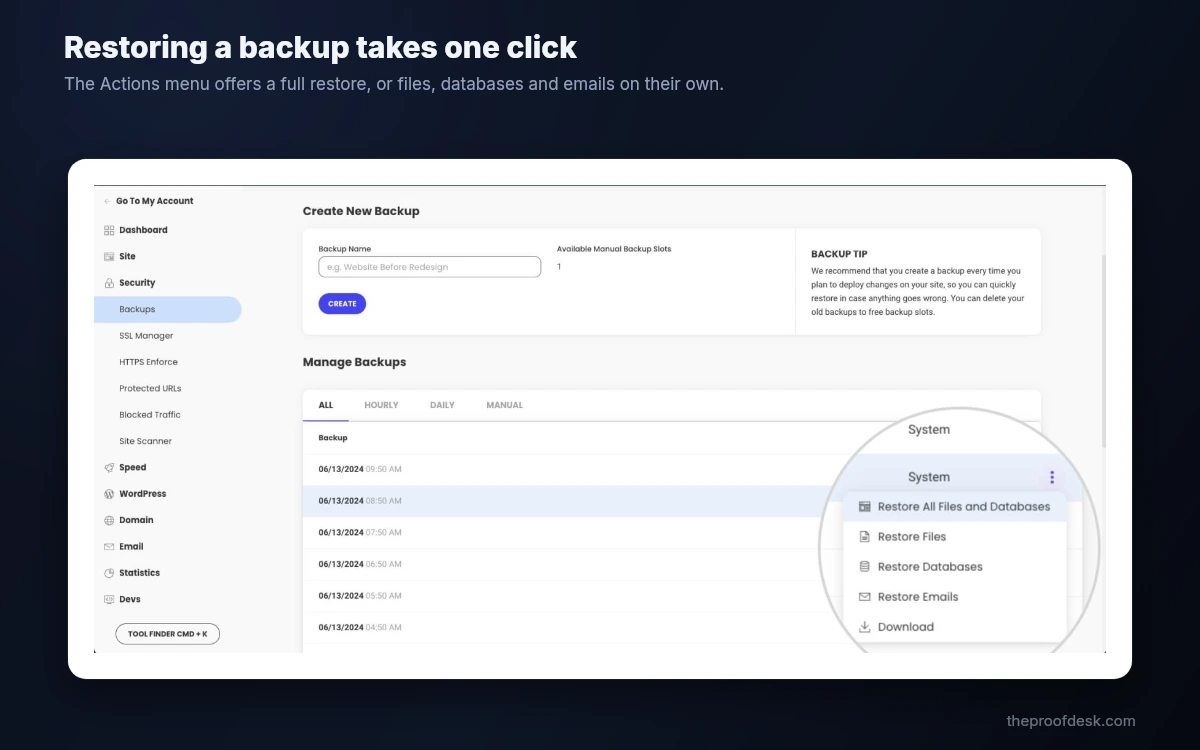
On-demand backups — the ones you take yourself before a risky update — are where the tiering bites. StartUp does not get manual backup slots at all. GrowBig and above get five free slots. If you are the sort of person who snapshots before every plugin update, StartUp will frustrate you, and that is a stronger argument for GrowBig than any speed claim.
- Up to 30 daily automatic backups on shared plans, 7 on cloud.
- Five manual backup slots on GrowBig and above; none on StartUp.
- Staging is GrowBig and up; staging with Git is GoGeek only.
- Premium Backup adds hourly copies for the past 48 hours and extra manual slots.
- Private DNS, white-label access and priority support are GoGeek exclusives.
The upgrade line is drawn at GrowBig
StartUp omits manual backups, staging and Ultrafast PHP. Those three together, not the storage difference, are what separate a hobby plan from a working one. If the site matters, GrowBig is the real entry point and its $29.99 renewal is the real entry price.
WordPress Tooling and the AI Agent Rollout
WordPress arrives through a one-click installer and a guided setup wizard that asks what the site is for and configures a theme and plugins accordingly. Migration is handled either by the free SiteGround Migrator plugin or by SiteGround's own team; the website transfer page states that your first migration is free, without breaking the allowance down by tier.
The 2026 story, though, is the AI Agent. In late spring SiteGround installed and activated its AI Agent plugin across its WordPress customer base ahead of WordPress 7.0's native AI framework, pushing it past a million active installations. Users objected loudly to software appearing on their sites without a click. As of 27 August 2026 the plugin sits at 1.5 stars on WordPress.org from 92 reviews, 79 of them one-star, at version 1.2.9.
- AI Agent for WordPress is included free on all hosting plans and bundled with a monthly AI token allowance.
- It was auto-installed and auto-activated rather than offered opt-in, which is the substance of the complaints.
- SiteGround's position is that it does nothing without an active user connection and can be disabled at any time.
- The rating reflects the rollout method rather than a security finding; no breach has been reported.
- If unrequested plugins on client sites are a problem for you, check the plugin list after signup.
What this tells you about the platform
Managed hosting means the host can reach into your WordPress install, and SiteGround demonstrated it is willing to. That is the same mechanism that delivers the automatic core updates people buy managed hosting for. Worth knowing which side of that trade you are on before you put client sites on it.
Support, Refunds and the Fine Print
Support is the part regular customers cite most. Chat, tickets and phone all run 24/7, and SiteGround states that more than 90% of chat inquiries are resolved at first contact and that most tickets get a reply within minutes. An AI assistant now triages first and offers a solution before routing you to a person, which is quick when the question is common and an obstacle when it is not. Phone support is English only and may be unavailable for issues needing heavy troubleshooting.
The refund window is 30 days from activation for shared hosting and 14 days for cloud, both stated in the terms of service. The exclusions matter more than the window. Domain registration fees are not refundable, and if you took the free first-year domain and then ask for a refund, SiteGround may deduct the standard registration fee from what it returns. Third-party services and paid support services are excluded too.
- Shared hosting: full refund within 30 days of activation. Cloud: 14 days.
- Domain fees are never refundable, and a free domain's registration cost can be deducted from a hosting refund.
- Renewals are refundable in full within 30 days if the new term has not started; partially if it has.
- All plans auto-renew by default; terms of twelve months or more renew 15 days before expiry.
- Autorenewal is switched off in Client Area, under Services, then Renewal Settings.
- Cancellation must be requested through the Client Area, not by email or chat.
Fifteen days, not thirty
The 15-day advance renewal is the detail that catches people. If you intend to leave at the end of a term, turn autorenewal off well before the final fortnight, or you will be arguing for a refund of a charge you could simply have prevented.
Who SiteGround Fits
SiteGround suits people who want a WordPress site that stays up and stays patched, who value a support desk that answers in minutes, and who will accept a renewal price close to $30 a month on GrowBig to get both. It is a poor fit for anyone shopping strictly on price, because the second year is where its economics actually live.
- Good fit: a small business site or agency client where uptime and fast support outrank hosting cost.
- Good fit: developers who want staging, Git and SSH inside a managed platform, which means GoGeek.
- Poor fit: a hobby project on a fixed budget, where the renewal will land badly in year two.
- Poor fit: a non-WordPress app that wants a neutral Linux box and cPanel; look at the cloud line instead.
- Poor fit: anyone who cannot tolerate a host installing plugins on their sites.
Frequently asked questions
How much does SiteGround cost after the first year?
StartUp renews at $17.99 a month, GrowBig at $29.99 and GoGeek at $44.99, all excluding VAT. Those figures are printed under the intro prices on SiteGround's hosting page. The intro rates of $3.99, $6.69 and $10.69 apply to one prepaid twelve-month term only, so a StartUp site costs roughly $48 in year one and roughly $216 in year two.
Does SiteGround really allow unlimited websites?
On GrowBig and GoGeek, yes, in the sense that no counter stops you adding sites. The limits are on resources rather than site count: 600,000 monthly CPU seconds on GrowBig and 800,000 on GoGeek, 768 MB of memory per process and a 1,000 MB cap per database. Exceeding them leads to throttled access rather than an overage charge.
Can I get a refund from SiteGround, and what is excluded?
Shared hosting carries a 30-day money-back guarantee from activation, and cloud hosting 14 days. Domain registration fees are not refundable under any of them, and if you accepted the free first-year domain, SiteGround may deduct the standard registration fee from your refund. Third-party services and paid support services are also excluded. Cancellation has to be filed through the Client Area.
Which SiteGround plan includes staging and Git?
Staging starts at GrowBig; Git is GoGeek only. StartUp has neither, and it also lacks on-demand manual backups and Ultrafast PHP. For anyone deploying changes to a live site rather than editing it in place, GrowBig is the practical minimum and GoGeek is the developer tier.
Is the free SiteGround CDN enough on its own?
Only for small sites. The free tier covers the primary domain, serves static files, and stops at 10 GB of bandwidth a month, at which point it disables itself automatically. Dynamic content caching, subdomain coverage and unlimited bandwidth require the premium tier, whose price SiteGround publishes only inside the Client Area Marketplace rather than on its website.
How long does SiteGround keep backups?
Shared plans keep up to 30 daily copies and cloud plans up to 7, all restorable yourself from Site Tools. Manual on-demand backups are a separate allowance: five slots on GrowBig and above, and none at all on StartUp. The paid Premium Backup add-on raises shared retention to 37 daily copies and adds hourly snapshots covering the previous 48 hours.
Why did SiteGround install an AI plugin on my WordPress site?
Key takeaways
- SiteGround's intro pricing renews at roughly four to four and a half times the promotional rate: $3.99 becomes $17.99, $6.69 becomes $29.99 and $10.69 becomes $44.99, all excluding VAT.
- GrowBig, not StartUp, is the real entry plan: manual backups, staging and Ultrafast PHP all begin there, which makes $29.99 a month the price to judge.
- Unlimited websites is bounded by fair-use resource ceilings measured in CPU seconds, memory and inodes, and enforcement is throttling rather than an overage bill.
- Hosting runs on Google Cloud with an uptime commitment of 99.9% monthly and a 5% fee credit as the remedy, and independent July 2026 testing recorded 99.96% over thirty days.
- The 30-day refund excludes domain fees, and a free first-year domain's registration cost can be deducted from what you get back.
- SiteGround auto-installed its AI Agent plugin on more than a million WordPress sites in 2026, and the resulting 1.5-star rating reflects the method rather than any reported security failure.
More in Services & Software
Browse Services & Software