Supernotes Review 2026: Is the Unlimited Plan Worth It?
Supernotes review for 2026: card-based notes with FSRS flashcards, Table and Map layouts, a 100-card free plan and Unlimited from £6 a month. Features, pricing, privacy and who should pay.
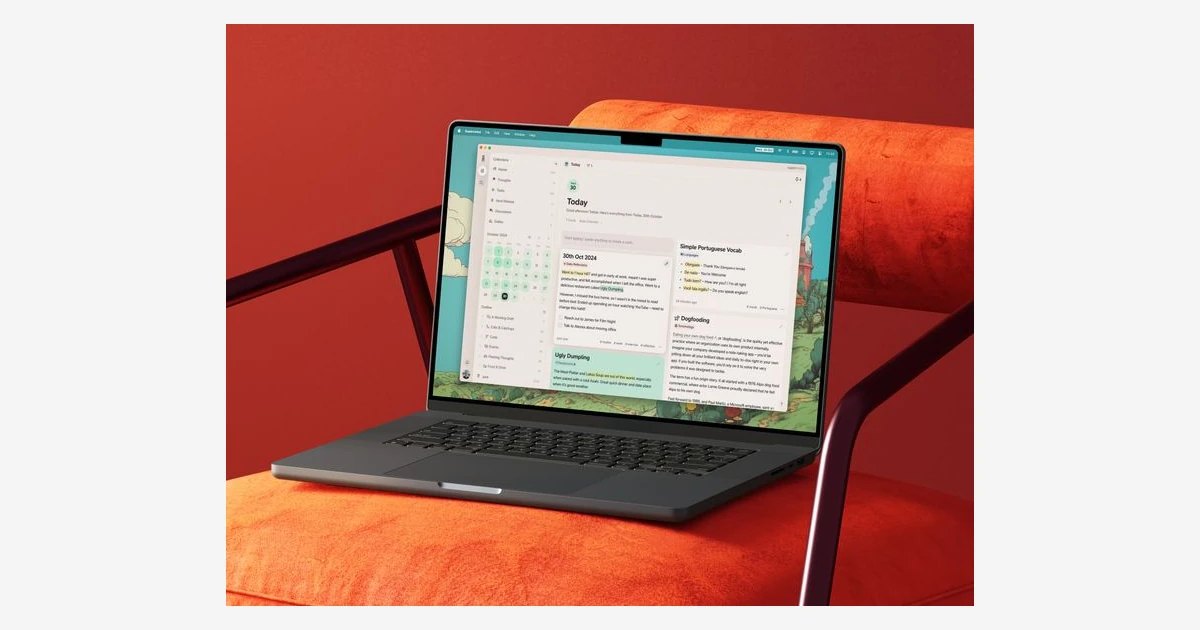
Supernotes is a note-taking app built around one idea: every note is a short card. Cards can sit inside other cards, link to each other and be laid out as columns, a graph, a table, a calendar, a flashcard deck or, since 2025, a map. It is made by Supernotes Education Ltd, a two-person startup in London that started building it in 2018.
We reviewed it as of October 2026, after a run of updates that added FSRS flashcards, Table and Map layouts, interface translations and @mentions. The question most readers have is simple: the free plan stops at about 100 kept cards, so is the pound-priced Unlimited plan worth paying for?
Short answer: yes if you think in small, linked notes and want them on every device with zero setup. No if you need end-to-end encryption, PDF attachments, a web clipper or long documents.
What Supernotes is and how cards work
A card in Supernotes has a title, a Markdown body and tags. Cards have a soft limit of 1,200 characters, which pushes you toward one idea per card rather than long pages. That limit is the product's personality: if your notes are meeting minutes, drafts or long research write-ups, you will be splitting them constantly.
Structure comes from three tools. Cards can be nested inside other cards, and one card can have several parents, so the same note can live under a project and under a topic without being copied. Cards can link to each other, and backlinks are created automatically. Custom Collections work like saved searches: folders that keep themselves up to date from the filters you set.
Sync is on by default. There is no cloud setup and no plugins to install - you log in on the web at my.supernotes.app or in a native app and your cards are there. Offline, the help centre says you can still edit, browse, read and search all of your notes.
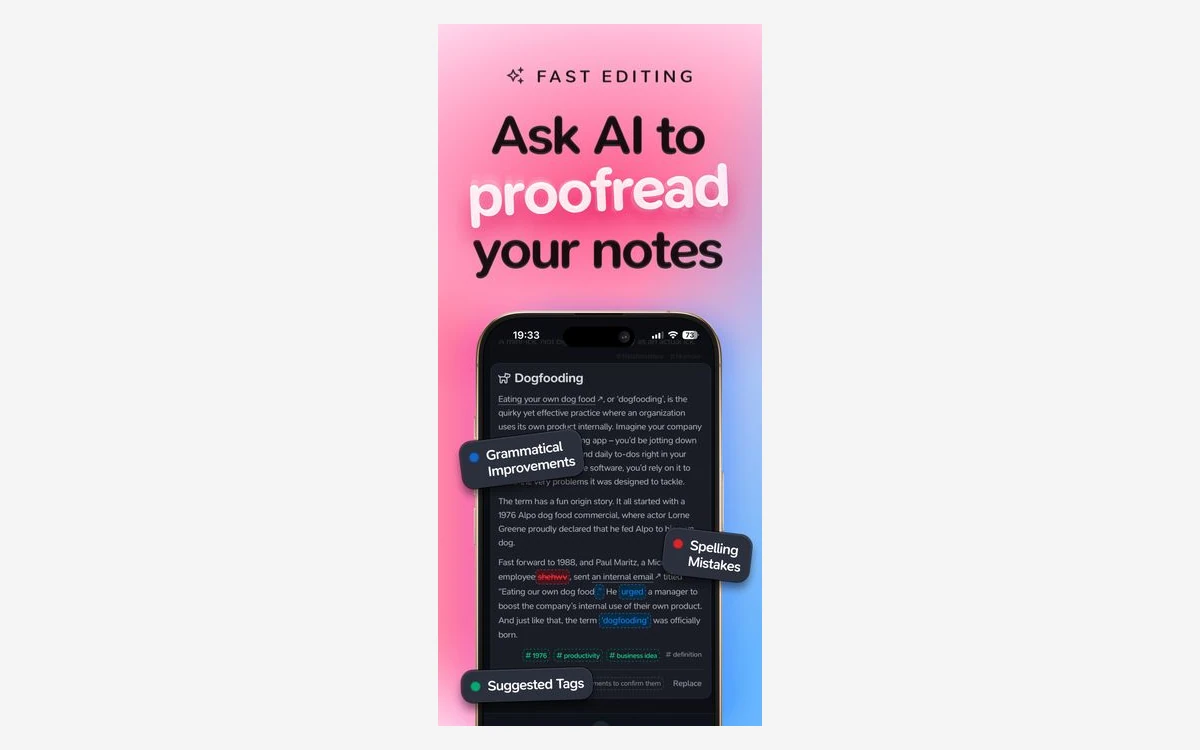
- Markdown formatting, LaTeX maths (inline with $ and block with $$) and, per the help centre, Mermaid diagrams.
- Calendar views (called DAILY before version 3.2.1) and a Heatmap Calendar, with a Targeted Date that overrides a card's creation date for daily-note use.
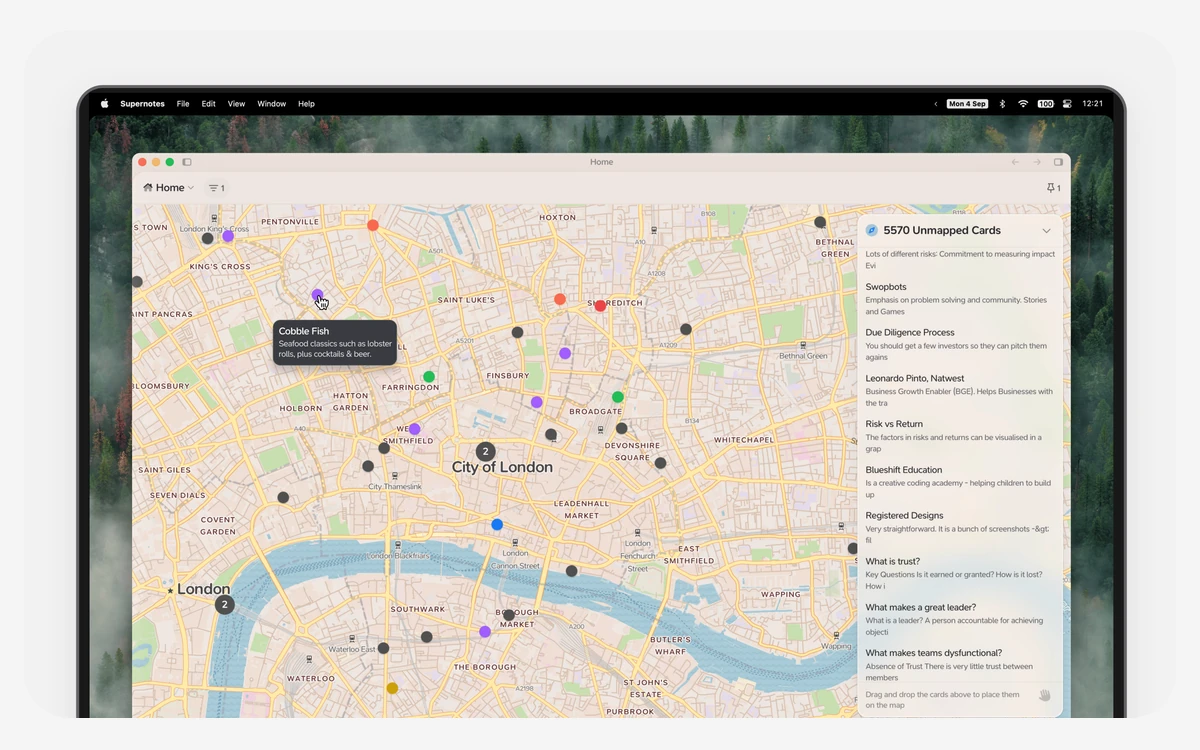
- Columns, Graph (2D and 3D), Table, Flashcard and Map layouts over any set of cards.
What changed in 2025 and 2026
Supernotes ships slowly but in big pieces. The public changelog and the App Store list these releases:
- 3.2.0 (8 August 2025): Flashcards with FSRS spaced repetition, plus Table and Map layouts, across the web, desktop, mobile and VR apps. The team describes it as over a year of work.
- 3.2.1 (20 August 2025): word and character counts; DAILY views renamed to CALENDAR.
- 3.2.2 (10 March 2026): interface languages in Early Access - English (US and UK), German, Spanish, French, Indonesian, Italian, Portuguese and Portuguese (Brazil).
- 3.2.3 (4 April 2026): a major Maps upgrade, @mentions, and Chinese (Simplified) and Korean.
- 3.2.4 (21 April 2026): Android 12 or newer is now required, and sync behaves better when you run out of card quota.
- 3.2.5 (16 September 2026, App Store only at the time of writing): an iOS 27 update with better sign-in on iPadOS and small fixes. It is not on the changelog page yet.
No price change was announced in that period. The only pricing change we found is undated: the Student Monthly plan has been discontinued.
Flashcards, tables and maps
Flashcards with FSRS
The Flashcard layout turns any set of cards into a review deck scheduled by the built-in FSRS spaced-repetition algorithm. You choose a pace - Cram, Standard or Chill - before a session. Because the deck is just another view of normal cards, there is no separate flashcard collection to maintain. That is lighter than RemNote, but also less of a study tool: there is no PDF annotation and no dedicated cloze editor to lean on.
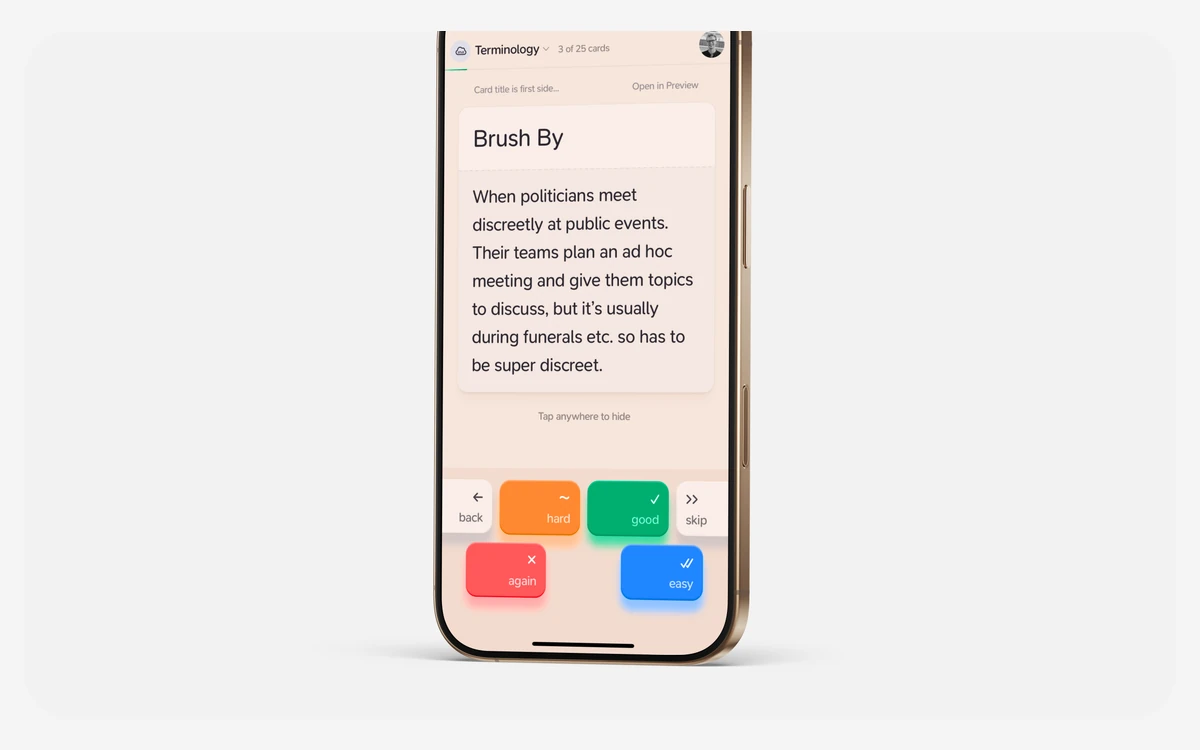
Table layout
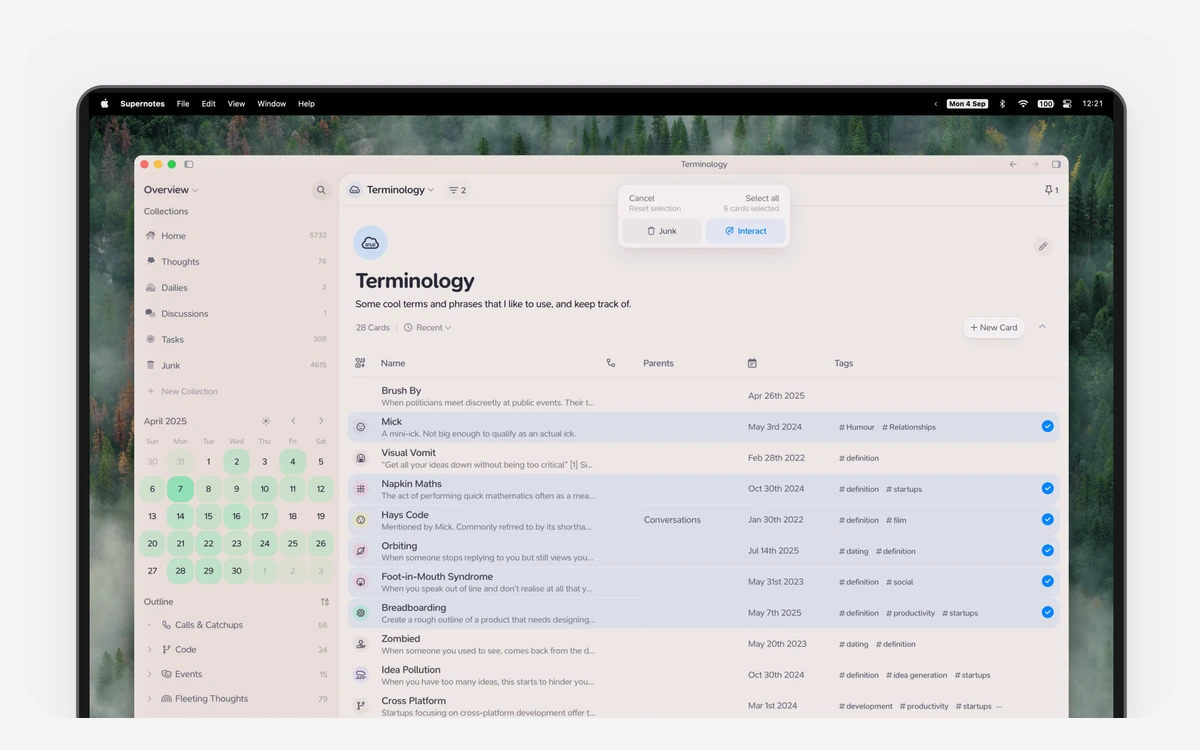
Table layout shows a collection as rows in a grid, which makes a large set of cards far easier to scan than the default columns. It suits reading lists, trackers and anything you would otherwise keep in a spreadsheet next to your notes.
Map layout
The Map layout plots cards on a geographic map. Location tagging is opt-in when you create a card, so it is great for travel journals, field notes or a list of places, and irrelevant for everything else.
Early access wording
The pricing page lists early access to Flashcards, Tables and Maps as an Unlimited perk, while the 3.2.0 changelog says the layouts shipped across all apps. Read it as Unlimited members getting new work on these layouts first, and check what your free account shows before relying on it.
Sharing, collaboration and AI
Sharing is better than in most personal note apps. Each shared card has four permission levels - moderator, editor, collaborator and reader - with real-time co-editing and comments. A friends list lets you drag a card onto someone to share it privately, and any card can be published to the web through a secret link that works without an account.
There is no team or business plan, though, so there is no central billing or admin console for a company.
AI Superpowers are opt-in and only for Unlimited members. There are two of them, one being an AI Collection Creator; a help article last updated in May 2025 says they run on OpenAI's GPT-4o. There is no AI autocomplete. Treat the AI as a small bonus, not a reason to subscribe.
Pricing: free Starter plan vs Unlimited
Supernotes prices in British pounds and charges web purchases through Stripe in GBP; the dollar or euro figure the site shows is a live conversion at that day's exchange rate. App Store and Google Play prices are fixed in your local currency.
- Starter (free): start with 100 cards and earn more by completing achievements. About 99% of features, with sync and publishing included.
- Unlimited, monthly: £8 a month.
- Unlimited, yearly: £72 billed annually, which is £6 a month (25% off).
- Unlimited, 4-Year licence: £192 paid once, which is £4 a month (50% off).
The £72 yearly price is printed on the pricing page; the monthly and 4-Year amounts come from the page's plan toggle data rather than its default view, so confirm them at checkout. At the 6 October 2026 exchange rate the web prices come to roughly $10.60 a month, $95 a year and $254 for four years - our conversions, not prices Supernotes prints. Buying inside the iOS app in the US costs a fixed $11.00 a month or $99.00 a year.
How the free card limit works
You 'keep' a card when you interact with it: creating, joining, liking or editing it. When you reach your limit you can still view, edit and interact with every card you have kept, but you cannot create, like or join new ones. Each person you refer gets 20 extra cards, and if you are on the free plan you get 20 too.
100 cards sounds generous until you remember the 1,200-character cap. Someone moving a notes archive from Evernote or Notion will hit it in one import. Someone testing whether card-based notes suit them will not.
What Unlimited adds
- Unlimited cards.
- AI Superpowers.
- Full API and integrations, with higher API limits.
- Early access to Flashcards, Tables and Maps work.
- A supporter badge and priority support.
Privacy and security
Notes are stored on servers in London. Data is encrypted in transit (forced SSL) and at rest (AES-256), but Supernotes is not end-to-end encrypted, so the company can technically read your notes. Uploaded images are weaker still: they are not encrypted at rest, and anyone with an image's link can open it.
Backups are solid. Supernotes can restore to any point in the last seven days and keeps encrypted daily backups for the past month with a different cloud provider. Its privacy policy says it does not own your data, will never sell it or use it for advertising, and follows the UK Data Protection Act 2018 and GDPR.
The security page was last updated in November 2023, so it is worth checking for changes. API keys give full access to your account - treat one like a password.
Need zero-knowledge storage?
Supernotes is the wrong pick for sensitive notes. Standard Notes and Anytype offer end-to-end encryption, and Obsidian and Joplin keep your files on your own devices.
Platforms, import, export and integrations
- Web app at my.supernotes.app.
- Mac (macOS 12 or newer), Windows (10 or newer) and 64-bit Linux.
- iOS: the App Store lists iOS 15.0 as the minimum, while the download page still says iOS 13.
- Android 12 or newer, and a VR app for Quest 2 or newer.
Store ratings are good: 4.8 out of 5 from 126 ratings on the US App Store, and 4.2 from 308 reviews with 10K+ downloads on Google Play.
Import covers Markdown, Google Keep, Notion, Roam Research and Obsidian, with about 50 notes at a time recommended. Tables, images and attachments are not imported, so a migration is text only. Export is the stronger half: print to PDF, a single Markdown file, a zip of Markdown files, raw JSON or the API. Plain Markdown out means you are not locked in.
Attachments are limited to image uploads (PNG, JPG, GIF) and video embeds. PDFs, EPUBs and other files are not supported.
Integrations include Telegram, Raycast and Pipedream, plus Email to Supernotes; Zapier is listed as coming soon and Make is in development. There is a REST API documented at developer.supernotes.app. There is no browser extension, so web capture means the mobile share sheet, Raycast, Telegram or email.
Supernotes vs Obsidian, Capacities, RemNote and Anytype
- Obsidian: local Markdown files, a huge plugin ecosystem and no card cap. Supernotes wins on zero-setup sync and real-time sharing.
- Capacities: also cloud-based, but built on typed objects and full pages. Pick it if your notes are longer than a card.
- RemNote: the stronger study tool, with flashcards written inside notes and PDF annotation. Supernotes is lighter and easier to share.
- Anytype: local-first with end-to-end encryption. Pick it if privacy is the deciding factor.
- Evernote: web clipper, PDFs and long notes, none of which Supernotes does.
Verdict: who should pay for Supernotes
What we like
- Short linked cards with multiple parents are a genuinely different way to organise notes.
- Sync, sharing and web publishing work out of the box on every platform, including Linux.
- Flashcards, Table and Map layouts reuse the same cards instead of separate databases.
- Clean Markdown and JSON export, plus a 14-day no-questions refund.
What holds it back
- The 100-card free plan is a trial in practice.
- No end-to-end encryption, and uploaded images are reachable by link.
- No PDF attachments, no browser extension and imports drop images and tables.
- A two-person team means a slow release pace.
Supernotes is worth the £6 a month yearly price for people who already think in small, connected ideas: students who want notes and flashcards in one place, writers collecting fragments, and anyone who wants to share a few cards without exporting a document. Start on the free plan, import 50 real notes and see whether the 1,200-character card feels like structure or like a cage.
Frequently asked questions
How much does Supernotes cost?
The Starter plan is free, and Unlimited is £72 a year (£6 a month) on the website. Monthly billing is £8, and a 4-Year licence is £192 paid once. In the US App Store it is a fixed $11.00 a month or $99.00 a year.
Is the free plan enough?
Only for light use or for testing. You start with 100 kept cards, can earn more through achievements and referrals, and at the limit you can still view and edit your cards but not create new ones.
Is Supernotes end-to-end encrypted?
No. Notes are encrypted in transit and at rest with AES-256 on servers in London, but not end to end, and uploaded images are not encrypted at rest.
Is there a free trial, and can I get a refund?
There is no separate trial and no card is required, because the free plan plays that role. Web purchases can be fully refunded within 14 days with no reason needed; App Store and Google Play purchases follow the store's policy.
Does Supernotes work offline?
Yes. You can edit, browse, read and search all of your notes offline, and changes sync when you reconnect.
Can I export my notes if I leave?
Yes. You can export to a single Markdown file, a zip of Markdown files, raw JSON or PDF, or pull everything through the API.
Is Supernotes the same as the Supernote tablet?
No. Supernotes (supernotes.app) is a card-based notes app from Supernotes Education Ltd in London; Supernote is an unrelated e-ink tablet made by Ratta.
Key takeaways
- Supernotes is a card-based notes app: every note is a card of up to about 1,200 characters, nestable under several parents and linked with automatic backlinks.
- 2025 and 2026 brought FSRS flashcards, Table and Map layouts, interface translations (German, Spanish, French, Chinese, Korean and more), @mentions and an iOS 27 update.
- The free plan starts at 100 cards; Unlimited is £72 a year (£6 a month), £8 monthly or £192 for four years, with a 14-day refund.
- It is not end-to-end encrypted, uploaded images are reachable by link, and there are no PDF attachments or browser extension.
- Best for people who think in small connected ideas and want zero-setup sync and sharing; skip it for long documents or sensitive notes.
More in Services & Software
Browse Services & Software