Whimsical Review 2026: Pricing, AI Credits, Free Plan Limits and Fine Print
Whimsical review for 2026: what Free, Pro ($10) and Business ($20) cost per editor, why AI credits are extra on every plan, and the Free plan's 50-object monthly cap.
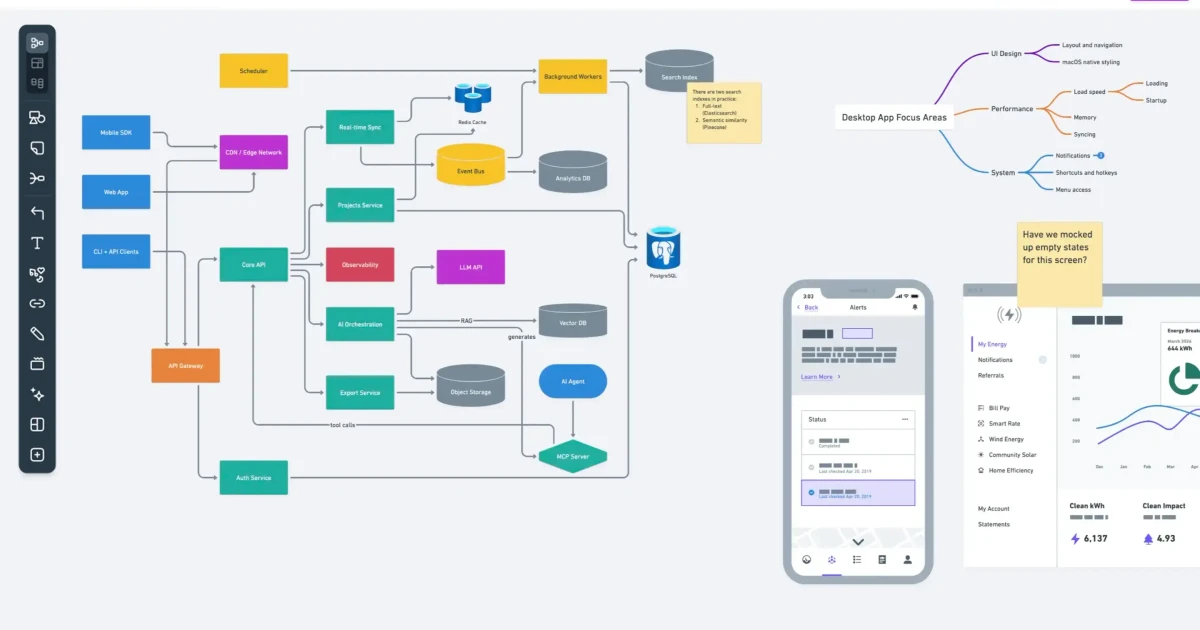
Whimsical has built its reputation on diagrams that look clean the moment you draw them, and in 2026 it added auto-layout, multi-page files, a Linux app, dark mode and an AI agent. Seats are among the cheapest in the category, with viewers and guests free on every plan.
What changed is how AI is sold. Whimsical Agent is not included in any plan, Business included: everyone gets 10 lifetime credits and then pays $0.10 per credit. This review covers what each plan really costs, how the Free plan's monthly allowance works, and the fine print on refunds, offline use and SSO.
Verdict at a glance
Short version
Whimsical is one of the fastest ways to get a clean flowchart, mind map, wireframe or sequence diagram out of your head, and seats are cheap: Pro is $10 per editor per month on annual billing and viewers and guests are free on every plan. The catch is twofold. AI is not part of any plan, so beyond 10 lifetime credits you pay $0.10 per credit, and the Free plan is a monthly allowance of 50 board objects and 50 doc blocks that locks your content to view-only when it runs out.
- Best for: product, design and engineering teams that want tidy diagrams quickly, with many people who only need to view or comment.
- Strengths: fast, consistent diagram styling, flowchart auto-layout, Mermaid import, free viewers and guests, macOS, Windows and Linux desktop apps.
- Weak spots: AI billed separately on every plan, a Free plan that freezes editing once the allowance is spent, no offline mode, no native mobile app, discretionary refunds.
- Price: Free, Pro $10/$12 and Business $20/$24 per editor per month (annual/monthly), in USD and excluding tax.
What Whimsical is in 2026
Whimsical is a browser-based visual workspace. A single board can hold flowcharts, mind maps, wireframes, sequence diagrams and sticky notes side by side, and Docs sit in the same workspace for the written spec that goes with them. Since September 30, 2026, files can also have multiple pages, so a project no longer has to be split across separate boards.
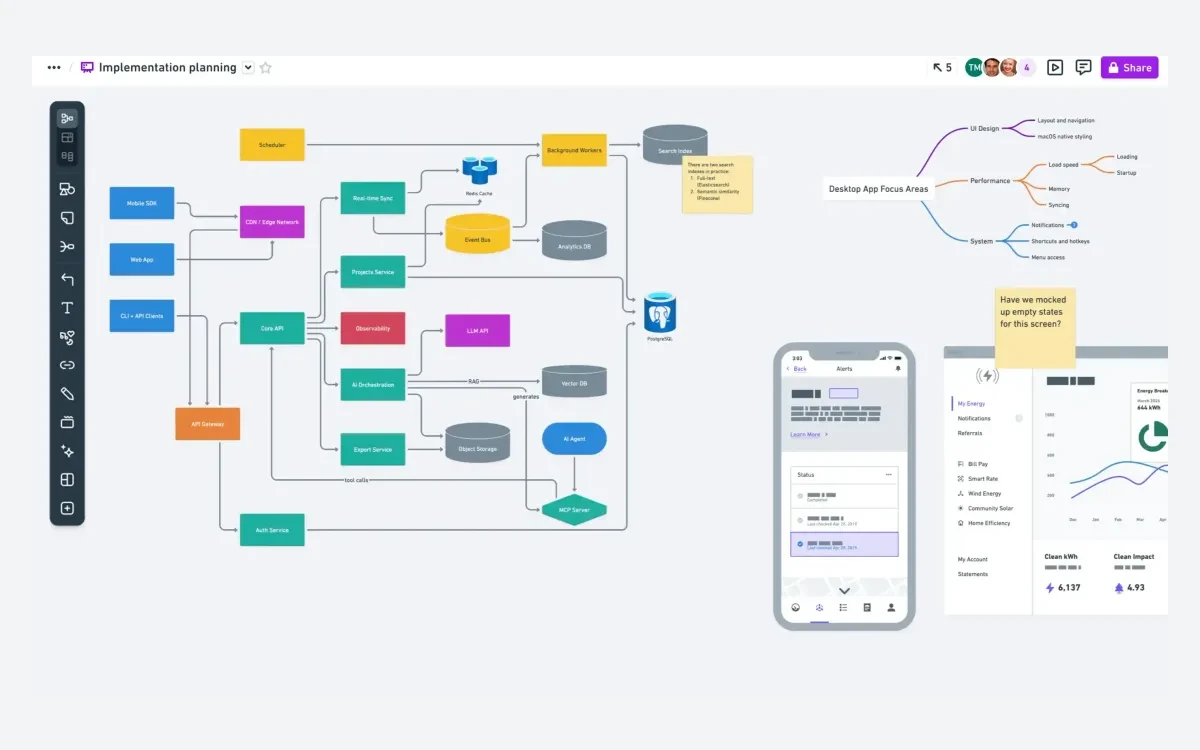
The product has shipped steadily this year. Whimsical's own release feed lists flowchart auto-layout (March 31), a Whimsical whiteboard inside ChatGPT (April 28), Copy as SVG and a Linux desktop app (May 13), better elbow connectors (June 18), the AI assistant now called Whimsical Agent (July 9), dark mode (July 23), better search and icons in flowcharts (August 5), code blocks in boards (September 3), multi-page files (September 30) and paste from anywhere (October 7).
That release run is the reason for a fresh look. Whimsical has always been the tidy, opinionated option next to bigger canvases such as Miro and Lucidchart, both of which we have reviewed separately, and in 2026 it closed several of the gaps that used to push teams toward them.
Pricing: Free, Pro and Business
Whimsical has three plans and bills only for editors. Viewers and guests are free and unlimited on every plan, including Free. There is no separate Enterprise tier; Business is the top plan, with a contact-sales route for custom terms.
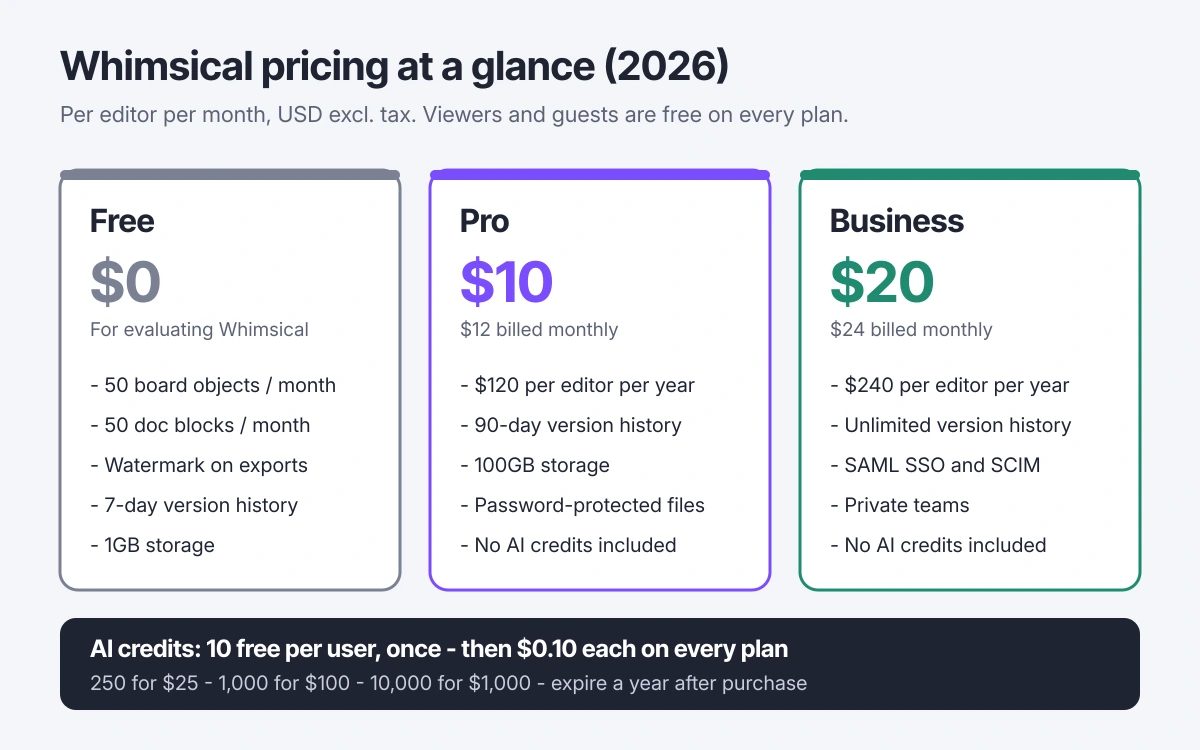
- Free - $0. 50 board objects and 50 doc blocks per month, watermark on exports, 7-day version history, 5MB per file and 1GB total storage, up to 2 free workspaces.
- Pro - $10 per editor per month billed annually ($120 per year), or $12 billed monthly. 90-day version history, 1GB per file and 100GB storage, password-protected files.
- Business - $20 per editor per month billed annually ($240 per year), or $24 billed monthly. Unlimited version history, 10GB per file and storage starting at 2TB, private teams, SAML SSO and SCIM provisioning.
Annual billing saves roughly 17%, which Whimsical describes as two months free. Prices are in US dollars and exclude tax; at checkout you can pay in USD or your local currency, and whichever you pick is the currency you are billed in for as long as the subscription stays active.
What a team actually pays
Whimsical's own example: a Pro workspace with 3 editors and 5 viewers costs $36 a month on monthly billing ($12 x 3), because the 5 viewers are free. A team of 5 editors would pay $600 a year on Pro or $1,200 a year on Business with annual billing. Add an editor mid-term and you pay a prorated fee for the time left; Whimsical's example is $60 for an editor added halfway through an annual Pro year. Plan changes take effect immediately.
Whimsical also notes that customers on its legacy Business plan keep their existing terms and pricing. It does not say when that plan was retired or what it cost, so if you are on an older Business subscription, check your billing page rather than the current price list.
The Free plan is a monthly allowance, not a board cap
Whimsical's Free plan has unlimited boards, but it limits how much you can create each month: 50 board objects and 50 doc blocks, resetting automatically on the 1st of every month.
- Every item on a board counts as one object: a connector, a rectangle, an annotation, a sticky note.
- In Docs, every bullet point and every paragraph is its own block, however short or long.
- Copying, pasting and duplicating all count against the allowance.
- Deleting things does not give any of the allowance back.
Fifty objects goes quickly. A modest flowchart with 20 shapes and 25 connectors is already 45 objects, and importing or pasting an existing diagram counts too.
What happens when it runs out
Whimsical says your content becomes view-only until the allowance resets or you upgrade. You cannot add, edit, move or delete anything, and undo stops working. If you downgrade from a paid plan, your files stay intact and the 50/50 allowance only applies to new objects and blocks from that point on.
Whimsical does not publish a free trial of Pro; the Free plan is its stated way of evaluating the product. Treat it as a test drive, not a permanent home for a working team.
Whimsical Agent and AI credits
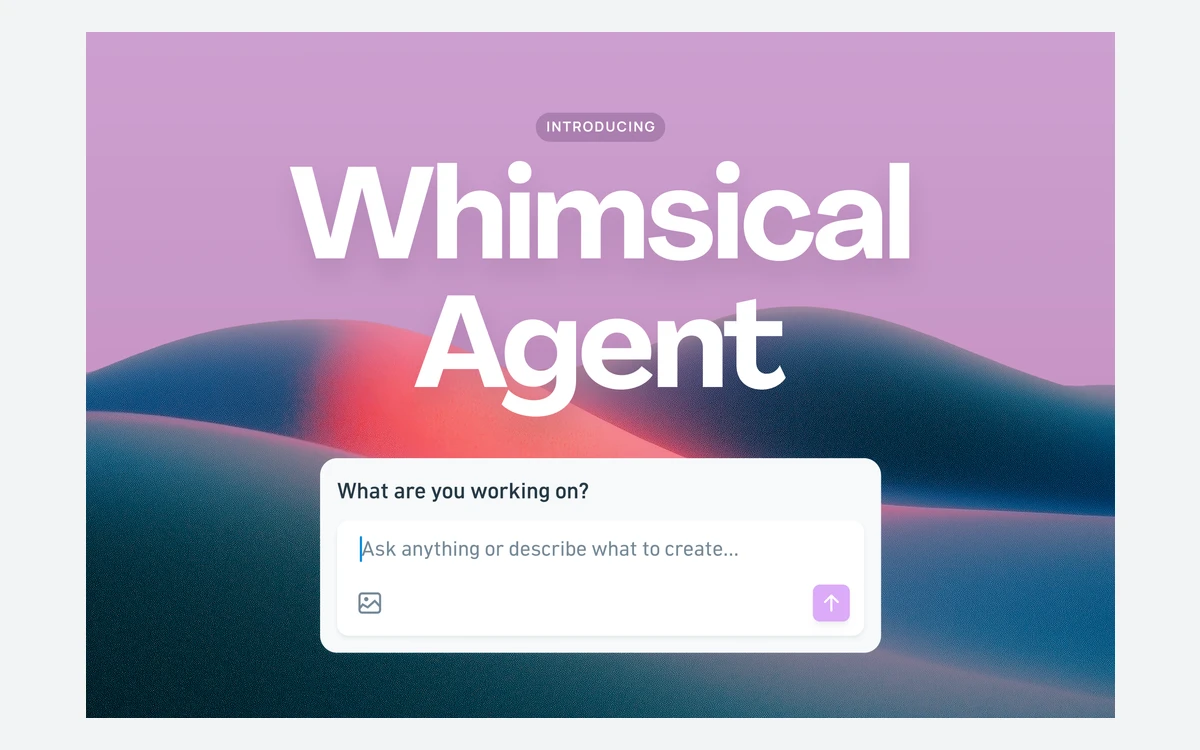
Whimsical Agent is the AI assistant built into the app. Through a chat panel it can create flowcharts, wireframes, mind maps, sequence diagrams, sticky notes and docs, find content in your workspace, and iterate on existing work. You can upload an image, such as a photo of a whiteboard sketch, and ask it to turn that into a diagram, and you can reference files with @. Chats are private to the person who started them.
The pricing is the part to read carefully. In Whimsical's words: "Every user gets 10 free AI credits to try out Agent. After that, credits aren't included in any Whimsical plan so you'll need to purchase more no matter which plan you are on." The 10 credits are a one-off allowance that does not reset, and it is the same on Free, Pro and Business.
- Credits cost $0.10 each, sold in bundles.
- 250 credits for $25.
- 1,000 credits for $100.
- 10,000 credits for $1,000.
- Purchased credits expire a year after purchase.
Whimsical says Agent uses credits based on prompt complexity and labels the credit system as beta. It does not publish a fixed number of credits per prompt, so you cannot predict exactly how far a $25 bundle will stretch until you have used it for a while. Start with the smallest bundle and watch the balance.
On data, Whimsical says it uses Claude by Anthropic for diagram generation and that Anthropic does not keep that data or train on it. Its AI terms, last updated October 14, 2026, list OpenAI, Anthropic, Google Cloud Platform and AWS as subprocessors, and state that customer data is not used to train the models behind Whimsical AI unless you give feedback or explicit permission.
If you already pay for a general AI assistant, Whimsical also connects to ChatGPT, Claude, Grok, Cursor and Microsoft Copilot Studio, and offers an MCP server, so you can drive diagrams from tools you already use.
Flowcharts, mind maps, wireframes and sequence diagrams
Whimsical's core appeal has always been that diagrams look good without fiddling. Shapes snap into consistent spacing and styling, so a quick sketch already looks presentable. The 2026 updates push further in that direction: flowchart auto-layout tidies a messy chart, elbow connectors route more cleanly, flowcharts gained icons and better search, and boards can now hold code blocks next to the diagram that explains them.
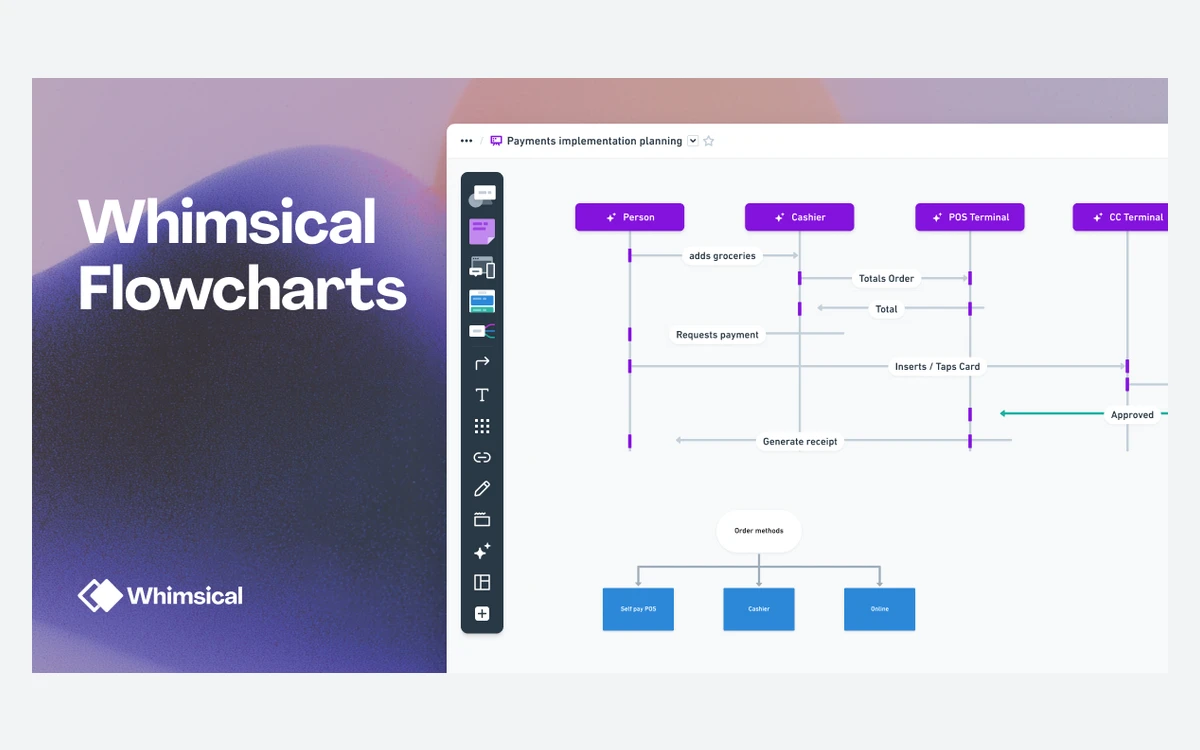
- Flowcharts and sequence diagrams for processes, architecture and API calls.
- Mind maps for brainstorming and planning.
- Wireframes with ready-made UI elements for mobile and desktop screens.
- Sticky notes for workshop-style sessions.
Developers get Mermaid support: Whimsical imports both Mermaid flowcharts (graphs) and sequence diagrams, and boards can be copied back out as Mermaid. That makes it practical to keep a diagram in a repository as text and still edit it visually.
Docs, imports and exports
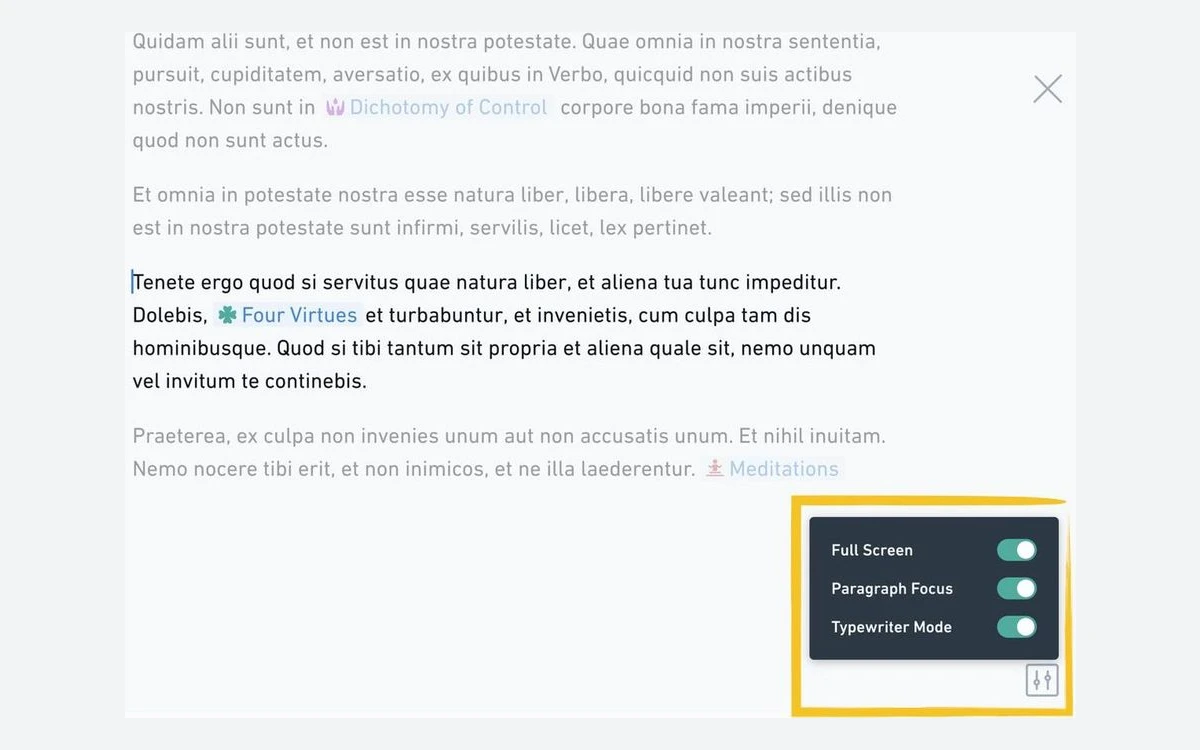
Docs live alongside boards, so a spec can embed the diagram it describes. The editor includes focus options such as full screen, paragraph focus and typewriter mode, plus collapsible headings and toggle lists added in 2025.
Getting content in
You can drop a Visio .vsdx or FigJam .jam file straight onto a board, and drop Markdown files onto a folder or section to turn them into docs. Whimsical publishes migration guides for Miro, Lucidchart, Lucidspark, FigJam, Canva, draw.io, Excalidraw, Mural, tldraw, Visio and Microsoft Whiteboard. Remember that on the Free plan, imported objects count toward the monthly allowance.
Getting content out
Boards export as PNG, either the whole board or one image per frame bundled in a ZIP, at 1x or 2x. PDF goes through Share and Print, and Copy as gives you SVG or Mermaid. On the Free plan, exports carry a "Made with Whimsical" watermark.
Integrations
Every plan includes Slack and GitHub integrations, live Whimsical embeds and third-party embeds. Whimsical's help centre also covers Jira, Confluence, Linear, Notion, Asana, ClickUp, Monday, Coda, Google Docs, Obsidian, Zendesk, Guru and Canva, plus a public API. We found no Figma integration article.
Desktop, mobile and offline
Whimsical runs in the browser and as a desktop app for macOS, Windows and Linux; the Linux app arrived on May 13, 2026. Dark mode followed in July.
- Offline: not supported. Whimsical's FAQ says plainly that it has no support for working without an internet connection.
- Mobile: no dedicated app. You can view boards and add comments from a mobile browser, but editing on a phone is not the intended workflow.
If you diagram on flights or need a phone app for quick edits, that is a real gap compared with some rivals.
Security, SSO and data
Whimsical says it is SOC 2 Type II compliant and runs a public Trust Center. It is hosted on AWS, encrypts data in transit with TLS 1.2 and at rest with AES-256, and lists GDPR and CCPA alongside SOC 2 on its pricing page.
SAML single sign-on and SCIM provisioning for Okta, Microsoft Entra ID and JumpCloud are Business-only. Private teams are Business-only as well, and password-protected files are not available on Free. Whimsical does not mention a data-residency option, so do not assume EU hosting if that matters to your organisation.
Cancellations, refunds and discounts
- Cancelling: you keep paid features until the end of the billing period you have already paid for, and your files are not deleted.
- Downgrading: the workspace moves to the Free plan, content stays intact, and the monthly allowance applies to new work only.
- Refunds: Whimsical's terms say refunds are issued "in our sole discretion", and its billing help says it does not offer refunds or credits for removed editors.
- Non-profits: a 20% discount on request via [email protected].
- Education: teachers and students can use Whimsical free for a year with Pro-level features, according to Whimsical's billing help.
- Invoicing: Business customers with more than 10 editor seats can pay by invoice, including wire and ACH transfer; everyone else pays by card through Stripe.
Before you buy annual
Because refunds are discretionary and removed editors are not credited, start on monthly billing until you know how many editors you really need, then switch to annual for the roughly 17% saving.
Whimsical vs Miro and Lucidchart
Whimsical is narrower than Miro and Lucidchart on purpose. It does fewer things, but the diagrams it does make come out clean with little effort, and free viewers and guests keep costs down for teams where most people only read.
- Choose Whimsical if you mainly need flowcharts, wireframes, mind maps and sequence diagrams that look polished fast, with a spec doc next to them.
- Choose Miro if your work is workshop-heavy whiteboarding with large templates and facilitation tools; see our Miro review for its plans and AI credit rules.
- Choose Lucidchart if you need heavyweight technical diagramming and data-linked diagrams; see our Lucidchart review for its plan limits and Lucid AI costs.
Review sites rate Whimsical well, at around 4.6 out of 5 on G2 and 4.7 on Capterra according to search listings we could not open directly. The recurring complaints are that pasted images land in a fixed spot, large boards can be slow to load, and drag and drop feels clumsy at times.
Frequently asked questions
How much does Whimsical cost?
Pro is $10 per editor per month billed annually or $12 billed monthly, and Business is $20 or $24. Viewers and guests are free on every plan, prices are in USD and exclude tax, and AI credits are bought separately.
Is Whimsical AI included in Pro or Business?
No. Every user gets 10 free AI credits once, and after that credits cost $0.10 each on every plan, in bundles from 250 credits for $25. Purchased credits expire after a year.
What are the Whimsical Free plan limits?
You can create 50 board objects and 50 doc blocks per month, resetting on the 1st. Copies and pastes count, deleting does not refund anything, and when you run out your content is view-only until the reset or an upgrade.
Does Whimsical have a free trial?
Whimsical does not publish a trial of its paid plans. The Free plan is its evaluation route, so test with a small project before you commit.
Can I get a refund if I cancel?
Only at Whimsical's discretion. Cancelling keeps your paid features until the end of the period you paid for, your files are not deleted, and removed editors are not refunded or credited.
Does Whimsical work offline or on a phone?
No to both, mostly. There is no offline mode, and there is no native mobile app, though you can view boards and comment from a mobile browser. Desktop apps exist for macOS, Windows and Linux.
Does Whimsical support SSO?
Yes, on Business only. SAML SSO and SCIM provisioning for Okta, Entra ID and JumpCloud require the Business plan.
Is Whimsical free for students and non-profits?
Students and teachers can use it free for a year with Pro features, per Whimsical's billing help. Non-profits get 20% off by contacting [email protected].
Key takeaways
- Pro costs $10 per editor per month billed annually ($12 monthly) and Business $20 ($24); viewers and guests are always free.
- AI is not included in any plan: 10 lifetime credits, then $0.10 per credit in bundles from $25, expiring a year after purchase.
- The Free plan allows 50 board objects and 50 doc blocks per month and turns content view-only when that is used up.
- There is no offline mode and no native mobile app, but desktop apps cover macOS, Windows and Linux.
- SSO and SCIM are Business-only, and refunds are at Whimsical's sole discretion, so start monthly before going annual.
More in Services & Software
Browse Services & Software