Zoho Notebook Review 2026: Free Essential vs Pro, Pro Plus AI and MCP
Zoho Notebook review 2026: a free notes app with no note cap, US$1.99 Pro, the new US$3.99 Pro Plus with Notebook AI, MCP support and its privacy limits.
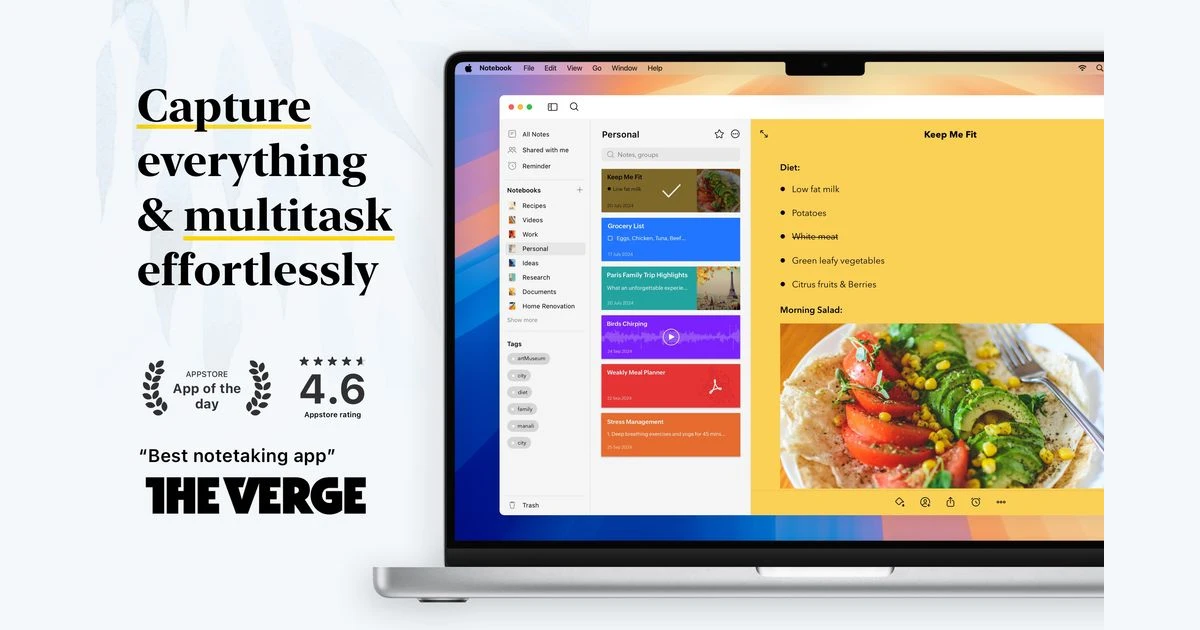
Zoho Notebook has quietly been one of the most generous free note apps for years: no ads, no note cap and apps on every platform. In 2026 it gained Markdown import and export, MCP support for AI assistants and a new Pro Plus plan that now holds all of its AI features.
We checked the current plans, limits and policies against Zoho's own pages to answer three questions: is the free Essential plan still enough, is Pro at US$1.99 the best-value upgrade in note apps, and who should pay for Pro Plus?
Verdict: the most generous free notes app that is not open source
Zoho Notebook is a card-based note-taking app from Zoho, the company behind Zoho Mail, CRM and Workplace. It runs on Android, iOS, Mac, Windows, Linux and the web, it shows no ads, and Zoho says it does not sell your data. The free Essential plan has no stated cap on the number of notes or notebooks - its limits are storage and file size instead.
That makes Notebook one of the easiest landing spots for people leaving Evernote, whose free plan now stops at 50 notes. The catch arrived in July 2026: Notebook AI (transcription, mind maps and generative AI) moved into a new Pro Plus tier at US$3.99 a month, so the cheap US$1.99 Pro plan no longer buys you the AI features.
What we like
- Essential (free) has no note or notebook cap, plus sync across devices, 500MB of storage, reminders, document scanning and Face ID or Touch ID locking.
- Pro at US$1.99 a month or US$19.99 a year is one of the cheapest paid tiers in note apps and jumps storage to 100GB.
- Native apps on every major platform, including Linux, ARM-based Windows PCs and Wear OS.
- Zoho states no ads, no data selling, and no AI training on your notes.
- MCP support (May 2026) lets Claude, ChatGPT, Cursor and VS Code read and write notes.
What holds it back
- No end-to-end encryption - notes are encrypted in transit and at rest on Zoho servers.
- AI needs Pro Plus, Business or a student email; Pro does not include it.
- The free tier caps each notecard at 3MB and each upload at 10MB, and allows only 30 seconds of video.
- Zoho's own pages disagree on whether free sharing is read-only or read/write.
- Re-importing a Notebook backup file is not supported in the web app.
Zoho Notebook pricing in 2026
Zoho lists four tiers. Prices below are the US dollar figures from Zoho's pricing data, checked on 5 October 2026. Yearly billing saves up to 16%. Regional prices and App Store or Google Play prices can differ.
- Essential: free.
- Pro: US$1.99 a month billed monthly, or US$19.99 a year (about US$1.67 a month).
- Pro Plus: US$3.99 a month billed monthly, or US$39.99 a year (about US$3.34 a month). Adds Notebook AI.
- For Business: US$4.99 per user a month billed monthly, or US$4.16 per user a month billed yearly.
Zoho's price data also lists 3-year plans at US$49.99 for Pro and US$99.99 for Pro Plus. The Business plan is part of the Zoho One bundle, and since February 2026 Notebook is also included in the Zoho Project Plus bundle.
Trials
Zoho offers a free trial of the Business plan. For Pro, Zoho says a trial is available on request through support. No trial length is published for either.
Is the free Essential plan enough?
For most personal note-taking, yes. Zoho does not limit how many notes or notebooks you create on any tier. What you get on Essential:
- Sync across devices and 500MB of cloud storage.
- Up to 20 versions per note.
- Notecards up to 3MB, file uploads up to 10MB each.
- Audio recordings up to 30 minutes and video up to 30 seconds.
- One nested Collection and up to four Noteboard lists.
- Export as PDF, document scanning, tags, reminders and Smart Cards.
- Face ID or Touch ID locking, sharing, and support through community forums and email.
The limits that bite first are file size and storage. A text-heavy notebook will take years to fill 500MB, but if you clip PDFs, record lectures or save photos, the 10MB upload cap and 3MB notecard cap show up quickly. That is the point where Pro becomes worth paying for.
What Pro adds for US$1.99
- 100GB of storage, notecards up to 200MB and file uploads up to 1GB.
- Up to 100 note versions, 60-minute audio and 30-minute video.
- Smart search with OCR and object detection, so text inside images and scans becomes searchable.
- PDF annotation, export as image, premium and custom covers and fonts.
- Email-to-note, Flight Cards, recurring reminders, table and business card scanning.
- Five nested Collections, unlimited Noteboard lists, custom note sorting, co-owner sharing and priority chat support.
Notecards, notebooks, Collections and Noteboards
Notebook is built around notecards rather than one long document. Each card has a type: Text, Checklist, Audio, Photo, Sketch, File or Smart. Cards sit inside notebooks, and notebooks can be grouped into Collections, which can be nested once on Essential and up to five levels on Pro.
Smart Cards are Notebook's most distinctive feature. Save a recipe and it is formatted as a Recipe Card; save a YouTube or Vimeo link and it becomes a Video Card; other links turn into Link Cards. It is the closest thing to a read-later app built into a notes app.
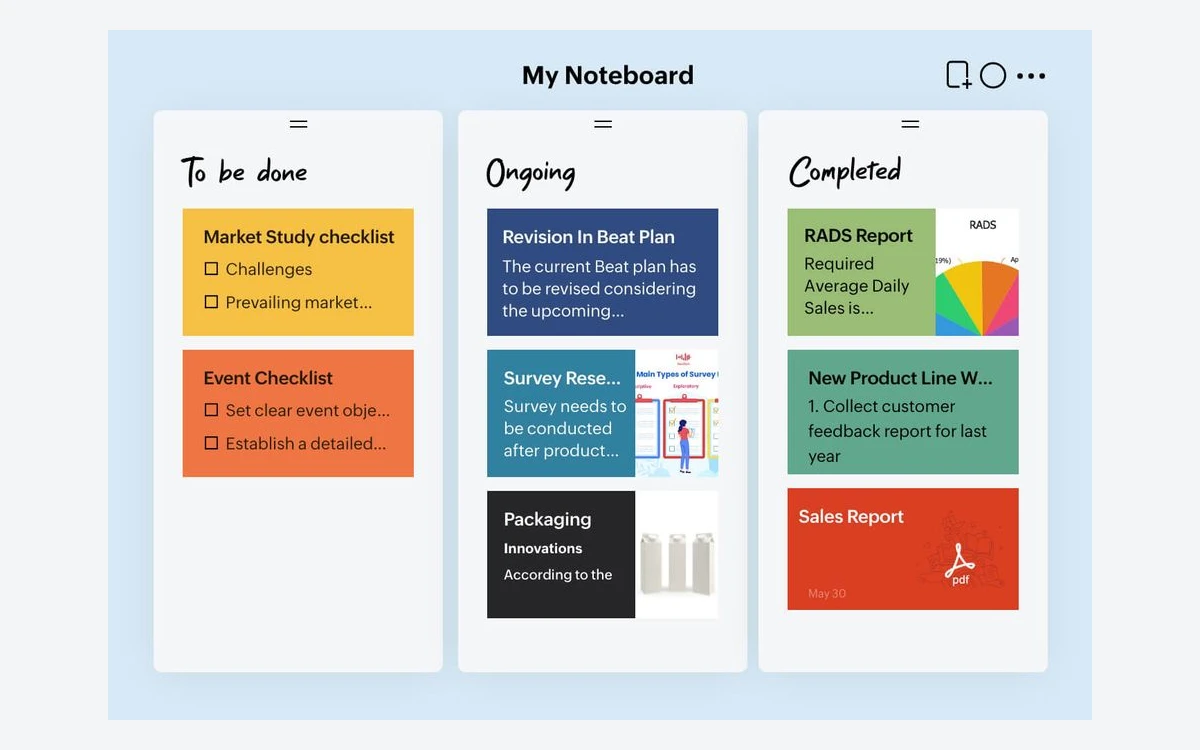
Noteboards add Kanban-style lists for planning, and Business users also get Whiteboards for brainstorming. There are no databases, linked references or backlinks, so if you want a second-brain setup, Obsidian or Notion is a better fit. Notebook is for capturing and finding things quickly, not for building systems.
Web Clipper, scanning and capture
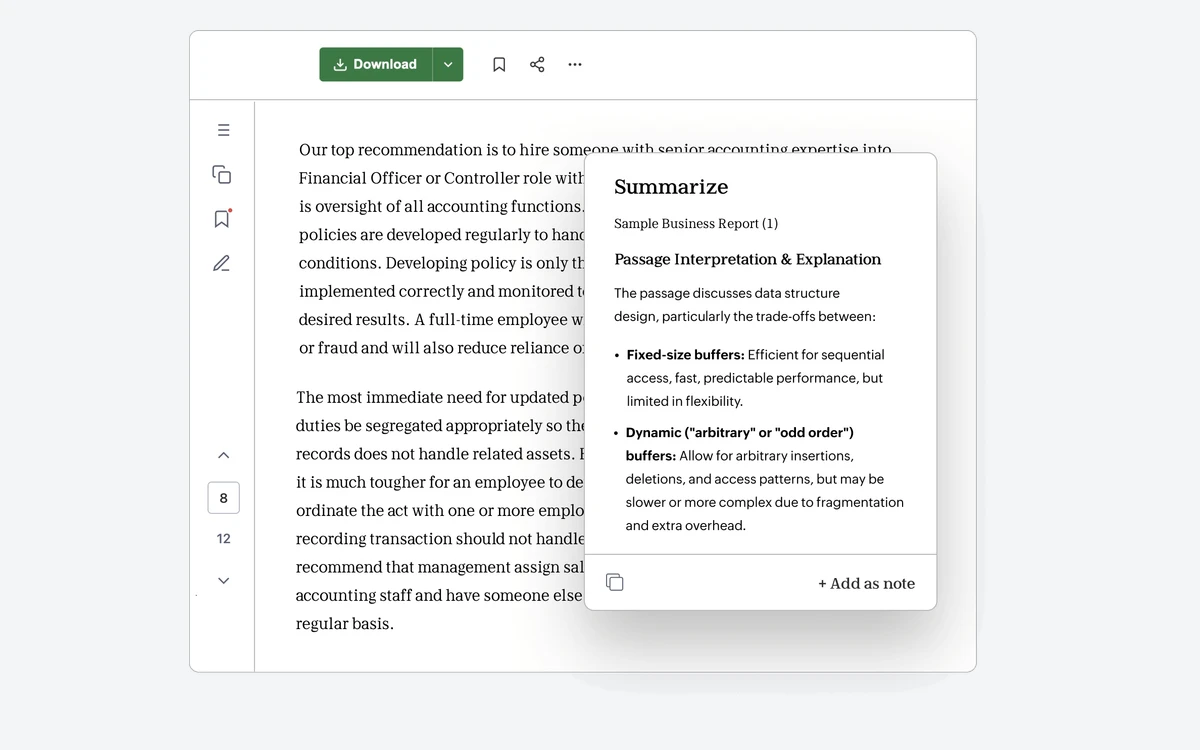
The Notebook Web Clipper works in Chrome, Firefox, Safari and Edge. It saves articles and images, and adds a distraction-free reader view, advanced screenshot capture, multi-select capture, sticky notes on web pages and a Summarize using AI option. Zoho does not say which plan the clipper's AI summary requires.
On mobile, document scanning is available on every plan, while table and business card scanning are Pro features. Audio notes are capped at 30 minutes on Essential, 60 on Pro and 180 on Pro Plus.
Notebook AI and the Pro Plus tier
Notebook AI, built on Zoho's Zia assistant, drafts and summarises notes, turns long notes into mind maps, checks grammar, transcribes recordings, translates, and finds notes when you ask for them in plain language. Since July 2026 it comes with Pro Plus, which adds:
- Up to 30 hours of AI transcription a month, in English, Spanish, French, German, Italian, Dutch and Russian.
- AI Mind Maps and generative AI.
- 500GB of storage, notecards up to 500MB, 180-minute audio and 60-minute video.
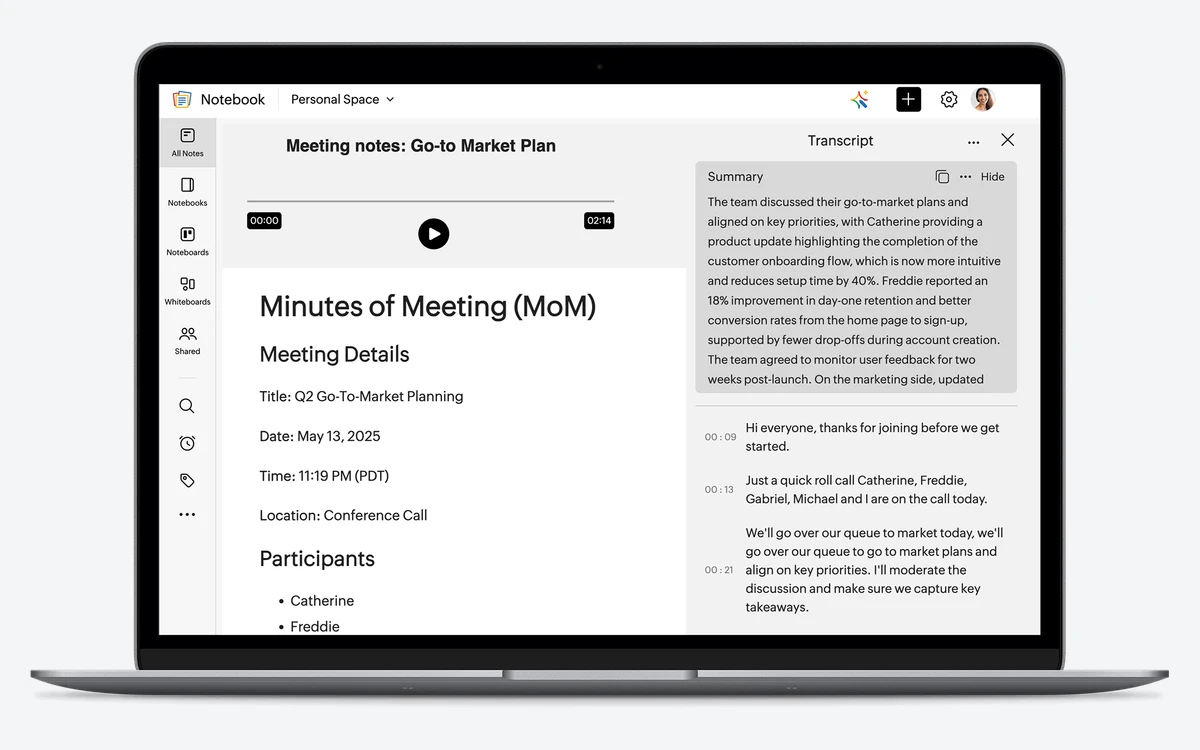
Not every AI feature works everywhere. Automatic meeting recording is a Mac feature, grammar insights run in the web app, and shape recognition is on mobile. On iPhone, iPad and Android some AI runs entirely on the device, and on Apple devices summaries and tone refinement can use Apple's on-device models.
Students get Notebook AI free
Sign up with your school or university email address and Zoho gives you Notebook AI at no cost, with monthly quotas. Zoho also offers students a free plan through the same route.
MCP: use your notes from Claude, ChatGPT and Cursor
In May 2026 Notebook added support for Zoho MCP, with 55 tools that let AI assistants such as Claude, ChatGPT, Cursor and VS Code read and write your notes. Few mainstream consumer note apps offer this out of the box. Anything an assistant can read through MCP leaves Notebook's own privacy boundary, so connect only the assistants you trust with those notes.
Privacy and security
Zoho's privacy stance is the strongest argument for Notebook among free, ad-free apps. Zoho says it does not sell your information, does not show ads, does not look at your data and does not use notes to train AI models. Zoho as a company holds ISO/IEC 27001, 27017, 27018 and 27701, SOC 2, PCI and HIPAA-related attestations.
Notes and attachments are encrypted in transit and at rest. Zoho does not claim end-to-end or zero-knowledge encryption, so Zoho could technically access stored notes. If that matters to you, Standard Notes or Joplin with end-to-end encryption are the better choices.
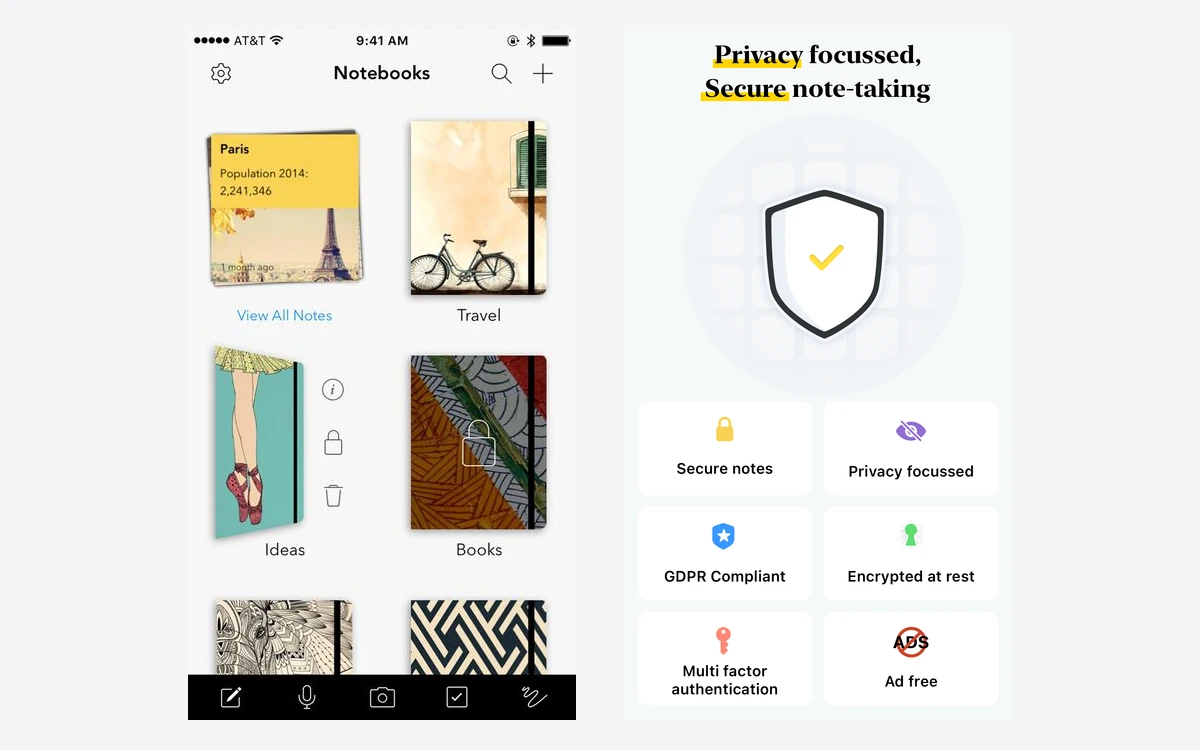
Zoho runs data centres in the US, EU, India, Australia, Japan, Canada and several other regions, but it does not state which ones host Notebook data.
Apps, offline use, import and export
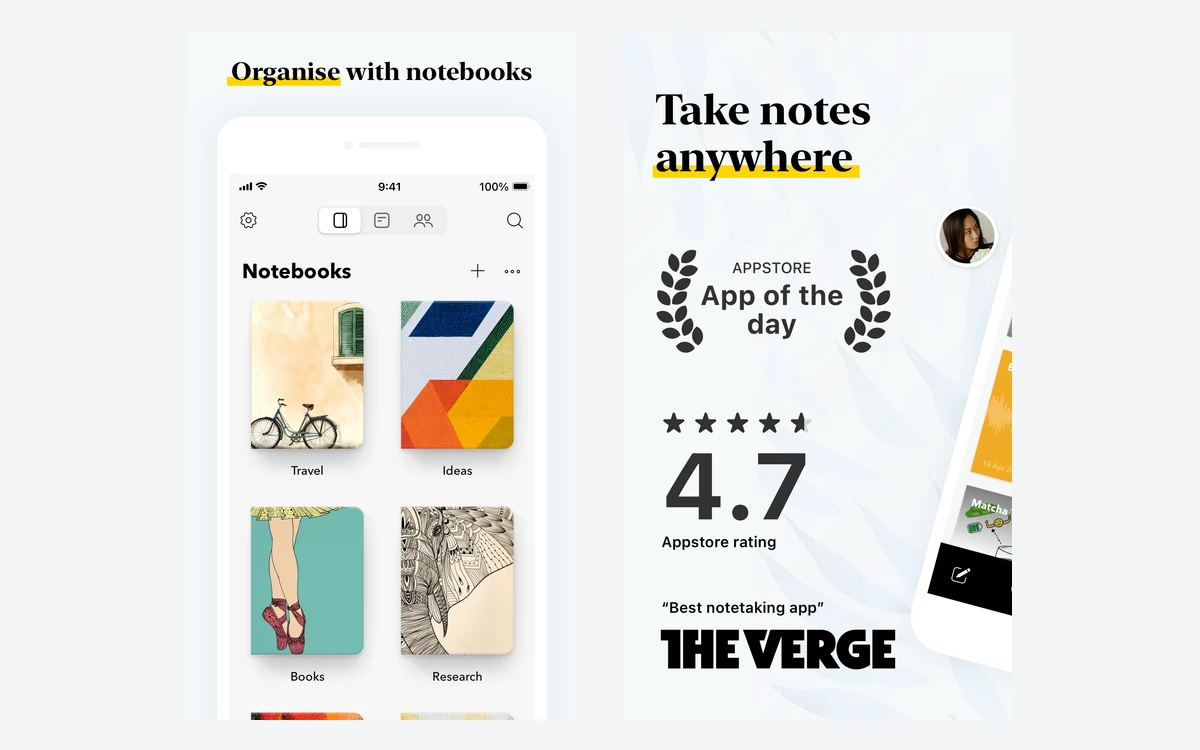
Notebook has apps for Android, iOS and iPadOS, Mac, Windows (including ARM-based PCs and a Microsoft Store version), Linux and the web at notebook.zoho.com, plus a Wear OS app. Notes can be read and edited offline and sync when you reconnect. The iOS app holds 4.7 stars from about 23,800 ratings in the US App Store, and the Android app 4.0 stars from about 63,900 reviews on Google Play.
Imports accept Notebook's own .znote format, Markdown, HTML, TXT, PDF and Office files, and Zoho publishes migration guides for Evernote, OneNote, Google Keep, Apple Notes and Zoho Mail.
For export you can bulk-export all notecards as ZNote or HTML, and since mid-2026 export Markdown and HTML on iOS and Android too. Single notes can go to Google Drive, Zoho Writer, print, or PDF and password-protected files from the mobile apps. You will not be locked in, but there is no one-click Markdown vault like Obsidian's.
How Zoho Notebook compares
- Evernote: Evernote's free plan caps you at 50 notes, while Notebook's free plan has no note cap and Pro costs a fraction of Evernote's paid plans. Evernote still has stronger search and a deeper feature set.
- OneNote: Also free and polished, with a freeform canvas. Notebook is simpler, has Smart Cards and a Linux app, and Pro storage is far cheaper than buying extra Microsoft storage.
- Joplin and Standard Notes: Pick these if you need end-to-end encryption. Notebook is friendlier and better looking but cannot match their privacy model.
- Obsidian and Notion: Better for linked notes, databases and knowledge systems. Notebook is better for fast capture on phones.
Which Zoho Notebook plan should you choose?
- Essential (free): text notes, checklists, recipes, web clips and a few scans. Most casual users never need more.
- Pro (US$19.99 a year): heavy capture of photos, PDFs and recordings, or anyone who wants OCR search. The best value upgrade in this category.
- Pro Plus (US$39.99 a year): people who record meetings or lectures and want transcription, summaries and mind maps. Students should take the free AI offer first.
- For Business: teams already on Zoho, or anyone needing admin controls, audit logs, Whiteboards and 1TB of shared storage for up to 10 users.
Frequently asked questions
Is Zoho Notebook really free?
Yes. The Essential plan costs nothing, shows no ads and has no stated limit on notes or notebooks. Its limits are 500MB of storage, 3MB per notecard, 10MB per upload and short audio and video recordings.
How much does Zoho Notebook Pro cost?
Pro is US$1.99 a month or US$19.99 a year. Pro Plus, which includes Notebook AI, is US$3.99 a month or US$39.99 a year. Prices bought through the App Store or Google Play may differ by region.
Does Zoho Notebook Pro include AI?
No. Since July 2026 Notebook AI comes with Pro Plus, the Business plan, or free with a student email address. Pro adds storage, OCR search and capture features but not transcription or generative AI.
Is Zoho Notebook end-to-end encrypted?
No. Zoho encrypts notes in transit and at rest and says it never sells data or trains AI on your notes, but it does not offer end-to-end encryption. You can lock individual notes with a passcode, Face ID or Touch ID.
Can I import my notes from Evernote?
Yes. Zoho has migration guides for Evernote, OneNote, Google Keep and Apple Notes, and accepts Markdown, HTML, TXT, PDF and Office files.
Does Zoho Notebook work offline?
Yes. You can read and edit notes offline, and changes sync automatically when you reconnect.
Can I cancel or get a refund?
You can cancel any time from account settings and keep paid features until the billing cycle ends. Zoho's company-wide policy refunds monthly plans in the first month and yearly plans in the first 45 days. Purchases made through the App Store or Google Play are refunded by Apple or Google, and App Store purchases cannot be downgraded through Zoho.
Key takeaways
- Essential (free) has no note cap, no ads and sync on every platform - its limits are 500MB of storage and small file sizes.
- Pro at US$19.99 a year adds 100GB, 1GB uploads and OCR search, and is the best-value upgrade.
- Notebook AI now needs Pro Plus (US$39.99 a year), the Business plan or a student email.
- Zoho does not sell data or train AI on notes, but there is no end-to-end encryption.
- A strong home for Evernote refugees; pick Joplin or Standard Notes if you need end-to-end encryption.
More in Services & Software
Browse Services & Software