AutoDraw Review 2026: Google's Free AI Doodle Tool, Still Working but Frozen in Time
Hands-on AutoDraw review: how Google's free machine learning drawing tool turns scribbles into clean icons, what it still does well in 2026, and its limits - PNG only, no layers, no cloud save.
AutoDraw is the drawing tool Google Creative Lab released in April 2017 as one of its AI Experiments. You scribble something rough - a bike, a cat, a coffee cup - and a machine learning model guesses what you meant and offers clean, artist-made drawings to swap in. It is free, runs in any browser and has no sign-in: you open autodraw.com and start drawing.
We checked it on 21 October 2026. The site still loads, the recognition service still answers, and nothing about the app has visibly changed since its launch era. Its About link now lands on Google Labs, and the only download is a PNG. This review covers what AutoDraw still does well, exactly how it works, and the limits to know before you rely on it.
What AutoDraw is
Google's one-line pitch on the site reads: "Fast drawing for everyone. AutoDraw pairs machine learning with drawings from talented artists to help you draw stuff fast."
The launch post, written by Dan Motzenbecker, Creative Technologist at Google Creative Lab, put the problem plainly: "Drawing on your phone or computer can be slow and difficult - so we created AutoDraw, a new web-based tool that pairs machine learning with drawings created by talented artists to help you draw. It works on your phone, computer, or tablet (and it's free!)."
The experiments page credits Motzenbecker and Kyle Phillips "with friends at Google Creative Lab" and sums up the deal: "There's nothing to download. Nothing to pay for. And it works anywhere: smartphone, tablet, laptop, desktop, etc."
AutoDraw at a glance
Free, no sign-in, runs in phone, tablet and desktop browsers. Exports PNG only. Library of 1,608 drawings in 544 categories. Still online and working in October 2026, with no visible updates since launch.
- Price: free - no paid tier, trial or upgrade
- Account: none - you start drawing straight away
- Works on: phone, tablet, laptop and desktop browsers
- Output: PNG download or a share link
- Library: 1,608 drawings across 544 categories in the file the site loads today
- Status (October 2026): online and working, no visible updates since the launch era
How AutoDraw works
The workflow takes seconds. Pick the AutoDraw tool, scribble the thing you want, and a row of suggestions appears at the top of the canvas under the prompt "Do you mean:". Click one and the clean drawing replaces your scribble. TechCrunch described it at launch: "if it finds any possible matches, it'll show them in a list at the top of your virtual canvas."
- Choose the AutoDraw tool (keyboard shortcut: A).
- Draw a rough version of the object - a few strokes is usually enough.
- Scan the "Do you mean:" bar for the drawing you meant; it updates as you add strokes.
- Click a suggestion to swap it in, then use Select to move or resize it.
- Add words with Type, simple shapes with Shape and colour with Fill.
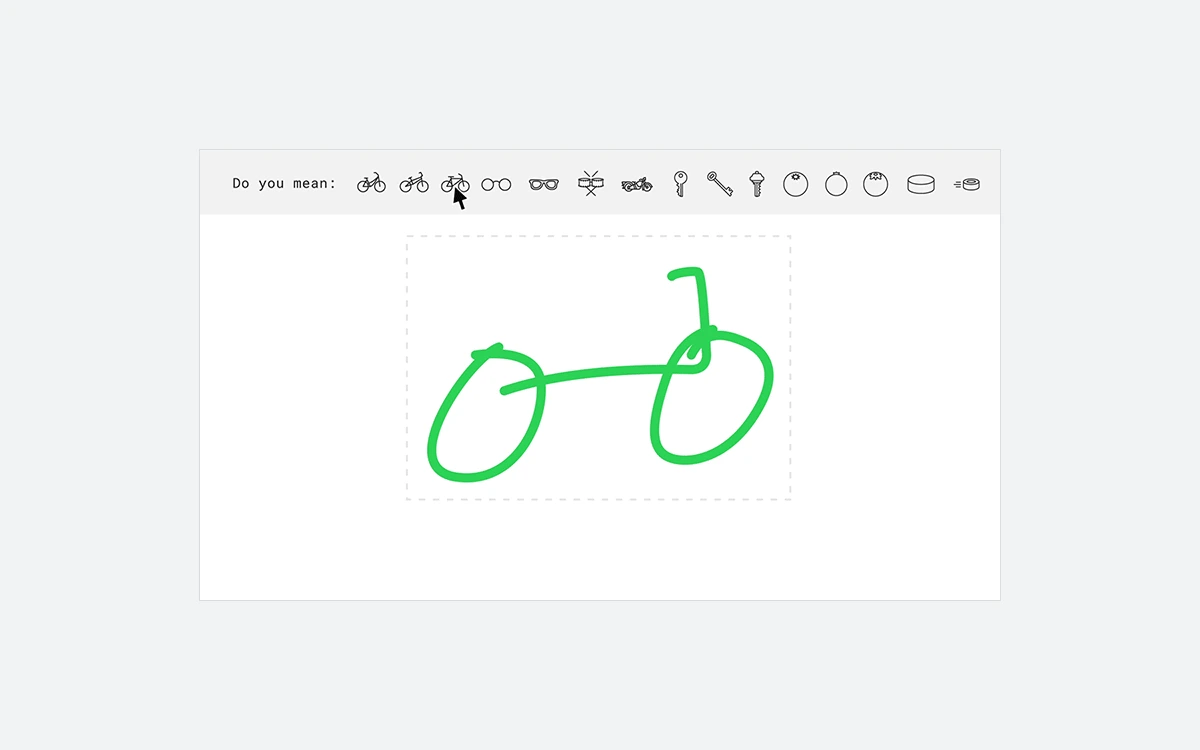
Under the hood, your strokes are sent to Google's handwriting recognition service, which returns its best guesses; AutoDraw then shows artist drawings for those guesses. Google's launch post says the suggestion tool "uses the same technology" as Quick, Draw!, the game where a neural network tries to recognise your drawing in under 20 seconds.
When we sent a single round stroke on 21 October 2026, the service answered with circle, moon, potato and bottlecap. That sums up both the strength and the limit: it reads outlines, not intent. Simple, iconic objects - a house, a star, a bicycle, a light bulb - work best, and the more distinctive the outline, the better the guess. If nothing fits, the Draw tool keeps your freehand lines exactly as drawn, so trying costs nothing.
Not the same as Quick, Draw!
Quick, Draw! is the guessing game that shares AutoDraw's recognition technology. Its public dataset - 50 million drawings across 345 categories, licensed CC BY 4.0 - is separate from AutoDraw's own library of artist drawings.
The drawing library and the artists behind it
The suggestions are not generated images. They are fixed drawings made by human designers and illustrators. The in-app Artists drawer says: "AutoDraw is a collaboration between machine learning and the artist community. Below are some drawings created by different designers, illustrators and artists, for public use. The majority of the drawings in AutoDraw were created by Selman Design, a design studio in New York."
Google's experiments page only promises "hundreds of drawings". We counted the drawing library file the site loads today (21 October 2026): it holds 1,608 drawings in 544 categories, split like this:
- Selman Design - 1,500
- Julia Melograna - 31
- Erin Butner - 16
- Simone Noronha - 16
- HAWRAF - 16
- Tori Hinn - 13
- Melia Tandiono - 10
- Pei Liew - 6
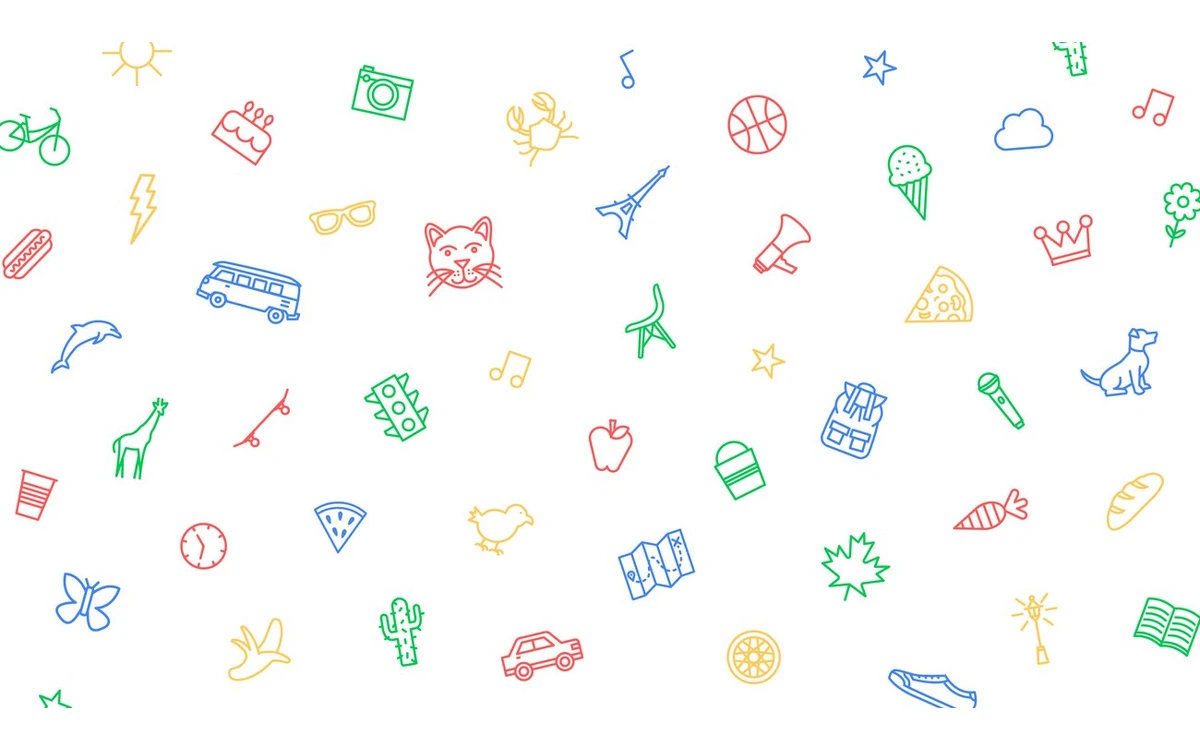
In practice that means a consistent, flat, outline-led look - most of what you pick carries Selman Design's style. That is useful on a slide or a sign where icons should match, and limiting if you want a different style or something outside the 544 categories. The experiments page said "we look forward to adding more over time", but nothing we saw suggests the library has grown since launch.
Tools, canvas and keyboard shortcuts
The toolbar has nine tools: AutoDraw, Select, Draw, Fill, Type, Shape, Undo, Delete and Zoom. Shape offers a rectangle, circle and triangle. The menu adds Start over, Download, Share, How-To, Shortcuts (hidden on touch devices), Artists and About.
Start over lets you choose a landscape, square or portrait canvas, and the app itself notes that "AutoDraw works best in portrait view." The colour palette shows eight colours per page, and undo history stops at 20 steps.
Keyboard shortcuts
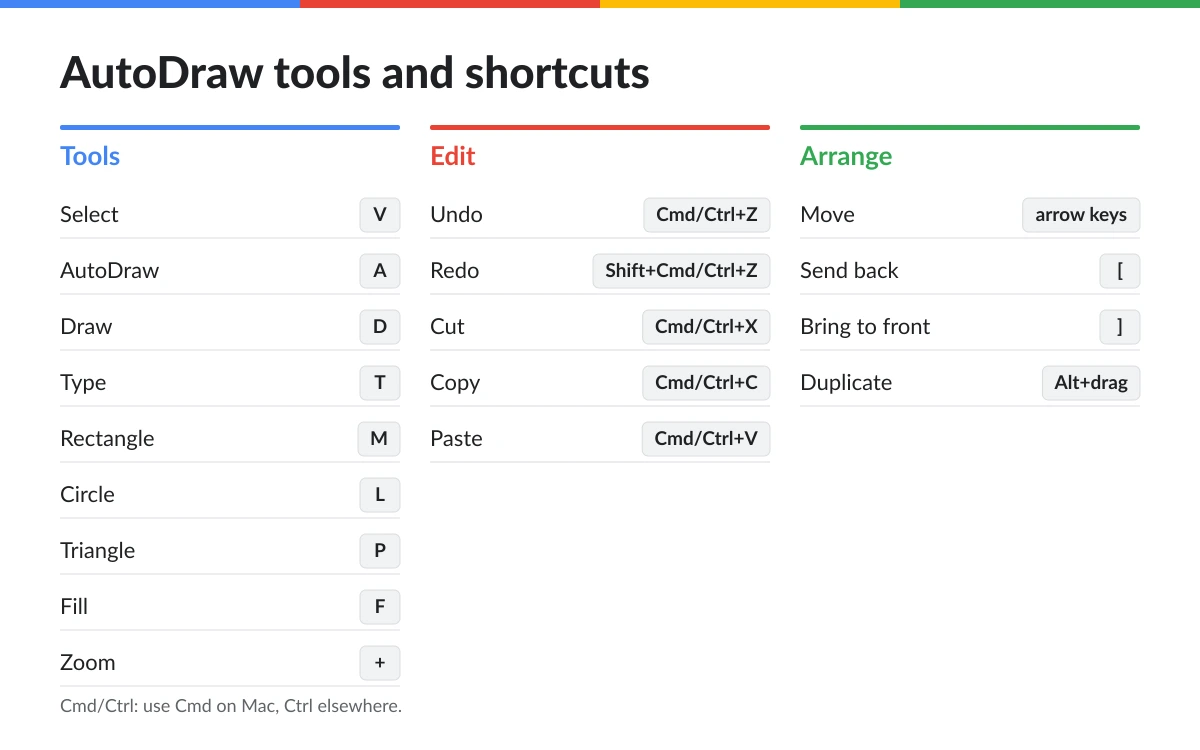
- Tools: Select V, AutoDraw A, Draw D, Type T, Rectangle M, Circle L, Triangle P, Fill F, Zoom +
- Edit: Undo Cmd/Ctrl+Z, Redo Shift+Cmd/Ctrl+Z, Cut Cmd/Ctrl+X, Copy Cmd/Ctrl+C, Paste Cmd/Ctrl+V
- Arrange: move with the arrow keys, send back [, bring to front ], duplicate with Alt+drag
Tom's Guide summed up the feature set in 2017: "You can add multiple drawings on one page, draw simpler shapes, type in text, fill in your drawings with different colors and move everything around on the page." That is still the full list. There are no layers and no path editing - each suggestion is a finished drawing you can move, scale and recolour, not reshape.
Saving, sharing and exporting
This is where AutoDraw shows its age.
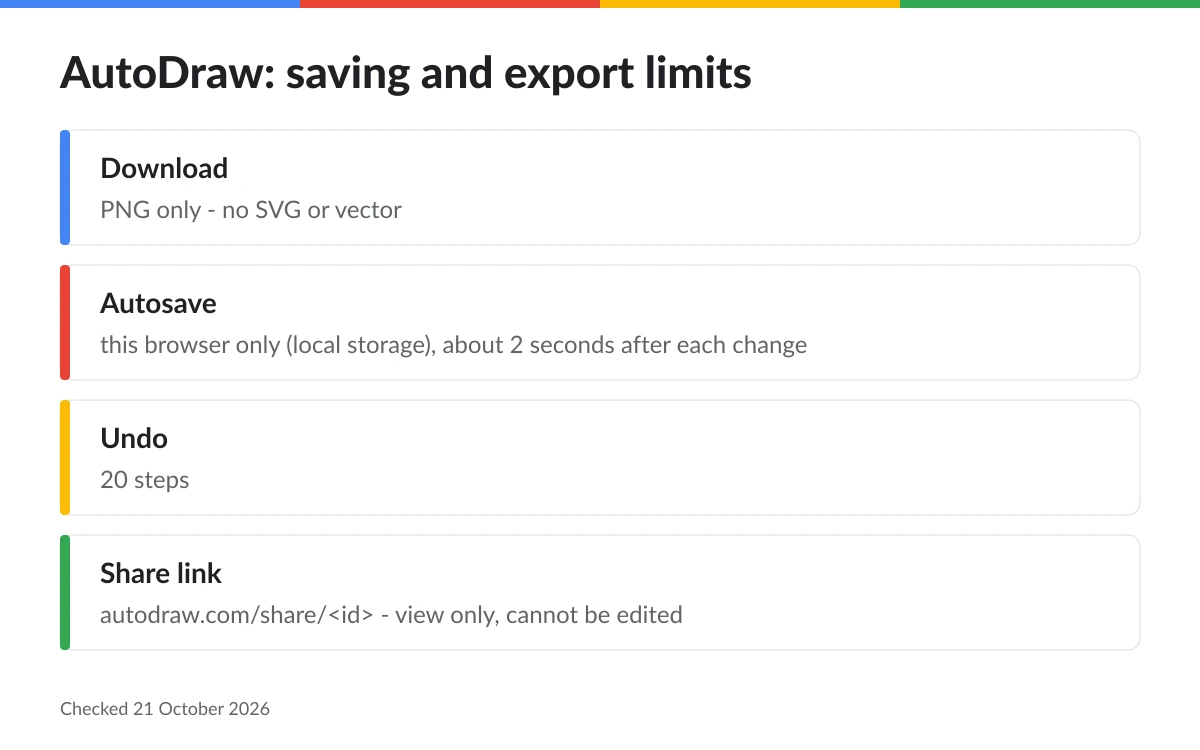
- Download saves a PNG. The code contains an SVG export function, but no menu item calls it, so there is no vector output for print or for editing in Illustrator, Figma or Inkscape.
- Your drawing autosaves to the browser's local storage about two seconds after each change and comes back when you reopen the site in the same browser. Start over wipes it.
- There is no account, no cloud save and no library of past drawings. Clear your browser data or switch device and the drawing is gone.
- Share uploads the PNG and gives you a link of the form autodraw.com/share/<id>, which opens a "Made in AutoDraw" page with a Start Drawing button. A shared drawing cannot be reopened for editing.
The Irish Times saw the point in 2017: "the utility lies in the ability to create a drawing quickly from your web browser, phone or tablet, add text and colour, and download for use elsewhere." That still holds - as long as "elsewhere" is happy with a flat PNG.
Tip
Finish a drawing in one sitting where you can, and download the PNG before you press Start over or clear your browser. Local storage is the only editable copy, and a share link cannot be edited.
Privacy and licensing
What you draw does not stay on your device. Each stroke is sent to Google's handwriting recognition service so it can be recognised, and the app reports back which suggestion you picked. The page also loads Google Tag Manager and Google's cookie-consent bar. We saw no advertising scripts.
The footer's "Privacy & Terms" link goes to Google's general Terms of Service. There is no AutoDraw-specific licence. The only licence-like wording is the Artists drawer's description of the drawings as "for public use", and we found no explicit permission or ban on commercial use.
Commercial use
For a classroom poster, a team slide or a personal project the risk is low. For a logo, merchandise or anything you plan to trademark, do not rely on AutoDraw artwork: "for public use" is not a written licence, and most drawings come from one studio.
Who AutoDraw suits - and who should skip it
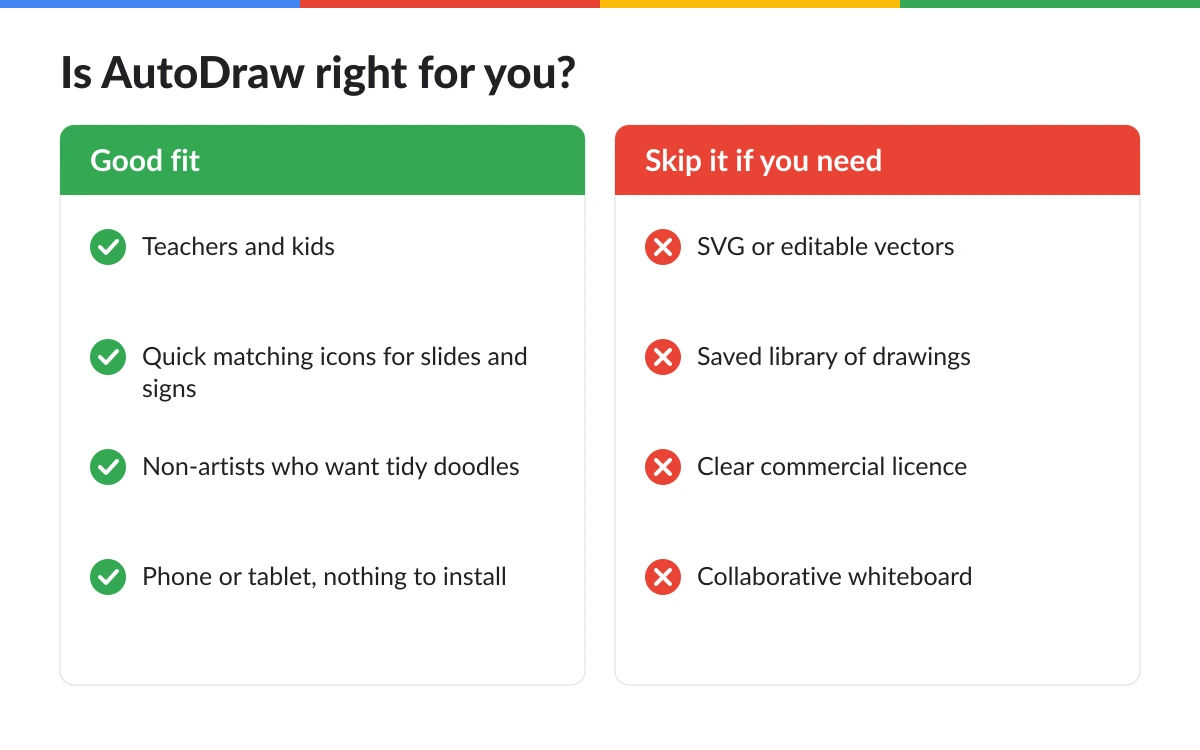
Good fit
- Teachers and kids who want quick, tidy pictures for worksheets, games and classroom signs
- Anyone who needs a few matching icons for a slide, poster or invitation in a minute
- Non-artists who want a doodle to look intentional
- Quick visual notes on a phone or tablet with nothing to install
Poor fit
- Designers who need SVG or editable vector paths
- Anyone who wants to save, organise and return to many drawings
- Logo, brand or merchandise work where licensing must be clear
- Collaborative whiteboarding and diagrams
The aggregator Tools for Humans, reviewing it in March 2026, put the trade-off bluntly: "The suggestions are generic, the colour options are limited, and there's no vector export for print."
Alternatives worth a look
- Excalidraw - "An open source virtual hand-drawn style whiteboard" with an infinite canvas; the better pick for diagrams and drawing with other people.
- tldraw Make Real - built on the tldraw SDK, it turns a sketched interface into working code with an AI model. Try it at makereal.tldraw.com.
- Quick, Draw! - not a drawing tool, but a fun way to watch the same recognition technology guess your doodles.
Verdict
AutoDraw is still one of the fastest ways for a non-artist to turn a rough idea into a clean picture. It is free, needs no account, works on a phone, and its core trick - scribble, then pick the drawing you meant - is still satisfying more than nine years after launch.
Treat it as a quick-sketch utility, not a design tool. It exports PNG only, saves only to your browser, caps undo at 20 steps, and its library shows no sign of growing. Google has posted no shutdown notice, but the product looks left as it was: its About link now points to Google Labs rather than an AutoDraw page. Use it for the slide you need in five minutes; reach for something else when the drawing has to last.
Frequently asked questions
Is AutoDraw free?
Yes, completely. There are no plans, trials or paid upgrades. Google's experiments page says: "There's nothing to download. Nothing to pay for."
Do I need a Google account to use AutoDraw?
No. There is no sign-in: you open autodraw.com and start drawing straight away. The trade-off is that nothing is tied to an account, so there is no cloud save.
Does AutoDraw save my drawings?
Only in your browser. The drawing autosaves to local storage about two seconds after each change and is restored when you return in the same browser. Start over, clearing browser data or switching device loses it, so download a PNG of anything you want to keep.
Can I export AutoDraw drawings as SVG or vector files?
No. Download produces a PNG only. An SVG export function exists in the site's code, but nothing in the menu uses it, so you cannot get vector output.
Can I use AutoDraw drawings commercially?
It is unclear. Google publishes no AutoDraw-specific licence - only its general Terms of Service and the Artists drawer's note that the drawings are "for public use". That is fine for classrooms and personal slides, but get properly licensed artwork for logos, merchandise or anything you sell.
Does Google see what I draw?
Yes. Your pen strokes are sent to Google's handwriting recognition service to be recognised, and the app reports which suggestion you picked. The page also loads Google Tag Manager.
Does AutoDraw work on phones and tablets?
Yes. It runs in mobile browsers with nothing to install, and the app notes that it works best in portrait view. The keyboard shortcuts menu is hidden on touch devices.
Is AutoDraw still maintained?
It still works, but it shows no visible updates since its launch era. As of 21 October 2026 the site loads and the recognition service answers, there is no shutdown notice, and the in-app About link now redirects to Google Labs.
How many things can AutoDraw recognise?
The drawing library the site loads today holds 1,608 drawings across 544 categories, by our count on 21 October 2026. Google itself only says AutoDraw can guess "hundreds of drawings".
Key takeaways
- AutoDraw is free, needs no sign-in and still works in October 2026.
- Scribble, then pick a clean artist drawing from the "Do you mean:" bar.
- The library holds 1,608 drawings in 544 categories, 1,500 of them by Selman Design.
- PNG export only, browser-only autosave, 20-step undo and no layers.
- Strokes go to Google's recognition service, and commercial-use rights are unclear.
- Great for slides, classrooms and quick signs; not for logos or print-ready vector work.
More in Artificial Intelligence
Browse Artificial Intelligence