Microsoft Azure Review 2026: Free Account, Spending Limits, Real Prices and Outages
Azure review for 2026: the $200/30-day free account, 12-month free tier, spending limit vs budgets, real VM, App Service and egress prices, outages and cancellation.
Microsoft Azure is the second-largest public cloud and the default choice for many Microsoft-centric companies. But for individuals, startups and small teams, the questions that matter are practical: what does the free account really include, what stops a runaway bill, and what will a small workload cost each month?
We went through Azure's free offer terms, billing documentation, pricing pages, Retail Prices API data, support plans and status history as of October 2026. Here is what we found, including the fine print that the sign-up page does not put up front.
Verdict: a strong cloud with sharp edges for small budgets
Microsoft Azure is a full hyperscale cloud: virtual machines, managed databases, serverless functions, containers, Kubernetes and a large AI catalog, all billed per second or per hour. For a team that already lives in Microsoft 365, Entra ID, Windows Server or SQL Server, it is often the most natural place to run workloads, and the licensing discounts can be real money.
For individuals and small teams, the story is the fine print. The free account is safer than most: it disables itself instead of charging you. But the moment you move to pay-as-you-go, the spending limit disappears, budgets only send emails, and cost data can lag a full day. Cheap burstable VMs sit next to egress at $0.087/GB and public IPv4 addresses at about $3.65 a month each.
- Best for: Microsoft-centric teams, .NET and Windows workloads, startups that can use Microsoft credits, students.
- Watch out for: no hard spending cap on pay-as-you-go, internet egress after the first 100 GB, IPv4 fees, Windows pricing premiums.
- Free tier: $200 credit for 30 days, plus 12 months of free monthly amounts on 20+ services and 65+ always-free services.
- Reliability: a 99.95% SLA for two or more VMs in an availability set, but several notable outages between October 2025 and October 2026.
This is our third standalone hyperscaler review, after AWS (published 2026-10-09) and Google Cloud (2026-10-12). Our older three-way comparison, AWS vs Azure vs Google Cloud, is still on the site for a broader overview.
The Azure free account: $200 for 30 days, then 12 months of free amounts
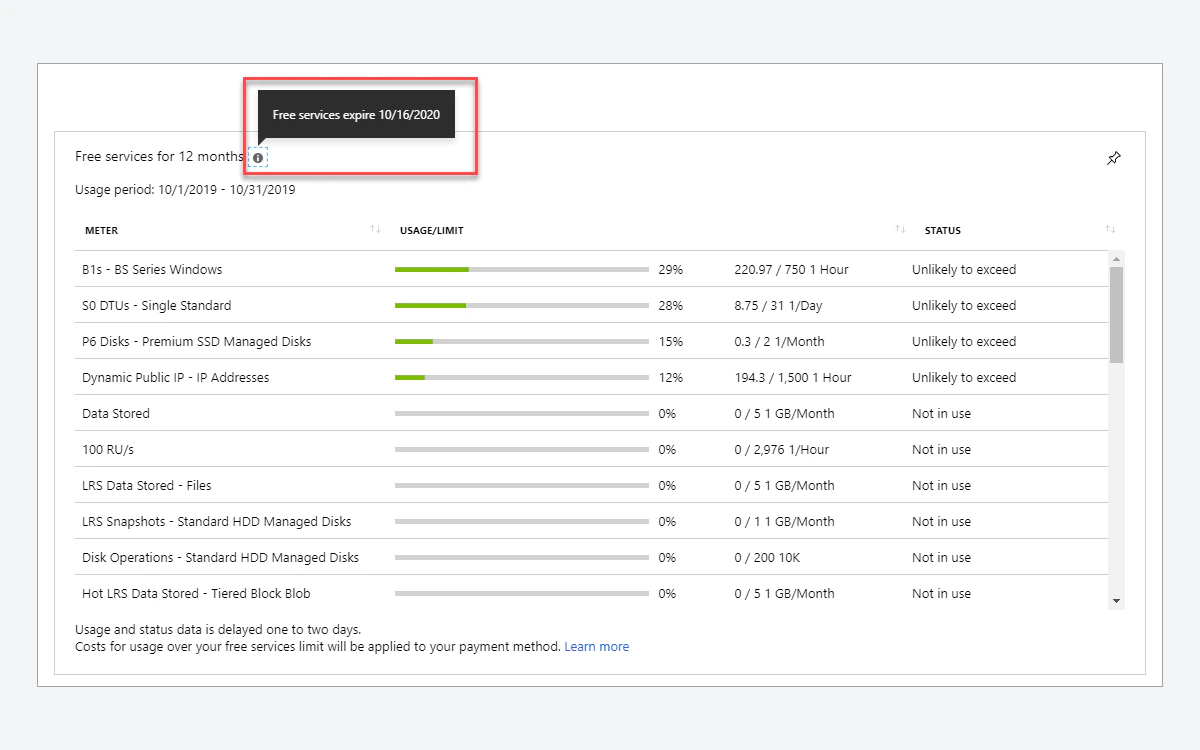
Azure's free account bundles three different things, and they are easy to confuse. First, a "$200 credit to use on Azure services within 30 days". Second, "free monthly amounts of 20+ popular services for 12 months" for new customers. Third, "free monthly amounts of 65+ always-free services". The $200 does not last 12 months; it expires after 30 days or when it is spent, whichever comes first.
What the 12-month allowance covers
- Compute: 750 hours each of B1s, B2pts v2 (Arm-based) and B2ats v2 (AMD-based) burstable VMs, Linux or Windows.
- Databases: 750 hours of a Burstable B1MS Flexible Server for Azure Database for PostgreSQL, with 32 GB storage and 32 GB backup storage. MySQL gets the same allowance.
- Azure SQL Managed Instance: 720 vCore hours of a 4-vCore or 8-vCore General Purpose instance, with 64 GB data storage and 64 GB backup storage.
- Azure Container Registry: 1 Standard tier registry with 100 GB storage and 10 webhooks.
- Azure Vision in Foundry Tools: 5,000 transactions for each S1, S2 and S3 tier.
Always-free highlights
- App Service: up to 10 web or API apps with 1 GB storage and 1 hour per day.
- Azure Functions: 1 million requests.
- Container Apps: 180,000 vCPU seconds, 360,000 GiB seconds and 2 million requests.
- Cosmos DB: 1,000 request units per second of provisioned throughput with 25 GB storage.
- Azure SQL Database: 100,000 vCore seconds of serverless usage per month with 32 GB of storage.
- Static Web Apps: 100 GB bandwidth per subscription, 2 custom domains and 0.5 GB storage per app.
- Azure DevOps: 5 users with unlimited private Git repos.
- AKS: cluster management is free; you pay for the resources the nodes consume.
Free monthly quantities expire at the end of each month and do not roll over. If you leave a free account idle, Microsoft also reserves the right to remove compute resources from a free account that is not incurring charges or is inactive for more than 30 days.
Spending limit vs budgets: the most important fine print
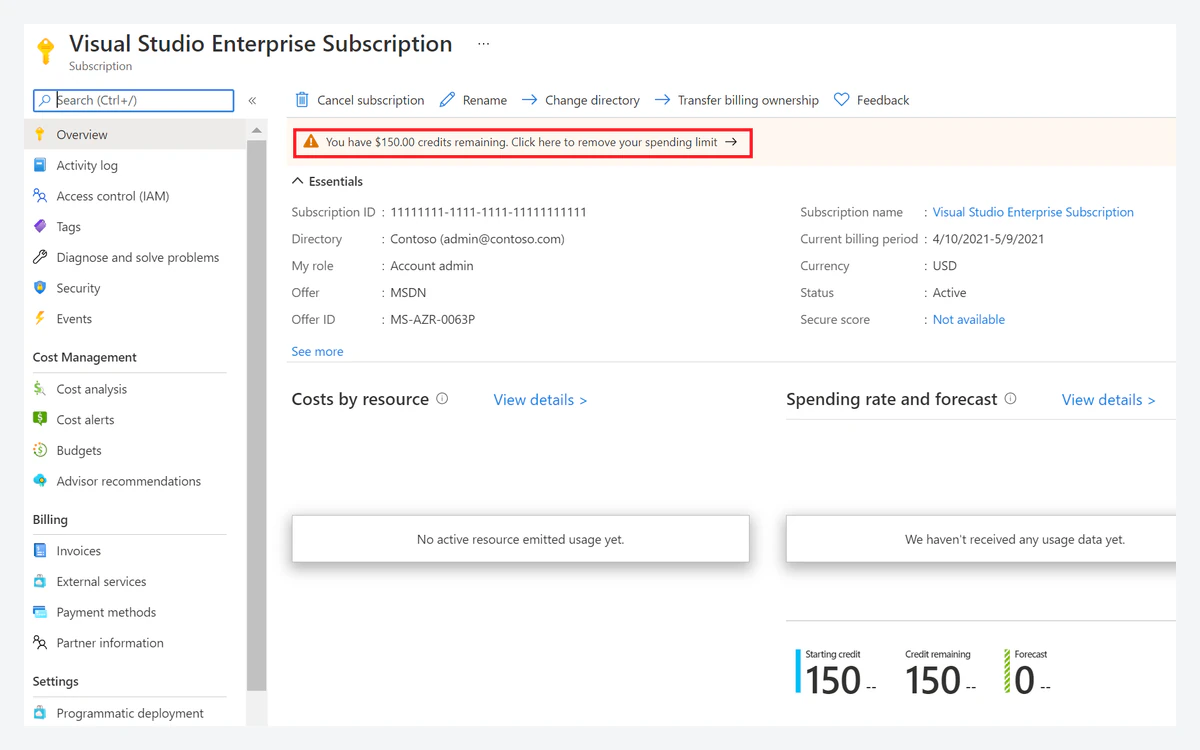
On free accounts and credit-based subscriptions, Azure turns on a spending limit by default, and "the spending limit is equal to the amount of credit." When you hit it, the services you deployed are disabled for the rest of that billing period: virtual machines are stopped and deallocated, and data in storage accounts becomes read-only. That is a genuine hard stop.
The catch is where it applies. Microsoft states that "the spending limit isn't available for subscriptions with commitment plans or with pay-as-you-go pricing", and that "custom spending limits aren't available." You cannot set a $20 cap on a normal pay-as-you-go subscription. The limit also never covered Visual Studio licenses, Microsoft Entra ID P1 or P2, support plans or most third-party branded services.
You can remove the limit at any time with a valid payment method, from Cost Management + Billing, by selecting the subscription and using the banner. You choose between removing it indefinitely or only for the current billing period.
Budgets only notify
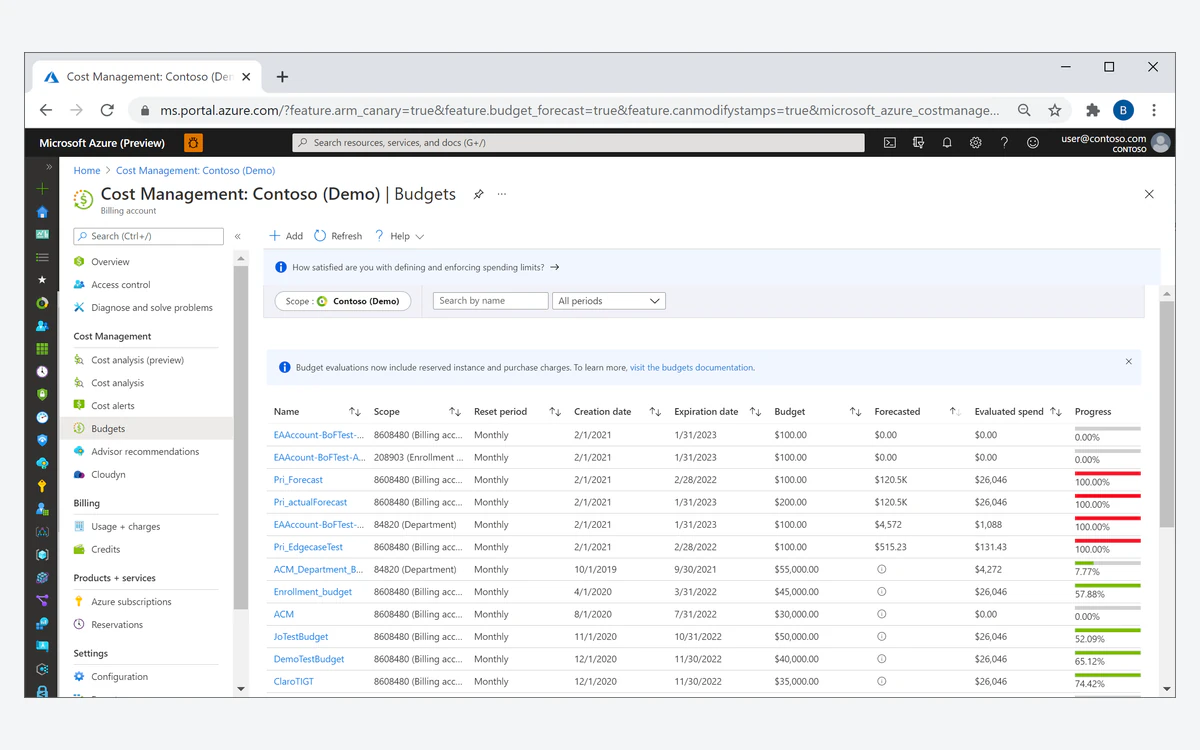
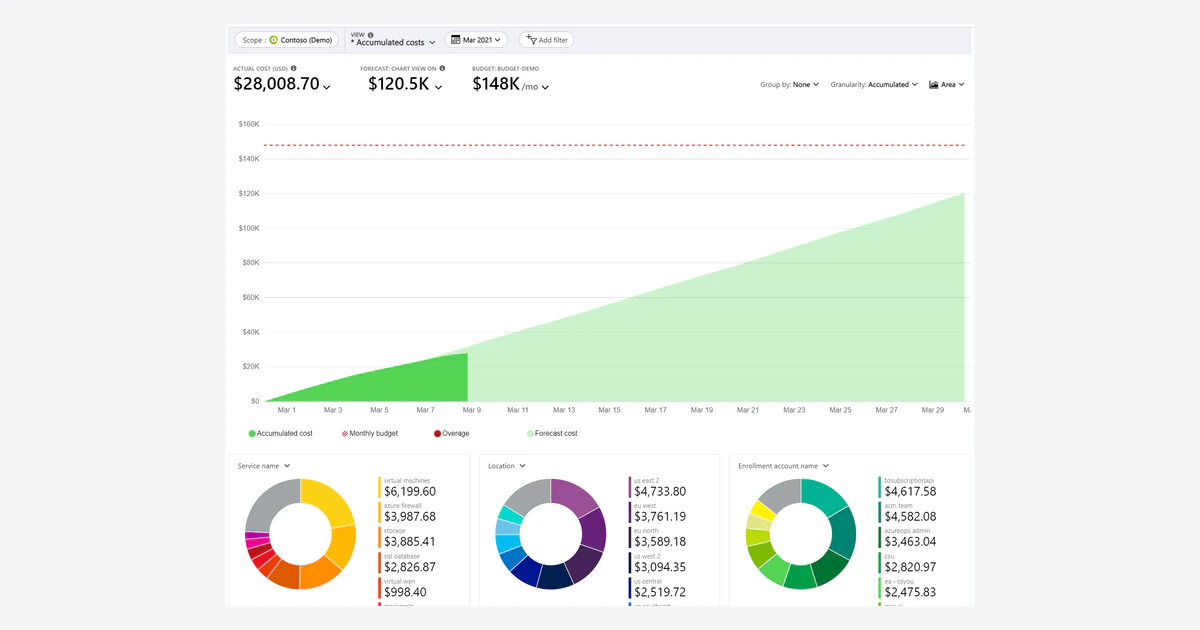
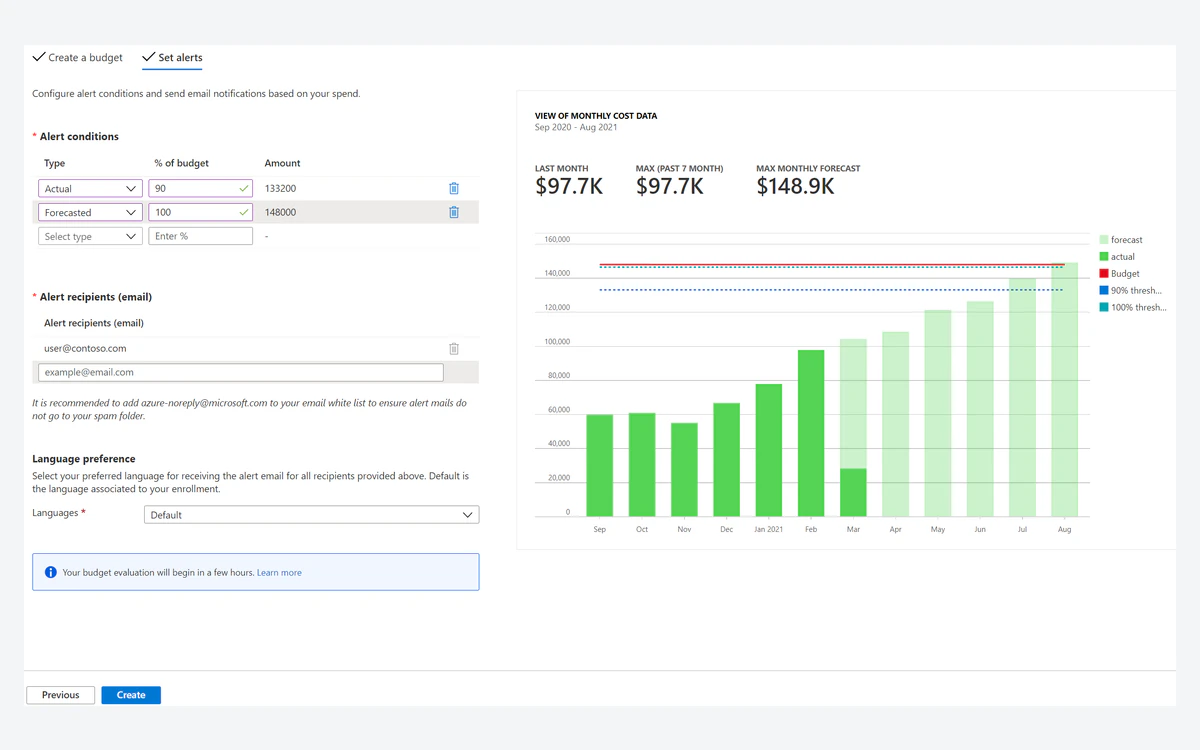
Once you are on pay-as-you-go, your main tool is a Cost Management budget. Microsoft is explicit that when a budget threshold is crossed, "resources aren't affected, and your consumption isn't stopped." Cost and usage data typically arrives within 8 to 24 hours, and budgets are evaluated against it every 24 hours. A runaway workload can therefore spend for a day before anyone is emailed.
Budgets can trigger action groups, so you can wire up your own automated shutdown, for example a runbook or function that stops VMs when a threshold fires. It works, but you build and test it yourself. Microsoft has not announced a hard spending cap for pay-as-you-go subscriptions.
What Azure actually costs: VMs, App Service, Functions, storage and egress
The prices below are pay-as-you-go, Linux, East US, in USD, taken from Microsoft's Retail Prices API on 2026-10-13. Monthly figures are our estimate at 730 hours per month, not a Microsoft quote. Prices vary by region, and Windows costs more.
Burstable virtual machines
- B1ls: $0.0052/hr, about $3.80/month.
- B2pts v2 (Arm): $0.0084/hr, about $6.13/month.
- B2ats v2 (AMD): $0.0094/hr, about $6.86/month.
- B1s: $0.0104/hr, about $7.59/month.
- B2s: $0.0416/hr, about $30.37/month.
Those entry prices are competitive, but a VM rarely runs alone. A Standard static public IPv4 address costs $0.005/hr, about $3.65/month, which nearly doubles the cost of a B1ls. Basic static IPs are $0.0036/hr and Global IPs $0.01/hr. Disks are billed separately as well.
App Service and Functions
- App Service Free F1: shared, 60 CPU minutes per day, 1 GB, and no SLA.
- App Service Basic B1 on Linux: $0.017/hr, about $12.41/month in East US.
- App Service Basic B1 on Windows: $0.075/hr, about $54.75/month in East US.
- Functions Consumption plan: a monthly free grant of 1 million requests and 400,000 GB-s, then $0.000016/GB-s.
- Functions Flex Consumption: a monthly free grant of 250,000 executions and 100,000 GB-s per subscription on on-demand pricing, then $0.000026/GB-s.
Microsoft notes that Functions free grants apply to paid, consumption subscriptions only. The Linux vs Windows gap on App Service is more than four times, so pick Linux unless you specifically need Windows.
Storage and egress
Blob Storage on the Hot tier with LRS redundancy in East US costs $0.0208/GB/month for the first 50 TB. Outbound internet traffic is where bills grow. The first 100 GB per month is free; after that, traffic from North America and Europe on Microsoft's premium network costs $0.087/GB for the next 10 TB, $0.083/GB for the next 40 TB, $0.07/GB for the next 100 TB and $0.05/GB for the next 350 TB.
Choosing the routing preference "ISP network" lowers that to $0.08, $0.065, $0.06 and $0.04/GB after the same free 100 GB. Asia, Australia and Middle East/Africa rates are $0.12/GB after 100 GB, and South America is $0.181/GB. As a worked example, serving 1,000 GB a month from East US on the premium network costs roughly 900 GB x $0.087, about $78, before any CDN.
Discounts, credits and programs
- Reserved VM instances: up to 72% off with one-year or three-year terms; Microsoft's fine print puts estimated savings between 36% and 72%.
- Savings plan for compute: up to 65% (range 11% to 65%). Savings plan for databases: up to 35%.
- Spot VMs: discounts of up to 90% compared to pay-as-you-go, for interruptible workloads.
- Azure Hybrid Benefit: up to 76% vs pay-as-you-go for Linux, and up to 29% vs leading cloud providers for SQL Server, when you bring eligible licenses.
Azure for Students
Students get $100 in Azure credits to use within the first 12 months, without a credit card at sign-up. You must be 18 or older and a full-time student at an accredited degree-granting institution, verified by school email, and you renew annually.
Startups
Azure for Startups offers $1,000 in credits instantly with no application, and up to $5,000 in total with business verification. Credits are valid for 90 days initially and 180 days after verification. The broader Microsoft for Startups program advertises up to $150K in credits over time, but only as your startup demonstrates verified progress; it is not automatic.
Reliability and recent outages
Azure's virtual machine SLA is 99.95% when you run two or more VMs in an availability set. A single VM on its own is not the configuration Microsoft's headline figure refers to, so design for redundancy if uptime matters.
The past year has had several notable incidents, all documented in Azure's status history:
- 9 October 2025: an earlier Azure Front Door incident (tracking ID QNBQ-5W8).
- 29 to 30 October 2025: from 15:41 UTC to 00:05 UTC, about 8 hours 24 minutes, customers and Microsoft services using Azure Front Door and Azure CDN saw connection timeouts and DNS resolution issues. Microsoft traced it to customer configuration changes made across two control plane build versions that produced incompatible configuration metadata.
- 23 July 2026: from 14:44 to 19:41 UTC, a subset of customers in West US saw connectivity failures.
- 30 September to 1 October 2026: from 20:30 UTC to 02:15 UTC, a subset of customers using gateway services in multiple regions saw degraded or interrupted connectivity after a change to a regional gateway management service caused higher-than-expected load.
None of this makes Azure unusual among hyperscalers, but the Front Door outage shows how one global edge service can take many sites down at once. If your site depends on Front Door or CDN, keep a fallback DNS plan.
Support plans
Basic support is included for all Azure customers, but it does not include technical support. If you want an engineer, you pay monthly:
- Developer, $29/month: Severity C response within eight business hours.
- Standard, $100/month: Severity C within eight business hours, Severity B within four hours, Severity A within one hour.
- Professional Direct, $1,000/month: Severity C within four business hours, Severity B within two hours, Severity A within one hour.
- Unified Enterprise: custom pricing, Severity 1 within 15 minutes for Azure.
Cancelling a support plan does not produce a prorated refund; you are billed for the rest of the month.
How to cancel an Azure subscription
- Open the subscription in the Azure portal.
- Select Cancel, then Cancel subscription.
- Choose a reason and confirm.
- If you have a support plan, turn off its auto-renew separately.
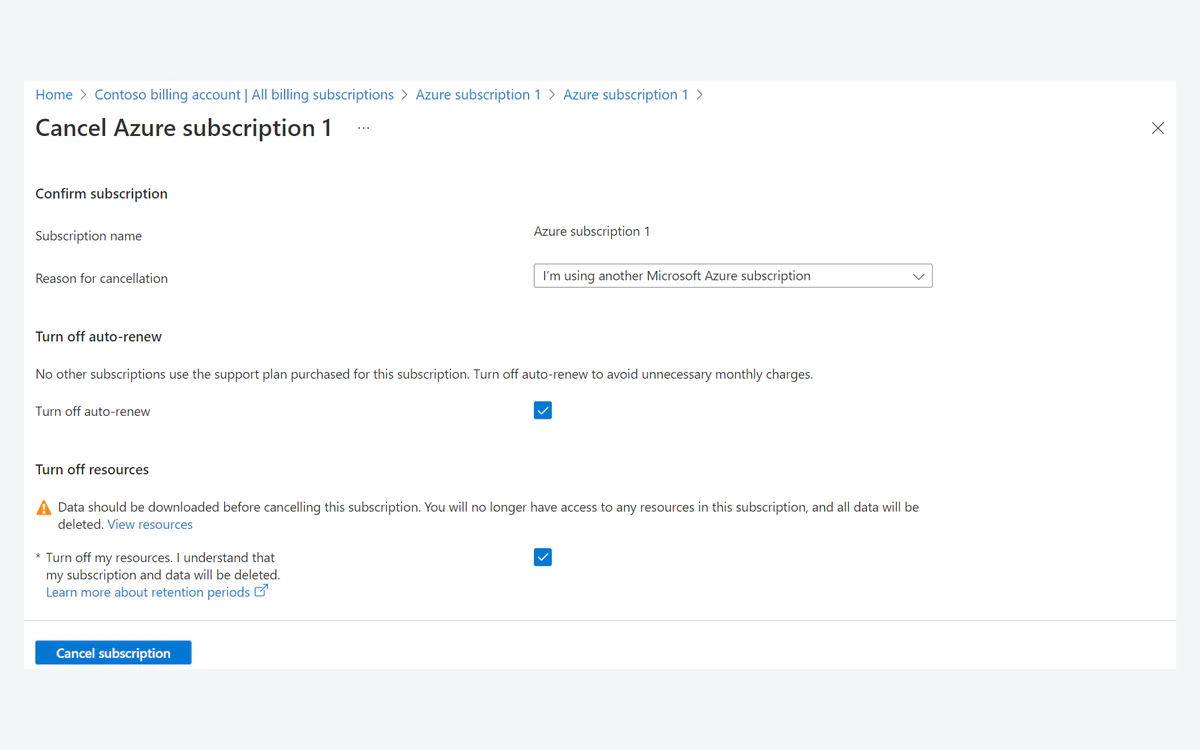
Billing stops immediately, but Azure closes the current billing cycle within 72 hours, so a final bill can arrive up to three days later. Microsoft waits 30 to 90 days before permanently deleting your data and does not charge for retaining it. The subscription is automatically deleted 90 days after cancellation, or you can delete it manually 3 days after you cancel.
Who should use Azure
Choose Azure if your organization already runs on Microsoft identity and licensing, if you build on .NET or SQL Server, or if you qualify for startup or student credits. Hybrid Benefit and reservations make long-running Microsoft workloads much cheaper than list price.
Be more cautious if you are a solo developer who wants a firm monthly ceiling. Once you leave the free account, Azure has no hard cap, alerts lag by up to a day, and egress plus IPv4 fees can outweigh a cheap VM. For a single small server, a simpler VPS provider is often more predictable. For a comparison with the other two hyperscalers, read our AWS and Google Cloud reviews.
Frequently asked questions
Is the Azure free account really free?
Yes, as long as you do not upgrade. The free account has a spending limit equal to the $200 credit, and when the credit or 30 days run out your services are disabled rather than charged. You only pay after you move to pay-as-you-go.
Does the $200 Azure credit last 12 months?
No. The $200 credit must be used within 30 days. The 12-month part is a separate allowance of free monthly amounts on 20+ services, such as 750 hours of B1s, B2pts v2 and B2ats v2 VMs.
Can I set a hard spending cap on a pay-as-you-go Azure subscription?
No. Microsoft says the spending limit is not available on pay-as-you-go or commitment subscriptions, and custom limits are not available. Budgets only send alerts, though they can trigger action groups you configure to stop resources.
Do I need a credit card to sign up for Azure?
For the standard free account, yes: a non-prepaid credit or debit card, a phone number and a Microsoft or GitHub account. Azure for Students is the exception and does not require a card at sign-up.
How much does the cheapest Azure VM cost?
A Linux B1ls in East US is $0.0052 per hour, about $3.80 a month by our 730-hour estimate. Add about $3.65 a month for a Standard static public IPv4 address, plus disk and any egress beyond 100 GB.
How much does Azure charge for bandwidth?
The first 100 GB of internet egress per month is free. After that, North America and Europe traffic on the premium network costs $0.087/GB for the next 10 TB, or $0.08/GB with the ISP network routing preference. Other regions cost more.
What happens to my data when I cancel?
Microsoft keeps it for 30 to 90 days at no charge before permanently deleting it. Billing stops immediately, but a final bill can arrive up to three days after cancellation.
Can I get a refund on an Azure support plan?
No prorated refund. If you cancel a support plan you are billed for the rest of the month, so turn off auto-renew before the next cycle.
Key takeaways
- The $200 credit lasts 30 days; the 12-month free amounts are a separate allowance.
- A free account is disabled, not charged, when the credit or 30 days run out.
- Pay-as-you-go has no spending limit; budgets only alert, with data lagging 8 to 24 hours.
- Linux B-series VMs start around $3.80/month in East US, but IPv4 adds about $3.65/month and egress is $0.087/GB after 100 GB.
- Windows App Service B1 costs more than four times the Linux price.
- Reservations, savings plans, Spot and Hybrid Benefit can cut costs sharply for steady workloads.
- Cancelling stops billing immediately; data is kept 30 to 90 days at no charge.
More in Cloud Computing
Browse Cloud Computing