Colormind Review 2026: The Free AI Palette Generator Still Holds Up
We tested Colormind in 2026: free, no account, daily AI datasets and a keyless API. Where its five-color GAN shines, where it has aged, and what to use instead.
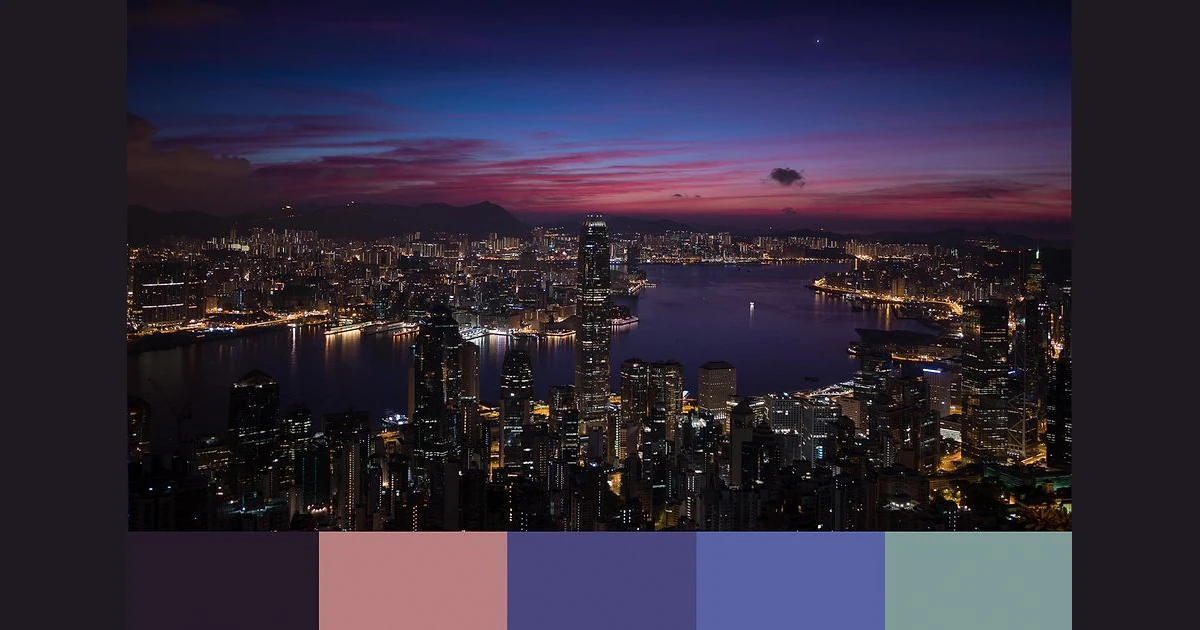
Colormind is a free color palette generator built on deep learning by Jack Qiao, the developer behind Huemint, Fontjoy and Brandmark. It launched on Hacker News in March 2017, and in October 2026 it is still online, still free, still asks for no account, and still loads new training datasets every day.
We tested the web generator, the photo extractor, the UI previews and the free JSON API on 27 October 2026 to see whether a five-color GAN tool from 2017 still earns a tab next to Khroma, Huemint, Adobe Color and Coolors.
Short version: it is one of the fastest ways to get a cohesive five-color starting point, and the API is a gift for hobby projects. It has not grown much since 2017, though - no saved palettes, no contrast checks, nothing beyond five colors, and commercial API use needs an email to the creator.
What Colormind is and what it costs
The homepage sums itself up in three sentences: "Colormind is a color scheme generator that uses deep learning. It can learn color styles from photographs, movies, and popular art. Different datasets are loaded each day, check back tomorrow for even more color inspiration."
It costs nothing. There is no pricing page, no paid tier and no login system anywhere on the site. The homepage loads a Carbon Ads script and offers a mailing list signup ("Sign up to our mailing list for news and announcements related to Colormind"), and that is the extent of the business model we could find.
- Palette generator - the homepage: five swatches you can lock, tweak and regenerate.
- Image extractor - /image/ pulls a palette out of a photo you upload.
- UI previews - a Bootstrap landing page plus Paper Dashboard and Material Dashboard templates that show the current palette applied to real layouts.
- API - a free, keyless JSON endpoint that returns or completes five-color palettes.
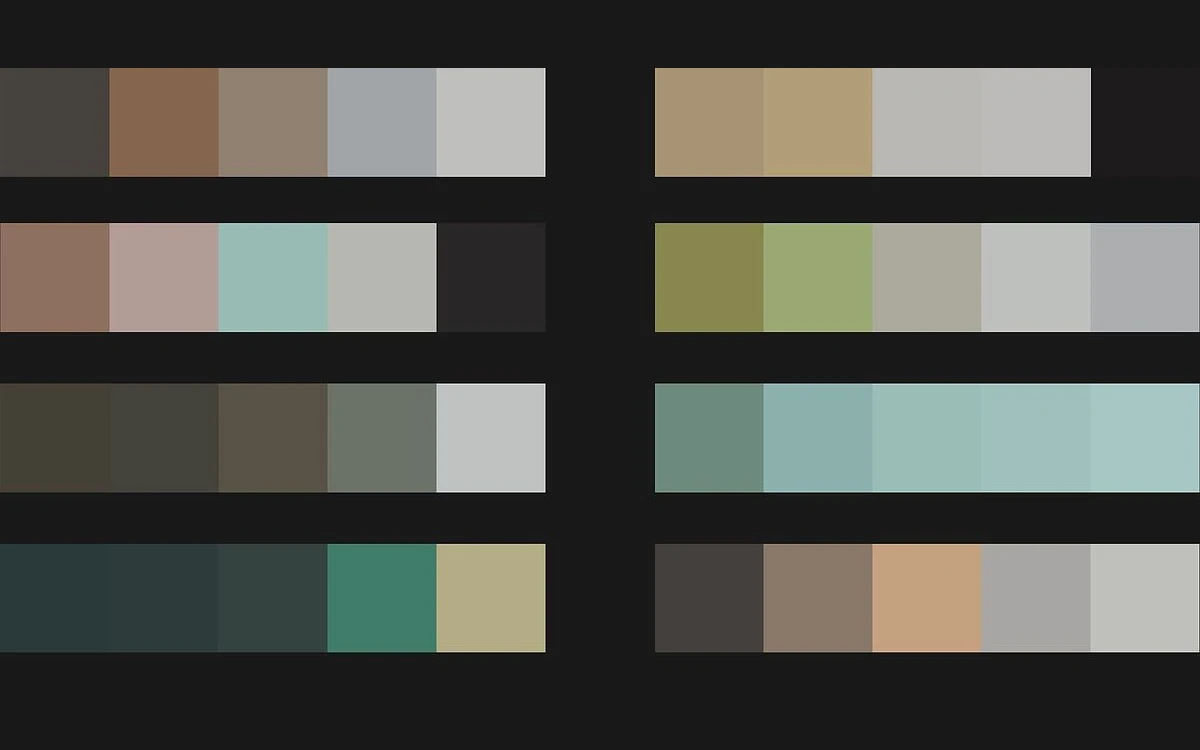
Is anyone still looking after it? Partly. The generator script (generate2.js) and the /image/ page were last modified on 18 May 2026, and Wayback Machine snapshots from September and October 2026 show a different dataset lineup on each visit. The API documentation page has not changed since April 2017, and the blog and template pages date from August 2021.
Using the palette generator
The homepage is the whole product: five swatches, a lock button on each, a Generate button, and a color picker for adjusting any swatch by hand. With nothing locked you get random palettes. Lock one or two colors - a brand color, say - and Generate fills the remaining slots with colors the model thinks belong with them.
Tips from the Colormind homepage
"If no colors are locked Colormind will generate color palettes at random." "The location of the color does matter, so experiment with different placements." "If you have two complementary colors, try placing them at the opposite ends of the palette."
The point about position matters. The model was trained on ordered palettes, so the same locked color fills differently in slot one than in slot four. Moving a locked swatch is the cheapest way to get a different family of results without changing your input.
Daily datasets
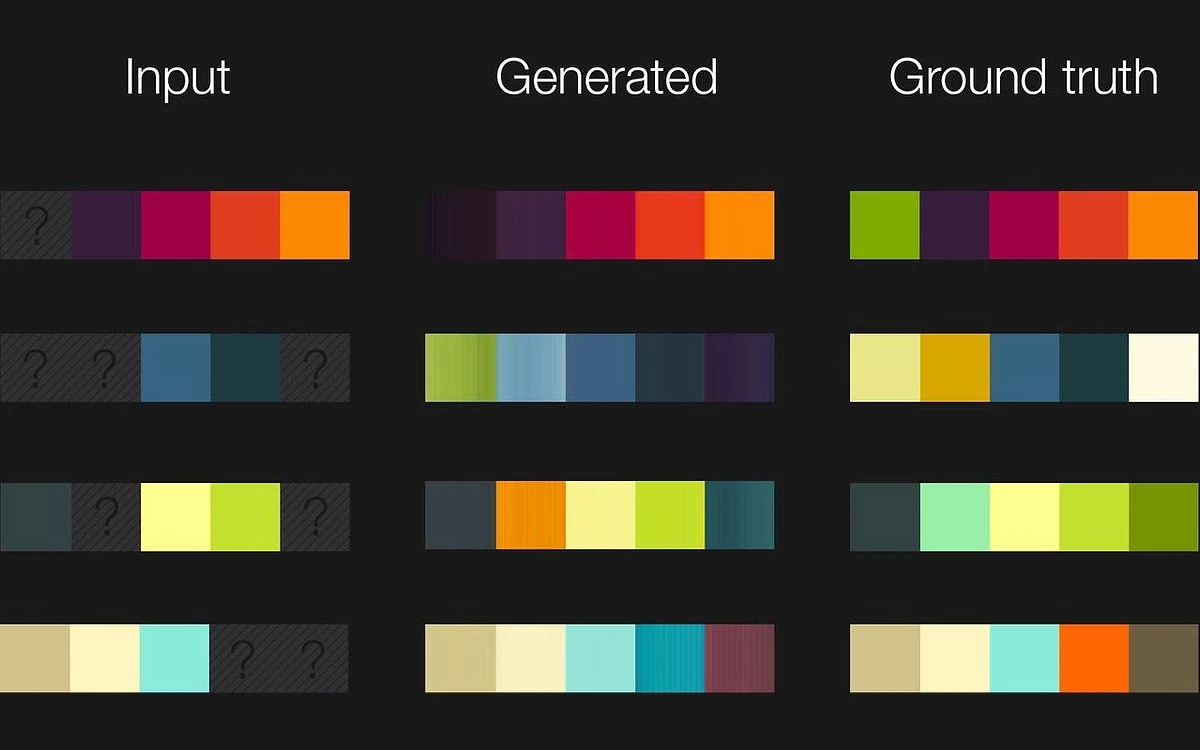
Below the generator you choose which trained model to draw from. The API documentation states that "The models \"default\" and \"ui\" are always available, but others will change each day," and that they "are refreshed every day at +8 UTC (midnight PDT). The service will be down for 30 seconds while the new models are loaded into memory."
On the day we tested, the list was ui, default, fauvism, city_photography, the_fall and pokemon_crystal - Fauvist paintings, architecture photos, the saturated 2006 film The Fall, and palettes taken from Pokemon Crystal's in-game sprites. Earlier lineups included game_of_thrones, flame_photography and only_god_forgives (20 September 2026) and contempt_1963, castlevania and makoto_shinkai (1 October 2026). Picking a dataset is how you steer the style; after that it is a matter of clicking Generate until something fits.
What is missing: we found no export option and no way to save a palette. When you like a result, you copy the values out of the color picker yourself. A 2017 commenter asked for "a quick way to copy and paste the hex values for the palette", and that workflow still feels manual.
Extracting palettes from photos
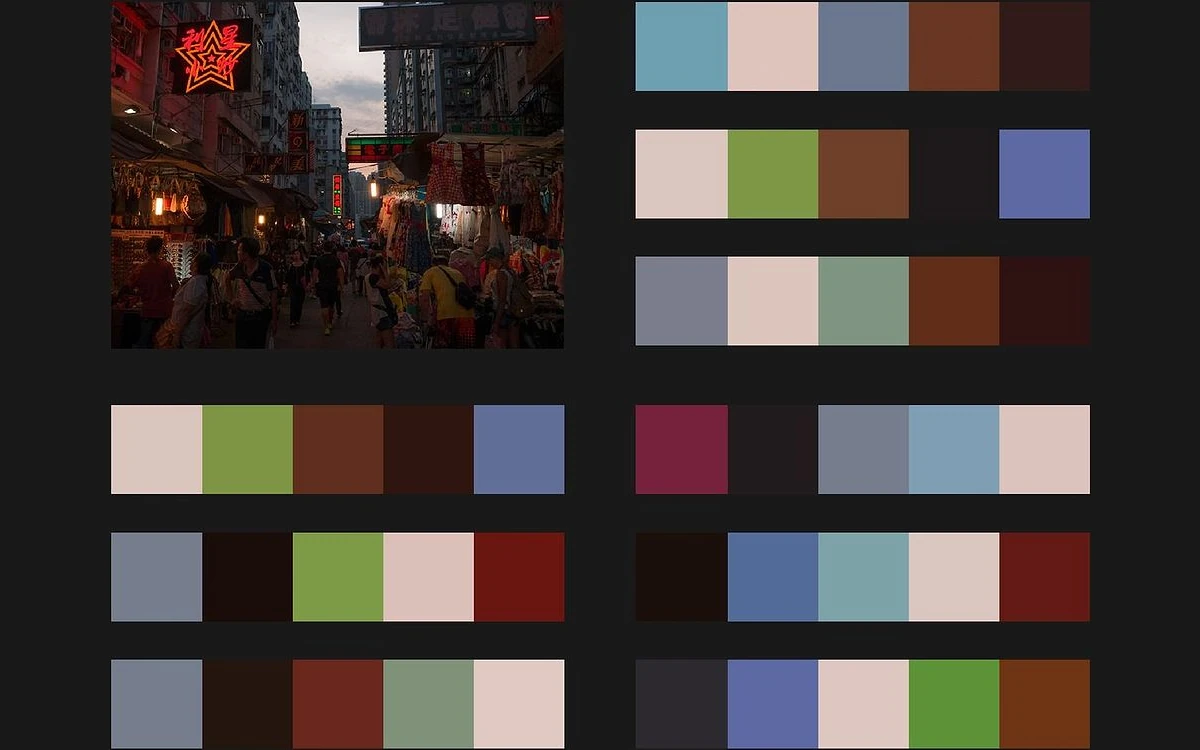
The /image/ tool takes an uploaded photo and returns a five-color palette. Colormind is clear about what it is optimising for: "Instead of finding the most representative colors, it aims to find good colors that work together in a color palette. The algorithm works in a semi-random way, so click generate again to see different results."
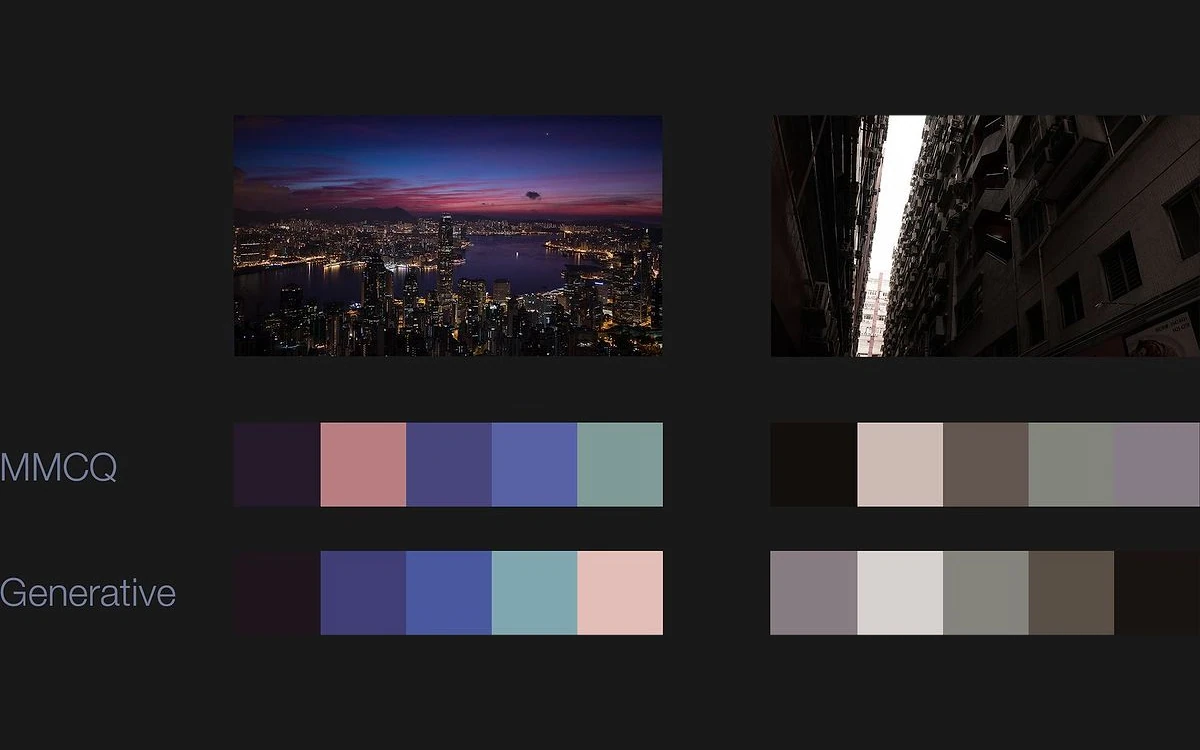
That is the real difference from a plain extractor. Quantization returns the dominant colors, which in a city photo often means several near-identical greys and browns. Colormind leans toward a set that reads as a usable palette - an accent, a dark, a light - even if one of those colors covers only a small part of the image.
The trade-off is fidelity. Because results are semi-random and chosen for harmony, this is not the tool for sampling exact brand colors from a logo or product shot. Use an eyedropper for that, and use Colormind when you want a mood pulled out of a photo.
Previewing a palette on real UI
Colormind can drop the current palette into a demo layout. The Bootstrap page explains: "See the color palette applied to a demo landing page. For this palette, lighter shades will appear on the left." Two dashboard templates do the same for admin-style screens: "To use this template, download it for free from Creative Tim then add our css to change the colors."
These previews are the quickest sanity check on a palette that looks good as swatches but may fall apart on a page. They also expose the tool's biggest conceptual gap. When a launch-day user said a palette "ended up ugly" in their UI, the creator replied that "currently the colors don't encode context, so you have to be a bit creative in applying them." Colormind gives you five colors, not a background, a text color and an accent - deciding which is which is still your job.
How Colormind works under the hood
Jack Qiao's blog explains the generator plainly. "In 2016 learned about a new thing called GAN," he writes. "I downloaded the pix2pix code and modified it to perform color infill for partial palettes, training on data from Adobe Color." The production version "uses a combination of Adobe Color data and a hand-picked selection of palettes from Dribbble. In the back it's an ensemble of trained models with a variety of hyperparameters."
In the 2017 Hacker News thread he added that "the main palette is actually an ensemble of 12 separate models trained on slightly different hyper-parameters" and that "I've got about 30 or so trained models on disk and they take turns on the homepage." Those details are from 2017; the daily rotation clearly continues, but the exact model count today is not published.
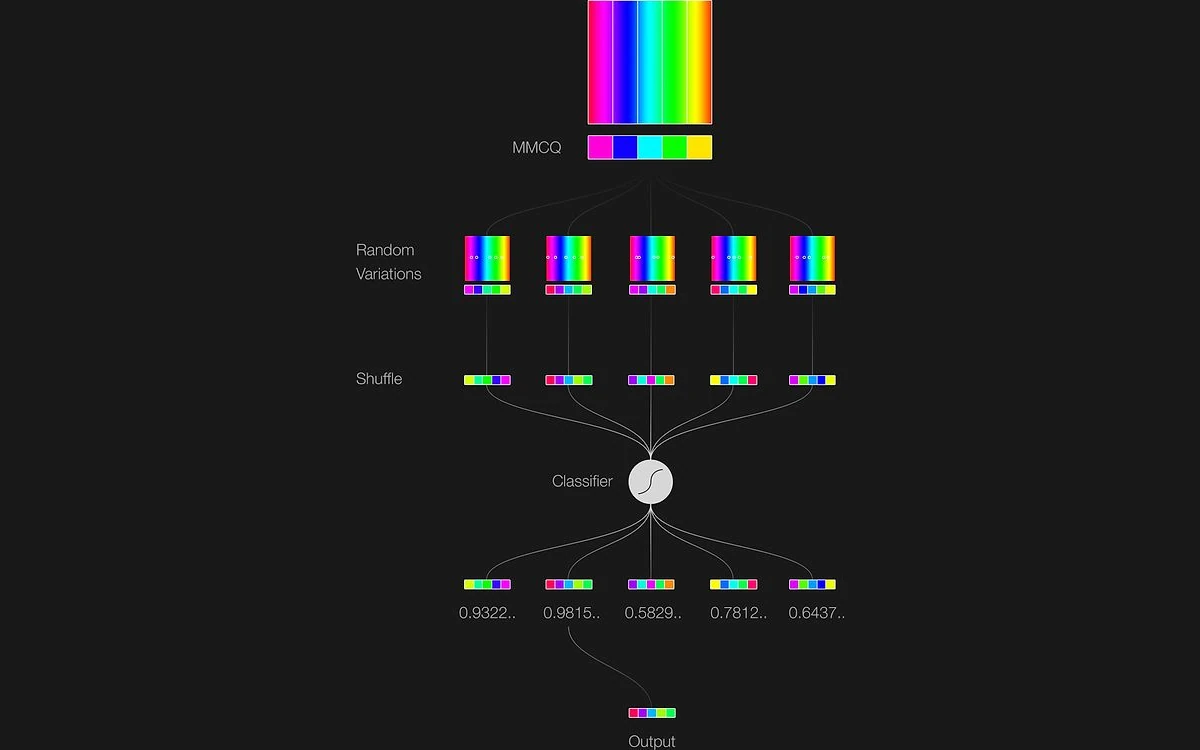
The photo extractor is a separate system - "a more brute-force technique that I call generative-MMCQ... I built a self-contained classifier and trained it on a hand-picked list of examples." It produces many candidate palettes from the image, scores them, and returns a high scorer.
One launch-day skeptic argued that "the GAN, in this instance, boils down to little more than a pseudorandom number generator." That is a fair point about unlocked random mode. It is less fair once you lock colors, because filling in partial palettes is exactly what the model was trained to do.
The free Colormind API
The API needs no key and no signup. You POST a small JSON body and get five RGB triples back:
curl 'https://colormind.io/api/' --data-binary '{"model":"default"}'

# {"result":[[214,78,69],[247,242,163],[201,216,147],[57,141,112],[62,80,64]]}
To complete a partial palette, the docs say to "label blank fields with the \"N\" character". We ran this exact request on 27 October 2026:
curl 'https://colormind.io/api/' --data-binary '{"input":[[44,43,44],[90,83,82],"N","N","N"],"model":"default"}'

# {"result":[[44,43,44],[91,84,82],[172,140,96],[228,219,174],[212,213,177]]}

curl 'https://colormind.io/list/'
# {"result":["ui","default","fauvism","city_photography","the_fall","pokemon_crystal"]}
Notice that our second locked color came back as [91,84,82] rather than [90,83,82]. That is documented behaviour - "the input colors have changed as well, by a small amount" - so if exact brand values matter, write your originals back over the result.
The docs only show http:// URLs, but HTTPS worked in our test and responses carry an Access-Control-Allow-Origin: * header, so you can call the API straight from browser code.
Licensing and limits
The API page says: "The API is free for personal and non-commercial use. If you're looking to use it in a commercial application, get in touch by email". There are no published rate limits, no SLA and no terms of use page. In 2017 the creator described it as "unauthenticated... hosted on a single Linode 4096, and there's no SLA or anything" - hosting may have changed since, but nothing newer has been published. Expect a 30-second gap each day at 08:00 UTC while models reload.
Where Colormind has aged
- Always five colors. Asked on launch day whether it was limited to five, the creator said "still 5 colors for now". Nine years later the generator and the API still return exactly five.
- No accounts, no saved palettes, and we found no export option.
- No contrast or accessibility checker. A colourblind-friendly mode was requested in 2017; nothing like it exists on the site.
- Colors carry no roles, so mapping a palette to background, text and accent is manual.
- The API is non-commercial unless you get permission, with no SLA or published limits.
- Most of the site - docs, blog, templates - has not been updated since 2017 to 2021, even though the generator itself still gets attention.
Colormind vs Khroma, Huemint, Adobe Color and Coolors
Huemint
Huemint comes from the same creator and is effectively Colormind's more flexible successor. It offers "Transformer AI", "Diffusion Model AI" and "Random" modes, palettes of 2 to 10 colors, and a "Target contrast color graph" that addresses the colors-without-roles problem directly.
Khroma
Khroma "uses AI to learn which colors you like and creates limitless palettes for you to discover, search, and save" and lets you "Create an unlimited library of your favorite combos". Personal training and saving are exactly what Colormind lacks; we tested it in our Khroma review.
Adobe Color
Adobe Color includes a contrast checker, an extract-palette tool and saved custom palettes. It is also, fittingly, where much of Colormind's training data came from.
Coolors
Coolors has a far bigger feature set and a paid tier - its App Store listing shows Coolors Pro at $4.99 monthly or $35.99 yearly as in-app prices. The trade-off is complexity: one 2017 commenter found that the "Colormind interface is simpler... in coolors tho I had to watch a tutorial".
Which one to pick
Colormind for a fast, free, no-account five-color starting point and hobby API use. Huemint for interface palettes with contrast roles and more than five colors. Khroma for palettes tuned to your taste and a saved library. Adobe Color for contrast checks and saving. Coolors if you want the full paid workflow.
Verdict
Colormind is still worth a bookmark in 2026. It loads instantly, asks for nothing, and lock-and-fill gives genuinely cohesive results faster than most of its newer rivals. The rotating datasets keep it surprising, and a free, keyless palette API with open CORS is rare.
It is a starting point rather than a workflow tool, though. With no saving, no contrast checks, no color roles and a hard five-color limit, most designers will take a Colormind palette into Huemint, Adobe Color or their design tool to finish the job.
- Use it if you want quick palette ideas, need colors to build around a locked brand color, or want a free API for a personal project.
- Skip it if you need accessible UI palettes out of the box, more than five colors, a saved library, or an API you can rely on commercially.
Frequently asked questions
Is Colormind free?
Yes. The generator, photo extractor, UI previews and API are all free, with no paid tier and no account. The homepage loads a Carbon Ads script and offers a mailing list, but nothing is behind a paywall.
Can I use the Colormind API in a commercial app?
Not without permission. The API is "free for personal and non-commercial use"; for a commercial application the docs ask you to get in touch with the creator by email.
Do I need an account, and can I save palettes?
No account is needed, and there is no way to save palettes on the site. Copy the color values out before you regenerate, or use Khroma or Adobe Color if you want a saved library.
Can Colormind generate more than five colors?
No. Both the web generator and the API always return exactly five colors. Huemint, from the same creator, supports 2 to 10.
Does Colormind check contrast or accessibility?
No. There is no contrast checker or colorblind preview. Run your palette through Adobe Color's contrast checker, or start in Huemint, which targets contrast between colors.
Does the API need a key, and does it have rate limits?
It needs no key, and no rate limits or SLA are published. HTTPS works even though the docs show http://, and the service drops for about 30 seconds each day at 08:00 UTC while new models load.
Why did my locked colors change slightly in the API response?
That is expected. The docs note that "the input colors have changed as well, by a small amount" - in our test [90,83,82] came back as [91,84,82]. Overwrite the result with your original values if they must stay exact.
Key takeaways
- Colormind is completely free, needs no account, and is still running and rotating datasets daily in 2026.
- Lock-and-fill is its best feature: lock one or two colors and the GAN completes a cohesive five-color palette.
- The photo extractor favours harmonious palettes over exact sampling, and is semi-random by design.
- The JSON API is keyless, works over HTTPS with open CORS, but is non-commercial only and has no SLA.
- Fixed five colors, no saving, no contrast checker and no color roles - Huemint, Khroma and Adobe Color cover those gaps.
More in Artificial Intelligence
Browse Artificial Intelligence