ComfyUI Review 2026: Free Locally, $20 to $100 on Comfy Cloud, and the New Comfy Agent
Our ComfyUI review for October 2026: what the free open-source app does, what Comfy Cloud plans buy in credits and GPU time, how Partner Nodes and the new Comfy Agent are billed, and the refund and data policies to know first.
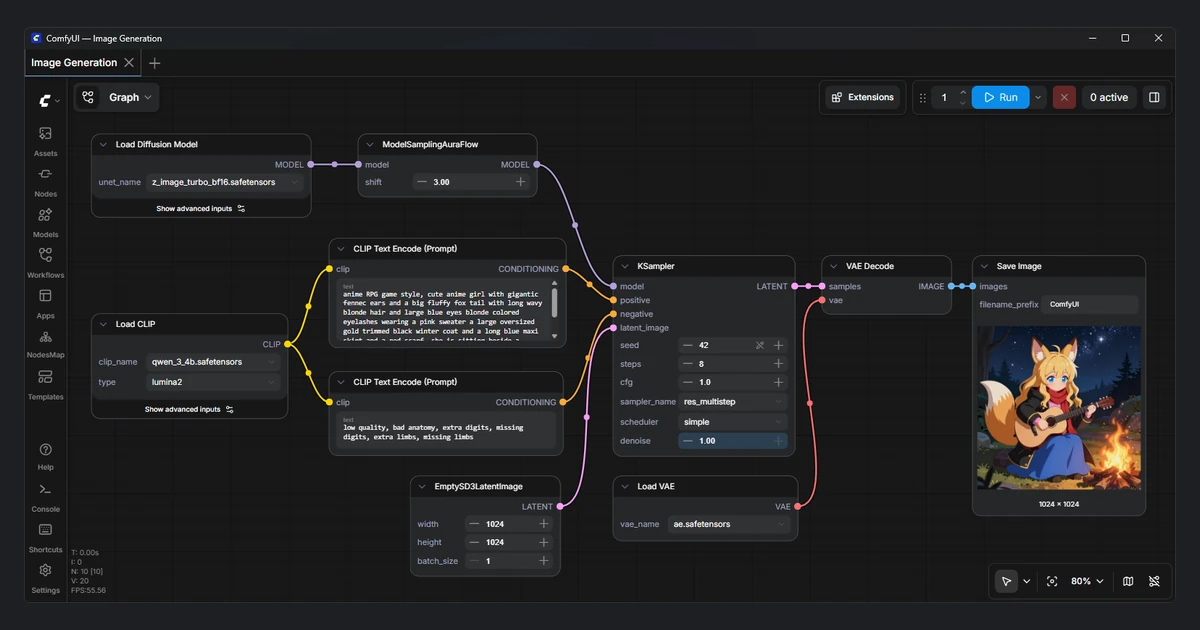
ComfyUI started as a free, node-based tool for running Stable Diffusion on your own GPU. In 2026 it became a platform: Comfy Cloud left beta on March 4, App Mode arrived on March 10, Comfy for Teams on July 23, the Comfy API on September 30 and, on October 1, Comfy Agent - an AI assistant that builds, runs and debugs workflows on the canvas for you.
The company behind it, Comfy Org, raised $30 million at a $500 million valuation in April and says ComfyUI has 4 million users. The core app is still GPL-3.0 open source and free to run locally. This review covers what you get for free, what the $20, $35 and $100 Comfy Cloud plans actually buy, and the credit, refund and data rules you should read before paying.
Verdict at a glance
ComfyUI is the most flexible image and video generation tool you can run for free, and the learning curve is the price of that flexibility. If you own a decent GPU, local ComfyUI costs nothing and lacks nothing important. Comfy Cloud makes sense when you do not have the hardware, want to run large video models on a 96GB card, or want Comfy Agent today, since the agent is Cloud-only for now.
- Best for: creators and studios who want full control over models, LoRAs and pipelines.
- Price: free locally; Comfy Cloud from $20/month ($16/month billed yearly).
- Strengths: open source, huge model and custom node ecosystem, cloud GPUs billed only while a workflow runs.
- Weaknesses: steep learning curve, credits that do not roll over, and Terms of Service that call credit purchases non-refundable.
Bottom line
Start with local ComfyUI or the free Comfy Cloud runs. Pay for Standard only once you know you need cloud GPU time, and treat Creator as the plan for people who train or import their own LoRAs.
What ComfyUI is
ComfyUI is a visual programming canvas for generative AI. Instead of a prompt box, you connect nodes: load a model, encode a prompt, run a sampler, decode the image, save it. Every step is visible and editable, so the same canvas handles text-to-image, image-to-video, upscaling, inpainting, ControlNet and multi-model chains.
The project lives at GitHub under Comfy-Org/ComfyUI (the old comfyanonymous/ComfyUI address redirects there) and had 136,978 stars on October 12, 2026. Releases are frequent: core v0.39.0 and frontend v1.57.0 both shipped on October 5, 2026, and Comfy Desktop v1.1.6 on October 3. Comfy Org counts more than 60,000 community nodes, which is both the main draw and the main source of breakage when a custom node falls behind a core update.
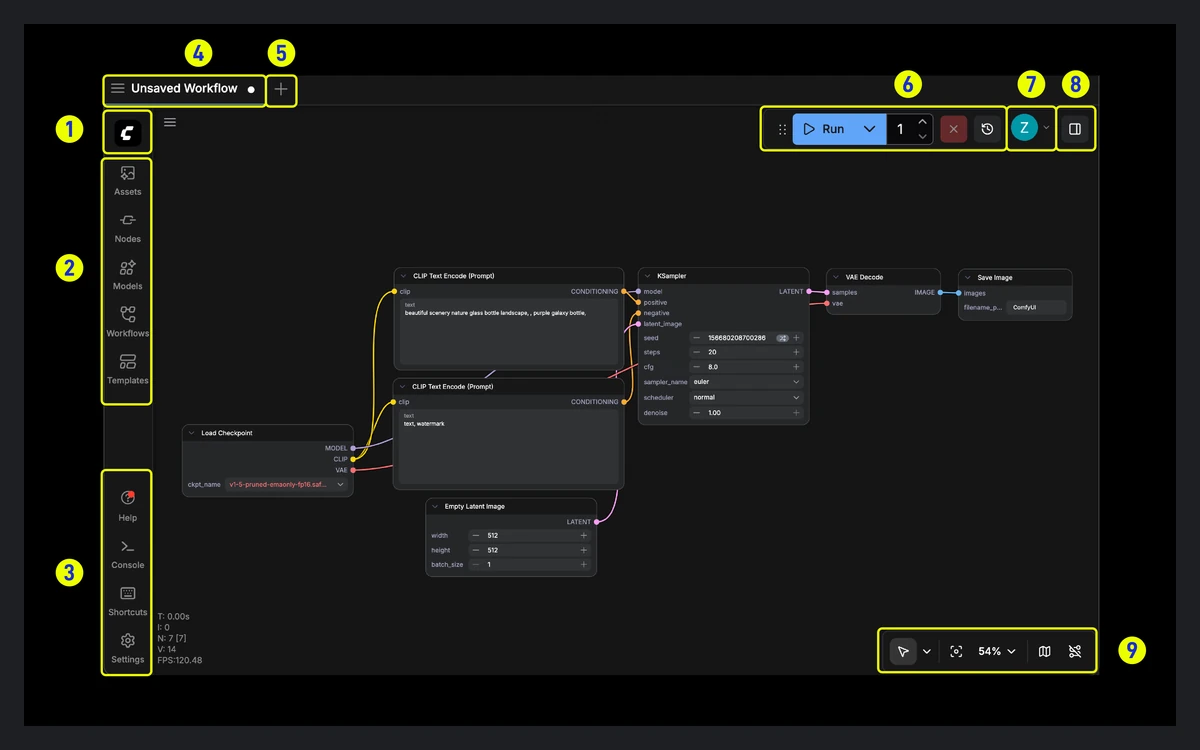
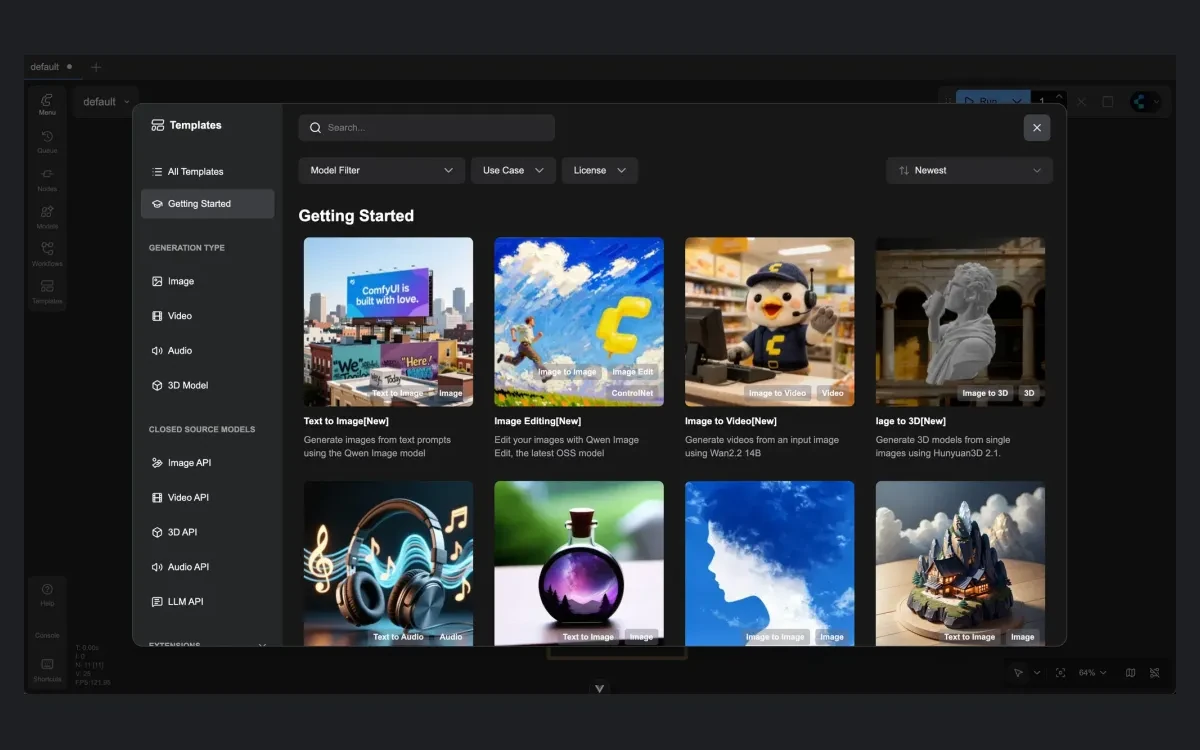
The learning curve is real. A beginner faces terms like VAE, CLIP, sampler and scheduler before the first image appears. The built-in template library softens this - you open a ready-made workflow and change the prompt - and App Mode (covered below) can hide the graph entirely.
Local ComfyUI and Comfy Desktop: free and still the best value
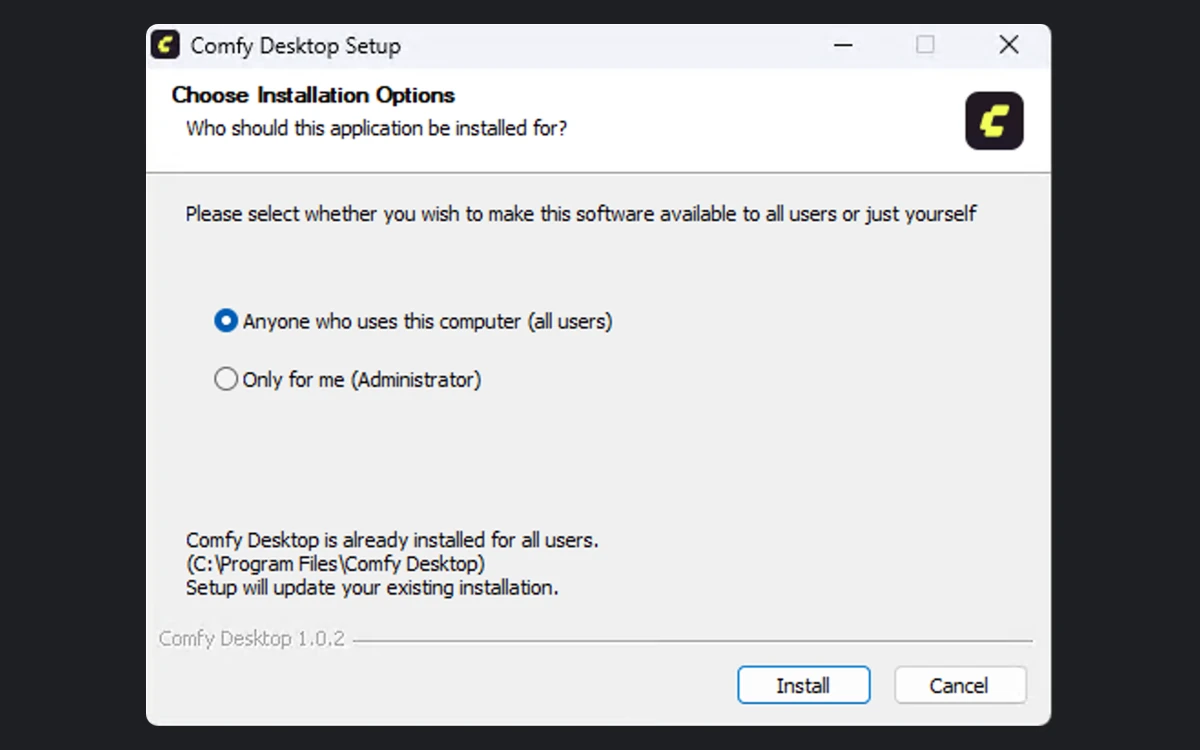
Comfy Org states on its pricing page that "ComfyUI will always remain fully open-source and free for local users", and that "Comfy Desktop itself is free." You can install the portable build, run it from source, or use Comfy Desktop, the packaged installer for Windows, macOS and Linux.
Hardware support
- Windows 10 or later, with an NVIDIA or AMD GPU recommended for Desktop.
- macOS on Apple Silicon (M1 to M4) using Metal.
- Linux via AppImage or .deb for Desktop, or a manual install.
- GPUs: NVIDIA; AMD on Linux (ROCm 7.2) and on Windows (RDNA 2, 3, 3.5 and 4, with official ROCm support in Desktop since January 6, 2026); Intel Arc; plus Ascend NPU and Cambricon MLU.
- CPU-only mode with the --cpu flag works but is much slower.
There is no formal minimum spec. The README claims ComfyUI "can run even the biggest open source models on as low as 4GB vram + 8GB ram relatively quickly" thanks to smart memory offloading. In practice, more VRAM means larger models, higher resolutions and longer videos without waiting on swaps.
The only thing that costs money locally is Partner Nodes - calls to closed models such as Kling, Runway or Google Nano Banana that run on the provider side. Those draw on the same credit balance as Comfy Cloud. Everything that runs on your own GPU stays free.
Comfy Cloud plans and pricing
Comfy Cloud is the same ComfyUI in a browser at cloud.comfy.org, running on NVIDIA Blackwell RTX PRO 6000 cards with 96GB of VRAM and 180GB of system RAM. More than 900 models come pre-installed, and Comfy Org says the supported custom nodes cover about 90% of local workflows.
Free tier
The current pricing page offers "5 free runs on real GPUs - no credit card required." A March 2, 2026 blog post had announced 400 free credits every month; the pricing page no longer shows that, so expect a short trial rather than an ongoing monthly allowance.
Paid plans (prices as listed on October 12, 2026)
- Standard: $20/month, or $16/month billed yearly ($192/year). 50,400 credits per year, about 4,560 five-second videos. 30-minute max run time, 1 concurrent run.
- Creator (marked most popular): $35/month, or $28/month billed yearly ($336/year). 88,800 credits per year, about 8,040 videos. Adds importing your own models, such as LoRAs from Civitai or Hugging Face. 3 concurrent runs.
- Pro: $100/month, or $80/month billed yearly ($960/year). 253,200 credits per year, about 22,980 videos. Run time up to 1 hour, 5 concurrent runs.
- Team: priced by a credit-commit slider from $200 to $2,500/month, with the default card showing $700/month ($630 billed yearly). Up to 50 members, a shared credit pool, role-based permissions and 25 concurrent runs.
- Enterprise: custom pricing through [email protected].
The video estimates are Comfy Org's own and assume the Wan 2.2 Image-to-Video template at default settings: 81 frames, 18fps, 640x640, 4-step sampler. Heavier models or higher resolutions will cut those numbers sharply. Every plan lets you queue up to 100 workflows and buy extra credits at any time, and the pricing page says commercial use is included.
What the credits actually buy
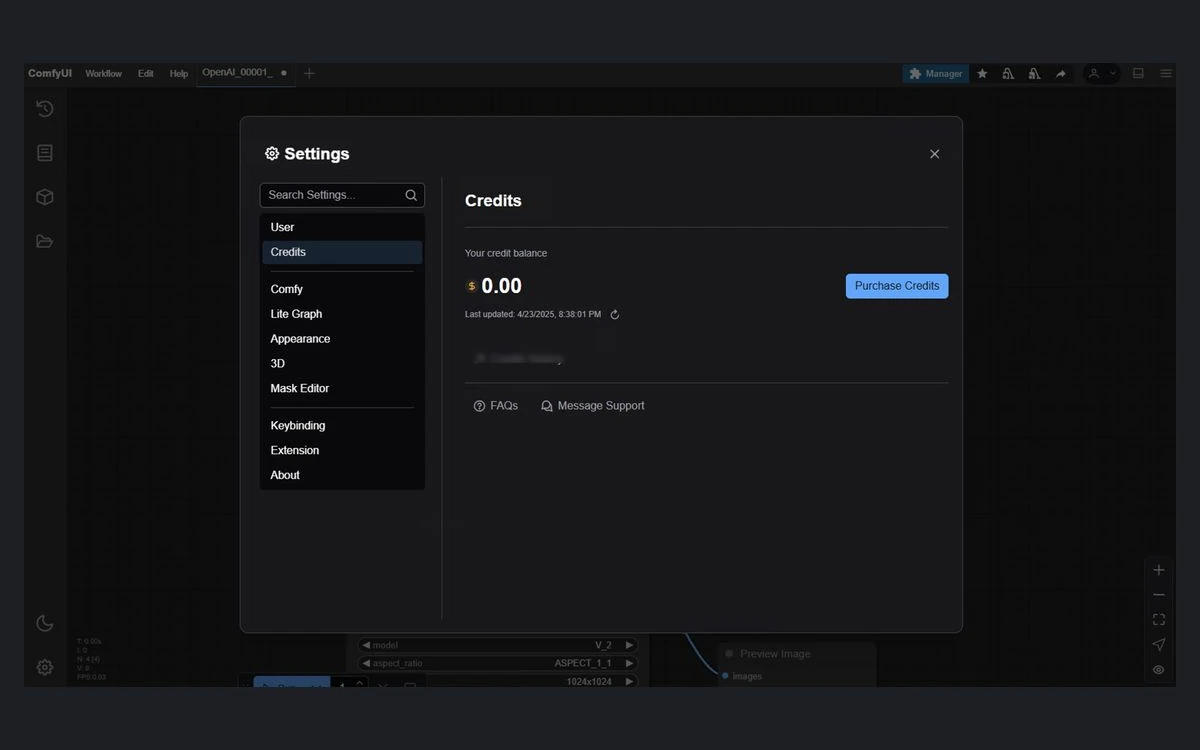
Everything on Comfy Cloud is metered in credits. Comfy Org publishes two rates: "211 credits = 1 USD", and GPU time at 0.266 credits per second, which works out to about 958 credits or $4.54 per GPU hour. You are only charged while a workflow is running; time spent building or editing a graph is free.
Comfy Org only lists yearly credit totals, so the monthly figures below are our own math from those two rates:
- Standard: about 4,200 credits a month, worth about $20, or roughly 4.4 GPU hours.
- Creator: about 7,400 credits a month, worth about $35, or roughly 7.7 GPU hours.
- Pro: about 21,100 credits a month, worth about $100, or roughly 22 GPU hours.
On monthly billing, the subscription price buys almost exactly its face value in credits. The real discount is on yearly billing: Standard at $192 a year delivers credits worth about $239, roughly 20% more. What the subscription adds beyond credits is concurrency, longer run limits on Pro and, from Creator up, your own models.
Credits expire
Plan credits reset each billing cycle and do not roll over. Top-up credits are valid for one year from purchase. Annual plans receive the whole year of credits up front.
Partner Nodes: closed models on the same canvas
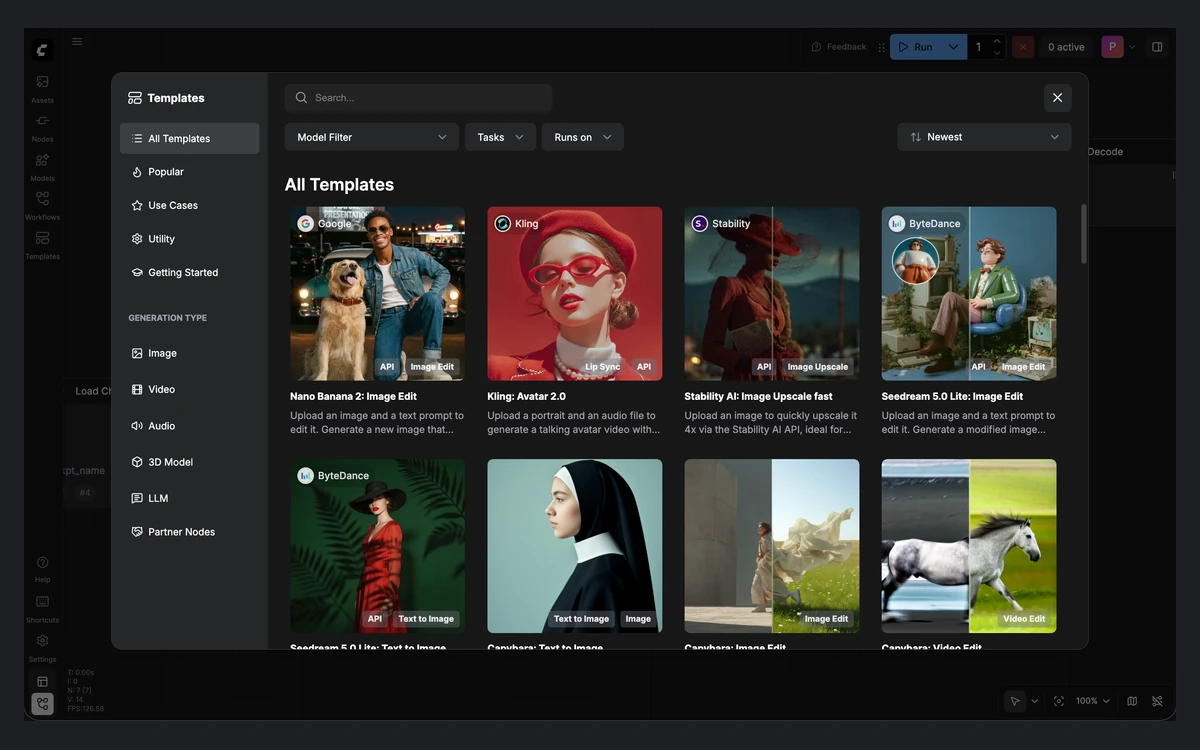
Partner Nodes, launched in May 2025 as API nodes, put closed models inside a ComfyUI graph. The list includes OpenAI, Kling, Luma, Runway, Black Forest Labs, Anthropic, Seedance 2.5, FLUX 3 and Google Nano Banana Pro, with Nano Banana 2.1 added on October 6, 2026. They need a signed-in account and a credit balance above zero, in Comfy Cloud or local ComfyUI.
Pricing is per call. Examples from the docs: Flux 1.1 [pro] Ultra costs 12.66 credits per run, Flux.1 Kontext [pro] 8.44 credits, and Flux 3 Image at 1K 14.48 credits, which is about 6 to 7 cents each. For Runway and Google Gemini, Comfy supports bring-your-own-key, in which case the provider bills you directly.
Comfy Agent: the new AI assistant
Comfy Agent, announced on October 1, 2026, is an assistant inside ComfyUI. In Comfy Org's words: "Describe what you want, and Comfy Agent can build, run, and iterate on workflows right in front of you!" It places and wires nodes on the canvas while you watch, runs the result and fixes errors it finds.
- Availability: Comfy Cloud now; the Desktop version is promised "in a few weeks" with a waitlist.
- Up to 5 parallel chats, each with its own history, and you can keep editing the canvas while it works.
- Ask mode requests approval before each workflow run; Auto mode runs without asking.
- Skills: you can write your own instructions in plain language, alongside public skills from Comfy.
Everyone gets free initial tokens for a few chats. After that, chat tokens are billed from credits at the rates the docs list for Anthropic Opus 4.8: 1.055 credits per 1K input tokens and 5.275 credits per 1K output tokens. That is about $5 per million input tokens and $25 per million output tokens at 211 credits to the dollar. Generation runs the agent starts are billed separately as normal GPU time.
Our take: the agent attacks ComfyUI's biggest weakness, the learning curve. Use Ask mode at first, because Auto mode can spend both token credits and GPU credits on runs you did not intend.
App Mode, Teams and the Comfy API
App Mode, released on March 10, 2026, hides the node graph and shows only the inputs you choose. App Builder sets which inputs and outputs appear, and the result can be shared as a URL that runs in a browser with no install. ComfyHub, in preview at comfy.org/workflows, publishes apps and workflows. App Mode works both on Cloud and locally.
For businesses, Comfy for Teams (July 23, 2026) adds a shared credit pool and permissions, with shared workflows, assets and Projects marked "coming soon". The Comfy API, live since September 30, 2026, is a separate product that deploys a workflow as a production endpoint billed by the second: $4.54/hour on an RTX PRO 6000, $6.23 on an H100 SXM, $7.71 on an H200 SXM and $11.23 on a B200, plus $0.20 per GB per month of network storage.
Cancellation, refunds and data
Cancellation
Plans auto-renew. Comfy's docs say "Cancelling stops all future payments immediately, and your plan stays active until the end of the period you've already paid for."
Refunds
The signals conflict. The pricing FAQ says refund requests are submitted as a ticket and reviewed case by case, with support quoting about 7 to 10 business days. The credits docs say "Currently we do not support refunds for unused credits", and the Terms of Service state that "all purchases of Credits are final and non-refundable." Do not count on getting money back - start on monthly billing until you know your usage.
Ownership and privacy
Under the Terms of Service effective May 13, 2026, you keep all rights to your inputs and outputs, and "Comfy will not use Input or Output to train generative AI or diffusion models." Comfy may still use limited metadata such as prompt classifications, workflow structures and node configurations. Cloud inputs, outputs and workflows are private to your account by default, and Partner Node inputs and outputs are deleted 24 hours after storage. Other customer content is kept "as long as necessary to operate, analyze, and improve the service", which is open-ended.
Who should use which version
- You have an NVIDIA or recent AMD GPU with 8GB or more VRAM: use local ComfyUI or Comfy Desktop for free, and add credits only for Partner Nodes.
- You have a Mac or a weak GPU and generate occasionally: try the free Cloud runs, then Standard.
- You train or download LoRAs and want them in the cloud: Creator is the cheapest plan that imports your own models.
- You render long video jobs or need parallel runs: Pro, for the 1-hour run limit and 5 concurrent runs.
- You are new to node workflows: try Comfy Agent on Cloud, or wait a few weeks for the Desktop release.
If you want simple prompt-in, image-out generation with no graph at all, a tool like Midjourney or Fooocus will feel easier. ComfyUI wins once you need control over every step.
Frequently asked questions
Is ComfyUI free?
Yes, running ComfyUI locally is free. The app is open source under GPL-3.0 and Comfy Desktop is free too; you only pay for Partner Nodes (closed models) or for Comfy Cloud GPU time.
How much does Comfy Cloud cost?
Comfy Cloud costs $20, $35 or $100 a month for Standard, Creator and Pro, or $16, $28 and $80 a month billed yearly. Team plans run from $200 to $2,500 a month depending on the credit commit.
Is there a free trial of Comfy Cloud?
Yes, the pricing page offers 5 free runs on real GPUs with no credit card. Comfy Agent also includes free initial tokens for a few chats.
Should I use Comfy Cloud or local ComfyUI?
Use local ComfyUI if you have a capable GPU, because it is free and runs any custom node. Choose Cloud if you lack the hardware, need 96GB of VRAM for large video models, or want Comfy Agent before it reaches Desktop.
Can I get a refund on Comfy Cloud?
Probably not. Support reviews refund tickets case by case, but the Terms of Service call credit purchases and fees non-refundable. Cancelling stops future payments, and your plan runs until the paid period ends.
Does Comfy use my images to train AI models?
No, the Terms of Service say Comfy will not use your inputs or outputs to train generative AI or diffusion models. It may use limited metadata such as workflow structures and node configurations.
What hardware do I need for local ComfyUI?
There is no formal minimum; the README says large models can run on as little as 4GB of VRAM and 8GB of RAM. NVIDIA, AMD, Intel Arc and Apple Silicon are supported, and CPU-only mode works slowly.
Do unused credits roll over?
No, plan credits reset each billing cycle. Top-up credits last one year from purchase.
Key takeaways
- Local ComfyUI and Comfy Desktop are free and open source; credits are needed locally only for Partner Nodes.
- Comfy Cloud costs $20, $35 or $100 a month, and monthly credits are worth about the plan price; yearly billing adds roughly 20% value.
- GPU time is billed at about $4.54 an hour and only while a workflow runs, on 96GB Blackwell cards.
- Comfy Agent builds and runs workflows for you, is Cloud-only for now, and bills chat tokens from credits.
- Credits do not roll over, and the Terms of Service call credit purchases non-refundable.
More in Artificial Intelligence
Browse Artificial Intelligence