Decktopus Review 2026: Nano Editor, Credits and the No-Refund Fine Print
Decktopus AI review for November 2026: Pro costs $9.99 a month billed yearly with 750 credits, but there is no free plan, no refunds and every plan auto-renews.
Decktopus is one of the older AI presentation makers, and 2026 changed almost everything about it. A new editor called Nano became the default in April, the pricing was rebuilt over the summer, and new features such as the Loop rehearsal coach, Deck Analytics and an MCP server arrived in the second half of the year.
This review looks at Decktopus as it stands on November 1, 2026, from a buyer's point of view: what the credits actually buy, whether the PowerPoint export is worth paying for, and the policies to read before you enter a card number. The short version: the annual Pro plan is now cheap at $9.99 a month, but there is no free plan, no refund of any kind, and every plan renews automatically.
What Decktopus is in late 2026
Decktopus is a browser-based AI tool that turns a prompt, a document or an existing deck into presentation slides and social media carousels. The company behind it is Decktopus Inc, which its terms of service place in Palo Alto, California. It says it started in 2019 and claims more than 4 million users and 2 billion presentations created. Those are the vendor's own figures.
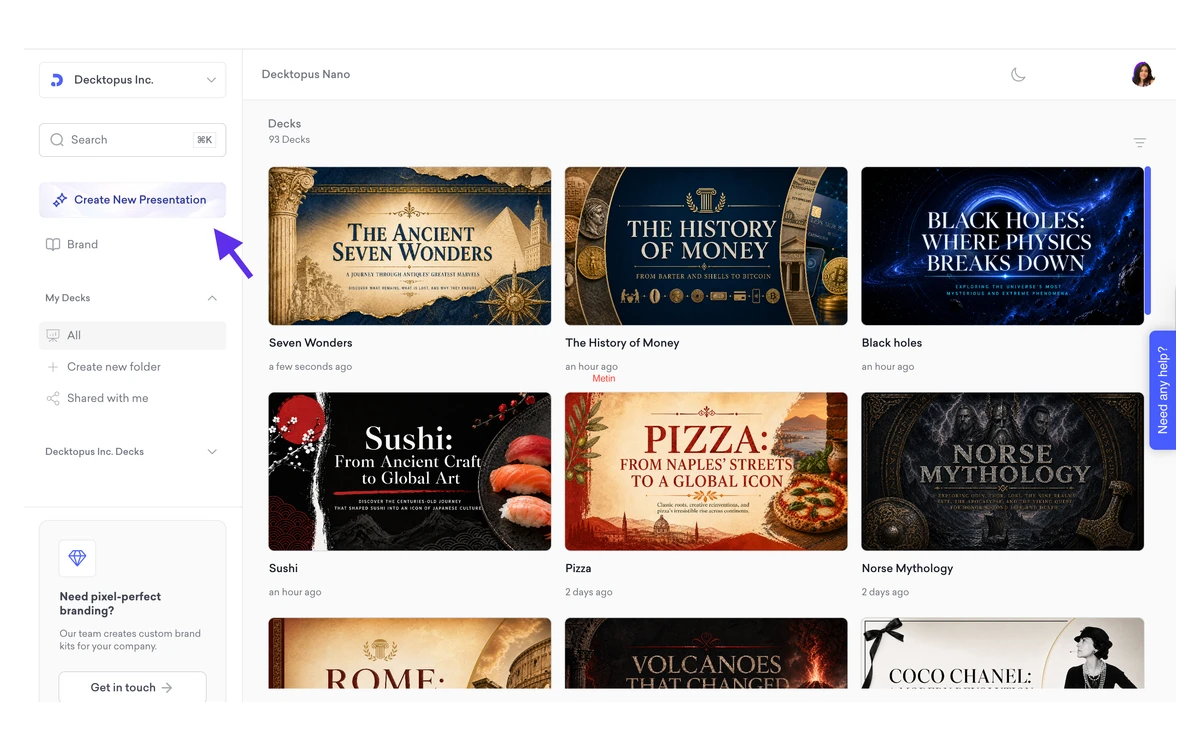
The biggest change this year is the editor. A help article published on April 30, 2026 calls Nano "the current product" and says the V2 and V3 editors "are legacy editors and are no longer being actively developed." Nano works differently from the old template-based editors: it generates slides as AI images. That has consequences for editing and export, covered further down.
The interface is available in seven languages (English, German, Spanish, French, Portuguese, Turkish and Arabic), and Decktopus says decks can be generated in more than 100 languages. It is cloud-only. The help center states there is no offline mode, so you need a connection to create, edit or even view a deck, and the workaround is to download a PDF or PPT. A mobile version can create, edit, present and export from a phone.
Building a deck: prompts, brand import and Beautify
The main flow is simple. You describe the presentation you need, Decktopus proposes a structure, and Nano generates the slides. Around that core sit a few useful extras added in 2026:
- Brand import from a URL: paste your website address and Decktopus pulls in your colors and visual style.
- Beautify and Redesign: upload an existing presentation and have it restyled, or use it as a resource for a new deck.
- Carousels: the same engine produces multi-slide posts for social media.
- Edit with AI and Edit Text: change a slide by instruction rather than by dragging boxes around.
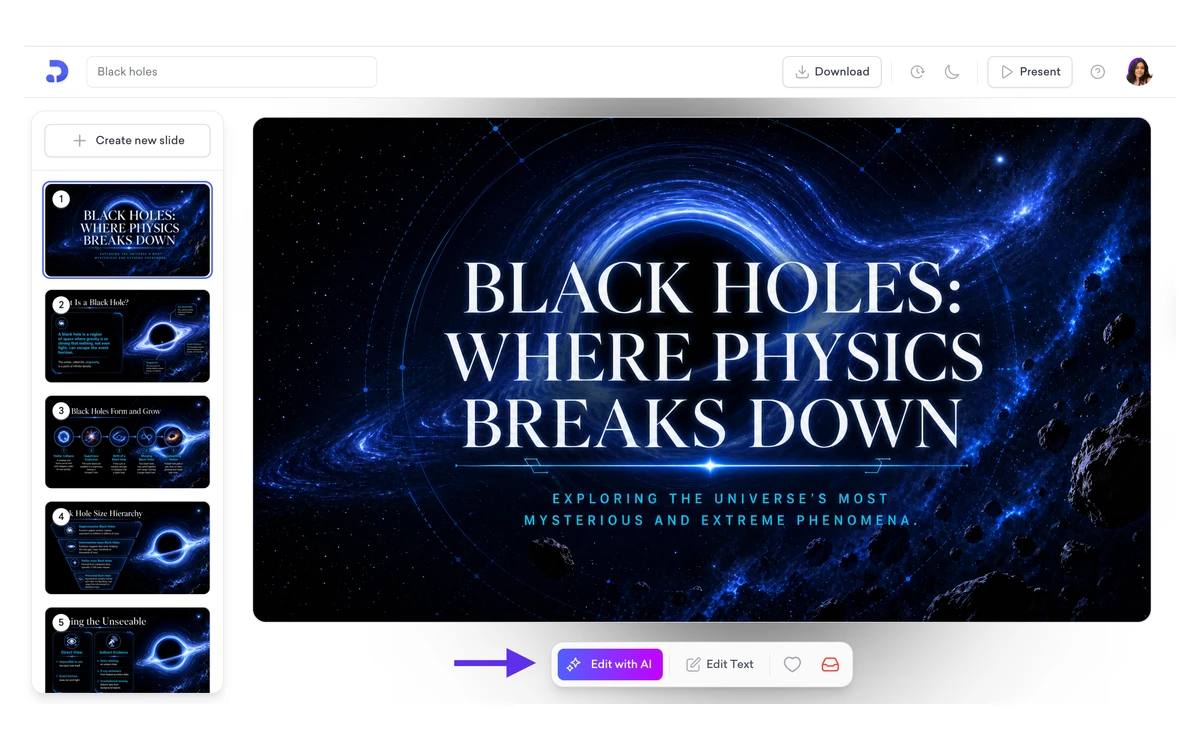
The output quality is the usual question with these tools. A G2 reviewer summed up the most common complaint: "The AI often produces fairly generic slides." That matches what you should expect from any prompt-to-deck tool. Decktopus is fast at a credible first draft, and the time you save depends on how much of that draft you keep. Because every AI edit costs credits, heavy rework is also what drains a plan fastest.
What 750 credits actually buy
Credits are the real limit on every Decktopus plan. The help center is clear about the cost: generating one slide costs 5 credits, and editing a slide with AI or Edit Text costs 5 credits per edit. Pro includes 750 credits a month and Business includes 1,000 per seat. Credits refresh monthly and do not roll over.
So 750 credits buy 150 generated slides, or 150 AI edits, or a mix of the two. A more realistic picture: a 10-slide deck costs 50 credits to generate, and if you make two AI edits per slide, that is another 100 credits. At 150 credits per finished deck, Pro covers about five decks a month.
Watch the conflicting numbers
The pricing card says 750 credits is about 150 slides, which matches the help center's 5 credits per slide. The pricing page FAQ, however, says 750 credits are "enough for roughly 150 AI edits or 50 new slides." That 50-slide figure does not match the stated per-slide cost. We used the help center's arithmetic, but check your credit balance after your first deck.
If you run out, Decktopus sells one-time credit packs that never expire:
- 40 credits (about 8 slides): $4.99
- 100 credits (about 20 slides): $8.99
- 300 credits (about 60 slides): $19.99
- 700 credits (about 140 slides): $34.99
- 1,500 credits (about 300 slides): $59.99
- 3,000 credits (about 600 slides): $99.99
- 8,000 credits (about 1,600 slides): $249
- 18,000 credits (about 3,600 slides): $529
- 36,000 credits (about 7,200 slides): $999
Small packs are expensive. The 40-credit pack works out to about 12.5 cents per credit, while annual Pro works out to about 1.3 cents ($9.99 for 750). Top-ups make sense as a buffer for a busy month, not as a replacement for a plan.
Pricing: Pro, Business and Enterprise
All prices are in US dollars. Pro, the plan most solo users will consider, comes in three billing terms:
- Annual: $9.99 per month, billed $119.88 per year
- Every 3 months: $19.99 per month, billed $59.97 per quarter
- Monthly: $24.99 per month
Pro includes 750 AI credits a month, presentations and carousels, PDF, PPT and PNG export, one-click sharing, the Loop rehearsal coach, version history and mobile access. Storage is unlimited on every plan, with no folder limits.
Business adds a shared workspace, Brand Kit, a custom domain, priority support and 1,000 AI credits per seat per month. Its prices do not appear in the visible text of the pricing page. They are listed only in the page's structured data: $19.99 per seat per month on annual billing, $39.99 on 3-month billing and $44.99 monthly. Team collaboration is Business-only, and the help center notes that "This is not real-time co-editing."
Enterprise pricing is custom. The help center says existing features "are priced at the Business plan rate," setup takes about a week, and there is no bulk or CSV user import. Enterprise gets dedicated support.
How the new prices compare with the old ones
Until mid-2026, annual Pro cost $14.99 a month ($179.99 a year) with 9,000 credits refilled once a year, and annual Business cost $34.99 per user per month ($419.99 a year) with 12,000 credits a year. Archived copies of the pricing page show the change happened between June 10 and August 6, 2026.
The yearly credit total is unchanged: 750 a month is still 9,000 a year on Pro, and 1,000 a month is still 12,000 on Business. What changed is the timing. Annual Pro is $60 cheaper, but you can no longer spend a year's worth of credits in a busy quarter, because unused monthly credits disappear.
Discounts
Students get 50% off all plans with the code SUPPORTEDUCATION. Decktopus's Black Friday page advertises 50% off all plans with the code BLACKFRIDAY between November 25 and December 2. The page does not state the year, so confirm the discount is applied at checkout before you pay.
Export and the editable PowerPoint question
Export is a paid feature, available on Pro and Business. You can download PDF, PPT or PNG (one image per slide), in Compressed or Standard (higher resolution) quality. The help center describes the PPT as "A fully editable file you can open in PowerPoint, Keynote, or Google Slides."
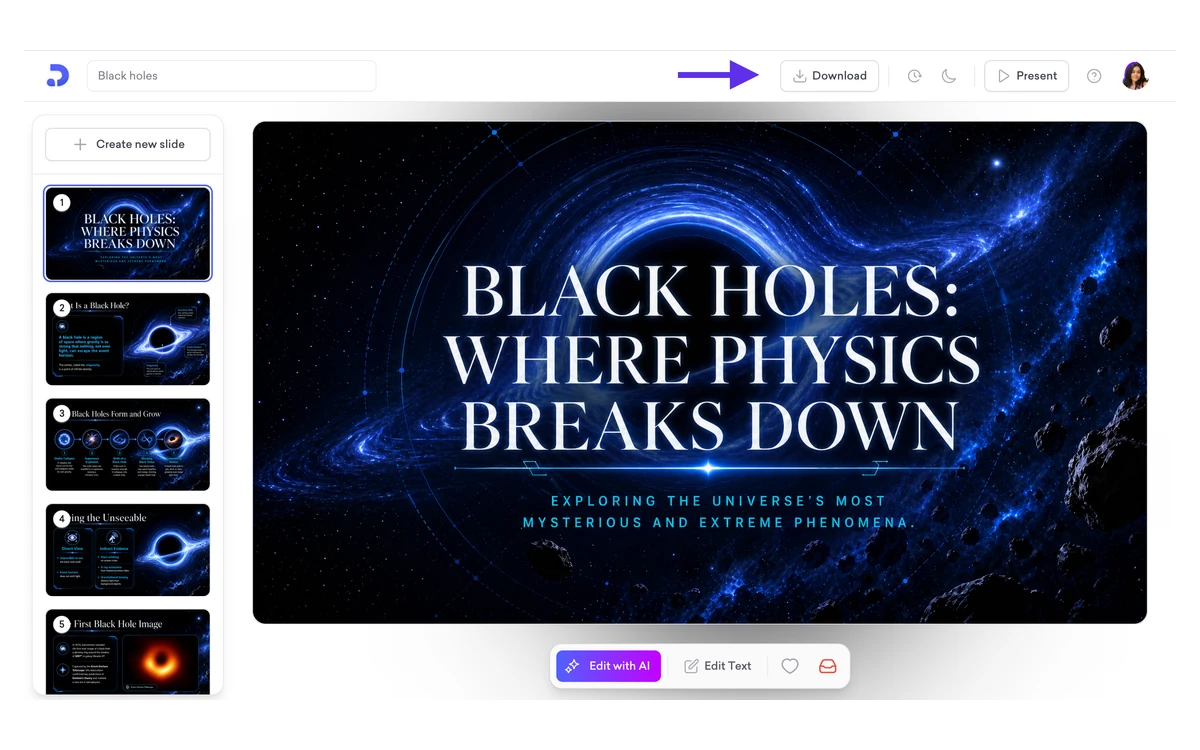
There is a reason to test that claim yourself. Nano generates slides as AI images, and a Trustpilot reviewer wrote in June 2026: "I used to have the feature to download the editable ppt. Now it is no longer available for the same cost." A G2 reviewer also listed PowerPoint editability as a priority. We could not verify either way how editable a Nano PPT is today.
Test before you commit
If an editable PowerPoint file is the reason you are buying, start on monthly billing. Export one Nano deck to PPT, open it in PowerPoint or Google Slides, and check that titles and body text are real text boxes rather than flat images. Move to annual only once you are satisfied.
Loop, Deck Analytics and the AI integrations
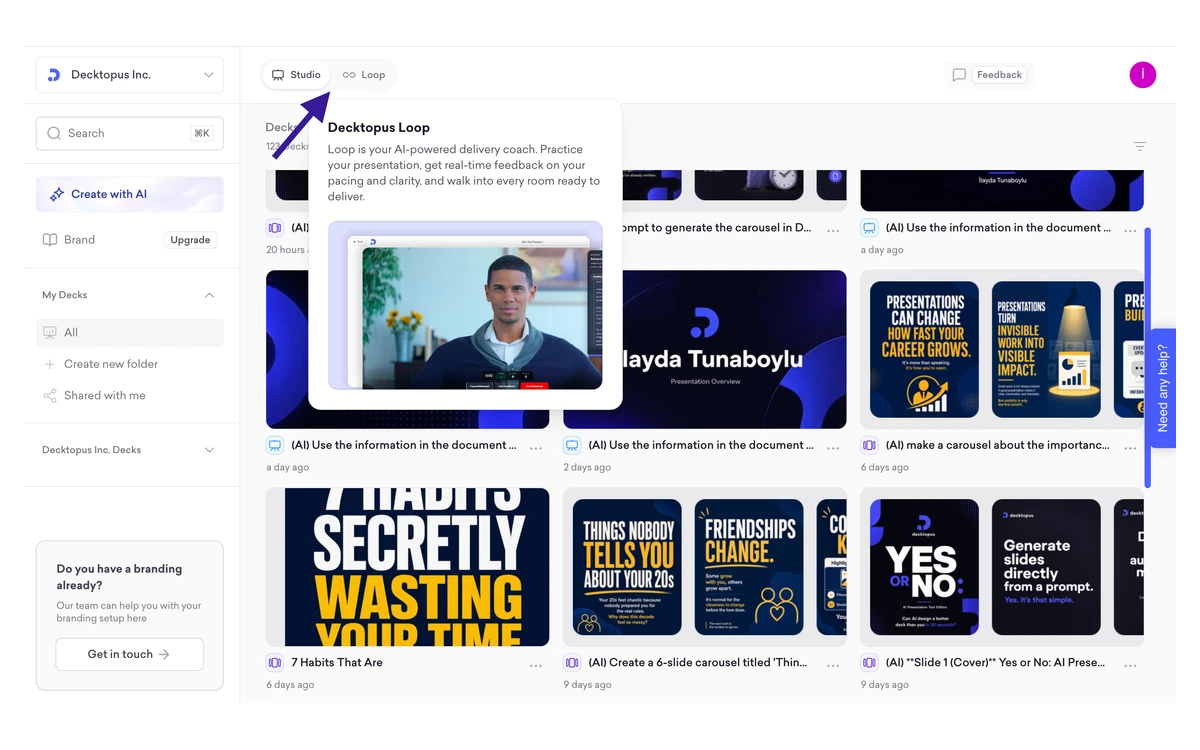
Loop, added in June 2026, is a rehearsal coach. You practice your delivery and receive feedback produced by what the help center calls "four sequential AI agents." The pricing page lists it as included on Pro and above.
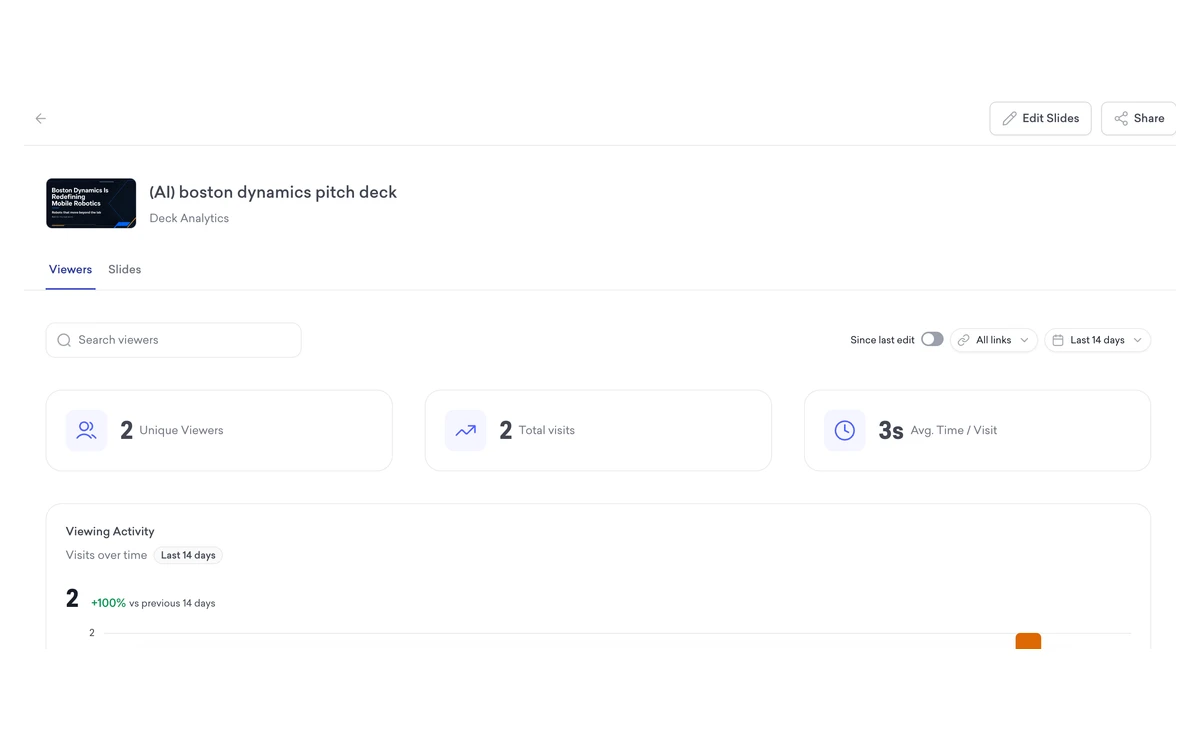
Deck Analytics, added in September, shows who viewed a shared deck, how many visits it got and the average time spent. Email Gate turns a shared deck into a lead form by asking for an email before viewing. The help center says both are available on Pro and Business, although the pricing FAQ lists slide analytics as a Business extra. If analytics matter to you, check that the feature is in your workspace during your first billing period.
Also new in September: a Decktopus app inside ChatGPT, and an MCP server that lets Claude and other LLM clients create decks through Decktopus. The help center gives the MCP endpoint as https://apiv21.decktopus.com/mcp. A Zapier integration is also available for automations.
The fine print: no free plan, no refunds, auto-renewal
This is the section to read slowly, because it explains most of the negative reviews.
- No free plan and no trial period. Your first deck is free, but it carries a Decktopus watermark and cannot be exported. The Refer & Earn program can give you 30 extra credits before you pay.
- No refunds. Section 3.4 of the terms says refunds are not available for monthly or annual subscriptions, and the pricing FAQ says "All purchases are final and non-refundable."
- Cancelling does not refund anything. You cancel through a Stripe page and keep your plan until the end of the billing cycle, but the help center notes "we do not offer refunds, even after subscription cancellation."
- Every plan renews automatically, and annual plans renew after one year unless you cancel.
- Annual billing is charged in full up front: "The full annual amount is processed immediately upon confirmation."
Before you pay
Build your free first deck to judge the output, start on monthly billing if you are unsure, test the PPT export, and set a calendar reminder a week before renewal. With a strict no-refund policy, a forgotten renewal is money you will not get back.
Data, security and privacy
According to its security article, Decktopus runs on AWS, offers EU hosting for organizations with data residency requirements, and uses TLS 1.3 in transit and AES-256 at rest. Your data is excluded from AI training by default, with no opt-out needed.
There are gaps a business buyer should note. Decktopus says it is "currently working toward SOC 2 Type II certification," which means it is not certified yet. It does not disclose which AI model providers power the product. Its privacy notice is dated February 11, 2024, names Google Analytics, and has no explicit GDPR section. The terms are governed by California law. For confidential material, ask about EU hosting and data processing terms before you upload.
What users say
Third-party ratings are split. On G2, Decktopus had 4.3 out of 5 from 80 reviews in September 2026, with 78% five-star and 8% one-star. Capterra showed 4.6 from 67 reviews in April 2026; one reviewer there found "The pricing feels a bit steep for solo users or small businesses." Trustpilot, checked in November 2026, showed about 3.5 from around 54 reviews, with most of the negative ones at one star.
The one-star reviews mostly concern billing rather than slides. One June 2026 reviewer said Decktopus "just charged me $89 a year later for a renewal." The company's standard reply points to the policy: "our no-refund policy is clearly stated in multiple places." The pricing page shows its own badges (4.8 out of 5 and Capterra 4.7), which are higher than the third-party figures above.
There is also some history. In 2022 Decktopus sold a $49 lifetime deal on AppSumo, promising lifetime access to the premium plan. A G2 review from March 2026 asks the company to "honor the original lifetime deal agreements by restoring the promised AI credits, feature access, and data export capabilities." That deal is not on sale anymore, but it is worth knowing when you weigh a long commitment.
Verdict: who Decktopus suits
At $9.99 a month on annual billing, Decktopus Pro is one of the cheaper ways to get AI-generated decks with export, rehearsal coaching and analytics. It suits people who make a handful of presentations or carousels a month, want a quick, on-brand first draft, and are happy to present from Decktopus or a PDF.
It is a weaker fit if you need dependable, fully editable PowerPoint files, real-time team editing, offline access or a certified SOC 2 vendor. And because there is no free plan or refund, approach it more carefully than most SaaS tools: use the free first deck, pay monthly first, and only commit to a year once the export works the way you need.
Frequently asked questions
How much does Decktopus cost in 2026?
Pro costs $9.99 a month billed annually ($119.88), $19.99 a month billed every 3 months ($59.97), or $24.99 monthly. Business is listed at $19.99, $39.99 or $44.99 per seat per month depending on the billing term, and Enterprise is custom.
Does Decktopus have a free plan or free trial?
No. Only your first deck is free, and it has a watermark and cannot be exported. Referring others can earn you 30 credits, but there is no free tier and no time-limited trial.
Can I get a refund from Decktopus?
No. The terms and help center say refunds are not available for monthly or annual plans, even after you cancel. You keep access until the end of the paid period.
How many slides can I make with 750 credits?
About 150 slides if you only generate, because each slide costs 5 credits. Each AI edit also costs 5 credits, so a typical 10-slide deck with a couple of edits per slide uses about 150 credits, or five decks a month. Unused credits do not roll over.
Can I export Decktopus slides to PowerPoint?
Yes, on Pro and Business, as PPT, PDF or PNG. Decktopus calls the PPT fully editable, but Nano generates slides as AI images and some users report losing editability, so test one export before buying a year.
Does Decktopus use my content to train AI?
Decktopus says your data is excluded from AI training by default. It runs on AWS with optional EU hosting, but it is not yet SOC 2 Type II certified and does not name its AI model providers.
Is there a Decktopus Black Friday deal?
Decktopus's Black Friday page advertises 50% off all plans with the code BLACKFRIDAY from November 25 to December 2. The page does not state the year, so check the price at checkout. Students can get 50% off year-round with SUPPORTEDUCATION.
Key takeaways
- Annual Pro is $9.99 a month ($119.88 a year) with 750 credits a month; monthly billing is $24.99.
- Every slide and every AI edit costs 5 credits, and monthly credits do not roll over.
- There is no free plan: the first deck is free but watermarked and cannot be exported.
- All plans auto-renew and nothing is refundable, even after cancelling.
- Nano generates slides as AI images, so test PPT editability before committing to a year.
- Loop, Deck Analytics, a ChatGPT app and an MCP server are the main 2026 additions.
More in Artificial Intelligence
Browse Artificial Intelligence