Descript – The Ultimate Creative Tool That Stays by Your Side
Are you ready to turn your ideas into professional content without spending hours or needing advanced skills? Descript is the all-in-one solution you’ve been searching for – an AI-powered audio and video editing software designed to save time, boost quality, and help you shine in every project!
Descript at a glance
Descript is a desktop video and audio editor built around a transcript. Import or record media, let the app transcribe it, and edits made to the words alter the underlying timeline. This makes interview, podcast, tutorial, and talking-head work approachable for people who think in sentences rather than tracks and waveforms.
The product has grown beyond transcription. Its current workflow combines screen recording, multitrack editing, captions, stock media, remote collaboration, AI speech, and Underlord, an AI co-editor. It is best understood as a fast production workspace, not a complete replacement for a high-end nonlinear editor in every project.
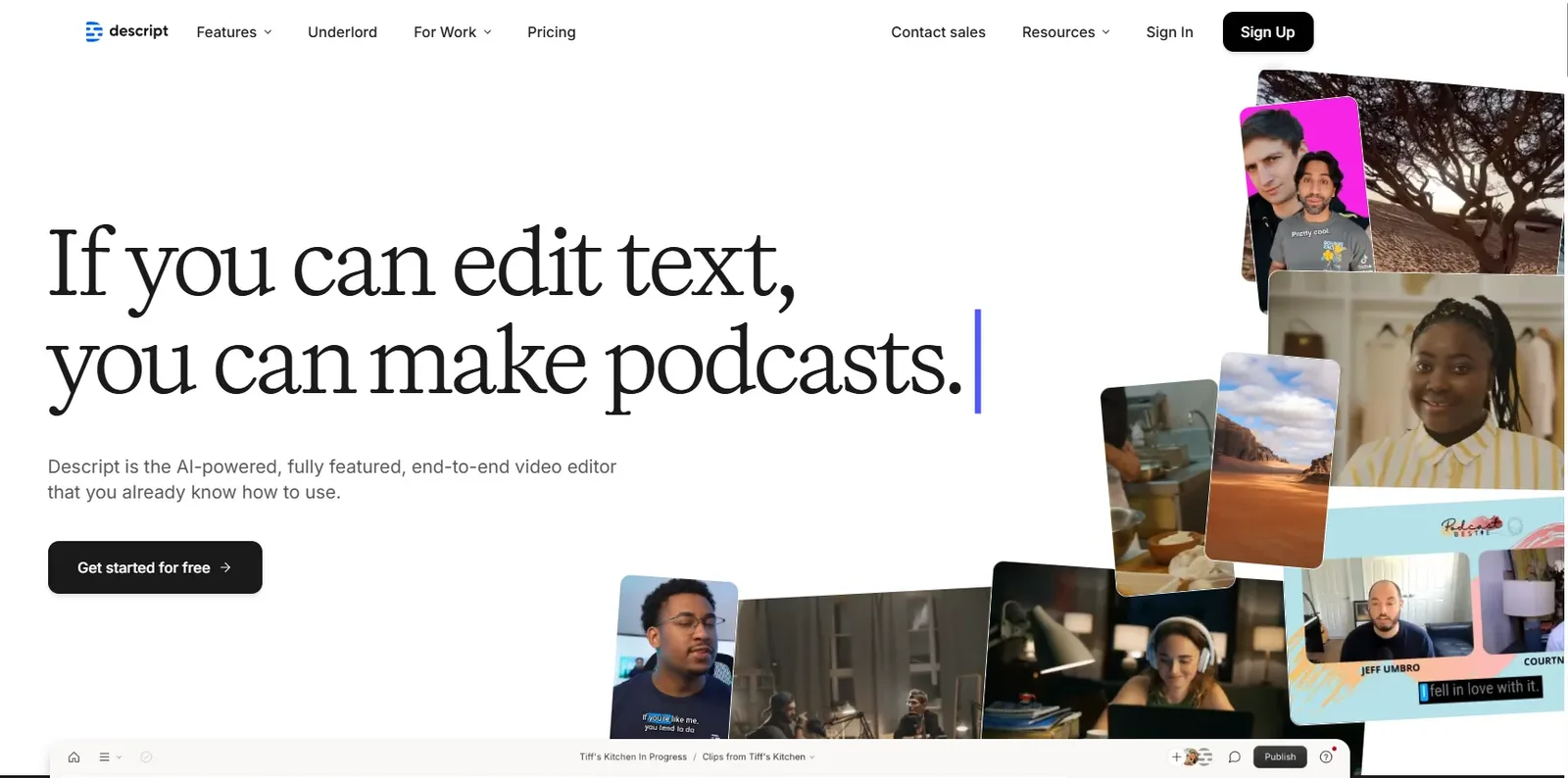
How transcript-based editing changes the workflow
Traditional editors make you locate a sentence by scrubbing through a timeline. Descript exposes the same material as searchable text, so deleting a false start can be as direct as deleting a sentence. The timeline remains available for precise cuts, fades, layers, and composition work.
This is particularly effective for dialogue-heavy material. A producer can review an hour-long interview as text, rearrange a story, remove repeated ideas, and then return to the timeline for pacing. Transcription still needs review when names, accents, or technical terms matter, so the text should be treated as an editable draft rather than an infallible record.
The features that matter most
Descript groups many common cleanup tasks into the same project. Studio Sound can improve spoken audio, filler-word tools help find verbal clutter, captions follow the transcript, and Create Clips can propose shorter extracts. AI Speech can generate or repair dialogue with authorized voice models, while screen recording supports demonstrations and walkthroughs.
Underlord can assist with edits and transformations, but creators should review its choices. Automatic cleanup may remove a pause that carries meaning, choose an unrepresentative highlight, or produce wording that does not match the speaker's intent. Human review remains part of a responsible publishing workflow.
- Text-based video and podcast editing
- Timeline, scenes, layouts, captions, and stock media
- Studio Sound and filler-word detection
- Screen recording and remote collaboration
- AI speech, translation, and clip-generation tools
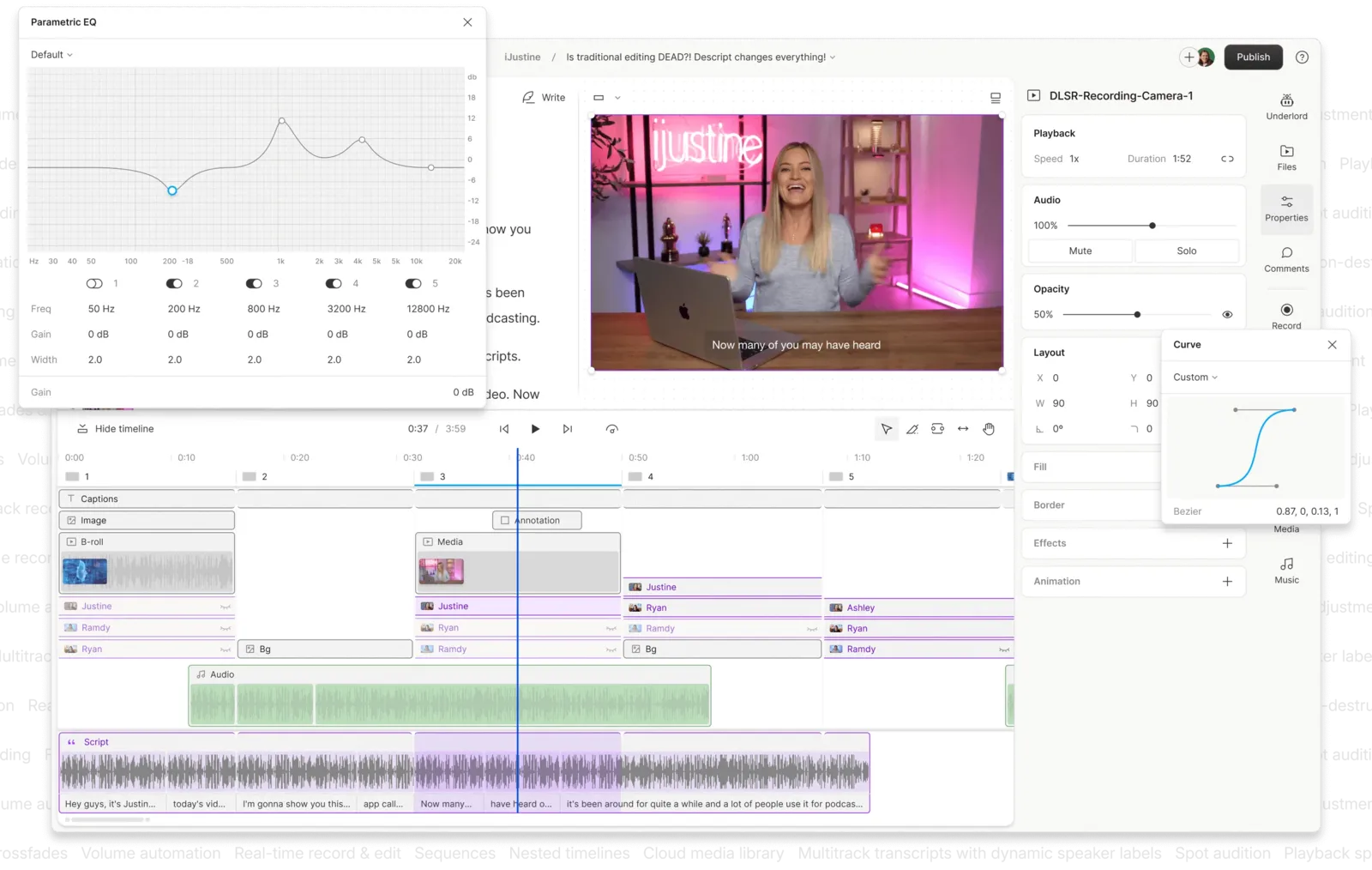
Editing quality and practical limits
For podcasts, interviews, courses, and social clips, Descript can remove a surprising amount of mechanical work. Its strongest advantage is speed from rough recording to reviewable cut. Projects with heavy color grading, complex motion graphics, advanced audio routing, or frame-accurate finishing may still be better completed in a specialist editor.
Transcription quality depends on recording quality and speaker clarity. Separate microphone tracks, consistent levels, and a quiet environment improve both the transcript and downstream AI processing. Keep original media backed up and listen through every generated or repaired passage before export.
Collaboration, publishing, and team use
Transcript comments make review accessible to colleagues who do not know video-editing software. A subject-matter expert can flag a sentence, a producer can resolve it, and a brand reviewer can inspect captions without exchanging timestamp lists in email.
Team value rises when everyone agrees on project naming, source-media storage, speaker-label conventions, and approval responsibility. Descript can centralize the edit, but it does not replace a production process. Teams handling confidential recordings should also review workspace permissions, retention, and the security controls available on their chosen plan.
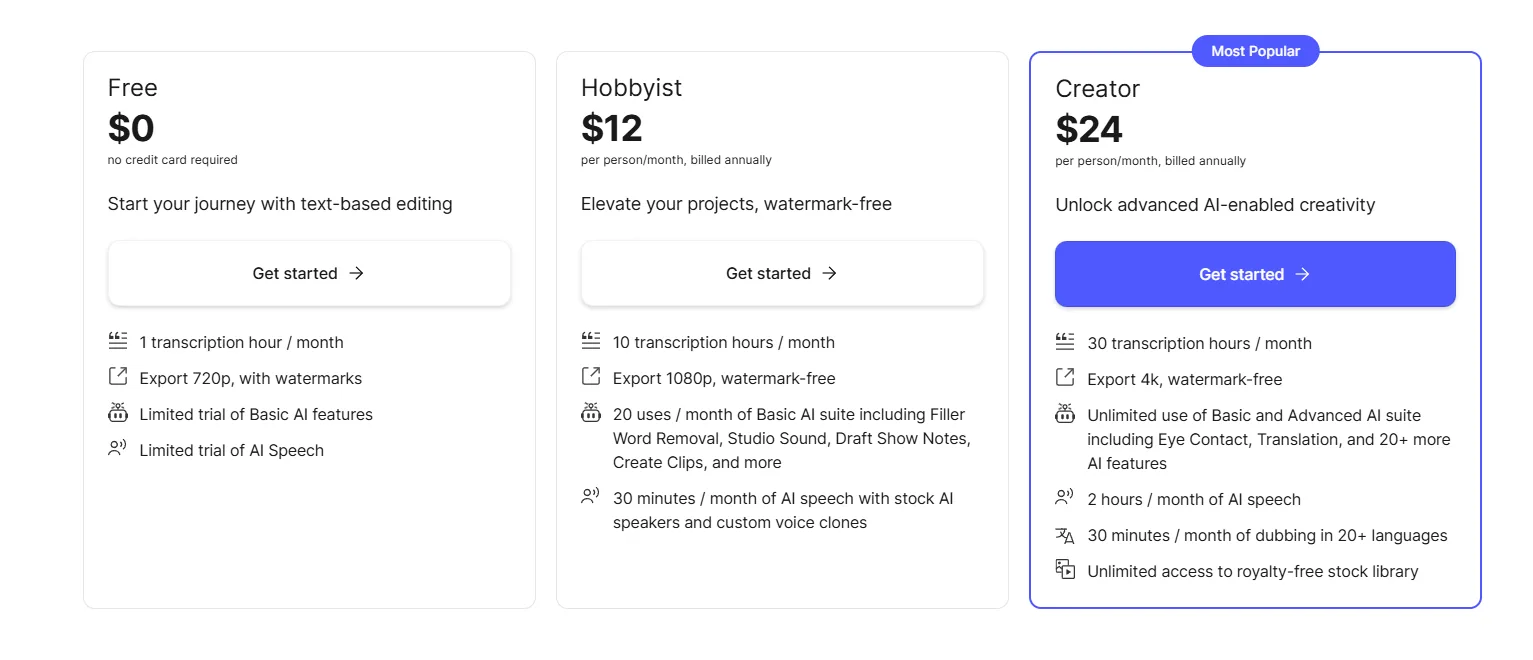
Plans, media hours, and AI credits
Descript currently offers Free, Hobbyist, Creator, Business, and Enterprise options. Paid tiers differ by media hours, AI credits, export resolution, collaboration capacity, support, and advanced tools. The official pricing page currently lists annual-billing equivalents of $16 per person monthly for Hobbyist, $24 for Creator, and $50 for Business; monthly billing is higher.
Do not choose by headline price alone. Estimate imported or recorded media each month, the number of editors, expected 4K exports, translation usage, and AI-credit consumption. Limits and prices can change, so the live comparison table should be the final source before purchase.
Who should use Descript?
Descript is a strong fit for podcasters, educators, marketers, researchers, and lean video teams producing speech-led content on a schedule. It is also useful for a founder or subject-matter expert who needs to review edits without learning a conventional timeline.
It is a weaker fit when the project is primarily cinematic, effects-heavy, or dependent on advanced audio engineering. Editors who already work quickly in Premiere Pro, Final Cut Pro, Resolve, or Pro Tools may prefer to use Descript for transcription and rough assembly, then finish elsewhere.
A sensible first-project test
Test Descript with a representative ten-minute recording rather than a polished demo file. Correct speaker names, remove one section through the transcript, clean a difficult audio passage, create captions, and export both a full version and a short clip. Record the time required and inspect the result on headphones and a phone.
That exercise reveals the real trade-off: whether transcript editing and assisted cleanup save enough time without creating extra correction work for your voice, language, and production style.
Verdict and key takeaways
Descript is most convincing when words are the center of the edit. It shortens the distance between transcript, rough cut, captions, and stakeholder review, giving small teams one coherent workspace for common production tasks.
Its AI features are accelerators rather than a substitute for editorial judgment. Use it when faster dialogue editing matters, verify transcripts and generated media, and compare the plan limits with a typical month of real footage before subscribing.
- Best for dialogue-led audio and video
- Transcript editing lowers the learning curve
- Specialist finishing tools may still be needed
- Plan value depends on media hours, editors, and AI-credit use
Frequently asked questions
Can Descript replace a traditional video editor?
For interviews, podcasts, tutorials, and many social videos, it can handle the full workflow. Complex color, effects, audio, and finishing work may still require a specialist editor.
Does editing the transcript edit the video?
Yes. Deleting or rearranging transcript text changes the linked media, while the timeline remains available for more precise adjustments.
Is Descript transcription always accurate?
No transcription system is perfect. Accuracy varies with recording quality, language, accents, crosstalk, and specialist vocabulary, so important transcripts need review.
What are Descript AI credits used for?
They meter eligible AI features. Exact consumption and included allowances vary by feature and plan; consult the current pricing comparison before choosing a tier.
Is Descript suitable for teams?
Yes, especially when non-editors need to comment on a transcript. Teams should still assess seat pricing, permissions, brand controls, and security requirements.
What should I test before paying?
Use a real recording and test transcription correction, a structural edit, audio cleanup, captions, clip creation, and final export quality.
A deeper field guide for buyers
A serious Descript evaluation starts before import. Record a short interview with separate microphones, a screen demonstration, several intentional mistakes, a difficult proper noun, and a section that must be removed for editorial reasons. This single project tests transcription, speaker labels, screen media, structural editing, audio repair, captions, and export without relying on a vendor demonstration designed to look clean.
During assembly, distinguish editorial changes from mechanical cleanup. First decide what the story should say and reorder the transcript accordingly. Only then remove filler words, shorten gaps, and apply Studio Sound. Cleaning too early can waste time on passages that disappear, while aggressive global removal can flatten a speaker's personality. Listen across every edit boundary instead of trusting the altered transcript alone.
Captions deserve their own pass. Correct terminology and punctuation, keep lines comfortably readable, inspect line breaks around names and numbers, and verify synchronization after timeline changes. Export a test and watch it on a small phone with sound muted. A caption track that looks acceptable on a desktop canvas can still be exhausting in the environment where social video is actually consumed.
Teams should define the source of truth. Keep original camera and audio files in managed storage, decide whether Descript or another editor owns the approved master, and establish naming for drafts and exports. Comments should identify a decision owner and deadline. Without those rules, convenient transcript collaboration can create several plausible versions with no clear final cut.
Estimate plan requirements from source hours rather than finished duration. A ten-minute episode may involve an hour of interviews, alternate takes, and pickups, and every editor may affect cost. Include translation, AI speech, clip generation, stock assets, 4K delivery, and seasonal peaks. Run a normal production month before annualizing because a small test rarely reveals media-hour pressure.
For sensitive productions, document who authorized recording and any synthetic speech, limit project access, and confirm deletion and retention behavior. Do not use voice repair to change meaning or imply a statement the speaker did not approve. The speed of text editing makes consequential alterations unusually easy, which increases rather than removes the need for a clear editorial trail.
Finally, compare approved output. Record total operator time, reviewer time, corrections after export, and whether another application was required for finishing. Descript earns its place when the complete dialogue-led workflow becomes faster and easier to review. If every project still needs extensive reconstruction elsewhere, a transcription service paired with the team's existing editor may be the cleaner system.
Official sources checked
Product features and plan details change. These primary sources were checked for this review; confirm the live plan page before purchasing.
Key takeaways
More in Artificial Intelligence
Browse Artificial Intelligence