Designify Review 2026: What It Did, What It Cost and Why It Shut Down
Designify, Canva's AI product-photo designer, shut down on December 1, 2025. What it did, what Pro cost, the fine print, what happened to users and where to go now.
If you type designify.com into a browser in 2026 you will not reach Designify. You land on Canva's AI photo editing page instead, because the product has been gone since December 1, 2025, and the domain now simply forwards to its parent company.
For about four years Designify was one of the easiest ways to turn a phone photo of a product into something that looked like a studio shot. This review looks back at what it did, what it cost, the fine print that came with it, why it was shut down, what happened to paying customers, and which tools fill the gap now.
What Designify was
Designify was an AI product-photo designer built by Kaleido AI, the Vienna company behind remove.bg. Canva acquired Kaleido on February 23, 2021, along with its team of 25 AI specialists, and Designify launched a few months later. Product Hunt lists the launch as June 22, 2021.
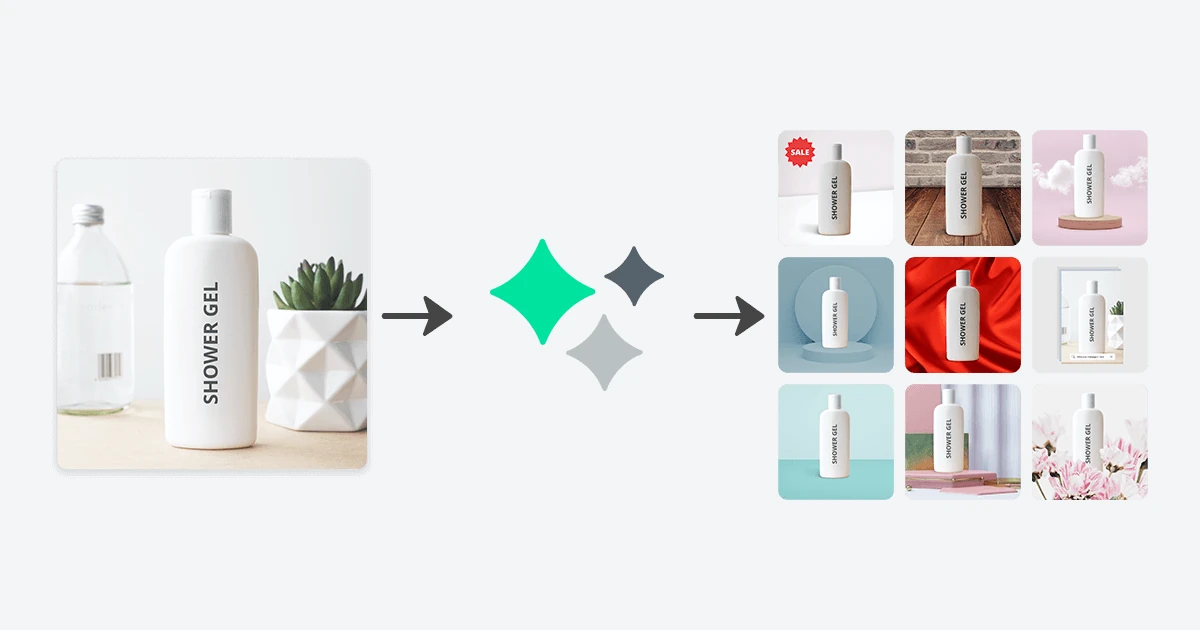
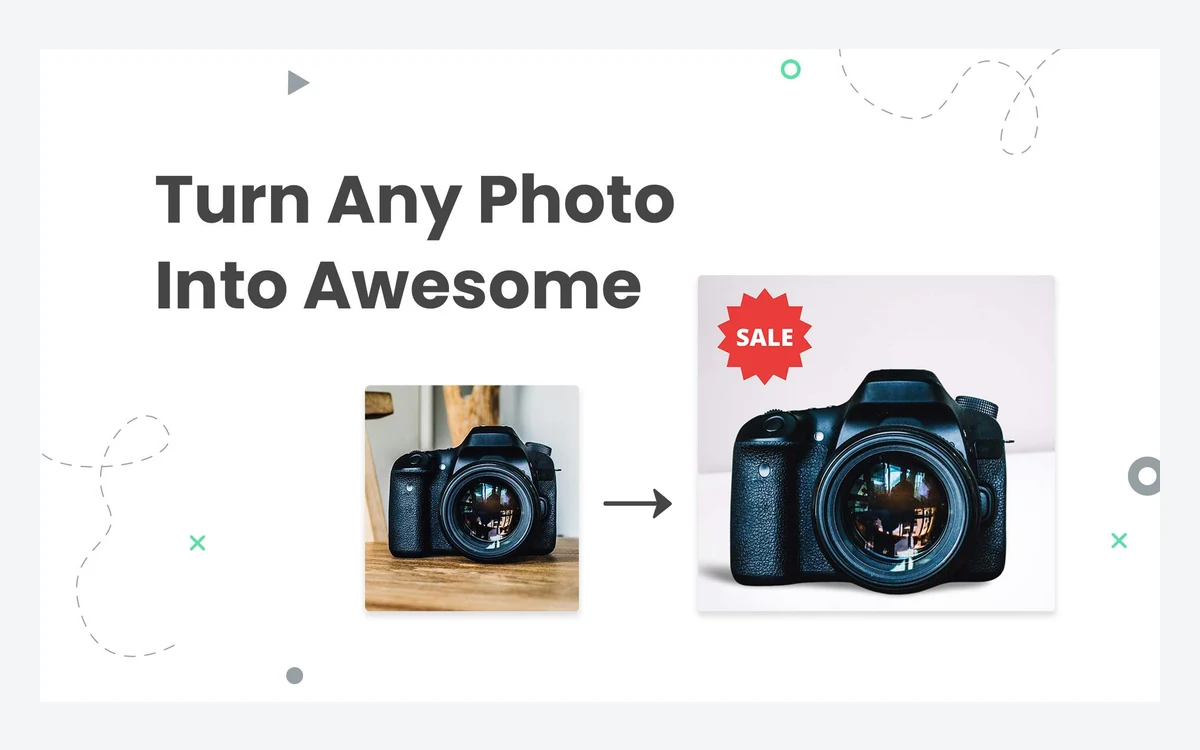
The pitch on the homepage was "Turn Any Photo Into Awesome 100% Automatically and Free". In its own words, you could "pick any image to create AI-powered designs by automatically removing backgrounds, enhancing colors, adjusting smart shadows, and so much more." Until the end, the footer read "© Designify, a Canva Austria GmbH brand".
The site pitched it at three audiences: e-commerce sellers, marketers and car dealers. It was never a general photo editor. It did one job, which was putting a single subject on a clean, styled background, and it did that job quickly.
How it worked
The workflow had three labelled steps: "Upload Your Image", "Magic" and "Choose Your Design". You uploaded a JPG or PNG of up to 12MB, the AI cut out the subject, and Designify offered a grid of finished layouts built from that cut-out. You picked one and downloaded it.
Editing tools
- Background Removal, using the same cut-out technology as remove.bg.
- Auto Enhance, which corrected colour and exposure automatically.
- 3D Shadows, or "smart shadows", so the subject did not look pasted onto the background.
- Fix Pixelation, for small or low-quality source images.
- Customize Design, where you could add a logo or extra images and automatically match the colours of your design elements.
Batch editing and API
Pro added "Advanced Batch-Editing and API Access". The site promised you could "Designify any image with 1 API call, or batch-edit photos directly on the website." For a shop with a few hundred SKUs, that was the real value: one template applied to a whole catalogue without opening a design tool.
What it cost
Prices below come from the last published pricing page, captured in April 2025. Later archived copies of the pricing page are blank, so these are the last confirmed figures, not necessarily what every customer paid near the end.
- Free: unlimited designs, but downloads capped at 600x600px and limited to non-commercial use.
- Pro: $39 per month, VAT included where applicable, with 1,000 downloads per month, batch processing, 1440x1440px downloads and API access.
- Extra volume: Pro users who needed more than 1,000 images could set their own limit at $39 per 1,000 images.
- Pay-as-you-go credits: mentioned in the terms as an alternative to a subscription for commercial use.
Payment went through Paddle, which acted as Merchant of Record, and accepted credit cards, PayPal and Apple Pay. For comparison, $39 for 1,000 images works out to about 3.9 cents per finished design, which was cheap for batch work but steep for someone who only needed a handful of listing photos a month.
The fine print
The "Free" in the tagline came with a significant catch, and several clauses in the terms were stricter than the marketing suggested.
Free output was not for business use
The terms of service said users could use the services "exclusively for non-commercial purposes", and that commercial use was excluded "unless the User is also using a subscription plan or pay-as-you-go credits". Since Designify's main audience was online sellers, most of its target users technically needed to pay.
You paid for results you never downloaded
An image counted as processed "when the Customer is offered the result for download (regardless of whether the Customer downloads the photo)." Trying a few layouts and discarding them still used up your quota. Monthly credits also could not be carried over and expired at the end of each billing cycle.
A narrow refund window
There was a 14-day money-back guarantee, but only on a first subscription, only if you had processed fewer than 50 images in any resolution, and only once per person and company. Outside that window, purchases were "generally non-refundable". Cancelling from the account profile kept the plan usable until the end of the billing period.
Privacy contradiction
The pricing FAQ said Designify "never shares or uses your images for anything else without your consent." The July 2025 privacy policy said the company may analyse "content, media uploads and related data" in your account "to train our algorithms, models and AI products and services using machine learning". Uploads were deleted shortly after processing, but the two statements do not sit comfortably together.
Why Designify shut down
A banner appeared on the site around the start of October 2025: "Important: Designify will shut down on December 1, 2025, at 9:00 a.m. Central European Time (CET)." It is present in the October 1, 2025 archive capture and absent from September 1, so customers got roughly two months' notice.
The farewell page that followed was headed "Goodbye, Designify Hello, Canva!" and confirmed that "Designify was shut down permanently." No separate reason was given, but the direction is clear. Canva has been folding Kaleido's standalone tools into its own editor, where background removal and AI photo editing are already built in. Running a separate product with its own billing, terms and API for the same features no longer made sense for Canva.
Canva's Help Centre has a page titled "Designify Officially Closed", which says that "as of June 22, 2026, Designify.com has closed." That date marks the domain switching to a redirect, not the end of the service. When we checked on October 16, 2026, designify.com forwarded to www.designify.com, which forwarded to Canva's AI photo editing page. The pricing, terms and privacy URLs do the same.
Designify was not the only Kaleido product to go this way. Third-party reports from AlternativeTo and Nero AI say the standalone remove.bg site will shut down on December 1, 2026, with its API moving to Leonardo.Ai. Those reports have not been confirmed by a vendor statement, but they follow the same consolidation pattern.

What happened to subscriptions and data
- Subscriptions: "All Designify Pro subscriptions have been cancelled. Each subscription remained fully usable until its individual expiry date." Unused quota expired at the end of each plan.
- Designs: "Designs are no longer accessible." There is no export tool left to use.
- Batches: these were already deleted automatically 30 days after processing.
- User data: "All user data will be deleted or anonymized after the service ends in accordance with our Privacy Policy."
If you downloaded designs while the service was running, Canva's help page reportedly says you can keep using them for personal, commercial and client work, but not to train AI models. Free-tier downloads were made under non-commercial terms, so check which plan you were on before using old free exports in a shop listing.
Verdict: what it did well and where it fell short
What it did well
- Speed. Upload, wait a few seconds, pick from a grid. No layers, no templates to browse.
- Shadows and colour matching, which made cut-outs look placed rather than pasted.
- Batch processing and an API at a flat per-1,000 price, which suited catalogue work.
- A usable free tier for personal projects and testing.
Where it fell short
- Free downloads at 600x600px were too small for most marketplace listings, and free output could not be used commercially anyway.
- Pro output topped out at 1440x1440px, well below what large product pages and print need.
- Quota was charged when a result was offered, not when it was downloaded.
- The privacy policy allowed training on uploads despite the FAQ's reassurance.
- Very little public feedback. Its Trustpilot page shows a 3.7 TrustScore from a single review, which tells you nothing either way.
Designify was a good narrow tool that lost its reason to exist once its owner put the same features into a far bigger editor. For most former users, the honest answer is that they now get the same results with more control elsewhere.
Where to go instead
Designify's own farewell page recommends Canva: "Yes, we recommend Canva's AI photo editing tools." That is where the domain now redirects, and it covers background removal, enhancement and layout in one place. It is the natural home for anyone who already designs social posts or listings in Canva.
If you mainly need product photos on clean backgrounds at volume, these tools, all reviewed on this site, are closer to how Designify worked:
- Photoroom: the closest replacement for automatic product layouts and batch backgrounds, with a mobile app for sellers. See our Photoroom review.
- Erase.bg: a straightforward background remover for quick cut-outs. See our Erase.bg review.
- Fotor: a broader editor with AI background tools alongside templates. See our Fotor review.
- VanceAI: worth a look if you also need upscaling, which addresses Designify's low output resolution. See our VanceAI review.
remove.bg users should plan ahead too. If the reported December 1, 2026 shutdown of the standalone site goes ahead, it is the same move Designify made a year earlier.
Frequently asked questions
Is Designify still available?
No. Designify shut down permanently on December 1, 2025 at 9:00 a.m. CET, and designify.com now redirects to Canva's AI photo editing page.
How much did Designify Pro cost?
$39 per month, VAT included where applicable, as of the last published pricing in April 2025. That included 1,000 downloads a month, with extra volume at $39 per 1,000 images.
Was Designify free for commercial use?
No. Free use was restricted to non-commercial purposes. Commercial use required a subscription or pay-as-you-go credits, and free downloads were limited to 600x600px.
What happened to my Designify Pro subscription?
It was cancelled automatically. Each subscription stayed usable until its own expiry date, and any unused quota expired with the plan.
Can I still download my old Designify designs?
No. Designify says designs are no longer accessible, batches were deleted 30 days after processing, and user data is deleted or anonymised after the service ended. Only files you downloaded yourself still exist.
Did Designify use my photos to train AI?
Its privacy policy allowed it. The July 2025 policy said uploads and account data could be used to train its algorithms and models, even though the pricing FAQ said images were never used for anything else without consent.
Could I get a refund on Designify?
Only within 14 days of a first subscription, and only if you had processed fewer than 50 images and had never used the guarantee before. Other purchases were generally non-refundable.
What is the best Designify alternative?
Canva, which Designify itself recommends and which now hosts the same technology. For automatic product photo layouts at volume, Photoroom is the closest standalone match.
Key takeaways
- Designify shut down permanently on December 1, 2025, and designify.com now redirects to Canva.
- It turned a single product photo into ready-made designs with background removal, smart shadows and colour matching.
- Pro cost $39 a month for 1,000 downloads at 1440x1440px; free output was 600x600px and non-commercial only.
- Quota was charged when a result was offered, credits did not roll over, and refunds needed fewer than 50 images within 14 days.
- Subscriptions ran to expiry, stored designs are gone, and user data is being deleted or anonymised.
- Canva is the official replacement; Photoroom is the closest standalone tool for product photo batches.
More in Artificial Intelligence
Browse Artificial Intelligence