Fireflies.ai: Your AI Secret Weapon to Turn Meetings into Success
Fireflies.ai is a powerful AI assistant that automatically records, transcribes, summarizes, and analyzes meetings, integrating with over 200 apps to save time and boost productivity.
Fireflies.ai at a glance
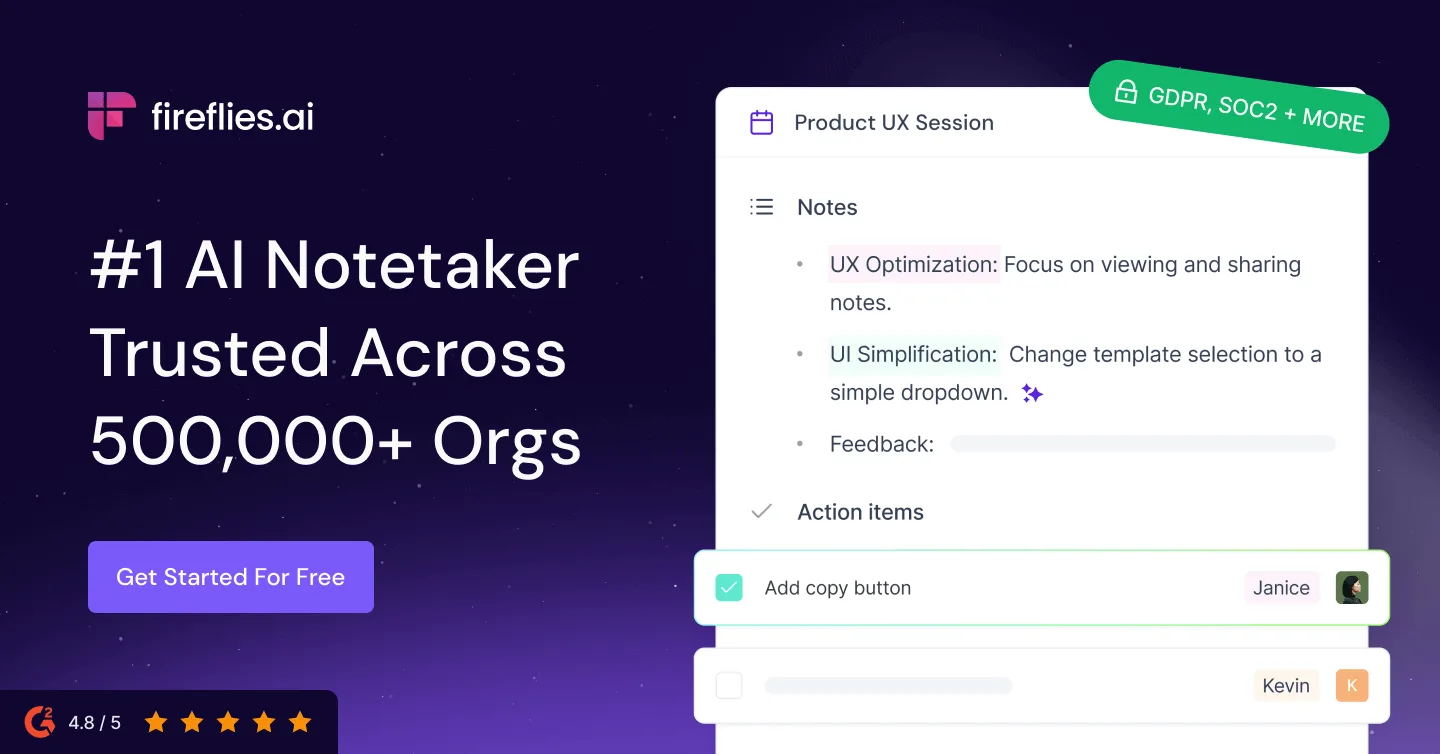
Fireflies.ai is an AI meeting assistant that captures conversations, creates transcripts and summaries, and turns meeting content into searchable records. It can join supported calendar meetings as a bot, process uploaded recordings, and connect notes with collaboration and customer systems.
The value is not merely avoiding handwritten notes. A useful deployment makes decisions, objections, questions, and follow-up work easier to find after a call. That requires consent, clear workspace governance, and a consistent habit of checking summaries against the recording.
How meeting capture works
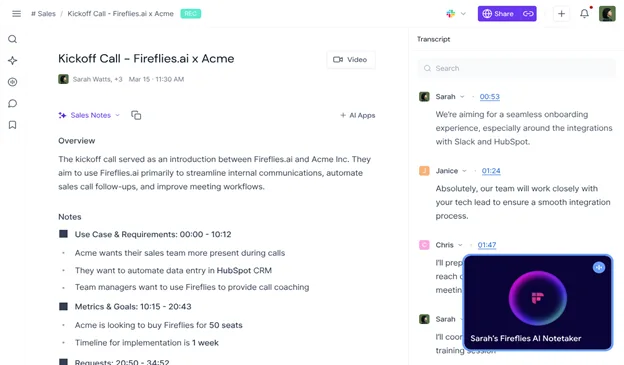
Users can connect a calendar and configure which meetings Fireflies should attend. The assistant records and transcribes eligible sessions, then makes the transcript, recording, speaker labels, and summary available in a workspace. Uploaded audio and video provide another route when a live bot is inappropriate.
Automatic attendance settings deserve careful review. An assistant should not join confidential, legal, medical, candidate, or customer calls by surprise. Set narrow defaults, tell participants what is being recorded, and respect applicable consent rules and organizational policy.
Search, summaries, and conversation intelligence
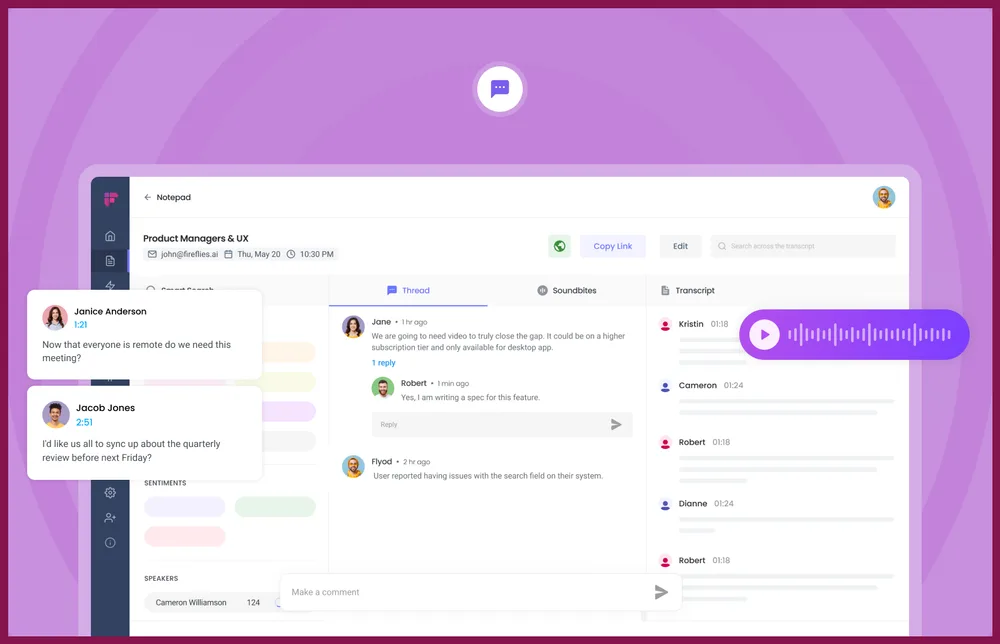
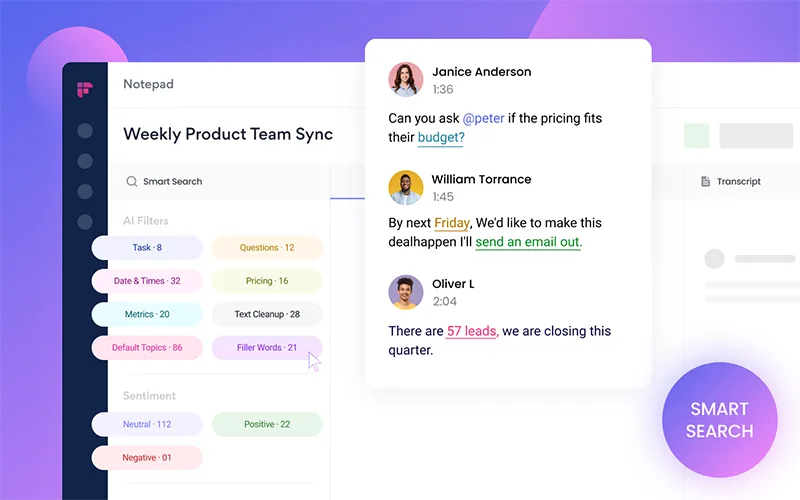
Fireflies turns a meeting archive into searchable material. Users can find a phrase, jump to the linked moment, comment, create soundbites, and review AI-generated notes. Topic trackers and conversation intelligence can surface recurring themes or patterns across calls.
Summaries are useful for orientation, not unquestionable minutes. Names, numbers, commitments, dates, and nuanced objections should be verified against the transcript or audio before they enter a CRM, project plan, or customer follow-up.
- Transcripts linked to meeting recordings
- AI summaries and action-item extraction
- Search, comments, and shareable soundbites
- Topic tracking and team-level conversation analysis
- Workflow connections for CRM and collaboration tools
Integrations and post-meeting automation
Fireflies can connect meeting output to tools used by sales, recruiting, support, and project teams. The practical goal is to move verified notes and follow-ups into the system where work already happens rather than create another isolated archive.
Automation should be selective. Sending every transcript to every channel creates noise and spreads sensitive data. Start with one workflow—for example, verified action items to a project tool—then add CRM fields or notifications only after the team trusts the output.
Accuracy, speakers, and review discipline
Results depend on microphones, crosstalk, accents, domain vocabulary, and connection quality. Speaker separation can be imperfect when people share a room or device. Build a short review step into any workflow where the transcript becomes a formal record.
A sensible quality test uses calls with the same languages, meeting platform, and acoustic conditions your organization actually has. Score names, terminology, numbers, speaker attribution, decisions, and action items separately rather than relying on a vague impression.
Privacy and governance questions
Meeting recordings can contain customer data, strategy, employee information, and credentials spoken aloud. Before adoption, decide who may invite the assistant, which meetings are excluded, how long recordings remain available, who can share them, and whether integrations copy data elsewhere.
Organizations should review Fireflies' current security, privacy, data-processing, and plan documentation against their own requirements. Enterprise controls can help, but a product setting does not replace informed consent or internal policy.
Pricing and plan selection
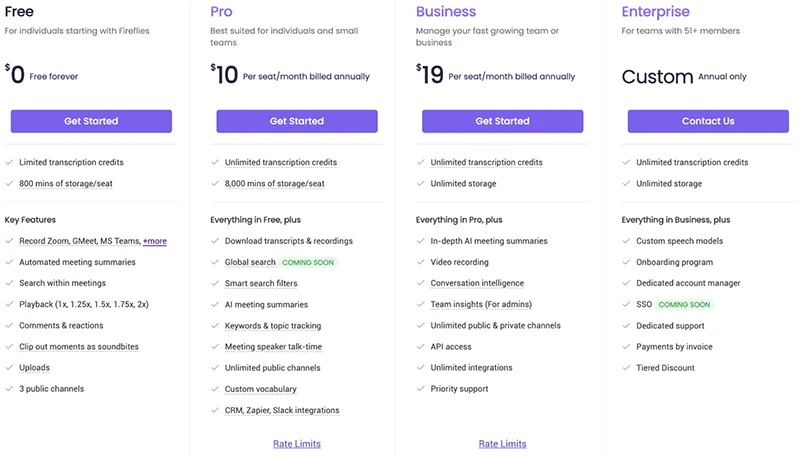
Fireflies currently describes Free, Pro, Business, and Enterprise plans. Its July 2026 official pricing guide lists annual-billing rates of $10, $19, and $39 per seat per month for the three paid tiers. Storage, analytics, integrations, administrative controls, and security capabilities distinguish the tiers.
Pricing and AI-credit rules can change. Count active users, monthly meetings, retention needs, required CRM connections, and governance controls. A smaller group of properly licensed users may be more valuable than buying seats for people who never review meeting records.
Who benefits—and who may not
Customer-facing teams, recruiters, researchers, and distributed project groups can benefit when they need a searchable history and consistent follow-up. It is especially helpful when several stakeholders cannot attend every call.
It may be unnecessary for teams with few meetings, strict no-recording environments, or an existing platform that already provides adequate transcripts and summaries. The deciding factor is whether the record changes what happens after the meeting.
Verdict and key takeaways
Fireflies.ai can make meetings more accountable by connecting the recording, transcript, summary, and downstream workflow. Its strongest use case is a repeatable meeting process, not passive accumulation of recordings.
Pilot it with explicit consent, verify important details, limit integrations, and measure action-item completion or search time. If those improve, the assistant is doing useful work; if nobody revisits the notes, more automation will not solve the process.
- Best for repeatable, conversation-heavy workflows
- Consent and retention rules should precede rollout
- Summaries need human verification
- Integrate only the outputs people will actually use
Frequently asked questions
Does Fireflies join meetings automatically?
It can join supported calendar meetings according to configured rules. Review those defaults carefully so it does not enter meetings that should not be recorded.
Can Fireflies process an existing recording?
Yes. Uploaded audio or video can be transcribed, which is useful when a live meeting bot is not appropriate.
Are Fireflies summaries reliable enough to send directly?
They are useful drafts, but important names, numbers, commitments, and dates should be checked against the transcript or recording.
Is participant consent required?
Recording and transcription rules vary by location and context. Inform participants and follow applicable law plus your organization's policy.
Which Fireflies plan should a team choose?
Choose based on seats, storage, integrations, analytics, administration, and security—not just transcription. Confirm current limits on the live plan page.
How should a team pilot Fireflies?
Use a small set of representative meetings, define excluded calls, score transcript and action-item accuracy, and test one downstream workflow.
A deeper field guide for buyers
Begin a Fireflies pilot with a written meeting taxonomy. Separate routine internal calls, customer conversations, interviews, regulated discussions, and meetings where recording is prohibited or socially inappropriate. Configure invitations for the narrowest safe category first. A bot that appears unexpectedly can damage trust even when the software technically permits recording.
Build a benchmark set containing quiet one-to-one calls, group conversations, shared conference-room microphones, specialized vocabulary, several accents, and interrupted speech. For each recording, score speaker attribution, names, figures, decisions, objections, and action items. A single accuracy percentage hides the errors that matter most to sales, research, recruiting, and delivery teams.
Decide what the official record is. An AI summary can support recall, but it should not silently become approved minutes or a contractual record. Assign meeting owners to verify decisions and commitments, correct the relevant passages, and publish a concise approved note. Preserve a link to the recording where policy allows so later readers can recover context.
Design integrations around destinations, not novelty. Sales notes may belong in defined CRM fields, project actions in an assigned task list, and research clips in a controlled repository. Avoid copying full transcripts into chat channels. Each duplicate expands access, complicates deletion, and makes it harder to know which version was corrected.
Retention is both a security and usability decision. Keeping every recording forever creates a searchable liability and a noisy archive; deleting everything immediately removes institutional memory. Choose periods by meeting category, document exceptions, and test whether deletion propagates to connected services and exported files. Restrict downloads and public links according to sensitivity.
Calculate cost with active seats, storage growth, AI-credit use, administration, security requirements, and time saved. Interview users after the pilot: did they search old calls, complete more follow-ups, or simply receive summaries they ignored? Usage analytics alone cannot show whether meeting behavior improved. Look for fewer disputed decisions and faster retrieval of evidence.
A mature rollout includes periodic audits. Sample recordings for consent, access, summary correction, and retention; review new integrations; remove inactive users; and revisit excluded meeting types. Fireflies can create a valuable organizational memory, but that memory stays useful only when participants understand its boundaries and teams maintain it deliberately.
Onboarding should teach meeting owners how to invite, announce, remove, and troubleshoot the assistant—not merely connect a calendar. Provide approved language explaining recording and the purpose of the notes. Show users how to exclude a meeting, correct a speaker, verify an action item, restrict a link, and delete a record. A short operational exercise is more useful than enabling organization-wide defaults before anyone understands their consequences.
Official sources checked
Product features and plan details change. These primary sources were checked for this review; confirm the live plan page before purchasing.
Key takeaways
More in Artificial Intelligence
Browse Artificial Intelligence