Flywheel WordPress Hosting Review: Managed Hosting Built for Designers and Agencies
A hands-on look at Flywheel's managed WordPress hosting: current pricing, plan limits, features, support and refund terms, plus what its ownership by WP Engine means for buyers.
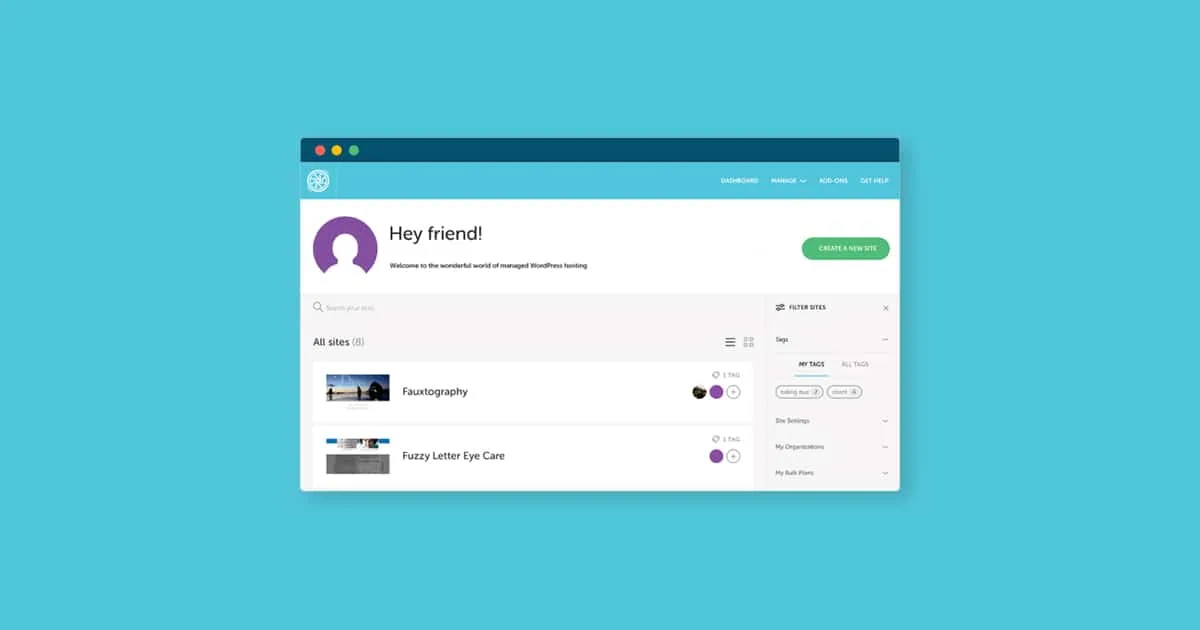
Flywheel is a managed WordPress host aimed squarely at the people who build sites for a living: freelance designers, developers and agencies who want the WordPress plumbing handled so they can focus on client work. It bundles caching, a CDN, staging, nightly backups and a free local-development tool into plans priced by traffic and the number of sites you run.
Since June 2019 Flywheel has been owned by WP Engine, and the two brands now share core infrastructure and closely aligned pricing. That makes Flywheel less of a standalone underdog and more of WP Engine's design-and-agency-focused sibling. This review looks at what Flywheel actually offers today — plans, features, support and refund terms — and where its parent-company ties are worth keeping in mind.
What Flywheel is and who it's for
Flywheel is a fully managed WordPress hosting platform. "Managed" here means the host takes care of the server, caching, security patching and core WordPress updates, so you don't administer infrastructure yourself. The platform is deliberately built around the workflow of design studios and agencies rather than general-purpose web hosting.
That agency focus shows up in the details: tiered plans that scale by number of sites, client-friendly billing, a bundled local-development tool, and a UI designed to hand finished sites over to clients. If you run a single hobby blog, Flywheel will work but may feel like more than you need; if you juggle many client WordPress sites, its structure is the point.
Flywheel was acquired by WP Engine in June 2019, described at the time by WP Engine as the largest acquisition in WordPress-industry history. The brands remain separate on the surface, but they share underlying infrastructure and, as of a 2020 pricing change, closely matched plans.
Plans and pricing
Flywheel sells three standard plans plus a custom tier. Pricing below is taken from Flywheel's own pricing page; annual billing is cheaper per month, and the Starter annual price is described as including two months free.
- Starter — $25/mo, or $300/year billed annually: 1 site, 25,000 monthly visits, 10GB storage, 50GB bandwidth.
- Freelance — $96/mo, or $1,150/year: up to 10 sites, 100,000 monthly visits, 20GB storage, 200GB bandwidth.
- Agency — $242/mo, or $2,900/year: up to 30 sites, 400,000 monthly visits, 50GB storage, 500GB bandwidth.
- Custom — contact sales: 30+ sites, "millions+" of monthly visits, custom storage and bandwidth.
The plans are graded by visits and site count rather than raw server power, which is typical of managed WordPress hosting and fits an agency that needs to know how many client sites a plan will hold.
Watch the overage fees
Go over a plan's allowance and Flywheel charges $1 per 1,000 extra monthly visitors and $1 per GB over the storage limit. Flywheel's own example: a Starter site that hits 30,000 visits — 5,000 over the 25,000 cap — picks up a $5 overage fee. On a busy or growing site these add up, so size your plan for peak traffic, not average.
Features included on every plan
Unlike some hosts that gate essentials behind higher tiers, Flywheel includes the same core feature set on every plan. The differences between tiers are site count and traffic, not capabilities.
- PHP 8.2 and Flywheel's FlyCache caching technology.
- A Fastly-powered CDN and free SSL certificates on all sites.
- 10 StudioPress themes and the Genesis Framework included.
- Nightly backups with 30-day retention, plus one-click staging sites.
- Free site migrations and SFTP access.
- The Local development app for building WordPress sites on your own machine before pushing them live.
Local (originally "Local by Flywheel") is a free desktop tool for spinning up WordPress sites offline. It's widely used across the WordPress community well beyond Flywheel customers, and it slots naturally into an agency's build-then-deploy workflow. Treat the finer details of Local as secondary to the hosting itself — it's a companion tool, not the product you're paying for.
Support
Every Flywheel plan gets 24/7 live chat support, which is the primary channel for most customers. That's a genuine strength for a freelancer working odd hours or an agency dealing with a client emergency at midnight.
Phone support is more restricted: it's available only to Agency and Custom customers, and only during business hours — 9am to 5pm Central, Monday through Friday. If phone access matters to you and you're on a lower tier, that's a real limitation.
No published SLA
Flywheel does not publish a formal uptime or support service-level agreement. That doesn't mean the platform is unreliable, but if a contractual uptime guarantee is a hard requirement for your clients, you won't find a stated number to point to.
Security and maintenance
Security is one area where managed hosting earns its premium, and Flywheel covers the essentials without asking you to configure them.
- Free malware cleanup by Flywheel's support team if a hosted site is hacked.
- Automated Plugin Security Alerts that flag known-vulnerable plugins.
- Two-factor authentication on your account.
- Brute-force and limited-login protection.
- Managed core WordPress updates, so the platform keeps the base software patched.
The free malware cleanup is the standout here: paying for a security cleanup after a hack can be expensive elsewhere, and having it bundled removes a real worst-case cost for agencies responsible for client sites.
The WP Engine connection — and why it matters
Because Flywheel is owned by WP Engine, the two share infrastructure and, since a change effective January 22, 2020, aligned pricing and specifications on the Starter, Freelance and Agency plans. Existing subscribers at the time were grandfathered at their prior prices. In practice this means comparing Flywheel and WP Engine is less about spec sheets and more about which brand's dashboard, workflow and positioning fits you — Flywheel leans design-and-agency, WP Engine leans broader business hosting.
There's also a piece of parent-company context buyers should be aware of. WP Engine has been in an ongoing public and legal trademark dispute with Automattic and WordPress.org since late 2024, continuing into 2025 — including counterclaims filed by Automattic alleging trademark misuse. This is a WP Engine-level matter, not something happening to Flywheel directly, and Flywheel itself is not a party to the lawsuit. But since Flywheel sits under the same corporate roof, it's reasonable context to factor into a long-term hosting decision.
Frequently asked questions
How much does Flywheel cost?
Flywheel's standard plans are Starter at $25/mo ($300/year), Freelance at $96/mo ($1,150/year) and Agency at $242/mo ($2,900/year), with a Custom tier priced by contacting sales. Annual billing lowers the effective monthly cost.
Does Flywheel offer a money-back guarantee?
Yes — a 60-day money-back guarantee on new website hosting plans. You cancel through your dashboard and request a full refund. It excludes the Agency and Custom plans, and it does not apply to upgrades or renewals; on the Freelance tier it applies to new plans without custom onboarding.
What happens if my site exceeds its plan's traffic or storage limit?
Flywheel charges overage fees rather than shutting the site down: $1 per 1,000 monthly visits over your allowance and $1 per GB over your storage limit. For example, a Starter site reaching 30,000 visits (5,000 over the 25,000 cap) would incur a $5 overage fee.
Does Flywheel include a CDN and SSL?
Yes. Every plan includes a Fastly-powered CDN and free SSL certificates, along with FlyCache caching and PHP 8.2. These come standard rather than as paid add-ons.
What support does Flywheel provide?
All plans get 24/7 live chat support. Phone support is limited to Agency and Custom customers during business hours (9am–5pm Central, Monday–Friday). Flywheel does not publish a formal uptime or support SLA.
Is Flywheel the same as WP Engine?
Not the same brand, but WP Engine has owned Flywheel since June 2019, and the two share infrastructure and aligned pricing since January 2020. Flywheel is positioned for designers and agencies; WP Engine targets broader business hosting.
Key takeaways
- Flywheel is managed WordPress hosting built for designers and agencies, with plans priced by site count and monthly visits.
- Standard pricing: Starter $25/mo, Freelance $96/mo, Agency $242/mo, plus a sales-quoted Custom tier; annual billing is cheaper.
- Every plan includes the same core features — PHP 8.2, FlyCache, a Fastly CDN, free SSL, staging, nightly backups and the Local dev tool.
- Overage fees ($1 per 1,000 extra visits, $1 per GB over storage) mean you should size your plan for peak traffic.
- 24/7 chat is on every plan, but phone support and no published SLA are limits worth noting; a 60-day refund covers new lower-tier plans only.
- Flywheel is owned by WP Engine, whose ongoing trademark dispute with Automattic is parent-company context, not a Flywheel-specific issue.
More in Cloud Computing
Browse Cloud Computing