GitHub Pages Review 2026: Free Static Hosting, 1 GB Sites, 100 GB Soft Bandwidth and the Node 24 Workflow Update
GitHub Pages reviewed for 2026: free for public repos, 1 GB sites, 100 GB/month soft bandwidth, no commercial use, custom domains, HTTPS and the Node 24 action update.

GitHub Pages is still the default answer when someone asks where to put a project site, a documentation portal or a personal portfolio for free. It takes HTML, CSS and JavaScript straight from a GitHub repository, optionally runs them through a build step, and publishes the result on a github.io address or your own domain.
We reviewed it as of November 2026 against GitHub's own documentation and policy pages. The short version: it costs nothing for public repositories, the limits are generous for documentation and small sites, and the rules are strict about commercial use. There is also one maintenance task that many existing sites need right now - GitHub removed Node 20 from Actions runners on September 23, 2026, and Pages workflows pinned to old action versions should move to the current releases.
What GitHub Pages is in 2026
GitHub describes Pages as a static site hosting service that takes HTML, CSS, and JavaScript files straight from a repository, optionally runs the files through a build process, and publishes a website. There is no server-side runtime: GitHub states plainly that Pages does not support server-side languages such as PHP, Ruby, or Python. Anything dynamic has to happen in the browser or in a third-party service.
The old marketing site at pages.github.com no longer has its own content. It now serves a redirect to docs.github.com/pages, so the documentation is the product page. The only live file of note left on it is versions.json, which lists the exact dependency versions used by branch builds.
Two kinds of site
- User or organization site: must live in a repository named <owner>.github.io and is served at <owner>.github.io. You get one per account.
- Project site: one per repository, served at <owner>.github.io/<repositoryname>. There is no fixed cap on how many repositories can each have one.
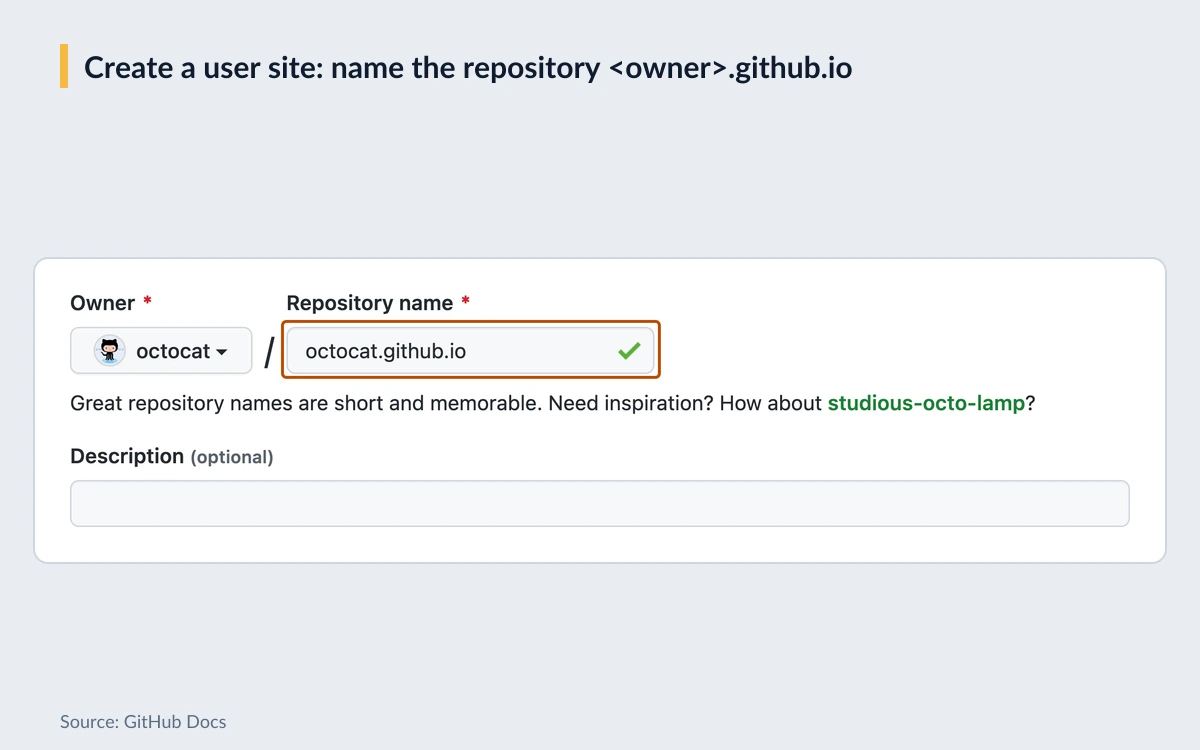
Pages serves more than 750 MIME types, generated from the mime-db project, but you cannot set custom MIME types per file or per repository. A custom error page is just a file named 404.html or 404.md in the publishing source.
Pricing: free for public repositories
There is no separate price for GitHub Pages. It is included in GitHub's plans, and the plan decides which repositories can publish:
- GitHub Free and GitHub Free for organizations ($0): Pages works from public repositories only.
- Paid plans - GitHub Pro, GitHub Team ($4 USD per user/month on github.com/pricing) and GitHub Enterprise ($21 USD per user/month): Pages works from public and private repositories.
- GitHub Enterprise Cloud: adds private publishing, where only people with read access to the repository can open the site.
A private repository does not mean a private site
GitHub is explicit: Pages sites are publicly available on the internet, even if the repository for the site is private. On Pro and Team, a site built from a private repository is still open to everyone. Only Enterprise Cloud can restrict who sees it.
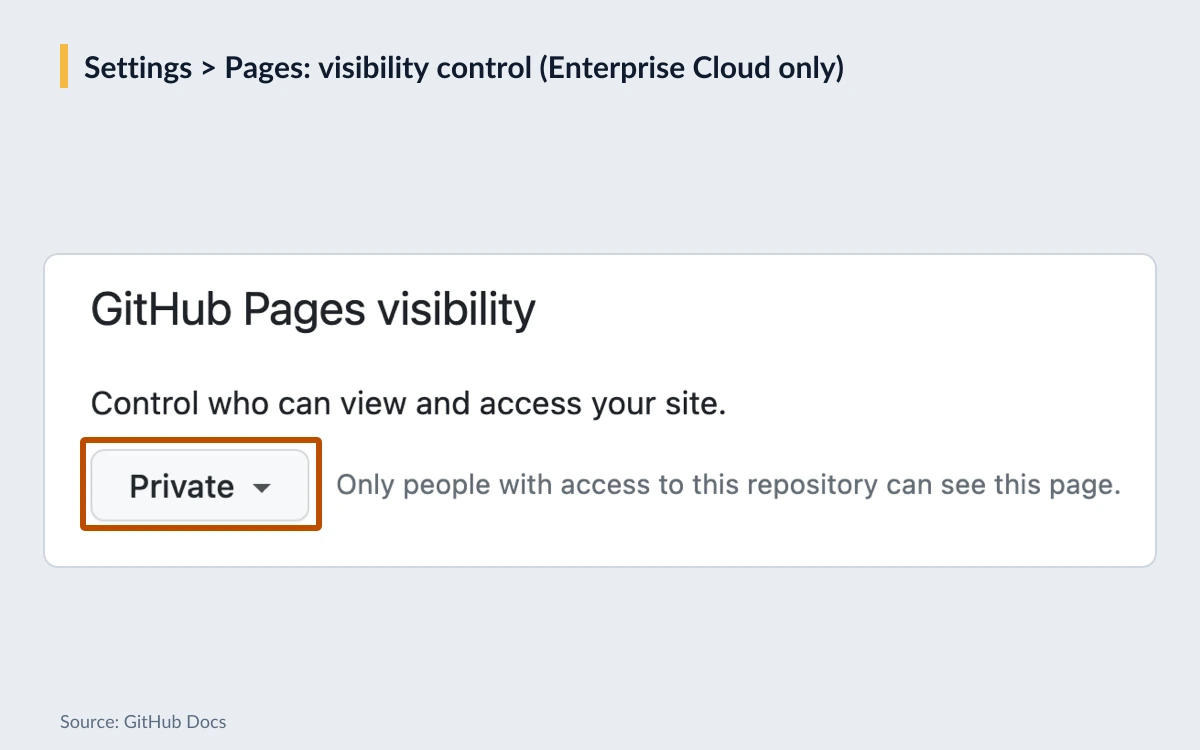
Private publishing has its own limits. It is available for project sites published from private or internal repositories owned by an organization, and you cannot manage access control for an organization site. Privately published sites get a *.pages.github.io address with TLS and HSTS. Under Enterprise Managed Users, Pages sites can only be published from organization-owned repositories, are always private, and an organization site cannot be created at all.
Note that github.com/pricing no longer lists a price for GitHub Pro, so we do not quote one here. If you only need Pages from a private repository, check the current Pro price in your account billing settings before upgrading.
The real limits
These are the figures from GitHub's Pages limits page and the custom workflow documentation. Some are hard limits, some are soft limits enforced at GitHub's discretion.
- Published site size: no larger than 1 GB (hard limit).
- Source repository: recommended limit of 1 GB.
- Deployment time: deployments time out after 10 minutes (hard limit).
- Bandwidth: soft limit of 100 GB per month.
- Builds: soft limit of 10 builds per hour, which does not apply if you build and publish with a custom GitHub Actions workflow.
- Actions artifact: the uploaded tar file must be under 10 GB and should not contain symbolic or hard links.
- Publish delay: changes can take up to 10 minutes to appear after a push.
What happens when you go over
There is no paid overage for Pages and GitHub does not bill you for extra bandwidth. Instead, GitHub says that if a site exceeds the quotas it may not be able to serve the site, or you may receive a polite email from GitHub Support suggesting ways to reduce the load - putting a third-party CDN in front of the site, using other GitHub features such as releases for downloads, or moving to a different host. Requests that hit rate limits get an HTTP 429 response.
The Acceptable Use Policies go further for extreme cases: if bandwidth is significantly excessive compared with other users of similar features, GitHub reserves the right to suspend the account, throttle file hosting or otherwise limit activity. In practice, 100 GB a month is plenty for documentation and portfolios, but a site that serves large downloads or goes viral regularly should plan for a CDN or another host.
Publishing: branch builds or GitHub Actions
Under Settings > Pages > Build and deployment > Source there are two choices. Deploy from a branch publishes a chosen branch from either the /(root) or /docs folder. GitHub Actions hands the build to a workflow, and GitHub suggests starter workflows for several static site generators.
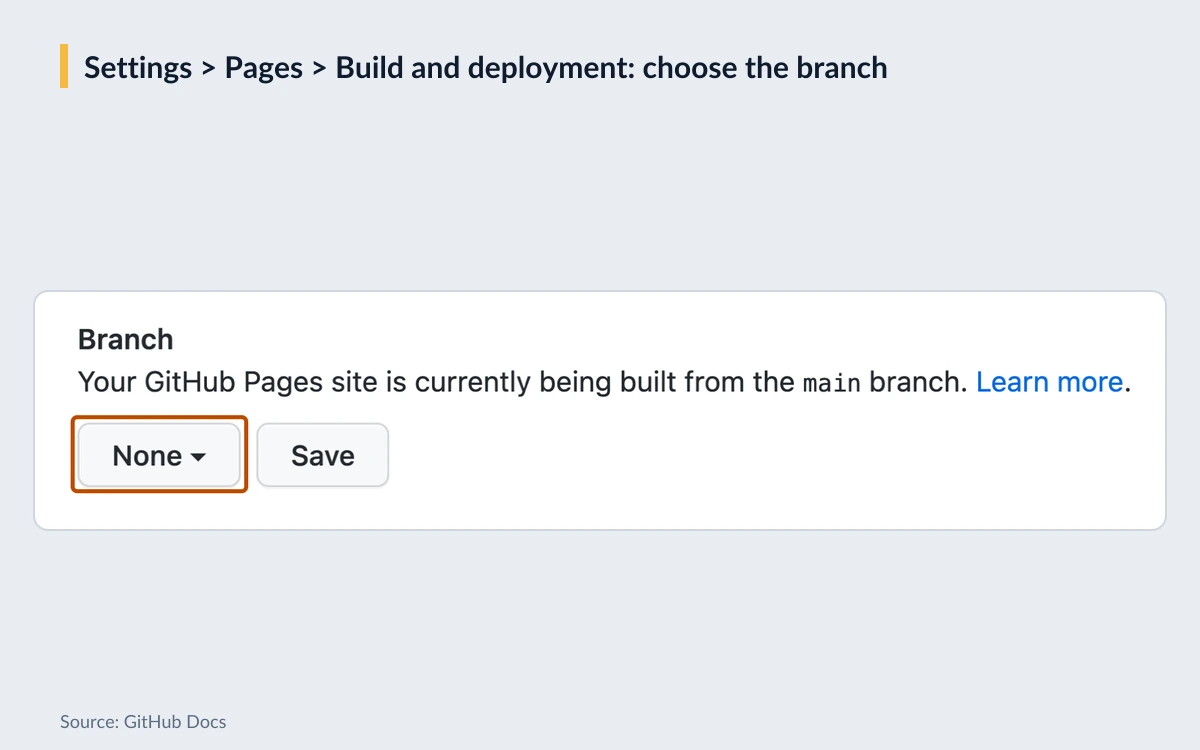
Branch builds run Jekyll 3
Publishing from a branch runs Jekyll by default. According to pages.github.com/versions.json, branch builds currently use Jekyll 3.10.0, the github-pages gem version 232, Ruby 3.3.4, Liquid 4.0.4 and the minima theme 2.5.1. That means Jekyll 4 is not available through branch builds - use an Actions workflow if you need it.
- 13 supported themes out of the box: Architect, Cayman, Dinky, Hacker, Leap day, Merlot, Midnight, Minima, Minimal, Modernist, Slate, Tactile and Time machine.
- Plugins that are always on and cannot be disabled: jekyll-coffeescript, jekyll-default-layout, jekyll-gist, jekyll-github-metadata, jekyll-optional-front-matter, jekyll-paginate, jekyll-readme-index and jekyll-titles-from-headings.
- To publish plain files without Jekyll processing, add an empty .nojekyll file to the root of the publishing source.
When to switch to Actions
GitHub recommends a GitHub Actions workflow if you use any build process other than Jekyll or do not want a dedicated branch for compiled files. Hugo, Astro, Eleventy, Docusaurus and static exports from frameworks all go this route. Repositories that contain symbolic links must publish through Actions. Every Pages site is ultimately deployed by an Actions workflow run, even when the build happens in another CI tool.
One behaviour change to watch: with an Actions source, a CNAME file in the repository does not add or remove the custom domain automatically. Set the domain in the Pages settings instead.
The 2026 workflow update: Node 20 is gone
GitHub-hosted runners began using Node 24 by default on June 16, 2026, and Node 20 was removed from runners on September 23, 2026. Each of the official Pages actions shipped a new major release for Node 24 this year:
- actions/configure-pages v6.0.0 (March 25, 2026): upgrade to Node 24.
- actions/deploy-pages v5.0.0 (March 25, 2026): Node.js 24.x. Version 5.0.1 (September 1, 2026) added backoff and jitter to deployment polling.
- actions/upload-pages-artifact v5.0.0 (April 10, 2026): moves to upload-artifact version 7 and adds an include-hidden-files input.
GitHub's own Using custom workflows with GitHub Pages page, last updated July 9, 2026, still shows deploy-pages@v4, upload-pages-artifact@v4 and configure-pages@v5. If you copied a workflow from the docs or a starter template, check the uses: lines and update to the current major versions. A minimal static deploy looks like this:
name: Deploy to GitHub Pages
on:
  push:
    branches: [main]
permissions:
  contents: read
  pages: write
  id-token: write
concurrency:
  group: pages
  cancel-in-progress: false
jobs:
  deploy:
    runs-on: ubuntu-latest
    environment:
      name: github-pages
      url: ${{ steps.deployment.outputs.page_url }}
    steps:
      - uses: actions/checkout@v5
      - uses: actions/configure-pages@v6
      - uses: actions/upload-pages-artifact@v5
        with:
          path: ./public
      - id: deployment
        uses: actions/deploy-pages@v5
Dotfiles and .well-known
upload-pages-artifact v4.0.0 (August 2025) stopped including hidden files such as dotfiles in the artifact. If your site needs a .well-known folder or other dotfiles, v5 adds the include-hidden-files input to bring them back.
This is also a good moment to review workflow permissions. Pages deploys need pages: write and id-token: write, and nothing more broad than that. Our CI/CD pipeline guide covers the wider picture of keeping workflows tight.
Custom domains and HTTPS
Custom domains are free on every plan. The order matters: add the domain in the repository's Pages settings first, then create the DNS records.
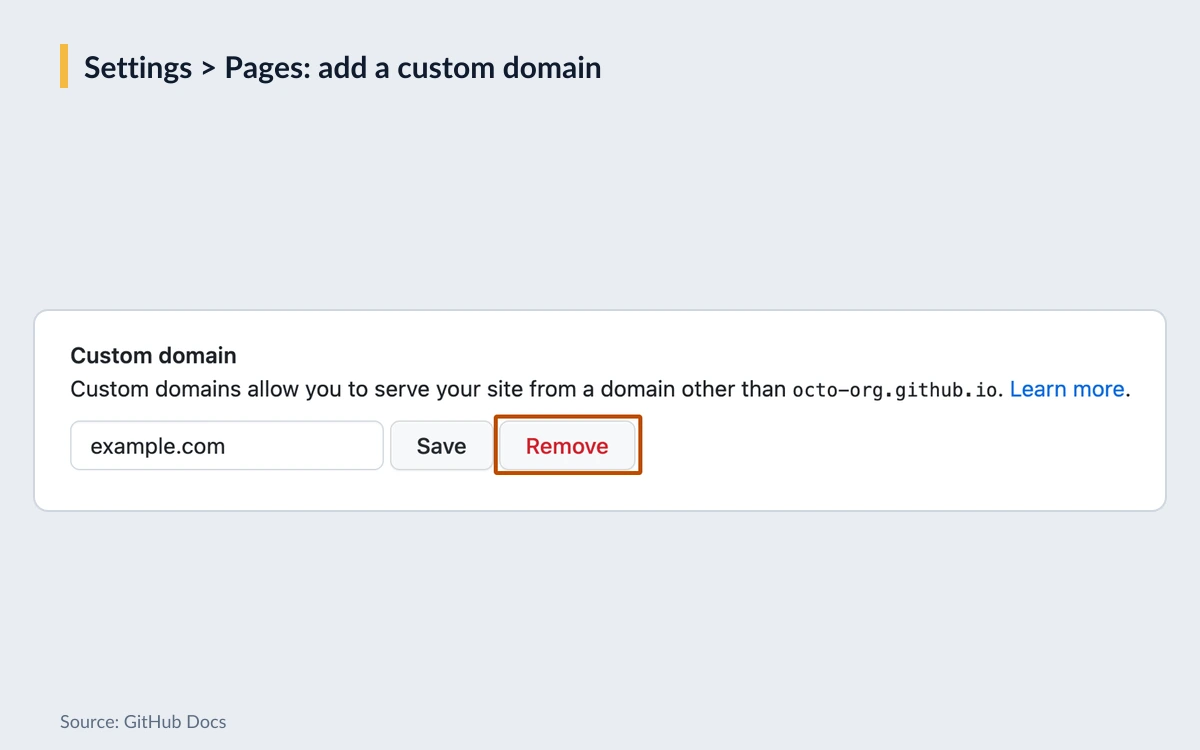
- Subdomain such as www.example.com: a CNAME record pointing to <user>.github.io or <organization>.github.io, without the repository name.
- Apex domain such as example.com: an ALIAS or ANAME record, or A records for 185.199.108.153, 185.199.109.153, 185.199.110.153 and 185.199.111.153. For IPv6, AAAA records for 2606:50c0:8000::153, 2606:50c0:8001::153, 2606:50c0:8002::153 and 2606:50c0:8003::153, keeping the A records too.
- Configure both and Pages redirects between www and the apex automatically. DNS changes can take up to 24 hours.
GitHub calls www subdomains the most stable option, because they are not affected by changes to the IP addresses of GitHub's servers.
Verify the domain to prevent takeovers
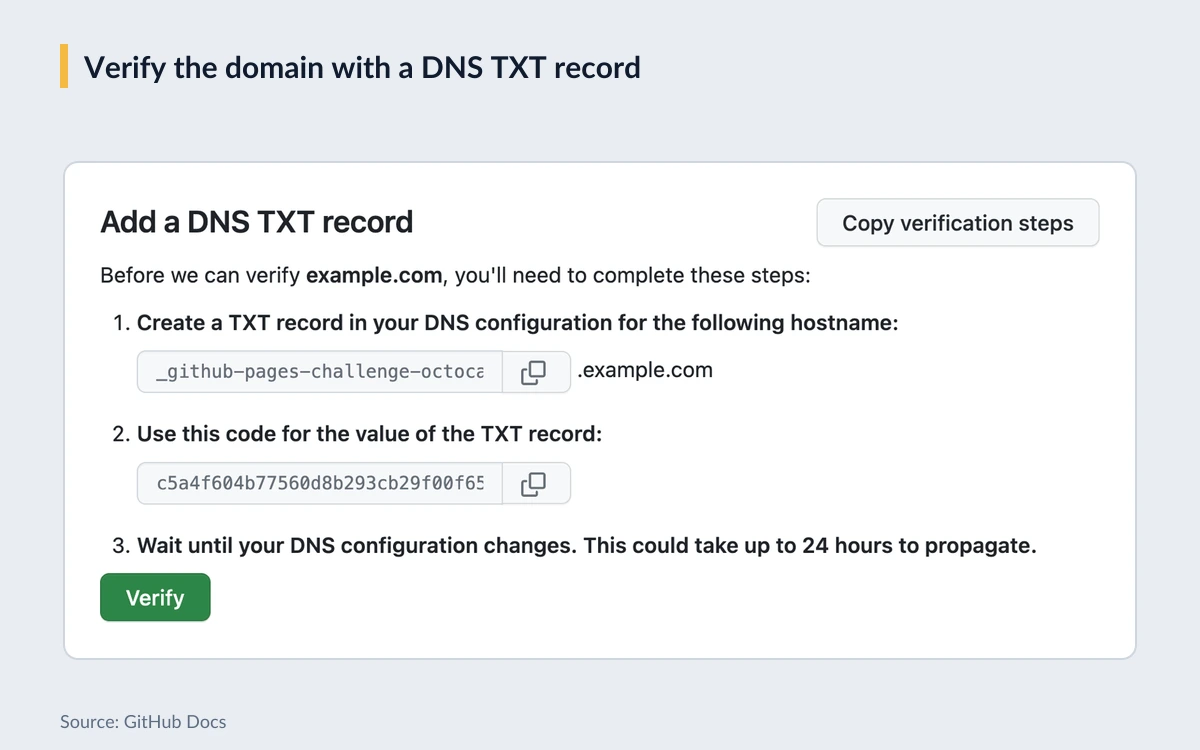
If you delete the repository, downgrade the plan or unlink the domain while DNS still points at Pages, another GitHub user could claim it. Adding a DNS TXT record in your account or organization settings verifies the domain and blocks that. Verification also covers immediate subdomains. GitHub strongly recommends against wildcard DNS records such as *.example.com, which put you at immediate risk of a takeover even when the domain is verified.
HTTPS
Every Pages site supports HTTPS, including custom domains. github.io sites created after June 15, 2016 use HTTPS automatically, and custom domains get a Let's Encrypt certificate. The Enforce HTTPS option can take up to 24 hours to become available after you set the domain, and the full domain name must be under 64 characters to get a certificate.
Usage rules and privacy
This is where GitHub Pages differs most from commercial hosts. GitHub's limits page says Pages is not intended for or allowed to be used as a free web-hosting service to run your online business, an e-commerce site, or any site primarily directed at facilitating commercial transactions or providing commercial software as a service (SaaS).
- Allowed: some monetization, such as donation buttons and crowdfunding links, according to GitHub's terms for additional products.
- Not allowed: online shops, SaaS front ends whose main job is selling, or anything handling sensitive transactions. GitHub says Pages sites should not be used for sending passwords or credit card numbers.
- Intended use: static pages, primarily as a showcase for personal and organizational projects.
- Subdomains: GitHub reserves the right to reclaim any GitHub subdomain without liability. A custom domain protects your address.
On privacy, GitHub states that when a Pages site is visited, the visitor's IP address is logged and stored for security purposes. If you publish a privacy policy for your site, mention it.
There are also no documented controls for custom response headers or server-side redirect rules. The jekyll-redirect-from plugin is on the allowed list for branch builds, but redirects, security headers and caching rules are not an official Pages feature. If you need those, a host with configurable headers is the better fit.
GitHub Pages vs Cloudflare Pages, Netlify and Vercel
Compared with the free tiers we reviewed recently, GitHub Pages is the simplest and the most restrictive:
- GitHub Pages: free for public repositories, 1 GB site, 100 GB/month soft bandwidth, 10 builds/hour soft limit for branch builds, no commercial sites, no server-side code.
- Cloudflare Pages Free: unlimited free static requests and bandwidth, 500 builds per month, 1 concurrent build, 20-minute build timeout, up to 20,000 files per site.
- Netlify Free: $0 with 300 credits per month as a hard limit; bandwidth costs 20 credits per GB, so roughly 15 GB if credits went to bandwidth alone. Paid plans start at $9 for 1,000 credits.
- Vercel Hobby: $0 with 100 GB of transfer and 1M CDN requests; projects that exceed the included usage are paused for 30 days.
For a pure static site with heavy traffic, Cloudflare Pages has the most room. For preview deployments, serverless functions and header rules, Netlify and Vercel do more. GitHub Pages wins when the code already lives on GitHub, the site is open source or personal, and you want zero extra accounts. See our Cloudflare Pages, Netlify and Vercel reviews for the full details.
Verdict
GitHub Pages remains excellent for what it was built for: documentation, project sites, portfolios and blogs from public repositories. It is free, it takes minutes to set up, custom domains and HTTPS cost nothing, and the 100 GB monthly soft bandwidth covers almost every site of that kind.
It is the wrong choice for an online shop, a SaaS marketing site whose main purpose is selling, anything that needs server-side logic, redirects or custom headers, or sites that routinely push heavy traffic. Those belong on Cloudflare Pages, Netlify or Vercel. And if you already run a Pages site through Actions, spend five minutes updating the action versions to the Node 24 releases.
- Pros: free for public repos, free custom domains with Let's Encrypt HTTPS, no build limit for Actions workflows, tight GitHub integration.
- Cons: no commercial or SaaS use, static only, branch builds stuck on Jekyll 3, no header or redirect controls, private access only on Enterprise Cloud.
Frequently asked questions
Is GitHub Pages free?
Yes, for public repositories on GitHub Free. Publishing from a private repository requires a paid plan - GitHub Pro, Team ($4 per user/month) or Enterprise ($21 per user/month). There is no extra charge for bandwidth or custom domains.
Can I host a site from a private repository and keep it private?
Only on GitHub Enterprise Cloud. On Pro and Team you can publish from a private repository, but the site itself is public on the internet. Enterprise Cloud can limit a project site to people with read access to the repository.
Can I run an online store or a SaaS site on GitHub Pages?
No. GitHub does not allow Pages as free hosting for an online business, e-commerce or commercial SaaS. Donation buttons and crowdfunding links are permitted.
What happens if my site goes over 100 GB of bandwidth a month?
You will not be billed, because the 100 GB is a soft limit with no paid overage. GitHub may stop serving the site or email you suggesting a CDN, releases or another host, and significantly excessive use can lead to throttling or account limits.
Does GitHub Pages support custom domains and HTTPS?
Yes, on every plan. Point a CNAME or A/AAAA records at GitHub, and the site gets a free Let's Encrypt certificate. Verify the domain with a TXT record to prevent takeovers, and avoid wildcard DNS records.
Can I use Hugo, Astro, Next.js or Jekyll 4?
Yes, through a GitHub Actions workflow. Branch builds only run Jekyll 3.10.0, so any other generator, or Jekyll 4, needs a workflow that builds the site and deploys it with the official Pages actions. Next.js works only as a static export, since Pages runs no server code.
Does GitHub Pages log my visitors' IP addresses?
Yes. GitHub states that visitor IP addresses are logged and stored for security purposes, so mention this in your site's privacy policy.
Do I need to change my Pages workflow after the Node 20 removal?
Probably, if it pins older versions. Node 20 left Actions runners on September 23, 2026. Update to configure-pages v6, upload-pages-artifact v5 and deploy-pages v5, which run on Node 24.
Key takeaways
- GitHub Pages is free for public repositories; private-repo publishing needs a paid plan, and access-controlled sites need Enterprise Cloud.
- Limits: 1 GB published site, 10-minute deployments, and soft limits of 100 GB/month bandwidth and 10 builds/hour for branch builds.
- Commercial sites, shops and SaaS are not allowed; donation and crowdfunding links are.
- Branch builds run Jekyll 3.10.0; use GitHub Actions for any other generator.
- Node 20 was removed from Actions runners on September 23, 2026 - move to configure-pages v6, upload-pages-artifact v5 and deploy-pages v5.
- For heavy traffic or commercial projects, Cloudflare Pages, Netlify or Vercel are a better fit.
More in Cloud Computing
Browse Cloud Computing