Technology reviews & practical guides
Gamma after the Gamma 5 relaunch: what the AI agent builds, what credits really cost per deck, how PPTX exports hold up, and why you should buy monthly first.

Gamma made its name as the fastest way to turn a prompt into a presentable deck, and also as the tool whose decks all looked the same. On October 6, 2026 it shipped Gamma 5, which the company calls the biggest overhaul in its history: a rebuilt editor, an agent that plans before it builds, and PowerPoint and PDF imports that keep their layouts.
This review looks at what Gamma 5 actually changes, how the credit system translates into real decks, where PowerPoint exports still fall short, and the billing terms you should understand before paying, starting with a refund window that closes after 3 days.
Gamma (gamma.app) is an AI tool that turns a prompt, a pasted outline or an uploaded file into a presentation, a document, a one-page or multi-page website, or a social post. Instead of fixed slides you work on cards that can stretch to fit the content, then present them in the browser, share a link, or export to PDF, PNG, PowerPoint or Google Slides.
It is not a small experiment. Gamma's own Gamma 5 announcement from October 2026 says more than 100 million people have used the product. At its Series B in November 2025 the company raised $68 million led by Andreessen Horowitz at a $2.1 billion valuation, and reported $100 million in annual recurring revenue and profitability at the time. Grant Lee is CEO and co-founder; Jon Noronha is co-founder and chief product officer.

This review is based on Gamma's help centre, developer documentation, Terms of Service, privacy policy and pricing page as published in October 2026, plus independent coverage of the Gamma 5 launch. Where a figure comes only from a third party, it is labelled as such.
Gamma 5 is what the company calls the biggest product overhaul in its history, and it went live for every user on every plan, Free included. The pitch is that AI-made decks stop looking AI-made. As Jon Noronha told SiliconANGLE: "They all have a distinctive tell." His answer is to give the agent more control: "we can give them the full power to write custom code, draw shapes and arrange elements on a canvas."
Those are the right fixes for the two oldest complaints about Gamma: decks that all look alike, and imports or exports that lose their formatting. The import change matters most for teams with a back catalogue of PowerPoint files. Before, bringing them into Gamma meant rebuilding them by hand.
Gamma describes the workflow simply: "Tell the agent what you're making, and it asks a few smart questions, shows you its plan, and then builds the whole thing." There are three modes. Plan asks questions and shows an outline first, Express goes straight to a draft, and Research gathers material from the web before building.
Prompt size depends on the plan. Free generates up to 10 slides per prompt from up to 50,000 input tokens; Plus and above go to 100 slides per prompt and 100,000 input tokens. File imports accept PPTX and DOCX up to 200 MB and PDF up to 100 MB.
Every plan, including Free, can export to PDF, PPTX, PNG and Google Slides (the Google Slides route works by uploading the PPTX), and you can post straight to LinkedIn. Whether that is good enough depends on where the deck ends up.
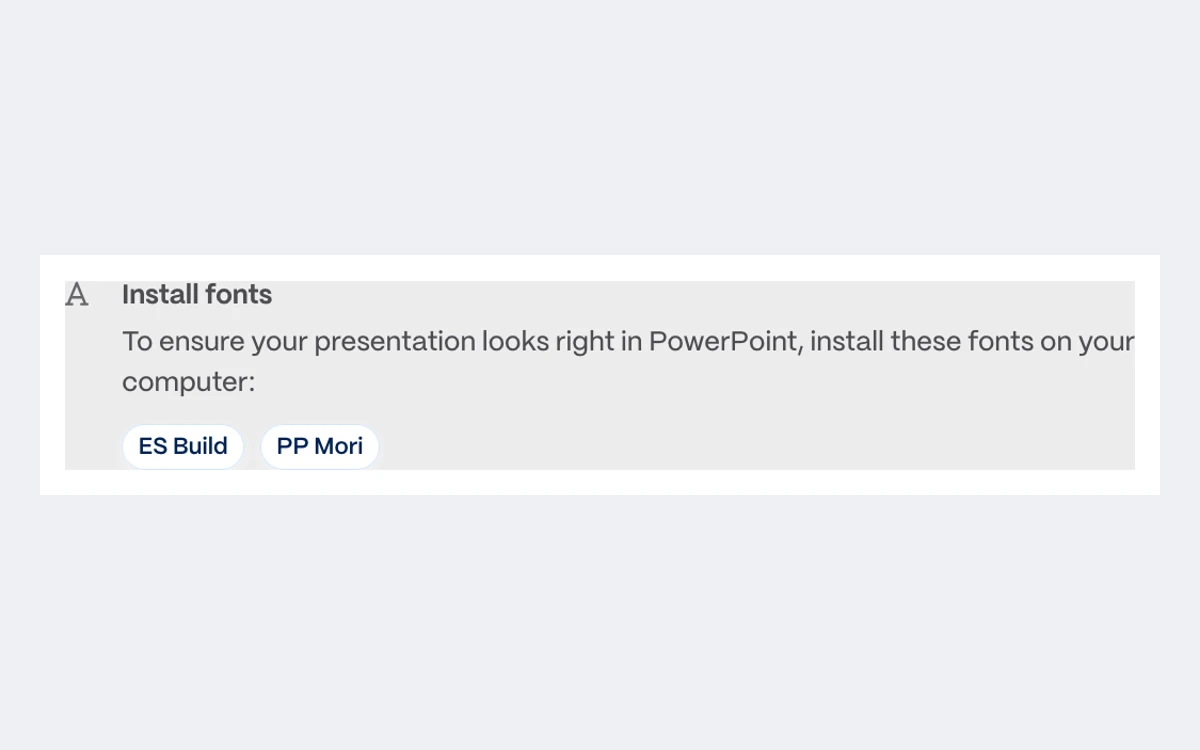
Gamma's own help centre is candid about the limits. Exports reflect Present Mode, not Edit Mode, "so some visual differences are expected". Google Slides swaps in its own fonts for embedded ones. PowerPoint cannot draw rounded table corners. Most server-side export failures only show a generic error. For PPTX, Gamma asks you to install its theme fonts on your computer, such as ES Build and PP Mori, or the file falls back to whatever fonts PowerPoint has.

If the final file must be a pixel-perfect .pptx that colleagues will keep editing in PowerPoint, plan time for clean-up after export, or pick a theme that uses standard fonts. If you can present from the Gamma link or send a PDF, most of these issues disappear.
One more detail: on the Free plan, PDF and PPTX exports carry the "Made with Gamma" badge. The badge depends on your plan at the moment of export, and Gamma says there is no retroactive removal. Upgrading later does not clean files you already exported.
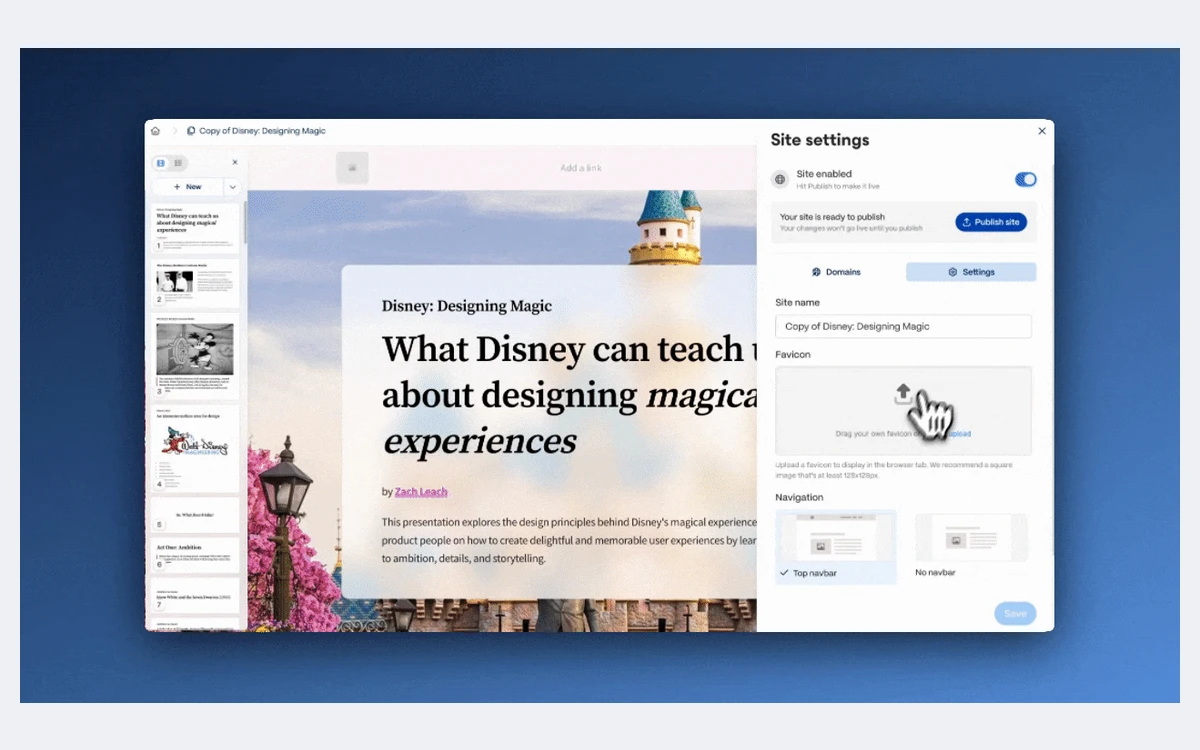
Gamma has no separate site builder: a site is built from the same cards as a deck. You publish to a yoursite.gamma.site address on any plan; connecting your own domain needs Pro (up to 10 multi-page sites), Ultra (up to 100) or Business (100 custom domains). For launch pages, event microsites and portfolio pages it is one of the fastest ways from a rough outline to a live URL.

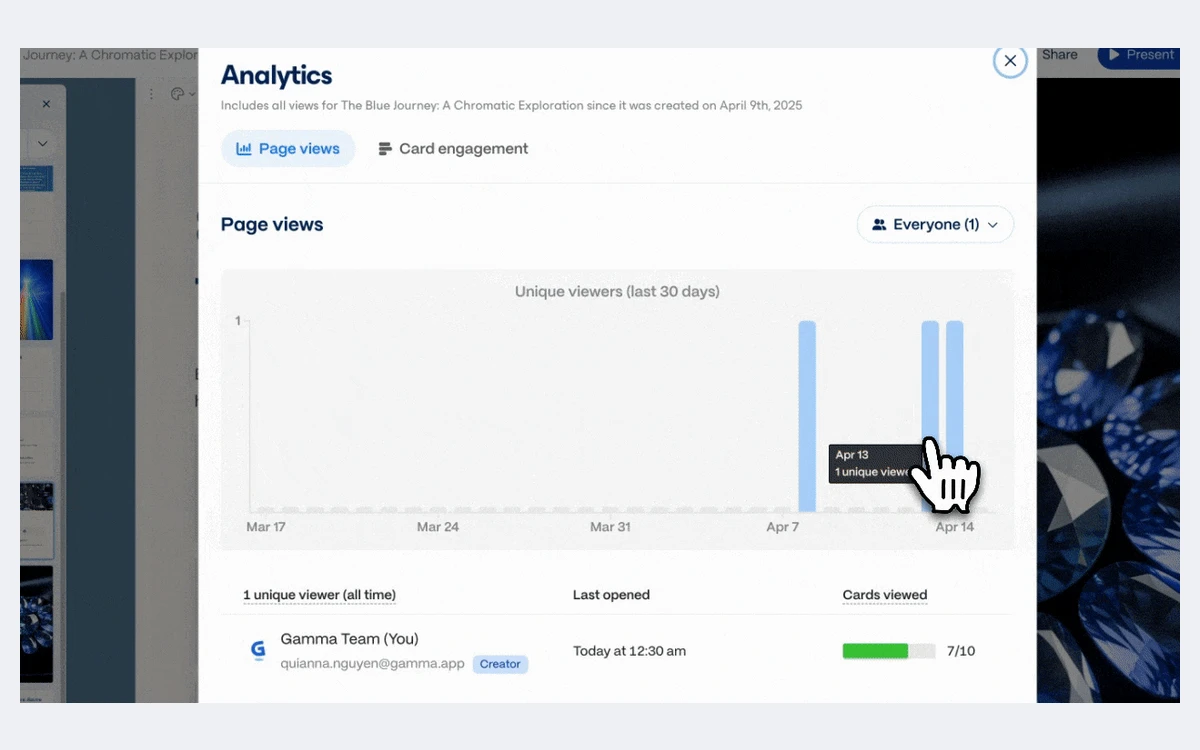
Sharing is link-based, and Pro adds password protection, headers and footers, and detailed analytics per viewer. Full analytics are reserved for Pro and above, and Gamma notes that analytics cannot be exported. If you need viewer data in a CRM or spreadsheet, you have to copy it by hand.

Gamma's plans are Free, Plus, Pro, Ultra and Business, with Enterprise through sales. A Team plan also appears in the refund policy and the Terms. All paid plans are billed per member, prices shown are in US dollars before local tax, and annual billing gives the same monthly credits at a 28% discount.
Gamma's pricing page loads its figures with JavaScript, so only the Business price could be confirmed from a first-party source. Plus, Pro, Ultra and Team prices are the figures independent pricing trackers reported in October 2026. Check gamma.app/pricing before you buy.
There is no unlimited AI tier any more. Older reviews and screenshots that mention "unlimited AI creations" describe the 2025 model. Every plan now runs on monthly credits.
AI generation is "metered per slide and per image", and Gamma says the rates can change. Its developer documentation gives the clearest numbers: text costs 1 to 3 credits per card, while one image costs 2 to 15 credits on standard models, 20 to 33 on advanced models, 34 to 75 on premium models and 115 to 125 on the ultra models. Agent work is priced by the amount of work it does.
At 20 to 60 credits for a basic 10-card deck, the 400 free credits cover very roughly 7 to 20 simple decks. A single deck with premium images can use 300 credits or more, so pick the image model before you generate, not after.
The credit rules are fairer than most. Unused plan credits roll over up to double your monthly allowance, purchased top-up credits do not expire while you have an active plan, and failed actions cost nothing. On Business and Enterprise, the whole workspace shares one credit pool. On Free, credits never refresh. You can add more only through referrals (200 credits each, up to 2,000 held at once).
The catch is image choice. Gamma 5 makes premium and ultra image models easy to reach, and they cost 10 to 60 times as much as the cheapest options. That is the most likely reason behind the complaint, quoted from Trustpilot by one pricing site, that "My credits were depleted far more quickly than expected".
This is the weakest part of the Gamma offer and the source of most angry reviews. Since December 1, 2025, Gamma refunds a subscription only within 3 days of subscribing, monthly or annual, only if you contact Customer Support, and only if you have stayed under a credit-usage cap:
After day 3 there are no refunds "except where required by applicable law". The Terms of Service go further and say in capitals that there are no refunds for anything purchased and no prorated refunds on cancellation, so the help-centre window is a policy courtesy rather than a contractual right. To stop the next charge, the help centre says to cancel at least 30 days before your renewal date; access then continues to the end of the paid term, and there is no pause option.
That background explains Gamma's Trustpilot profile: a TrustScore of 1.6 from 128 reviews in October 2026, three quarters of them one-star, with the profile unclaimed and no company replies. Most of those complaints are about billing and refunds rather than the product itself, but they are a real warning.
Start on Free. When you upgrade, take a monthly plan first, even though annual is 28% cheaper, and do your heavy testing inside the first 3 days while staying under the refund cap. Only switch to annual once you know your monthly credit burn, and set a reminder well over 30 days before any renewal.
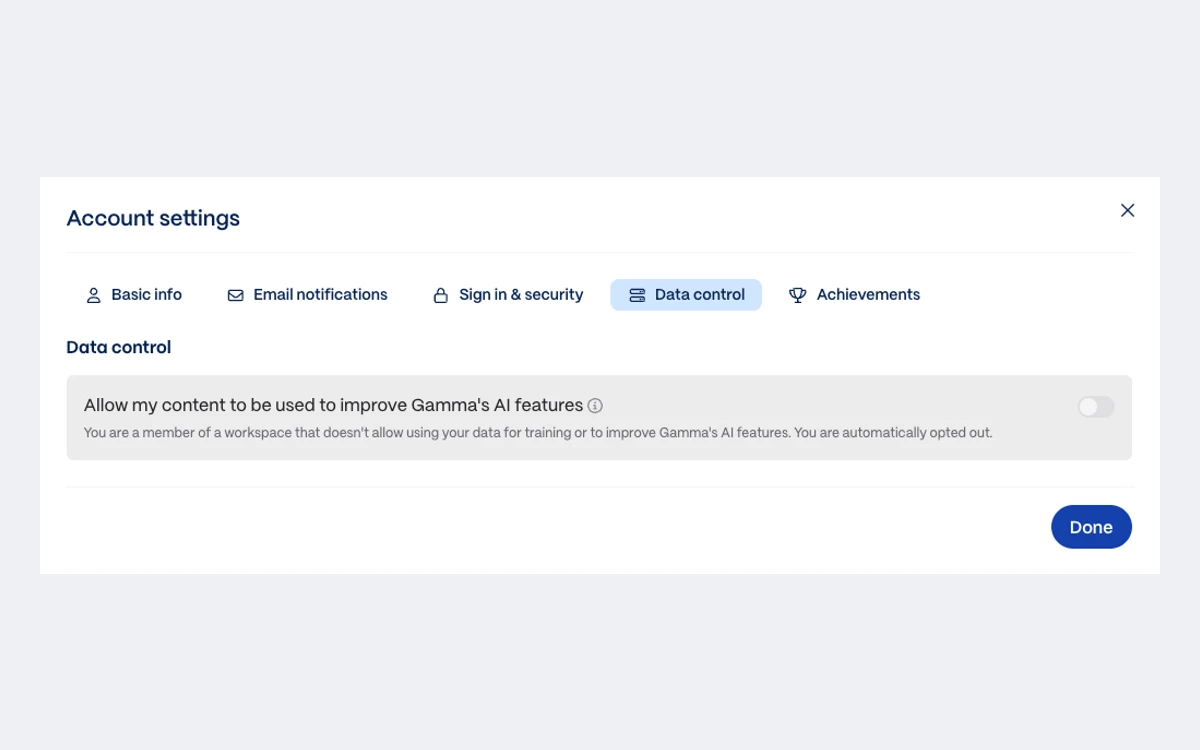
On individual plans (Free, Plus, Pro and Ultra), Gamma may use your content to train its AI models by default. You can opt out at any time under Account settings, then Data control, by switching off "Allow my content to be used to improve Gamma's AI features". On Team, Business and Enterprise, training is always off, and Business locks the opt-out so members cannot switch it back on.

The Terms make the opt-out worth doing on day one: without privacy controls, you grant Gamma a perpetual, irrevocable licence to use your content for training. Gamma hosts on Amazon Web Services in the United States, and personal data may be transferred to the US, with DataRep acting as its EU and UK GDPR representative. Its AI subprocessors include Anthropic, OpenAI, Google, Microsoft, Black Forest Labs, Ideogram, Luma AI, Recraft, Runway and Perplexity. Gamma says it is SOC 2 Type II compliant, with documentation available on Business.
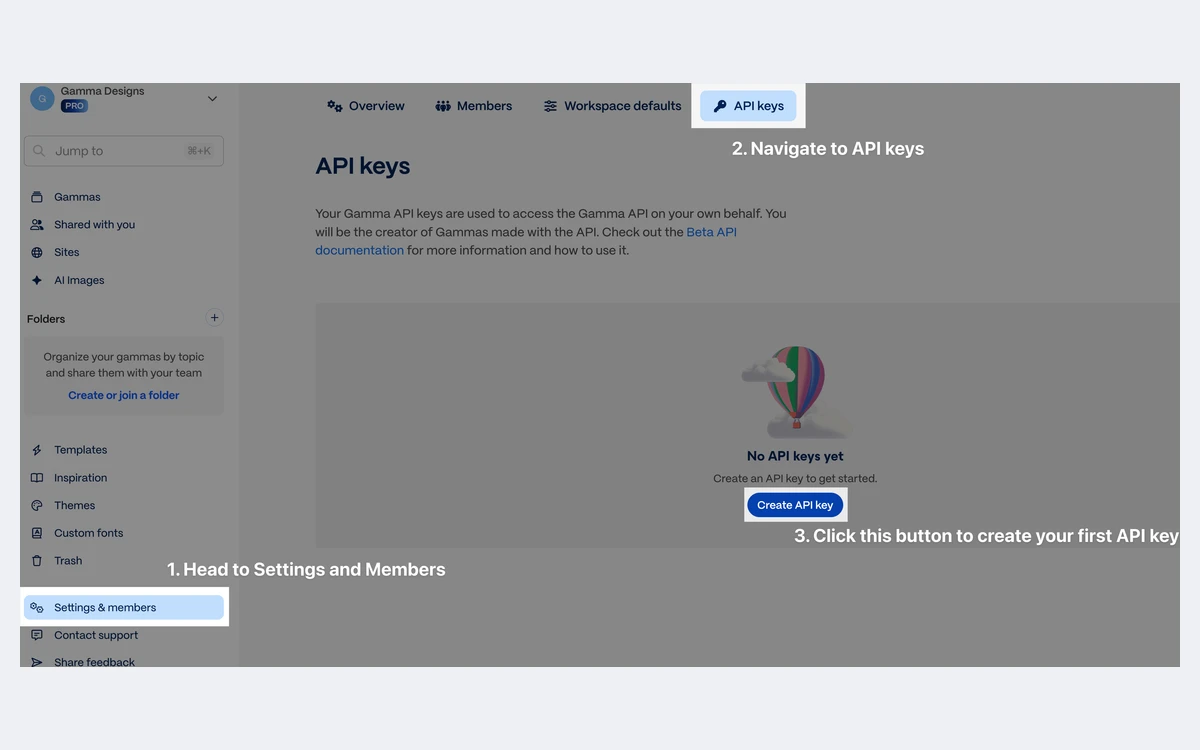
The Gamma API v1.0 has been generally available since November 5, 2025, with OAuth sign-in, an MCP server and connectors for ChatGPT, Claude and Slack. Gamma's help centre and developer docs say the API is open on every plan. On Free it is limited to 10 cards per generation and 2 concurrent agent jobs, against 10 concurrent jobs on paid plans. The pricing page still lists API access as a Pro feature, so if the API is the reason you are buying, confirm your plan's limits first.
API generations draw on the same credits as in-app work, at the per-card and per-image rates above. That makes the API practical for generating recurring reports or sales decks from a template, as long as you pin a cheap image model or turn images off.
Gamma 5 is the most capable version of the product so far. The plan-first agent, the self-checking for overflowing text and the layout-preserving import address the real weaknesses of earlier versions. For fast first drafts, web-native decks you present from a link, and one-page sites, it is hard to beat for speed.
The product is easy to recommend; the billing terms are not. Use the Free plan properly, buy monthly first, switch off AI training if you are on an individual plan, and treat the 3-day refund window as the only one you will get.
Yes, with limits. The Free plan has no time limit and needs no card, but it gives 400 credits once and they never refresh. It caps prompts at 10 slides and puts the Gamma badge on PDF and PPTX exports. Referrals add 200 credits each, up to 2,000 at a time.
Business is $40 per member per month billed annually, the only price Gamma confirms in text. Independent trackers in October 2026 put Plus at about $12 a month (about $8 billed yearly), Pro at about $25 (about $18 yearly) and Ultra at about $100, monthly only. All paid plans are per seat and before tax.
Only within 3 days of subscribing, by contacting support, and only if you have used fewer credits than the cap for your plan, for example under 200 on Plus or under 600 on Pro. After 3 days there are no refunds except where the law requires them, and the Terms of Service rule out refunds entirely.
Yes, on every plan, along with PDF and PNG. Expect some differences: exports follow Present Mode, Google Slides replaces embedded fonts, and PowerPoint needs Gamma's theme fonts such as ES Build and PP Mori installed locally to look right.
On Free, Plus, Pro and Ultra, yes by default, until you switch it off under Account settings, Data control. On Team, Business and Enterprise, Gamma does not train on your content, and Business locks that setting.
It depends mostly on images. Gamma's docs put a 10-card deck with 5 basic images at about 20 to 60 credits, while a 20-card document with 15 premium images can use 320 to 1,070. Text alone costs 1 to 3 credits per card, and unused plan credits roll over up to double your allowance.
Cancel from your subscription settings at least 30 days before the renewal date, as Gamma's help centre advises. Your plan stays active until the end of the current term, there is no pause option, and cancelling does not trigger a prorated refund.

More in Artificial Intelligence
Browse Artificial Intelligence