Khroma Review 2026: Free AI Color Pairs Trained on Your Taste
Hands-on Khroma review: how its 50-color training works, search and WCAG ratings, where your data lives, its unshipped v1.0, and when Coolors or Adobe Color fit better.

Khroma is a free, browser-based AI color tool that asks you to pick 50 colors you like, trains a small neural network on those picks right in your browser, and then generates an endless feed of color pairs biased toward your taste. It was built by designer George Hastings and first launched on Product Hunt in 2017, and designers still recommend it in 2026.
We went back to khroma.co in October 2026 to see what you actually get today. The short version: the core idea still works and still costs nothing, but Khroma is frozen in beta. The v1.0 features it promised years ago - accounts, shared collections, a Sketch plugin - never shipped, and its creator now runs a different product, Unicorn Studio. This review covers what Khroma does well, where it stops, and when Coolors, Adobe Color, Colormind or Huemint are the better pick.
Khroma at a glance
Quick verdict
Khroma is the best free tool for discovering two-color combinations that match your own taste, especially type-on-background pairs with an instant WCAG rating. It is not a full palette manager: there are no accounts, no locking, no design-file export, and your trained model lives only in one browser unless you move it by hand.
- What it is: an AI color pair generator personalized to colors you pick
- Price: free, no account, no paid tier listed anywhere on khroma.co
- Training: 50 colors up front, processed in your browser
- Output: color pairs shown as Type, Poster, Gradient, Palette or Image views
- Details per pair: color names, hex, RGB, CSS code and WCAG contrast rating
- Storage: browser localStorage, with a manual download/import file to move devices
- Status: still labelled beta; v1.0 roadmap unshipped
- Made by: George Hastings
The homepage now leads with "Design with colors you love." and describes the product in one line: "Khroma uses AI to learn which colors you like and creates limitless palettes for you to discover, search, and save." That description is accurate, with one caveat this review returns to: what Khroma generates is pairs of colors, not five-swatch palettes.
How Khroma learns your taste
The first screen is a grid of swatches and a counter. The instructions are blunt: "Choose 50 colors. These colors will be used to train a color generator algorithm personalized to you. For best results, choose a wide variety of hues, values, and saturations."
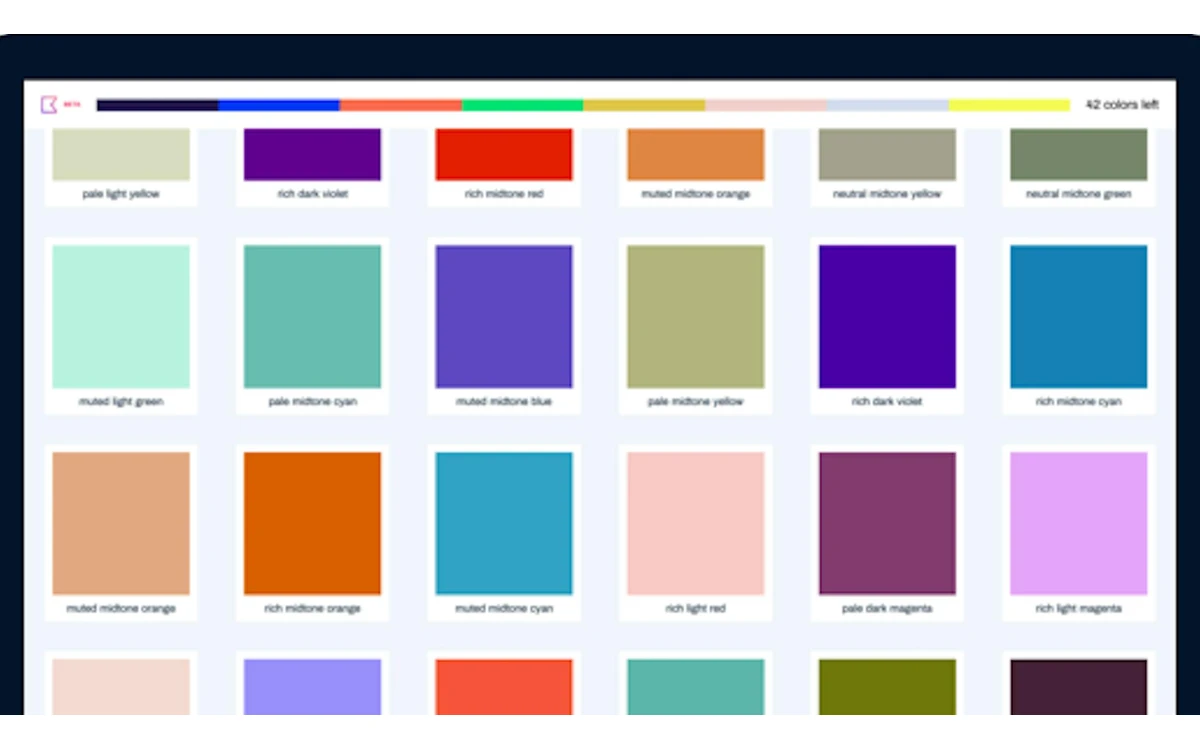
Fifty sounds like a lot, and Khroma pre-empts the complaint on the page itself: "Yes, 50 sounds like a lot, but quantity ensures Khroma doesn't mistakenly think you don't like colors you do." In his 2018 Creative Bloq walkthrough, Hastings explained that he tried a smaller set first: "When building the algorithm, I tried to make it work with less but the results weren't good enough."
The same article describes how the model works. Your 50 picks train a neural network "that will be able to recognise hundreds of thousands of other similar colours that you'll like", and "It knows which colours you don't like because it's not in the original 50 you chose." On top of your personal model, the site says Khroma "has learned from thousands of the most popular human-made palettes" across the internet, which is where the pairing logic comes from.
In practice, training takes a few minutes of clicking. The payoff is a generator that leans toward your preferences instead of the generic trendy palettes most tools serve first. The cost is that Khroma cannot give you anything until you have done it - the ls.graphics comparison from May 2026 puts it plainly: "You have to invest the time upfront... If you want instant results, Khroma isn't your tool."
The generator and its five views
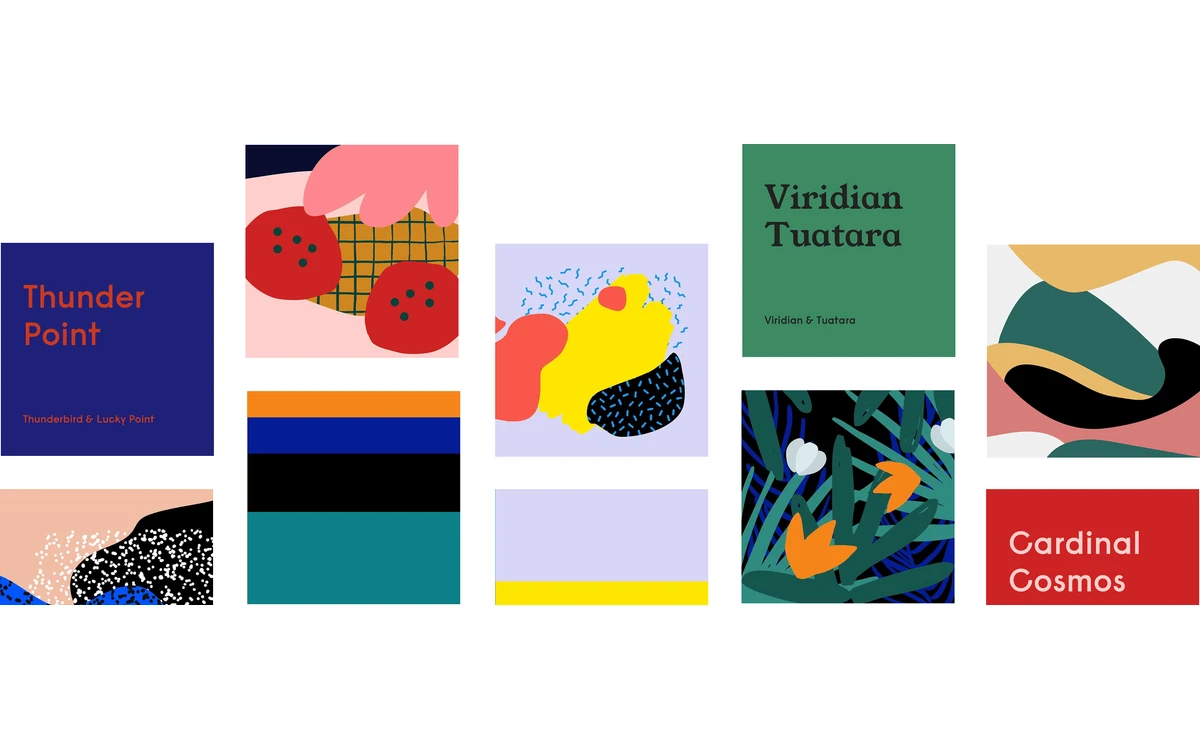
Once trained, the generator fills the page with cards, each built from two colors. You can switch the whole feed between five views: Type (text color on a background), Poster, Gradient, Palette and Image. The Image view applies the pair to an illustration as a duotone, and a setting lets you upload your own image to preview combinations on it.
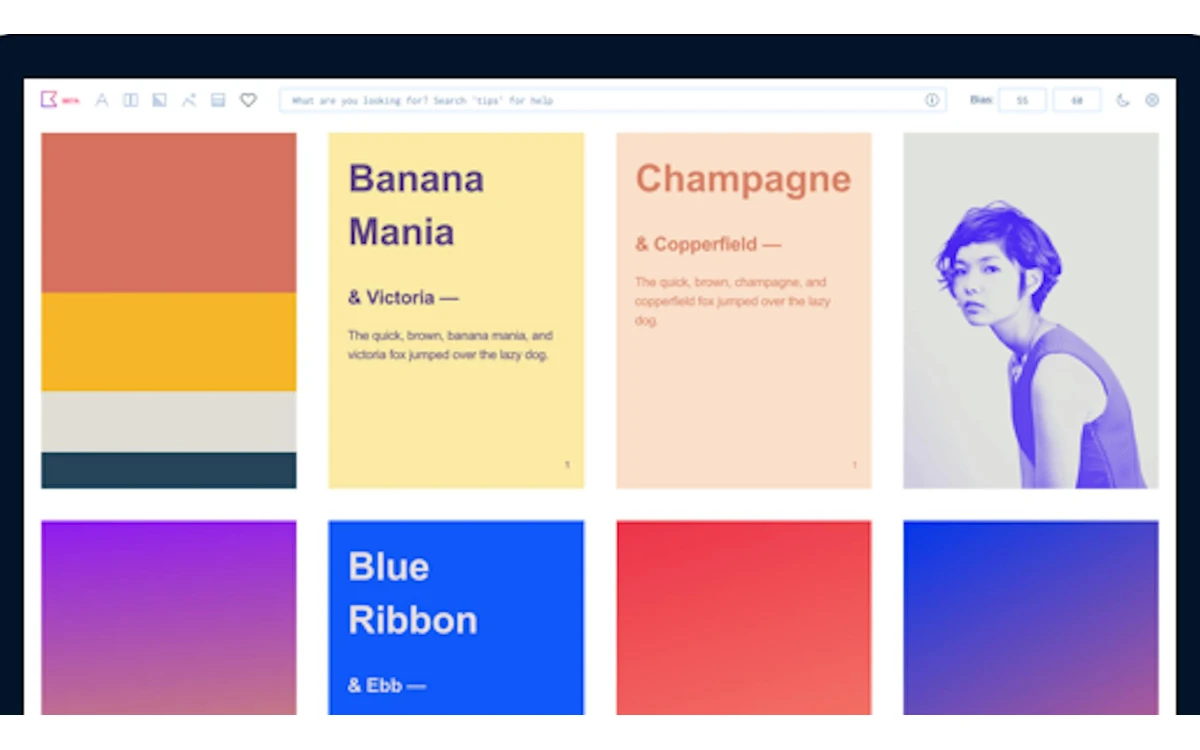
Every card carries the same actions: Favorite, Copy CSS, Copy code, Swap colors and Details. Favorites go into what Khroma calls an unlimited library of combos to reference later.
Bias: how hard the generator leans toward you
A Bias control sets how strongly the generator sticks to your trained taste. Khroma's own explanation: "Bias is the percentage the generator leans towards producing colors you like - one for each in a pair. Lower bias produces a wider range of colors." Turning it down is the easiest way to escape a feed that has started to feel repetitive.
One user complaint from the Product Hunt launch still applies: switching views reshuffles the feed. As one commenter put it, "When I changed views I will like it to have the same pick and order of color combinations than reloading it". If you spot a pair you like in Gradient view, favorite it before switching to Type.
Search, color codes and WCAG ratings
Search is where Khroma becomes useful for real project work, not just browsing. The generator lists "four ways to search: type, hue, name, hex/rgb." A few rules worth knowing:
- A single color search returns that color paired with a random second color.
- To fix both colors, join them with with, and, on, & or +, for example "navy on cream".
- Hex and RGB searches return the exact color, for example #FFEE00 or rgb(0,200,155).
- You can also filter by hue, tint and value.
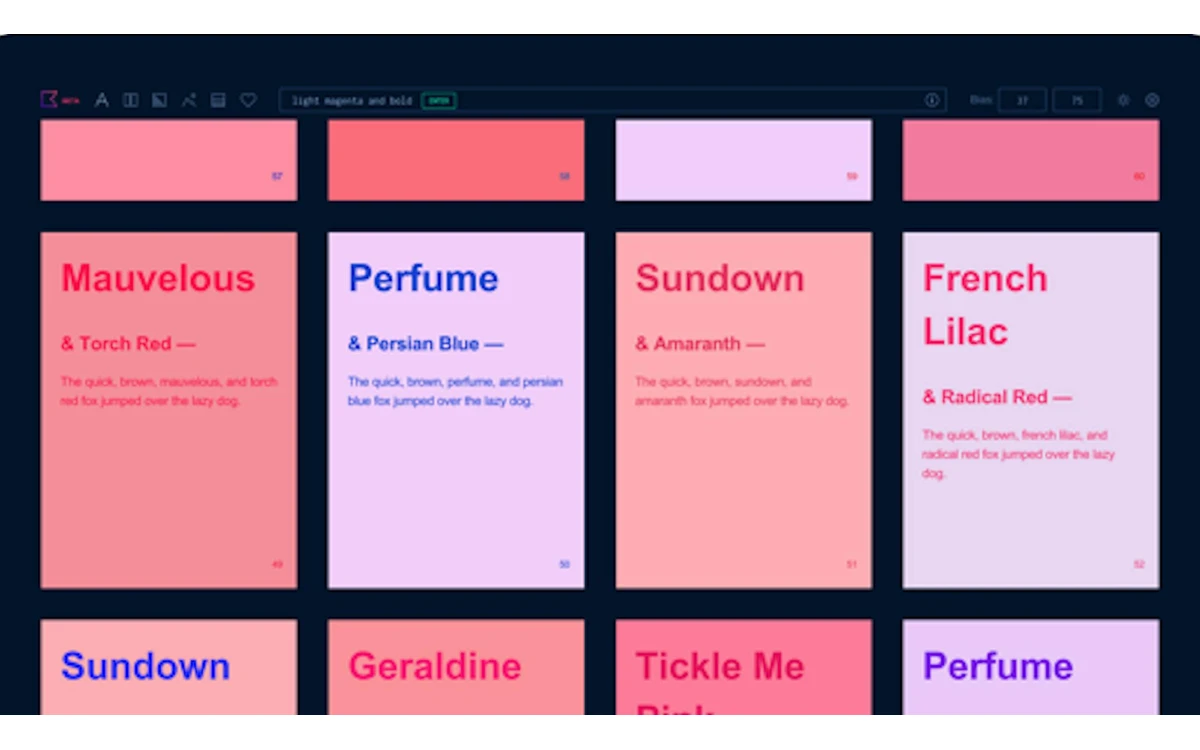
Open Details on any card and you get both colors' names, hex codes and RGB values, the CSS, and a WCAG contrast rating for the pair. The color names come from ntc.js by Chirag Mehta, which is why you see names like Mountain Meadow and Banana Mania rather than generic labels.
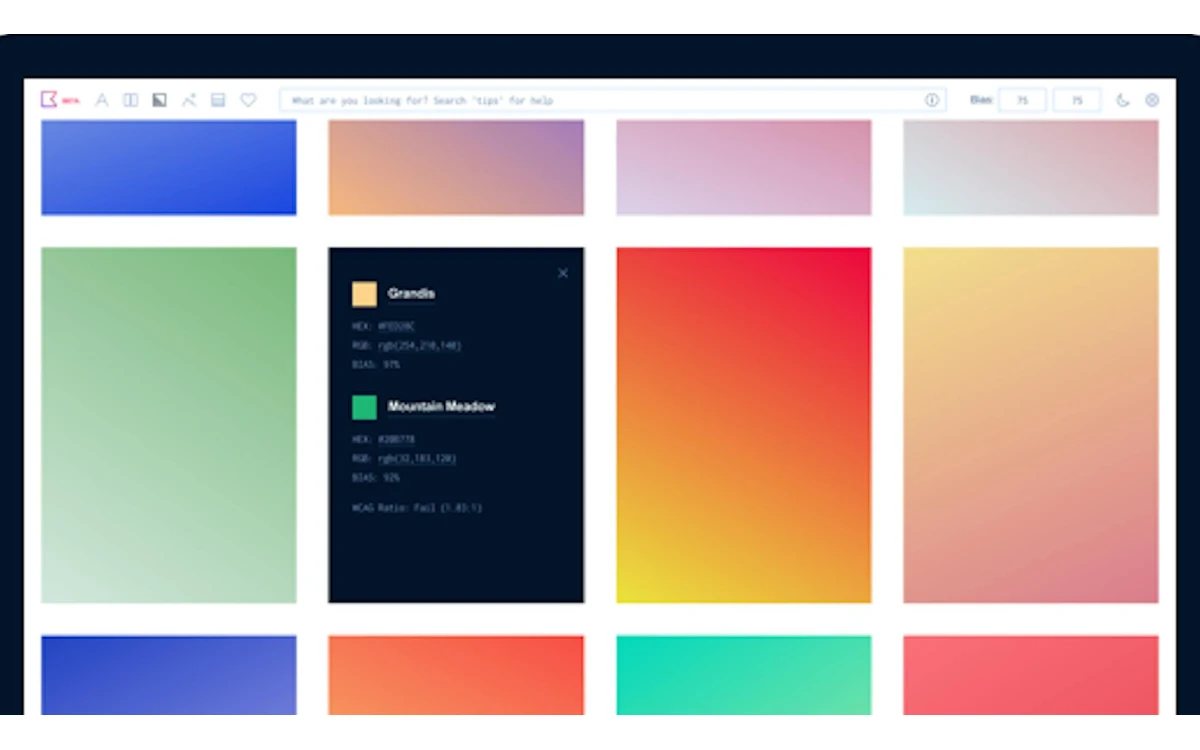
Two settings make the output more practical. "Never fail WCAG" blocks type combos that fail the WCAG contrast ratio test, so the Type feed only shows readable text and background pairs. "Chromatic Gradients" makes some gradients "look less muddy". For anyone choosing UI text colors, the Never fail WCAG switch is the single most useful thing in the app.
Where your data lives
Khroma has no accounts. The training page states: "For this beta, your data will be saved in localstorage which is only accessible in this browser on this device." Your trained model and your favorites never leave your browser unless you export them.
That is good for privacy - there is nothing to sign up for and nothing stored on a server. It is bad for durability. Clear your browser data, switch browsers or move to a new laptop, and both your model and your favorites are gone.
Back up your Khroma
Use the Download Khroma data button in the generator. Khroma describes the file as containing "your personal generator and favorites" - upload it on the training page to use your Khroma on another device or browser. Do this after training and again whenever your favorites list grows.
Pricing
Khroma is free. There is no price, paid tier or sign-up anywhere on khroma.co, and the generator works without an account. We found no usage cap either: generation runs in your browser and the favorites library is described as unlimited.
The flip side of free with no business model is that nothing appears to be funding further development, which matches what the site shows: the same beta, the same roadmap text, years later.
Limits you will hit
Pairs, not full palettes
Khroma's details are per pair - "WCAG accessibility rating of each pair", bias applies "one for each in a pair". If you need a five- or eight-color brand system, Khroma gives you a starting pair, not the whole set.
No locking, no design-file export
There is no way to lock one color and regenerate the other in the generator, and no export to design formats. A Techvernia review sums it up: Khroma "does not yet support one-click export to design file formats" and you "Cannot manually adjust or lock specific colors in a generated palette". Copy CSS and copy code are the hand-off, and pair search with with or on is the closest thing to locking.
The v1.0 that never arrived
The generator still carries a sign-up teaser: "Be one of the first to try v1.0 Awesome stuff is on the way: User accounts, manage and share collections, custom templates, sketch plugin, algorithm improvements, and more." None of it exists today - no accounts, no shared or team collections, no Sketch or Figma plugin, and we found no mobile app.
George Hastings' personal site now says he is "currently running Unicorn Studio" and does not mention Khroma. The site still loads and works, but treat it as a finished side project rather than a product with a roadmap.
Khroma vs Coolors, Adobe Color, Colormind and Huemint
- Coolors: the fast option. Press the spacebar to generate palettes, lock colors you want to keep and export the result. Pick it when you need a full multi-color palette quickly and do not care about personalization.
- Adobe Color: now branded Adobe Express Color Palette Generator, free to start, with color-wheel harmony rules, a WCAG contrast checker and color-blindness simulation. Pick it when accessibility checks across a whole palette matter.
- Colormind: an AI palette generator trained on popular palettes, with an API that is "free for personal and non-commercial use"; commercial API use means emailing the developer. Pick it for AI-generated multi-color palettes without training anything.
- Huemint: AI palettes of 2 to 12 colors previewed on mockups. Its public API is for non-commercial applications, "provided as is" with no uptime guarantee. Pick it to see a palette applied to a layout.
- Khroma: pick it when you want color pairs tuned to your own taste, especially readable text-on-background combinations.
These tools are not mutually exclusive. A workable routine is to find a base pair you love in Khroma, then grow it into a full palette in Coolors or Adobe Color and check the rest of the set for contrast there. For the theory behind why some pairs work, see our guide to color theory in UI design at /color-theory-ui-design.
Who should use Khroma
Khroma suits designers, illustrators and developers who want inspiration that does not look like everyone else's trending palettes, and who are willing to spend a few minutes training it first. It is particularly good for picking type and background pairs, thanks to the Never fail WCAG setting.
Skip it if you need a complete palette in seconds, want to share collections with a team, or need a plugin inside Figma or Sketch. Those workflows are what Khroma promised and never built.
Frequently asked questions
Is Khroma free?
Yes. khroma.co lists no price, paid plan or sign-up, and the full generator, search and favorites work without paying anything.
Do I need an account to use Khroma?
No. Khroma has no accounts at all. User accounts were part of a promised v1.0 that never shipped; today everything runs in your browser.
Where does Khroma store my data, and can I use it on another device?
Your trained model and favorites are stored in your browser's localStorage, only on that device. To move them, use Download Khroma data in the generator and import the file on the training page of the other browser or device.
Why does Khroma need 50 colors?
Because fewer picks gave poor results. Khroma learns what you dislike from what you did not choose, so a small set makes it wrongly rule out colors you would like. Its creator said he tried fewer and the results "weren't good enough".
Can Khroma export palettes to Figma or Sketch?
No. There is no Figma or Sketch plugin and no design-file export. You can copy CSS or the color codes from each card and paste them into your design tool; a Sketch plugin was announced but never released.
Does Khroma check accessibility?
Yes, for each pair. The details card shows a WCAG contrast rating, and the Never fail WCAG setting hides type combinations that fail the contrast test. It does not simulate color blindness - Adobe Color does.
Is Khroma still maintained?
It still works, but it shows no sign of active development. The site remains labelled beta, the v1.0 roadmap text is unchanged, and its creator now runs Unicorn Studio.
Key takeaways
- Khroma is free, needs no account and generates color pairs tuned to 50 colors you pick.
- Its standout features are pair search by name, hex or RGB and per-pair WCAG ratings with a Never fail WCAG filter.
- Data lives only in your browser - use Download Khroma data to back up or move devices.
- No locking, no design-file export, no accounts, no plugins: the promised v1.0 never shipped.
- Use Khroma to find a base pair, then Coolors or Adobe Color to build out a full palette.
More in Artificial Intelligence
Browse Artificial Intelligence