Namelix Review 2026: The Free AI Name Generator and Where It Makes Its Money
Namelix is a free, login-free AI business name generator from Brandmark. We cover its styles, trademark screen, Namecheap links and $35-$195 logo upsell.
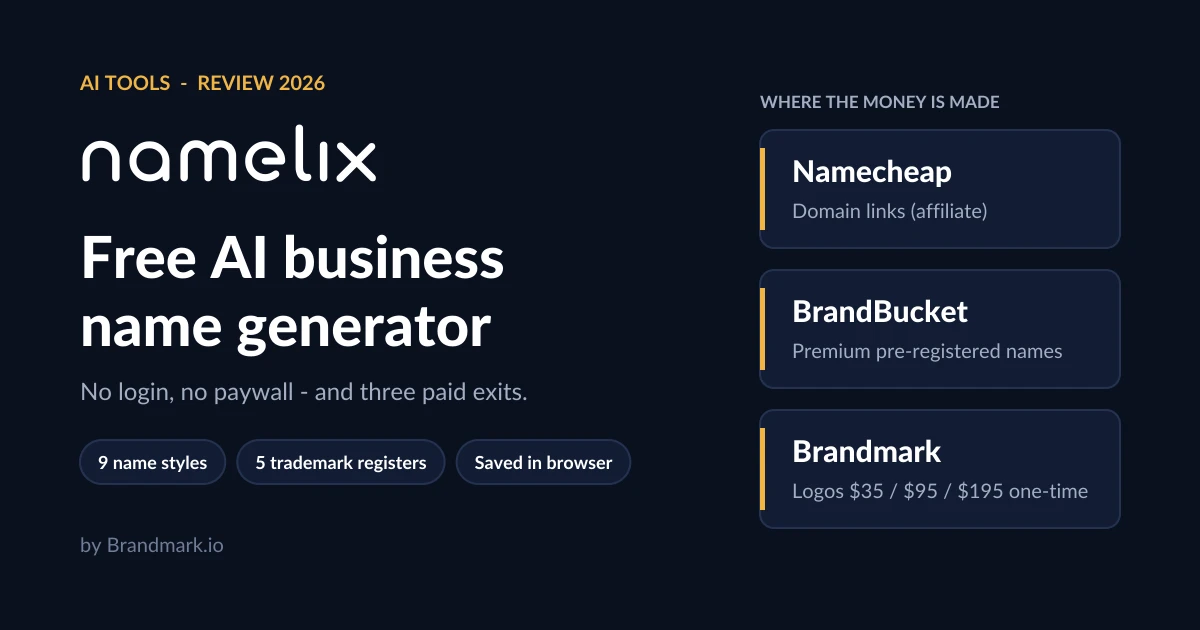
Namelix is a free business name generator from Brandmark.io, the Canadian company behind the Brandmark logo maker. You type a few keywords, pick a naming style and get a scrolling list of short, brandable names - no account, no login and no paywall on the generator itself.
That makes the useful questions less about price and more about what the free tool actually does in late 2026 and where the money is made. The answer: Namecheap affiliate links on available domains, BrandBucket links on premium pre-registered names, and Brandmark logo packages at $35, $95 or $195 one-time. This review walks through the generator, its newer trademark screen and Namelix Domains marketplace, and each of those paid exits.
What Namelix is and who makes it
Namelix launched in March 2018, built by Jack Qiao, and today sits under the Brandmark.io brand. Its homepage title reads 'Business Name Generator - free AI-powered naming tool - Namelix by Brandmark.io', and its pitch is simple: 'Namelix uses generative AI to create a short, brandable business name.'
The marketing has moved with the times. In March 2026 the homepage described a 'purpose-built AI'; by October 2026 it claims you can 'Generate more original ideas than ChatGPT using our custom LLM'. Brandmark has not published anything that backs that comparison, so treat it as a vendor claim rather than a benchmark. Two other homepage promises are more concrete: you can 'decide whether you prioritize a shorter name, having a specific keyword or domain extension', and 'our algorithm learns from the names you like, giving you better recommendations over time'.
Quick verdict
Namelix is one of the better free starting points for brainstorming a brandable name. It is not a branding agency, a legal clearance service or a registrar - it hands those jobs off to Namecheap, BrandBucket and Brandmark, and those hand-offs are where any spending happens.
How the generator works
The app at namelix.com/app is organised into five tabs: Name Style, Randomness, Brand Info, Optional settings and Check domains. You can also deep-link a search - namelix.com/app/?keywords=coffee opens the app with 'coffee' already filled in.
Nine name styles
Name Style is the setting that shapes results most. The options, with the example brands Namelix itself uses, are: Auto (marked new), All styles, Brandable names like Google and Rolex, Evocative like RedBull and Forever21, Short phrase like Dollar shave club, Compound words like FedEx and Microsoft, Alternate spelling like Lyft and Fiverr, Non-English words like Toyota and Audi, and Real words like Apple and Amazon.
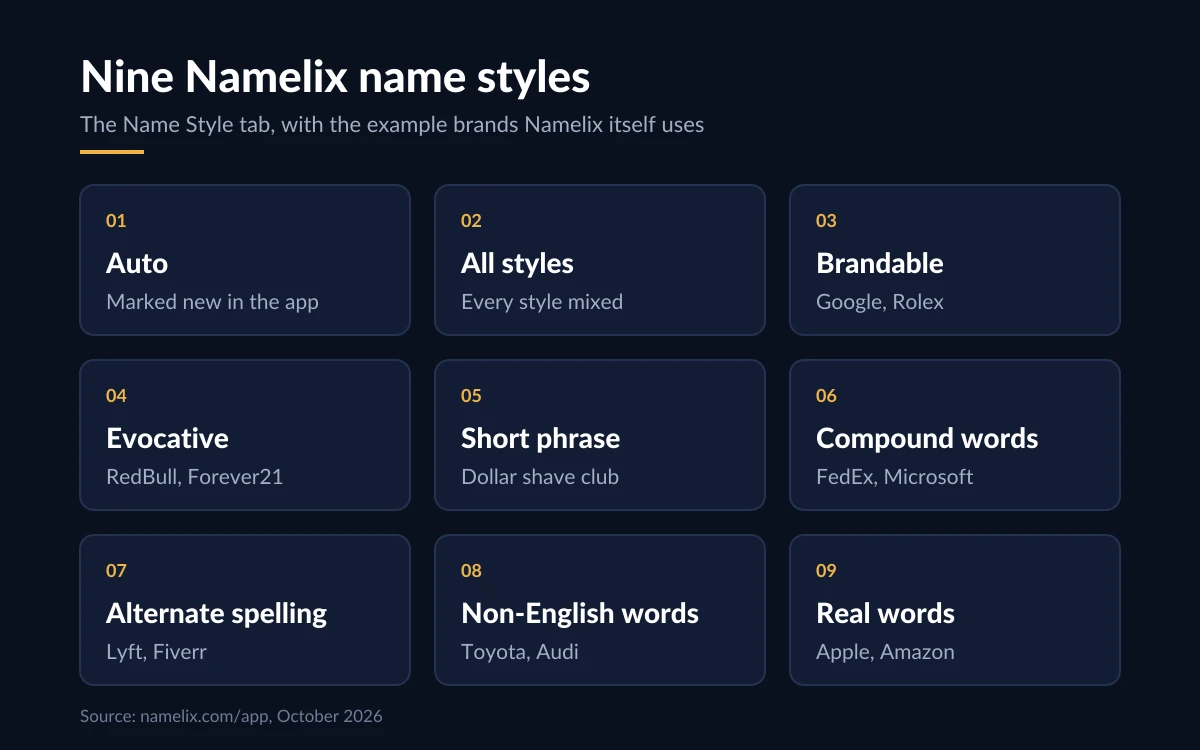
A useful hint sits under the brandable option: 'When generating brandable names, you can enter your own name ideas as keywords'. If you already have a half-formed name, feeding it in as a keyword pushes the generator toward variations on it.
Randomness, brand info and filters
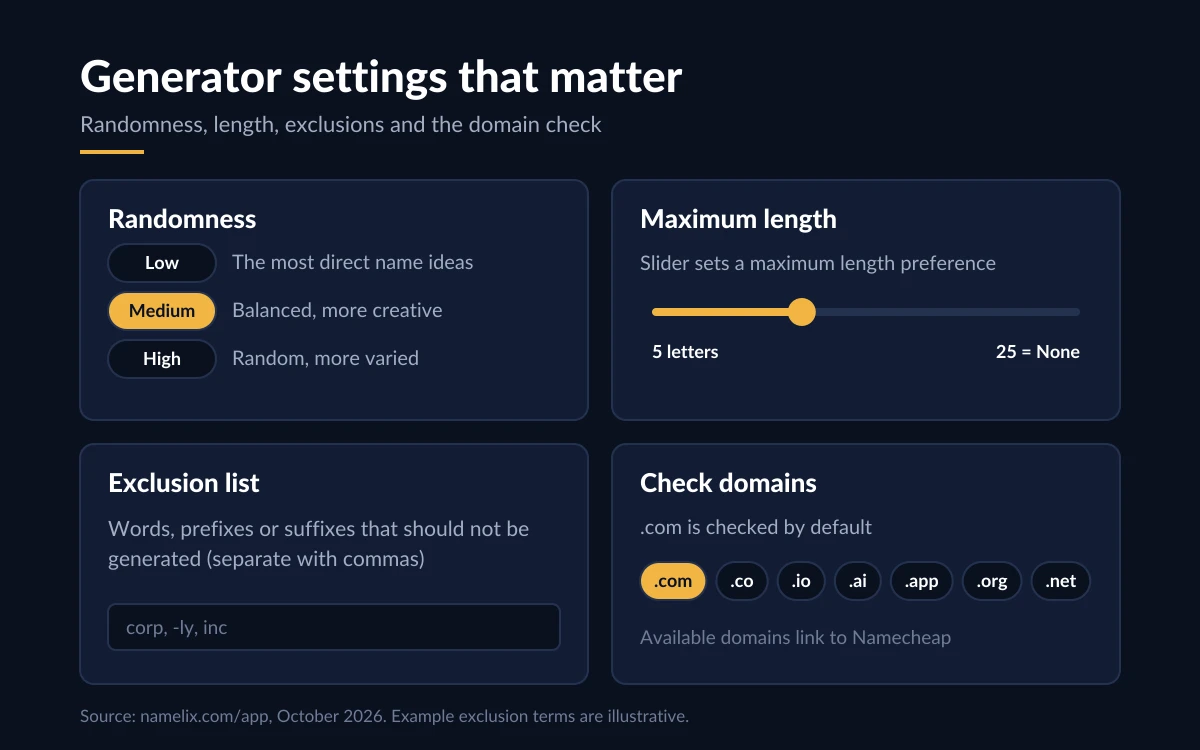
- Randomness: Low ('Less random. The most direct name ideas'), Medium ('Balanced. More creative results') or High ('Random ideas. More varied results').
- Brand Info: keywords related to your idea, plus 'a short one-sentence description of your business or product'.
- Optional settings: an exclusion list for 'words, prefixes or suffixes that should not be generated', and a maximum-length slider from 5 to 25 letters, where 25 means no limit.
- Check domains: .com by default, with other extensions such as .co, .io, .ai, .app, .org and .net, plus a set of country domains.
The trademark screen
The most useful recent addition is a quick trademark screen in each name's detail panel. It did not appear in any archived snapshot of the app through March 19, 2026, so it arrived some time after that. It checks five registers: the US (USPTO), UK (UK IPO), Canada (CIPO), Australia (IP Australia) and the EU (EUIPO).
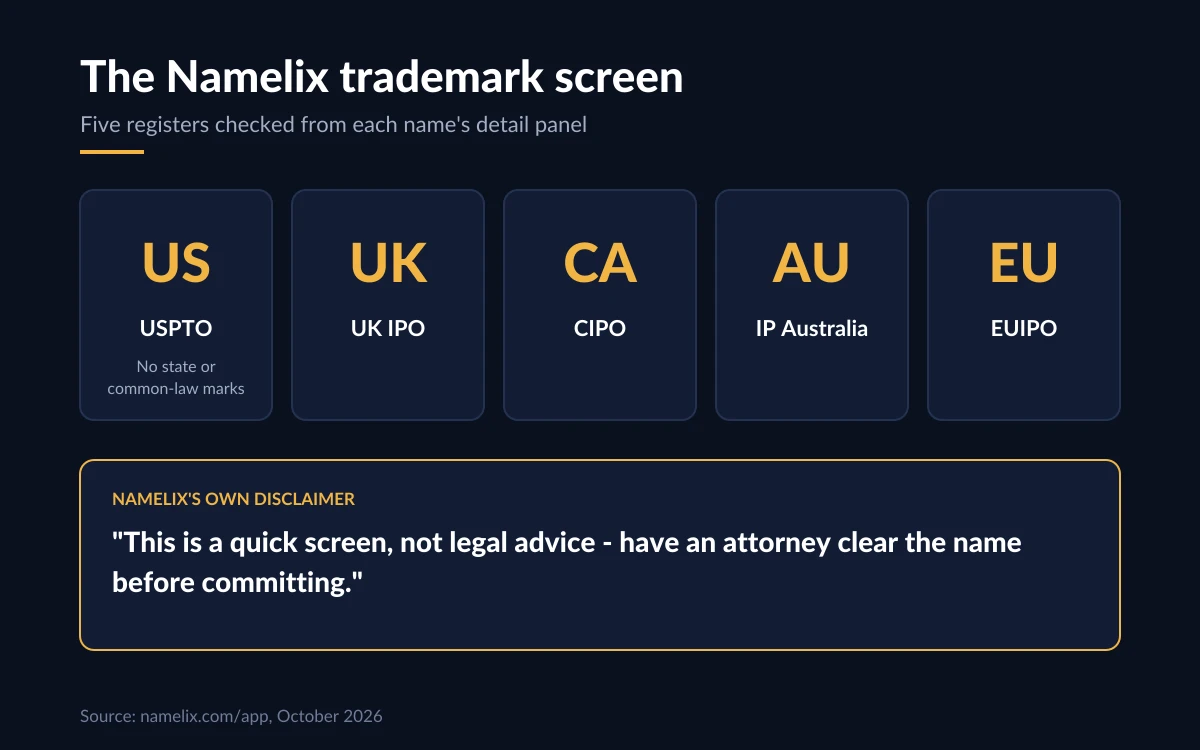
Namelix is blunt about the limits: 'This is a quick screen, not legal advice - have an attorney clear the name before committing.' The US check also excludes state and common-law trademarks, which is where many small-business conflicts come from. Brandmark's terms put the risk on you as well: users indemnify Brandmark against 'any trademark or copyright violations made accidentally or deliberately through the use of our products or services'.
Before you commit
Use the screen to rule names out, never to rule one in. If a name clears the screen and you plan to build a business on it, pay for a proper clearance search in each country you will trade in.
The logo upsell: Brandmark packages
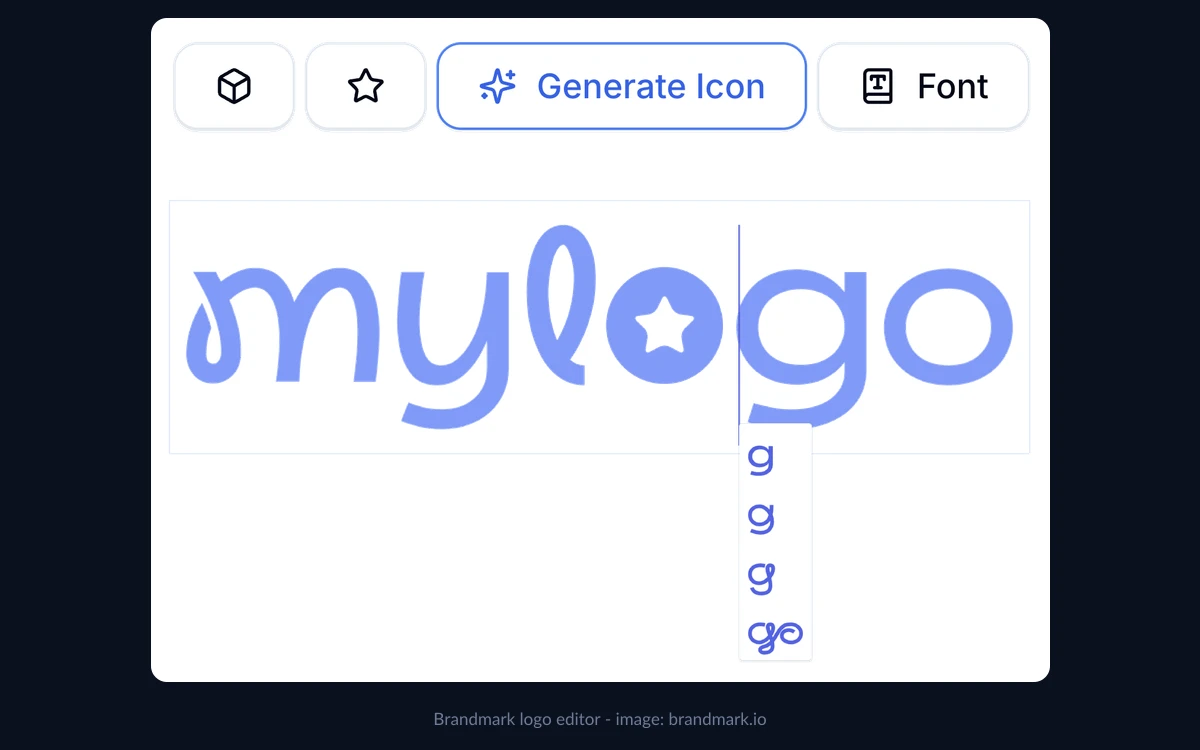
The logo previews in Namelix are the doorway to Brandmark. Clicking one opens Brandmark's generator with your chosen name already loaded, and from there you can generate and edit logos for free. You only pay when you want to download files.
Brandmark's public pricing page, checked on October 24, 2026, lists three one-time packages:
- Basic - $35 one-time: logo files in PNG and vector format.
- Designer - $95 one-time: logo source files, unlimited design revisions, brand guidelines, one-page websites, business card, social media and presentation designs.
- Enterprise - $195 one-time: everything in Designer, plus up to 10 fully original hand-crafted concepts and a font download.
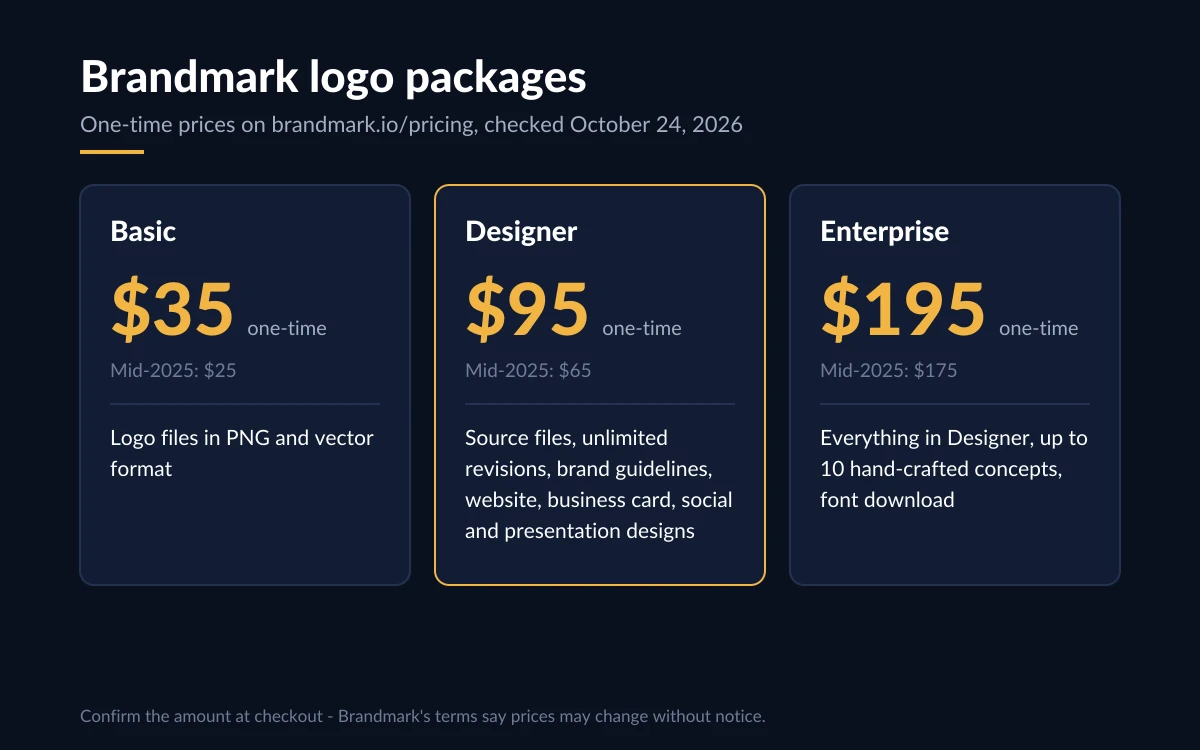
Those prices went up in 2025. An archived pricing page from June 2025 showed $25, $65 and $175; from October 2025 onward it shows $35, $95 and $195. Brandmark's checkout code still contains some of the older figures, so confirm the amount at checkout before paying. Its terms also note that 'prices for our products are subject to change without notice.'
What you get regardless of tier: no monthly charges, 'full copyright included for use in commercial and personal projects', and the ability to modify the logo after purchase. For a full look at the logo side, see our Brandmark review at /brandmark-review.
Privacy, saved names and refunds
Namelix has no privacy policy or terms page of its own. Brandmark's privacy policy 'applies to https://Brandmark.io and all subdomains', which does not explicitly name namelix.com. It describes collecting browser type, language preference, referring site and request time, IP addresses for logged-in users, and the use of Google AdWords for remarketing, with advertising partners who may set cookies. The Namelix app loads Google Analytics.
Because there is no account, saved names live in your browser's local storage. They will not follow you to another device, and clearing browser data deletes them. Copy any shortlist somewhere safe.
Refunds are the weakest point. Brandmark's terms say purchases are subject to return or exchange 'only according to our Return Policy', but there is no Returns Policy page to read. Support is email-only, at [email protected]. If a refund matters to you, ask before buying and keep the reply.
Namelix alternatives
- Shopify's business name generator: free with unlimited use, geared toward online stores.
- Namecheap's name generator: free, and tied directly to domain registration.
- Looka: free name generation, but logo downloads need a paid plan.
- Atom (formerly Squadhelp): human naming contests at $299 (Bronze), $449 (Gold) and $749 (Platinum), with managed contests from $1,499 - the option when you want people, not a model, doing the naming.
Among the free tools, Namelix stands out for its style controls, its feedback loop and the trademark screen. The paid human route only makes sense once free generators have stopped producing anything you like.
Verdict
Namelix does what it promises for free: fast, brandable name ideas with real control over style, length and randomness, plus domain and trademark checks in one place. The 'custom LLM beats ChatGPT' line is marketing, and the trademark screen is a filter, not clearance.
Every paid step is optional and clearly separate - a Namecheap registration, a BrandBucket premium name or a Brandmark logo package. Use Namelix to build a shortlist, register the domain wherever you like, clear the name properly, and only then decide whether a $35 to $195 logo package is worth it.
Frequently asked questions
Is Namelix really free?
Yes. Generating, saving and checking names costs nothing and there is no paid Namelix plan. You only pay if you register a domain at Namecheap, buy a BrandBucket premium name or buy a Brandmark logo package.
Do I need an account, and where are my saved names kept?
No account or login is needed. Saved names are stored in your browser's local storage, so they do not sync across devices and disappear if you clear browser data.
Which registrar does Namelix use for domains?
Available domains link to Namecheap through an affiliate link, and Namelix offers no other registrar. You can still register the same domain at any registrar you prefer.
Does the trademark check mean I can use the name?
No. Namelix calls it 'a quick screen, not legal advice', covering USPTO, UK IPO, CIPO, IP Australia and EUIPO only, and the US check skips state and common-law marks. Have an attorney clear the name before you commit to it.
How much does a logo cost, and can I get a refund?
Brandmark's pricing page lists $35, $95 and $195 one-time packages, and you can design for free before paying. There is no published refund policy - the terms point to a Returns Policy page that does not exist - so ask [email protected] before buying.
What data does Namelix collect?
Namelix has no privacy policy of its own; Brandmark's policy covers its subdomains and mentions browser data, IP addresses for logged-in users and Google AdWords remarketing. The Namelix app also loads Google Analytics.
Key takeaways
- Namelix is a free, login-free AI business name generator from Brandmark.io with nine name styles, three randomness levels and a 5-25 letter length limit.
- Its money comes from Namecheap domain links, BrandBucket premium names and Brandmark logo packages at $35, $95 or $195 one-time (up from $25, $65 and $175 in mid-2025).
- The newer trademark screen covers five registers but is explicitly not legal advice - get a real clearance search.
- Saved names live only in your browser, and Brandmark publishes no refund policy, so keep your own shortlist and ask about refunds before buying a logo.
More in Artificial Intelligence
Browse Artificial Intelligence