Netlify Review 2026: Credit Pricing, the Free Plan Pause and Pro Tiers Explained
Netlify review for October 2026: Free, Personal and Pro credit pricing, what one credit buys, the Free plan pause, Pro tiers to $126, limits and legacy plans.

Netlify made Git-based frontend hosting mainstream, and in 2026 it still offers one of the easiest paths from a repository to a live site. Its pricing, however, has been rebuilt around monthly credits and then revised three more times in under a year, so many guides online quote numbers that no longer apply.
This review covers what Netlify costs in October 2026, what a credit actually pays for, what happens when credits run out, the technical limits that matter, and whether a legacy account should switch.
Verdict at a glance
Netlify is still one of the smoothest ways to put a frontend project on the web: connect a Git repository, let it detect the framework, and every push becomes a deploy with a preview URL. What has changed is the bill. Since September 2025 every paid feature draws from a single monthly pool of credits, and the rates behind those credits have been rewritten several times since.
- Best for: static sites, Jamstack and framework apps (Astro, Next.js, Nuxt, SvelteKit and more) run by solo developers and small teams that want Git-driven deploys without managing servers.
- Price today: Free at $0 with 300 credits, Personal at $9 with 1,000 credits, Pro from $20 with 3,000 credits and unlimited members, Enterprise on quote.
- Biggest strength: zero-config framework builds, free deploy previews and branch deploys, and no seat charges on Pro since April 14, 2026.
- Biggest risk: on the Free plan, when one project exceeds the monthly limit, every project on the account is paused until the next billing cycle.
- Watch out for: bandwidth now costs 20 credits per GB, double the rate at launch, so traffic-heavy sites burn credits fast.
Prices checked October 21, 2026
All figures in this review come from Netlify's pricing page, docs and changelog as they read in October 2026. Netlify's own September 2025 launch blog still quotes Pro at 5,000 credits, which is no longer true.
What Netlify does in 2026
At its core Netlify builds your project from GitHub, GitLab or Bitbucket and serves it from its CDN. You can also deploy without Git by dragging a folder onto the dashboard or using the Netlify CLI. Netlify says it automatically detects and configures your project, and it publishes setup guides for Angular, Astro, Eleventy, Express, Gatsby, Hugo, Hydrogen, Next.js, Nuxt, React Router, Remix, SolidStart, SvelteKit, TanStack Start, Vite and Vue.
Next.js is handled through the open-source OpenNext adapter. Netlify states that it supports all major Next.js features with zero configuration from version 13.5 onward; versions 10 to 13.4 run on a legacy runtime that only receives maintenance.
Beyond static hosting
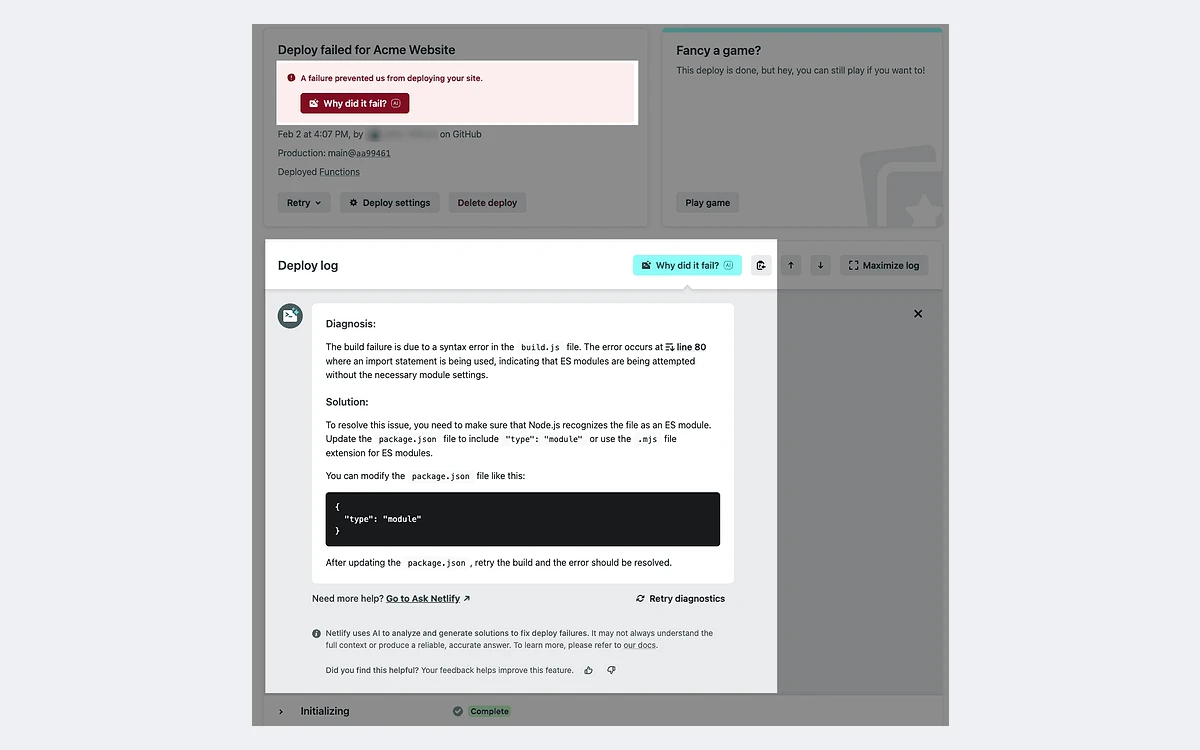
- Functions: serverless, scheduled and background functions. Background functions are available on credit-based Free, Personal and Pro plans.
- Edge Functions: code that runs at the CDN edge for redirects, personalization and middleware.
- Netlify Database: serverless Postgres, generally available since April 28, 2026, replacing the earlier Netlify DB beta.
- Agent Runners and AI Gateway: run coding agents such as Claude Code, Codex, Gemini or OpenCode from the Netlify dashboard, billed through the same credit pool.
- Forms: form submissions are unlimited and free on credit plans since April 14, 2026.
- Collaboration: deploy previews, branch deploys and unlimited free reviewers who can leave feedback on previews.
One recent default worth knowing: since July 28, 2026, new Free, Personal and Pro teams get projects that are private by default.
Netlify pricing plans explained
Every credit-based plan includes a monthly credit allowance. Production deploys, bandwidth, web requests, compute and AI inference all draw from it. Here is what each plan costs in October 2026.
- Free: $0 forever, 300 credits per month as a hard limit, 1 member, 1 concurrent build, no way to buy extra credits.
- Personal: $9 per month, 1,000 credits per month, 1 member, 1 concurrent build (then $40 each).
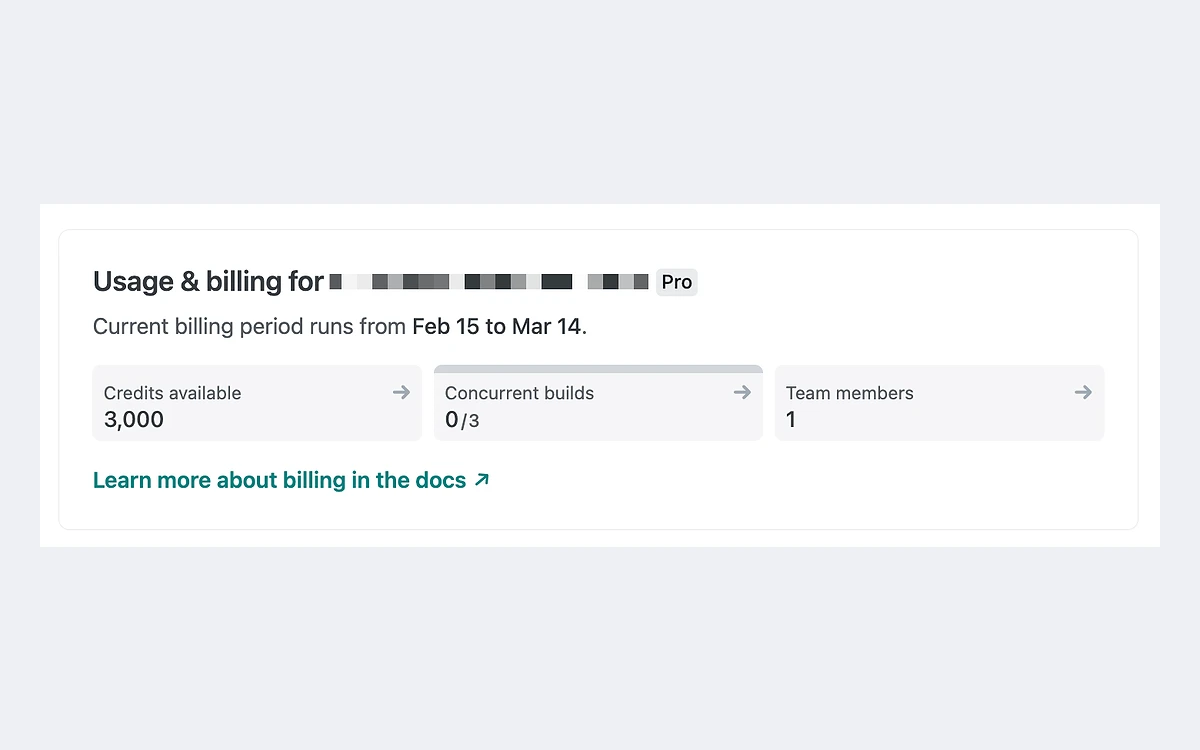
- Pro: from $20 per month with unlimited members, 3 concurrent builds (then $40 each), password protection and longer log retention.
- Enterprise: custom pricing with a 99.99% SLA, Enterprise network tier, high-performance builds, SSO and SCIM, log drains, organization management and 24/7 dedicated support.
Pro credit tiers
Since July 14, 2026, Pro is sold in five credit tiers. Only the tiers from 5,000 credits upward let unused credits roll over.
- 3,000 credits: $20 per month, no rollover.
- 5,000 credits: $33 per month, rollover.
- 10,000 credits: $63 per month, rollover.
- 15,000 credits: $95 per month, rollover.
- 20,000 credits: $126 per month, rollover.
The per-credit price barely moves across tiers: about $0.0067 per credit at 3,000 and about $0.0063 at 10,000 or 20,000. The real reason to move up is rollover, not a bulk discount. Rolled-over credits expire at the end of the billing cycle they roll into, so they buffer one busy month rather than accumulating.
No annual discount found
We found no annual billing option or annual discount on Netlify's pricing page or billing docs. Treat all plans as month to month.
What one credit actually buys
These are Netlify's published credit rates as of October 2026:
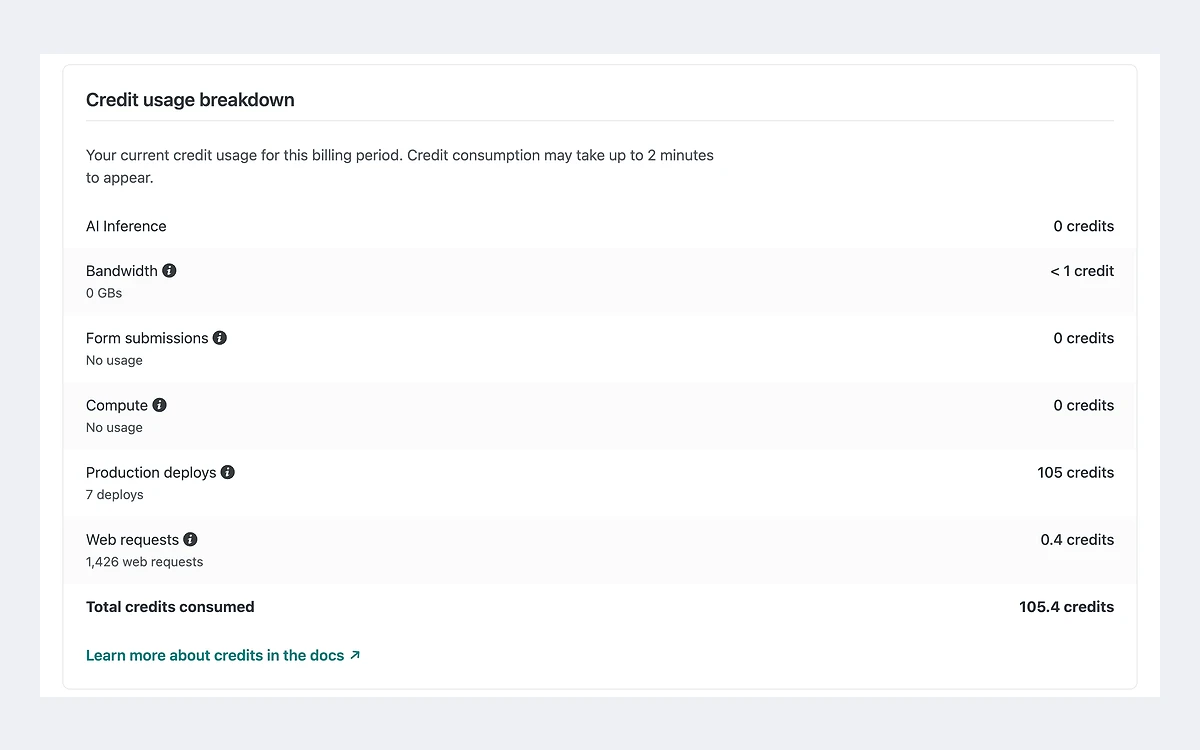
- Production deploys: 15 credits each. Deploy previews, branch deploys, failed deploys and rollbacks cost nothing.
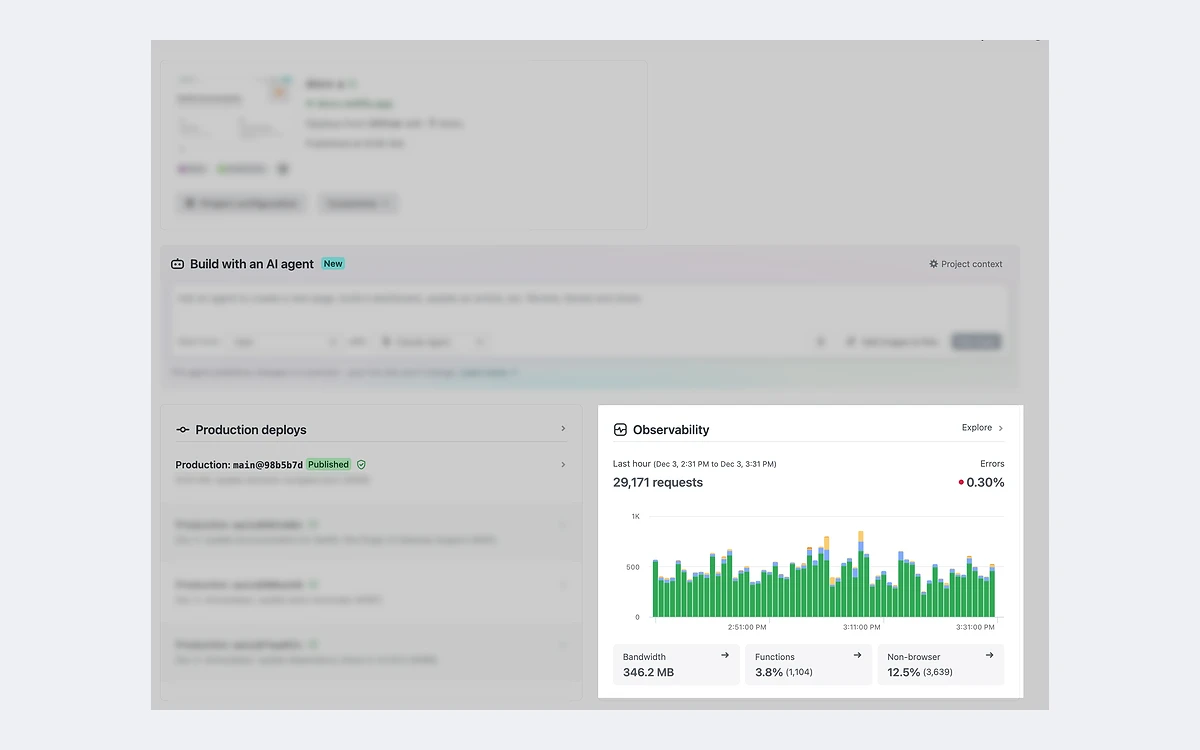
- Bandwidth: 20 credits per GB. This covers assets and web content, Image CDN usage, file downloads and function responses.
- Web requests: 2 credits per 10,000 requests, counting page views, function requests, asset requests, redirects and Edge Functions.
- Compute: 10 credits per GB-hour, covering serverless, scheduled and background functions, preview servers, Agent Runners and Netlify Database compute.
- AI inference (Agent Runners, AI Gateway): 180 credits per $1 of inference.
- Form submissions: unlimited and free.
Build minutes are no longer a separate metric on credit plans. You pay per production deploy instead, no matter how long the build runs.
Worked examples
The figures below are our own arithmetic from the published rates, assuming the whole allowance goes to one meter.
- Free, 300 credits: about 15 GB of bandwidth, or 20 production deploys, or 1.5 million web requests, or 30 GB-hours of compute.
- Personal, 1,000 credits: about 50 GB of bandwidth, or 66 production deploys, or 5 million web requests.
- Pro, 3,000 credits: about 150 GB of bandwidth, or 200 production deploys, or 15 million web requests, or 300 GB-hours of compute.
Real sites mix all of these. A Pro project with 40 production deploys (600 credits), 80 GB of bandwidth (1,600 credits), 3 million web requests (600 credits) and 20 GB-hours of function compute (200 credits) uses exactly 3,000 credits. Bandwidth is the line that dominates for most sites, so compress images and cache aggressively before you upgrade.
Why older Netlify reviews quote the wrong numbers
Netlify has changed its pricing four times in about 13 months. If a guide you are reading quotes any of the earlier figures, it is out of date.
- September 4, 2025: credit-based plans launch. Pro is $20 per month with 5,000 credits.
- October 1, 2025: Pro drops from 5,000 to 3,000 monthly credits; add-on credit rates change.
- April 14, 2026: seats become free on Pro, form submissions become free (previously 1 credit each), bandwidth doubles from 10 to 20 credits per GB, compute doubles from 5 to 10 credits per GB-hour, and web requests fall from 3 to 2 credits per 10,000.
- July 14, 2026: Pro gains 3,000 to 20,000 credit tiers, with rollover on tiers of 5,000 and above.
The net effect: teams pay less, but traffic and compute cost twice what they did at launch. A small team running a modest site is better off today; a solo developer with a high-traffic site is worse off.
What happens when credits run out
This is the part of Netlify's pricing to understand before you rely on it. Netlify's pricing page states that when a site reaches its monthly usage limits it enters a paused state until the start of the next billing cycle, and that if one project exceeds its limits, all projects on your account will be paused.
- Visitors to a paused project see a Site not available page.
- All deploys pause, including Deploy Previews and branch deploys, and new production deploys cannot be triggered.
- On the Free plan the only options are to upgrade or wait for the next cycle. Free cannot buy extra credits.
- Netlify sends email and in-app alerts starting at 50% usage; the pricing page lists 50%, 75% and 100%, and the billing FAQ adds a 90% alert.
One busy project can take down the rest
If you host several hobby projects on one Free account, a traffic spike on any of them pauses all of them. Keep anything that must stay online on a paid plan, or on a separate account.
Buying more credits
Paid plans get extra credits only through auto recharge, which is off by default and can only be enabled by a Team Owner. Personal recharges at $5 per 500 credits and Pro at $10 per 1,500 credits. Credit packs at the same prices can also be bought manually. Credits bought through auto recharge or packs do not expire.
At Pro's recharge rate an extra GB of bandwidth works out to roughly $0.13, and on Personal roughly $0.20. That is our arithmetic from the published prices.
Spend control
Netlify's position is simple: the Free plan has hard monthly limits that cannot be exceeded or incur any costs, and on paid plans keeping auto recharge off works as the spend cap. There is a separate AI credit usage limit for Agent Runners. The trade-off is that a cap means downtime: with auto recharge off, hitting the limit pauses your sites instead of billing you.
Technical limits that matter
- Synchronous functions: 60 seconds execution limit. Scheduled functions: 30 seconds. Background functions: 15 minutes.
- Function payloads: 6 MB buffered, 20 MB streamed. Default memory 1024 MB, up to 4096 MB on credit-based Pro and Enterprise.
- Edge Functions: 50 ms of CPU time per request, 512 MB memory per set, 20 MB compressed code, 40 second response header timeout.
- Concurrent builds: 1 on Free and Personal, 3 on Pro, with extra builds at $40 each on paid plans.
- Projects: up to 500 per account on Free, Personal and Pro.
- Function logs: 24 hours on Free, 7 days on Personal and Pro, full retention on Enterprise.
- Netlify Database: Free 3 databases and 20 active branches with 7-day backups; Personal 5 and 100 with 7-day backups; Pro 50 and 300 with 30-day backups.
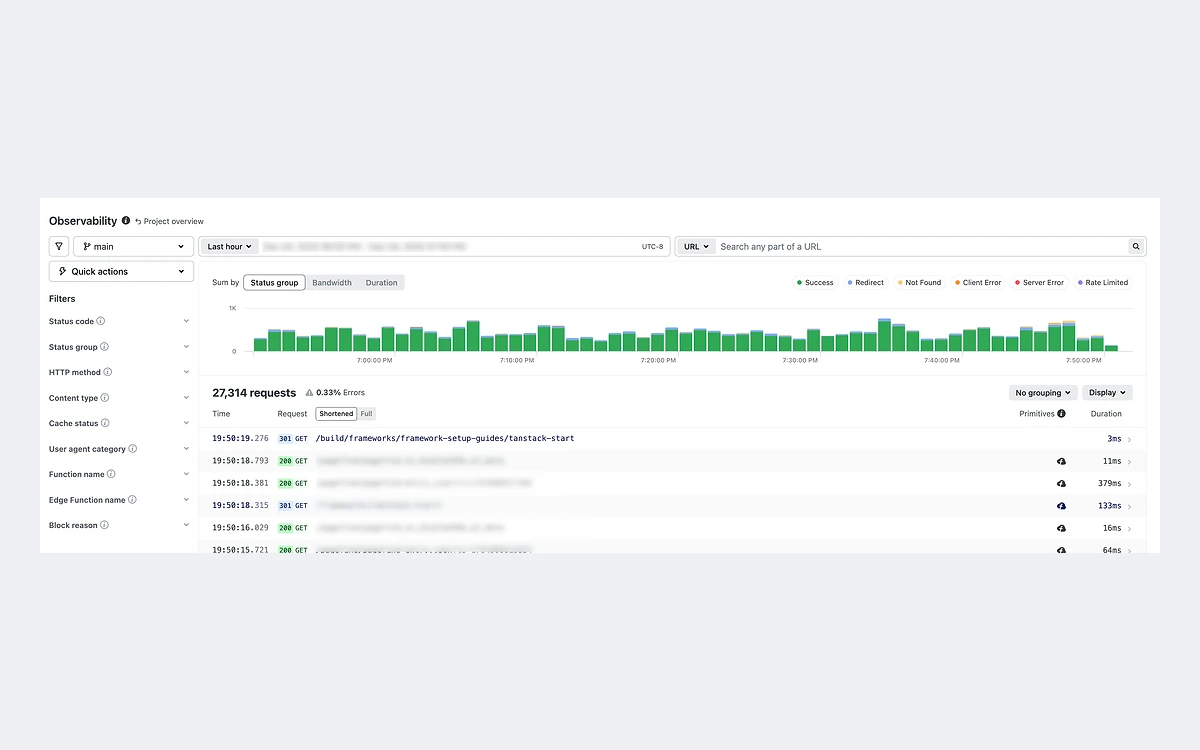
Observability history is the one area where Netlify contradicts itself. The pricing page, the Pro plan card and a December 2025 changelog entry give different retention windows per plan, so check your own dashboard rather than relying on a single number.
Security and access
- Password protection for sites is not available on credit-based Free and Personal plans; Pro includes it.
- SSO and SAML, SCIM, log drains and the 99.99% SLA are Enterprise only.
- The web application firewall is listed as limited on Free, Personal and Pro; rate limiting through code-based rules is available on all plans.
Netlify's self-serve subscription agreement also says the Free tier runs on a common build environment with no service level commitments, and that Netlify may shut down Free projects without notice. That document is dated 2020, but it is the one linked from the pricing page.
Legacy plans: should you switch?
If you created a Netlify account on a Free, Starter or Pro plan before September 4, 2025, you are on a legacy plan. Netlify says no action is required, and legacy plans keep their old limits: 100 GB of bandwidth and 300 build minutes on Free and Starter, and 1 TB of bandwidth (then $55 per 100 GB) and 25,000 build minutes (then $7 per 500) on legacy Pro, where seats cost $19 per member per month.
- Switching to a credit plan is irreversible.
- An existing Analytics subscription is terminated without refund when you switch.
- Background functions and some newer features are only on credit-based plans, which is the main reason to move.
Our view: a legacy Pro team with several members and moderate traffic will usually save money by switching, because seats are now free. A one-person legacy account serving hundreds of GB a month should stay put, since the same bandwidth on credits would cost far more.
Who Netlify is for
Good fit
- Developers who want Git push to deploy with previews for every pull request.
- Small teams that were priced out by per-seat billing and now get unlimited members on Pro.
- Marketing sites, docs, blogs and framework apps with modest bandwidth.
- Teams experimenting with AI coding agents who want them wired into the same deploy pipeline.
Look elsewhere
- High-bandwidth sites such as media galleries or file downloads, where 20 credits per GB adds up quickly.
- Anything that cannot tolerate a hard pause, unless you enable auto recharge or move to Enterprise.
- Long-running backend workloads that need more than 60 seconds per request or more than 15 minutes in the background.
- Teams that need SSO, SCIM or a contractual SLA without an Enterprise contract.
If you are weighing Netlify against Vercel, read our Vercel review alongside this one: both now meter usage, but they draw the line between included and paid usage differently.
Frequently asked questions
How much does Netlify cost in 2026?
Free is $0 with 300 credits, Personal is $9 per month with 1,000 credits, and Pro starts at $20 per month with 3,000 credits and unlimited members. Pro tiers go up to $126 per month for 20,000 credits, and Enterprise is priced on request.
What happens if I run out of credits on the Free plan?
Every project on the account is paused until the next billing cycle. Visitors see a Site not available page and deploys stop. Free cannot buy extra credits, so the only options are upgrading or waiting.
Do unused Netlify credits roll over?
Only on Pro tiers with 5,000 or more monthly credits, and rolled-over credits expire at the end of the next cycle. Credits bought through auto recharge or credit packs do not expire.
Does Netlify charge per team member?
No, not on credit-based Pro. Since April 14, 2026, Pro has charged for no seats. Free and Personal allow only one member, and legacy Pro still bills $19 per member.
Can I get a refund from Netlify?
Generally no. The subscription agreement says fees are non-cancelable and non-refundable, and the terms of use say credits have no cash value and are forfeited if the account is closed. The documented exception is a prorated refund of the previous plan when you upgrade between Pro tiers. Downgrades take effect at renewal.
Do build minutes still count on Netlify?
Not as a separate metric on credit plans. Each production deploy costs 15 credits regardless of build length, while deploy previews, branch deploys, failed deploys and rollbacks are free.
Does Netlify support Next.js?
Yes. Next.js 13.5 and later runs with zero configuration through the open-source OpenNext adapter, with all major features supported. Versions 10 to 13.4 run on a legacy runtime that only gets maintenance fixes.
Should I move my legacy Netlify plan to credits?
Only after you check your bandwidth. The switch cannot be undone and cancels any Analytics subscription without refund. Teams with several members usually save money; solo accounts with heavy traffic usually pay more.
How can I pay for Netlify?
Self-serve plans accept credit cards, Apple Pay and Google Pay. ACH and wire transfer are reserved for Enterprise.
Key takeaways
- Netlify Pro costs $20 per month for 3,000 credits with unlimited members; tiers run up to 20,000 credits for $126.
- Bandwidth costs 20 credits per GB and compute 10 credits per GB-hour since April 14, 2026, double the launch rates.
- On the Free plan, one project over its limit pauses every project on the account until the next cycle.
- Auto recharge is off by default; leaving it off caps spend but means sites pause when credits run out.
- Deploy previews, branch deploys, failed deploys, rollbacks and form submissions cost no credits.
- Legacy accounts keep their old limits; switching to credits is irreversible, so check bandwidth first.
More in Cloud Computing
Browse Cloud Computing