Pagely Review 2026: Dedicated AWS WordPress Hosting, Pricing and Fine Print
Pagely review: GoDaddy-owned managed WordPress hosting on dedicated AWS servers from $99/mo. We cover plans, the 99.99% SLA's fine print, contract terms and where its own pages disagree.

Pagely is one of the oldest names in managed WordPress hosting, and one of the few that gives every customer a dedicated AWS server. Plans start at $99/month for five sites and go up to $3,600/month for a high-availability setup. Since 2021 the company has been owned by GoDaddy.
This review covers what Pagely's plans actually include, the costs that are not on the pricing page, the uptime SLA and its AWS exclusion, and the contract terms that set Pagely apart from self-serve hosts. It also flags several places where Pagely's pricing page and help centre contradict each other. Prices and policies were checked against Pagely's own pages on September 25, 2026.
Pagely at a glance
Pagely sells managed WordPress hosting in which every plan, including the $99/month entry tier, runs on a dedicated AWS EC2 server. Nothing is shared with other customers. That single design choice explains most of what follows: the high starting price, the AWS-only data centre list, and an SLA that has to carve out AWS outages.
- Price: $99/month (StartPress, 5 sites) up to $2,500/month (ScalePress), and $3,600/month for ScalePress in its High Availability configuration.
- Infrastructure: a dedicated AWS EC2 server on every plan, with NGINX-based PressCACHE, Redis and a built-in CDN (PressCDN).
- Backups: nightly to S3 with 14-day retention. They do not count against your disk allowance.
- Support: 24/7 by ticket and live chat. There is no phone line, and a Slack channel costs extra.
- SLA: 99.99% on the standard plans, 100% with the paid Enhanced SLA. AWS outages are excluded.
- Contract: terms auto-renew, cancellation needs 30 days' written notice, and there is no free trial.
Verdict
Pagely is a good fit for agencies and businesses that want isolated AWS resources with hands-on managed support, and are happy to sign an order form. It is a poor fit if you want month-to-month flexibility, self-serve cancellation or a low-cost way to host one site. Its own pages also disagree on several numbers, so get every limit confirmed in writing before you sign.
Who owns Pagely now
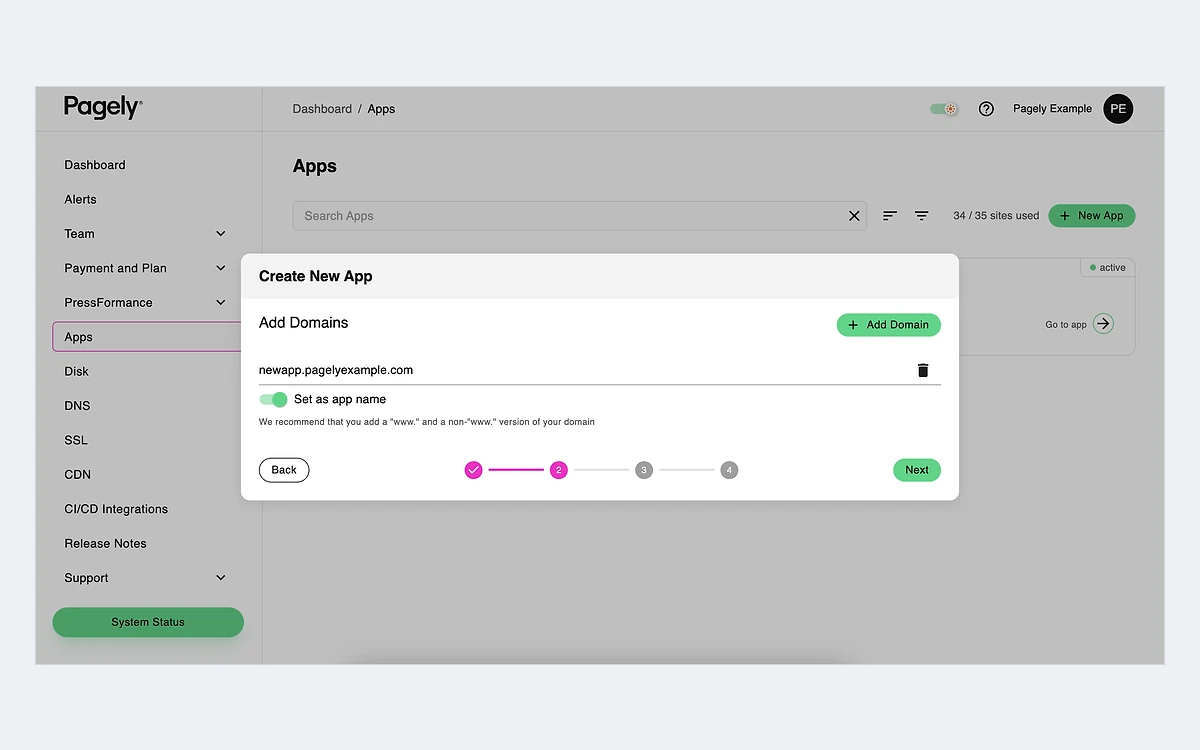
On November 11, 2021, GoDaddy announced a definitive agreement to acquire Pagely. The terms were not disclosed. Coverage at the time reported that Pagely would be absorbed into GoDaddy but remain a separate entity, and that is still how it looks from the outside: pagely.com has its own brand, its own dashboard (called Atomic) and its own help centre.
What it does not show is much sign of recent change. The site footer still reads "Copyright 2009-2024 Pagely", and we found no new plans, price changes or product launches in 2025 or 2026. A Wayback Machine capture of the pricing page from January 8, 2025 shows the same six plans at the same prices as the live page in September 2026. Several help-centre articles that buyers will rely on, including the banned-plugin list (2022) and the ARES gateway overview (2020), have not been updated in years.
None of that means the service is worse. Stable pricing is arguably a plus. But when a host's documentation is this uneven, the order form is the only document that counts, and you should ask sales directly about anything you need.
Pagely pricing and plans
Pagely publishes its prices, which is less common than it used to be at this end of the market. The pricing page splits them across two tabs: Pro plans for smaller portfolios and Performance plans with fixed vCPU and RAM allocations. All prices are in US dollars per month. No separate annual price or annual discount is shown.
Pro plans
- StartPress: $99/month (list price of $199 shown struck through). 5 WordPress sites, 30 GB SSD, 50 GB bandwidth, 150 GB PressCDN, one-day setup, ticket and chat support.
- DevPress: $199/month (list $299 struck through). 10 sites, 50 GB SSD, 100 GB bandwidth, 350 GB PressCDN.
- LitePress: $299/month (list $375 struck through). 15 sites, 50 GB SSD, 150 GB bandwidth, 500 GB PressCDN.
The Pro comparison table also lists WordPress Multisite support.
Performance plans
- ProPress: $499/month, or $1,249/month in the High Availability configuration. 35 sites, 2 vCPU, 4 GB RAM, 50 GB SSD, 200 GB bandwidth, 1 TB PressCDN.
- PowerPress: $999/month, or $2,249/month with High Availability. 60 sites, 4 vCPU, 8 GB RAM, 50 GB SSD, 300 GB bandwidth, 2 TB PressCDN.
- ScalePress: $2,500/month, or $3,600/month with High Availability. Sites, CPU, RAM, storage and bandwidth are all custom.
Performance plans add "No Cap on PHP Workers", decoupled database resources, a private database instance (MySQL, MariaDB or Aurora) and managed DevOps support. RAM cannot be bought on its own. Pagely's help centre says a plan upgrade is required instead.
The pricing page contradicts itself
The Pro plan cards list bandwidth as 50, 100 and 150 GB, but the comparison table further down the same page says 20, 50 and 100 GB. DevPress disk is 50 GB on its card and 30 GB in the table. We could not tell which figures are current. Ask for the numbers in your order form.
Costs that are not on the pricing page
- Tier 2 AWS regions (anything outside Virginia, Ohio and Oregon) cost an extra $50 to $275 per month, depending on the plan.
- The terms of service mention setup fees and non-recurring charges such as additional bandwidth, "as specified in the Order Form". Overage rates and setup fee amounts are not published.
Infrastructure and performance
Pagely describes itself as an Amazon Advanced Technology Partner "backed exclusively" by AWS. Its help centre states that "All Pagely plans equip you with a dedicated AWS EC2 server with resources exclusive to only your WordPress sites." That is the main difference from container-based hosts. Another customer's traffic spike cannot use your CPU, but your sites share one server with each other, so one heavy site can still slow the rest of your account.
Pagely does not publish which EC2 instance types back the Pro plans. Performance plans at least state vCPU and RAM.
Regions
There are 14 AWS regions. Tier 1, at no extra cost, covers US East (Virginia, the default), US East (Ohio) and US West (Oregon). Tier 2 covers US West (N. California), Canada (Central), EU (Ireland, Frankfurt, London, Paris), Asia Pacific (Singapore, Tokyo, Sydney) and South America (Sao Paulo). European or Asian hosting therefore adds a surcharge on every plan.
Caching and the stack
- PressCACHE: page caching built on NGINX. Pagely discourages WordPress cache plugins.
- Redis object cache, HTTP/2 and PHP 8.x on all plans.
- PressCDN, a global CDN with a separate transfer allowance per plan, plus PressDNS.
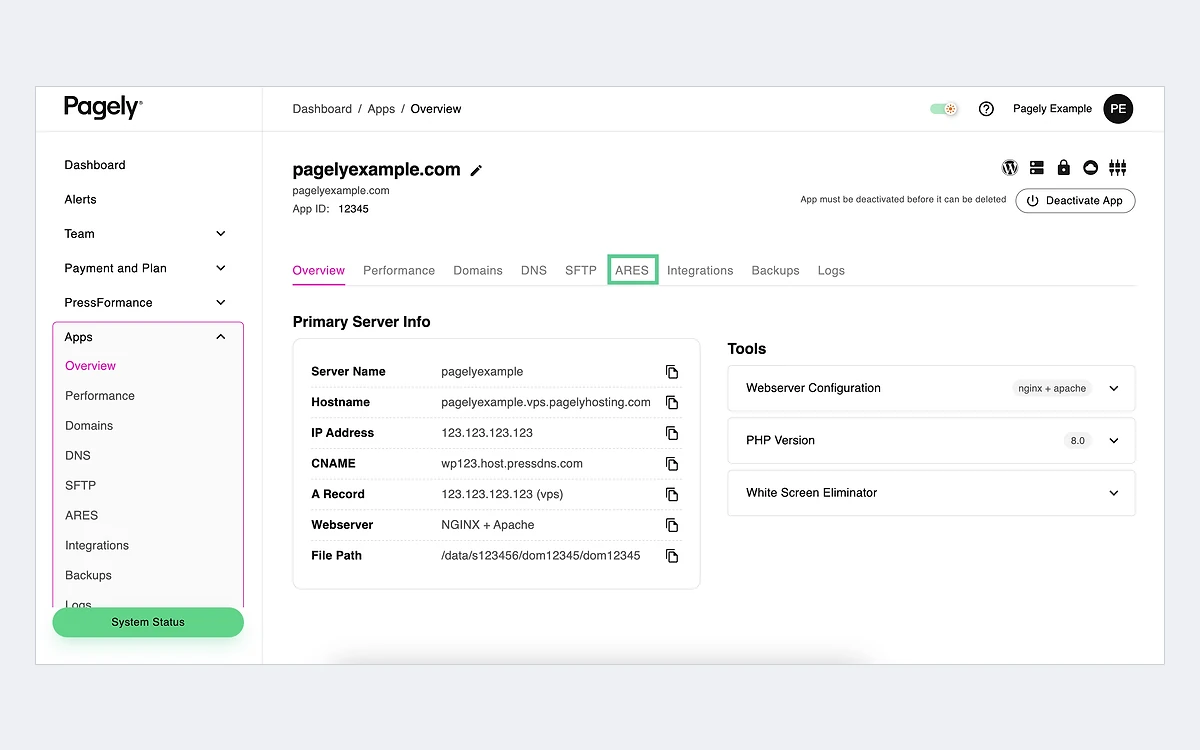
- ARES, Pagely's web application gateway, which handles SSL certificate deployment and routing rules.
- Staging with sync, Git and SVN deployment, WP-CLI, SSH and direct database access.
- A paid PHP Long-Term Support add-on for PHP 7.4 or newer, for sites that cannot upgrade PHP on schedule. The help article was updated in August 2026, the most recent we found.
Every server has Node.js installed from the Ubuntu repository for build tasks such as minification. Pagely does not present it as a platform for running a separate Node application, so plan on WordPress only.
Security, backups and compliance
Security is layered, and most of it is included in the price:
- A network firewall that "blocks all but required traffic (HTTP/HTTPS and SSH)", plus Pagely's own web application firewall.
- PressARMOR, which provides chroot user separation and real-time malware scanning.
- DDoS protection through AWS Shield Standard, with rate limiting at the NGINX layer.
- Managed WordPress core and plugin updates.
Backups
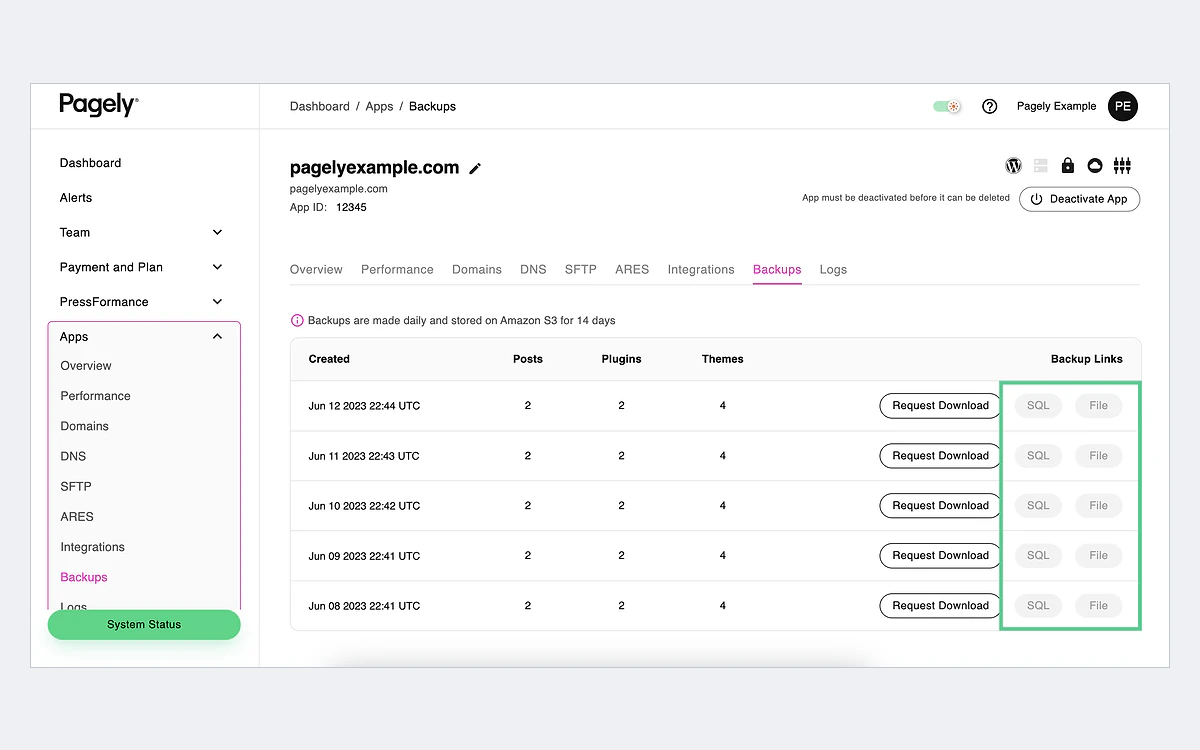
Backups run nightly, are stored in Pagely's AWS account and are kept for 14 days. They do not count against your plan's disk space. You can also send a second nightly copy to an S3 bucket you own, which is a good way to keep an off-platform copy without adding a backup plugin.
In fact, you are not allowed to add most backup plugins. UpdraftPlus, BackWPup and BackupBuddy are on Pagely's banned list because they "conflict with our own robust nightly backups". The list also bans WP Statistics, WP-Slimstat, WP-Optimize, Broken Link Checker and Hyper Cache. It was last updated in 2022, so check the current list before you migrate a site that depends on any of them.
Compliance
Pagely states that it is SOC 2 Type 2 compliant. We found no PCI DSS compliance claim, so do not assume you can handle card data directly on the server.
HIPAA: assume no
One Pagely help article says its services "are not offered with the intent of providing a HIPAA compliant environment and therefore should not be used as one." A later article lists HIPAA among the laws Pagely is "willing to consult with customers to meet". Treat Pagely as not HIPAA compliant unless sales signs a business associate agreement.
Support and the uptime SLA
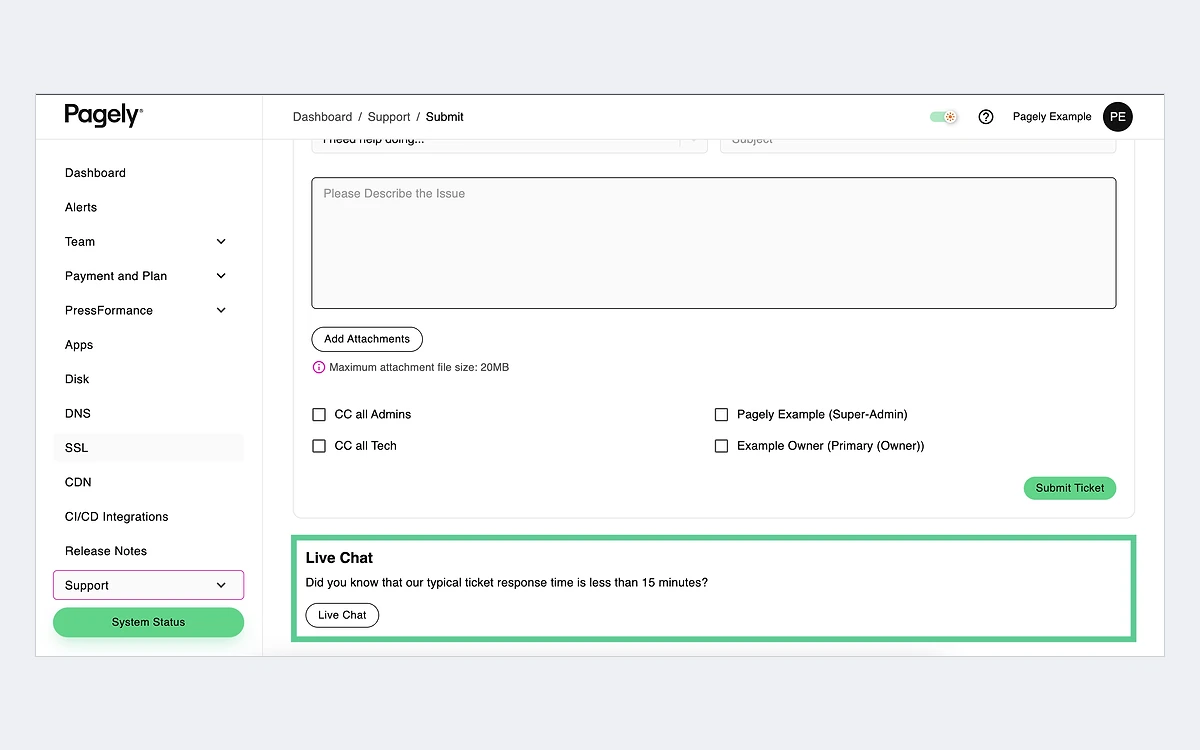
Support is 24/7 but text only: tickets, live chat, or a Slack channel for an extra fee. There is no phone support. Pagely says staff are most active from 9:00 AM to 8:00 PM MST, Monday to Friday, and that during those hours you are "almost guaranteed" a response within one hour. It makes no response-time promise outside those hours unless you pay for the Enhanced SLA.
Standard SLA: 99.99%
Service credits are 5% of the monthly fee for 5 to 60 minutes of downtime, 8% for 60 to 90 minutes, 12% for 90 to 120 minutes and 20% for 120 to 180 minutes. After that, credits rise by 20% for each additional 3 hours, up to 100%.
Two conditions matter. Claims must be filed in writing within 7 days of the incident. And the SLA excludes outages at "the underlying IaaS provider", which for Pagely means AWS. On a host that runs only on AWS, a regional AWS outage is exactly the kind of downtime you are most likely to see, and it earns no credit.
Enhanced SLA: 100%
The paid Enhanced SLA promises 100% availability, with credits starting at 5% for 1 to 30 minutes of downtime and reaching 20% at 90 to 120 minutes. It adds response targets of 15 minutes for Urgent tickets and 1 hour for High, with Normal and Low handled in business hours. Missing those targets earns a 15% credit after 3 breaches and 10% for each breach after that. The price is not published.
Contracts, refunds, cancellation and migrations
This is the part of Pagely that most differs from self-serve hosts, and it is worth reading before you talk to sales.
- No free trial. Pagely's help centre says so directly.
- Orders auto-renew for a period equal to the initial term.
- Either side can end the agreement without cause with 30 days' written notice. Cancellation is not available in the dashboard.
- The terms of service state that "all payment obligations are non-cancelable."
- Refunds: on monthly terms, a full refund only if you cancel before the first monthly billing cycle. On quarterly or annual terms, a full refund within 30 days of signup. Anything else is at Pagely's sole discretion.
In practice this means that on a monthly plan you should send notice at least 30 days before you want to leave, or you will pay for another month.
Migrations
Pagely's current help articles (November 2024) say that dedicated VPS plans include three free white-glove WordPress migrations, with extra sites at $100 each. Moves within Pagely are free. An older article from June 2024 says two, so confirm the number on your order form.
Pagely vs other managed WordPress hosts
Pagely's $99 entry price puts it well above most of the managed WordPress hosts we have reviewed. What the price buys is a dedicated server rather than an isolated container on shared infrastructure, plus a sales-led contract.
- WP Engine: our WP Engine review found build-your-own pricing from $28/month, with tiered support and a larger agency ecosystem. It is cheaper to start, but you do not get a dedicated server on the entry plans.
- Kinsta: runs on Google Cloud rather than AWS and offers self-serve plans, which makes it easier to start small and cancel. See our Kinsta review for its overage rules.
- Pressable: Automattic's install-based host on WP Cloud. It is simpler and cheaper for small portfolios, as our Pressable review explains.
- Flywheel, Rocket.net, Raidboxes and Servebolt: all covered in our separate reviews. They are self-serve alternatives with lower entry prices, each with its own infrastructure approach.
- Cloudways: lets you run your own cloud server (including on AWS) with a management layer on top. It costs far less, but you get much less WordPress-specific hands-on help.
Pagely becomes easier to justify at the Performance tier, where fixed vCPU and RAM, uncapped PHP workers, a private database instance and an optional High Availability configuration are the real selling points. At the StartPress tier, the case rests mostly on isolation and on the AWS partnership.
Who should choose Pagely
Choose Pagely if you run business-critical WordPress sites, want your own AWS server without managing it yourself, and are comfortable with a contract, written notice periods and text-only support. It suits agencies with a portfolio of client sites and publishers that have outgrown shared containers.
Skip it if you need a free trial, phone support, HIPAA or PCI compliance, month-to-month flexibility or self-serve cancellation, or if you host one small site.
Questions to ask Pagely sales
Which bandwidth and disk figures apply to my plan, the card or the table? What are the overage rates and setup fees? How much do Slack, the Enhanced SLA and PHP LTS cost? How many free migrations are included? Which EC2 instance type will I get? Put every answer in the order form.
Frequently asked questions
How much does Pagely cost?
Pagely starts at $99/month for StartPress (5 sites) and goes up to $2,500/month for ScalePress. High Availability versions of the Performance plans cost $1,249, $2,249 and $3,600 per month. Tier 2 regions add $50 to $275 per month, and some add-ons have unpublished prices.
Does Pagely offer a free trial or money-back guarantee?
There is no free trial. Monthly customers get a full refund only if they cancel before the first monthly billing cycle. Quarterly and annual customers get a full refund within 30 days of signup. After that, refunds are at Pagely's discretion.
How do I cancel Pagely?
You cancel by giving 30 days' written notice. Pagely does not allow cancellation through the dashboard, and terms auto-renew, so send notice well before your renewal date.
Is Pagely owned by GoDaddy?
Yes. GoDaddy announced an agreement to acquire Pagely on November 11, 2021, without disclosing the terms. Pagely still runs under its own brand, dashboard and support.
Does Pagely have phone support?
No. Support is 24/7 by ticket and live chat, and a Slack channel is available for an extra fee. Staff are most active from 9 AM to 8 PM MST on weekdays.
Is Pagely HIPAA or PCI compliant?
Do not assume either. Pagely claims SOC 2 Type 2 compliance. One help article says its service should not be used as a HIPAA environment, and we found no PCI compliance claim.
Can I use my own backup or caching plugin on Pagely?
Usually not. Backup plugins such as UpdraftPlus, BackWPup and BackupBuddy are banned, and cache plugins are discouraged. Pagely provides nightly S3 backups with 14-day retention and NGINX-based caching instead.
Does the uptime SLA cover AWS outages?
No. The standard 99.99% SLA excludes outages at the underlying infrastructure provider, which is AWS. Credit claims must also be filed in writing within 7 days.
Key takeaways
- Every Pagely plan runs on a dedicated AWS EC2 server. Prices run from $99/month (5 sites) to $2,500/month, or $3,600/month with High Availability.
- The pricing page contradicts itself on Pro bandwidth and DevPress disk, and overage, setup and add-on prices are not published. Get the figures in the order form.
- The 99.99% SLA excludes AWS outages, and claims must be filed in writing within 7 days.
- There is no free trial and no phone support. Terms auto-renew and cancellation needs 30 days' written notice.
- Backups are nightly to S3 with 14-day retention, but most backup plugins are banned. SOC 2 Type 2 is claimed, HIPAA and PCI are not.
- Pagely makes most sense at the Performance tier, for agencies and businesses that want isolated AWS resources and accept a sales-led contract.
More in Cloud Computing
Browse Cloud Computing