
Technology reviews & practical guides
Photoroom review for 2026: what Pro, Max and Ultra really include, how AI credits and monthly export caps work, API pricing, the free plan's non-commercial licence, refunds and AI training.
Photoroom is the Paris-based AI photo editor that most online sellers meet the first time they need a product on a clean white background. The cutout itself is still the headline feature, and on paid plans it costs no AI credits. Almost everything around it, though, now runs on two meters: a monthly pot of AI credits and a hard cap on exports.
We went through the pricing page (last modified September 23, 2026), the help centre, the API pricing page, the privacy policy and the App Store listing to work out what each tier actually buys, where the limits bite, and why billing is the part of Photoroom that generates most of the complaints. All prices are the US figures in USD, and Photoroom notes that credit amounts can vary by country or region.
If your job is turning phone photos of products into marketplace-ready listings, Photoroom is still one of the fastest ways to do it. Background removal, retouch, AI shadows, resize and the image enhancer are included on every paid plan without spending credits, within fair-use limits. Pro at $89.99 a year works out to $7.50 a month, which is cheap for a seller who exports a few hundred images a month.
The catches are in the metering and the billing. Paid plans now carry monthly export caps (1,000 on Pro), AI credits expire every cycle with no carryover, the free plan is for personal non-commercial use only, and subscriptions bought in the iPhone or Android app can only be cancelled and refunded through Apple or Google. None of that is hidden, but it is spread across a dozen help articles, and the help centre contradicts itself on exports.
Buy Pro if you mainly need clean cutouts and templates for up to 1,000 exports a month. Look at Max only if you need Shopify integration, AI fashion models or video. Subscribe on the web, not in the app, if you want Photoroom itself to handle cancellations and refunds.
Photoroom was founded in Paris by Matthieu Rouif (CEO) and Eliot Andres. The company's own page says it was created in 2020, while tech.eu dates the founding to 2019. It says it is profitable, and it has raised a $19M Series A and a $43M Series B, with backers that include Y Combinator and Yann LeCun. tech.eu reported the company's valuation at around €500m.
One recent change worth knowing about: on September 1, 2026, tech.eu reported that Eliot Andres had stepped down as CTO while staying on the board, and that Javier Sotelo, a former Groupon executive, replaces him as CTO. It is too early to say whether this changes the product roadmap.
Photoroom runs on iPhone, iPad, Android, the web and as a Shopify app. The Mac version is the iPhone and iPad app running on Apple silicon (macOS 15 or later, M1 or newer). There is no Windows desktop app, so Windows users work in the browser. The App Store listing claims more than 300 million users and a 4.8 rating. Photoroom also offers an MCP connector for Claude.
The pricing page lists three self-serve plans plus Enterprise. There is no Free plan card, only a Start for free button. VAT or GST is included in the displayed price.
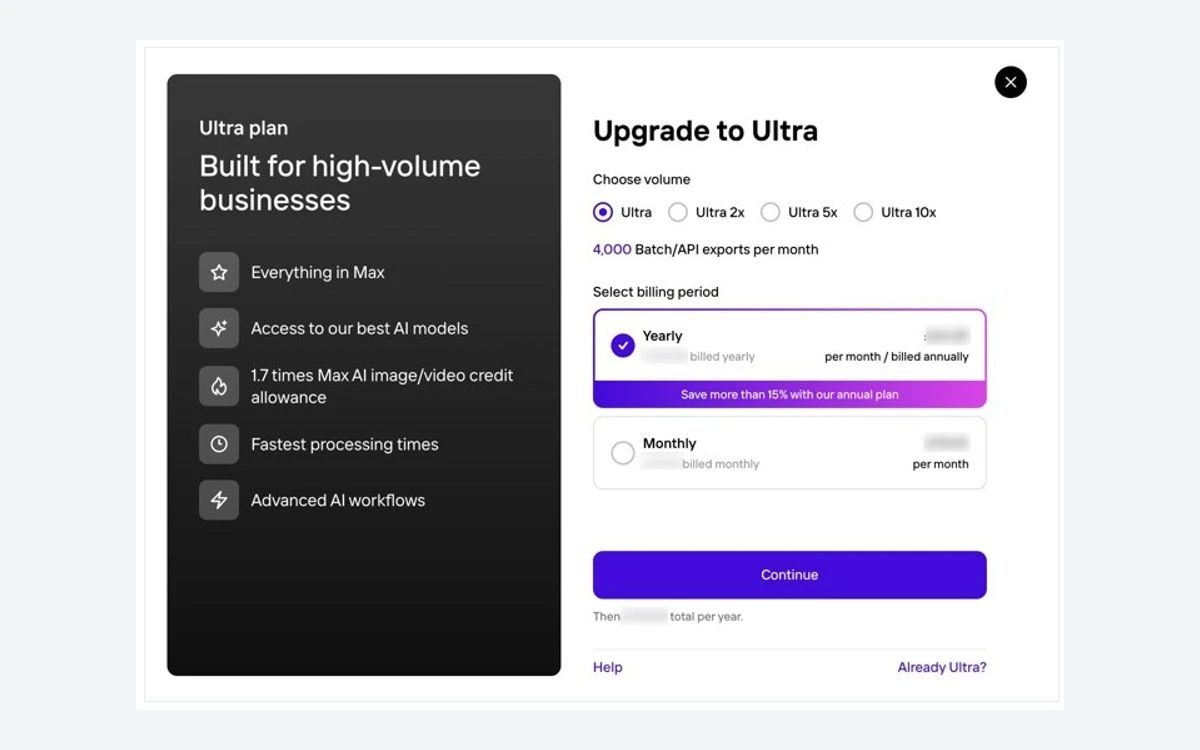
The yearly toggle advertises Save 33%, but the real discount depends on the plan. From the listed prices, yearly Pro is about 42% cheaper than twelve monthly payments and yearly Max about 40% cheaper, while yearly Ultra saves only about 17%.
Those generation caps line up with the credit pots: 25,000 credits for 185 fashion-model images and 75,000 for 555 both imply roughly 135 credits per 2K generation, and the video limits imply roughly 500 credits per video. That is our arithmetic, not a published rate card, but it is a useful way to judge how far a credit pot goes.
Mobile pricing is its own world. The App Store listing shows a long list of in-app purchases, including experimental plans with prices from $5.99 to $249.99 and no labelled billing periods, and Photoroom confirms it sells weekly as well as monthly and yearly subscriptions. There is no lifetime plan.
Photoroom splits its tools into two groups. Core tools, namely Background Remover, Retouch, AI Product Fixer, AI Shadows presets, AI Fill, AI Expand and Resize, and Image Enhancer, are included on every paid plan with no credit cost, within fair-use limits. Credit-based tools are Video Generator, AI Fashion Models, AI Backgrounds Studio, AI Images and Edit with AI.
AI credits expire at the end of each credit cycle with no carryover. On yearly plans the credits still renew monthly, so paying annually does not give you a year's worth up front. Applying white backgrounds, applying a template and background removal do not use credits. If a generation comes out badly you can get the credits back, up to 20 bad-result refunds a day.
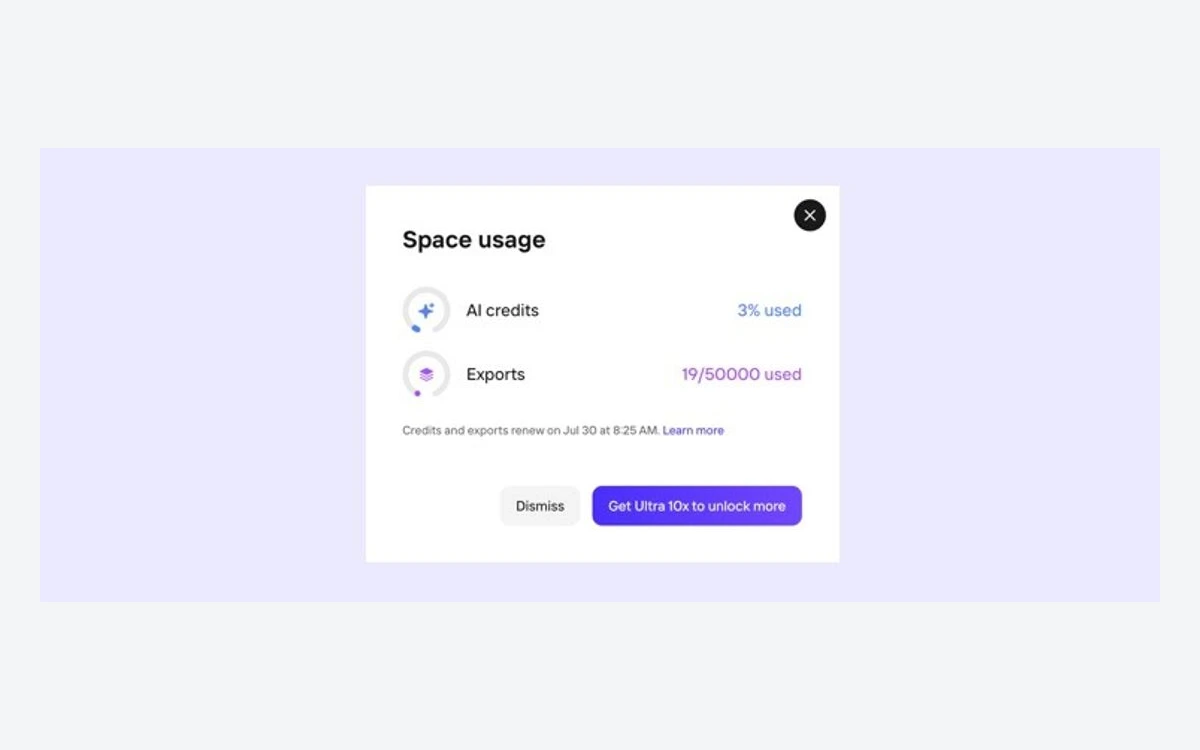
A help article updated in July 2026 sets out export limits for every plan, and the pricing page matches it:
A batch export counts as one export per image, so a 250-image batch uses a quarter of a Pro month. The caps apply to visual assets up to 2K resolution. When you hit the limit, you either upgrade the Space or wait for the reset.
Photoroom's older plans article, last updated May 31, 2026, still says Pro, Max and Ultra can export unlimited images under fair usage. The newer export-limit table and the pricing page both give hard monthly caps. Plan around the caps.
There is a third, quieter limit as well. Since July 2026 the free utilities (Background Remover, AI Expand, Image Enhancer, AI Shadows, Resize and Retouch) have a daily usage limit, which Photoroom says is much lower in a free Space.
The free plan gives you 100 exports a month (25 a week), a low limit on AI generations and a much lower daily limit on the utility tools. Batch Mode, higher AI-generation limits and the API all need a paid plan.
The bigger restriction is the licence. Free accounts get a non-exclusive, non-transferable licence for personal, non-commercial purposes, and Photoroom's plans article says plainly that you cannot use the free plan for commercial use. If the images end up on an Etsy, eBay, Amazon or Shopify listing, you need a paid plan.
Paid plans start with a 7-day free trial of the plan you choose. When the trial ends you are charged unless you have cancelled, on the same platform where you started it.
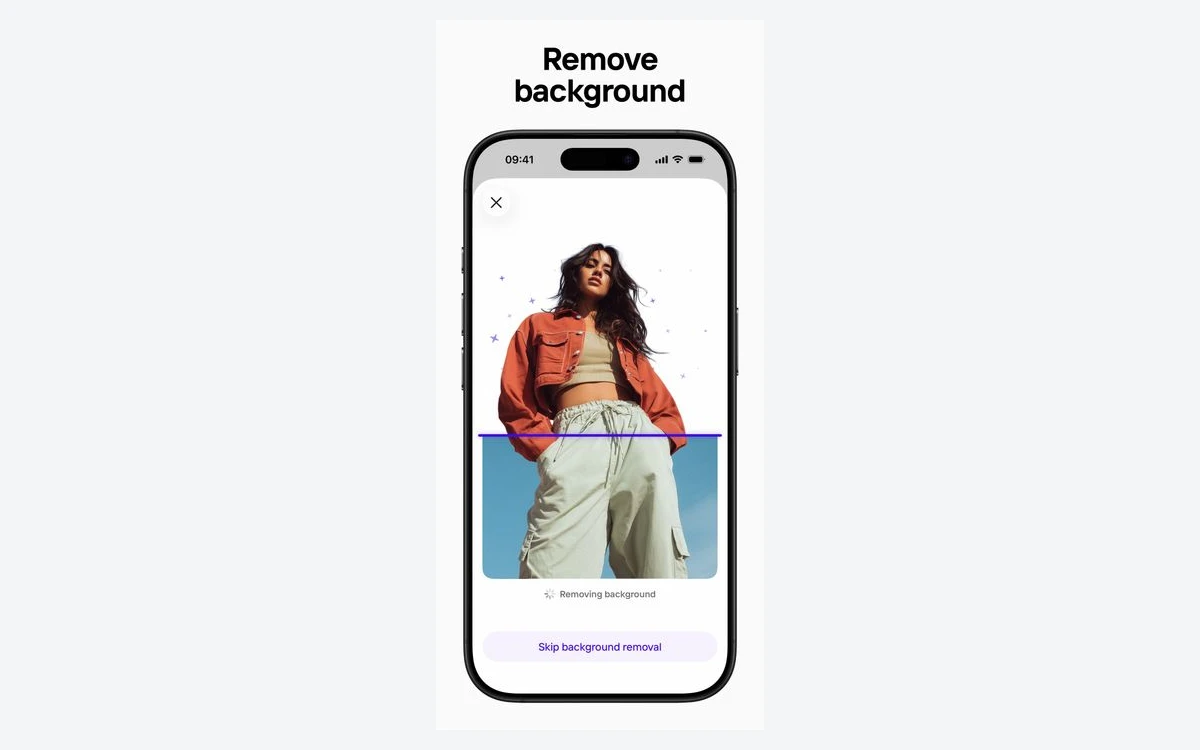
The core workflow is quick: drop in a product photo, the background disappears, then you pick a white or coloured background, a template or an AI-generated scene, add a shadow and resize for each marketplace. Brand Kit and Spaces for teams are on every paid plan, and Pro includes more than 1,000 templates.
Photoroom's first-half 2026 update added AI Product Fixer for creased or imperfect items, AI Ironing for clothes, 4K output across seven tools, a Video Generator with more than 300 e-commerce templates, multi-product AI fashion models, and batch processing with AI tools of up to 250 images at once. The Shopify app now includes a Listing Score, and Photoroom bought GenerateBanners in 2025 to add Visual Ads Automation, which turns product cutouts into ad banners.

Batch is where users report the most friction. Several recent Trustpilot reviewers describe batches above roughly 100 images failing or needing to be restarted, so large catalogues are best split into smaller runs, which also makes it easier to see how many exports you have used.

The API is billed separately from the app, per image, on monthly plans only:
For testing you get 1,000 watermarked sandbox calls a month on the Image Editing API, plus 10 free, unwatermarked production calls on the Remove Background API when you create an account. Unused images do not roll over from month to month, and upgrading mid-cycle moves you straight to the new plan, so you lose any unused images from the old one. API purchases are not refundable.
Photoroom says its API handles more than 3 million images a day and that images sent through the API are not stored or used for training unless you explicitly ask for that.
Photoroom's Trustpilot score is 2.2 out of 5 from 266 reviews, far below its 4.8 on the App Store. The negative reviews rarely attack the cutouts. They are about money: people who say a signup screen moved them into an annual plan without meaning to, businesses unhappy that a large unused credit balance disappears every month, and the batch problems mentioned above. Photoroom's own help centre acknowledges that unexpected charges are often caused by duplicate or forgotten subscriptions, including cancelling and still being charged.
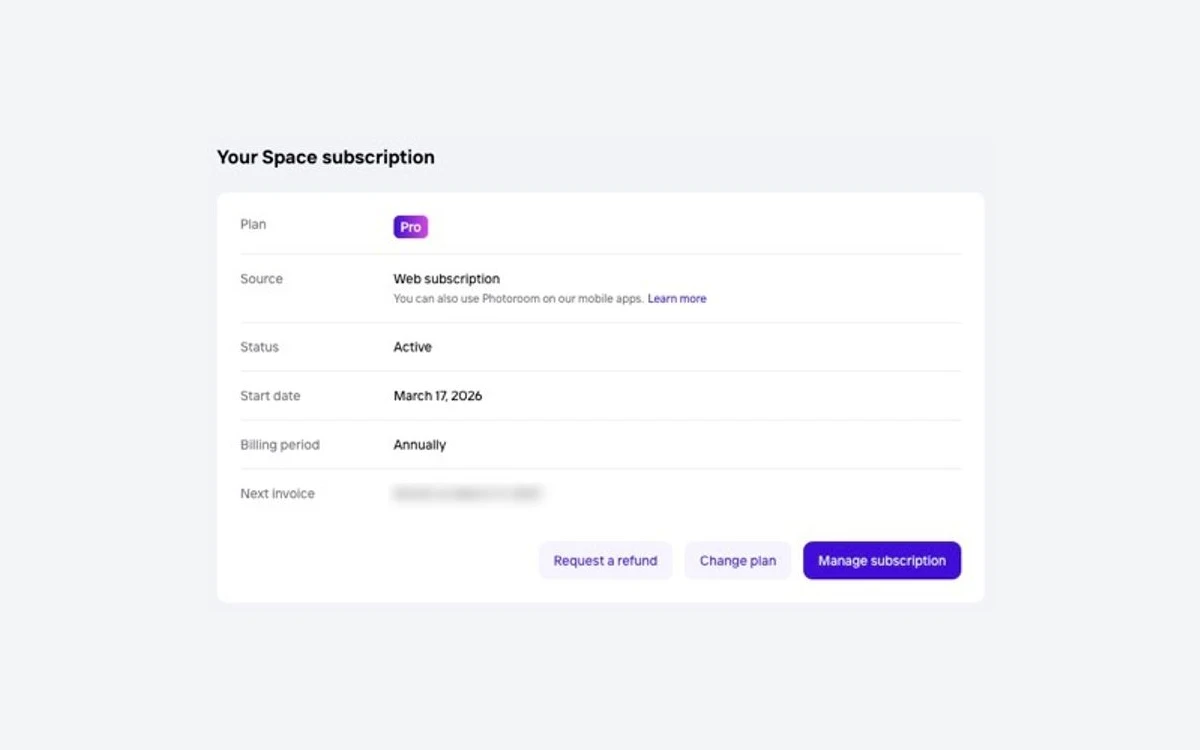
Most of that traces back to how billing is split. On desktop you pay by card through Stripe. In the mobile apps you pay through the Apple App Store or Google Play. The rules that follow from this:
Decide where you want to be billed. Subscribing on the web keeps cancellation and refunds with Photoroom. Set a reminder for day 6 of the free trial, and check your account's subscription details to see which platform an existing plan was bought on.
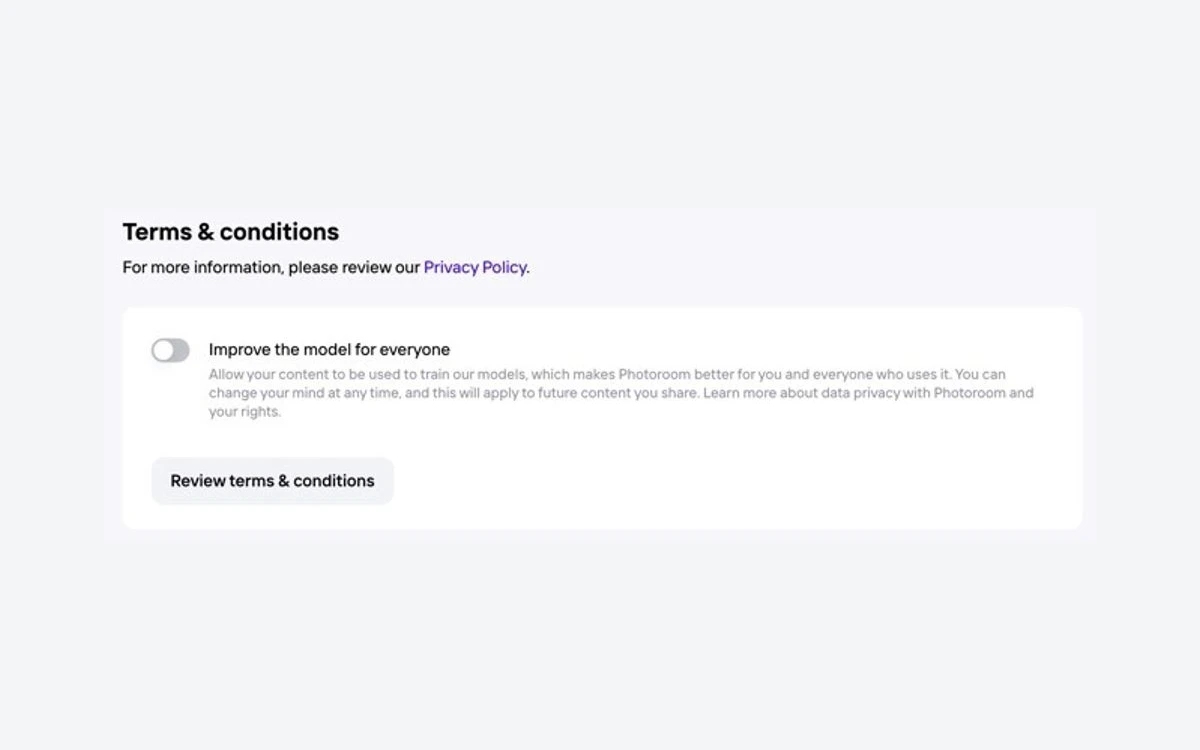
The setting most people will want to change: by default, Photoroom uses your designs to train its AI. You can opt out by turning off Improve model for everyone in the app, and the opt-out applies per user, so each team member needs to do it. Images made through the API are not used for training.
Photoroom says it does not share or sell user-uploaded images to third parties, claims no ownership over the content you upload or create, and does not use prompt data to train its AI, although it keeps prompts, anonymised user IDs and generated images. Some AI-generated images may be shown in the app to other users.
The company is a French company based in Paris and operates under GDPR, with an external data protection officer. Account data is kept until you delete the account, or for up to two years after your last login, and then archived for five years. The pricing page states SOC 2 Type 2 certification and a 99.9% uptime target for Enterprise accounts.
Pro costs $12.99 a month or $89.99 a year, Max $34.99 a month or about $250 a year, and Ultra $99 a month or $990 a year, in USD with tax included. Enterprise is priced on request, and app-store prices can differ from the web.
There is a free plan, but it is limited to 100 exports a month and personal, non-commercial use. Paid plans come with a 7-day free trial that turns into a paid subscription unless you cancel.
No. Free accounts are licensed for personal, non-commercial purposes only, so product photos for a store need a paid plan.
No. Pro allows 1,000 exports a month, Max 3,000 and Ultra 10,000, with each image in a batch counting as one export. An older help article still says unlimited, but the current pricing page and export-limit table both list caps.
No. Credits expire at the end of each cycle, and on yearly plans they still renew monthly. Background removal, white backgrounds and templates do not use credits at all.
Yes, by default, unless you turn off Improve model for everyone. The opt-out is per user, and images processed through the API are not used for training.
Cancel on the platform you subscribed on: the web account for Stripe, or Apple or Google for app purchases. Refund requests must be made within 7 days of the last payment (4 days for weekly plans), are not guaranteed, and Apple purchases are refunded by Apple, not Photoroom.
Background removal costs $0.02 per image and the Image Editing API $0.10 per image, on monthly plans only. Unused images do not roll over, and API purchases cannot be refunded.
More in Artificial Intelligence
Browse Artificial Intelligence