Plus AI Review 2026: Pricing, Credit Limits and the Fine Print
Plus AI (formerly plusdocs.com) review: what the $10-$200 credit-based plans really buy, the card-required trial, no-refund terms, and how it works in Google Slides and PowerPoint.
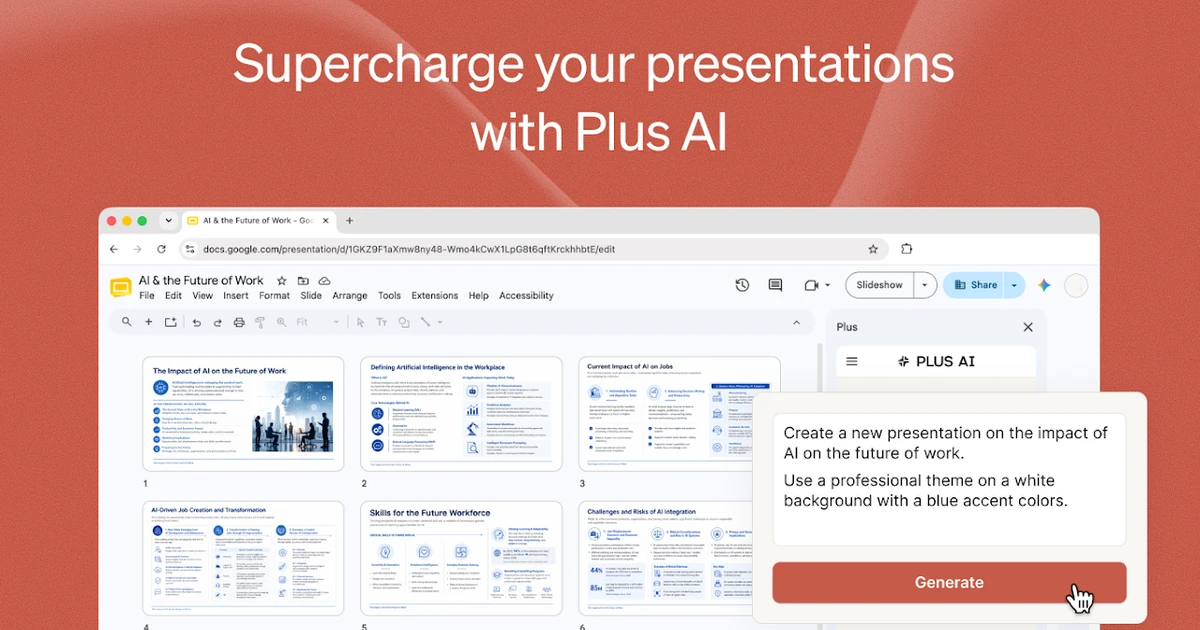
Plus AI is an AI presentation maker that works inside Google Slides and PowerPoint instead of asking you to move your decks into yet another editor. If you queued it up as plusdocs.com, that is the old address: plusdocs.com now redirects to plusai.com, and the company behind it is still Plus Docs, Inc.
The product has changed more than its domain. The 2025 Basic plan promised unlimited AI generation; in 2026 every tier from $10 to $200 per user runs on monthly AI credits, a $200 Max tier sits on top, the 7-day trial needs a card and charges automatically, and the terms call every payment non-refundable. Plus's own help centre still describes parts of the old setup, so this review works from the pricing page and terms as of October 31, 2026 and spells out what each tier really buys.
What Plus AI is - and what happened to plusdocs.com
Plus AI turns a prompt or a document into slides, then helps you edit them. It ships as a Google Slides add-on, a PowerPoint add-in and a web app, plus a Google Docs add-on, a Presentation API and, since October 20, 2026, an MCP connector for AI assistants such as Claude, ChatGPT and Cursor.
The important design choice is that the add-ins produce native Google Slides or PowerPoint slides. There is no proprietary format to export from: once the deck exists it is an ordinary presentation file you can edit by hand, share and export as PDF like any other.
One subscription covers both platforms. In Plus's words: "Your Plus AI subscription includes both Google Slides and PowerPoint." The Google Workspace Marketplace listing (updated October 3, 2026) shows 1M+ installs and an average of 4.6 stars from 905 reviews.
Old name, same company
plusdocs.com, plusai.com and Plus Docs, Inc. are the same product and vendor. Billing is still handled through a Stripe portal at app.plusdocs.com, and the help centre has moved to guide.plusai.com.
Plus AI pricing in 2026: every plan runs on credits
There is no free plan any more. The help centre says plainly: "You need a paid plan to use Plus AI." Prices are per user per month, as listed on plusai.com/pricing on October 31, 2026:
- Basic - $10 billed annually or $15 billed monthly. 1,500 AI credits a month, insert single slides, rewrite and remix slides with AI.
- Pro (marked Most popular) - $20 annually or $25 monthly. 3,000 credits, document uploads (PDF, docx, txt), 100K+ character prompts, AI image generation, the MCP server, the Presentation API and unlimited team members.
- Team - $30 annually or $40 monthly. 6,000 credits, custom branding (logo, colors and fonts), advanced AI image models, saved presets and custom AI instructions, team-wide branding and templates, a shared preset library.
- Max - $200 annually or $240 monthly. Unlimited AI credits and priority email support; the help centre says it "unlocks unlimited use of the Plus AI agent with any model".
- Enterprise - no public price. Adds SSO, user management, white-glove onboarding and specialized designs such as case studies and diagrams. Putting your own company template into Plus also goes through Enterprise.
The headline prices are unchanged from a year ago. A Wayback Machine copy of the pricing page from August 25, 2025 shows the same $10/$15, $20/$25 and $30/$40 figures - but Basic then offered "Unlimited AI generation in Google Slides and PowerPoint", no tier had a credit cap, and Max did not exist. The exact date of the switch to credits is not published.
The help centre lags the pricing page
Parts of guide.plusai.com still say Basic unlocks unlimited AI generation, point to Pro for custom themes and mention an old $10 Slides plan. The pricing page is the current source: Basic is capped at 1,500 credits and custom branding sits on Team.
How far the credits actually go
Plus says "Tasks typically use between 40-170 credits, depending on complexity." A task is a generation or an edit run, so a quick slide rewrite sits near the bottom of that range and a full deck from a long document near the top.
Dividing the monthly allowance by that range gives a rough idea of what each tier buys. These are our estimates from Plus's stated range, not figures Plus publishes:
- Basic, 1,500 credits: roughly 9 to 37 tasks a month.
- Pro, 3,000 credits: roughly 18 to 75 tasks a month.
- Team, 6,000 credits: roughly 35 to 150 tasks a month.
- Max: unlimited.
Two rules make the cap stricter than the numbers suggest. Credits belong to each user and are not pooled across an organization, so a heavy user cannot borrow a light user's allowance. And when you run out, Plus is blunt: "Once your monthly credit limit is reached, you won't be able to use the AI agent." Credits reset on your billing date, not on the first of the month.
In practice Basic suits someone who builds a handful of decks a month and does the rest by hand. Anyone generating from documents or iterating heavily will find Pro the realistic floor, and Max at $200 a seat only makes sense for people who live in the tool all day.
Free trial, cancellation and refunds
Every plan starts with a 7-day trial that includes 1,000 AI credits and both Google Slides and PowerPoint. It is not a no-strings trial: "A credit card is required to start the trial... When your trial ends, your card will be charged automatically and you'll receive your plan's full monthly credits." Only new customers qualify, so accounts that once used the old Plus free plan cannot start a fresh trial.
The pricing page says "Cancel any time", which is true only in the sense that you can stop renewal. The terms state: "Your payment is final and non-refundable or cancellable. If you cancel your Subscription, you will not receive a refund for any portion of the remaining time in your billing period." The help centre repeats that Plus does not issue refunds for subscription payments.
- Set a reminder before day 7 if you are only testing - the charge is automatic.
- Uninstalling the Google add-on or Microsoft add-in does not cancel the subscription. Cancel from the billing portal.
- Downgrading credits your account for the remaining time on the higher plan; cancelling does not.
- An annual plan is a full year paid up front with no refund, so start monthly unless you are sure.
Google Slides, PowerPoint and the web app
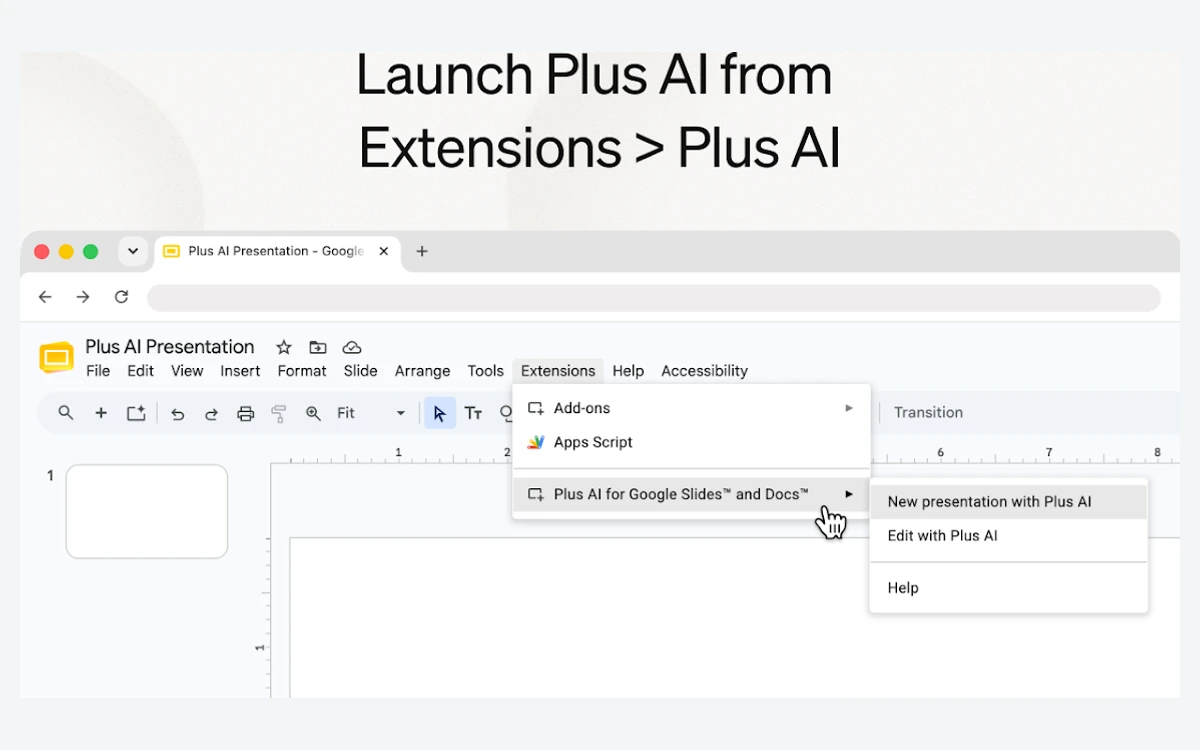
The add-ins are the real product. In Google Slides you open Plus from the Extensions menu and work in a sidebar; in PowerPoint (Windows, Mac and web) it sits on the ribbon. Both produce native slides in the file you already have open.
The web app is thinner. The help centre says "Plus AI editing tools are not available in the web experience" and export is limited to PowerPoint (.pptx). It is useful for starting a deck outside either editor, but you will want to finish it in Slides or PowerPoint.
Feature parity is not complete either. Agent mode - the newer, conversational way of building and revising decks - is "only available in Plus AI for PowerPoint and the AI Agent API". Google Slides users get the classic generator and editing tools, not the agent.
Generating a deck from a prompt or a document
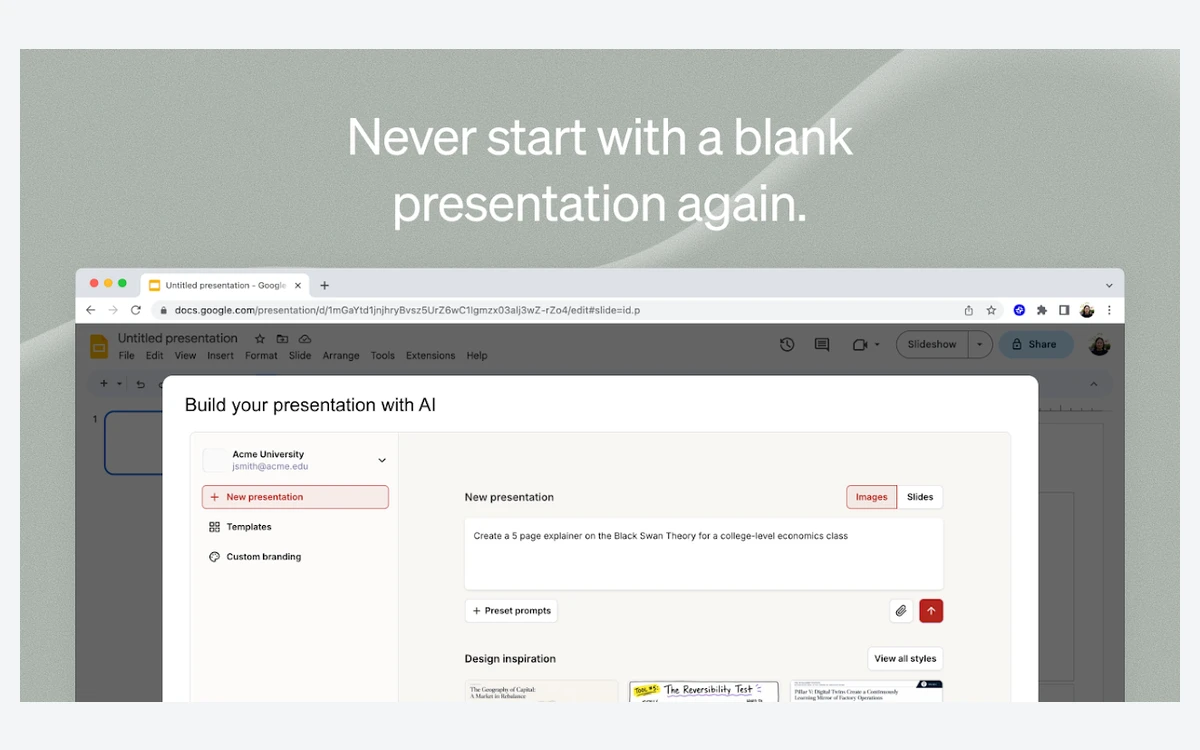
The basic flow is prompt-to-presentation: describe the deck, choose a template, and Plus drafts an outline and then the slides. In Google Slides you can pick between an Images mode and a Slides mode, and Pro raises the prompt limit to more than 100,000 characters, which is enough to paste in a full brief or transcript.
Document-to-deck is where most of the time savings are, and it is gated. Uploading a file requires Pro or above. You can upload .pptx, PDF or Google Slides and either Remix an existing deck into a new design or Generate a new deck from the content, and Pro lets you attach up to 10 reference files to a prompt.
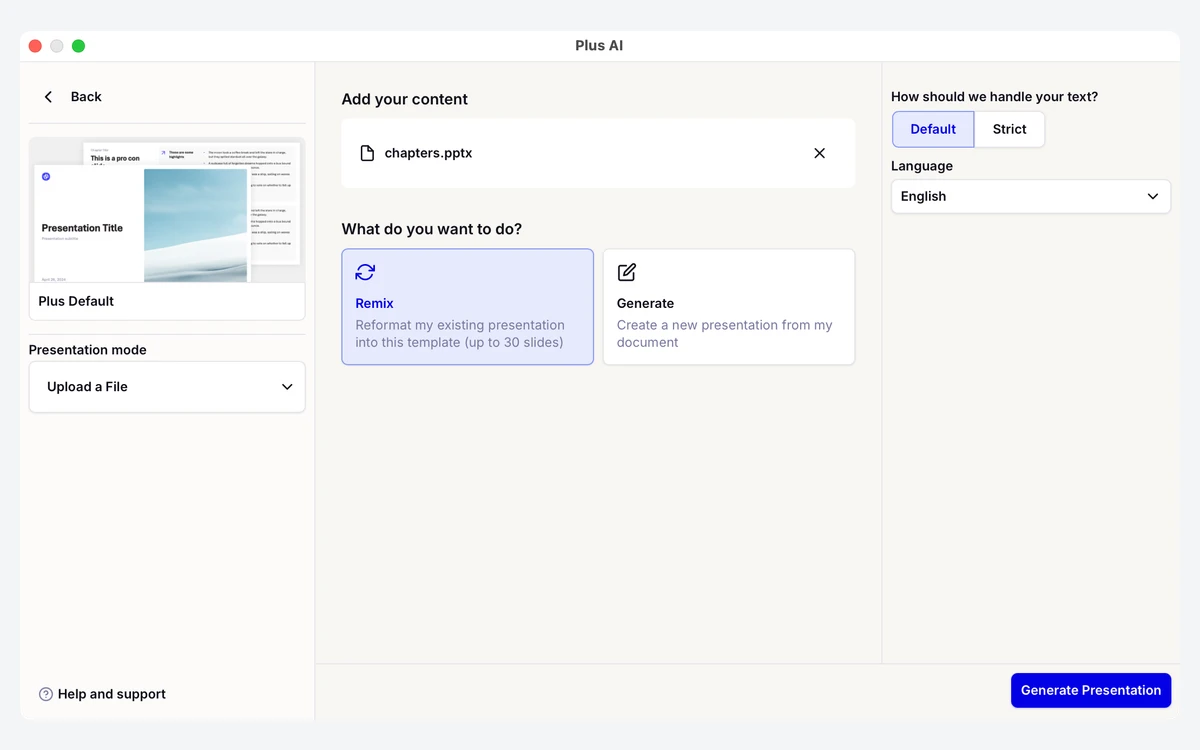
Two limits are worth knowing before you rely on it for long reports: "Plus AI can only generate 30 slides at a time", and it "cannot extract images, diagrams, or charts from your document." Charts and figures from a source PDF have to be rebuilt or pasted in by hand.
Plus supports prompts and output in most languages, so you can draft in one language and generate the deck in another.
Editing tools: Insert, Rewrite and Remix
Plus is more useful than many generators after the first draft, because its tools work on individual slides inside a deck you already have:
- Insert - add a single new AI-generated slide at the current position.
- Rewrite - change a slide's text: shorten, expand, change tone, or translate it.
- Remix - keep the content and redesign the layout, for example turning a bullet list into a timeline or comparison.
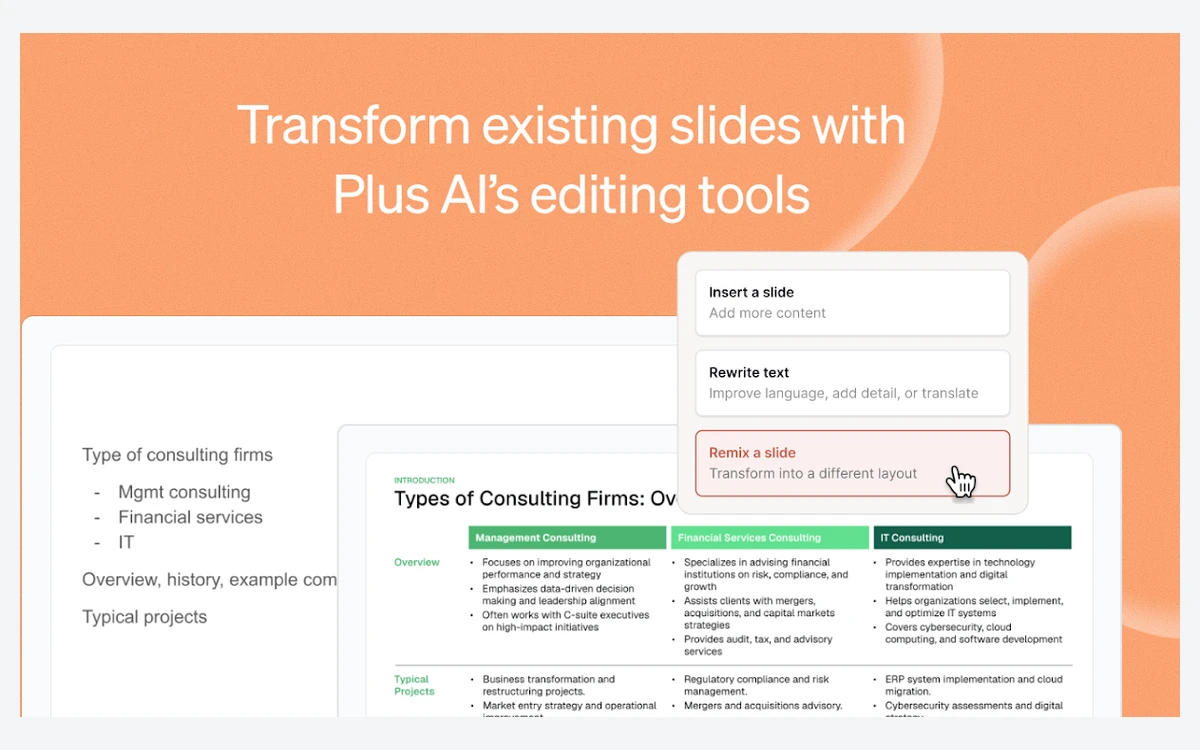
All three are on Basic, which makes the cheapest plan a reasonable choice if you mostly fix and restyle existing decks rather than generate new ones - as long as the 1,500 credits cover your volume.
Branding is the gap on lower tiers. Logo, colors and fonts are a Team feature, and a true company master template needs an Enterprise conversation. The older Plus Snapshots feature for live-updating screenshots still works but is no longer maintained or supported.
The presentation agent, API and MCP connector
Plus announced its presentation agent on February 25, 2026. During the beta it was included with every subscription; it now draws on the same monthly credits as everything else, which is why the Max tier's "unlimited use of the Plus AI agent" is its main selling point.
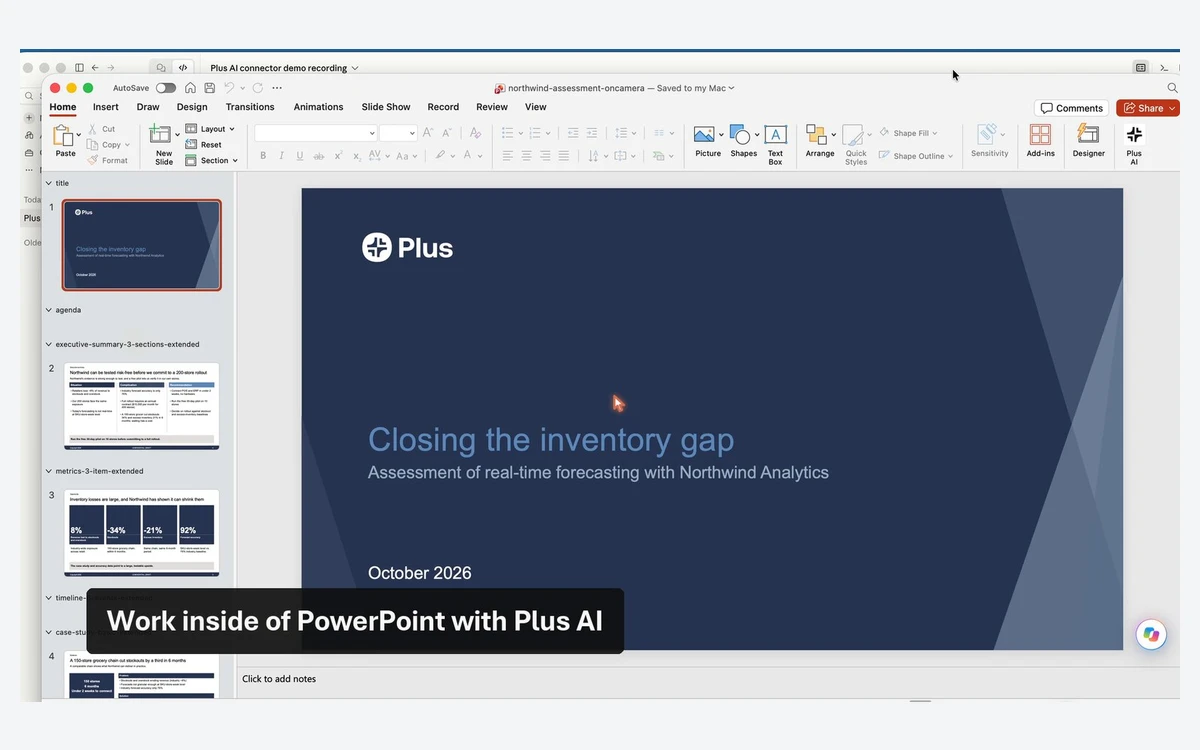
On October 20, 2026 Plus launched an MCP connector at mcp.plusai.com that lets Claude, ChatGPT, Cursor and other MCP clients build decks and return real .pptx files. It needs Pro, Team or Max, and "each run uses your AI credits". The Presentation API is also included from Pro up.
Plus does not say which AI models power these features. The terms only describe AI features "developed by us or third-party providers".
Privacy and security
Plus states that it has achieved SOC 2 Type II compliance, encrypts data at rest with AES-256 and in transit with TLS, and hosts on AWS. Enterprise adds SSO and user management.
On training, the commitment is specific to Google data: "Plus Docs Inc. does not use Google Workspace API data to develop, improve, or train generalized artificial intelligence (AI) and/or machine learning (ML) models." More broadly, the privacy policy allows Plus to use "aggregated, de-identified and/or anonymized data" to improve the service and build new products.
There is no published retention period. Plus keeps data "as long as it has a need for its use" and says retention periods are documented in an internal Data Management Policy available on request. Teams handling sensitive material should ask for it before rolling Plus out.
Verdict: who should buy which plan
Plus AI's strength is unchanged: it works where your slides already live and produces native, editable Google Slides and PowerPoint files, with slide-level tools that keep paying off after the first draft. What changed is the deal. The same prices now buy a capped number of AI tasks, and the billing terms leave no room for second thoughts.
- Basic ($10-$15): occasional users who mainly rewrite and remix existing slides.
- Pro ($20-$25): the realistic default - document uploads, reference files, AI images, API and MCP.
- Team ($30-$40): companies that need brand colors, fonts and shared presets applied across users.
- Max ($200-$240): heavy daily users of the PowerPoint agent who keep hitting credit limits.
- Skip it if you want a free plan, a refund window, or agent mode in Google Slides.
Frequently asked questions
Is plusdocs.com the same as Plus AI?
Yes. plusdocs.com redirects to plusai.com, and the product is still run by Plus Docs, Inc. Existing accounts and billing carry over; the billing portal still sits on app.plusdocs.com.
How much does Plus AI cost?
From $10 to $200 per user per month on annual billing. Monthly billing costs $15 for Basic, $25 for Pro, $40 for Team and $240 for Max; Enterprise is quoted on request. Prices are as listed on October 31, 2026.
Is there a free plan or free trial?
There is no free plan, only a 7-day trial with 1,000 AI credits. The trial requires a credit card and charges you automatically when it ends unless you cancel first, and only new customers are eligible.
Is Basic still unlimited?
No. Basic now includes 1,500 AI credits a month, roughly 9 to 37 tasks at Plus's stated 40-170 credits per task. Only Max has unlimited credits, even though parts of the help centre still describe Basic as unlimited.
What happens when I run out of credits?
The AI stops working until your next billing date. Credits are per user and are not shared across a team, so you either wait for the reset or upgrade to a larger plan.
Can I get a refund from Plus AI?
Generally no. The terms describe payments as final and non-refundable, and cancelling only stops the next renewal. Uninstalling the add-on does not cancel the subscription either.
Does Plus AI work in both Google Slides and PowerPoint?
Yes, one subscription covers both. The difference is agent mode, which is available only in PowerPoint and the API, and the web app, which has no AI editing tools and exports only .pptx.
Does Plus AI train AI models on my slides?
Plus says it does not use Google Workspace API data to train generalized AI or ML models. Its privacy policy does allow use of aggregated, de-identified data to improve the service, and it does not publish a fixed retention period.
Key takeaways
- plusdocs.com is now Plus AI at plusai.com, still run by Plus Docs, Inc.
- Every plan runs on monthly credits: 1,500 on Basic ($10-$15), 3,000 on Pro ($20-$25), 6,000 on Team ($30-$40), unlimited on Max ($200-$240).
- Credits are per user, not pooled, and the AI stops when they run out until your billing date.
- The 7-day trial needs a card and auto-charges; payments are non-refundable and uninstalling does not cancel.
- Document uploads, AI images, the API and MCP start at Pro; branding starts at Team; agent mode is PowerPoint-only.
- Output is native Google Slides and PowerPoint, the main reason to pick Plus over standalone AI deck tools.
More in Artificial Intelligence
Browse Artificial Intelligence