Read AI Review: The Meeting Assistant Universities Keep Banning
Read AI joins your Zoom, Teams and Meet calls to transcribe, summarize and score them. We break down its features, pricing and the privacy questions that got it blocked at several universities.
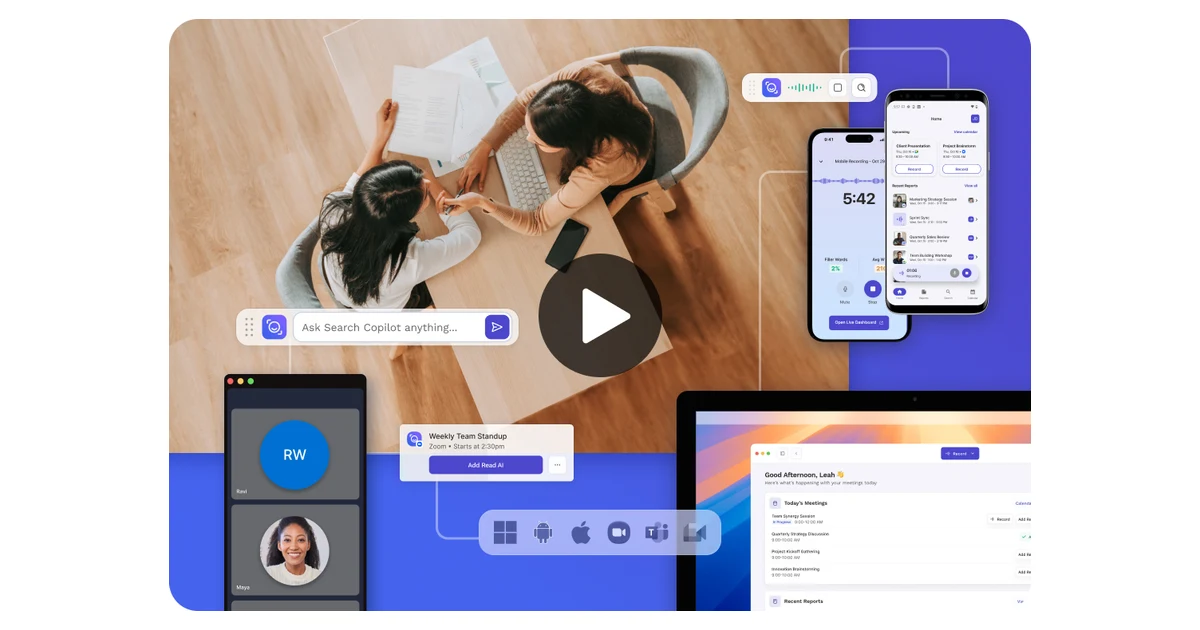
Read AI is an AI meeting assistant that joins your Zoom, Microsoft Teams and Google Meet calls, transcribes what everyone says, and hands back a summary, action items and a set of engagement scores. Instead of taking notes, you read a recap. That pitch has made it one of the more visible meeting-copilot tools of the past two years.
It has also made it one of the more controversial. Through 2025 and into 2026, a string of universities blocked Read AI from their Zoom and Teams tenants, warning that the bot can join, record and summarize a meeting that other participants never agreed to have captured. This review covers what Read AI actually does, what the plans cost, and why some IT departments decided the risk outweighed the convenience.
What Read AI is and how it works
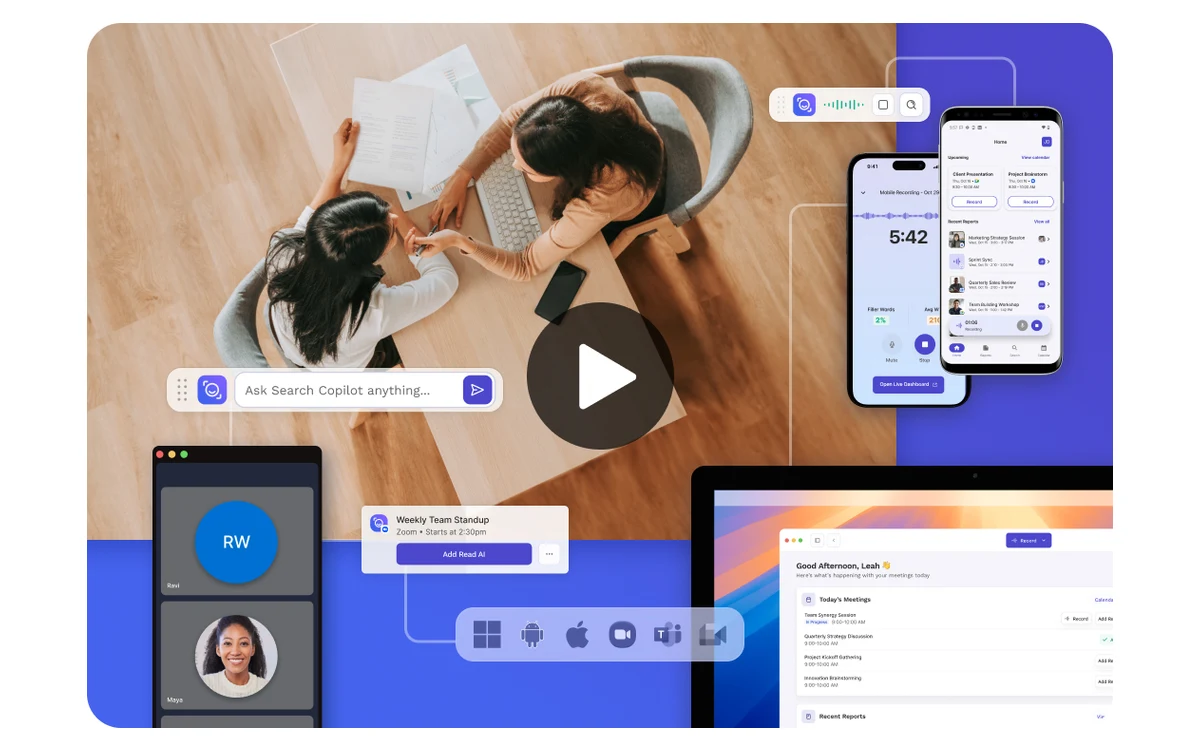
Read AI connects to your calendar and video platform and sends a bot into scheduled meetings. During the call it captures audio, produces a live transcript with speaker labels and timestamps, and afterward generates a structured recap: a summary, key topics, decisions and action items. On top of the notes it layers analytics — talk time, sentiment and engagement scores it calls meeting metrics.
The output lands in a web dashboard and can be pushed into the tools you already use. Free and paid tiers cover the basics; premium integrations route summaries and action items into Notion, Salesforce, HubSpot, Jira, Confluence, Slack and Zapier, or out through webhooks to anywhere else.
Who it is for
Read AI is aimed at people who live in back-to-back calls — sales teams, customer success, managers and consultants — who want searchable recaps and action items without assigning a human notetaker. If you rarely record meetings or work with confidential material, the trade-offs below matter more than the features.
Key features
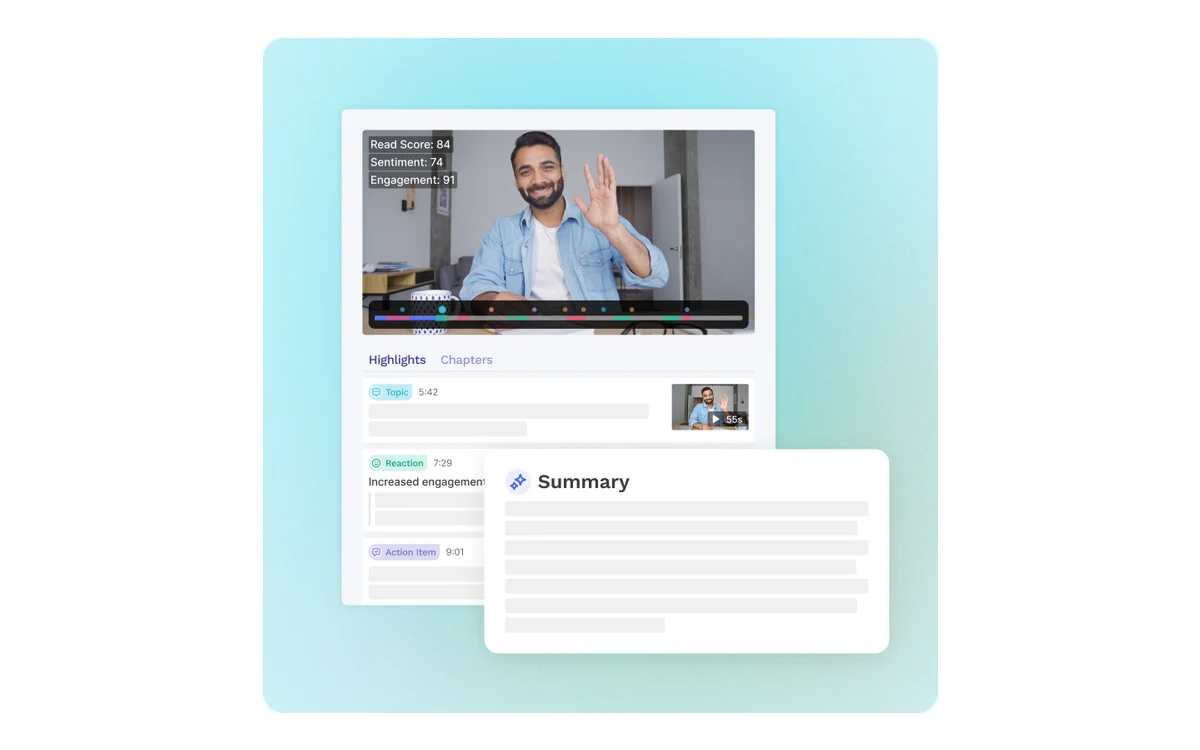
Read AI bundles several jobs into one assistant rather than doing a single thing well. The core capabilities are:
- Transcription with speaker identification and timestamps, in 20+ languages
- Automatic summaries with topics, decisions and action items
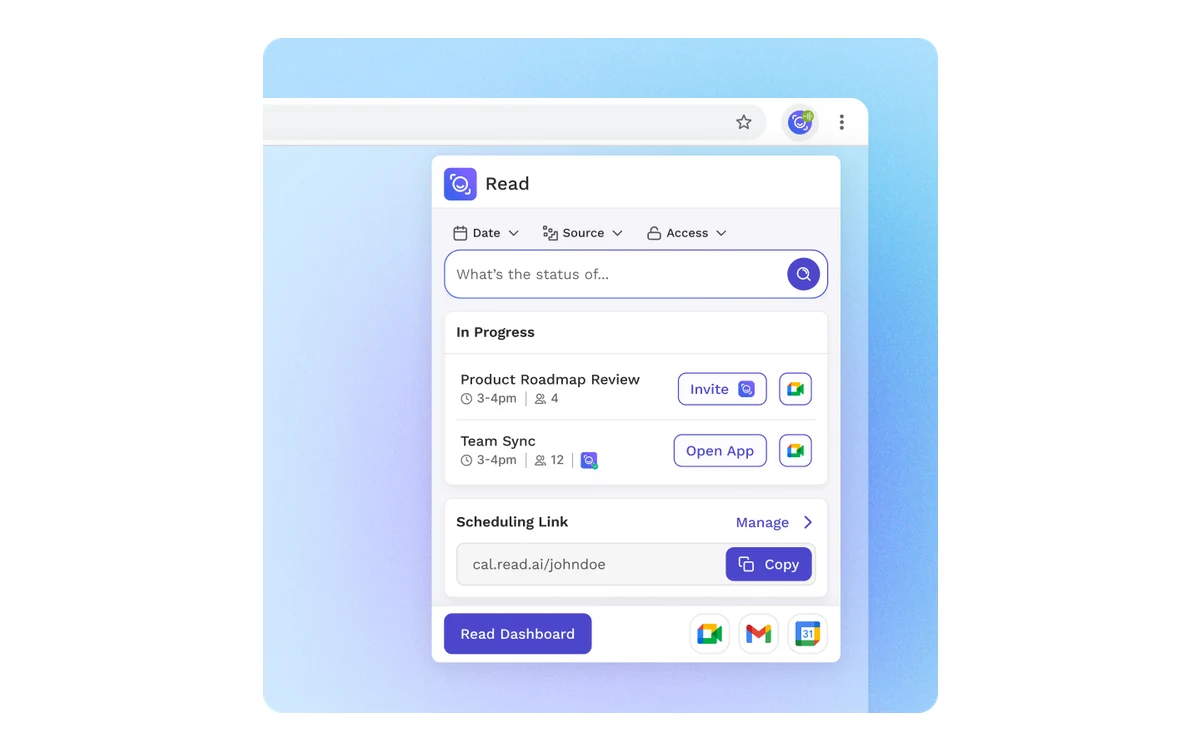
- Meeting search across past calls, so you can find where something was said
- A meeting coach that scores talk time, sentiment and engagement
- Audio and video playback with highlight clips on higher tiers
- Integrations that push recaps into Notion, Salesforce, HubSpot, Jira, Confluence, Slack, Zapier and webhooks
In day-to-day use, reviewers consistently single out the action-item summaries and the transcript quality as the strongest parts. The speaker labeling and timestamps make it easy to jump back to the moment a decision was made, and the all-in-one design means you are not stitching together a transcriber, a summarizer and a search tool separately.
Pricing and plans
Read AI sells four tiers, priced per user per month. Paid plans are cheaper billed annually — roughly a 25% discount versus paying month to month. The figures below list the annual monthly-equivalent first, then the straight monthly price.
Free — $0
No credit card required. Covers 5 meetings per month with transcripts, summaries, meeting search, the meeting coach, basic integrations and 20+ language support. Enough to decide whether the recaps are useful to you.
Pro — $15/mo annual, $19.75/mo monthly
Removes the meeting cap (unlimited transcripts), adds 100 file-upload credits per month and unlocks the premium integrations — Notion, Salesforce, HubSpot, Jira, Confluence, Zapier and webhooks.
Enterprise — $22.50/mo annual, $29.75/mo monthly
Builds on Pro with audio and video playback, video highlight clips, 200 file-upload credits per month and premium support.
Enterprise+ — $29.75/mo annual, $39.75/mo monthly
The compliance tier, and it requires a minimum of 5 licenses. It adds HIPAA compliance, SAML single sign-on and SCIM provisioning, domain capture, custom data-retention controls, 300 file-upload credits per month and workspace onboarding.
Read the tiers carefully
The $15 and $19.75 Pro figures are the same plan billed annually versus monthly, not two different plans. And the custom data-retention controls that decide how long recordings are kept only appear on Enterprise+, which needs at least five seats.
Why universities started blocking it
The most current story around Read AI is not a feature — it is a wave of institutional bans. Several universities have blocked its Zoom and Teams integrations, and their reasoning is worth reading before you deploy it on calls that involve other people.
The University of Washington's IT department is the bluntest. It states that Read AI "can join, transcribe, and summarize your online meetings even if you are not in attendance, and without other attendees' awareness or consent," and that summaries "may be shared automatically with meeting participants." To protect institutional data, UW blocked Read AI from its Zoom tenant and then blocked the Microsoft Teams integration from January 21.
It is not alone. Chapman University's IS&T office prohibits Read AI outright, blocking the app in both Zoom and Microsoft Teams and citing security, privacy and institutional-data risk. Bucknell University published guidance on disabling it for the same reasons, and Mississippi State University blocked Read AI along with other third-party AI meeting tools as a security measure.
Keep the scope straight
These are individual IT policy decisions at the University of Washington, Chapman, Bucknell and Mississippi State — not a nationwide or legal ban. But the pattern is consistent, and the objection is the same one that applies to any organization handling sensitive calls.
The spine of the criticism is consent. An assistant that can enter a meeting and record it without every participant knowing shifts the burden onto whoever is uncomfortable being recorded. And once a meeting has been captured, users report that getting that data deleted afterward is very difficult — a bad combination if a call touched something confidential.
How reviewers actually rate it
Reception is polarized, and which number you trust depends on which audience you ask. On G2, reviewers praise the action-item summaries, the reliable transcription with speaker labels and timestamps, and the convenience of one system for summaries, playback, search and analytics. The recurring complaints are the cost and the way the tool handles account and privacy permissions on confidential calls.
The rating gap is stark: Read AI sits around 1.5 out of 5 on Trustpilot but roughly 4.0 out of 5 on Microsoft AppSource. Treat that spread as a signal rather than picking one side — business users who chose the tool tend to like it, while the public-review crowd is far harsher, much of it about billing and the difficulty of deleting recorded data.
Verdict
As a meeting assistant, Read AI is genuinely capable. The transcripts are accurate, the action-item summaries are among the best in the category, and having search, playback and analytics in one place is a real time-saver for people who spend their day on calls. The free tier is a fair way to test that on your own meetings.
The catch is everything around the recording. If your calls involve clients, patients, students or anyone who has not agreed to be captured, the same behavior that got Read AI blocked at multiple universities applies to you — and the retention controls that would let you manage that live only on the five-seat Enterprise+ tier. Use it for your own internal meetings and it shines; point it at other people's conversations without a plan for consent and deletion, and you inherit the problem those IT departments were trying to avoid.
Frequently asked questions
Is there a free version of Read AI?
Yes. The Free plan is $0 with no credit card and covers 5 meetings per month, including transcripts, summaries, meeting search, the meeting coach, basic integrations and 20+ languages. It is enough to judge the recap quality before paying.
How much does Read AI cost?
Pro is $15 per user per month billed annually or $19.75 billed monthly. Enterprise is $22.50 annual or $29.75 monthly, and Enterprise+ is $29.75 annual or $39.75 monthly with a five-license minimum. Annual billing is roughly 25% cheaper than monthly across the paid tiers.
Why did universities ban Read AI?
IT departments at the University of Washington, Chapman, Bucknell and Mississippi State blocked its Zoom and Teams integrations over privacy and institutional-data risk. The core concern is that Read AI can join, transcribe and summarize a meeting without other attendees' awareness or consent, and that recorded data is hard to delete afterward.
Does Read AI record meetings without consent?
It can. The University of Washington states the bot can join and summarize meetings even when the account holder is not present and without other attendees' awareness or consent, and that summaries may be shared automatically with participants. Whether that is acceptable depends on your meetings and local rules, so tell participants when a bot is present.
Can I delete data that Read AI has recorded?
Users report that once a meeting is recorded, getting the data deleted is very difficult. Custom data-retention controls exist only on the Enterprise+ plan, which requires at least five licenses, so smaller accounts have limited say over how long recordings are kept.
What does Read AI integrate with?
It works with Zoom, Microsoft Teams and Google Meet for the calls themselves. Paid tiers add premium integrations that push recaps and action items into Notion, Salesforce, HubSpot, Jira, Confluence, Slack and Zapier, or out through webhooks.
Key takeaways
- Read AI transcribes, summarizes and scores your Zoom, Teams and Meet calls, and its action-item summaries and transcript quality are the standout features.
- Plans run from a free 5-meeting tier to Pro ($15/mo annual), Enterprise ($22.50/mo annual) and Enterprise+ ($29.75/mo annual, 5-seat minimum); annual billing saves about 25%.
- Universities including UW, Chapman, Bucknell and Mississippi State blocked it because it can record meetings without attendees' consent and the data is hard to delete.
- Reception is polarized: about 4.0/5 on Microsoft AppSource versus 1.5/5 on Trustpilot, with complaints centered on cost, permissions and deletion.
- It is a strong tool for your own internal meetings; using it on other people's calls needs a real plan for consent and data retention.
More in Artificial Intelligence
Browse Artificial Intelligence