SlidesAI Review 2026: Credits, the New Agent and the Fine Print
SlidesAI review: what its AI credits buy, the free plan's real limits, the new chat Agent, Google Slides permissions and unclear refund rules.
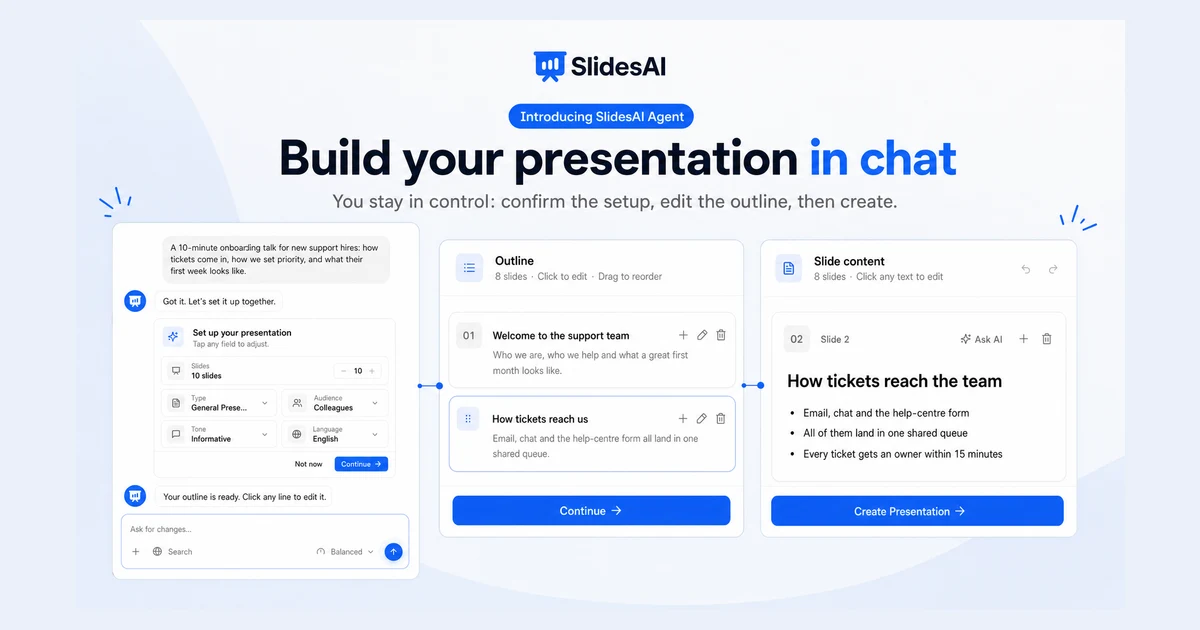
SlidesAI turns a topic, your notes or an uploaded document into a slide deck, and it does it in more places than most rivals: its own web app, a Google Slides add-on, a PowerPoint add-in and a ChatGPT GPT. On October 28, 2026 it added SlidesAI Agent, a chat-based builder that asks about your audience and tone before it writes anything.
The bigger change is less visible. SlidesAI has moved from counting presentations to selling AI credits, and it now bills new Individual and Team plans through Dodo Payments instead of Paddle. Parts of its own website have not caught up, so the numbers you read depend on which page you land on. This review works from the current pricing page and help centre (checked October 30, 2026) and explains what a credit buys, what the free plan really gives you, and where the fine print is still unclear.
What SlidesAI is and where it runs
SlidesAI was founded in January 2023 by Anurag Bhagsain and is operated by Zesterv LLC from the Sharjah Publishing City Free Zone in the United Arab Emirates. It started as a PowerPoint add-in, added a ChatGPT integration, and most recently launched a full web app, which is now where new features ship first.
According to the help centre, SlidesAI can generate presentations "from a prompt, topic, notes, or an uploaded document", rewrite, rephrase or shorten slide text, and export to PPTX, Google Slides or PDF. You can reach it through four doors:
- SlidesAI Platform - the web app at slidesai.io, with the editor, Present mode, version history and the new Agent.
- Google Slides add-on - generates a draft directly into a Google Slides file. The Marketplace listing shows 15M+ installs and 4.3 stars from 2,385 reviews.
- PowerPoint add-in - since March 2026 it uses the same generation engine as the web app, and it also has free utilities such as PDF export, text extraction and a notes summary.
- ChatGPT GPT - moved onto the Platform generation engine in May 2026.
The 2026 changelog is busy: a redesigned editor with an in-editor AI assistant and Present mode (April), version history and automatic speaker notes on export (May), custom fonts and entrance animations (June), a rebuilt charting engine with world-map charts and Mermaid diagrams (August), and Brand Kits with colours, fonts, slide styles and image libraries (September). This is not an abandoned add-on coasting on installs.
The new SlidesAI Agent
SlidesAI Agent, launched on October 28, 2026, replaces the old one-shot form with a chat. Before it writes a word, it shows a setup card where you confirm the number of slides, the presentation type, the audience, the tone and the language. The homepage puts it this way: "If something's unclear, SlidesAI asks a few quick questions instead of guessing."
From there the flow is staged, and every stage is editable: setup card, then an outline you can rewrite, then the text of each slide, and only then a Create Presentation button. The Agent can research the web before drafting, and the changelog says "Free plans can build from research too". It also remembers your preferences between chats.
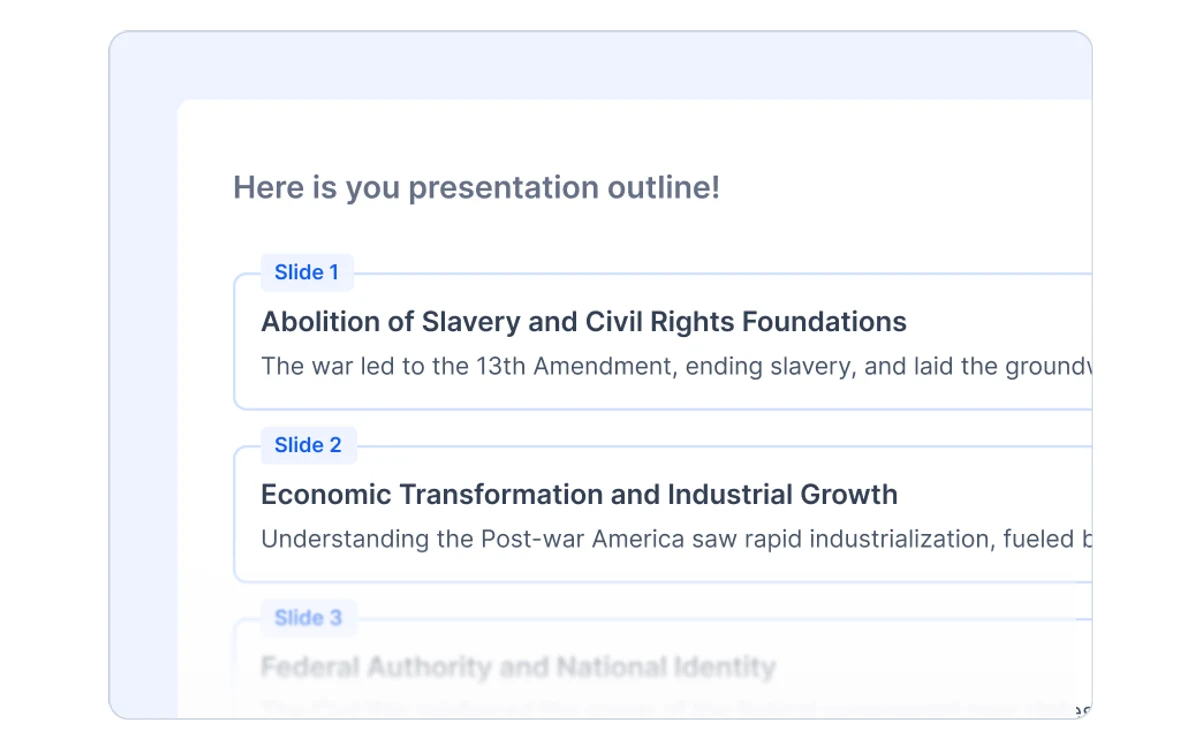
The staged approach is the right call for this kind of tool. Most bad AI decks are bad because the outline was wrong, and fixing an outline costs far less than fixing ten designed slides. The trade-off is speed: if you only want a quick first draft, the questions add a step.
Version note
The Agent is two days old at the time of writing. Expect its behaviour and credit costs to shift over the next few weeks, and check the changelog before relying on any detail here.
Pricing: what a credit actually buys
SlidesAI sells three individual plans. Prices exclude tax, which is added at checkout based on your billing location. The yearly toggle is selected by default and is labelled "2 months free".
- Basic - $0. 200 AI credits per month, Lite and Balanced models, 2,500 characters of input, up to 10 slides per presentation, 1 Brand Kit.
- Pro - $10.00 per user per month billed yearly ($120 a year). 30,000 credits a year (or 2,500 a month on monthly billing), Lite, Balanced and Advanced models, 50,000 characters of input, up to 20 slides, PDF and Word uploads, 3 Brand Kits, custom fonts.
- Premium - $20.83 per user per month billed yearly ($250 a year). 84,000 credits a year (or 7,000 a month), every model including Ultra, 100,000 characters of input, no slide limit, 6 Brand Kits, custom fonts.
Month-to-month prices are not shown in the visible pricing text. SlidesAI's own homepage listing and comparison table give about $12 a month for Pro and $25 a month for Premium. Team plans use the same per-seat prices, with credits allocated to each seat; for example, Teams Pro gives each seat 2,500 credits a month.
How far the credits go
The help centre gives concrete costs: "A 10-slide presentation costs 105 credits on the default Balanced response quality, plus 2 credits for each AI image at Standard quality." Changing one slide costs 5 credits, adding a slide costs 15, and a quick web research pass costs 5. Credits do not roll over, and free credits expire at the end of each month.
Our estimate from those figures, for 10-slide Balanced decks without AI images:
- Basic (200 a month): one deck plus some edits, not two.
- Pro (2,500 a month): roughly 23 decks.
- Premium (7,000 a month): roughly 66 decks.
Higher-quality models and Sharp or Ultra images cost more per action, so heavy users of the Advanced and Ultra tiers will get fewer decks. Pro and Premium can buy extra credits; Basic cannot.
The pricing page contradicts itself
The FAQ data on the pricing page still quotes the old $8.33 and $16.67 monthly prices and "12/120/unlimited presentations per year". Those figures belong to the pre-credit plans. If your receipts come from Paddle, you are on a legacy plan and your presentation allowance still applies; new plans run on credits.
What the free plan really gives you
The Basic plan needs no credit card, and it is usable for testing, not for regular work. In practice you get one 10-slide deck a month with a little room for edits, input capped at 2,500 characters, no PDF or Word uploads, at most 10 messages per Agent chat, and Quick or Standard AI images only.
Every free deck carries a small "Made with SlidesAI" badge, and the help centre confirms it applies to all three export options: PowerPoint, PDF and Google Slides. In a PowerPoint export the badge is an ordinary slide element, so you can select and delete it. In a PDF it stays.
There is no free trial of the paid plans that we could find. The free plan is the trial, and given the refund terms below, you should use it before paying.
The Google Slides add-on and its permissions
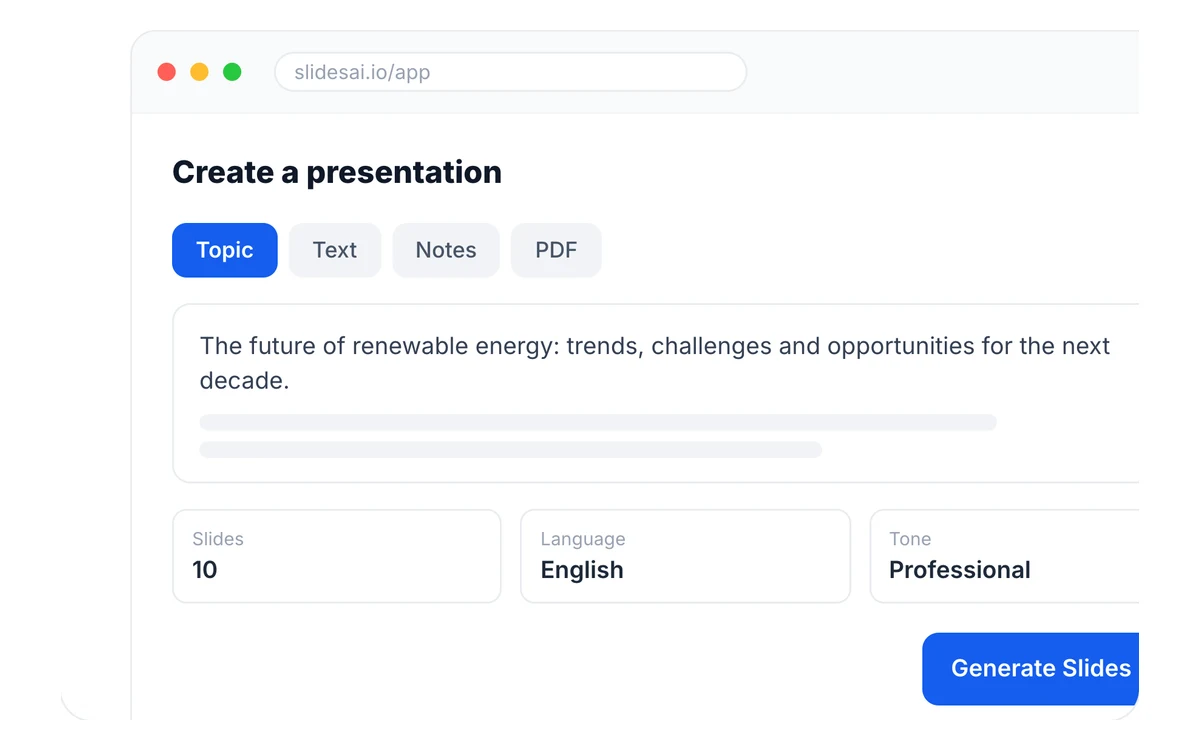
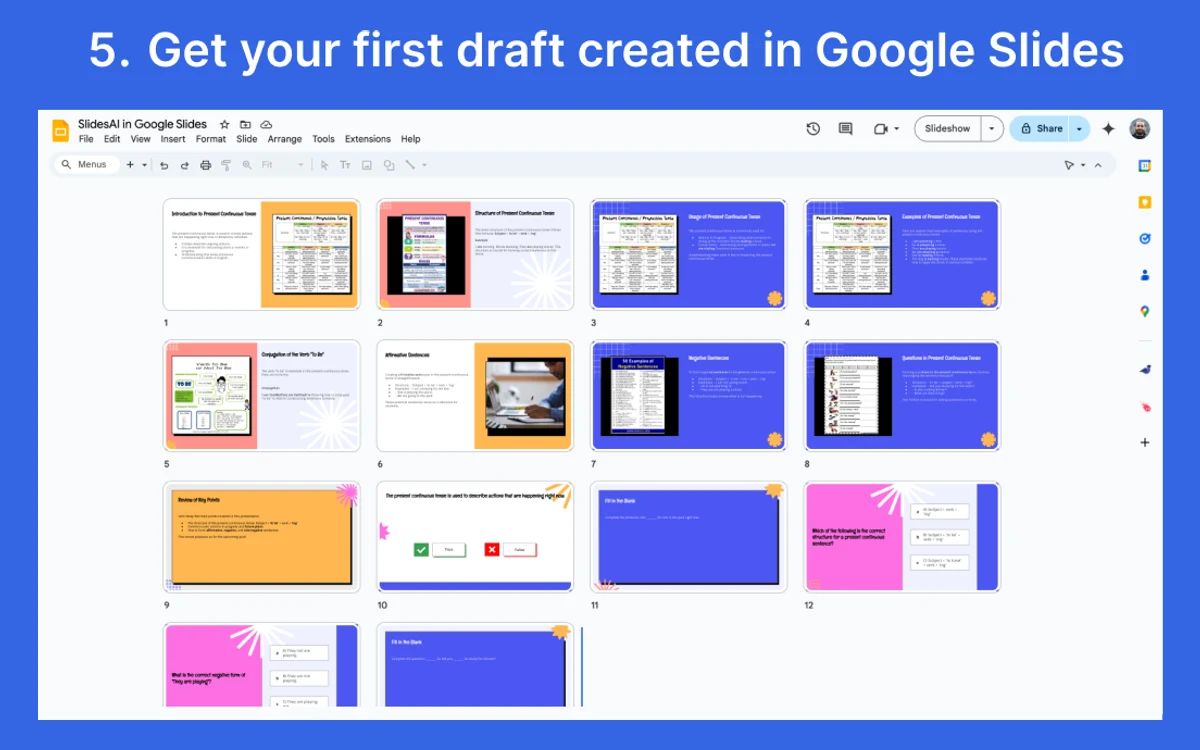
For many users the Google Slides add-on is SlidesAI. You open it in the sidebar, give it a topic, bullet points, a rough draft or source material, edit the outline, pick a template, add a logo, and the draft lands in your presentation as normal, editable Google Slides.
Read the permission screen before you click Allow. The add-on asks to "See, edit, create, and delete all your Google Slides presentations" and also to "See, edit, create, and delete all your Google Sheets spreadsheets", plus permission to connect to an external service and to see your email address and basic profile. The Slides scope is expected. Full access to every spreadsheet in your account is broad for a slide tool, and it may be a blocker on a work account where Sheets holds financial or customer data. If your Google Workspace admin restricts third-party apps, ask them first.
Marketplace reviews are mostly positive, but the critical ones repeat a few themes: a Pro user reporting slides "still preparing" after an hour, users asking for higher limits, and one reviewer who missed a refund window and was left with a year-long plan.
Editing, Brand Kits and export
Once a deck exists, the web app editor handles the follow-up work. The in-editor AI assistant rewrites, rephrases or shortens text; you can add stock images or AI images, which are priced per image by the quality you choose; and the rebuilt charting engine covers standard charts, world maps and Mermaid diagrams.
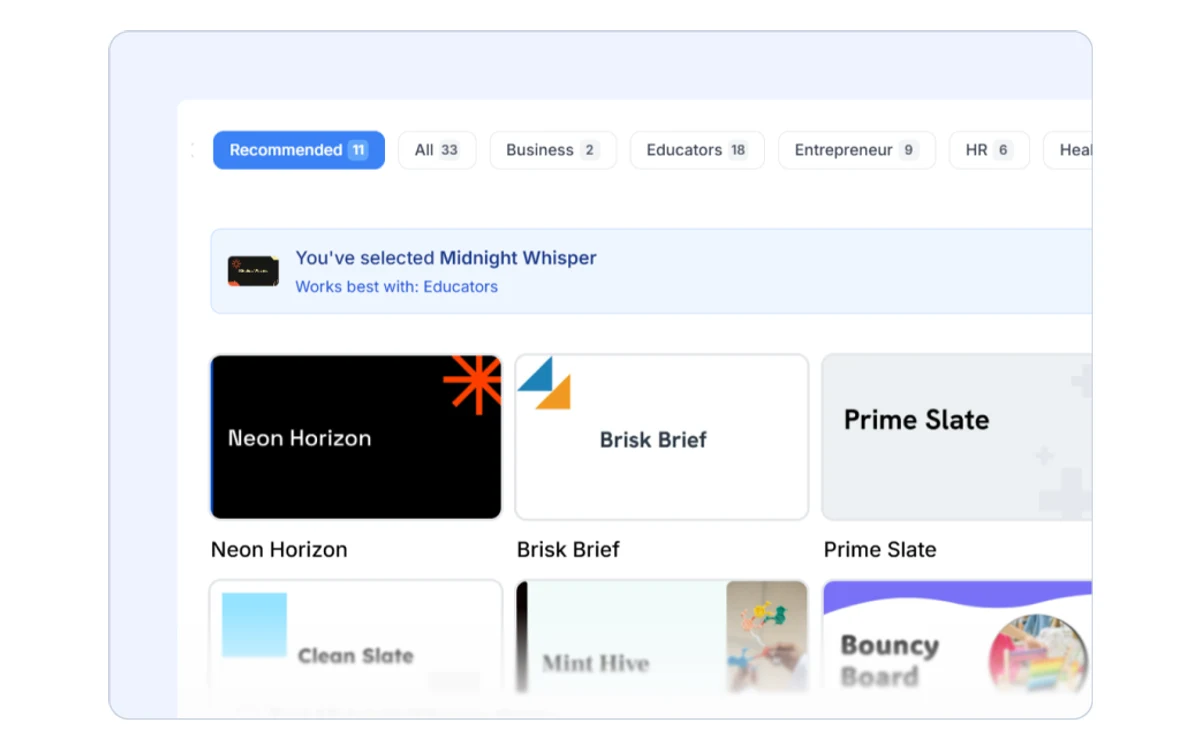
Brand Kits are the feature most relevant to business users. You upload your branded PPTX template and SlidesAI generates new decks in your colours, fonts and slide styles. The free plan includes one Brand Kit, Pro three and Premium six, and Pro and Premium can also upload custom fonts.
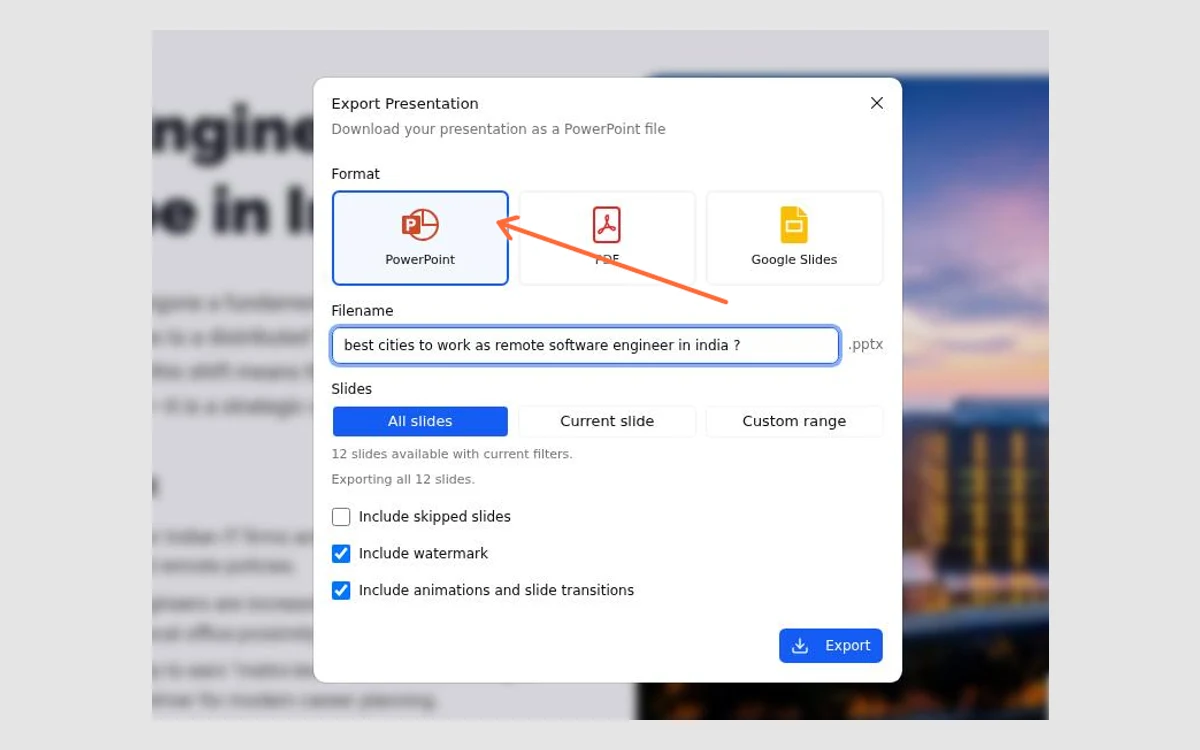
Export goes to PowerPoint, PDF or Google Slides, and since May 2026 speaker notes are included on export. That matters: you are not locked into SlidesAI's editor, and the PPTX output can be finished in PowerPoint like any other file.
On design quality, keep expectations realistic. SlidesAI produces clean, structured drafts that need a human pass. One Trustpilot reviewer in 2023 called the slides "poorly designed and aesthetically unpleasing", though the editor and themes have been rebuilt since and Trustpilot has only four reviews in total. Users who need highly visual, design-led decks usually find Gamma or Beautiful.ai stronger out of the box.
Refunds and cancellation: the unclear part
This is the weakest part of SlidesAI, not because the policy is harsh but because three sources say three different things.
- The Terms of Use (last updated June 25, 2025), linked as the Refund Policy from the pricing page, say to email [email protected] "within 48hrs of your purchase" and that you are "only eligible for a refund if your usage is under 5 presentations". They add that refunds are not offered for multiple months. Checkout asks you to tick that you have read this.
- The help centre says refunds are "handled by Paddle" and depend on Paddle's policy. That article covers legacy plans bought before the move to credits.
- New Individual and Team plans are sold by Dodo Payments as merchant of record, and we found no refund article written for them.
The 48-hour clause still counts presentations, a unit the current plans no longer use, so it is unclear how "under 5 presentations" maps to credits. Until SlidesAI updates its terms, treat 48 hours as the window that applies and keep usage minimal if you might want your money back.
Cancellation is cleaner: you keep full access until the end of the current billing period, then the account drops to the free Basic plan. Remember that the yearly plan is the default on the pricing page, and one Trustpilot reviewer said SlidesAI does "not make canceling easy". Set a reminder before your renewal date.
Privacy and data handling
The privacy policy, last updated October 2, 2026, says that content you submit to SlidesAI's own AI features "is processed by AI model providers". An older section of the same policy names OpenAI. The promise not to "use it to train AI models" sits in the section about the ChatGPT and AI-assistant integration, so do not read it as a blanket commitment for everything you paste into the editor.
Usage analytics and technical logs are kept for no more than 30 days, and after account deletion your data and backups are deleted within 30 days. The policy does not mention SOC 2, does not include GDPR-specific wording, and does not say where data is processed. For confidential board decks or client material, that is a reason to pause or to check with your security team.
SlidesAI vs Gamma, Beautiful.ai, Pitch and Plus AI
SlidesAI's main advantage is reach: it works inside Google Slides and PowerPoint, which is where most people's decks already live. Here is how it lines up on entry price and fit.
- Gamma - about $12 a month for the entry paid plan billed monthly, according to SlidesAI's own comparison table. Gamma builds in its own card-based format and is stronger on visual polish. See our Gamma review at /gamma-app-review.
- Beautiful.ai - Pro is $14.50 a month billed annually or $45 billed monthly. Its smart templates keep layouts tidy as you edit, which suits teams that care about design consistency. See our Beautiful.ai review at /beautiful-ai-review.
- Plus AI - $15 per user billed monthly, or $10 billed annually for Basic. Like SlidesAI it works inside Google Slides and PowerPoint, so it is the closest direct rival.
- Pitch - a collaborative presentation tool aimed at teams; see our Pitch review at /pitch-review for its current plans.
If you want an AI draft without leaving Google Slides, SlidesAI and Plus AI are the two to test side by side. If you are happy to work in a separate app for better-looking output, Gamma and Beautiful.ai are usually the stronger picks. We also covered Tome at /tome-app-review.
Verdict: who should use SlidesAI
SlidesAI is a good fit for students, teachers and professionals who build a steady stream of text-heavy, structured decks in Google Slides or PowerPoint and want a solid first draft fast. Pro at $10 a month billed yearly gives roughly 23 ten-slide decks a month, which is generous for that audience, and the new Agent makes the outline stage more deliberate.
It is a weaker fit if you need design-led presentations, if your Google account holds sensitive spreadsheets you do not want an add-on to access, or if your organisation needs formal compliance documentation. And because the refund rules are out of date and tight, start on the free plan, build a real deck you need, and only then decide whether to pay.
Frequently asked questions
How much does SlidesAI cost?
Pro costs $10 per user per month billed yearly ($120 a year) and Premium costs $20.83 per user per month billed yearly ($250 a year). SlidesAI's own listing puts month-to-month billing at about $12 for Pro and $25 for Premium. All prices exclude tax.
Is SlidesAI free?
Yes, the Basic plan is free with no card required. It gives 200 AI credits a month, enough for about one 10-slide deck, caps decks at 10 slides and input at 2,500 characters, and adds a "Made with SlidesAI" badge to exports.
How many presentations can I make with SlidesAI credits?
A 10-slide deck on the default Balanced quality costs 105 credits, plus 2 credits per Standard AI image. By our estimate that is about 23 decks a month on Pro and 66 on Premium, fewer if you use higher-quality models or images. Credits do not roll over.
Can I get a refund from SlidesAI?
Only within a narrow window. The Terms of Use say to email [email protected] within 48 hours of purchase and that usage must be under 5 presentations; refunds are not offered for multiple months. The terms predate the credit system, so test on the free plan first.
Is the SlidesAI Google Slides add-on safe to install?
It is widely used, but it asks for broad access: it can see, edit, create and delete all your Google Slides presentations and all your Google Sheets spreadsheets. Your content is processed by third-party AI model providers, and the privacy policy does not mention SOC 2 or a data location.
Does SlidesAI work with PowerPoint?
Yes. There is a PowerPoint add-in that uses the same generation engine as the web app, and every plan can export to PPTX, PDF or Google Slides, with speaker notes included.
How do I remove the SlidesAI watermark?
Upgrade to Pro or Premium, or delete it manually in a PowerPoint export, where the badge is an ordinary slide element. On the free plan it appears in PowerPoint, PDF and Google Slides exports.
How do I cancel SlidesAI?
Cancel from your billing portal before the renewal date. You keep full access until the end of the current billing period, after which the account reverts to the free Basic plan.
Key takeaways
- SlidesAI runs as a web app, a Google Slides add-on, a PowerPoint add-in and a ChatGPT GPT, and exports to PPTX, PDF or Google Slides.
- Plans now run on credits: Basic gives 200 a month, Pro 2,500 a month for $10 billed yearly, Premium 7,000 a month for $20.83 billed yearly.
- A 10-slide Balanced deck costs 105 credits, so the free plan covers about one deck a month and carries a watermark.
- The Google Slides add-on asks for full access to all your Slides and Sheets files.
- Refund terms are outdated and tight (48 hours, under 5 presentations), so test on the free plan before paying.
- The new SlidesAI Agent confirms audience, tone and slide count before writing, which makes outlines more deliberate.
More in Artificial Intelligence
Browse Artificial Intelligence