Supernormal Review: The Bot-Free AI Notetaker With Shared-Credit Pricing
A hands-on look at Supernormal, the AI meeting notetaker that records without sending a bot into your call. We break down its April 2026 credit-based pricing, AI agents, integrations, security and where it still falls short.
Most AI notetakers announce themselves the moment a meeting starts: a nameless participant slides into the attendee list, and everyone spends the first minute wondering who invited the robot. Supernormal takes the opposite route. It captures audio straight from your computer, so there is no bot in the call at all — just notes waiting for you when you hang up.
That single design choice shapes everything else about the product, and in April 2026 Supernormal doubled down on it with a pricing overhaul that scrapped per-seat billing for a shared pool of credits and unlimited seats. This review walks through how the bot-free capture works, what the new pricing actually costs, the AI agents that turn a transcript into slides and follow-up emails, and the limits worth knowing before you commit.
What "bot-free" actually means
Tools like Otter, Fireflies and Fathom join your meeting as a participant — a bot dials in, appears in the roster, and records from inside the call. Supernormal never does this. It installs as a desktop app and captures the meeting audio directly from your computer and microphone, then generates shareable notes after every call.
The practical difference is visibility. Nobody sees a mystery attendee, nothing shows up in the participant list, and there is no bot to get kicked from a locked meeting. Because capture happens at the device level, it also works across whatever conferencing tool you happen to be using, rather than depending on a per-platform bot.
The trade-off
Recording from the device means Supernormal cannot transcribe a meeting offline, and third-party coverage notes it still needs a Chrome extension to capture Google Meet cleanly. The bot-free model buys discretion, not independence from your own machine.
Pricing: credits, not seats
The April 2026 relaunch is the headline change. Supernormal dropped seat-based billing entirely. Instead of paying per user, a team buys a shared pool of monthly credits and invites as many teammates as it likes — everyone draws from the same pool.
- Free — $0/month: 15 monthly credits, capped at a maximum of 5 credits per day.
- Team — $20/month: 50 monthly credits, no daily limit, unlimited seats sharing the credit pool, and the option to remove the Supernormal badge from shared notes.
- Business — $40/month: 50 monthly credits plus SSO, audit logs, data-retention controls and member visibility/admin controls.
Unused credits are not lost at the end of the month. On monthly plans they roll over into the following month; on annual plans they roll over for up to two years. Every plan gets unlimited projects and can generate presentations, images and spreadsheets from meeting content, and every plan includes MCP for connecting to other tools.
Watch the free-plan math
The free tier gives 15 credits a month but also caps you at 5 per day, so you cannot burn the whole month's allowance in a single busy afternoon. The two numbers are separate limits, not the same figure stated twice.

AI agents that do more than summarize
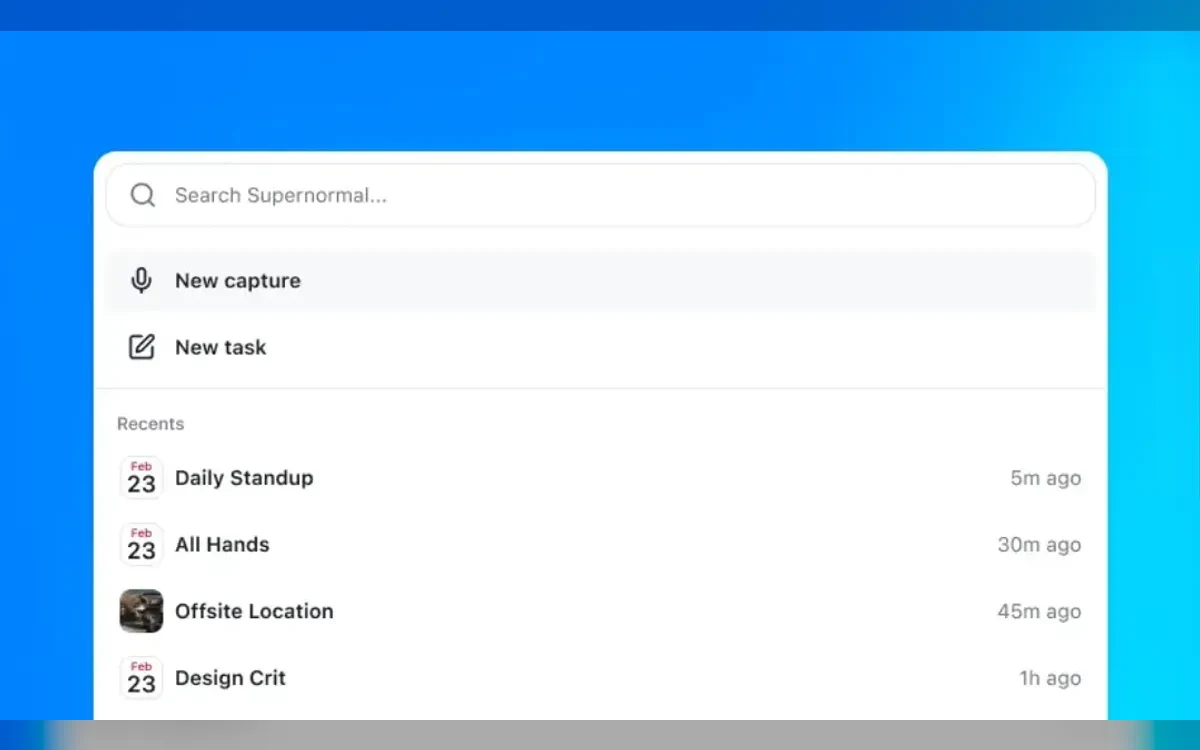
A transcript is table stakes now. Supernormal's more interesting layer is a set of AI agents that act on the captured meeting rather than just recapping it. From the notes, they can produce slide decks, follow-up emails, documents and calendar invites — the artifacts you would otherwise assemble by hand after the call.
In practice that means a sales call can end with a drafted recap email, a planning session can spit out a first-pass deck, and a kickoff can generate the invite for the next meeting, all from the same recording. It is the difference between a tool that remembers the meeting and one that finishes the busywork it created.
Integrations and the MCP hook
Supernormal ships a focused set of native integrations rather than a sprawling marketplace:
- Slack — share notes and summaries into channels.
- Gmail — draft replies using inbox context alongside meeting notes.
- Google Calendar and Outlook Calendar — auto-create notes on every calendar meeting.
- Google Drive — pull documents in as context and save outputs back.
- Linear — turn meeting action items into Linear issues.
The part worth flagging for 2026 is the MCP server. Supernormal exposes its own Model Context Protocol endpoint, so tools like Claude, ChatGPT and Cursor can pull meeting context directly. If your workflow already lives in an AI assistant, that means your meeting history becomes a source those assistants can read from, not a silo you have to copy out of.
Security and compliance
Recording meetings is sensitive, so the compliance posture matters. Supernormal is SOC 2 audited annually by an independent third party against security, availability and confidentiality criteria. It supports HIPAA compliance through Business Associate Agreements and is built for GDPR data rights, including access, portability and erasure.
On the technical side, data is encrypted with TLS 1.2 or higher in transit and AES-256 at rest, and customers can restrict, delete or export their data at any time. The Business plan layers on SSO, audit logs and retention controls for teams that need to prove where recordings go.
Strengths and where it falls short
The bot-free capture is Supernormal's real differentiator, and the credit-based pricing makes it unusually easy to roll out across a whole team without counting seats. Reviewers on G2 give it a 4.4 rating, with several praising how it helps them stay present in the meeting instead of scrambling to take notes.
The limits are worth going in with eyes open. Third-party coverage flags that Supernormal cannot transcribe offline, still needs a Chrome extension for Google Meet capture, and that some reviewers report speaker-recognition accuracy issues. There is also a hardware floor on the Mac app.
Mac requirements
The Mac desktop app requires Apple Silicon and macOS 14.4.1 or later. Supernormal's own page specifies the Mac requirement only, so do not assume the same capture works unchanged on older Intel machines.
Frequently asked questions
How much does Supernormal cost?
There is a free plan at $0/month with 15 monthly credits, a Team plan at $20/month with 50 credits and unlimited seats, and a Business plan at $40/month that adds SSO, audit logs and retention controls. Since April 2026 the paid plans bill by a shared credit pool rather than per seat.
Does Supernormal put a bot in my meeting?
No. Supernormal is bot-free — it captures audio directly from your computer and microphone instead of sending a participant into the call, so nothing shows up in the attendee list. It then generates shareable notes after the meeting ends.
Do unused credits expire?
They roll over. On monthly plans, unused credits carry into the next month; on annual plans, they roll over for up to two years. The free plan's 15 monthly credits also carry a separate cap of 5 credits per day.
What can Supernormal generate besides a summary?
Its AI agents can turn a captured meeting into slide decks, follow-up emails, documents and calendar invites, and every plan can generate presentations, images and spreadsheets from meeting content. It is designed to finish post-meeting work, not just transcribe it.
Is Supernormal secure and compliant?
Yes. It is SOC 2 audited annually by an independent third party, supports HIPAA compliance through Business Associate Agreements, and is built for GDPR data rights. Data is encrypted with TLS 1.2+ in transit and AES-256 at rest, and you can restrict, delete or export it at any time.
What are Supernormal's main limitations?
It cannot transcribe meetings offline, it needs a Chrome extension to capture Google Meet, and some reviewers report speaker-recognition accuracy issues. The Mac desktop app also requires Apple Silicon and macOS 14.4.1 or later.
Key takeaways
- Supernormal is bot-free: it records desktop audio instead of joining your call, so no mystery attendee appears in the meeting.
- Since April 2026, pricing is credit-based with unlimited seats — Free ($0, 15 credits/mo, 5/day cap), Team ($20, 50 credits) and Business ($40, 50 credits plus SSO and audit logs).
- AI agents turn meetings into slides, emails, documents and invites, and an MCP server feeds meeting context into Claude, ChatGPT and Cursor.
- It is SOC 2 audited, HIPAA-capable via BAAs, GDPR-ready, and encrypts data in transit and at rest.
- Known limits: no offline transcription, a Chrome extension needed for Google Meet, reported speaker-recognition hiccups, and a Mac app that requires Apple Silicon on macOS 14.4.1+.
More in Artificial Intelligence
Browse Artificial Intelligence