VanceAI Review 2026: What One Enhanced Photo Really Costs
VanceAI review: credit prices on annual, monthly and pay-as-you-go plans, per-tool costs, upload limits, refunds, privacy, and when the $129.90 lifetime Windows app is the better buy.
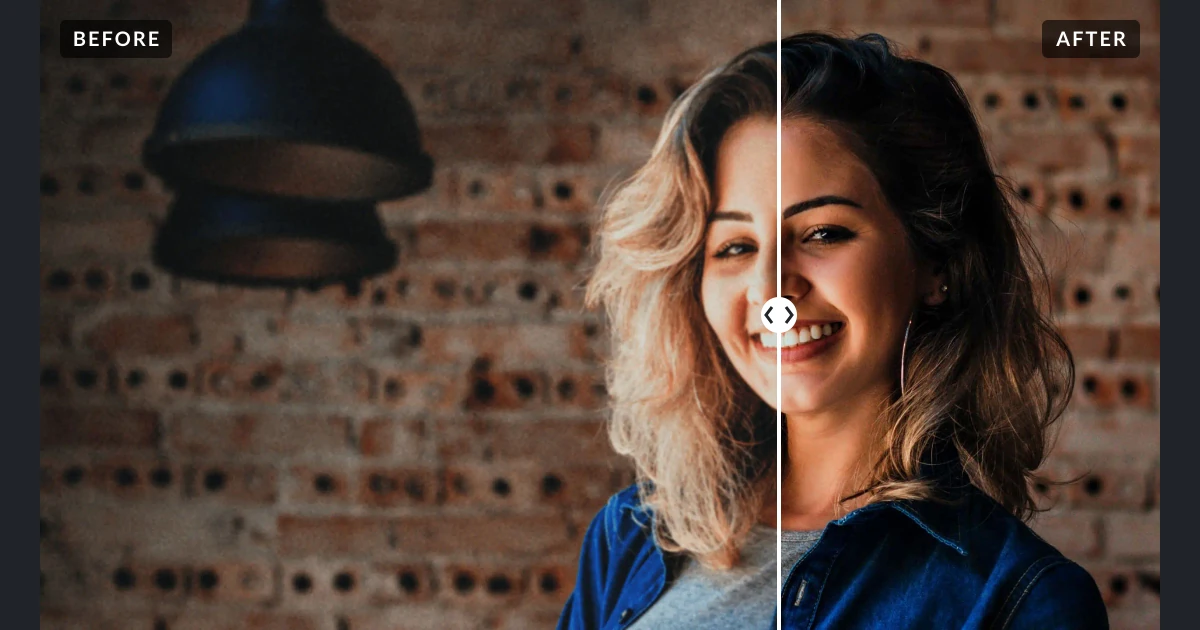
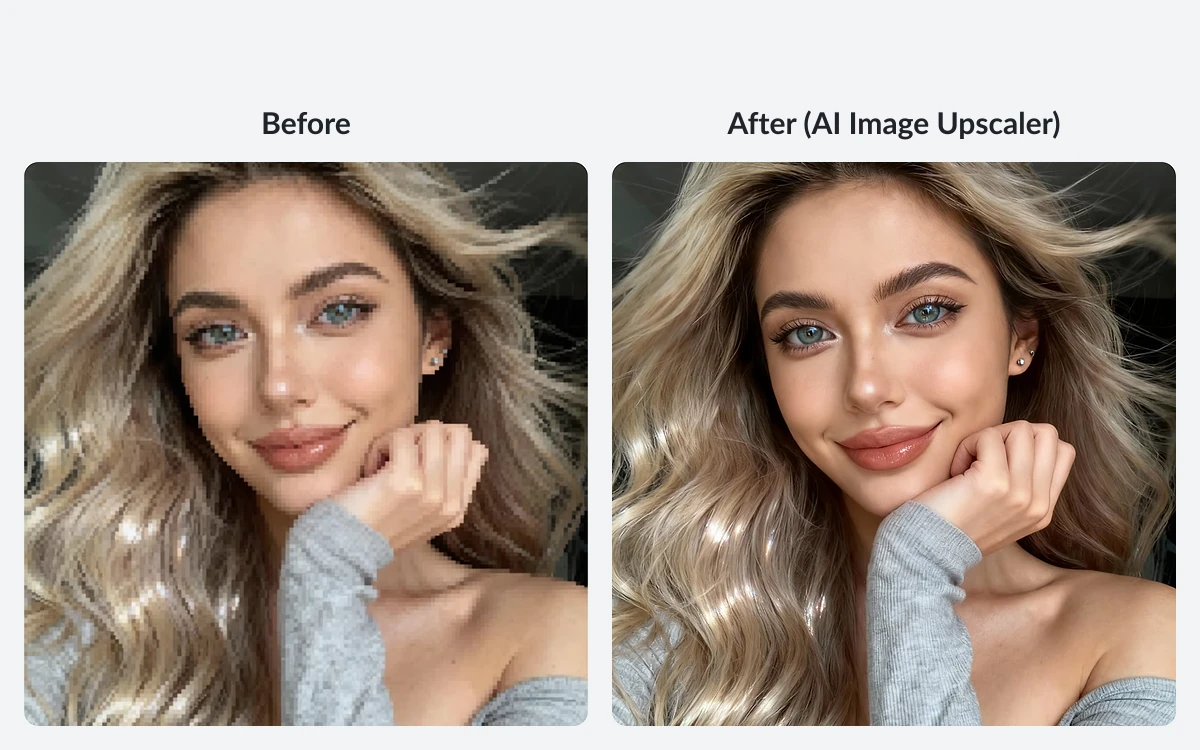
VanceAI is a credit-based AI photo enhancer: upscaling, sharpening, denoising, background removal, old-photo restoration and colorizing, plus a newer set of video tools. You upload an image, spend credits, and download the result.
The catch in 2026 is the price list. VanceAI has reset its pricing, and many comparison sites still quote packs of 100 credits for $4.95. The current pay-as-you-go packs cost $0.10 to $0.20 per credit, and some tools charge 10 credits per photo. This review works out what one enhanced photo actually costs on each plan, where the limits bite, and when the $129.90 lifetime Windows app is the better buy.
What VanceAI is in 2026
VanceAI was founded in July 2020 by a small team of deep learning researchers in Hong Kong and now has offices in Hong Kong and Japan. The company says it has 9.8 million lifetime users and became profitable in 2022. Its Japanese commercial-transactions disclosure names NISSHINTOKIN LLC in Musashino City, Tokyo, as the business entity behind the site.
The product comes in four shapes:
- The web app at vanceai.com - every image and video tool, paid with credits.
- VanceAI PC - a paid Windows app that can process images locally on your GPU without spending credits.
- VanceAI Lite / Cloud - a new free desktop client for Windows x64 and Apple-silicon Macs that runs the cloud tools and spends credits.
- An API - billed with separate API credits under plans that are not publicly priced.
On Trustpilot, VanceAI held a TrustScore of 4.2 out of 5 from 1,339 reviews when we checked on October 3, 2026, with 82% five-star and 5% one-star ratings. The profile is claimed by the company.
Pricing: three ways to buy credits
Everything on the web app is paid in credits. You can get them from a subscription billed monthly or annually, or from one-time pay-as-you-go packs. The pricing page says monthly and annual plans include 30% bonus credits in every monthly allocation, and annual billing saves 25%.
Annual subscriptions (the default tab)
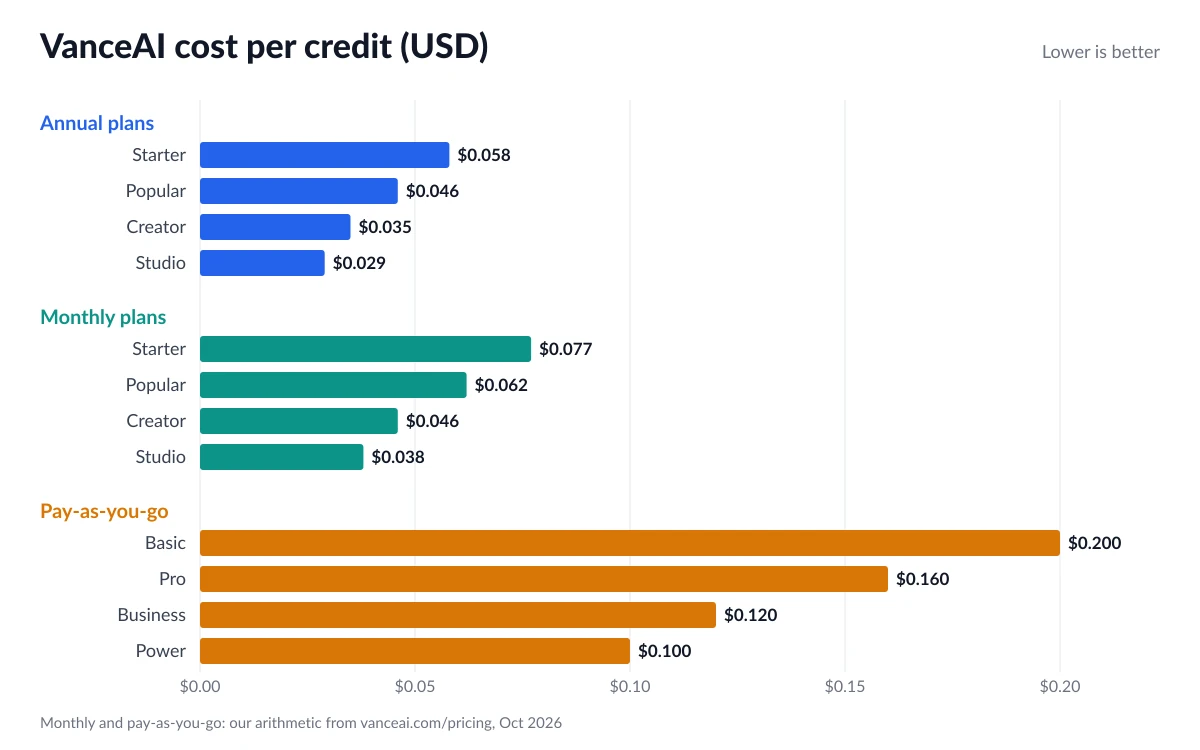
- Starter: 260 credits a month (200 + 60 bonus), $15/month, $180 billed annually, $0.058 per credit.
- Popular: 650 credits a month (500 + 150 bonus), $30/month, $360 billed annually, $0.046 per credit.
- Creator: 1,300 credits a month (1,000 + 300 bonus), $45/month, $540 billed annually, $0.035 per credit.
- Studio: 2,600 credits a month (2,000 + 600 bonus), $75/month, $900 billed annually, $0.029 per credit.
Monthly subscriptions
Monthly prices are drawn in the browser rather than printed on the page. The plan data embedded in the pricing page lists 200 credits for $20/month, 500 for $40, 1,000 for $60 and 2,000 for $100. With the 30% bonus that is 260, 650, 1,300 and 2,600 credits, which works out (our arithmetic, not a vendor figure) to about $0.077, $0.062, $0.046 and $0.038 per credit.
Pay-as-you-go packs
- Basic: 200 credits for $40 ($0.20 per credit).
- Pro: 500 credits for $80 ($0.16 per credit).
- Business: 1,000 credits for $120 ($0.12 per credit).
- Power: 2,000 credits for $200 ($0.10 per credit).
No bonus credits are stated for pay-as-you-go. These credits stay valid for a year. Enterprise pricing is custom through sales.
Ignore the old $4.95 price
Third-party listings such as SpotSaaS still quote 100 credits for $4.95, 200 for $7.95, 500 for $12.95 and 1,000 for $17.95. Those are not the current prices. Today's cheapest one-time pack is $40 for 200 credits, so check vanceai.com/pricing before you budget from a comparison site.
What one photo actually costs
Credits only mean something once you know what each tool charges. From VanceAI's pricing table:
- AI Image Upscaler: 1 credit (2x), 2 credits (4x), 3 credits (8x).
- AI Image Sharpener, AI Image Denoiser, AI Background Remover: 1 credit each.
- AI Image Cartoonizer, Passport Photo Maker, Photo to Sketch: 3 credits at 1K/2K, 10 credits at 4K.
- AI Photo Restorer and Custom Style: 4 credits at 1K/2K, 10 credits at 4K.
- AI Photo Colorizer: 4 credits up to 4K, 8 credits at 4K.
Worked examples
Multiplying those credit costs by the per-credit prices above (our arithmetic):
- A 4x upscale (2 credits): about $0.06 on annual Studio, $0.12 on annual Starter, $0.15 on monthly Starter and $0.40 from the $40 Basic pack.
- A 4K photo restoration (10 credits): about $0.29 on annual Studio, $0.58 on annual Starter, $0.77 on monthly Starter, $1.00 from the Power pack and $2.00 from the Basic pack.
- Annual Starter's 260 credits cover 130 4x upscales or 26 4K restorations a month.
The spread is large. Someone restoring a box of family photos at 4K on the Basic pack pays roughly seven times as much per photo as an annual Starter subscriber. If you will use VanceAI every month, a subscription is the only sensible way to buy it. If you only have one small job, the pay-as-you-go packs are expensive for what they are.
Free tier, upload limits and batch processing
The pricing page currently advertises "Try free with 10 credits". An older help article from 2023 describes 3 free credits a month for non-subscribers, which may no longer apply. Treat the 10 credits as a trial, not an ongoing free plan.
- Paid upload limits: under 34 megapixels, 10MB and 8,000 pixels on the longest side. Larger files are resized or compressed automatically before processing.
- Free account limits (2023 help article): 2.8 megapixels, 5MB and 4,000 pixels on one side.
- Batch: paying users can queue multiple images at once; non-subscribers can only upload one image at a time.
- Queue: paid jobs skip the free-tier queue and keep processing in the background.
VanceAI says paid users download clean results without watermarks. It does not spell out what free downloads look like, so test with your 10 credits before relying on free output.
The 8,000-pixel cap matters for upscaling. An 8x upscale of anything larger than 1,000 pixels on its long side would exceed it on the web app, which is one reason heavy upscalers look at the desktop app instead.
VanceAI PC vs the free VanceAI Lite client
VanceAI now sells two different desktop apps, and they solve different problems.
VanceAI PC: local processing, no credits
VanceAI PC is a Windows app that runs models on your own GPU. In VanceAI's words, "Local processing uses no credits, has no queue, and accepts images of any size." It advertises upscaling by up to 40x. Pricing:
- 1 month: $39.90, renews monthly, includes 100 web app credits.
- 1 year: $99.90, renews annually, includes 200 web app credits.
- Lifetime: $129.90 (listed down from $199.90), pay once, includes 300 web app credits.
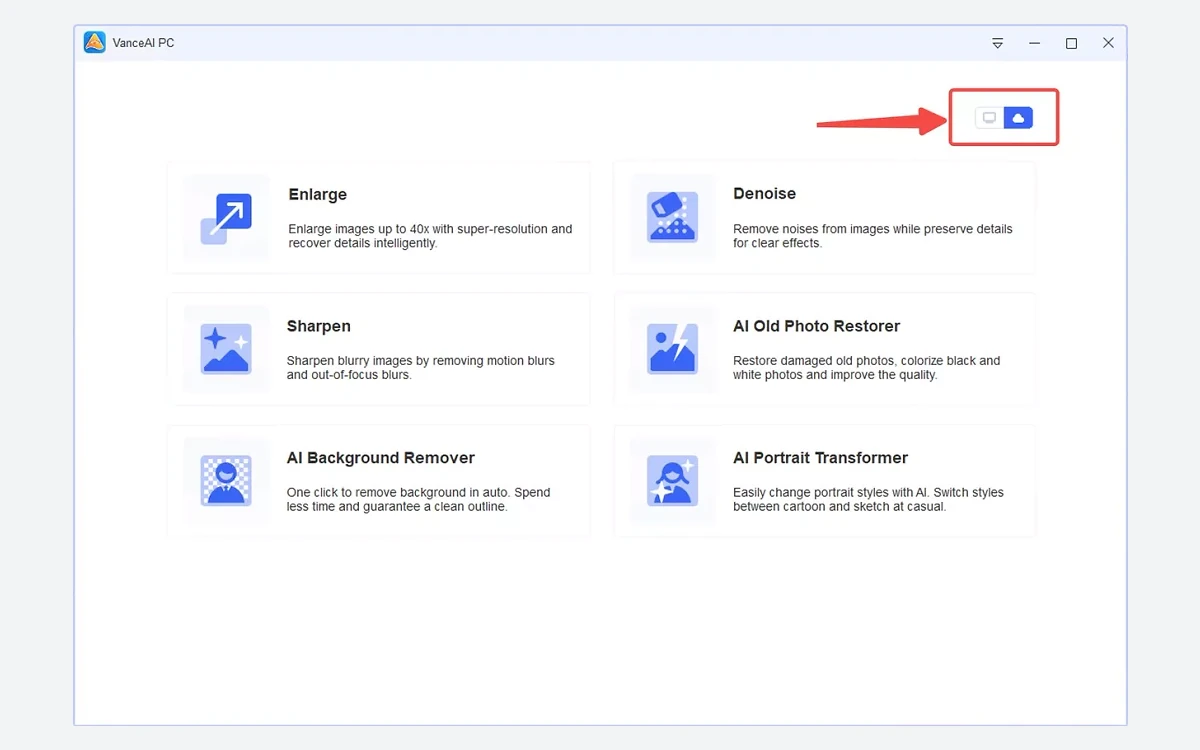
It is Windows 10 and 11, 64-bit only, even though the download page title mentions Mac. It still needs an internet connection for user authentication and model downloads, and a personal licence covers one computer (team licences cover 3 or 5). The offline installer is about 779 MB. Cloud mode inside the app still spends credits.
The maths is simple: the lifetime licence costs less than one year of annual Starter ($180), and it removes per-photo pricing, the queue and the size cap. If you have a Windows PC with a capable GPU and process images regularly, it is the better buy. The usual caveat with lifetime licences applies: you are betting the vendor keeps the app working.
VanceAI Lite / Cloud: free client, cloud credits
The newer VanceAI Lite client is free to download and runs on Windows x64 and Apple-silicon Macs. It does not process locally - you only spend credits when you run cloud AI tasks. It is mainly a nicer front end for the cloud tools, especially video, and the only desktop option for Mac users.
Video tools and the API
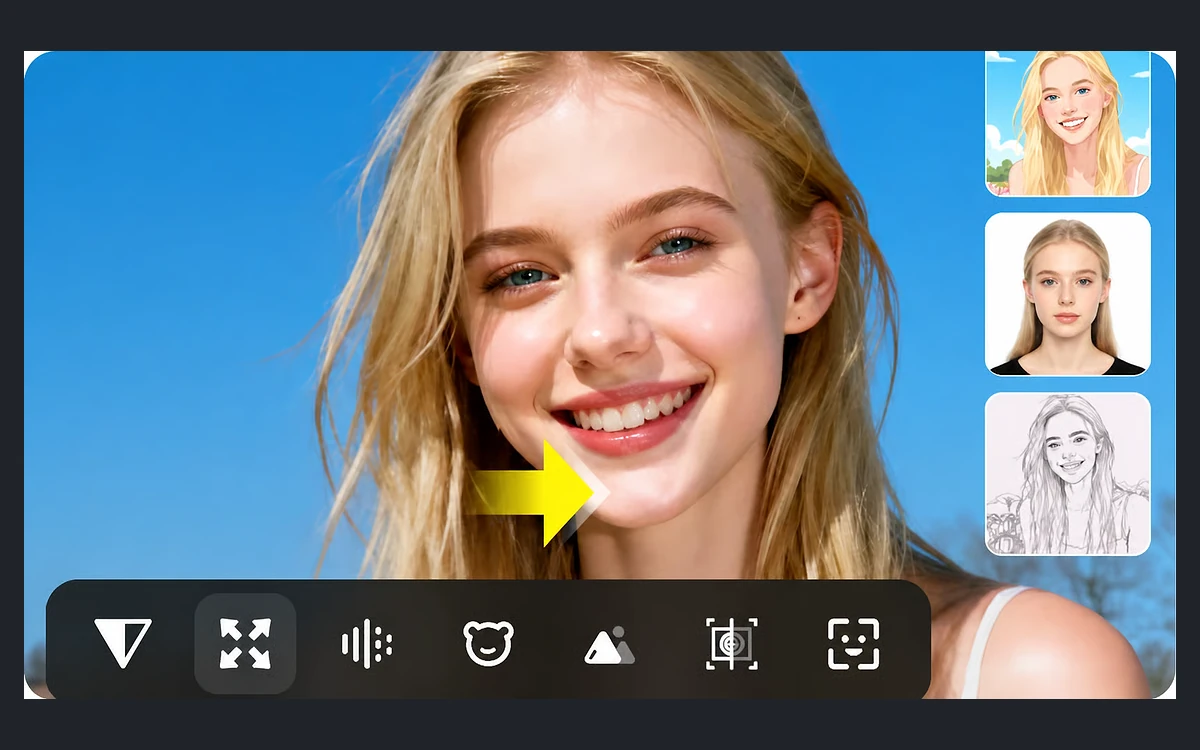
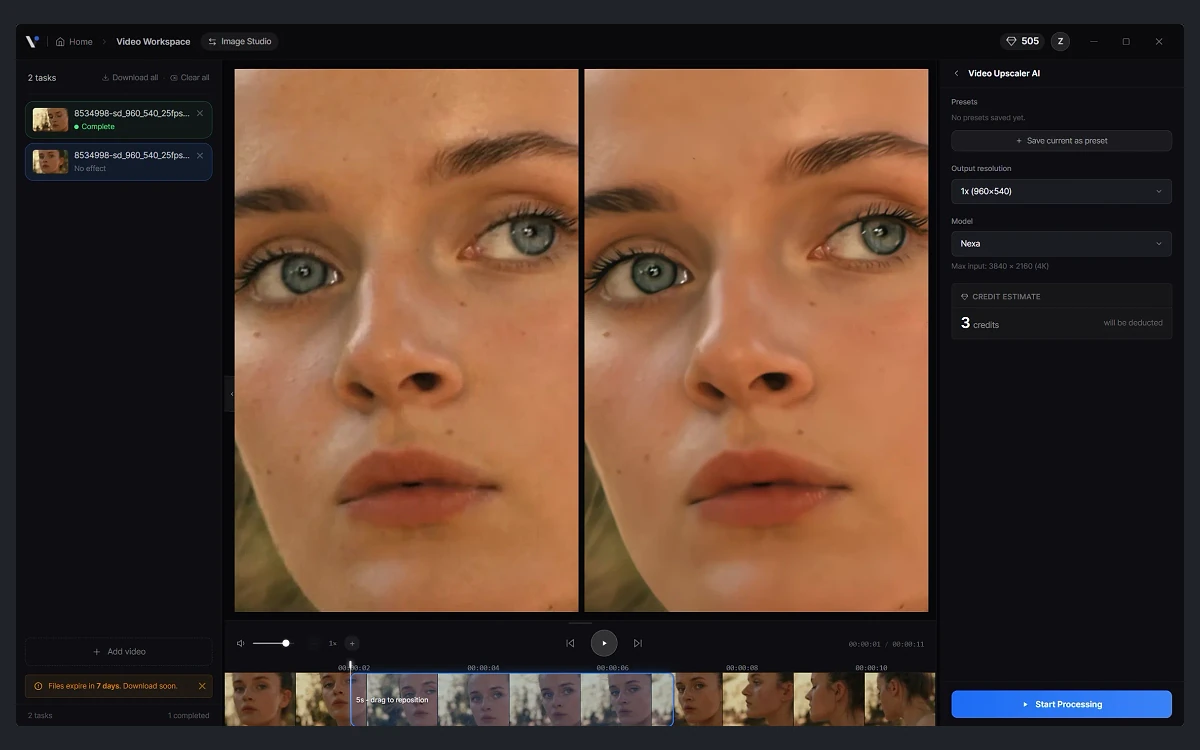
The video menu is marked new and includes AI Video Autopilot, Video Upscaler, SDR to HDR, Colorizer, Denoiser, Smoother and a Subtitle Generator, with a Video Translator listed as coming soon. Video is billed per minute. HDR Upconverter AI, for example, costs 1 credit a minute at up to 1080p, 2 at 2K and 4 at 4K, at 24 fps.
The API is a separate product. Web app credits and API credits are not shared, and you subscribe to an API plan from the account dashboard. No API prices are published. The v1 docs say direct uploads are capped at 200 MB, credits are frozen when a job starts and refunded in full if it fails or is cancelled, downloading results is free, and there are no webhooks yet (they are planned for v1.1). VanceAI also offers an Agent Skill and a ComfyUI node on GitHub.
Refunds, cancellation and privacy
Refunds are narrow
- Refunds are only available within 7 days of purchase.
- A full refund applies only on your first request and only if you have used less than 10% of the monthly credits.
- Above 10%, used credits are deducted at $0.10 each.
- Changing your mind is listed as non-refundable.
- There is no refund button: you have to contact support.
Subscriptions auto-renew by default, and cancelling does not trigger a refund. A 2023 help article says cancellation must be confirmed through a link in a system email after you unsubscribe, so check your inbox.
Credits and cancellation
Subscription credits roll over as long as you stay subscribed. The pricing page states no cap, but a 2023 help article caps rollover at five times your monthly allotment. When you cancel, leftover credits work until the next billing date and are then forfeited. Pay-as-you-go credits are valid for a year.
Privacy statements do not fully agree
VanceAI's help centre says images are permanently deleted from its servers 24 hours after upload or processing, and that it will not train its models on customer images without written permission. The new desktop client's video workspace says files expire in 7 days, and the User Agreement updated in January 2026 says "Your data is used to improve our service." The Privacy Policy, dated May 2020, says nothing about image retention. Do not upload anything you would not want stored for at least a week.
Payments go through Stripe, and PayPal is also accepted.
Verdict: who should buy VanceAI
VanceAI's tools are broad and its per-tool credit table is clear, which makes costs predictable once you have read it. The problem is the price level outside annual plans and the unclear privacy wording.
- Buy the $129.90 lifetime VanceAI PC licence if you are on Windows with a decent GPU and enhance images regularly. It costs less than one year of the cheapest subscription and removes credits from the picture.
- Choose an annual subscription if you are on a Mac or need the cloud and video tools every month. Starter at $15/month covers 130 4x upscales.
- Avoid pay-as-you-go for anything but a one-off job. At $0.20 per credit on the Basic pack, a 4K restoration costs $2.
- Look elsewhere if you need guaranteed short retention for sensitive images, or published API pricing.
Spend the 10 free credits on a few of your own photos first. Refunds are limited enough that testing before you pay is the safest step.
Frequently asked questions
How much does VanceAI cost?
Annual plans run from $15/month (Starter, 260 credits) to $75/month (Studio, 2,600 credits). Monthly billing costs $20 to $100 a month for the same credit tiers, and one-time packs cost $40 for 200 credits up to $200 for 2,000 credits.
Is VanceAI free?
Only as a trial. New users get 10 credits, enough for a handful of 2x or 4x upscales. Free accounts have lower upload limits and can only process one image at a time.
Can I get a refund from VanceAI?
Only within 7 days, and a full refund only on your first request with less than 10% of the monthly credits used. Otherwise used credits are deducted at $0.10 each, and you must contact support to ask.
What happens to my credits if I cancel?
You can use them until the next billing date, then they are forfeited. Subscription credits only roll over while you stay subscribed; pay-as-you-go credits last a year.
Does VanceAI keep my photos?
The help centre says images are deleted within 24 hours and not used for training without written permission. However, the new desktop client says files expire in 7 days and the 2026 User Agreement says your data is used to improve the service, so treat retention as uncertain.
Does VanceAI work on Mac?
Yes, through the web app or the free VanceAI Lite client for Apple-silicon Macs, both of which spend cloud credits. The credit-free local VanceAI PC app is Windows 10/11 64-bit only.
Can I use my web credits with the VanceAI API?
No. API credits are separate and require an API plan from your dashboard, and VanceAI does not publish API prices.
Key takeaways
- VanceAI's 2026 prices are well above the $4.95-per-100-credit figures still quoted by third-party sites.
- Annual plans cost $0.029 to $0.058 per credit; pay-as-you-go packs cost $0.10 to $0.20.
- A 4x upscale costs 2 credits and a 4K restoration 10, so one photo ranges from about $0.06 to $2.00 depending on how you buy.
- The $129.90 lifetime VanceAI PC licence processes locally with no credits but is Windows-only.
- Refunds are limited to 7 days and under 10% credit usage for a full refund, and privacy statements conflict on how long files are kept.
More in Artificial Intelligence
Browse Artificial Intelligence