Vultr Review 2026: VPS Pricing, the 672-Hour Billing Cap and the Fine Print
Vultr review for 2026: Cloud Compute from $2.50/mo, how the 672-hour billing cap works, stopped-server charges, add-on costs, the $200 trial credit, no refunds and a 100% uptime SLA.
Vultr is one of the few independent cloud providers that still competes head-on with DigitalOcean for developers who want a cheap virtual server without learning AWS. Its pricing page says it plainly: "Spend less than DO, get more." The entry prices back that up - Cloud Compute starts at $2.50 a month and a usable 1 GB server costs $5.
The headline number is only part of the bill, though. Vultr bills hourly up to a monthly cap, keeps charging for servers that are stopped, adds 20% for automatic backups and $10 a month for DDoS protection, and states flatly that it does not offer refunds. This review walks through the plans, the billing rules and the add-ons as listed on Vultr's pricing page, docs and legal pages in September 2026, so you can price a real deployment before you sign up.
All prices below exclude tax, and Vultr notes that some data center locations have different hourly and monthly prices.
Verdict: cheap, fast to start, strict on money
Vultr is a strong pick for developers, side projects and small production workloads that want low monthly prices, a wide choice of regions and simple per-server billing. It is a weaker pick if you want a safety net: there is no money-back guarantee, you cannot downgrade a Cloud Compute instance, and stopped servers keep billing until you destroy them.
What we like
- Low entry prices: $2.50/mo (IPv6-only), $3.50/mo with IPv4, $5/mo for 1 GB RAM and 1 TB of transfer.
- Hourly billing capped at the monthly price after 672 hours, so short-lived test servers cost cents.
- Account-wide bandwidth pool with 2 TB of free transfer every month on top of each instance's allowance.
- 33 cloud data center regions listed on the pricing page, from Johannesburg and Santiago to Tokyo and Honolulu.
- Free Kubernetes control plane, managed databases from $15/mo, and on-demand GPUs from $0.471 per GPU per hour.
What to watch
- "No, we do not offer refunds" - Vultr's own FAQ answer.
- Stopped instances are billed like running ones.
- Cloud Compute instances cannot be downgraded to a smaller plan.
- The new VX1 line and GPU servers skip the 672-hour cap and bill every hour of the month.
- Outbound SMTP may be blocked on new accounts until you ask support.
Cloud Compute plans and prices
Cloud Compute is Vultr's shared-vCPU VPS line, and it comes in several hardware tiers. The table below lists the cheapest plan in each tier as shown on the pricing page in September 2026.
- Regular Performance (previous-generation Intel CPUs, regular SSD): $2.50/mo for 1 vCPU, 0.5 GB RAM, 10 GB, 0.5 TB transfer (IPv6 only); $3.50/mo for the same with IPv4; $5/mo for 1 vCPU, 1 GB RAM, 25 GB SSD, 1 TB transfer.
- High Performance (AMD or Intel, same price): $6/mo for 1 vCPU, 1 GB RAM, 25 GB, 2 TB transfer.
- High Frequency (3GHz+ Intel Xeon, NVMe SSD): $6/mo for 1 vCPU, 1 GB RAM, 32 GB, 1 TB transfer.
- Optimized Cloud Compute (dedicated resources): CPU Optimized from $28/mo, General Purpose from $30/mo, Memory Optimized from $40/mo, Storage Optimized from $75/mo.
- VX1 Cloud Compute (hourly only): General Purpose at $0.060/hr for 2 vCPU, 8 GB RAM, block storage boot and 5 TB transfer, or $0.076/hr with 120 GB of local NVMe.
The $2.50 and $3.50 plans come with limits
Vultr's FAQ says the $2.50 IPv6-only sandbox plan "is intended for general platform testing" and is limited to 2 instances per account. The $3.50 plan adds an IPv4 address and is limited to 5 instances per account. Neither plan is available for API automation, so Terraform or scripted deploys need a $5 plan or higher.
For most real workloads the choice is between the $5 Regular Performance plan and the $6 High Performance or High Frequency plans. For one extra dollar, High Performance doubles the transfer to 2 TB, while High Frequency trades that for NVMe storage and faster clocks. The $5 plan runs on older hardware, which matters for CPU-bound work but rarely for a small web app or VPN.
How Vultr billing works: the 672-hour cap
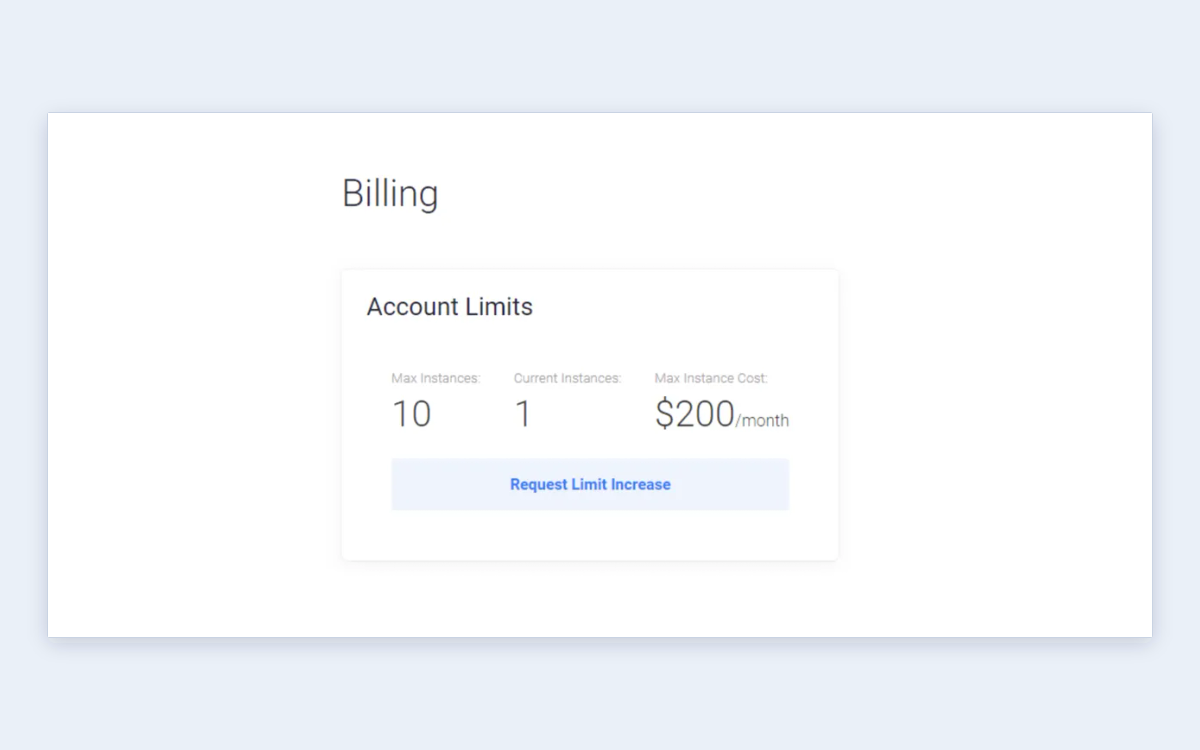
Vultr's billing rule is simple once you see the number behind it. In Vultr's words: "All servers on your account are billed hourly up to the monthly rate cap. The hourly rate is determined by dividing the monthly rate by 672 hours (28 days)." A server that stays online for more than 672 hours in a calendar month is billed the monthly price and no more. Charges accumulate and are invoiced on the 1st of every month.
In practice, a $5 server that runs for 10 days (240 hours) costs about $1.79, and one that runs for the whole month costs $5. Because the divisor is 28 days rather than 30 or 31, the effective hourly rate is slightly higher than a naive monthly-divided-by-730 calculation would suggest - you reach the full monthly price after 28 days.
VX1 and GPUs bill every hour
The newer VX1 Cloud Compute line is the exception. Vultr says VX1 products "are billed for the actual number of hours in each calendar month" and are not capped at 672 hours. VX1 has no monthly price at all - it is hourly only - so a 2 vCPU, 8 GB VX1 General Purpose instance at $0.060/hr works out to roughly $43 to $45 for a full month, depending on how many days the month has. GPU servers are also billed in 730-hour months.
Stopped servers still cost money
This is the rule that surprises most new users. Vultr's docs answer the question directly: "Yes, a stopped instance incurs normal charges as it would while running. However, the instance does not incur any charges when destroyed." Bare metal works the same way - a stopped machine stays reserved for you and keeps billing until you release it. If you want to pause spending, take a snapshot and destroy the instance.
No downgrades
You can resize a Cloud Compute instance up, but Vultr states that "you cannot downgrade a Vultr Cloud Compute instance". If you over-provision, the way back is to deploy a smaller server and migrate, so start small and scale up.
Bandwidth: a pooled allowance and $0.01/GB overage
Vultr only counts outbound traffic - "Vultr does not charge for inbound traffic" - and it pools transfer across the whole account instead of enforcing it per server. Your monthly cap is the sum of three things: a free 2 TB allotment that every account gets each month, the bandwidth included with each instance (allocated for each hour the instance runs), and any bandwidth you buy.
Unused free bandwidth does not carry over to the next month. Anything above the pooled cap is billed at $0.01 per GB, which is $10 per TB. For a small account the free 2 TB alone covers most blogs, APIs and staging servers, and the pooling means one busy server can borrow headroom from quiet ones.
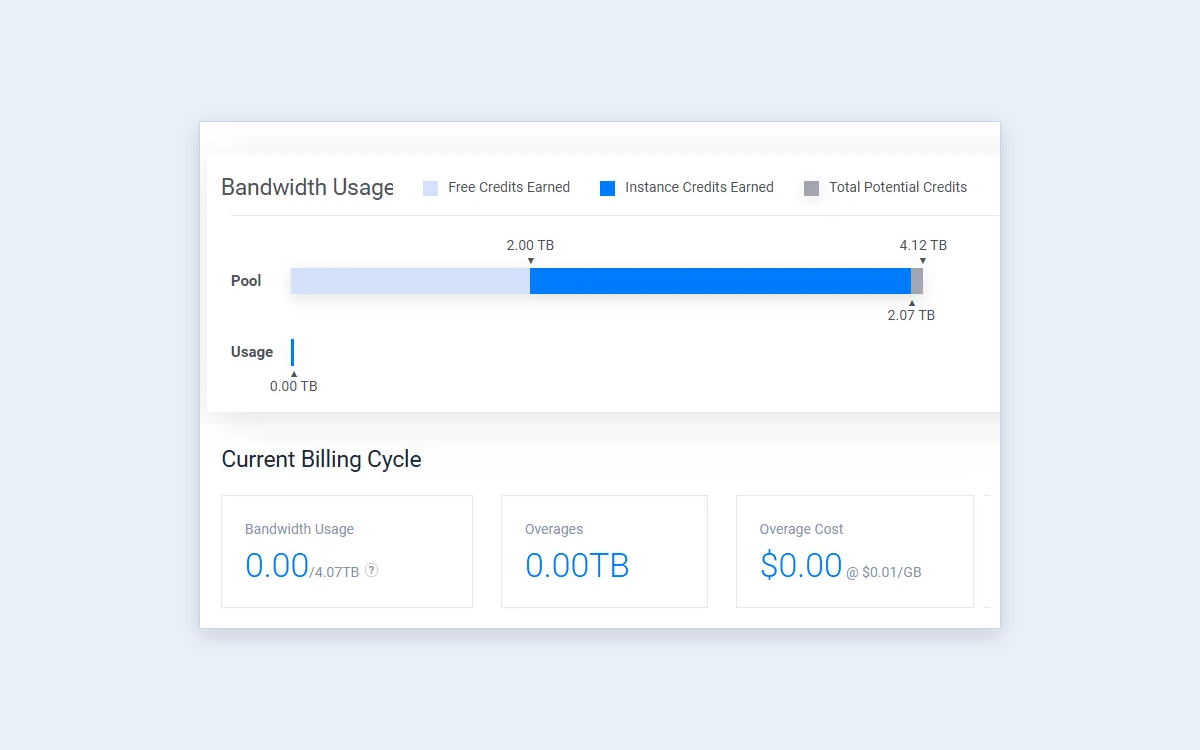
Because instance bandwidth accrues hourly, a server you create halfway through the month only contributes half its allowance. Keep that in mind if you spin up a large server late in the month for a traffic spike.
Add-ons that change the bill
The base plan is rarely the final price. These are the add-ons most Vultr users end up paying for, as listed on the pricing page and docs in September 2026.
- Automatic backups: "a 20% higher base monthly/hourly fee" - a $5 server becomes $6, a $6 server becomes $7.20.
- Snapshots: $0.05 per GB per month of stored snapshot data.
- DDoS Protection: $10/mo per instance for 10Gbps of mitigation capacity - more than the price of the server on the cheapest plans.
- Block Storage (NVMe): $1 per month per 10 GB, with a 1 GB minimum volume size (HDD volumes start at 40 GB).
- Object Storage: Standard tier at $18 per TB per month, including 1000 GB of storage and 1000 GB of outbound transfer; extra storage $0.018/GB and extra transfer $0.01/GB. Premium, Performance, Accelerated and Archival tiers cost $36, $50, $100 and $6 per TB.
- Reserved IPs: $3 per month.
- Load Balancers: $10/mo ($0.015/hr); Global Load Balancers $10 per region per month.
- File System: $1 per 10 GB. CDN: $10/mo plus bandwidth. Direct Connect: from $5/mo for 50 Mbps.
A realistic small-server bill
A $6 High Performance server with automatic backups ($1.20), one reserved IP ($3) and DDoS Protection ($10) costs $20.20 a month before tax - more than three times the headline price. Skip DDoS Protection unless you are a real target and the same server is $10.20.
Sign-up, the $200 trial credit and refunds
Signing up requires a payment method "for verification purposes". With a credit card you can choose "I just want to link my credit card - $0.00 deposit" and verify without paying anything up front. Other payment methods require a small initial deposit; Vultr's docs do not state the amount.
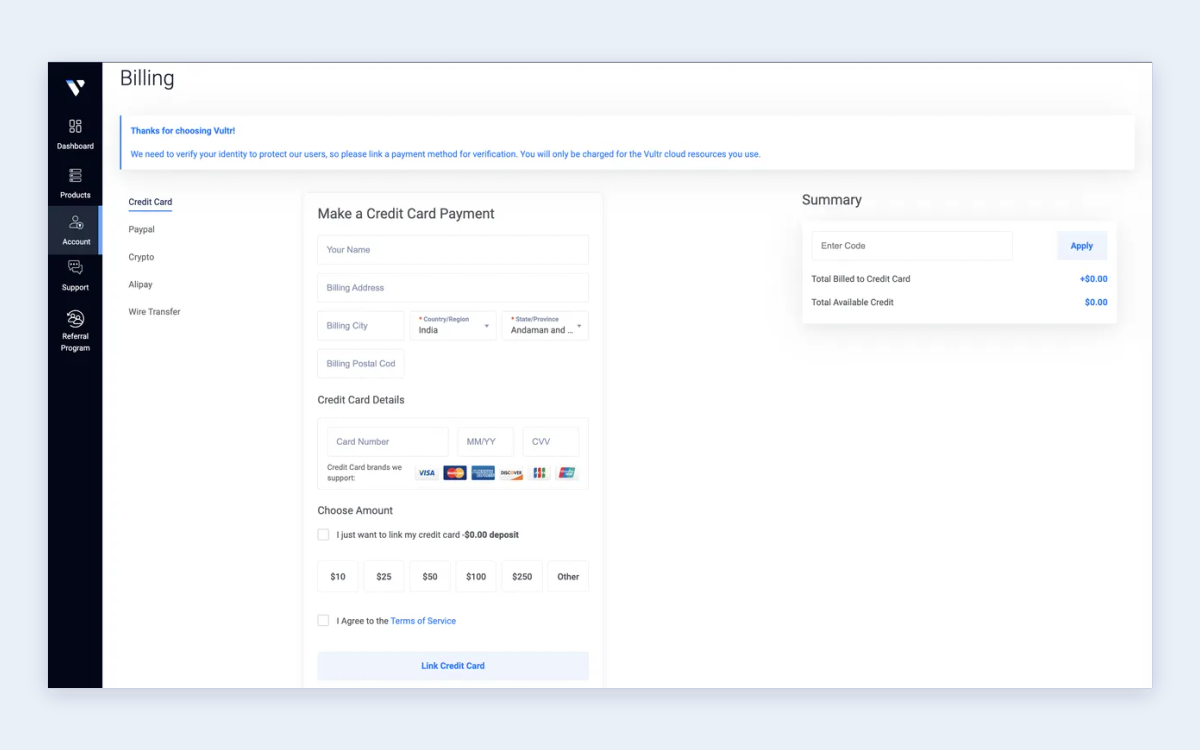
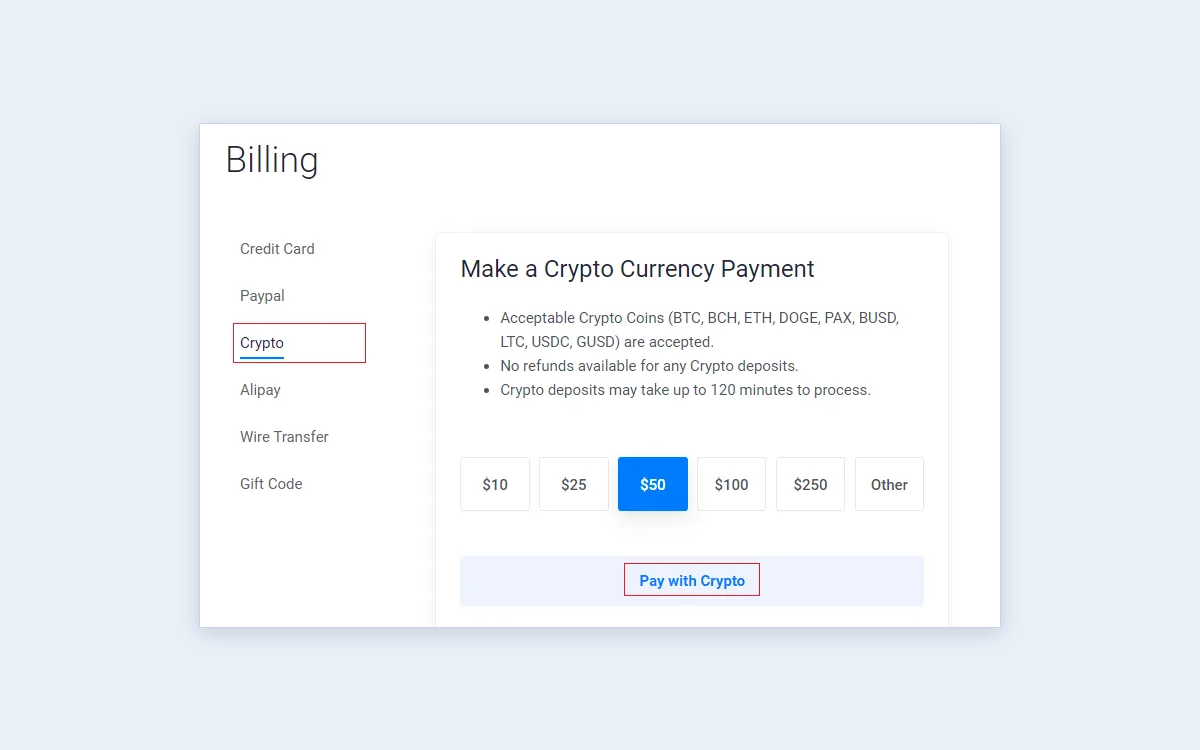
Vultr accepts Visa, Mastercard, American Express, Discover, JCB, PayPal, Alipay, UnionPay and cryptocurrency through BitPay (BTC, BCH, ETH, DOGE, PAX, BUSD, LTC, USDC and GUSD). Wire transfer and gift codes are also offered in the console.
The $200 free credit
Vultr's promo page offers "$200 free credit" to try the platform, and its docs say the free credits last "for up to 30 days". To qualify you need a valid credit card or PayPal linked, the offer is one promo per user, and "Credits from promo codes expire". Treat it as a 30-day test budget, not a free year of hosting.
No refunds
Vultr's FAQ is blunt: "Do you offer refunds? No, we do not offer refunds." The Terms of Service add that Vultr "does not guarantee refunds", may not refund remaining pre-paid fees, and sends any refund it does make to the original payment method only. Hourly billing limits the damage - you only pay for what you run - but money you deposit up front should be money you expect to spend on Vultr.
Beyond the VPS: GPUs, bare metal, Kubernetes and databases
Vultr has spent 2025 and 2026 building out AI infrastructure. Its news page lists a planned 50MW AMD MI355X cluster in Springfield, Ohio (December 2025), adoption of the NVIDIA Rubin platform (March 2026), NVIDIA Exemplar Cloud status for Blackwell GPUs (April 2026), HPE and NVIDIA for next-generation AI infrastructure (June 2026) and an AMD Helios rack-scale deployment with Instinct MI455X GPUs (July 2026).
Cloud GPU (on-demand, per GPU per hour)
- NVIDIA A16 (16 GB): $0.471 - the cheapest listed GPU.
- NVIDIA L40S: $1.671; A40 (48 GB): $1.712; GH200: $1.990.
- NVIDIA A100 PCIe 80 GB: $2.397; HGX A100: $2.800; H100 (8-GPU): $2.300; B200: $3.500.
- AMD MI300X: $1.850; MI325X: $2.000; MI355X: $2.590.
- MI455X, GB300 NVL72 and HGX B300: contact sales.
Prepaid bare metal GPU contracts are cheaper for some cards - the L40S starts at $0.848 per GPU per hour and the A100 PCIe at $1.290 on contract - while H100, GH200 and B200 are the same price either way. Note that GPU instances are not covered by Vultr's SLA.
Other managed services
- Bare Metal (CPU): from $120/mo ($0.179/hr) for an Intel E3-1270 with 4 cores / 8 threads at 3.8 GHz, 32 GB RAM and 5 TB transfer.
- Vultr Kubernetes Engine: the control plane is free; you pay for worker nodes and attached resources.
- Managed Databases: MySQL, PostgreSQL, Valkey and Apache Kafka, from $15/mo for the smallest tier; MySQL and PostgreSQL on Optimized General Purpose from $90/mo; Kafka from $475/mo.
- Serverless Inference: billed per million tokens, for example DeepSeek-V4-Flash at $0.30 input and $1.00 output per million.
Regions, SLA and support
The pricing page lists 33 cloud data center regions, with Milan announced as the 33rd in May 2026. Coverage is unusually broad for a provider this size: North America (including Honolulu, Toronto and Mexico City), South America (Sao Paulo, Santiago), Europe (from Madrid to Warsaw and Stockholm), Africa (Johannesburg), the Middle East (Tel Aviv), India (Bangalore, Delhi NCR, Mumbai), East Asia (Tokyo, Osaka, Seoul, Singapore) and Australia (Sydney, Melbourne).
100% uptime SLA, on request
Vultr's SLA promises 100% uptime based on network and host node availability, and pays service credits scaled to the length of an outage:
- Up to 9 minutes: 12 hours of credit.
- 10-59 minutes: 24 hours.
- 60-119 minutes: 48 hours.
- 120-239 minutes: 120 hours.
- 240-419 minutes: 240 hours.
- 420 minutes or more: 672 hours (one month).
Credits are not automatic - you "must initiate a support ticket and request that a credit be applied". The SLA excludes GPU instances and does not cover the website, DNS, API or control panel. The SLA page was last modified in June 2022.
Support and email
Support runs through tickets in the customer portal, backed by a large documentation library; we found no paid support tiers. One common snag for new accounts: outbound traffic to the SMTP port may be blocked, and Vultr asks you to contact support to lift it. Plan for that if your server sends email directly.
Vultr vs DigitalOcean: who should choose Vultr
Vultr positions itself directly against DigitalOcean, and both target the same buyer: a developer who wants a simple VPS and a clean console rather than the sprawl of AWS, Google Cloud or Azure. Vultr's case rests on lower entry prices, more regions and a pooled bandwidth allowance with a free 2 TB on top. If you are weighing the two, our DigitalOcean review covers Droplet pricing and its own billing fine print.
- Choose Vultr if you want the cheapest possible test servers, need a region the big providers skip, or plan to add GPUs later on the same account.
- Look elsewhere if you need a refund guarantee, want to pause servers without paying, or prefer a provider that bills every product the same way.
- For teams already on AWS, Azure or Google Cloud, Vultr makes most sense for cost-sensitive side workloads rather than a full migration.
Frequently asked questions
How much does a Vultr server cost per month?
From $2.50 a month for an IPv6-only sandbox server, $3.50 with IPv4 and $5 for a 1 GB server. The $6 High Performance and High Frequency plans are the usual starting point for production. Prices exclude tax and vary in some locations.
Does Vultr have a free trial?
Yes, as promotional credit rather than a free plan. Vultr offers $200 of free credit that lasts up to 30 days, limited to one promo per user, and you must link a credit card or PayPal to qualify.
Does Vultr offer refunds?
No. Vultr's FAQ says "No, we do not offer refunds," and its Terms of Service say it does not guarantee refunds of pre-paid fees. Any refund it chooses to make goes back to the original payment method.
Am I charged for a stopped Vultr server?
Yes. A stopped instance is billed exactly as if it were running. Charges stop only when you destroy the instance, so snapshot it first if you want to keep the data.
How does Vultr's hourly billing work?
Each server is billed hourly at the monthly price divided by 672 hours, and never more than the monthly price in a calendar month. VX1 and GPU servers are the exception and are billed for every hour they run.
Can I downgrade my Vultr plan?
No, not for Cloud Compute. You can upgrade in place, but moving to a smaller plan means deploying a new server and migrating to it.
What happens if I use more bandwidth than my plan includes?
You pay $0.01 per GB of outbound transfer above your account's pooled cap. The pool combines a free 2 TB per month, each instance's allowance and any purchased bandwidth; inbound traffic is free.
Can I send email from a Vultr server?
Usually, but new accounts may have outbound SMTP blocked. Open a ticket from the customer portal to ask for the restriction to be lifted.
Can I pay Vultr with PayPal or crypto?
Yes. Vultr accepts PayPal, major credit cards, Alipay, UnionPay and cryptocurrency via BitPay, plus wire transfer and gift codes in the console. Only a card or PayPal qualifies you for promo credit.
Key takeaways
- Vultr Cloud Compute starts at $2.50/mo, but the $2.50 and $3.50 plans are capped per account and cannot be deployed by API; $5-$6 is the realistic entry point.
- Servers bill hourly up to the monthly price after 672 hours; VX1 and GPU servers bill every hour of the month.
- Stopped servers keep billing and Cloud Compute plans cannot be downgraded - destroy what you do not use.
- Backups (+20%), reserved IPs ($3) and DDoS Protection ($10) can triple the bill on a small server.
- The $200 trial credit expires within 30 days, and Vultr does not offer refunds.
More in Cloud Computing
Browse Cloud Computing