Watermarkremover.io Review 2026: Credits, No Refunds and a Copyright Promise
Watermarkremover.io review: localised credit pricing, a free tier, no refunds, email-only cancellation and Terms that make you swear you own every image.

Watermarkremover.io does one job: you upload an image, a PDF or a short video, and an AI model paints out the watermark. The results on the vendor's own samples are clean, and the free tier is enough to test it on a real file before you pay anything.
The more interesting part is what surrounds the model. Prices are shown in your local currency and older third-party listings quote plans that no longer exist. Refunds are ruled out. Cancelling means sending an email. And the Terms ask you to swear you own the copyright in every image you process. This review walks through all of it as the site stood on 1 October 2026.
What watermarkremover.io is and who runs it
The site is operated by Shopsense Retail Technologies Limited, a Mumbai company that its Terms describe as "a subsidiary of Reliance Retail Ventures Limited". The footer reads "#MadeInIndia | ©2026 Shopsense Retail Technologies Limited".
It is not a standalone product. The Terms say the platform "forms a part of the suite of services made available to you on the PixelBin Platform", and anyone who wants more than basic transformations is redirected to pixelbin.io. Support and sales both run through pixelbin.io email addresses. The same company also runs erase.bg, upscale.media, shrink.media and convertfiles.ai, all linked from the homepage.
That matters for two reasons. Billing, cancellation and privacy are partly governed by PixelBin's documents rather than watermarkremover.io's own, and the watermarkremover.io Terms have not been updated since 21 February 2023, while PixelBin's were revised on 6 March 2026. When the two disagree, it is worth knowing which one you are reading.
What it removes, and the hard limits
The homepage promises to "remove the watermarks from your images, videos, and PDFs using our powerful AI technology". Detection is automatic: you do not brush over the mark yourself, which is the main difference from general-purpose object erasers.
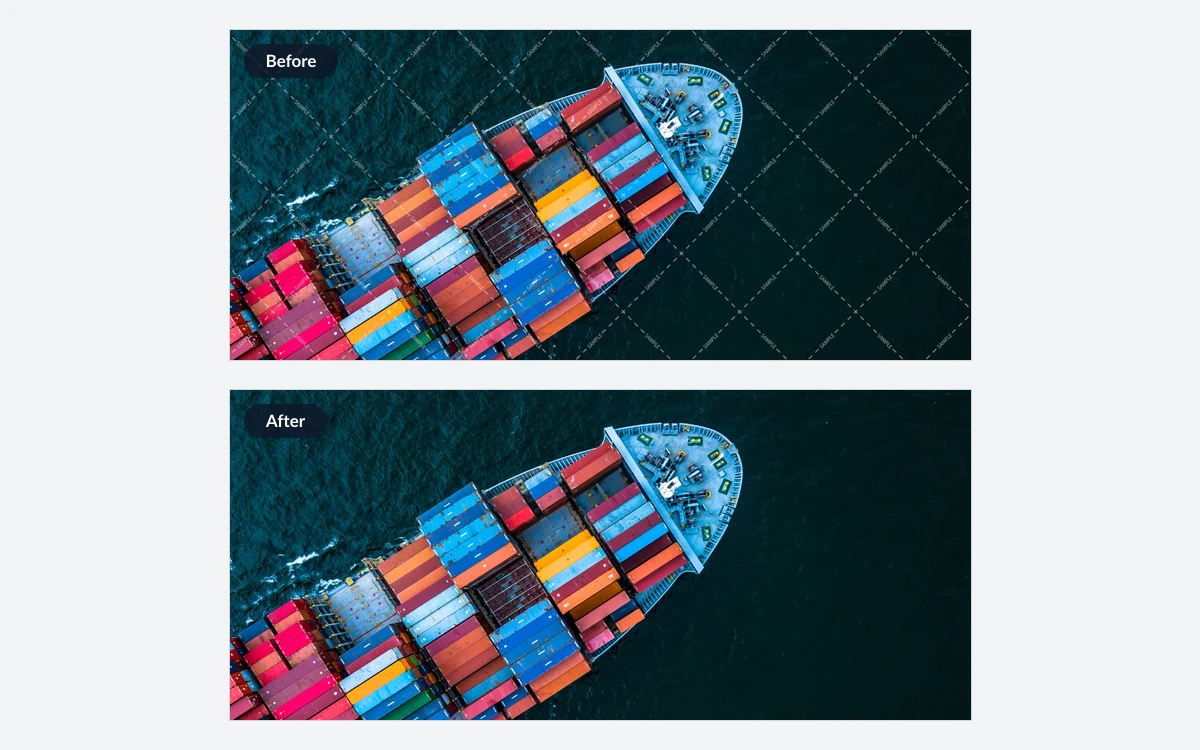
Supported files and size caps
- Images: PNG, JPEG, JPG, WebP and HEIC, up to 5,000 × 5,000 px.
- Documents: PDF, up to 25 pages.
- Video: MP4, MOV and WebM, up to 2 minutes. A dedicated TikTok watermark page also exists.
- Bulk: after a free sign-up you can "upload and transform images in bulk".
Tiled, semi-transparent text marks like the one in the demo are the easy case for this kind of model. Large opaque logos over detailed texture are harder for any inpainting tool, which is exactly why the free credits are worth spending on your own worst file rather than on a simple one.

Pricing in 2026: credits, plans and packs
Everything is billed in credits. The pricing page states "1 Credit = 1 Image = 2 PDF Pages" and adds that "different services might use different numbers of credits". It does not say how many credits a video costs, so check the counter before processing clips.
Prices are localised
The pricing page shows prices in the visitor's own currency. The figures below are what it showed us on 1 October 2026, in Singapore dollars. The plan data behind the page also carries unlabelled base amounts that appear to be US dollar list prices; we quote them as a rough guide only.
Yearly subscriptions
The visible plans are yearly, "Billed yearly (Auto-renews yearly)", with a toggle that claims "Yearly Save 45 %".
- 1,200 credits a year: SGD 57.45 (about SGD 0.05 a credit; base amount 44.99).
- 2,400 credits a year: SGD 89.38 (about SGD 0.04 a credit; base amount 69.99).
- 6,000 credits a year: SGD 127.69 (about SGD 0.02 a credit; base amount 99.99).
- 12,000 credits a year: SGD 204.31 (about SGD 0.02 a credit; base amount 159.99).
A banner currently advertises "Watermark 3.0 - Launch Offer - 30% off on Annual Plans" with the code OFF30. That is a separate discount from the 45% yearly saving, and the page does not say when the offer ends.
Monthly plans and one-time packs
Monthly plans do not appear in the visible pricing table, but the page's embedded plan data lists them: 100 credits for SGD 8.93, 200 for SGD 12.76, 500 for SGD 19.14, 1,000 for SGD 25.53 and 3,000 for SGD 51.07 a month. Whether you can actually check out on one depends on what the page offers you.
One-time packs are shown on the page and are the sensible choice for occasional use. They are "valid for 1 year from purchase and are non-refundable":
- 30 credits: SGD 11.48 (SGD 0.38 a credit; base amount 8.99).
- 50 credits: SGD 15.31 (SGD 0.31 a credit; base amount 11.99).
- 200 credits: SGD 31.91 (SGD 0.16 a credit; base amount 24.99).
- 500 credits: SGD 44.68 (SGD 0.09 a credit; base amount 34.99).
Enterprise pricing is custom, through [email protected]. If you have seen "$29 for 300 credits" or "$89 for 1,200 credits" on review aggregators, those are older third-party listings that no longer match the vendor's plans.
No refunds, email-only cancellation and conflicting expiry rules
The refund position is blunt: "Due to the high cost of AI, we cannot offer refunds. Please explore the free plan first." PixelBin's Terms say the same in legal language, calling fees "non-cancellable and non-refundable, except where expressly required under applicable law". The refund-policy link on the iOS App Store listing currently returns a 404.
There is no self-serve cancel button described anywhere. The pricing FAQ says: "To downgrade or cancel, just contact us at [email protected]". Under PixelBin's Terms, cancelling a fixed-term plan only takes effect "upon expiry of the then-current-subscription term", so a yearly plan runs to its end date either way. Email well before the renewal date and keep the reply.
Credit expiry is muddled on the vendor's own page. One FAQ answer says "unused credits disappear at the end of each month", while the one-time packs are described as valid for a year. We cannot tell you which rule applies to yearly subscription credits, and neither does the page.
Before you pay
Use the free credits on the hardest file you actually need to clean. With no refunds and email-only cancellation, the trial is the only low-risk test you get.
The copyright promise you make on every upload
The Terms put the legal weight squarely on the user. Clause 1.6 says "you guarantee that you have all the necessary rights (such as copyright, ancillary copyright, industrial property rights, trademark rights) for processing the uploaded photos or images". Clause 1.7 goes further: "You affirm that you own the copyrights of the media assets that you process through the Platform."
Clause 4.3 then makes you "solely responsible" for any third-party infringement claim over images with the watermark removed, and says the company is in no way responsible. The Acceptable Use Policy separately bans uploading anything that infringes a third party's intellectual property.
In the United States, 17 U.S.C. §1202(b) says no person shall, without the authority of the copyright owner or the law, "intentionally remove or alter any copyright management information" when they know or have reasonable grounds to know it will enable or conceal infringement. A watermark carrying a name or copyright notice can count as that information. This is context, not legal advice, but it explains why the vendor's Terms read the way they do.
Legitimate uses are real: your own photos with an old watermark you no longer want, stock previews you have since licensed properly, scans and documents you own, or product shots from your own catalogue. The iOS app's listing sums it up: it "is intended for editing your own content or content you have permission to modify".
What happens to your uploads
Clause 9.1 of the watermarkremover.io Terms grants the company "a royalty-free, perpetual, irrevocable, non-exclusive right and license to adopt, publish, reproduce, ... create derivative works from, ... any material posted by you on the Platform". That is a very broad licence for a tool whose whole input is other images.
Watermarkremover.io's own privacy policy is undated, says data is kept "for the period necessary to fulfil the purposes" of the policy, and says nothing about AI training. The clearer promises come from PixelBin's privacy policy, last updated 4 August 2026: "We do not use User Content for advertising or to train or improve any AI or machine-learning models", uploaded files are retained for 45 days after account deletion, and erasure requests are completed within 45 days.

PixelBin also says data may be stored and processed in India and other countries where it or its sub-processors operate. We found no stated deletion window for images uploaded without an account, and the Acceptable Use Policy says content may be permanently erased once an account has been delinquent, suspended or terminated for 30 days or more.
API, plugins and mobile apps
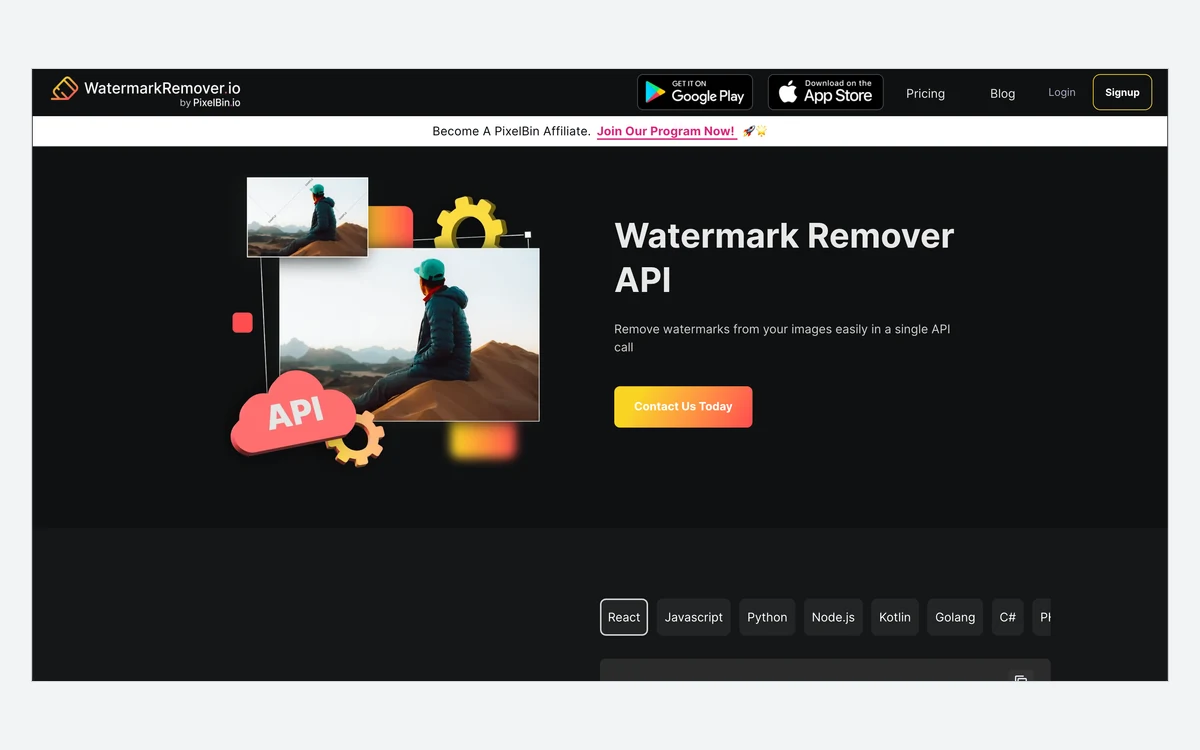
The API promises to "remove watermarks from your images with a single API call". In practice it is a PixelBin CDN transformation: you add wm.remove() to an image URL on your PixelBin cloud, and the processed image is served back. SDK samples cover React, JavaScript, Python, Node.js, Kotlin, Go, C# and PHP, and documentation lives at pixelbin.io/docs/api. There is no public API price list; the page offers a Contact Us button.
Plugins exist for Photoshop and Figma, both offering automatic watermark removal inside the design tool. There is no desktop app: the Windows, Mac and Linux pages on the site are how-to articles, not downloads.
On Android the app is called Watermark Remover, Photo Video, published by PixelBin. It showed 4.1 stars from roughly 25,000 reviews and over 1 million downloads, last updated 9 August 2026. On iOS the same service ships under a different name, UnmarkIt, sold by Shopsense Retail Technologies. It is free to download and showed 4.94 stars in the US store, but from only 17 ratings, which is too small a sample to mean much.

There is no help centre. Questions go to [email protected].
Verdict: who it suits
Watermarkremover.io is a good fit if you have a steady stream of your own images, PDFs or clips carrying watermarks you are entitled to remove, and you want automatic detection rather than brushing each mark by hand. The larger yearly plans bring the cost down to around two Singapore cents a credit, and the API makes it usable inside a product pipeline.
It is a poor fit if you need one or two images cleaned and might want your money back, because nothing is refundable. The email-only cancellation, the contradictory credit-expiry wording and the perpetual licence in clause 9.1 are all reasons to start with the free credits or the smallest pack.
If what you actually need is a general object eraser rather than automatic watermark detection, our reviews of Cleanup.pictures, Clipdrop and Photoroom cover tools with brush-based removal and different pricing models.
Frequently asked questions
How much does watermarkremover.io cost?
It starts free and the cheapest paid option on 1 October 2026 was a 30-credit pack at SGD 11.48. Yearly plans ran from SGD 57.45 for 1,200 credits to SGD 204.31 for 12,000 credits. Prices are shown in your local currency, so you will see different numbers where you are.
Is there a free plan, and what does it include?
Yes: 3 free credits and 3 free downloads every month with an account. Without an account you can try up to 2 images a day. The site does not say whether free downloads are full resolution.
Can I get a refund?
No. The pricing page says it cannot offer refunds "due to the high cost of AI", and one-time credit packs are explicitly non-refundable. PixelBin's Terms allow exceptions only where the law requires them or where agreed in writing.
How do I cancel a subscription?
Email [email protected]. No self-serve cancel option is described, yearly plans auto-renew, and under PixelBin's Terms cancellation of a fixed-term plan takes effect at the end of the current term.
Is it legal to remove a watermark with it?
Only when you have the right to. The Terms require you to affirm you own the copyright in what you upload and make you solely liable for infringement claims, and in the US, removing copyright management information without authority can breach 17 U.S.C. §1202. Your own photos and properly licensed images are the safe cases.
Does it use my images to train AI?
PixelBin's privacy policy says it does not use user content to train AI models. Watermarkremover.io's own older policy is silent on training, and its Terms still grant a perpetual, irrevocable licence to material you post.
What are the file size limits?
Images up to 5,000 × 5,000 px, PDFs up to 25 pages and videos up to 2 minutes. Supported formats are PNG, JPEG, WebP and HEIC for images, PDF for documents, and MP4, MOV and WebM for video.
Is there a desktop or iPhone app?
There is no desktop app, but there are Photoshop and Figma plugins. The iPhone app exists under a different name, UnmarkIt, and the Android app is called Watermark Remover, Photo Video.
Key takeaways
- Watermarkremover.io is a Reliance-owned PixelBin product that automatically removes watermarks from images, PDFs and videos up to 2 minutes.
- Prices are localised; on 1 October 2026 yearly plans ran from SGD 57.45 for 1,200 credits to SGD 204.31 for 12,000, and older third-party price quotes are out of date.
- Nothing is refundable and cancelling means emailing [email protected], so test the free 3 credits a month first.
- The Terms make you affirm you own the copyright of every upload and grant the company a perpetual licence to what you post.
- PixelBin's 2026 privacy policy rules out AI training on user content and deletes files within 45 days of account deletion.
More in Artificial Intelligence
Browse Artificial Intelligence