WP Engine Review: Managed WordPress Hosting, Pricing, and the Automattic Dispute
A buyer's-eye review of WP Engine's managed WordPress hosting: build-your-own pricing from $28/mo, EverCache performance, staging and security, its uptime SLA, and the unresolved WP Engine v. Automattic litigation you should weigh before signing up.
WP Engine is one of the best-known managed WordPress hosts, built for people who would rather ship a site than babysit a server. It handles caching, security patching, backups and staging for you, and charges a premium for doing so. The question for any buyer is whether that convenience is worth the price, and whether the company's ongoing legal fight with Automattic should give you pause.
This review works through what WP Engine actually sells in 2026: how its build-your-own plans are priced, the platform features you get, how support is tiered, and where the WP Engine v. Automattic dispute leaves prospective customers. Every figure here comes from WP Engine's own published pages, and we flag clearly where numbers are custom or where the company only lists a starting price.
What WP Engine is
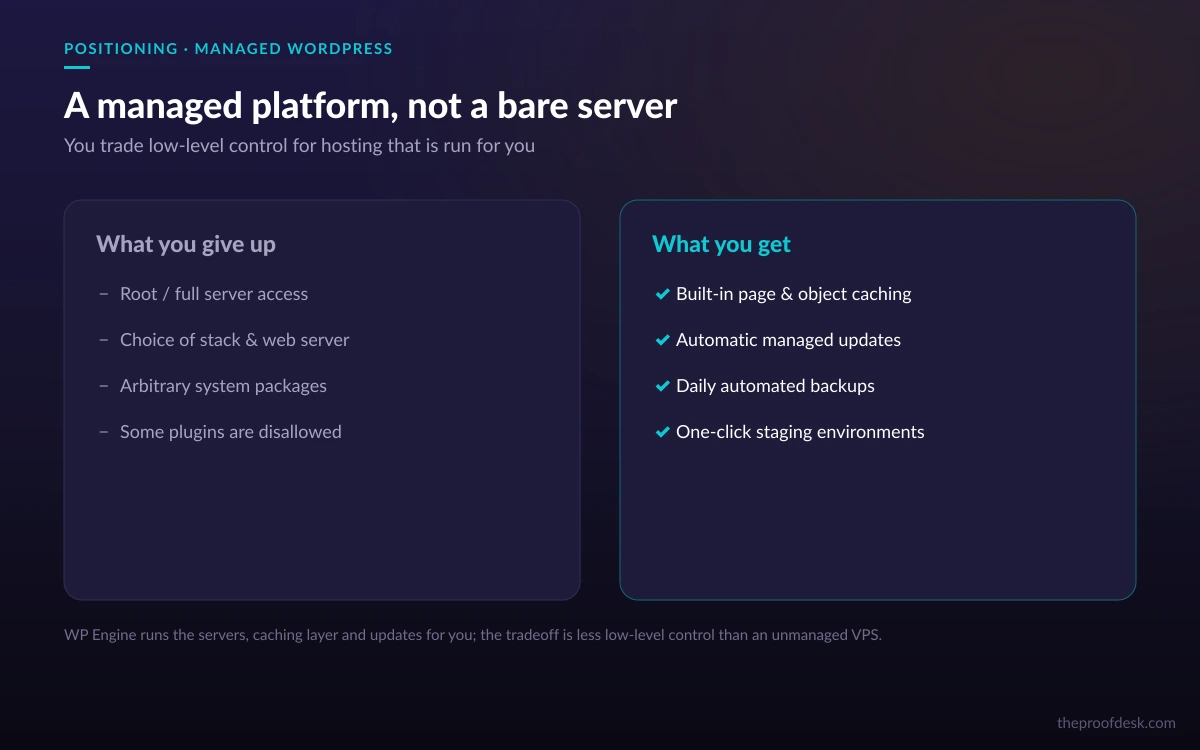
WP Engine is a managed hosting platform dedicated to WordPress. Instead of renting a generic virtual server and installing WordPress yourself, you get an environment tuned for it: WordPress-optimized caching, automatic core and plugin patching, daily backups, one-click staging sites and a support team that only handles WordPress. The trade-off is less low-level control and a higher monthly bill than commodity shared hosting.
The target customer is a business, agency or publisher whose site earns money, where an hour of downtime or a slow page costs more than the hosting itself. If you run a personal blog on a tight budget, WP Engine will feel expensive. If you run client sites or a store, its guardrails are the point.
Plans and pricing
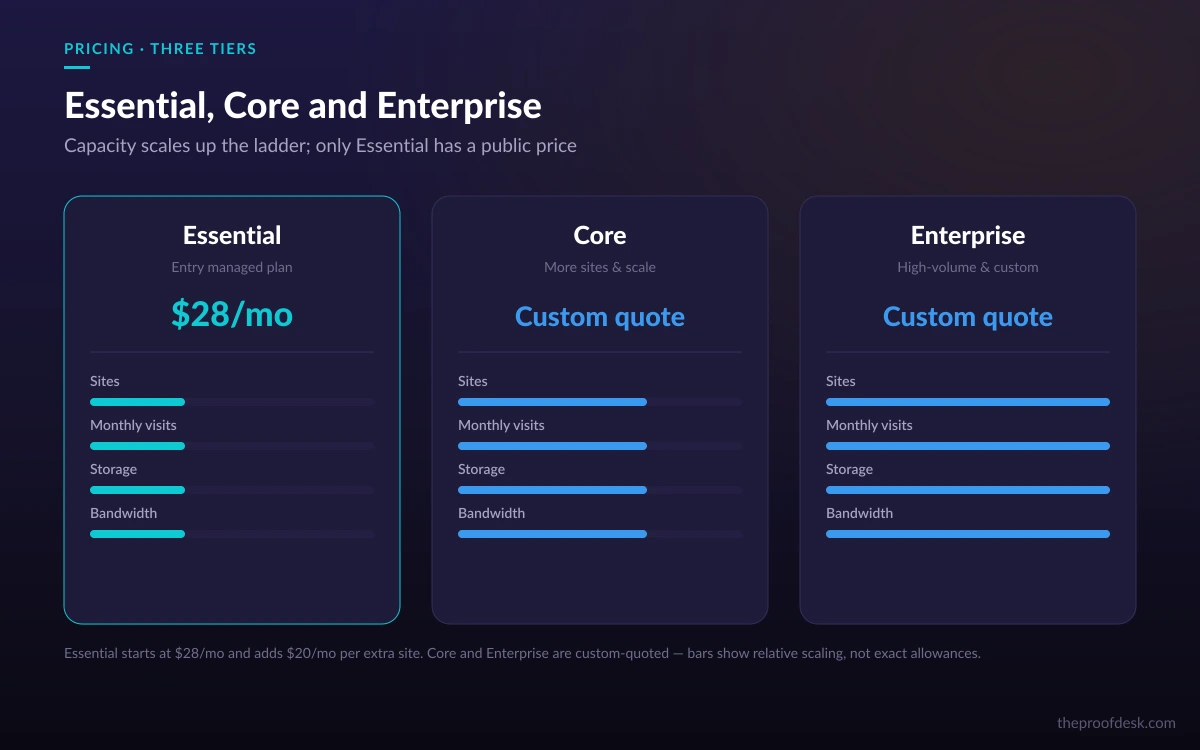
WP Engine uses a build-your-own-plan model organized into three tiers. You pick a tier, then dial in the number of sites, monthly visits, storage and bandwidth you need. The managed hosting platform starts at $28.00/month, and additional sites can be added to a plan for $20/month each.
- Essential — 1 to 30 sites, 25,000 to 400,000 visits per month, 10 to 50 GB storage and 75 GB bandwidth. This is the published, self-serve tier where the $28/mo starting price lives.
- Core — 30 to 50 sites, 400,000 to 800,000 visits per month, 50 GB to 2 TB storage and 550 GB bandwidth. Pricing is quoted on request rather than listed.
- Enterprise — 50+ sites, 800,000+ visits per month, 2 TB+ storage and 550 GB+ bandwidth, at a custom price.
Annual billing is the norm and is where the headline monthly figure comes from. One Essential configuration, for example, is billed annually at $336.00 paid up front, which works out to the $28/month figure. If you compare WP Engine to a monthly shared host, remember you are usually comparing an annual prepay against a month-to-month rate.
Read the tier before the price
Only the Essential tier and the $28/mo starting price are published fixed figures. Core and Enterprise are 'contact sales' quotes, so any specific monthly number you see for them elsewhere is an estimate, not WP Engine's stated price.
Performance: EverCache and the CDN
Performance is where managed hosts justify their premium, and WP Engine's core mechanism is EverCache, described as modern cloud infrastructure with WordPress-optimized caching. In practice this is a caching layer designed to serve pages fast without you configuring plugins, which is one of the more error-prone parts of self-managed WordPress.
On top of caching, every plan includes a global CDN powered by Cloudflare, so static assets are served from locations near your visitors, plus auto-renewing SSL and SSH access. For most content sites this combination handles the two things that quietly wreck page speed: cache misses and slow asset delivery.
What you don't have to manage
The value here is not a single benchmark number but the set of decisions you no longer have to make. Caching strategy, CDN wiring and certificate renewal are handled by the platform. That is worth more to a busy team than a few milliseconds shaved off a synthetic test.
Security, backups and staging
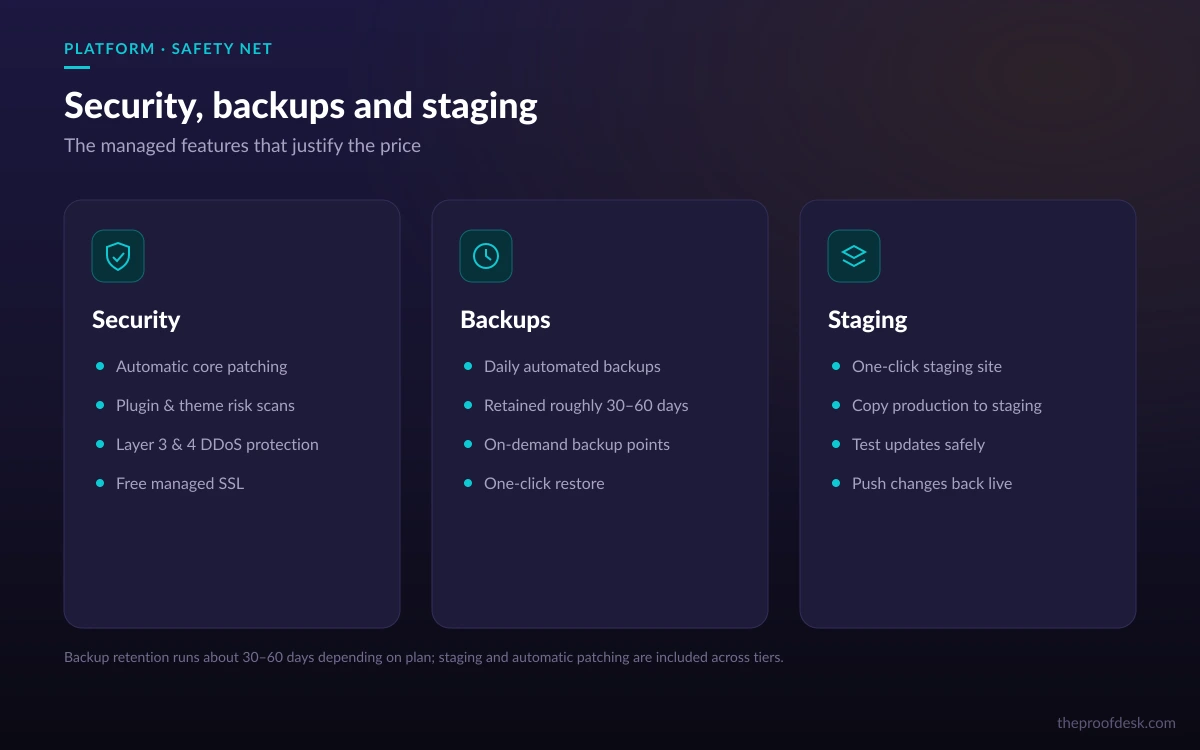
WP Engine layers several protections into the platform rather than selling them as add-ons. You get Layer 3 and 4 DDoS protection, automatic security patching and plugin risk scans, and auto-renewing SSL. The patching matters: unpatched WordPress and plugins are the most common way sites get compromised, and letting the host handle it removes a recurring chore.
- Automatic and on-demand backups, retained for roughly 30 to 60 days depending on plan.
- Automatic security patching plus plugin risk scans to flag risky extensions.
- Layer 3+4 DDoS protection and auto-renewing SSL across plans.
- One-click staging environments to test changes before they touch the live site.
- Site uptime monitoring with alerts.
The one-click staging environments deserve a callout. Being able to clone your live site, test a plugin update or theme change, then push it live is exactly the workflow that prevents the classic 'updated a plugin, took the site down' incident. Combined with on-demand backups, it gives you a straightforward path to undo mistakes.
Uptime and the SLA
WP Engine guarantees uptime through a published Service Level Agreement rather than a marketing slogan. The standard SLA targets 99.95% availability. When downtime exceeds that target, you can claim credits equal to 5% of your monthly fees for each full hour of downtime beyond the guarantee, capped at 100% of your monthly fees, and you must claim within 30 days.
Higher-tier and premium servers offer an Enhanced SLA targeting 99.99% availability, with credits of 3% of monthly fees per half hour of downtime. As with most host SLAs, these are service credits, not cash refunds, and the burden is on you to notice the downtime and file a claim in time.
SLA terms move; verify before you rely on them
The credit percentages above are from WP Engine's currently published SLA, but that document predates the January 2026 Terms of Service. Treat the specific numbers as the published terms to confirm at signup, not as a frozen promise, and read the SLA yourself for the plan you actually buy.
Support and how it is tiered
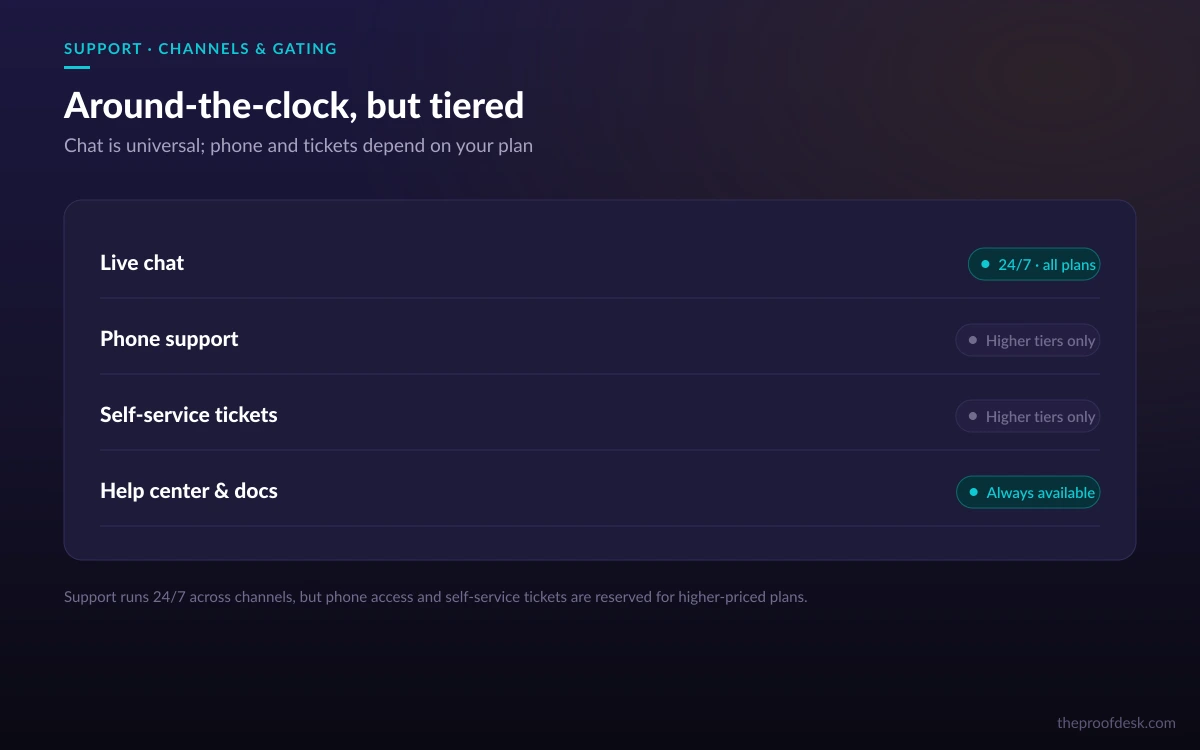
Support runs 24/7/365 through live chat (with an AI assistant), phone and tickets. The important detail for buyers is that support access is gated by plan. Phone support is not available on entry-level plans, and the ability to open your own support tickets is reserved for top-tier customers; on other plans, staff open tickets on your behalf.
That gating is normal for managed hosts, but it changes the calculation if fast, direct support is part of why you are paying a premium. If phone access or self-service ticketing matters to your team, price the plan that actually includes it rather than assuming the entry tier carries the same support you saw advertised.
One caution when reading WP Engine's own support documentation: it still references legacy plan names that do not map cleanly onto the current Essential, Core and Enterprise tiers. Confirm exactly which support channels your chosen plan includes with sales before you commit.
The Automattic dispute: a risk to weigh
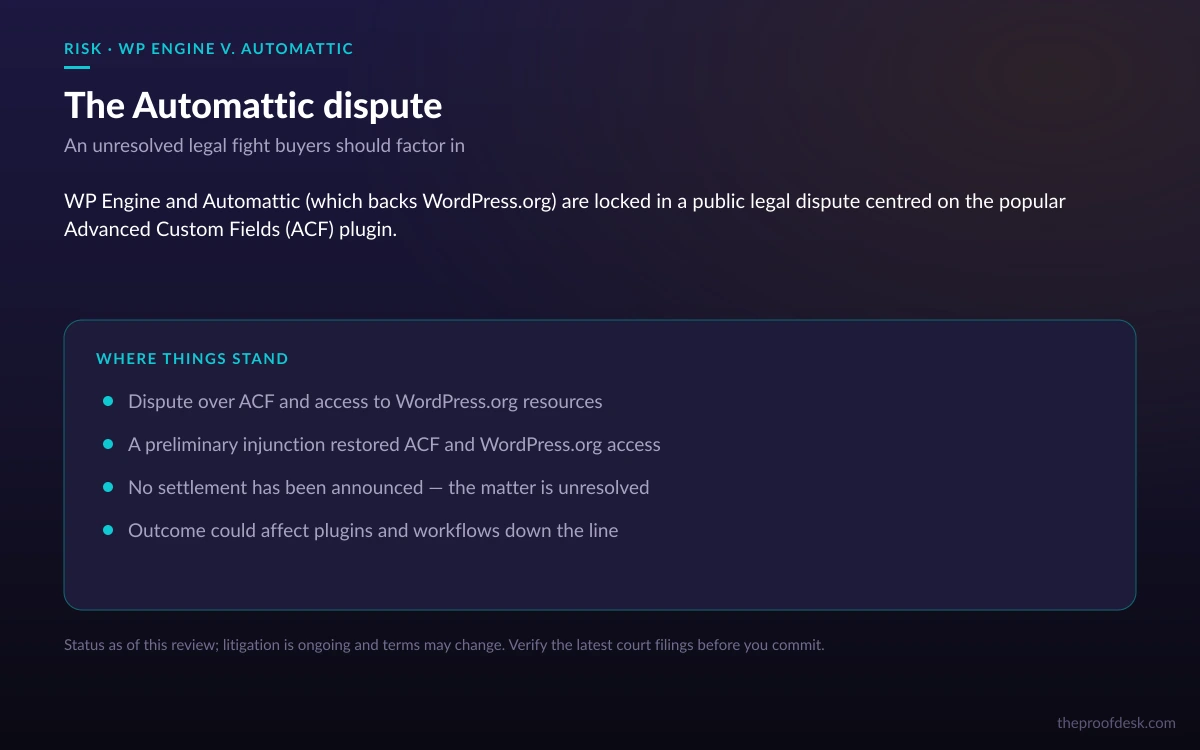
Any honest WP Engine review in 2026 has to address its legal fight. WP Engine is in active, unresolved litigation against Matt Mullenweg and Automattic — not against the WordPress.org project itself — over the Advanced Custom Fields (ACF) plugin, which WP Engine says was taken over without its consent. A court granted WP Engine a preliminary injunction that restored its access to and control of ACF and ordered its WordPress.org access restored.
As of this writing in September 2026, the dispute remains unresolved, with no settlement announced. The preliminary injunction is a temporary, early-stage ruling in WP Engine's favor, not a final judgment, and the broader case is still open.
For a prospective customer, this is a risk factor rather than a dealbreaker. WP Engine hosts a large number of production sites and continues to operate normally, and the injunction restored the access that was in question. But you are signing up with a vendor whose relationship with parts of the WordPress ecosystem is contested, so weigh it honestly against alternatives, especially if your site depends heavily on WordPress.org services or on ACF.
Who it is for
WP Engine fits agencies, businesses and publishers running revenue-generating WordPress sites who want performance, security and backups handled for them, and who can absorb an annual-prepay price that starts at $28/month and climbs with sites, traffic and storage. The staging and backup workflow alone can justify the cost for teams that push frequent changes.
It is a weaker fit for hobby sites on a tight budget, for anyone who wants root-level server control, and for buyers who are uneasy about the unresolved Automattic litigation. Those users may be better served by cheaper shared hosting or by a self-managed VPS, accepting more maintenance in exchange for a lower bill or fuller control.
Frequently asked questions
How much does WP Engine cost?
The managed hosting platform starts at $28.00/month, which reflects an annual prepay on the entry Essential tier. Additional sites cost $20/month each. Core and Enterprise tiers are custom-quoted rather than listed, so you contact sales for those prices.
Is there a free trial or money-back guarantee?
WP Engine's current Terms of Service does not state a general customer-initiated, no-questions-asked money-back guarantee. Refunds are described only as prorated amounts if WP Engine itself terminates for convenience, and customers can terminate early only if WP Engine materially breaches and fails to cure within 30 days. Confirm any current promotional trial with WP Engine directly before signing up.
What uptime does WP Engine guarantee?
The standard SLA targets 99.95% availability, with service credits of 5% of monthly fees per full hour of downtime beyond target, capped at 100% of monthly fees and claimable within 30 days. An Enhanced SLA on higher-tier or premium servers targets 99.99%, with 3% credits per half hour. These are credits, not cash refunds.
Does every plan include phone support?
No. Support runs 24/7 across chat, phone and tickets, but phone support is unavailable on entry-level plans, and only top-tier customers can open their own tickets — on other plans, staff open tickets for you. Check which channels your specific plan includes before you buy.
How does the WP Engine and Automattic dispute affect me as a customer?
As of September 2026 the litigation is unresolved. A preliminary injunction restored WP Engine's access to and control of the ACF plugin and its WordPress.org access, and the platform operates normally. Treat it as a risk factor to weigh — not a settled matter and not, on current evidence, a service outage — especially if your site depends on ACF or WordPress.org services.
Can I run more than one site?
Yes. Even the Essential tier supports multiple sites (1 to 30), and you can add extra sites to any plan for $20/month each. Higher tiers raise the included site count, visit allowance, storage and bandwidth.
Key takeaways
- WP Engine sells managed WordPress convenience — caching, patching, backups and staging handled for you — at a premium starting at $28/month on an annual prepay.
- Only the Essential tier and the $28/mo start are published fixed prices; Core and Enterprise are custom quotes, and extra sites are $20/month each.
- The platform's real value is the workflow: EverCache and a Cloudflare CDN for speed, plus one-click staging and retained backups to undo mistakes safely.
- Support is 24/7 but tiered — phone and self-service tickets are gated to higher plans, so price the tier that includes what you need.
- The WP Engine v. Automattic litigation is unresolved as of September 2026; a preliminary injunction restored ACF and WordPress.org access, but weigh it as a risk factor before committing.
More in Cloud Computing
Browse Cloud Computing